
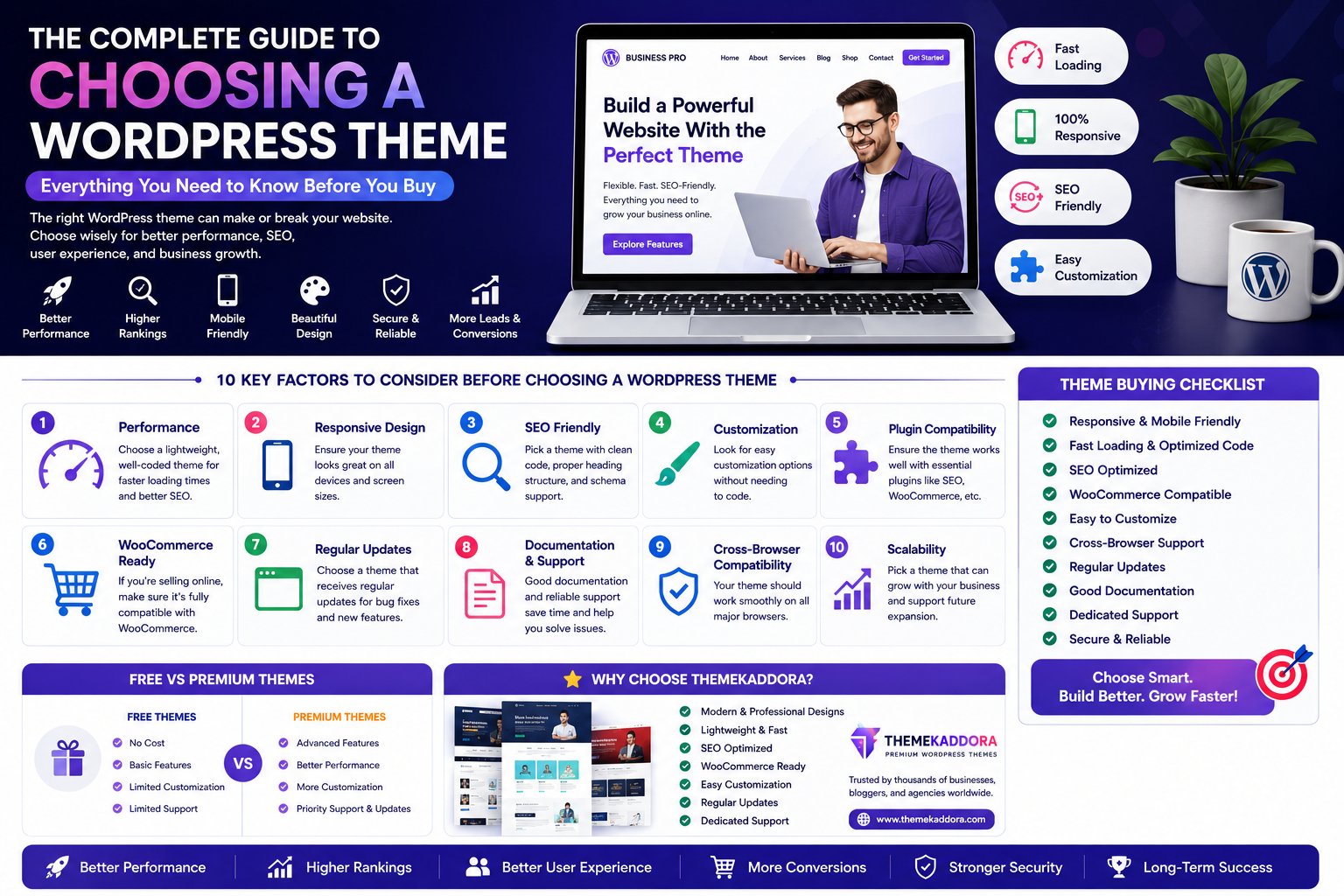
The Complete Guide to Choosing a WordPress Theme: Everything You Need to Know Before You Buy
Introduction
Choosing a WordPress theme is one of the most important decisions you'll make when building a website. Your theme affects far more than appearance—it influences website speed, search engine optimization (SEO), mobile responsiveness, user experience, security, and even conversion rates.
With thousands of free and premium themes available, finding the right one can feel overwhelming. Many website owners focus only on design and later discover compatibility issues, slow loading times, or limited customization options.
This guide will help you understand what to look for in a WordPress theme, the questions to ask before buying, and how to select a theme that supports your business goals for years to come.
Why Your WordPress Theme Matters
A WordPress theme controls the visual presentation and structural layout of your website, but its impact goes much deeper.
A quality theme helps you:
Improve website speed
Create a better user experience
Support SEO best practices
Build trust with visitors
Increase conversions
Reduce maintenance issues
Scale as your business grows
Choosing wisely from the beginning saves time, money, and future redesign efforts.
Step 1: Define Your Website Goals
Before comparing themes, clearly identify your website's purpose.
Examples include:
Business website
Online store
Blog
Portfolio
Agency
Educational platform
Membership site
Landing page
Nonprofit website
Your goals determine which features matter most.
Step 2: Understand Your Audience
Ask yourself:
Who will visit my website?
What information are they looking for?
Which devices will they use?
What action do I want them to take?
Design decisions should support your visitors—not just your personal preferences.
Step 3: Prioritize Performance
Fast websites provide better experiences.
Look for themes that emphasize:
Lightweight code
Optimized assets
Minimal dependencies
Clean HTML5 structure
Efficient CSS
Website performance contributes to both SEO and user satisfaction.
Step 4: Choose a Responsive Theme
A modern theme should work seamlessly on:
Smartphones
Tablets
Laptops
Desktop computers
Responsive design ensures visitors have a consistent experience regardless of screen size.
Step 5: Check SEO Friendliness
A theme should support—not hinder—your SEO efforts.
Look for:
Semantic HTML
Proper heading hierarchy
Clean code
Fast loading
Accessibility considerations
Schema compatibility
Good SEO starts with a strong technical foundation.
Step 6: Evaluate Customization Options
A flexible theme should allow you to customize:
Colors
Typography
Headers
Footers
Layouts
Buttons
Blog pages
WooCommerce pages
Customization should be intuitive without requiring advanced coding knowledge.
Step 7: Verify Plugin Compatibility
Your theme should work well with commonly used WordPress plugins.
Examples include:
SEO plugins
Contact form plugins
WooCommerce
Caching tools
Security plugins
Backup solutions
Compatibility reduces conflicts and improves stability.
Step 8: Consider Future Growth
Choose a theme that can grow alongside your business.
Think about future needs such as:
eCommerce
Membership functionality
Multilingual support
Additional landing pages
Expanded blog content
Planning ahead reduces the need for major redesigns later.
Free vs Premium Themes
Free Themes
Advantages:
No purchase cost
Suitable for learning
Good for simple websites
Limitations:
Fewer customization options
Limited support
Slower update cycles (varies)
Fewer advanced features
Premium Themes
Advantages:
Professional design
Regular updates
Better documentation
Dedicated support
Advanced customization
Performance optimization
For businesses, premium themes often provide greater long-term value.
Features Every Premium Theme Should Include
Before buying, ensure the theme offers:
Responsive design
Fast loading performance
SEO-friendly architecture
WooCommerce compatibility
Accessibility support
Cross-browser compatibility
Regular updates
Professional documentation
Reliable customer support
Clean coding standards
These features contribute to a more reliable website.
Questions to Ask Before Purchasing
Ask yourself:
Is the theme regularly updated?
Does it support the latest version of WordPress?
Is documentation available?
Is customer support responsive?
Does the theme load quickly?
Can it grow with my business?
Is it compatible with essential plugins?
Taking time to evaluate these factors helps prevent future issues.
Common Mistakes When Choosing a Theme
Avoid:
Choosing based only on appearance
Ignoring loading speed
Overlooking mobile responsiveness
Installing feature-heavy themes you won't use
Ignoring support quality
Forgetting SEO considerations
Selecting outdated themes
A balanced evaluation leads to a better long-term investment.
Why Businesses Choose Themekaddora
Themekaddora develops premium WordPress themes designed for businesses that value performance, flexibility, and modern design.
Key benefits include:
Lightweight architecture
Responsive layouts
SEO-friendly code
WooCommerce compatibility
Fast loading performance
HTML5 & CSS3 standards
Easy customization
Cross-browser compatibility
Regular updates
Professional support
Whether you're launching a startup, agency, blog, online store, or corporate website, Themekaddora themes provide a reliable foundation.
WordPress Theme Buying Checklist
Before making your purchase, confirm that the theme includes:
✅ Responsive design
✅ Fast loading speed
✅ SEO-friendly code
✅ WooCommerce compatibility
✅ Mobile optimization
✅ Accessibility support
✅ Easy customization
✅ Documentation
✅ Regular updates
✅ Professional support
Conclusion
Choosing a WordPress theme isn't simply about finding the most attractive design—it's about selecting a foundation that supports your business goals, enhances user experience, and performs well over time.
By focusing on responsiveness, speed, SEO, customization, compatibility, and scalability, you can invest in a theme that serves your website for years to come.
Themekaddora premium WordPress themes are built with these priorities in mind, helping businesses create professional, high-performing websites that are ready for long-term growth.
Frequently Asked Questions (FAQs)
How do I choose the right WordPress theme?
Start by identifying your website goals, then evaluate themes based on performance, responsiveness, SEO, customization, plugin compatibility, and ongoing support.
Is a premium WordPress theme worth buying?
For many businesses, premium themes provide better performance, advanced customization, regular updates, and dedicated support, making them a valuable long-term investment.
Why is website speed important when choosing a theme?
A lightweight, optimized theme helps pages load faster, improving user experience and supporting better search engine visibility.
Should I choose a WooCommerce-compatible theme?
If you plan to sell products now or in the future, WooCommerce compatibility provides flexibility without requiring a complete redesign.
Why choose Themekaddora WordPress themes?
Themekaddora themes combine responsive layouts, SEO-friendly architecture, WooCommerce compatibility, fast performance, clean code, and flexible customization, making them suitable for businesses, agencies, blogs, and online stores looking to build professional WordPress websites.
Comments (0)