
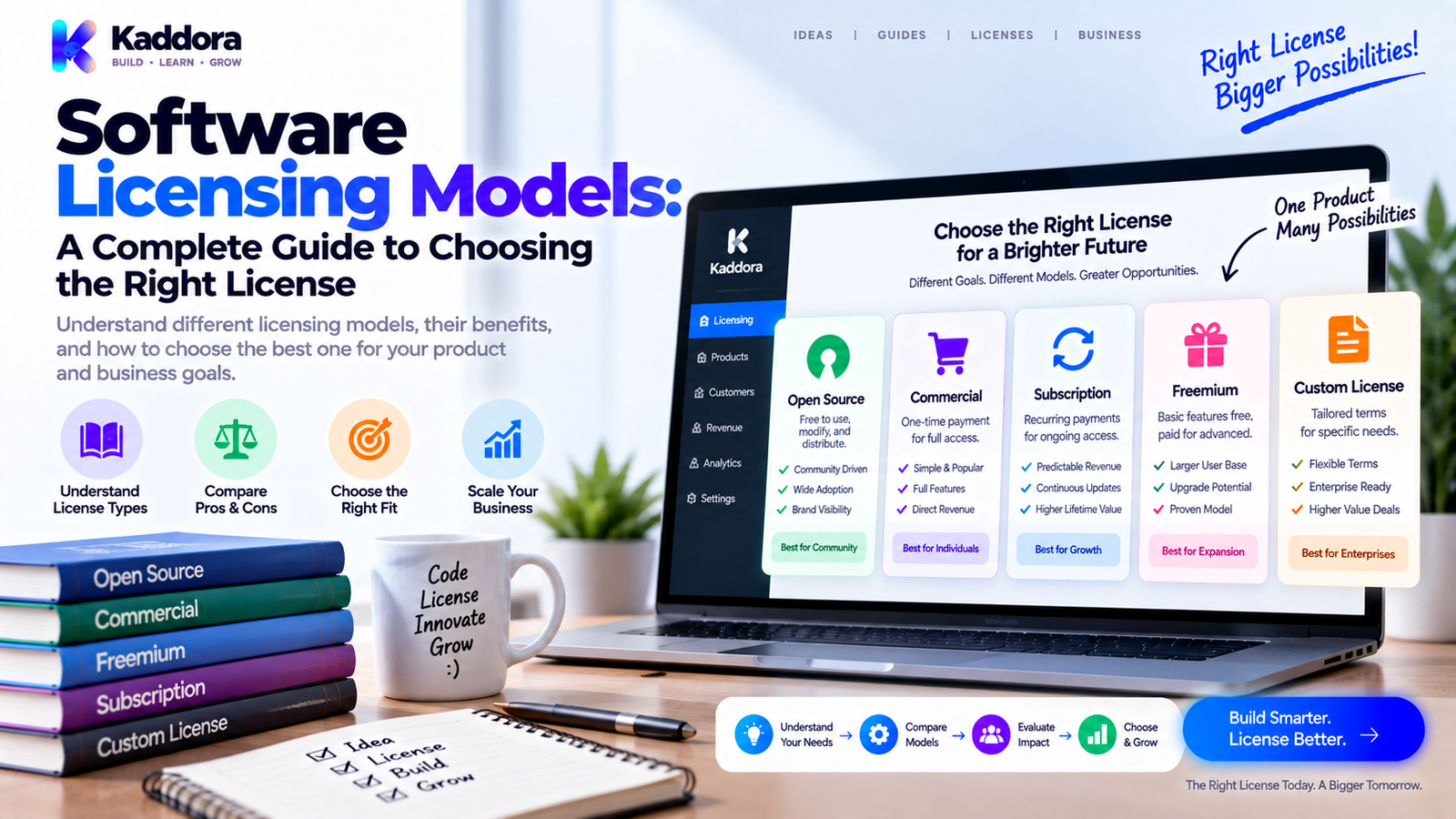
Software Licensing Models: A Complete Guide to Choosing the Right License
Introduction
Software licensing is an important part of every digital product business.
When someone purchases software, they usually receive permission to use that software under specific conditions rather than taking ownership of the underlying intellectual property.
Those conditions can define:
Who can use the software
How many users are allowed
How many devices or websites can be activated
How long the license remains valid
Which features are included
Whether updates are included
Whether support is included
Whether the software can be modified
Whether redistribution is permitted
The basic relationship looks like this:
Software ↓ License ↓ Usage Rights ↓ Customer Access ↓ Commercial Value
Different products need different approaches.
A WordPress plugin may use site-based annual licensing.
A SaaS platform may use subscriptions and user seats.
An AI product may combine subscriptions with usage credits.
An enterprise application may use a negotiated organization-wide agreement.
This makes choosing the right software licensing model an important business and product decision.
In this guide, you'll learn what software licensing means, the major licensing models, how licensing differs from pricing, how activation systems work, and how to choose a model for WordPress plugins, themes, SaaS products, APIs, AI software, and enterprise applications.
What Is Software Licensing?
Software licensing is the framework that defines how software may be used.
A license can specify:
Software ↓ Permitted Use ↓ Restrictions ↓ Duration ↓ Updates ↓ Support
A license is generally different from ownership.
For example, a customer may purchase a commercial software product but receive only defined rights to use it.
The exact legal meaning depends on the license agreement and applicable law.
Software License vs Pricing Model
Licensing and pricing are closely connected, but they are not the same.
Pricing Model
Pricing determines how much the customer pays.
Examples:
₹999 One Time ₹5,999 Per Year ₹799 Per Month
Licensing Model
Licensing determines what the customer is allowed to use.
Examples:
1 Website 10 Users 5 Devices 10,000 API Requests
They can be combined.
For example:
Annual Subscription + 5-Site License
Understanding this difference helps businesses create clearer commercial plans.
Why Software Licensing Matters
Licensing affects the entire software business.
It can influence:
Product packaging
Pricing
Revenue predictability
Customer acquisition
Support
Updates
Enterprise sales
Product distribution
Feature access
Customer retention
A poorly designed license can create confusion.
A well-designed license should make customer rights easy to understand while supporting the economics of maintaining the product.
Main Software Licensing Models
1. Perpetual Licensing
A perpetual license generally allows continued use of a particular software version after a one-time payment.
One-Time Payment ↓ License Granted ↓ Continued Use
This model can fit:
Desktop applications
Offline software
Stable utilities
Specialized tools
The business should clearly explain whether future major versions, updates, or support are included.
2. Subscription Licensing
Subscription licensing charges customers repeatedly for continuing access.
Subscription ↓ Software Access ↓ Ongoing Value ↓ Renewal
It is common for:
SaaS products
Cloud platforms
AI tools
Business software
Online services
Subscription models can create recurring revenue, but customers also expect continuing value.
3. Annual Licensing
Annual licensing charges once per year.
For example:
Professional ₹7,999 / year
The license might include:
Product access
Updates
Support
Premium features
Site activations
This model is particularly common for WordPress plugins and themes.
4. Per-User Licensing
Per-user licensing charges or limits access based on the number of users or seats.
1 User → ₹X 10 Users → ₹Y 50 Users → ₹Z
It is common in:
CRM systems
HR platforms
Project management
Collaboration tools
Enterprise applications
Define the meaning of "user" clearly. It could mean a named user, active user, registered account, or seat.
5. Per-Device Licensing
Per-device licensing controls how many devices can use the software.
1 Device ↓ License 5 Devices ↓ Expanded License
It can suit:
Desktop applications
Security software
Developer tools
Specialized utilities
A legitimate transfer process should be considered when customers replace devices.
6. Site-Based Licensing
Site-based licensing is especially useful for WordPress products.
1 Site → ₹X 5 Sites → ₹Y 25 Sites → ₹Z
It can be used for:
WordPress plugins
WordPress themes
Website tools
Agency products
It also creates a natural path from individual plans to agency licenses.
7. Usage-Based Licensing
Usage-based models charge or limit customers according to consumption.
Possible usage dimensions include:
API requests
AI generations
Storage
Messages
Transactions
Processed records
Compute usage
A basic system looks like:
Usage ↓ Metering ↓ Calculation ↓ Billing
This approach is useful when operating costs increase with customer usage.
8. Feature-Based Licensing
Feature-based licensing provides different capabilities in different plans.
Basic → Core Features Professional → Advanced Features Enterprise → Advanced + Custom Features
This can work well for software with clearly separated functionality.
However, feature differences should remain understandable.
9. Tier-Based Licensing
Tier-based licensing combines multiple limits and benefits.
For example:
Plan
Users
Sites
Support
Starter
1
1
Standard
Business
10
5
Priority
Agency
25
25
Priority
Enterprise
Custom
Custom
Custom
This allows the business to serve different customer segments.
10. Concurrent-User Licensing
Concurrent licensing limits how many users can use software simultaneously.
For example:
100 Registered Users 10 Concurrent Users
This can work when many employees need occasional access but only a limited number use the system at the same time.
11. Floating Licensing
Floating licensing allows a defined number of licenses to be shared among a larger user group.
50 Employees ↓ 10 Floating Licenses
The first available license can be used by an authorized employee while the simultaneous-use limit is respected.
12. Transaction-Based Licensing
Transaction licensing charges based on business transactions handled by the software.
Examples include:
Booking systems
Marketplaces
Payment platforms
Commerce infrastructure
A model may use:
Fixed Fee Per Transaction
or:
Percentage Of Transaction Value
The agreement should clearly define what counts as a transaction.
13. Enterprise Licensing
Enterprise licensing provides customized terms for larger organizations.
Possible elements include:
Large user counts
Multiple locations
Multiple websites
Custom integrations
Deployment assistance
Advanced support
Contractual terms
A typical structure is:
Enterprise Customer ↓ Custom Agreement ↓ Custom License ↓ Annual Contract
Enterprise plans often combine software, services, and support.
14. OEM Licensing
OEM licensing allows software to be distributed as part of another company's product.
Software ↓ OEM Partner ↓ Bundled Product ↓ End Customer
The agreement may define distribution, branding, support, volume, territory, and modification rights.
15. White-Label Licensing
White-label licensing allows another business to distribute or brand software under an agreed arrangement.
Software ↓ Customization ↓ Partner Branding ↓ Partner Customers
This can be useful for agencies, technology companies, and platform providers.
16. Open-Source Licensing
Open-source software is distributed under licenses that provide defined rights to use, study, modify, and redistribute the software, subject to license conditions.
Examples include:
GPL
MIT
Apache License
BSD licenses
Different licenses have different requirements.
Open-source does not mean "no license." The license defines the rights and obligations.
17. Source-Available Licensing
Source-available software allows users to view source code but may impose restrictions that prevent the software from qualifying as open source.
Restrictions can cover:
Commercial use
Redistribution
Competitive use
Modification
Service provision
Always review the specific license rather than relying on the label alone.
18. Freemium Licensing
Freemium combines free access with premium functionality.
Free Version ↓ Product Adoption ↓ Advanced Need ↓ Premium Upgrade
Premium access may include:
Advanced features
Automation
Integrations
Higher limits
Premium support
Freemium works best when the free version provides genuine standalone value.
19. Academic and Nonprofit Licensing
Some software companies provide specialized licensing for:
Students
Educational institutions
Researchers
Charities
Nonprofit organizations
Eligibility requirements should be clearly documented.
20. Hybrid Licensing
Hybrid licensing combines multiple dimensions.
For example:
Subscription + 10 User Seats + 100 GB Storage + 10,000 API Requests
Another example for a WordPress product:
Annual License + 5 Sites + Premium Updates + Support
Hybrid models are flexible but can become difficult to understand if too many variables are introduced.
Software Licensing and Ownership
Purchasing software usually does not mean acquiring ownership of its intellectual property.
The relationship is generally:
Software Owner ↓ License Grant ↓ Customer
The customer receives the usage rights defined by the license.
What Should a Software License Define?
A practical license should address the areas relevant to the product.
Usage
Who may use the software?
Scope
How many users, devices, or websites are permitted?
Duration
Is the license perpetual or time-limited?
Features
Which capabilities are included?
Updates
Are software updates included?
Support
What support is provided?
Transfer
Can the license move to another environment?
Modification
Can the customer modify the software?
Redistribution
Can the software be shared or resold?
Expiration
What happens when the license ends?
Clear answers reduce customer confusion.
License Activation Systems
Commercial software often uses activation systems to manage customer entitlements.
Purchase ↓ License Created ↓ License Key ↓ Activation ↓ Entitlement Check ↓ Updates / Access
A license record may contain:
License ID Customer Product Plan Status Expiration Activation Limit
For WordPress products, the activation may be associated with a website domain.
Domain, Staging, and Development Licensing
WordPress users commonly work with:
Local environments
Staging websites
Production websites
Migration domains
A good licensing system should consider legitimate development workflows.
For example:
Local ↓ Staging ↓ Production
A customer should have a clear method for transferring or releasing activations where the license terms permit it.
License Expiration and Grace Periods
An expired license may affect:
Updates
Support
New activations
Premium services
The exact behavior should match the license terms.
A grace period can help customers resolve:
Failed payments
Temporary network problems
Administrative delays
Payment Due ↓ Grace Period ↓ Renewal
Online and Offline Licensing
Some software requires continuous connectivity, while other products need offline operation.
Possible offline approaches include:
Signed license files
Activation codes
Periodic verification
Online licensing may use:
Application ↓ License Server ↓ Entitlement Response
Network failures should be handled gracefully where possible.
Temporary licensing-service problems should not unnecessarily break unrelated software functionality.
Licensing Security
License systems need security just like other software infrastructure.
Consider:
HTTPS
Authentication
Rate limiting
Input validation
Secure tokens
Activation controls
Server-side authorization
Logging
Never expose sensitive server credentials inside distributed client software.
For WordPress plugins, assume browser-side code can be inspected.
Licensing for WordPress Plugins
Commercial WordPress plugins often use:
Plugin ↓ License Key ↓ Site Activation ↓ Entitlement ↓ Updates + Support
A license can define:
Site count
Premium access
Update eligibility
Support period
Agency usage
Licensing should also account for staging and legitimate website migrations where appropriate.
Licensing for WordPress Themes
Themes can use similar structures:
Theme ↓ License ↓ Site Limit ↓ Updates ↓ Support
Agency plans can provide higher site limits for customers building multiple client websites.
Client-site usage should be clearly documented.
Licensing for SaaS, APIs, and AI Products
Different technologies naturally lead to different models.
SaaS
Subscription + User Seats
API
API Key + Usage Quota + Rate Limit
AI
Subscription + Credits + Usage Limits
The pricing and license should reflect the actual operating cost of the product.
Third-Party License Compliance
A software product may include external components.
Examples include:
Libraries
SDKs
Fonts
Icons
Images
Code
Frameworks
The relationship is:
Your Product + Third-Party Components ↓ License Obligations
Review applicable licenses before distribution.
Common Software Licensing Mistakes
Avoid these common problems:
Vague license terms
Hidden renewal conditions
Excessively rigid activation
No staging or migration process
Exposed licensing secrets
Ignoring third-party licenses
Too many license tiers
Unclear expiration behavior
Overly aggressive verification
Failing to account for support costs
A good system should protect the business while remaining practical for legitimate customers.
How to Choose the Right Software Licensing Model
Use this framework:
Who Is the Customer? ↓ How Is the Product Delivered? ↓ How Is It Used? ↓ How Is Value Measured? ↓ What Costs Increase With Usage? ↓ What Rights Are Needed? ↓ Choose the Simplest Suitable Model
Examples:
WordPress Plugin → Site-Based Annual License WordPress Theme → Site / Agency License SaaS → Subscription + Seats AI Platform → Subscription + Credits API → Usage-Based Enterprise Software → Custom Agreement
The best model is usually the one that matches customer usage without creating unnecessary complexity.
Why Choose ThemeKaddora?
ThemeKaddora provides WordPress plugins, themes, WooCommerce solutions, AI products, analytics resources, automation tools, HTML templates, and UI kits for developers, agencies, entrepreneurs, and businesses.
Different digital products can require different licensing structures:
Plugin → Site-Based Theme → Site / Agency AI → Subscription + Usage Business Software → User / Organization
The important principle is to connect licensing with:
Customer usage
Product value
Support
Updates
Infrastructure
Long-term maintenance
ThemeKaddora's broader digital ecosystem illustrates why a single licensing model does not necessarily fit every digital product.
Software Licensing Checklist
Before launching a commercial software product, confirm:
License
Usage rights are clear
Restrictions are documented
Duration is defined
Transfer rules are explained
Entitlements
User limits are clear
Site or device limits are clear
Feature access is clear
Usage limits are clear
Updates
Update eligibility is documented
Expiration behavior is clear
Security maintenance is planned
Support
Support scope is defined
Support duration is clear
Documentation is available
Security
Licensing endpoints are protected
Secrets are not exposed
Activation requests are validated
Privacy
Only necessary data is collected
External communication is transparent
Data retention is understood
Final Thoughts
Software licensing models define how customers are permitted to use digital products and how software businesses structure commercial access.
Major models include:
Perpetual licensing
Subscription licensing
Annual licensing
Per-user licensing
Per-device licensing
Site-based licensing
Concurrent-user licensing
Floating licensing
Usage-based licensing
Feature-based licensing
Tier-based licensing
Transaction-based licensing
Enterprise licensing
OEM licensing
White-label licensing
Open-source licensing
Source-available licensing
Freemium licensing
Academic licensing
Hybrid licensing
The right model depends on:
Customer + Product + Usage + Value + Operating Cost + Support + Distribution
A WordPress plugin may naturally use a site-based annual license.
A SaaS platform may use subscriptions and seats.
An AI product may combine subscriptions with credits.
An API may use usage quotas.
An enterprise application may require a custom agreement.
There is no universal licensing structure.
A strong license should clearly answer:
Who can use the product?
Where can it be used?
How long does the license remain valid?
What features are included?
Are updates included?
What support is included?
What happens after expiration?
Can the license be transferred?
The best licensing model is usually not the most restrictive one.
It is the one that accurately reflects customer usage, protects the software business, funds ongoing maintenance, and remains easy for customers to understand.
Frequently Asked Questions
What is a software license?
A software license defines the rights and restrictions under which customers may use software.
What are the major software licensing models?
Common models include perpetual, subscription, annual, per-user, per-device, site-based, usage-based, enterprise, open-source, freemium, and hybrid licensing.rganizations with complex usage, support, integration, or deployment requirements.
Is open-source software licensed?
Yes. Open-source software is distributed under a license that defines users' rights and obligations.
Does buying software mean I own it?
Usually not. A purchase commonly grants defined usage rights rather than ownership of the underlying intellectual property.
What should a software license include?
Relevant terms can include users, devices, websites, duration, features, updates, support, modification, redistribution, transfers, renewals, and expiration.
Can AI software use licensing based on credits?
Yes. AI products can combine subscriptions with credit-based or usage-based entitlements.
Can APIs use usage-based licensing?
Yes. API products commonly combine API keys, quotas, rate limits, and usage-based plans.
Why do third-party licenses matter?
Libraries, fonts, icons, SDKs, and other components can have separate licensing obligations that must be reviewed before distribution.
What are common licensing mistakes?
Common problems include vague terms, hidden renewals, rigid activations, exposed secrets, unclear expiration, excessive restrictions, and ignoring third-party licenses.
How do I choose the right software licensing model?
Start with the customer, delivery method, usage pattern, value, operating costs, support requirements, and distribution method. Then choose the simplest model that fits.
Why choose ThemeKaddora?
ThemeKaddora provides WordPress plugins, themes, WooCommerce solutions, AI tools, analytics products, automation resources, HTML templates, UI kits, and other digital products for developers, agencies, businesses, entrepreneurs, and website owners.
Comments (0)