
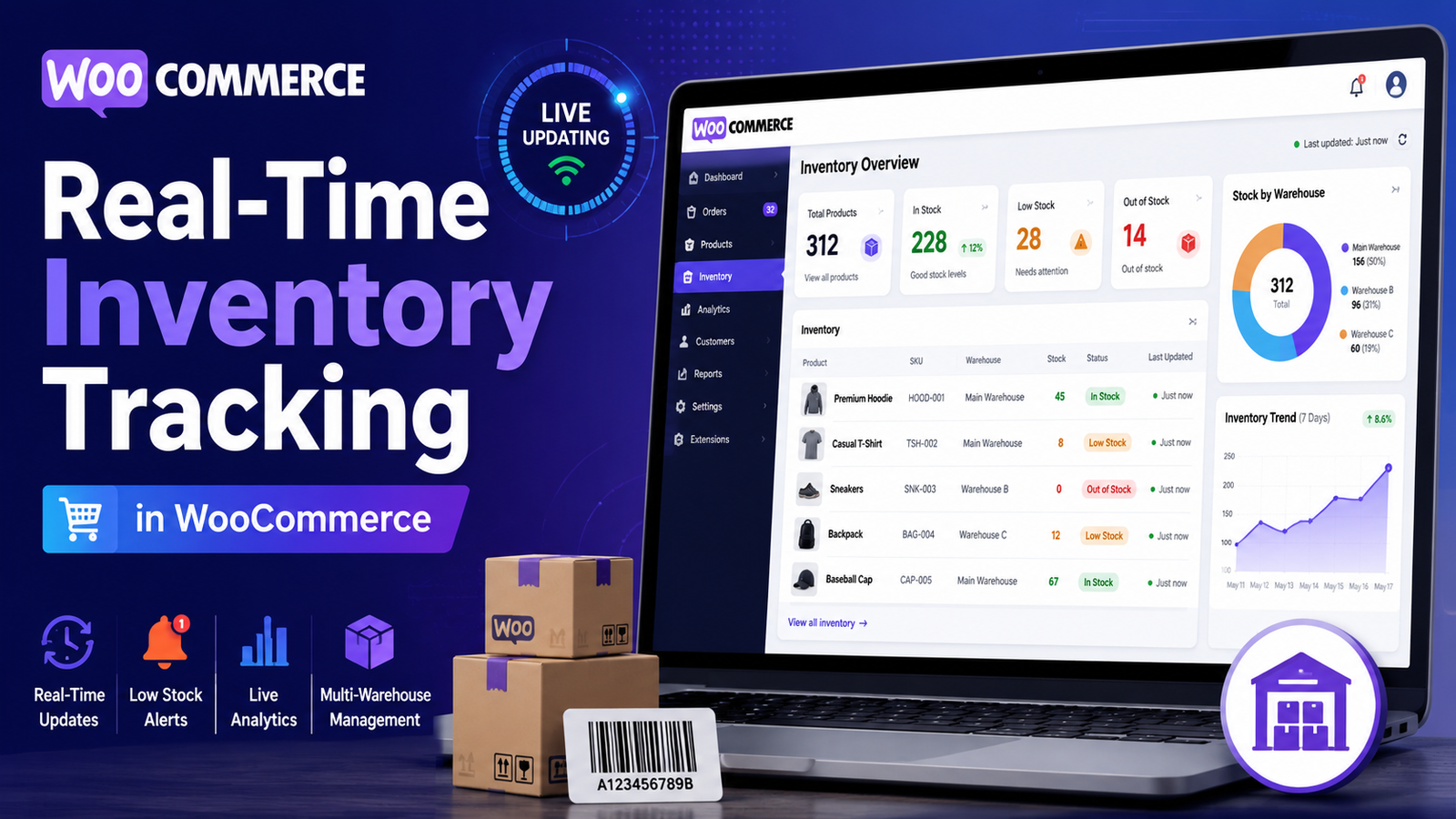
Real-Time Inventory Tracking in WooCommerce
In eCommerce, inventory changes constantly. Every customer order, refund, cancellation, restock, or manual adjustment affects your stock levels. If these changes aren't reflected immediately, your inventory records can quickly become inaccurate.
That's where real-time inventory tracking becomes valuable.
Instead of relying on delayed updates or manual checks, real-time inventory tracking keeps your stock information current as inventory changes occur. This helps store owners make better decisions, reduce inventory mistakes, and provide customers with accurate product availability.
In this guide, you'll learn how real-time inventory tracking works in WooCommerce, its benefits, common challenges, and best practices for maintaining accurate stock records.
Quick Answer
What is real-time inventory tracking in WooCommerce?
Real-time inventory tracking is the continuous monitoring and updating of product stock levels whenever inventory changes. It ensures that stock quantities remain accurate after purchases, refunds, restocking, returns, or manual adjustments, helping businesses reduce inventory errors and improve operational efficiency.
Why Real-Time Inventory Tracking Matters
Accurate inventory information is essential for smooth business operations.
Real-time tracking helps you:
Prevent overselling
Reduce stockouts
Improve customer confidence
Speed up order fulfillment
Monitor inventory continuously
Improve purchasing decisions
Reduce manual inventory errors
Without real-time visibility, businesses often make decisions using outdated stock information.
How Real-Time Inventory Tracking Works
Whenever inventory changes, the system updates stock records automatically.
Typical events include:
Customer purchases
Order cancellations
Product returns
Refunds
Manual inventory adjustments
New stock arrivals
The goal is to ensure your inventory dashboard always reflects the most current stock status.
Benefits of Real-Time Inventory Tracking
Prevent Overselling
Customers are less likely to purchase products that are already out of stock because inventory updates immediately after confirmed stock changes.
Faster Restocking Decisions
Low inventory becomes visible sooner, allowing you to reorder products before shortages affect sales.
Better Customer Experience
Displaying accurate stock availability helps customers make informed purchasing decisions and reduces order cancellations.
Improved Inventory Accuracy
Automatic updates reduce the risk of manual data entry errors.
Better Business Planning
Real-time inventory insights support purchasing, forecasting, and operational planning.
Key Features to Look For
An effective real-time inventory system should include:
Live Stock Updates
Inventory should refresh automatically whenever stock changes occur.
Low-Stock Alerts
Receive notifications before products reach critical inventory levels.
Inventory Dashboard
View important inventory metrics from a centralized dashboard.
SKU Tracking
Organize inventory using unique product identifiers for easier management.
Inventory Reports
Analyze stock movement, fast-selling products, slow-moving items, and inventory trends.
Bulk Inventory Management
Update inventory for multiple products efficiently without editing them individually.
Common Challenges
Manual Stock Adjustments
Frequent manual edits can create inconsistencies if not managed carefully.
Delayed Inventory Synchronization
If inventory updates are delayed, customers may see inaccurate stock availability.
Large Product Catalogs
Managing thousands of products requires efficient reporting and automation.
Multiple Sales Channels
Stores selling through different marketplaces need synchronized inventory to reduce discrepancies.
Best Practices
Enable Automatic Stock Updates
Allow WooCommerce to update stock whenever orders are processed.
Audit Inventory Regularly
Compare physical inventory with digital records to identify discrepancies.
Monitor High-Demand Products
Review your best-selling items frequently to avoid unexpected stockouts.
Configure Low-Stock Thresholds
Set alert levels based on supplier lead times and sales volume.
Analyze Inventory Trends
Use inventory reports to improve purchasing and stock planning decisions.
When Basic WooCommerce Inventory Isn't Enough
Growing businesses often need additional inventory capabilities such as:
Centralized dashboards
Advanced inventory reporting
Bulk stock updates
Multi-location inventory support
Inventory forecasting
Automated replenishment workflows
Enhanced inventory analytics
These features can help reduce manual work and improve stock accuracy.
How Kaddora WooCommerce Inventory Management Helps
As your WooCommerce store grows, maintaining accurate inventory manually becomes increasingly challenging.
Kaddora WooCommerce Inventory Management Plugin helps businesses improve inventory visibility with centralized inventory tools and real-time stock monitoring.
Key Features
Real-time inventory tracking
Centralized inventory dashboard
Live stock visibility
Low-stock alerts
SKU management
Bulk inventory updates
Inventory performance reports
WooCommerce integration
By organizing inventory data into a single dashboard, the plugin helps store owners monitor stock more efficiently and respond quickly to inventory changes.
Real-Time Inventory Checklist
✅ Enable stock management
✅ Monitor stock daily
✅ Configure low-stock alerts
✅ Review inventory reports
✅ Audit physical inventory regularly
✅ Track high-demand products
✅ Use bulk updates when appropriate
✅ Monitor inventory trends
Frequently Asked Questions
What is real-time inventory tracking?
Real-time inventory tracking continuously updates stock levels whenever inventory changes, helping businesses maintain accurate inventory records.
Does WooCommerce update inventory automatically?
Yes. WooCommerce can automatically reduce stock quantities after successful orders when inventory management is enabled.
Why is real-time inventory important?
It helps prevent overselling, reduces stock errors, improves purchasing decisions, and provides customers with accurate product availability.
Can inventory tracking be automated?
Yes. WooCommerce automates basic stock updates, while dedicated inventory management plugins provide additional automation, reporting, and centralized dashboards.
Which WooCommerce plugin supports real-time inventory tracking?
Businesses looking for enhanced inventory dashboards, stock reports, SKU management, and live inventory monitoring can evaluate Kaddora WooCommerce Inventory Management Plugin.
Final Thoughts
Real-time inventory tracking gives WooCommerce businesses the visibility they need to keep inventory accurate and operations running smoothly.
By combining automatic stock updates with reporting, alerts, and inventory insights, store owners can reduce costly errors, improve customer satisfaction, and make better purchasing decisions.
If your business has outgrown basic inventory tools, Kaddora WooCommerce Inventory Management Plugin provides centralized inventory management, real-time stock visibility, and advanced reporting features to help you manage inventory with greater confidence.
Comments (0)