
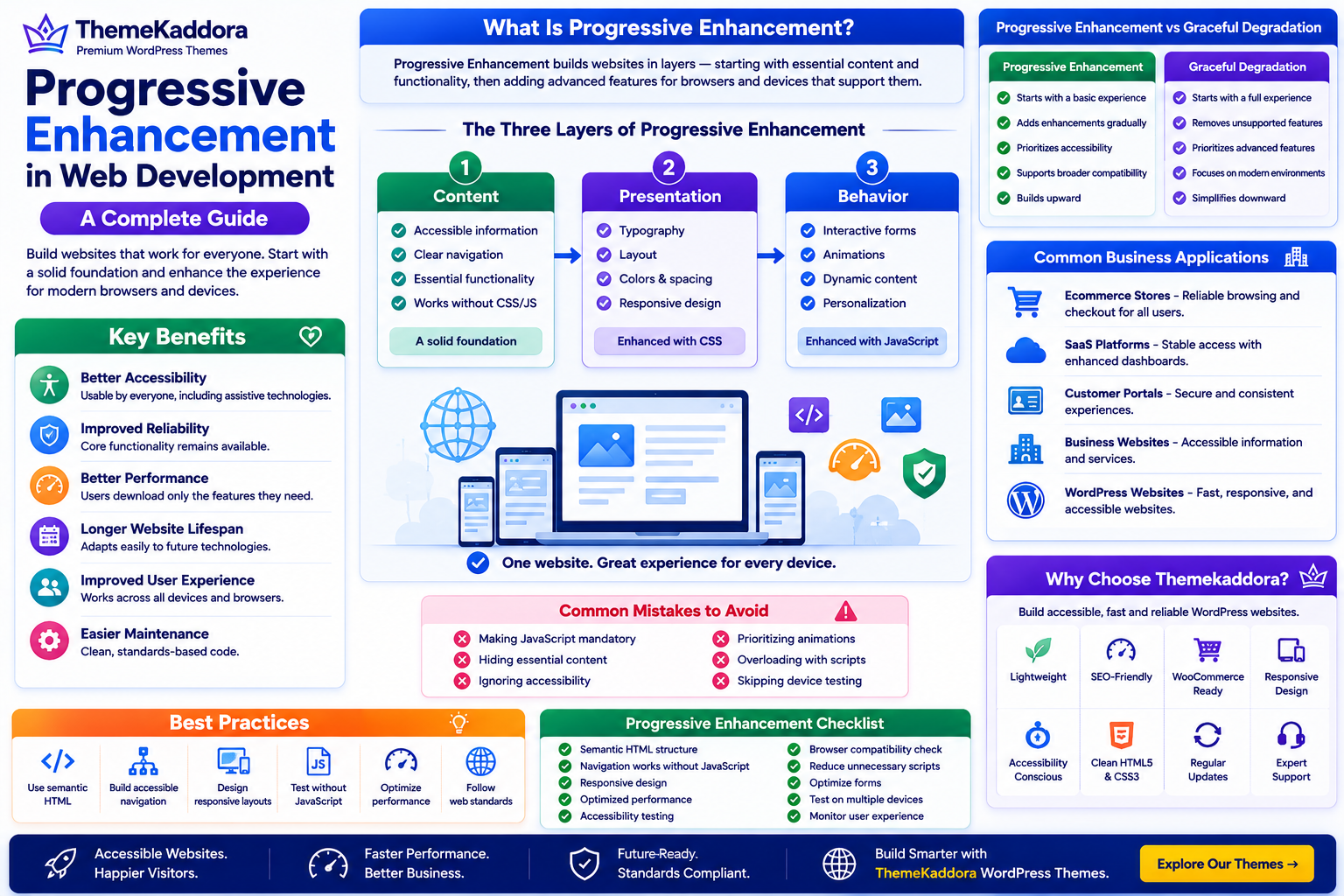
Progressive Enhancement in Web Development: A Complete Guide
Introduction
Business websites are accessed from thousands of different devices, browsers, operating systems, and network conditions every day. Some visitors use the latest smartphones, while others browse with older devices, slower internet connections, or assistive technologies.
Building websites that only work perfectly under ideal conditions can exclude users and create inconsistent digital experiences.
Progressive Enhancement is a web development approach that starts with a solid, accessible foundation and gradually adds more advanced features for browsers and devices that support them.
Rather than assuming every visitor has identical capabilities, progressive enhancement ensures essential content and functionality remain available to everyone while delivering richer experiences where possible.
For business websites, this approach improves accessibility, resilience, usability, and long-term maintainability.
What Is Progressive Enhancement?
Progressive Enhancement is a development philosophy that builds websites in layers.
The basic experience should always provide:
Accessible content
Core functionality
Clear navigation
Essential interactions
Additional enhancements such as animations, advanced layouts, and interactive features are added only when supported by the visitor's browser or device.
This ensures that users are never prevented from completing important tasks.
The Three Layers of Progressive Enhancement
Layer 1: Content
Every website begins with meaningful, well-structured content.
Visitors should always be able to:
Read information
Navigate pages
Access links
Submit important forms
Content remains the foundation of every digital experience.
Layer 2: Presentation
CSS enhances visual appearance through:
Typography
Layout
Colors
Spacing
Responsive design
If styling is unavailable, content should still remain usable.
Layer 3: Behavior
JavaScript adds enhanced interactions such as:
Dynamic filtering
Interactive forms
Animations
Live validation
Personalization
These enhancements improve usability but should not prevent access to essential functionality.
Why Progressive Enhancement Matters
Businesses adopt progressive enhancement to:
Improve accessibility
Support older browsers
Increase website reliability
Improve mobile usability
Reduce user frustration
Support SEO
Create future-ready websites
It encourages websites that remain functional even when advanced features are unavailable.
Benefits of Progressive Enhancement
Better Accessibility
Visitors using assistive technologies can access essential content more easily.
Improved Reliability
Core functionality remains available even if scripts fail or network conditions are poor.
Better Performance
Users download only the enhancements their devices can effectively support.
Longer Website Lifespan
Standards-based development adapts more easily to future browsers and technologies.
Improved User Experience
Every visitor receives an experience appropriate for their device capabilities.
Easier Maintenance
Building in layers often creates cleaner, more maintainable codebases.
Progressive Enhancement vs Graceful Degradation
Progressive Enhancement:
Starts with a basic experience
Adds enhancements gradually
Prioritizes accessibility
Supports broader compatibility
Builds upward
Graceful Degradation:
Starts with a fully featured experience
Removes unsupported features when necessary
Prioritizes advanced functionality
Focuses primarily on modern environments
Simplifies downward
Both approaches aim to improve compatibility, but progressive enhancement begins with inclusion.
Common Business Applications
Business Websites
Ensure contact forms, navigation, and service information remain available across all devices.
Ecommerce Stores
Allow customers to browse products and complete purchases even if advanced scripts encounter issues.
SaaS Platforms
Provide reliable account access while enhancing dashboards for capable browsers.
Customer Portals
Maintain secure access to documents, support resources, and account information regardless of device limitations.
WordPress Websites
WordPress websites benefit from progressive enhancement by combining semantic HTML, responsive layouts, optimized media, accessible navigation, and optional JavaScript enhancements to deliver reliable user experiences.
Common Mistakes
Avoid:
Making JavaScript mandatory for basic navigation
Hiding essential content behind unsupported features
Ignoring accessibility standards
Prioritizing animations over usability
Failing to test on multiple devices
Overloading pages with unnecessary scripts
Progressive enhancement focuses on delivering dependable experiences rather than showcasing technology.
Best Practices
Start with semantic HTML.
Build accessible navigation.
Apply responsive CSS.
Add JavaScript enhancements gradually.
Test without JavaScript enabled.
Optimize performance.
Follow modern web standards.
Progressive Enhancement Checklist
Before launching your website, make sure you:
✅ Structure content with semantic HTML
✅ Ensure navigation works without JavaScript
✅ Design responsive layouts
✅ Optimize loading performance
✅ Test accessibility
✅ Verify browser compatibility
✅ Reduce unnecessary scripts
✅ Optimize forms
✅ Test on multiple devices
✅ Continuously monitor user experience
Why Choose Themekaddora?
A modern website should remain fast, accessible, and reliable for every visitor.
Themekaddora WordPress themes provide:
Lightweight architecture
Fast loading performance
SEO-friendly code
Responsive layouts
WooCommerce compatibility
Flexible customization
Accessibility-conscious design
Clean HTML5 and CSS3 standards
Cross-browser compatibility
Regular updates
Professional support
These features help businesses create WordPress websites that follow progressive enhancement principles while delivering excellent performance, accessibility, and long-term maintainability.
Conclusion
Progressive Enhancement encourages developers to build websites that prioritize accessibility, reliability, and usability before adding advanced features. By creating a strong foundation and enhancing experiences where appropriate, businesses can serve a broader audience while preparing their websites for future technologies.
Whether you're building a corporate website, ecommerce platform, SaaS application, or WordPress site, progressive enhancement helps create resilient digital experiences that continue delivering value as technology evolves.
Frequently Asked Questions (FAQs)
What is Progressive Enhancement?
Progressive Enhancement is a web development approach that starts with accessible core functionality and gradually adds advanced features for devices and browsers that support them.
Why is Progressive Enhancement important?
It improves accessibility, website reliability, performance, browser compatibility, and long-term maintainability.
Is Progressive Enhancement good for SEO?
Yes. Because it emphasizes semantic HTML, accessible content, and usable website structures, it supports many technical SEO best practices while improving the overall user experience.
Can WordPress websites use Progressive Enhancement?
Yes. WordPress websites can implement progressive enhancement through semantic markup, responsive design, accessible navigation, optimized media, and optional JavaScript enhancements.
Why choose Themekaddora?
Themekaddora provides lightweight, SEO-friendly WordPress themes with responsive layouts, WooCommerce compatibility, fast performance, accessibility-conscious design, regular updates, and professional support—helping businesses build modern WordPress websites that remain accessible, resilient, and future-ready.
Comments (0)