
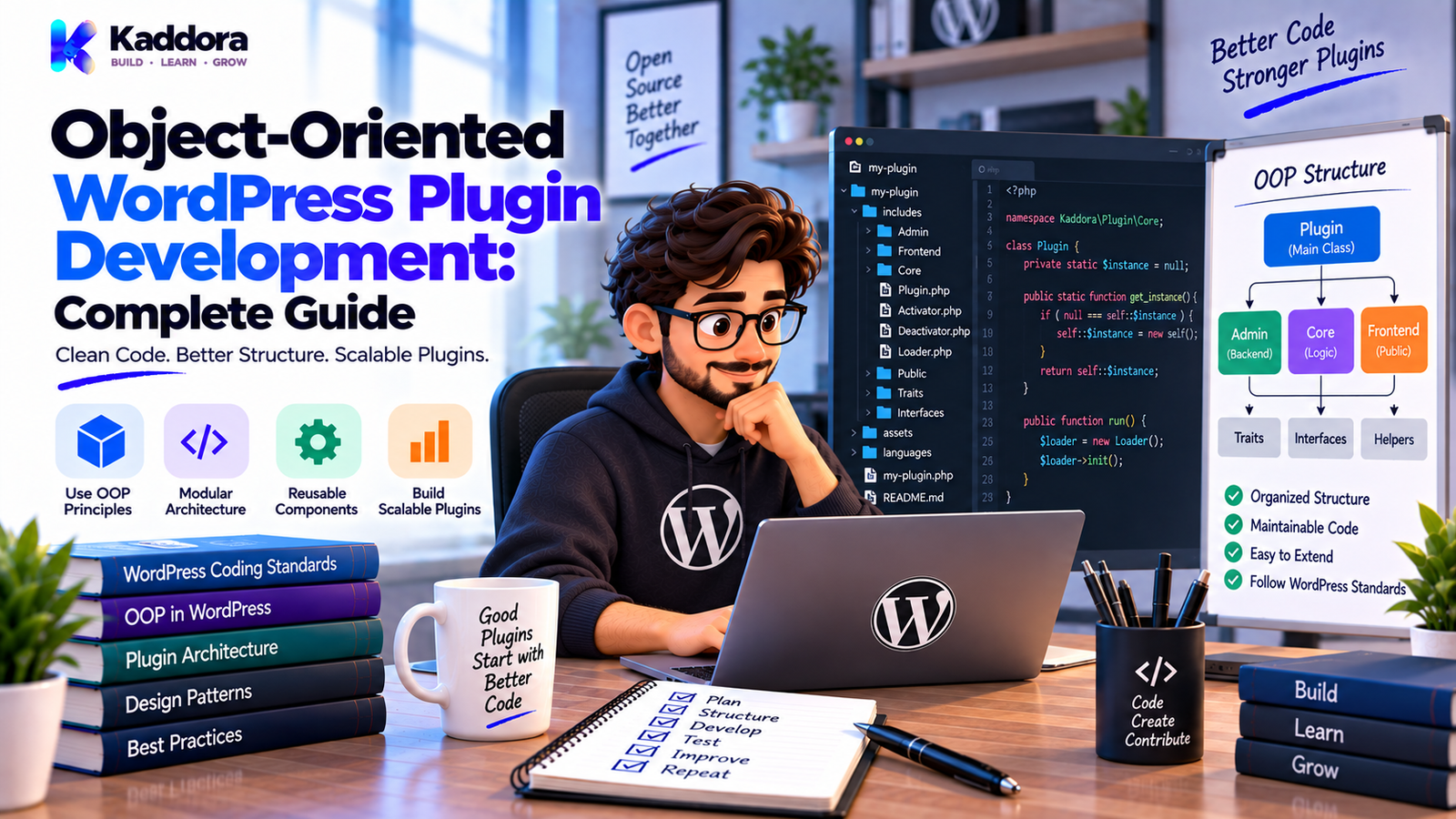
Object-Oriented WordPress Plugin Development: Complete Guide
Introduction
WordPress plugins can start very small.
A simple plugin may contain one PHP file, a few hooks, and a small amount of logic.
But as the plugin grows, its responsibilities increase.
A larger plugin may eventually include:
Multiple admin pages
Settings
REST APIs
AJAX actions
Custom database tables
WooCommerce integration
External APIs
Cron jobs
Logging
Notifications
Reports
Background processing
Front-end functionality
When everything is implemented with global functions and large procedural files, the codebase can become difficult to understand and maintain.
This is where Object-Oriented WordPress Plugin Development can help.
Object-oriented programming, commonly called OOP, organizes related behavior and data into classes and objects.
Instead of placing every feature into a large collection of functions, developers can create focused components with clear responsibilities.
For example:
Plugin ↓ Settings Class ↓ Order Service ↓ API Client ↓ Repository
OOP is not automatically better for every WordPress plugin.
A simple plugin can remain procedural if that approach is clear and appropriate.
However, for medium and large plugins, object-oriented design can provide useful boundaries that improve maintainability, testing, extensibility, and organization.
In this guide, you'll learn what OOP means in WordPress plugin development, how classes and objects work, how to structure an object-oriented plugin, how to use namespaces, constructors, interfaces, dependency injection, hooks, services, repositories, and testing, and which OOP mistakes to avoid.
What Is Object-Oriented WordPress Plugin Development?
Object-oriented WordPress plugin development is the practice of building plugin functionality using classes, objects, methods, properties, interfaces, and other object-oriented programming concepts.
A procedural approach may look like:
function kaddora_register_settings() { // Settings logic. } function kaddora_process_order() { // Order logic. } function kaddora_send_api_request() { // API logic. }
An object-oriented approach might organize those responsibilities as:
Settings Order_Service Api_Client
Each class can contain related functionality.
This can make large codebases easier to understand.
Why Use OOP in WordPress Plugins?
OOP can be useful when a plugin becomes large enough to require stronger organization.
Potential benefits include:
Better separation of responsibilities
Easier code reuse
Improved testability
Clearer dependencies
Better organization
Easier extension
Reduced duplication
Better support for complex application logic
However, OOP also introduces additional concepts.
A small plugin does not become better simply because it uses classes.
The architecture should match the project's complexity.
Procedural vs Object-Oriented WordPress Development
Procedural Approach
Function Function Function Hook Function Function
This can work well for simple plugins.
Object-Oriented Approach
Plugin ├── Settings ├── Services ├── Database ├── API └── Integrations
The object-oriented approach can provide clearer boundaries as complexity grows.
The important question is not:
Should every plugin use OOP?
Instead ask:
Does OOP make this plugin easier to understand and maintain?
Basic OOP Concepts for WordPress Developers
Before building a large object-oriented plugin, understand several fundamental concepts.
Class
A class defines the structure and behavior of an object.
class Product_Service { public function sync( $product_id ) { // Process product. } }
Object
An object is an instance of a class.
$product_service = new Product_Service();
Method
A method is a function that belongs to a class.
$product_service->sync( $product_id );
Property
A property stores data associated with the object.
class Product_Service { private $api_client; }
These concepts form the foundation of object-oriented PHP.
1. Start With a Clear Plugin Bootstrap
A large OOP plugin should have a clear entry point.
Example:
<?php /** * Plugin Name: Kaddora Example * Version: 1.0.0 * Text Domain: kaddora-example */ defined( 'ABSPATH' ) || exit; require_once plugin_dir_path( __FILE__ ) . 'includes/class-plugin.php'; Kaddora_Example_Plugin::init();
The entry file should primarily:
Define plugin metadata
Protect direct access
Load required files
Start the plugin
Avoid placing the entire application inside the entry file.
2. Create a Main Plugin Class
A main plugin class can coordinate initialization.
Example:
class Kaddora_Example_Plugin { public static function init() { $plugin = new self(); $plugin->load(); } private function load() { // Register components. } }
The main class should not become a giant container for every feature.
Its job is primarily coordination.
3. Give Classes Clear Responsibilities
A common OOP mistake is creating classes that do everything.
Avoid:
Plugin_Manager ├── Settings ├── Orders ├── API ├── Emails ├── Database ├── Reports └── Cron
Instead:
Settings Order_Service Api_Client Email_Service Order_Repository Report_Service Sync_Job
Each class has a clearer role.
This is easier to test and modify.
4. Use Constructors for Dependencies
Constructors can make dependencies explicit.
Example:
class Order_Service { private $repository; private $api_client; public function __construct( $repository, $api_client ) { $this->repository = $repository; $this->api_client = $api_client; } }
The service now clearly communicates what it needs to operate.
This is an important step toward testable architecture.
5. Use Dependency Injection
Dependency injection means providing dependencies to a class rather than constructing everything internally.
Instead of:
class Order_Service { public function __construct() { $this->api_client = new Api_Client(); } }
you can use:
class Order_Service { public function __construct( $api_client ) { $this->api_client = $api_client; } }
Then:
$api_client = new Api_Client(); $order_service = new Order_Service( $api_client );
This makes dependencies more visible.
It also makes testing easier.
6. Use Namespaces
Namespaces help organize classes and reduce naming collisions.
Example:
namespace Kaddora\Example; class Settings { }
Another class can use the same short name in another namespace without creating the same class identifier.
For example:
Kaddora\Example\Settings Vendor\OtherPlugin\Settings
This is especially useful in larger projects.
Global functions, constants, options, hooks, and other global identifiers should still use unique prefixes where appropriate.
7. Organize Classes Into Folders
A larger plugin may use:
includes/ services/ repositories/ api/ integrations/ admin/ cron/
For example:
services/ ├── class-order-service.php ├── class-sync-service.php └── class-notification-service.php
This makes the codebase easier to navigate.
Folder names should reflect the responsibilities of their contents.
8. Separate Business Logic From Hooks
WordPress hooks are entry points.
They do not need to contain the entire feature implementation.
Instead of:
add_action( 'save_post', function () { // Hundreds of lines of logic. } );
use:
add_action( 'save_post', array( $this, 'handle_save' ) ); public function handle_save( $post_id ) { return $this->service->process( $post_id ); }
Now the hook handles integration with WordPress while the service handles the operation.
9. Register Actions and Filters in a Dedicated Component
Large plugins may benefit from an organized hook registration approach.
For example:
class Hooks { public function register() { add_action( 'init', array( $this, 'register_content' ) ); add_filter( 'the_content', array( $this, 'filter_content' ) ); } }
The exact structure can vary.
The purpose is to avoid scattering hook registration unpredictably across the codebase.
10. Use Services for Business Operations
A service should represent a meaningful operation.
For example:
class Customer_Sync_Service { public function sync( $customer_id ) { // Validate customer. // Prepare payload. // Send API request. // Save result. } }
The service can be called from:
Admin REST AJAX Cron
This avoids duplicating business rules.
11. Use Repositories for Complex Data Access
Repositories can provide a boundary around database operations.
Example:
class Customer_Repository { public function find( $customer_id ) { global $wpdb; $table_name = $wpdb->prefix . 'kaddora_customers'; return $wpdb->get_row( $wpdb->prepare( "SELECT * FROM {$table_name} WHERE id = %d", $customer_id ) ); } }
The service doesn't need to know every SQL implementation detail.
However, don't create repositories for every simple WordPress API call.
Use abstraction where it provides actual value.
12. Use Interfaces When They Solve a Real Problem
Interfaces define expected behavior.
Example:
interface Logger_Interface { public function info( $message, array $context = array() ); public function error( $message, array $context = array() ); }
A class can implement it:
class File_Logger implements Logger_Interface { public function info( $message, array $context = array() ) { // Write info log. } public function error( $message, array $context = array() ) { // Write error log. } }
Interfaces can help when different implementations genuinely need to be interchangeable.
Don't create interfaces simply because every class can theoretically have one.
13. Handle Errors With WP_Error
Object-oriented code should still use WordPress's error-handling conventions where appropriate.
Example:
$result = $this->api_client->send( $payload ); if ( is_wp_error( $result ) ) { return $result; }
Create meaningful error codes:
return new WP_Error( 'kaddora_sync_failed', __( 'The synchronization could not be completed.', 'kaddora-example' ) );
Consistent errors make testing and logging easier.
14. Protect Object-Oriented Admin Features
Admin classes should enforce permissions.
Example:
if ( ! current_user_can( 'manage_options' ) ) { wp_die( esc_html__( 'You do not have permission to access this page.', 'kaddora-example' ) ); }
Forms should also use proper nonce validation.
OOP does not replace WordPress security practices.
Classes should still follow:
Capability checks
Nonces
Validation
Sanitization
Escaping
15. Structure REST API Classes
A REST controller can be organized as a class.
Example:
class Orders_Controller { public function register_routes() { register_rest_route( 'kaddora/v1', '/orders/(?P<id>\d+)', array( 'methods' => 'GET', 'callback' => array( $this, 'get_order' ), 'permission_callback' => array( $this, 'permissions' ), ) ); } }
The controller can delegate business logic:
public function get_order( WP_REST_Request $request ) { $order_id = absint( $request->get_param( 'id' ) ); return $this->service->get_order( $order_id ); }
This keeps API transport separate from business behavior.
16. Structure AJAX Classes
An AJAX handler can follow:
AJAX Request ↓ Nonce ↓ Capability ↓ Validation ↓ Service ↓ Response
For example:
public function save_settings() { check_ajax_referer( 'kaddora_save_settings', 'nonce' ); if ( ! current_user_can( 'manage_options' ) ) { wp_send_json_error( array( 'message' => __( 'Permission denied.', 'kaddora-example' ), ), 403 ); } // Delegate to service. }
Keep the callback focused.
17. Use OOP for Cron and Background Jobs
Scheduled tasks can use dedicated job classes.
Example:
class Sync_Job { public function run() { // Load work. // Process batch. // Handle errors. } }
Hook registration:
add_action( 'kaddora_sync_job', array( $sync_job, 'run' ) );
This is easier to test than putting an enormous amount of logic directly into the cron callback.
18. Organize External API Clients
An API client class can centralize communication.
Example:
class Api_Client { public function send( $payload ) { return wp_remote_post( $this->endpoint, array( 'timeout' => 15, 'body' => wp_json_encode( $payload ), 'headers' => array( 'Content-Type' => 'application/json', ), ) ); } }
In production code, authentication, validation, response handling, error processing, and configuration should be handled carefully.
The important architectural principle is:
Business Service ↓ API Client ↓ WordPress HTTP API ↓ External Service
19. Keep Logging Centralized
OOP can help create a consistent logging layer.
For example:
class Logger { public function error( $message, array $context = array() ) { // Log safely. } }
Usage:
$this->logger->error( 'Customer synchronization failed.', array( 'customer_id' => $customer_id, ) );
Don't log sensitive credentials or tokens.
A logging abstraction also allows storage strategy to change later.
20. Make Object-Oriented Code Testable
One of the strongest reasons to use OOP is testability.
Consider:
class Discount_Service { public function calculate( $price, $percentage ) { return $price - ( $price * $percentage / 100 ); } }
The business logic can be tested independently.
For dependencies:
$service = new Order_Service( $fake_repository, $fake_api_client );
This makes controlled tests easier.
OOP and WordPress Dependency Injection
Dependency injection can be especially useful for:
API clients
Repositories
Loggers
Services
Configuration providers
Example:
class Report_Service { public function __construct( $repository, $logger ) { $this->repository = $repository; $this->logger = $logger; } }
The dependencies become explicit.
Don't introduce an elaborate dependency container unless the project actually benefits from one.
OOP and Autoloading
Larger object-oriented plugins can benefit from autoloading.
A PSR-4-style structure might look like:
src/ ├── Admin/ │ └── Settings.php ├── Services/ │ └── OrderService.php └── Api/ └── OrdersController.php
Composer can provide autoloading for projects that use Composer dependencies.
However, WordPress plugins distributed through different marketplaces may have specific packaging and dependency considerations.
Choose an autoloading approach that fits your distribution requirements.
OOP and Plugin Activation
Activation logic should remain separate from normal runtime services.
Example:
register_activation_hook( __FILE__, array( 'Kaddora\Example\Activator', 'activate', ) );
Activation may:
Create required tables
Set initial options
Schedule required tasks
Don't perform destructive cleanup during activation.
OOP and Deactivation
Deactivation usually handles temporary runtime changes.
For example:
register_deactivation_hook( __FILE__, array( 'Kaddora\Example\Deactivator', 'deactivate', ) );
It may:
Unschedule plugin cron events
Disable temporary runtime state
Avoid deleting valuable user data simply because the plugin is deactivated.
OOP and Uninstall
Permanent data removal should be handled separately.
A plugin can use an uninstall mechanism for cleanup when the behavior is appropriate and clearly controlled.
Possible data includes:
Options
Custom tables
Transients
Plugin-specific metadata
Avoid unexpected destructive behavior.
Uninstall should respect the plugin's documented data-retention strategy.
Object-Oriented Plugin Folder Structure
A medium or large plugin could use:
kaddora-example/ │ ├── kaddora-example.php │ ├── src/ │ ├── Admin/ │ │ ├── Settings.php │ │ └── Admin.php │ │ │ ├── Services/ │ │ ├── OrderService.php │ │ └── SyncService.php │ │ │ ├── Repositories/ │ │ └── OrderRepository.php │ │ │ ├── Api/ │ │ └── OrdersController.php │ │ │ ├── Integrations/ │ │ └── ApiClient.php │ │ │ ├── Cron/ │ │ └── SyncJob.php │ │ │ └── Infrastructure/ │ └── Logger.php │ ├── assets/ ├── languages/ ├── templates/ └── tests/
Again, don't add directories unless they solve an actual organizational problem.
OOP for WooCommerce Plugins
WooCommerce plugins can benefit from domain-oriented classes.
For example:
Product_Service Order_Service Customer_Service Inventory_Service Payment_Service Report_Service
A typical order workflow might be:
WooCommerce Event ↓ Order Handler ↓ Order Service ↓ Repository ↓ Integration
This keeps business logic from becoming one massive WooCommerce callback.
OOP for AI Plugins
AI-powered plugins can separate responsibilities such as:
Prompt_Builder AI_Client Response_Parser Usage_Tracker AI_Service
The flow becomes:
AI Feature ↓ Prompt Builder ↓ AI Client ↓ Response Parser ↓ Business Service
This makes provider-specific implementation easier to change.
OOP for REST API Applications
A large API-driven plugin may use:
Controllers Services Repositories Validators API Clients
The request flow is:
REST Request ↓ Controller ↓ Permission ↓ Validation ↓ Service ↓ Repository / API ↓ Response
Clear boundaries improve testability and maintainability.
OOP and WordPress Hooks
Hooks remain central to WordPress even when the plugin uses OOP.
Common patterns include:
add_action( 'init', array( $this, 'register_features' ) );
and:
add_filter( 'the_content', array( $this, 'modify_content' ) );
OOP doesn't replace WordPress's hook system.
It provides a way to organize the code responding to those hooks.
Common OOP WordPress Plugin Mistakes
Giant Classes
Putting every responsibility into one class defeats the purpose of modular OOP.
Static Everything
Using static methods everywhere can make dependencies and testing harder.
Unnecessary Interfaces
Interfaces should solve genuine substitution or architectural needs.
Complex Dependency Containers
Small plugins rarely need elaborate containers.
Mixing Presentation and Business Logic
Keep rendering responsibilities separate from application operations where appropriate.
Ignoring WordPress APIs
Using OOP does not mean avoiding native WordPress functionality.
Incorrect Hook Registration
Classes must still register actions and filters correctly.
No Security Boundaries
Classes do not automatically make code secure.
Excessive Abstraction
More layers do not automatically produce better software.
No Testing
OOP without tests still leaves future changes risky.
Object-Oriented WordPress Plugin Development Checklist
Architecture
Clear plugin bootstrap
Focused classes
Clear responsibilities
Logical namespaces
Predictable directory structure
Security
Capability checks
Nonce validation
Input validation
Sanitization
Output escaping
Secure database queries
Dependencies
Dependencies are explicit
Dependency injection used where helpful
No unnecessary service locator patterns
External integrations isolated
WordPress Integration
Hooks registered clearly
REST endpoints structured
AJAX handlers separated
Cron jobs isolated
Activation/deactivation handled correctly
Maintainability
Tests available
Error handling consistent
Logging organized
Documentation available
Architecture kept practical
How to Build an Object-Oriented WordPress Plugin Step by Step
Step 1: Identify Responsibilities
List the major functions your plugin needs.
Step 2: Create a Clear Entry Point
Keep the main plugin file focused on bootstrap work.
Step 3: Create Focused Classes
Give each important class a clear responsibility.
Step 4: Add Namespaces
Use namespaces for larger object-oriented codebases.
Step 5: Separate Business Logic
Move important operations into services.
Step 6: Separate Data Access
Use dedicated data-access components where they provide value.
Step 7: Isolate Integrations
Create API clients for external services.
Step 8: Secure Entry Points
Protect admin, REST, AJAX, webhook, and other entry points.
Step 9: Add Tests
Test important business logic and integrations.
Step 10: Review the Architecture
Remove unnecessary abstractions and keep the structure understandable.
Should Every WordPress Plugin Use OOP?
No.
A small plugin with one or two simple features can often be maintained without a large object-oriented architecture.
For example:
Small Plugin ↓ Few Functions ↓ Simple Hooks
can be completely appropriate.
But when the plugin grows:
Many Features ↓ Many Dependencies ↓ Complex Workflows ↓ OOP Can Provide Structure
The architecture should match the problem.
OOP vs Overengineering
The goal of OOP is not to make a plugin look sophisticated.
Consider:
Simple Problem ↓ Simple Class
rather than:
Simple Problem ↓ Factory ↓ Container ↓ Manager ↓ Adapter ↓ Strategy ↓ Service
Use abstractions when they provide measurable development value.
Simple architecture is often easier to maintain.
How OOP Improves Plugin Maintainability
A well-structured OOP plugin can make changes more localized.
For example:
API Change ↓ Api_Client
instead of:
API Change ↓ Admin REST Cron AJAX Frontend
where every component contains its own API implementation.
Centralizing responsibilities reduces duplication.
OOP and Plugin Testing
A useful object-oriented testing strategy is:
Service ↓ Mock / Test Dependency ↓ Expected Result
For example:
$service = new Order_Service( $fake_repository, $fake_api_client );
This can help test business rules without requiring every external dependency to be active.
Integration tests are still important for verifying actual WordPress behavior.
OOP and Code Maintenance
Object-oriented architecture can make maintenance easier when:
Classes have focused responsibilities
Dependencies are explicit
Business logic is separated
Data access is organized
Hooks are clearly registered
Tests protect behavior
It can make maintenance harder when:
Classes are too large
Abstractions are excessive
Dependencies are hidden
Static state is everywhere
Architecture is inconsistent
The implementation style matters less than the quality of the boundaries.
Why Choose ThemeKaddora?
ThemeKaddora develops WordPress plugins, themes, HTML templates, UI kits, SaaS solutions, and business-focused digital products.
For larger WordPress products, object-oriented architecture can provide useful organization around:
Services
APIs
Database operations
WooCommerce workflows
AI integrations
Automation
Analytics
Administration
Good architecture should remain practical.
When evaluating a WordPress plugin or development resource, consider whether its architecture makes the software easier to understand, test, secure, update, and extend.
The presence of classes alone does not indicate quality.
What matters is whether those classes have clear responsibilities and work together predictably.
Final Thoughts
Object-oriented WordPress plugin development can provide a strong foundation for complex WordPress software.
The most important principles are straightforward:
Keep responsibilities clear.
Use focused classes.
Make dependencies visible.
Separate business logic from hooks.
Organize data access.
Isolate external integrations.
Protect every entry point.
Write tests for important behavior.
Use namespaces and unique identifiers.
Avoid unnecessary abstraction.
OOP is not a requirement for every WordPress plugin.
For small plugins, procedural code may be simpler and easier to maintain.
For larger plugins, however, object-oriented architecture can provide structure that helps the codebase grow without becoming chaotic.
The objective is not to use every OOP feature available in PHP.
You don't need inheritance everywhere.
You don't need interfaces for every class.
You don't need a complex dependency container.
You need an architecture that makes the plugin understandable.
When developers can quickly identify what a class does, what it depends on, what it changes, how it handles errors, and how it is tested, the plugin becomes much easier to maintain.
Good OOP is not about more code.
It is about better boundaries.
Frequently Asked Questions
What is object-oriented WordPress plugin development?
Object-oriented WordPress plugin development uses PHP classes, objects, methods, properties, namespaces, and other OOP concepts to organize plugin functionality.
Why use OOP for WordPress plugins?
OOP can improve organization, testability, separation of responsibilities, dependency management, and maintainability in larger plugins.
Does every WordPress plugin need OOP?
No. Simple plugins may be easier to maintain using straightforward procedural code.
When should I use OOP?
OOP becomes increasingly useful when a plugin contains multiple features, dependencies, integrations, complex business rules, or a growing codebase.
Should I still use unique WordPress prefixes with namespaces?
Yes. Namespaces mainly protect namespaced classes and related code, while global identifiers such as options, hooks, constants, and functions still need appropriate unique naming.
How should WooCommerce functionality be organized?
Separate major domains such as products, orders, customers, inventory, payments, and reporting when the plugin's complexity justifies those boundaries.
How should AI functionality be organized?
Separate prompt construction, API communication, response processing, usage tracking, validation, and business logic where appropriate.
How does OOP help testing?
Focused classes and explicit dependencies can make isolated business logic easier to test.
Should OOP plugins have unit tests?
Important business logic should have appropriate tests, especially in larger or frequently updated plugins.
How can OOP improve maintainability?
Clear responsibilities and dependencies can make it easier to locate functionality, make changes, run tests, and troubleshoot failures.
Why choose ThemeKaddora?
ThemeKaddora develops WordPress plugins, themes, HTML templates, UI kits, SaaS solutions, and digital products with attention to clean architecture, security, performance, compatibility, testing, and long-term maintainability.
Comments (0)