
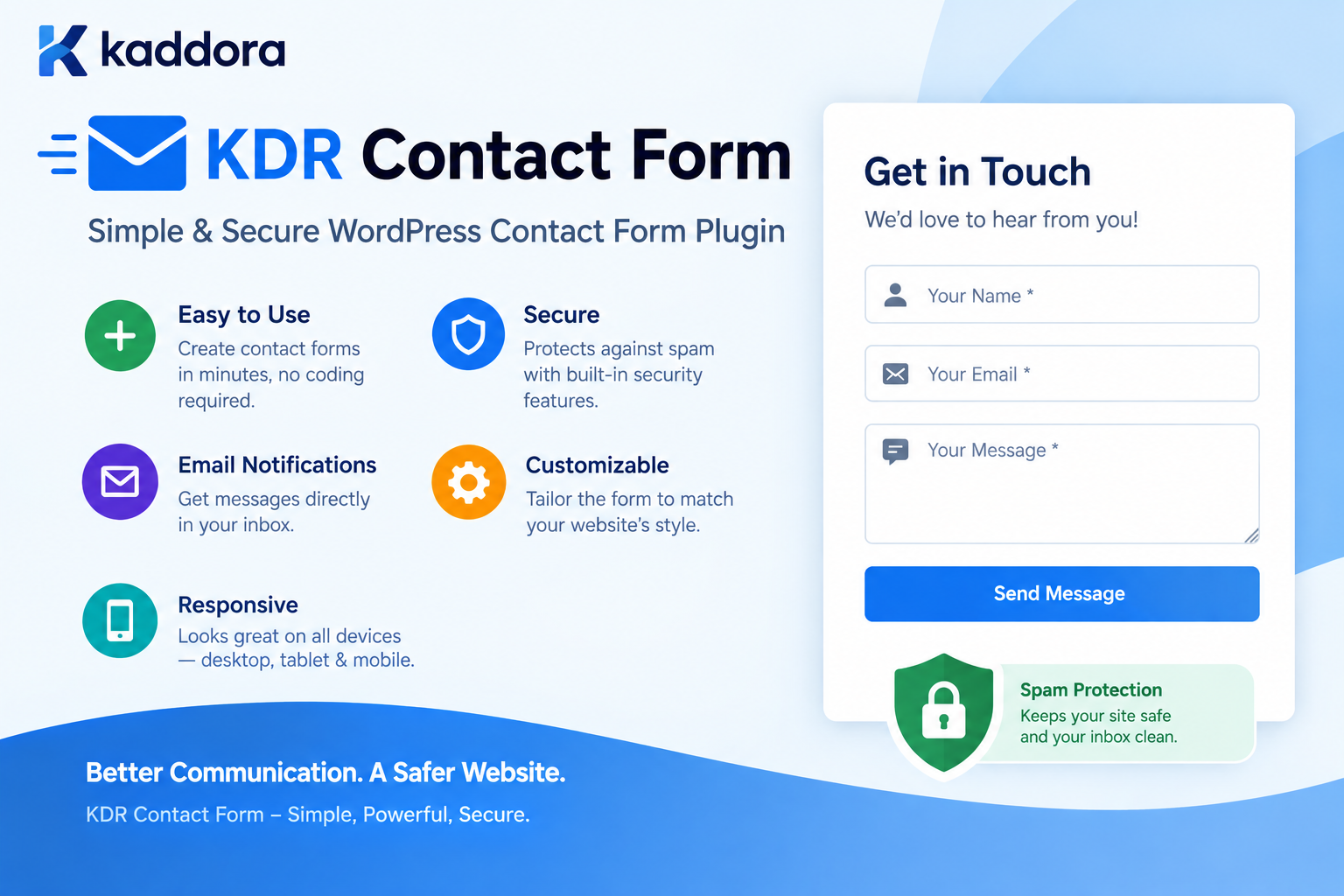
KDR Contact Form Simple & Secure WordPress Contact Form Plugin
Introduction
A contact form is one of the most important communication tools on a business website.
Whether you operate a company website, agency, portfolio, WooCommerce store, service website, blog, or professional website, visitors often need an easy way to contact you.
Without a contact form, visitors may have to:
Copy an email address
Open their email application
Write a message manually
Remember the website's contact details
Wait for a response
That extra friction can result in lost inquiries.
A well-designed WordPress contact form provides a much simpler experience:
Visitor ↓ Contact Form ↓ Enter Details ↓ Submit ↓ Validation & Security ↓ Email / Submission ↓ Business Response
KDR Contact Form is designed around this simple principle: provide a practical way for WordPress websites to collect visitor inquiries without turning a basic contact form into an unnecessarily complicated system.
This guide explains what KDR Contact Form is, why businesses need a contact form, its key benefits, security considerations, common use cases, setup workflow, and how a simple contact form can become an important part of a WordPress website's lead-generation strategy.
What Is KDR Contact Form?
KDR Contact Form is a simple and secure WordPress contact form plugin designed to help website owners add contact and inquiry forms to their WordPress websites.
It provides a straightforward communication channel between website visitors and website administrators.
A typical contact form can collect information such as:
Name Email Phone Subject Message
The exact fields can depend on the form configuration and website requirements.
The basic experience is intentionally simple:
Website Visitor ↓ Contact Page ↓ KDR Contact Form ↓ Submit Inquiry ↓ Website Receives Message
This makes the plugin suitable for websites that need contact functionality without requiring a large, complex form-management platform.
Why Does Every Business Website Need a Contact Form?
A website is not only a place to display information.
It should also provide visitors with a way to take action.
For many businesses, that action is:
Contact Us
A contact form can support several important website goals.
Generate Leads
Potential customers can submit inquiries directly from the website.
Receive Support Requests
Existing customers can use a contact form to ask questions.
Collect Business Inquiries
Companies can receive partnership, service, quotation, and general inquiries.
Improve User Experience
Visitors do not need to leave the website to contact the business.
Reduce Communication Friction
A simple form makes contacting a business easier.
Why Choose a Simple Contact Form?
Contact forms do not always need dozens of features.
For many websites, the ideal form is simply:
Name Email Message [Send Message]
Adding unnecessary fields can make a form harder to complete.
A good contact form should balance:
Simplicity
Usability
Security
Reliability
Mobile responsiveness
Clear validation
Easy integration
KDR Contact Form follows this practical approach.
Key Benefits of KDR Contact Form
1. Simple WordPress Contact Form
The plugin is designed to make contact form functionality straightforward.
Instead of building a custom form from scratch, website owners can use a dedicated WordPress plugin.
The goal is to reduce unnecessary configuration and make the contact workflow easier to manage.
2. Secure Form Submission
Security is an important consideration whenever a website accepts user input.
A contact form receives data directly from visitors, so the implementation should account for:
Input validation
Sanitization
Nonces where appropriate
Permission controls for administration
Secure email handling
Output escaping
Spam protection strategies
A secure contact form should never assume that submitted information is trustworthy.
3. Responsive Contact Forms
Visitors can access websites from:
Desktop computers
Laptops
Tablets
Smartphones
A contact form should therefore work properly across different screen sizes.
A responsive form can provide:
Desktop ↓ Tablet ↓ Mobile
without requiring a completely different form for each device.
4. Easy Visitor Communication
The primary purpose of a contact form is communication.
A visitor should be able to understand:
What information should I provide? Where do I enter it? What happens after submission?
Clear labels, useful validation messages, and an obvious submit action help make the experience easier.
5. Useful for Different WordPress Websites
KDR Contact Form can be useful for many website types.
For example:
Business websites
Agency websites
Freelancer portfolios
Consultant websites
Service businesses
Startup websites
Corporate websites
Personal websites
WooCommerce stores
Professional portfolios
Local businesses
KDR Contact Form for Business Websites
Business websites often need a straightforward way to receive inquiries.
For example:
Visitor ↓ Company Website ↓ Services ↓ Contact Form ↓ Inquiry ↓ Sales Team
The form can become an important part of the website's lead-generation process.
A visitor interested in a service can submit their requirements without searching for an email address.
KDR Contact Form for Agencies
Digital agencies frequently receive inquiries about:
Website development
SEO
WordPress development
Ecommerce development
UI/UX design
Branding
Digital marketing
Custom software
A contact form gives potential clients a direct communication channel.
For example:
Project Inquiry Name Email Company Service Message [Submit Inquiry]
This can provide a more structured starting point for a sales conversation.
KDR Contact Form for Freelancers
Freelancers can use a contact form to collect project inquiries.
For example:
Name Email Project Type Budget Project Details
Instead of receiving incomplete messages such as:
"I need a website. Please contact me."
a structured form can encourage visitors to provide more useful information.
KDR Contact Form for WooCommerce Stores
WooCommerce stores may need contact forms for:
Product questions
Bulk orders
Wholesale inquiries
Shipping questions
General support
Returns and assistance
Business partnerships
A contact form can complement existing WooCommerce functionality.
For example:
Product Page ↓ Question? ↓ Contact Form ↓ Customer Inquiry
This creates another communication channel between the customer and store.
Contact Form vs Email Address
Simply displaying an email address has some disadvantages.
A visitor may need to:
Find Email ↓ Copy Email ↓ Open Email Client ↓ Create Message ↓ Write Details
A contact form provides a more direct workflow:
Contact Page ↓ Enter Information ↓ Submit
This can reduce friction for visitors.
Contact Form and Lead Generation
A contact form can be more than a communication feature.
It can also become part of a lead-generation strategy.
For example:
SEO Traffic ↓ Landing Page ↓ Service Information ↓ Call to Action ↓ Contact Form ↓ Lead
The form acts as a conversion point.
For service businesses, this can be particularly valuable.
Keep Contact Forms Short
One of the simplest optimization strategies is to avoid asking for unnecessary information.
A basic form might require only:
Name Email Message
Additional fields should have a clear purpose.
For example:
Name Email Phone Service Budget Message
can be useful for project inquiries, but may be unnecessary for a simple support question.
The right form depends on the business objective.
Contact Form User Experience
A good contact form should communicate clearly with visitors.
Important UX elements include:
Clear Labels
Visitors should understand each field.
Useful Error Messages
Instead of:
Invalid input
provide a more helpful message.
For example:
Please enter a valid email address.
Visible Submit Button
The action should be obvious.
Success Feedback
After submission, visitors should understand whether the form was successfully submitted.
For example:
Thank you. Your message has been sent successfully.
Mobile-Friendly Contact Forms
Mobile users may represent a significant portion of website traffic.
A contact form should therefore be comfortable to use on smaller screens.
Important considerations include:
Appropriate field width
Readable labels
Comfortable spacing
Touch-friendly controls
Responsive buttons
Avoiding horizontal scrolling
A useful mobile workflow is:
Name ↓ Email ↓ Message ↓ Submit
rather than forcing users to zoom or scroll horizontally.
Contact Form Security
Security should be considered from the moment a visitor enters information until the submission is processed.
A WordPress contact form should use appropriate protections.
Nonce Protection
Where WordPress administrative or state-changing actions require it, nonces can help protect against cross-site request forgery.
For example:
wp_nonce_field( 'kdr_contact_form_submit', 'kdr_contact_form_nonce' );
The server can verify the nonce before processing the request.
Input Sanitization
User input should never be trusted.
For example:
$name = isset( $_POST['name'] ) ? sanitize_text_field( wp_unslash( $_POST['name'] ) ) : '';
For a textarea:
$message = isset( $_POST['message'] ) ? sanitize_textarea_field( wp_unslash( $_POST['message'] ) ) : '';
The exact sanitization function should match the type and intended use of the data.
Email Validation
Email addresses should be validated.
For example:
$email = isset( $_POST['email'] ) ? sanitize_email( wp_unslash( $_POST['email'] ) ) : ''; if ( ! is_email( $email ) ) { // Return validation error. }
This prevents obviously invalid email addresses from entering the workflow.
Output Escaping
If submitted data is displayed in the WordPress dashboard or elsewhere, it should be escaped for its output context.
For example:
echo esc_html( $name );
For attributes:
echo esc_attr( $value );
For URLs:
echo esc_url( $url );
Sanitizing data during input does not mean it should automatically be considered safe for every output context.
Spam Protection
Public contact forms can attract spam.
A production contact form may need additional protection depending on the website's traffic and threat level.
Possible approaches include:
Honeypot fields
Rate limiting
Request validation
CAPTCHA solutions
Submission throttling
IP-based controls where appropriate
The right solution depends on the website.
The important principle is:
A public form should not assume every submission comes from a genuine visitor.
Contact Form Rate Limiting
Attackers or automated bots can submit large numbers of requests.
For example:
1 visitor ↓ 1000 submissions
This can create:
Spam
Email overload
Server load
Database growth
Abuse of notification systems
Rate limiting can help control repeated submissions.
For example:
Visitor ↓ Submission ↓ Rate Check ├── Allowed → Process └── Limited → Reject / Delay
The exact policy should match the website.
Protect Email Notifications
Contact form submissions often trigger email notifications.
Be careful not to allow visitors to control email headers arbitrarily.
Avoid designs where untrusted input is inserted directly into headers such as:
From CC BCC Reply-To
without appropriate validation.
A safer approach is to use a trusted site email for the sender and place the visitor's validated address in an appropriate reply mechanism when supported.
Contact Form Submission Workflow
A secure submission process can look like:
Visitor ↓ Form ↓ Nonce / Request Validation ↓ Sanitize Input ↓ Validate Input ↓ Spam / Rate Check ↓ Process Submission ↓ Send Notification ↓ Return Success
Each stage has a specific responsibility.
KDR Contact Form and WordPress Architecture
A practical plugin architecture can separate responsibilities:
Frontend Form ↓ Form Handler ↓ Validation ↓ Submission Processing ↓ Notification
For a larger implementation:
KDR Contact Form │ ├── Form Renderer ├── Submission Handler ├── Validator ├── Notification Service ├── Settings ├── Security └── Admin Interface
This makes the plugin easier to maintain as requirements grow.
Why Native WordPress Architecture Matters
A WordPress plugin should work naturally with WordPress rather than unnecessarily recreating functionality already provided by the platform.
Useful WordPress APIs include:
Settings API
HTTP API
Options API
REST API
Hooks
Shortcodes where appropriate
Script and stylesheet enqueue APIs
WordPress sanitization functions
WordPress escaping functions
Using native WordPress APIs can improve compatibility and maintainability.
Enqueue Assets Correctly
A plugin should avoid placing large CSS or JavaScript files directly into every page.
Use WordPress's enqueue system:
wp_enqueue_style( 'kdr-contact-form', plugins_url( 'assets/css/contact-form.css', __FILE__ ), array(), KDR_CONTACT_FORM_VERSION );
And:
wp_enqueue_script( 'kdr-contact-form', plugins_url( 'assets/js/contact-form.js', __FILE__ ), array(), KDR_CONTACT_FORM_VERSION, true );
Assets should be loaded only where the contact form functionality is required whenever practical.
Contact Form Shortcode
A shortcode can provide a simple way to place the form inside WordPress content.
For example:
[kdr_contact_form]
A website administrator could then place the form on a contact page.
The exact integration can vary depending on the plugin's implementation.
Contact Form Blocks
Modern WordPress websites may also use blocks.
A block-based approach can allow administrators to add the contact form through the WordPress editor.
The workflow becomes:
WordPress Editor ↓ Add Contact Form Block ↓ Configure ↓ Publish
This can be particularly useful for websites using modern block-based editing workflows.
Contact Form Settings
A simple contact form plugin should avoid unnecessary configuration.
Useful settings may include:
Notification Email Success Message Required Fields Form Labels Spam Protection
Depending on the plugin's features, additional settings may be available.
The principle should remain:
Configure what the website actually needs.
Contact Form Email Notifications
A typical notification workflow is:
Visitor ↓ Submit Form ↓ Validation ↓ Notification Email ↓ Administrator
The notification could contain:
New Contact Form Submission Name: John Doe Email: customer@example.com Message: I would like more information about your services.
The exact email format should be clear and easy to read.
Contact Form Confirmation Messages
Visitors should receive feedback after submitting a form.
For example:
Thank you for contacting us. Your message has been received. We will get back to you as soon as possible.
A confirmation message reduces uncertainty.
The user should not have to wonder:
Did my message actually go through?
Contact Form Error Handling
Errors should be understandable.
Instead of:
Error 500
a visitor should receive something like:
We could not send your message right now. Please try again in a moment.
Technical details can be logged for administrators without exposing internal information to visitors.
KDR Contact Form for Support Requests
Businesses can use the plugin as a simple support contact point.
For example:
Support Request Name Email Order Number Subject Message [Send Request]
This can be useful for smaller businesses that do not need a full helpdesk system.
KDR Contact Form for Quote Requests
Service businesses can use forms to collect quotation requests.
Example:
Request a Quote Name Email Company Service Required Budget Project Details [Request Quote]
This gives the sales team useful information before responding.
KDR Contact Form for Partnership Inquiries
Businesses can also create forms for:
Partnerships
Resellers
Affiliates
Vendors
Agencies
Collaboration requests
For example:
Business Name Contact Person Email Partnership Type Message
The same underlying contact form concept can support multiple business workflows.
Contact Forms and Conversion Optimization
A contact form should support the page's primary objective.
Consider this flow:
Headline ↓ Problem ↓ Solution ↓ Benefits ↓ Trust ↓ Call to Action ↓ Contact Form
If the form appears after a strong explanation of the service, visitors may have more context before submitting an inquiry.
Where Should You Place a Contact Form?
Common locations include:
Dedicated Contact Page
/contact/
Service Pages
A form can appear after describing a service.
Landing Pages
Useful for lead-generation campaigns.
Product Pages
Useful for pre-sales questions.
Footer
A compact contact form or link can provide easy access.
Sidebar
Useful for certain website layouts.
The best placement depends on the site's user journey.
Contact Form Accessibility
A contact form should be usable by as many visitors as possible.
Consider:
Proper field labels
Keyboard navigation
Visible focus states
Meaningful error messages
Sufficient contrast
Logical field order
Accessible button labels
Do not rely only on placeholder text as a replacement for proper labels.
Accessibility should be part of the form design from the beginning.
Contact Form Performance
A contact form should not unnecessarily slow down the website.
Consider:
Lightweight CSS
Minimal JavaScript
Conditional asset loading
Efficient validation
Limited external dependencies
Optimized requests
For a simple contact form, there is usually no reason to load a large frontend framework just to handle a few fields.
Contact Form Data Handling
Website owners should decide whether form submissions are:
Email Only
or:
Email + Database
If submissions are stored in WordPress, consider:
Data retention
Administrator access
Cleanup policies
Privacy requirements
Export requirements
Deletion requirements
Do not store visitor information simply because the database can store it.
Only retain information that the website actually needs.
Privacy Considerations
Contact forms can collect personal information.
Depending on the form, this may include:
Name
Phone number
Company
Message content
Website owners should ensure their privacy practices accurately explain how submitted information is handled.
If information is transmitted to third-party services, the website should clearly document the relevant data processing.
KDR Contact Form vs Complex Form Builders
Large form builders can provide extensive features such as:
Conditional logic
Multi-step forms
Payment processing
Advanced calculations
CRM integrations
Workflow automation
Those features can be useful when required.
But not every website needs them.
If the requirement is simply:
Name Email Message Submit
a focused contact form plugin can be a more appropriate solution.
The best plugin is not necessarily the one with the largest feature list.
It is the one that solves the actual problem without unnecessary complexity.
Who Can Use KDR Contact Form?
KDR Contact Form can be useful for:
Small Businesses
Receive customer inquiries directly from the website.
Agencies
Collect project and service inquiries.
Freelancers
Receive new client requests.
Consultants
Allow prospects to request consultations.
WooCommerce Stores
Handle customer questions and pre-sales inquiries.
Bloggers
Allow readers and brands to get in touch.
Startups
Create a simple communication channel.
Professional Services
Collect leads and quotation requests.
KDR Contact Form Installation Workflow
A typical WordPress plugin installation process is:
Download Plugin ↓ WordPress Dashboard ↓ Plugins ↓ Add New ↓ Upload Plugin ↓ Install ↓ Activate ↓ Configure ↓ Add Contact Form ↓ Publish Page
The exact settings and placement method depend on the plugin implementation.
How to Create a Contact Page
A simple contact page can follow this structure:
Contact Us Have a question? We would love to hear from you. [Contact Form] Email Phone Business Address
Avoid overwhelming visitors with unnecessary information.
The main objective should remain obvious:
Contact the business.
Best Practices for WordPress Contact Forms
1. Keep Forms Simple
Ask only for information you need.
2. Use Clear Labels
Visitors should immediately understand each field.
3. Validate Input
Do not trust submitted information.
4. Protect Submissions
Use appropriate WordPress security mechanisms.
5. Protect Email Notifications
Do not allow arbitrary email headers from visitors.
6. Provide Clear Feedback
Tell users whether their submission succeeded or failed.
7. Make Forms Responsive
Ensure the form works well on mobile devices.
8. Consider Spam Protection
Public forms may require additional controls.
9. Avoid Unnecessary Data Storage
Store only what the website actually needs.
10. Keep the Plugin Lightweight
A simple contact form should not introduce unnecessary frontend overhead.
Common Contact Form Mistakes
1. Asking for Too Much Information
Long forms can discourage submissions.
2. No Validation
Invalid email addresses can make leads impossible to contact.
3. No Spam Protection
Public forms can attract automated submissions.
4. Poor Mobile Design
Small screens require responsive layouts.
5. Unclear Error Messages
Visitors should understand how to fix a problem.
6. No Success Confirmation
Users need confirmation after submission.
7. Exposing Technical Errors
Do not show sensitive server or API information to visitors.
8. Loading Too Many Assets
A simple form should remain lightweight.
9. Storing Unnecessary Personal Data
Avoid collecting and retaining information without a clear purpose.
10. Using a Complex Form Builder for a Simple Requirement
More features do not automatically mean a better solution.
KDR Contact Form Security Checklist
Before deploying a contact form, verify:
User input is sanitized.
Input is validated.
Output is escaped.
Nonces are used where appropriate.
Administrative actions use capability checks.
Spam protection is considered.
Rate limiting is considered for public endpoints.
Email headers are controlled securely.
Sensitive technical errors are not exposed.
Stored submissions are protected.
Personal data retention is considered.
Third-party data transmission is documented when applicable.
KDR Contact Form Performance Checklist
CSS is loaded efficiently.
JavaScript is loaded only where needed.
The form is responsive.
External dependencies are minimized.
Validation is efficient.
Requests are lightweight.
Large submission data is avoided.
Unnecessary database storage is avoided.
Spam traffic is controlled.
Why Choose Kaddora?
A contact form may look like a small website feature, but it often sits directly between a visitor and a business opportunity.
A complicated form can create friction.
An insecure form can create operational problems.
An overloaded form can reduce conversions.
Kaddora focuses on practical WordPress solutions that solve real website requirements without adding unnecessary complexity.
KDR Contact Form is designed around a straightforward idea:
Simple + Secure + Responsive + Practical = Better WordPress Contact Forms
For businesses, agencies, freelancers, consultants, ecommerce stores, and professional websites, a focused contact form can provide the essential communication functionality needed to turn website visitors into conversations.
Conclusion
KDR Contact Form provides a practical approach to adding contact form functionality to WordPress websites.
A contact form does not need to be unnecessarily complicated to be useful.
For many websites, the essential workflow is straightforward:
Visitor ↓ Contact Form ↓ Secure Submission ↓ Validation ↓ Notification ↓ Business Response
The important considerations are not the number of features.
They are:
Simplicity
Security
Accessibility
Responsiveness
Validation
Reliable submission handling
Clear feedback
Performance
Privacy-conscious data handling
For a business website, a contact form can become an important part of the lead-generation journey.
For a freelancer, it can create a direct channel for new projects.
For an agency, it can collect structured inquiries.
For a WooCommerce store, it can provide another way for customers to ask questions.
The objective is simple:
Give website visitors a secure, easy, and reliable way to start a conversation with your business.
KDR Contact Form is built around that practical requirement.
Frequently Asked Questions
What is KDR Contact Form?
KDR Contact Form is a simple WordPress contact form plugin designed to help website owners add contact and inquiry forms to WordPress websites.
Is KDR Contact Form suitable for business websites?
Yes. A simple contact form can be used by businesses to receive customer inquiries, service requests, quotation requests, partnership inquiries, and general messages.
Can KDR Contact Form be used on WooCommerce websites?
Yes. A contact form can complement WooCommerce by giving customers a way to ask product, pre-sales, wholesale, or general store questions.
Is KDR Contact Form secure?
A secure WordPress contact form should use appropriate input sanitization, validation, request protection, output escaping, and other security controls. The exact protections depend on the plugin's implementation and configuration.
Why should I use a contact form instead of displaying an email address?
A contact form provides visitors with a structured communication workflow without requiring them to copy an email address and open a separate email application.
What fields should a contact form contain?
A basic contact form can often use Name, Email, and Message. Additional fields should only be included when they serve a clear business purpose.
Can a contact form generate leads?
Yes. Contact forms can act as conversion points on service pages, landing pages, product pages, and business websites.
Should contact forms have spam protection?
Public forms can receive automated spam submissions, so appropriate anti-spam and abuse-prevention controls should be considered.
Are contact forms mobile-friendly?
A properly designed WordPress contact form should use responsive styling so visitors can complete it comfortably on smartphones and tablets.
Can contact form submissions be stored in WordPress?
That depends on the plugin's functionality. If submissions are stored, website owners should consider access control, privacy, retention, and deletion requirements.
How should contact form data be secured?
User input should be sanitized and validated, administrative access should be restricted, output should be escaped, and sensitive information should not be unnecessarily exposed.
Should a contact form use a nonce?
WordPress nonces are an important part of protecting appropriate state-changing requests against CSRF. The exact implementation depends on how the form submission is handled.
Can KDR Contact Form be used for quote requests?
Yes. A contact form can be structured to collect information such as name, email, service requirements, budget, company, and project details when the website needs quotation inquiries.
Can agencies use KDR Contact Form?
Yes. Agencies can use contact forms to collect website development, SEO, marketing, design, software, and other service inquiries.
Why choose Themekaddora?
Themekaddora provides lightweight, responsive, SEO-friendly WordPress themes with fast performance, WooCommerce compatibility, flexible customization, accessibility-conscious design, modern templates, regular updates, and professional support—providing a strong foundation for businesses building digital products and product-focused websites.
Comments (0)