
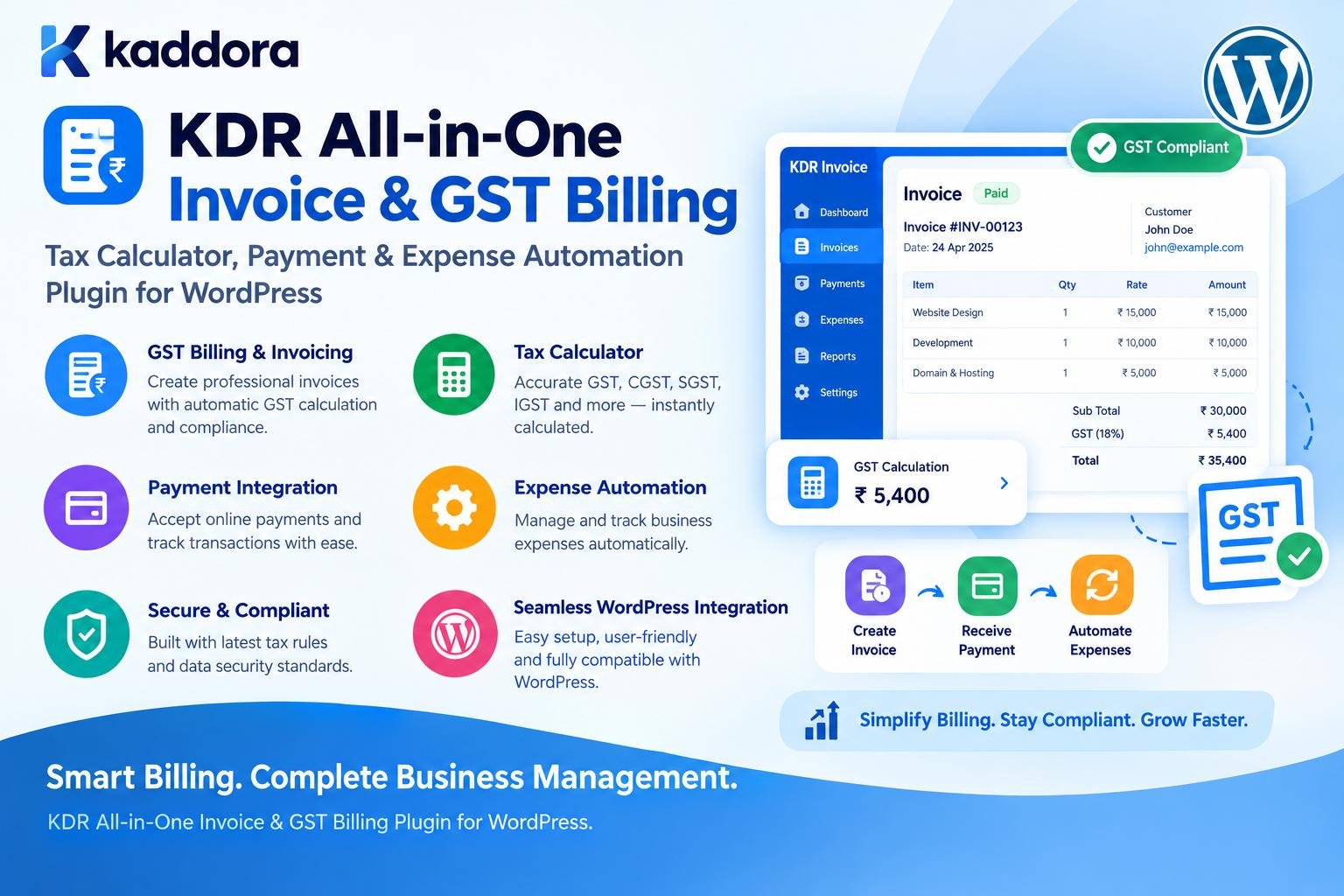
KDR All-in-One Invoice & GST Billing – Tax Calculator, Payment & Expense Automation Plugin for WordPress
Introduction
Managing invoices, taxes, payments, and business expenses can become difficult when financial information is spread across spreadsheets, email conversations, accounting tools, and separate payment systems.
For a small business, manually creating an invoice may be manageable.
As the business grows, the workflow becomes more complicated:
Customer ↓ Order / Service ↓ Invoice ↓ Tax Calculation ↓ Payment ↓ Expense ↓ Financial Record
When these steps are handled manually, businesses may spend considerable time entering the same information repeatedly.
This is where KDR All-in-One Invoice & GST Billing – Tax Calculator, Payment & Expense Automation Plugin for WordPress can help.
KDR is designed to bring important billing and financial workflows directly into WordPress.
Instead of maintaining separate systems for invoices, GST calculations, payments, and expenses, businesses can use a centralized WordPress-based workflow.
The plugin can be particularly useful for:
Small businesses
Freelancers
Agencies
Consultants
WooCommerce businesses
Digital businesses
Local businesses
Professional service companies
The goal is simple:
Make invoicing, taxation, payment tracking, and expense management easier to handle from WordPress.
What Is KDR All-in-One Invoice & GST Billing?
KDR All-in-One Invoice & GST Billing is a WordPress billing and financial management plugin designed to simplify invoice creation, tax calculation, payment tracking, and expense management.
A typical workflow can look like:
Business Transaction ↓ Create Invoice ↓ Calculate Tax ↓ Record Payment ↓ Track Status ↓ Manage Expenses ↓ Review Financial Records
Instead of creating financial records manually across multiple applications, businesses can centralize important billing workflows inside WordPress.
Why Use an Invoice and GST Billing Plugin in WordPress?
WordPress is already used by businesses to manage:
Websites
Leads
Customers
Products
Services
Orders
Forms
Bookings
WooCommerce stores
Adding billing functionality to the same environment can reduce operational fragmentation.
For example:
Website ↓ Customer ↓ Service / Product ↓ Invoice ↓ Payment
This creates a more connected business workflow.
Key Features of KDR All-in-One Invoice & GST Billing
KDR can bring several financial workflows together.
Invoice Generation
Create professional invoices for products or services.
GST Billing
Manage GST-related invoice information and configurable tax calculations.
Tax Calculator
Calculate applicable taxes based on configured billing requirements.
Payment Tracking
Track whether invoices are:
Paid Pending Partially Paid Overdue
Expense Management
Record business expenses and organize them for internal financial tracking.
Billing Automation
Reduce repetitive manual billing tasks.
Customer Records
Maintain billing information associated with customers.
WordPress Integration
Manage business billing workflows from the WordPress environment.
WooCommerce Support
Billing workflows can be useful for ecommerce stores where supported by the plugin setup.
Create Professional Invoices in WordPress
An invoice should provide clear information to both the business and customer.
A typical invoice can contain:
Business Information Customer Information Invoice Number Invoice Date Due Date Item / Service Quantity Price Tax Discount Total Payment Status Payment Information Notes
A structured invoice helps businesses maintain consistent records.
Invoice Number Management
A professional billing workflow should use recognizable invoice numbers.
For example:
INV-0001 INV-0002 INV-0003 INV-0004
or a business-specific numbering format.
Consistent numbering can make it easier to:
Find invoices
Communicate with customers
Track payments
Maintain business records
Identify billing transactions
The numbering system should be configured carefully so duplicate invoice numbers are avoided.
GST Billing in WordPress
Businesses operating under India's GST framework may need invoices containing relevant tax information.
A GST-enabled billing workflow may include:
Seller Information GSTIN Customer Information Place of Supply Items / Services Taxable Value Tax Invoice Total
Tax treatment can depend on the transaction and applicable rules, so businesses should configure their billing system according to their actual tax requirements.
Avoid hardcoding tax behavior into a plugin when tax rates or business rules may change.
GST Tax Calculation
A billing plugin can simplify repetitive tax calculations.
A basic workflow is:
Item Price ↓ Quantity ↓ Subtotal ↓ Tax Calculation ↓ Discount / Adjustment ↓ Final Invoice Total
For example:
Subtotal: ₹10,000 Tax: Configured According to Business Rules Total: Calculated Automatically
The important benefit is consistency.
Instead of manually calculating every invoice, the system can apply configured tax logic.
CGST, SGST, and IGST Workflows
GST billing may involve different tax components depending on the transaction.
A billing system can be designed to support concepts such as:
CGST SGST IGST
For example:
Taxable Amount ↓ Determine Applicable Tax Configuration ↓ Calculate Components ↓ Add to Invoice
The plugin should allow businesses to configure tax behavior appropriately rather than assuming every transaction uses the same tax structure.
Tax Calculator for Business Billing
A tax calculator can reduce repetitive calculations across:
Services
Products
Orders
Recurring invoices
Custom billing
Manual invoices
A typical workflow is:
Base Amount ↓ Discount ↓ Taxable Amount ↓ Tax ↓ Final Amount
This can reduce calculation errors caused by manual spreadsheet workflows.
Invoice Discounts
Businesses may offer:
Percentage discounts
Fixed discounts
Promotional discounts
Customer-specific pricing
Service adjustments
For example:
Subtotal ↓ Discount ↓ Taxable Amount ↓ Tax ↓ Grand Total
The exact order of operations should be configured according to the business's invoicing rules and accounting requirements.
Payment Tracking
Creating an invoice is only one part of billing.
A business also needs to know what happened afterward.
For example:
Invoice Created ↓ Payment Requested ↓ Payment Received ↓ Invoice Marked Paid
For unpaid invoices:
Invoice ↓ Due Date ↓ Pending ↓ Overdue
A centralized payment status system can make receivables easier to monitor.
Partial Payments
Some businesses receive payments in stages.
For example:
Invoice Total: ₹50,000 Advance: ₹20,000 Balance: ₹30,000
A billing workflow can distinguish between:
Paid Partially Paid Unpaid
This is useful for:
Agencies
Contractors
Consultants
Service providers
Project-based businesses
Expense Management in WordPress
Revenue is only one side of business finances.
Businesses also need to track expenses such as:
Software
Hosting
Advertising
Office supplies
Travel
Equipment
Freelancers
Services
Operational costs
A simple workflow is:
Business Expense ↓ Record Amount ↓ Assign Category ↓ Add Date ↓ Save Record
This makes expenses easier to review later.
Why Expense Automation Matters
Without centralized expense records, businesses may have:
Receipts in Email Spreadsheets Bank Statements WhatsApp Messages Paper Receipts Accounting Notes
This makes financial reconciliation harder.
A WordPress-based expense workflow can provide one internal location for business expense records.
Payment and Expense Dashboard
A useful dashboard can summarize:
Total Invoiced Total Paid Pending Payments Overdue Invoices Total Expenses Net Position
For example:
Billing Overview Invoices: 125 Paid: 96 Pending: 20 Overdue: 9 Revenue Recorded: ₹X Expenses Recorded: ₹Y
A dashboard makes it easier for business owners to understand the current billing situation.
KDR for Freelancers
Freelancers often need a simple way to bill clients.
A typical workflow is:
Client ↓ Project ↓ Invoice ↓ Tax ↓ Payment
KDR can help organize this workflow within WordPress.
Freelancers may use billing functionality for:
Development projects
Design services
Marketing
Consulting
Writing
SEO
Maintenance
Professional services
KDR for Agencies
Agencies may manage multiple clients and projects simultaneously.
A centralized invoicing system can help agencies organize:
Client ↓ Project ↓ Services ↓ Invoice ↓ Payment
The agency can also maintain expense records related to:
Contractors
Software subscriptions
Advertising
Hosting
Project expenses
This makes billing administration easier to organize.
KDR for Service Businesses
Service businesses often invoice customers after completing work.
Examples include:
Repair services
Consulting
IT services
Marketing agencies
Legal services
Education businesses
Maintenance companies
Professional consultants
The billing workflow can remain connected to the business's WordPress website.
KDR for WooCommerce Businesses
WooCommerce already handles products and orders.
Billing functionality can extend that workflow:
WooCommerce Order ↓ Customer ↓ Invoice ↓ Tax ↓ Payment Status
This can be useful when a store needs more control over invoice records or additional billing workflows.
The exact WooCommerce integration depends on the plugin configuration and supported features.
Invoice Automation Workflow
Automation can remove repetitive administrative tasks.
For example:
New Order / Service ↓ Create Invoice ↓ Calculate Tax ↓ Set Payment Status ↓ Store Billing Record
Instead of manually entering the same information repeatedly, the system can reuse available transaction data where the workflow supports it.
Payment Reminder Workflow
Outstanding invoices can become difficult to manage when businesses rely entirely on manual follow-up.
A billing workflow can track invoice status:
Invoice Sent ↓ Pending ↓ Due Date Approaches ↓ Overdue
A business may then use appropriate reminders or follow-up processes.
Any automated customer communication should be configurable so businesses remain in control of when and how reminders are sent.
Invoice PDF and Customer Documents
Professional businesses often need invoices that customers can download, print, or save.
A billing plugin can provide invoice documents containing:
Company Details Invoice Details Customer Details Items Taxes Totals Payment Status Notes
A consistent document format improves the overall customer experience.
Customer Billing Information
A business may need to store billing details such as:
Customer name
Company name
Billing address
Tax identification details
Phone
Other invoice-related information
Only information necessary for the billing workflow should be collected and stored.
KDR and Financial Record Organization
One of the benefits of centralized billing is easier record organization.
Instead of:
Invoices → One System Payments → Another System Expenses → Spreadsheet Orders → WooCommerce Customers → CRM
businesses can establish:
WordPress ↓ Billing ├── Customers ├── Invoices ├── Payments ├── Taxes └── Expenses
This can simplify internal administration.
Search and Filter Billing Records
As records grow, businesses need ways to find transactions quickly.
Useful filters can include:
Invoice Number Customer Payment Status Date Range Invoice Status Expense Category Amount
For example:
Show: Overdue invoices Customer: ABC Company Date: This Month
This is much more practical than manually searching through documents.
Billing Reports
A billing system can also provide useful business reporting.
Potential reports include:
Invoice totals
Payment totals
Outstanding invoices
Overdue invoices
Expense totals
Tax-related summaries
Customer billing history
Date-based reports
Reports should reflect the underlying records accurately and should not be treated as a substitute for professional accounting advice.
KDR for Small Business Owners
Small businesses often need functionality without the complexity of a large enterprise accounting platform.
KDR can provide a WordPress-centered workflow for:
Invoices + GST Billing + Payments + Expenses
This can be useful for businesses that already use WordPress as an important part of their day-to-day operations.
KDR for Indian Businesses
For Indian businesses, GST-related billing requirements can be an important part of invoicing.
A WordPress plugin designed around GST billing can provide a convenient environment for managing information such as:
GSTIN Taxable Value Tax Components Invoice Details Customer Details Payment Status
Businesses should configure tax behavior based on their applicable requirements and verify important compliance matters with a qualified tax professional.
KDR and Billing Customization
Different businesses have different invoice requirements.
For example:
Agency Invoice Service Invoice Consulting Invoice Product Invoice WooCommerce Invoice GST Invoice
A flexible billing solution should allow businesses to manage their own:
Business information
Invoice branding
Tax configuration
Payment terms
Customer details
Notes
Invoice numbering
This makes the billing workflow more suitable for different business models.
Security Considerations
Financial data requires careful handling.
A WordPress billing plugin should use strong security practices.
Capability Checks
Only authorized users should access administrative billing information.
Nonces
Administrative forms and actions should use nonce protection where applicable.
Sanitization
Billing inputs should be sanitized appropriately.
Validation
Amounts, invoice IDs, dates, statuses, and tax values should be validated before processing.
Escaping
Invoice data should be escaped according to its output context.
Access Control
Customers should not be able to access another customer's invoices.
Secure Credentials
Payment-related credentials and API secrets should remain server-side.
Privacy Considerations
Invoices and expenses can contain sensitive information.
For example:
Customer Name Address Email Phone Tax Information Business Details Payment Information
A billing plugin should collect only information necessary for its workflow.
Businesses should also consider:
Data retention
User access
Export requirements
Deletion policies
Backups
Privacy notices
Third-party integrations
Financial information should not be unnecessarily exposed through public pages or APIs.
Payment Data Security
A billing plugin should not automatically store sensitive payment credentials.
For example, avoid unnecessarily storing:
Card Number CVV Private Payment Credentials
Where online payment processing is required, use appropriate payment providers and follow their supported integration patterns.
The WordPress billing system can maintain invoice and payment status without becoming a storage location for sensitive card data.
Performance Best Practices
Billing systems should remain efficient as transaction volume grows.
Recommended practices include:
Use paginated invoice lists.
Avoid loading thousands of records at once.
Use efficient database queries.
Process bulk operations in batches.
Generate documents efficiently.
Load admin assets only on billing screens.
Avoid unnecessary frontend scripts.
Cache only where appropriate.
Keep reports optimized for large datasets.
The goal is to keep WordPress responsive even as billing records increase.
KDR and WooCommerce Performance
If billing is connected to WooCommerce, avoid expensive processing during every customer page request.
A better approach is:
Order Created ↓ Billing Workflow ↓ Invoice Record ↓ Store Data ↓ Customer Views Invoice
This is preferable to recalculating the entire invoice every time a customer visits another page.
Tax Configuration Should Be Flexible
Tax requirements can change based on:
Business location
Customer location
Product or service
Transaction type
Tax category
Applicable regulations
Therefore, avoid hardcoding one universal tax rule.
A practical tax system should allow administrators to configure supported tax behavior.
For compliance-sensitive billing, businesses should verify their configuration against applicable tax requirements.
Invoice Status Workflow
A useful invoice lifecycle can be:
Draft ↓ Issued ↓ Sent ↓ Pending ↓ Paid
An invoice may alternatively become:
Overdue Cancelled Partially Paid
Having explicit statuses makes financial records easier to understand.
Expense Categories
Businesses can organize expenses into categories such as:
Software Marketing Hosting Office Travel Contractors Equipment Utilities Other
Categorization can make expense reports more useful.
Businesses can also define categories that match their own internal accounting workflow.
Payment Reconciliation
Recording payment status is useful, but businesses may also need reconciliation.
For example:
Invoice: INV-1025 Amount: ₹25,000 Payment: ₹25,000 Status: Paid
Or:
Invoice: INV-1026 Amount: ₹40,000 Payment: ₹15,000 Status: Partially Paid Balance: ₹25,000
Clear payment records reduce confusion when following up with customers.
KDR Billing Workflow for Agencies
A practical agency process could look like:
Client Onboarding ↓ Service / Project ↓ Invoice Creation ↓ GST / Tax Calculation ↓ Invoice Delivery ↓ Payment Tracking ↓ Expense Recording ↓ Monthly Review
This provides a structured financial workflow inside WordPress.
Recommended KDR Architecture
A practical architecture can look like:
WordPress │ ▼ KDR Billing │ ├── Customers ├── Invoices ├── Tax Calculator ├── Payments ├── Expenses ├── Reports └── Settings │ ├── Tax Configuration ├── Invoice Configuration └── Business Information
This keeps billing-related functionality organized around a central plugin.
How to Install KDR All-in-One Invoice & GST Billing
A typical installation process is straightforward.
Step 1: Upload the Plugin
Open:
WordPress Dashboard → Plugins → Add New → Upload Plugin
Upload the KDR plugin ZIP file.
Step 2: Install
Click:
Install Now
Step 3: Activate
Click:
Activate Plugin
Step 4: Configure Business Information
Add the required business information, such as:
Business Name Address Email Phone Tax Information
Step 5: Configure Invoice Settings
Set options such as:
Invoice Number Format Payment Terms Currency Invoice Branding
Step 6: Configure Tax Settings
Set the tax configuration relevant to your business.
Step 7: Add or Import Customers
Enter customer billing information as required.
Step 8: Create an Invoice
Add:
Customer Items Quantity Price Discount Tax Payment Terms
Step 9: Record Payment
Update the invoice with the applicable payment status.
Step 10: Start Tracking Expenses
Add business expenses and categorize them for easier reporting.
Recommended KDR Workflow
A business can use the plugin through this process:
Customer / Order ↓ Create Invoice ↓ Calculate Tax ↓ Issue Invoice ↓ Track Payment ↓ Record Expenses ↓ Review Reports
This creates one connected billing workflow instead of multiple disconnected manual tasks.
Who Can Use KDR All-in-One Invoice & GST Billing?
Freelancers
Create invoices and track client payments.
Agencies
Manage project billing, GST information, expenses, and collections.
Consultants
Invoice clients for professional services.
Small Businesses
Centralize everyday billing operations.
WooCommerce Stores
Connect ecommerce transactions with supported billing workflows.
Service Providers
Manage customer invoices and payment records.
Indian Businesses
Organize GST-related billing information and tax calculations.
Digital Businesses
Manage invoices for online services and products.
Common Billing Mistakes to Avoid
1. Manual Tax Calculations
Repeated spreadsheet calculations can cause avoidable mistakes.
2. Duplicate Invoice Numbers
Invoice numbering should be centrally managed.
3. No Payment Status
Businesses should know which invoices are unpaid or overdue.
4. Mixing Business and Personal Expenses
Expense records should remain organized.
5. Storing Sensitive Payment Data
Do not store card details unnecessarily.
6. Hardcoding Tax Rules
Tax configuration should remain flexible.
7. Giving All Users Financial Access
Use appropriate capabilities and access controls.
8. No Backup Strategy
Financial records should be included in appropriate website backup procedures.
9. No Review Process
Automated billing should still be reviewed for important transactions.
10. Treating Plugin Reports as Professional Tax Advice
Software can organize information, but compliance decisions may require qualified professional advice.
KDR Billing Performance Checklist
Before using KDR on a production website:
Invoice lists are paginated.
Large datasets are processed efficiently.
Bulk operations use batches where appropriate.
Tax calculations do not run unnecessarily.
Reports are optimized.
Admin assets load only on relevant pages.
WooCommerce integration does not add unnecessary frontend processing.
PDF or document generation is handled efficiently.
Database queries are optimized.
Background processing is used when appropriate.
KDR Billing Security Checklist
Check that:
Billing screens require appropriate capabilities.
Administrative actions use nonces.
Invoice IDs are validated.
Amounts and tax values are validated.
Customer data is protected.
Invoice access is authorized.
Payment credentials are not unnecessarily stored.
API secrets remain server-side.
Output is escaped.
Financial records are included in backup and recovery planning.
KDR Billing Accessibility and Usability Checklist
Make sure:
Invoice forms are clearly labeled.
Errors are understandable.
Important financial fields are easy to identify.
Tables work on smaller screens.
Buttons have clear labels.
Keyboard navigation is supported.
Invoice documents are readable.
Customer-facing billing pages are responsive.
Why Choose ThemeKaddora?
ThemeKaddora focuses on practical WordPress themes, plugins, templates, and website solutions designed around real business requirements.
For businesses that already use WordPress as their website or ecommerce platform, a WordPress-based billing solution can help keep important workflows closer to the systems they already manage.
KDR All-in-One Invoice & GST Billing is particularly useful when a business needs a centralized workflow for:
Invoice creation
GST billing
Tax calculation
Payment tracking
Expense management
Customer billing
WooCommerce transactions
Financial reporting
The broader ThemeKaddora ecosystem can also support businesses that need WordPress solutions for content, ecommerce, automation, AI, performance, marketing, and other operational requirements.
The focus is practical:
Give businesses useful WordPress tools that solve real workflow problems without adding unnecessary complexity.
Conclusion
KDR All-in-One Invoice & GST Billing – Tax Calculator, Payment & Expense Automation Plugin for WordPress provides a centralized approach to managing important billing operations inside WordPress.
Instead of relying on disconnected spreadsheets and manual workflows, businesses can organize:
Customers ↓ Invoices ↓ GST / Tax ↓ Payments ↓ Expenses ↓ Reports
The plugin can be particularly valuable for freelancers, agencies, consultants, service businesses, small businesses, and WooCommerce stores that need a more structured billing workflow.
A strong billing implementation should focus on:
Accurate invoice information
Configurable tax handling
Reliable payment tracking
Organized expenses
Secure customer data
Controlled access
Good performance
Clear records
Flexible workflows
KDR helps bring these responsibilities together in a WordPress environment.
The goal is not simply to generate invoices.
It is to create a more organized and manageable billing process that can grow with the business.
Frequently Asked Questions
What is KDR All-in-One Invoice & GST Billing?
KDR All-in-One Invoice & GST Billing is a WordPress plugin designed to help businesses manage invoices, GST-related billing, tax calculations, payment tracking, and expenses from a centralized WordPress workflow.
Can KDR generate invoices in WordPress?
Yes. KDR is designed around invoice creation and billing workflows inside WordPress.
Can KDR calculate GST?
KDR is designed to support GST-related tax calculation workflows. Businesses should configure tax settings according to their applicable requirements and verify compliance-sensitive configurations appropriately.
Can I track invoice payments?
Yes. A billing workflow can track invoice states such as unpaid, partially paid, paid, or overdue.
Who should use KDR?
KDR can be useful for freelancers, agencies, consultants, service providers, small businesses, digital businesses, and WooCommerce stores that need centralized billing and expense workflows.
Can I customize invoice numbering?
A billing solution can support configurable invoice numbering so businesses can use formats that match their internal records and invoicing workflow.
Should I store card details in WordPress?
No. Sensitive payment credentials such as card numbers and security codes should not be unnecessarily stored inside WordPress. Use appropriate payment providers for payment processing.
Is KDR a replacement for accounting software?
KDR can help organize WordPress-based invoicing, taxation workflows, payments, and expenses, but businesses may still require dedicated accounting software or professional accounting services for broader accounting and compliance requirements.
Can KDR automate invoice creation?
Billing automation can reduce repetitive work by creating or preparing invoices from supported orders, customers, products, or services.
Can KDR manage GST invoices for services?
Yes. A GST billing workflow can be used for service invoices when configured appropriately for the business and transaction.
Can agencies use KDR?
Yes. Agencies can use it to organize client billing, project invoices, payment tracking, and operational expenses.
Does KDR improve business accounting automatically?
The plugin can reduce repetitive billing administration and organize financial records, but accurate accounting still depends on correct data, configuration, reconciliation, and appropriate professional oversight.
Is GST configuration the same for every business?
No. Tax treatment can vary depending on the transaction, business circumstances, product or service, and applicable rules. Businesses should configure the plugin according to their specific requirements.
Why choose ThemeKaddora?
ThemeKaddora provides practical WordPress themes, plugins, templates, and website solutions for businesses, developers, agencies, and website owners. Its ecosystem is focused on helping users build and manage WordPress websites with solutions covering ecommerce, automation, AI, business workflows, performance, and other practical requirements.
Comments (0)