
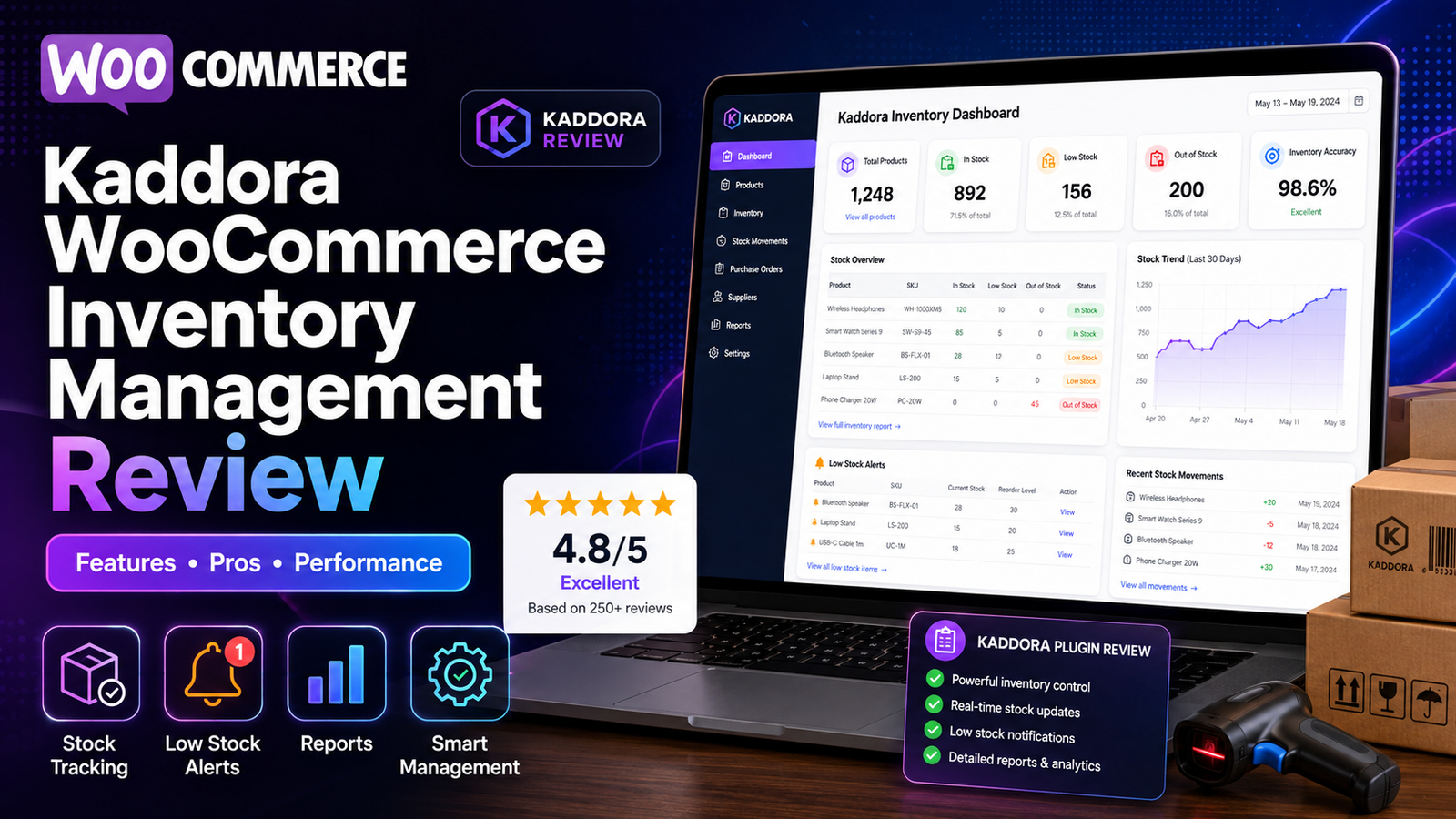
Kaddora WooCommerce Inventory Management Review
Managing inventory efficiently is essential for running a successful WooCommerce store. As your product catalog grows, keeping track of stock levels, monitoring inventory movement, and avoiding stock-related issues becomes more challenging.
The Kaddora WooCommerce Inventory Management Plugin is designed to help store owners streamline inventory operations through centralized stock management, inventory reporting, and automation features.
In this review, we'll look at what the plugin offers, who it's designed for, its strengths, and the situations where it can provide the most value.
Quick Overview
Category
Details
Plugin
Kaddora WooCommerce Inventory Management
Platform
WooCommerce
Best For
Small to large WooCommerce stores
Focus
Inventory management & automation
Inventory Dashboard
✅
Real-Time Stock Tracking
✅
Low-Stock Alerts
✅
Inventory Reports
✅
Bulk Stock Updates
✅
SKU Management
✅
What Is the Kaddora WooCommerce Inventory Management Plugin?
The Kaddora WooCommerce Inventory Management Plugin is built to simplify inventory management for WooCommerce businesses.
Rather than relying on manual stock updates and scattered inventory information, the plugin brings important inventory data together in a centralized dashboard.
Its goal is to help businesses:
Improve inventory visibility
Reduce manual work
Monitor stock levels
Track inventory performance
Support more informed purchasing decisions
Key Features
Real-Time Inventory Tracking
The plugin keeps inventory information updated as stock changes occur, helping businesses maintain accurate inventory records.
Centralized Inventory Dashboard
Instead of navigating multiple WooCommerce screens, users can monitor inventory from a single dashboard.
The dashboard provides visibility into:
Current stock levels
Inventory status
Low-stock products
Product performance
Low-Stock Alerts
Inventory notifications help store owners identify products that require replenishment before they become unavailable.
Inventory Reports
The plugin includes reporting tools that help analyze inventory performance and stock movement.
These reports can assist with:
Purchasing decisions
Inventory planning
Product performance analysis
Stock monitoring
Bulk Inventory Updates
Store owners can update inventory for multiple products simultaneously, reducing repetitive administrative work.
SKU Management
SKU support makes product organization easier, particularly for stores with larger catalogs.
User Experience
One of the strengths of the plugin is its WooCommerce-focused approach.
Rather than overwhelming users with unnecessary complexity, it emphasizes inventory visibility and operational efficiency.
Businesses already familiar with WooCommerce should find the workflow intuitive.
Who Is It Best For?
The plugin is well suited for:
Growing WooCommerce stores
Businesses with medium or large product catalogs
Teams managing inventory daily
Stores experiencing frequent stock changes
Businesses seeking centralized inventory reporting
For very small stores with only a handful of products, WooCommerce's built-in inventory features may be sufficient.
Benefits
Using an inventory management plugin can help businesses:
Improve inventory accuracy
Reduce manual work
Monitor inventory more efficiently
Reduce stockouts
Improve purchasing decisions
Save administrative time
Increase operational visibility
The exact benefits depend on the store's size, workflow, and inventory processes.
Things to Consider
Before choosing any inventory management solution, consider:
Store size
Number of products
Order volume
Reporting requirements
Team size
Growth plans
Selecting software that matches your operational needs is more important than simply choosing the plugin with the most features.
How It Compares to Basic WooCommerce Inventory
Feature
WooCommerce Default
Kaddora Plugin
Basic Stock Tracking
✅
✅
Inventory Dashboard
Limited
✅
Low-Stock Alerts
✅
✅
Bulk Updates
Limited
✅
Inventory Reports
Basic
Enhanced
Centralized Inventory View
❌
✅
Inventory Insights
Limited
✅
Use Cases
The plugin may be a good fit if your business needs to:
Monitor inventory daily
Manage hundreds of products
Improve inventory visibility
Reduce repetitive inventory tasks
Track inventory performance
Simplify purchasing decisions
Internal Resources
If you're exploring inventory management in more depth, these guides may also be helpful:
WooCommerce Stock Management Explained
Inventory Reports in WooCommerce
Real-Time Inventory Tracking in WooCommerce
AI Inventory Management for WooCommerce
Prevent Overselling in WooCommerce
Frequently Asked Questions
Is Kaddora compatible with WooCommerce?
Yes. The plugin is designed specifically for WooCommerce stores.
Does it support real-time inventory tracking?
It is designed to help store owners monitor inventory changes and maintain better stock visibility.
Can it help reduce overselling?
Accurate inventory tracking, low-stock alerts, and centralized monitoring can help reduce the likelihood of inventory-related issues such as overselling.
Is it suitable for small businesses?
Yes. It can be useful for growing WooCommerce stores, although businesses with very small catalogs may find WooCommerce's built-in inventory features sufficient.
Does it include inventory reports?
Yes. The plugin provides inventory reporting features to help monitor stock performance and support inventory planning.
Final Verdict
The Kaddora WooCommerce Inventory Management Plugin is a solid option for WooCommerce businesses looking to improve inventory visibility, streamline stock management, and reduce manual inventory tasks.
Its combination of real-time inventory tracking, centralized dashboards, reporting, low-stock monitoring, and bulk inventory management makes it particularly suitable for stores that have outgrown WooCommerce's basic inventory tools.
The right inventory solution ultimately depends on your store's size, workflow, and operational requirements. If your business is looking for a WooCommerce-focused inventory management plugin with automation and reporting capabilities, Kaddora is worth evaluating.
Comments (0)