
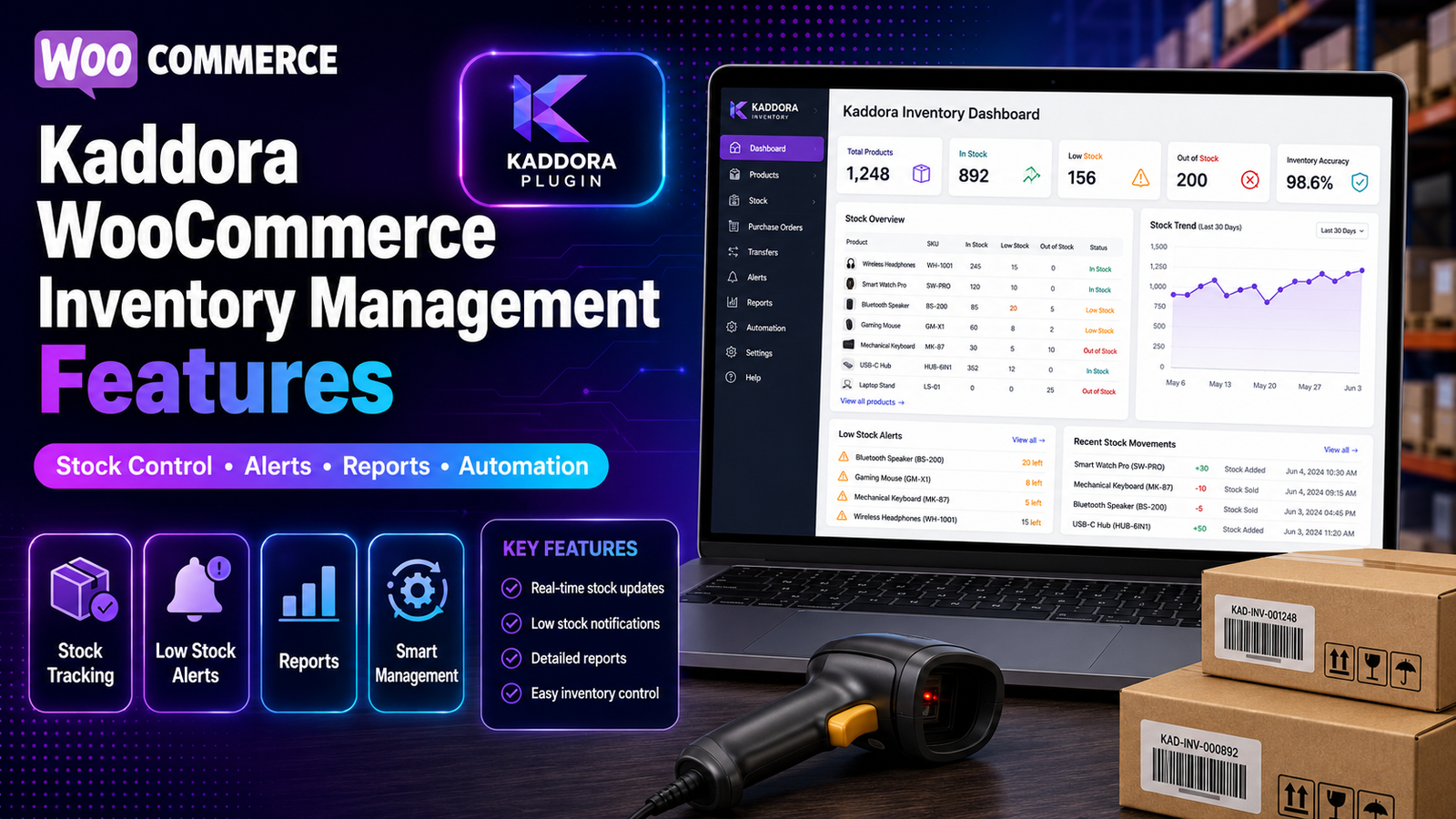
Kaddora WooCommerce Inventory Management Features
Inventory management becomes increasingly challenging as a WooCommerce store grows. More products, more orders, and more team members mean there are more opportunities for stock discrepancies, delayed replenishment, and manual errors.
The Kaddora WooCommerce Inventory Management Plugin is built to simplify these day-to-day inventory operations. Instead of managing stock across multiple screens and spreadsheets, it provides a centralized workspace with tools designed to improve inventory visibility and operational efficiency.
This guide explains each major feature of the plugin, how it works, and how it can support your WooCommerce business.
Quick Overview
The Kaddora WooCommerce Inventory Management Plugin includes features such as:
Real-time inventory tracking
Centralized inventory dashboard
Inventory reports
Low-stock alerts
Bulk inventory updates
SKU management
Product inventory insights
WooCommerce integration
Real-Time Inventory Tracking
Keeping inventory records up to date is essential for accurate stock management.
The plugin tracks inventory changes as products are sold, restocked, or updated, giving store owners a current view of available stock.
Benefits
Better stock visibility
Improved inventory accuracy
Faster inventory monitoring
Reduced manual checking
Centralized Inventory Dashboard
Instead of navigating multiple WooCommerce pages, users can monitor important inventory information from one dashboard.
The dashboard provides visibility into:
Current stock levels
Product availability
Inventory status
Low-stock products
Overall inventory health
Benefits
Faster decision-making
Easier inventory management
Improved workflow efficiency
Inventory Reports
Inventory reports organize stock data into useful business insights.
Reports help businesses analyze:
Inventory movement
Product performance
Low-stock products
Inventory trends
Stock availability
Benefits
Better purchasing decisions
Improved planning
Easier inventory analysis
Low-Stock Alerts
Running out of inventory unexpectedly can interrupt sales and affect customer satisfaction.
Low-stock alerts notify store owners when inventory reaches predefined levels, allowing time to reorder products.
Benefits
Reduced stockouts
Better inventory planning
Improved product availability
Bulk Inventory Updates
Updating products individually can become time-consuming as catalogs expand.
Bulk update tools allow multiple inventory changes to be completed more efficiently.
Examples include:
Updating stock quantities
Managing multiple SKUs
Editing inventory information for several products at once
Benefits
Time savings
Reduced manual work
Improved operational efficiency
SKU Management
Stock Keeping Units (SKUs) help organize inventory and simplify product identification.
The plugin supports structured SKU management for businesses handling larger inventories.
Benefits
Easier product organization
Faster inventory searches
Better warehouse workflows
Product Inventory Insights
Beyond tracking stock levels, businesses also need to understand how inventory performs over time.
Inventory insights help identify:
Frequently sold products
Slow-moving inventory
Products requiring replenishment
Overall inventory performance
Benefits
Smarter purchasing decisions
Better inventory planning
Improved stock optimization
WooCommerce Integration
The plugin is designed specifically for WooCommerce, making it easier to integrate inventory management into existing store operations.
Benefits
Familiar interface
Seamless workflow
Reduced learning curve
Who Can Benefit?
The plugin is suitable for:
Small Businesses
Merchants preparing for growth and looking to organize inventory more effectively.
Growing WooCommerce Stores
Businesses managing larger product catalogs and increasing order volumes.
Large Product Catalogs
Stores requiring centralized inventory visibility and efficient stock management.
Multi-User Teams
Organizations where several staff members participate in inventory management.
Business Advantages
Using Kaddora can help businesses:
Improve inventory visibility
Organize inventory workflows
Reduce repetitive administrative work
Support purchasing decisions
Monitor inventory performance
Improve operational efficiency
The overall impact depends on your business processes and how inventory is managed.
How the Features Work Together
A typical workflow may look like this:
Products are added to WooCommerce.
Inventory is tracked in real time.
The dashboard displays stock levels.
Low-stock alerts identify products needing attention.
Reports help evaluate inventory performance.
Bulk tools simplify updates.
Inventory insights support purchasing decisions.
Together, these features create a more organized inventory management process.
Internal Resources
Learn more with these related guides:
WooCommerce Stock Management Explained
Inventory Reports in WooCommerce
AI Inventory Management for WooCommerce
Inventory Forecasting Using AI
Automated Inventory Management for WooCommerce
Smart Stock Prediction for WooCommerce
Prevent Overselling in WooCommerce
Best WooCommerce Inventory Management Plugins
Kaddora WooCommerce Inventory Management Review
Why Choose Kaddora WooCommerce Inventory Management Plugin
Frequently Asked Questions
Does the plugin support real-time inventory tracking?
Yes. It is designed to help store owners monitor inventory changes and maintain better stock visibility.
Can I manage large product catalogs?
The plugin includes bulk inventory management and centralized dashboards that are intended to simplify inventory administration for growing WooCommerce stores.
Does it include inventory reports?
Yes. Inventory reporting features help businesses review stock movement, product performance, and inventory trends.
Can it help reduce stockouts?
Low-stock monitoring and improved inventory visibility can help businesses identify products that may need replenishment before they become unavailable.
Is it only for WooCommerce?
Yes. The plugin is built specifically for WooCommerce.
Final Thoughts
Successful inventory management is about more than tracking quantities—it requires visibility, organization, and timely decision-making.
The Kaddora WooCommerce Inventory Management Plugin combines real-time stock tracking, centralized dashboards, reporting, low-stock monitoring, SKU management, and bulk inventory tools to help WooCommerce businesses manage inventory more efficiently.
Whether you're scaling your product catalog or simply looking for a better way to organize inventory, understanding how each feature works will help you choose the right solution for your business.
Comments (0)