
Introduction
WhatsApp has become an important communication channel for businesses that want to interact with customers through direct, convenient messaging. For WooCommerce stores, it can complement email marketing, website notifications, and other customer communication channels.
An online shopper might ask a product question, receive an order update, request support, or learn about a relevant promotion through WhatsApp. When these interactions are managed well, they can make the customer journey more convenient.
However, manually managing customer messages becomes difficult as an ecommerce business grows. Store owners may need to respond to product inquiries, share order updates, prepare promotions, and follow up with customers while managing their regular WooCommerce operations.
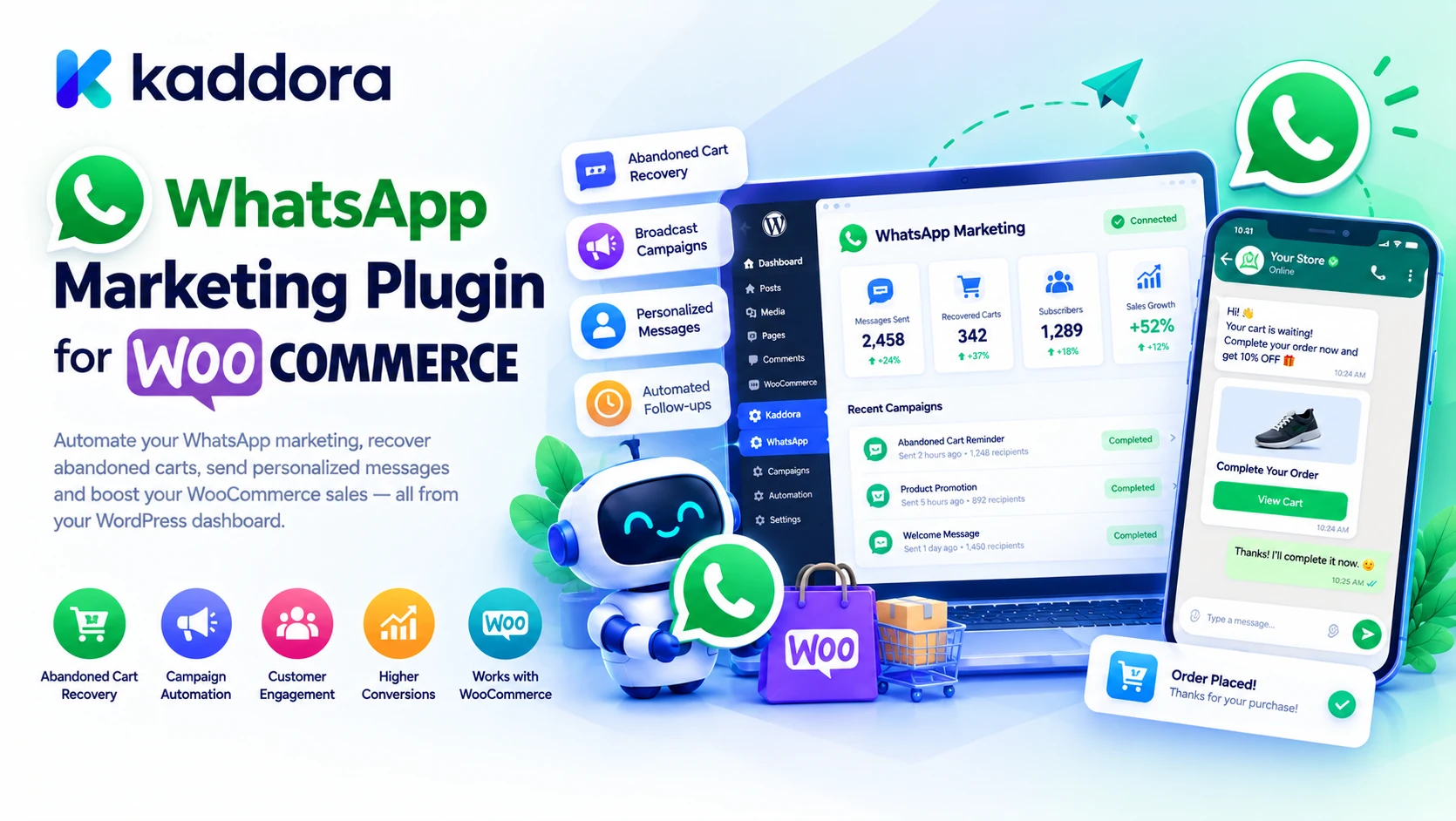
Kaddora WhatsApp Marketing Plugin for WooCommerce is designed around helping businesses organize WhatsApp-based customer communication and marketing workflows within their WordPress environment.
A typical workflow can look like this:
WooCommerce Store ↓ Customer or Order Event ↓ Communication Workflow ↓ WhatsApp Message ↓ Customer Interaction ↓ Follow-Up or Support
The objective is to make customer communication more organized while keeping messages relevant, timely, and respectful of customer preferences.
What Is WhatsApp Marketing for WooCommerce?
WhatsApp marketing for WooCommerce involves using WhatsApp to communicate with customers about relevant products, store updates, offers, and other ecommerce-related information.
Depending on the business and its integrations, potential use cases include:
Order-related notifications
Customer support
Product inquiries
Promotional messages
Product announcements
Abandoned-cart reminders
Post-purchase communication
Customer follow-ups
Not every WhatsApp marketing plugin supports all these workflows. Available functionality depends on the plugin's implementation and the connected WhatsApp service.
The main benefit of a structured process is that communication can be managed alongside the store's normal operations instead of being handled entirely through separate manual conversations.
What Is Kaddora WhatsApp Marketing Plugin?
Kaddora WhatsApp Marketing Plugin for WooCommerce is a WordPress-focused solution intended to support WhatsApp-based marketing and customer communication for ecommerce businesses.
Depending on the installed version and configured integrations, the workflow may support areas such as customer messaging, campaign preparation, order-related communication, or WhatsApp automation.
Its broader purpose is to help WooCommerce businesses organize customer engagement and reduce repetitive communication work.
A practical architecture looks like this:
WooCommerce ↓ Relevant Customer or Order Data ↓ Messaging Workflow ↓ WhatsApp Integration ↓ Message Delivery ↓ Customer Response
WhatsApp delivery depends on the supported integration, service configuration, recipient eligibility, and applicable messaging requirements. Administrators should confirm the features and integrations available in their installed plugin version.
Why Use WhatsApp Marketing for WooCommerce?
Traditional ecommerce communication often relies on email, website notifications, and support forms. WhatsApp can provide another channel for customers who prefer messaging.
For example, a shopper may want to know whether a product is available before placing an order. Another customer may need clarification about delivery or product usage.
A well-organized communication strategy can help a store provide useful answers and share relevant updates without requiring every interaction to be handled manually.
Potential benefits include:
More convenient customer communication
Faster handling of common inquiries
Better-organized order updates
Additional opportunities for customer engagement
Support for relevant promotional campaigns
Integration with broader marketing workflows
These benefits depend on implementation, audience preferences, and message quality. Using WhatsApp does not automatically guarantee higher sales or engagement.
WooCommerce Order Notifications Through WhatsApp
Order-related communication is one possible use case for a WooCommerce WhatsApp integration.
Customers may want information about their order status, confirmation, or delivery progress. A configured messaging workflow can help provide updates where the required events and integrations are supported.
For example:
Customer Places Order ↓ WooCommerce Records Order ↓ Configured Messaging Workflow ↓ WhatsApp Notification ↓ Customer Receives Update
Before implementing this workflow, determine which order events can trigger messages and which message types are supported by the integration.
Use accurate order information and avoid including unnecessary personal or payment details. Transactional notifications should also be distinguished from promotional campaigns because different rules may apply.
WhatsApp Marketing Campaigns
Promotional campaigns can help businesses announce relevant products, offers, or store updates to eligible customers.
Possible campaign topics include:
New product launches
Seasonal collections
Special promotions
Product availability updates
Buying guides
Relevant complementary products
Store announcements
A campaign should have a clear purpose and be aimed at an appropriate audience.
For example:
Campaign Goal ↓ Choose Eligible Audience ↓ Prepare Message ↓ Review Offer and Links ↓ Send Through Configured Service ↓ Evaluate Results
Marketing messages should be sent only when the appropriate consent and messaging requirements have been satisfied.
Abandoned-Cart Recovery With WhatsApp
Some shoppers add products to their WooCommerce cart but leave before completing the purchase. A carefully designed recovery strategy may remind eligible customers about an incomplete shopping journey.
A conceptual workflow is:
Cart Abandoned ↓ Check Eligibility and Consent ↓ Wait for Defined Period ↓ Prepare Reminder ↓ Send Through Supported Integration ↓ Check Purchase Status
The exact implementation depends on the available plugin features and integration. A cart reminder should not be sent if the customer has already purchased or has opted out of promotional messages.
Avoid sending repeated reminders that pressure customers. Relevant, well-timed communication is more appropriate than excessive follow-ups.
Product Promotion and Recommendations
WhatsApp can be used to share product information with customers who have opted into relevant communications.
For example, a store selling home office furniture might share a new desk collection with customers who have expressed interest in workspace products.
A product-focused workflow can look like this:
Product or Campaign ↓ Relevant Customer Segment ↓ Prepare Product Message ↓ Verify Price and Availability ↓ Send to Eligible Recipients
Product descriptions, prices, discounts, and availability should come from accurate store information. Avoid unsupported claims or recommendations that are unrelated to the customer's interests.
Customer Support Through WhatsApp
WhatsApp can also provide a convenient channel for customer questions.
Common topics may include:
Product information
Shipping and delivery
Returns and exchanges
Order status
Product usage
Store policies
A business can organize support processes by defining response responsibilities, approved information, escalation rules, and working hours.
For example:
Customer Question ↓ Identify Request Type ↓ Provide Approved Information ↓ Resolve or Escalate ↓ Record the Outcome
Automated replies should not invent order information or promise actions that have not been confirmed. Sensitive requests may require identity verification or handling through a secure customer account.
WhatsApp Marketing and Customer Segmentation
Sending identical messages to every customer may be inefficient and can create an unpleasant experience.
Segmentation groups eligible customers according to relevant characteristics, such as purchase history, product interests, or stated communication preferences.
Examples include:
Customers interested in a particular product category
Customers who have purchased a relevant product
Subscribers who have opted into promotional messaging
Customers interested in new arrivals
Customers who have requested product information
Segmentation capabilities depend on the available plugin functionality and connected customer data.
Use only the information necessary for the campaign, and avoid using sensitive information without an appropriate basis and safeguards.
WhatsApp and Omnichannel Marketing
WhatsApp works best as part of a coordinated communication strategy rather than as an isolated channel.
A WooCommerce business might use email for detailed newsletters, WhatsApp for appropriate direct messages, and its website for product information and self-service support.
A coordinated journey can look like this:
WooCommerce Store ↓ Customer Interaction ↓ Choose Appropriate Channel ↓ Send Relevant Message ↓ Update Customer Journey
Omnichannel marketing does not mean sending the same promotion through every channel. Message frequency, channel preference, consent, and recent customer activity should determine what communication is appropriate.
How to Set Up Kaddora WhatsApp Marketing Plugin for WooCommerce
The exact interface depends on the installed plugin version. A typical setup process can follow these steps.
Step 1: Install the Plugin
Open your WordPress dashboard and navigate to:
Plugins → Add New → Upload Plugin
Upload the Kaddora WhatsApp Marketing Plugin ZIP package, install it, and activate it.
Step 2: Review Available Settings
Open the plugin's settings or messaging interface. Review the available WooCommerce features, messaging options, and integrations.
Step 3: Configure the WhatsApp Service
If an external WhatsApp service or business platform is required, configure the connection using the provider's supported process. Keep access tokens and other credentials secure and server-side.
Step 4: Define the Communication Workflow
Choose the supported use case, such as order-related communication, customer engagement, or a promotional campaign.
Step 5: Prepare the Message
Write concise, accurate content with a clear purpose. Verify links, product details, pricing, and the intended audience.
Step 6: Test the Integration
Use an appropriate test workflow to verify message formatting, recipient eligibility, delivery behavior, and event triggers.
Step 7: Monitor and Improve
Review available delivery reports, errors, and customer responses. Adjust the workflow based on actual results and customer preferences.
WhatsApp Business Integration and Messaging Requirements
WhatsApp business messaging may involve an official business platform or a supported third-party provider. Features, message templates, recipient eligibility, and sending restrictions depend on the selected service and its current rules.
Before launching a campaign, confirm:
The integration is supported and configured correctly.
The recipient is eligible to receive the intended message.
Required consent has been recorded.
Approved message templates are used where required.
Applicable sending limits are respected.
Opt-out requests are honored.
Provider requirements are followed.
Avoid unofficial or unauthorized sending methods that may compromise account security or violate service requirements. The website's marketing workflow should be designed around the integration actually being used.
Privacy and Customer Consent
Customer phone numbers and conversation details should be treated as personal information.
Before sending marketing messages, businesses should make sure their consent and communication practices comply with the requirements that apply to their audience and location.
A responsible process includes:
Collecting contact information appropriately
Explaining what kinds of messages customers may receive
Recording marketing preferences where needed
Honoring opt-out requests
Limiting unnecessary storage and sharing
Protecting connected account credentials
Avoiding disclosure of sensitive order information
Transactional notifications and promotional messages should be distinguished where applicable. A customer providing a phone number for order fulfillment should not automatically be assumed to have consented to every type of marketing message.
Best Practices for WooCommerce WhatsApp Marketing
Keep Messages Relevant
Send messages that match the customer's interests, purchase, or communication preferences.
Use Clear Wording
Explain the purpose of the message and provide a useful next step.
Verify Store Information
Check products, prices, inventory, discounts, and delivery details before messaging customers.
Control Message Frequency
Avoid sending repeated reminders or promotions that can frustrate customers.
Protect Credentials
Keep WhatsApp service credentials out of frontend JavaScript, public responses, and logs.
Test Before Launching
Check the integration, recipients, message formatting, links, and workflow triggers before starting a large campaign.
Monitor Failures
Review delivery problems and avoid endlessly retrying invalid recipients.
Respect Opt-Outs
Make sure the workflow honors customer preferences and applicable messaging requirements.
Common WhatsApp Marketing Mistakes
Sending unsolicited promotions: Obtain the appropriate consent before promotional messaging.
Messaging customers too frequently: Set sensible frequency controls.
Ignoring opt-out requests: Maintain an effective suppression process.
Using inaccurate product details: Verify prices, availability, and promotional terms.
Exposing API credentials: Keep secrets securely stored on the server.
Assuming every message is delivered: Monitor integration results where reporting is available.
Ignoring provider requirements: Follow applicable templates, sending rules, and service policies.
Automating sensitive support actions: Verify identity and authorization before sharing private order information.
Using irrelevant customer data: Limit targeting to information needed for the workflow.
Treating WhatsApp as the entire marketing strategy: Coordinate it with the website, email, and customer support where appropriate.
Kaddora WhatsApp Marketing Plugin Checklist
Before launching a WooCommerce WhatsApp workflow, verify:
The plugin is installed and configured.
Required WhatsApp integrations are connected securely.
The selected workflow is supported by the installed version.
Customer consent and eligibility are checked.
Messages use accurate product and order information.
Any required message templates are configured.
Links and calls to action are tested.
Duplicate and excessive messages are prevented.
Opt-out requests are respected.
Sensitive customer data is minimized.
Provider errors and delivery results are reviewed where available.
WooCommerce ordering and checkout continue to work normally.
Why Choose Kaddora?
Kaddora focuses on practical WordPress, WooCommerce, AI, marketing, automation, security, and business solutions for ecommerce owners, developers, agencies, and growing businesses.
WooCommerce stores often handle product questions, order updates, promotional messages, and customer follow-ups across separate tools. A structured WhatsApp workflow can help organize these communication activities around the customer journey.
Kaddora WhatsApp Marketing Plugin for WooCommerce is designed to support WhatsApp-based marketing and customer communication, subject to the capabilities of the installed version and configured integrations.
A useful workflow can help businesses organize:
Customer communication
WhatsApp marketing campaigns
Relevant product promotions
Order-related messaging where supported
Customer engagement workflows
Integration testing and ongoing monitoring
The objective is not simply to send more messages. It is to create meaningful communication that respects customer preferences and supports the shopping experience.
Kaddora's broader ecosystem focuses on practical WordPress and WooCommerce solutions that help businesses manage their websites and marketing processes without unnecessary complexity.
Conclusion
Kaddora WhatsApp Marketing Plugin for WooCommerce focuses on helping ecommerce businesses organize WhatsApp-based marketing and customer communication within a WordPress environment.
From suitable order-related notifications to relevant promotional campaigns, WhatsApp can complement a broader customer engagement strategy when the appropriate integration and messaging permissions are in place.
A practical workflow combines:
WooCommerce Event or Campaign ↓ Eligible Customer ↓ Relevant Message ↓ Secure WhatsApp Integration ↓ Delivery and Response ↓ Review and Improvement
The most effective approach prioritizes relevant messages, accurate product information, secure integrations, sensible frequency controls, and customer consent.
The core principle is simple:
Use WhatsApp to make WooCommerce communication more convenient, relevant, and organized—not to overwhelm customers with promotions.
When WhatsApp is integrated thoughtfully with WooCommerce workflows, it can become a useful channel for customer support, store communication, and marketing.
Frequently Asked Questions
What is Kaddora WhatsApp Marketing Plugin for WooCommerce?
It is a WordPress-focused solution designed to support WhatsApp-based marketing and customer communication for WooCommerce stores. Exact capabilities depend on the installed version and available integrations.
What is WhatsApp marketing for WooCommerce?
It involves using WhatsApp to communicate with eligible customers about relevant store updates, products, offers, and other ecommerce information.
Can Kaddora send WooCommerce order notifications through WhatsApp?
Order-related messaging may be supported depending on the plugin version and configured integration. Verify available triggers and notification types before relying on a particular workflow.
Can I send WhatsApp promotional campaigns to customers?
Promotional campaigns depend on the available plugin features, connected service, and recipient eligibility. Appropriate consent and applicable messaging rules must be respected.
Can WhatsApp help recover abandoned carts?
WhatsApp reminders can be part of a cart recovery strategy where supported by the integration. The workflow should check customer eligibility, purchase status, consent, and message frequency.
Can I use WhatsApp for WooCommerce customer support?
Yes. WhatsApp can serve as a customer communication channel for product questions, delivery inquiries, and support requests, subject to the business's setup and procedures.
Does the plugin automatically connect to WhatsApp?
Connection requirements depend on the installed version and supported services. An official business integration or compatible provider may need separate configuration.
Can the plugin personalize WhatsApp messages?
Personalized messaging depends on the supported features and available customer data. Any personalization should respect privacy, consent, and data minimization.
Is customer consent necessary for WhatsApp marketing?
Businesses should obtain the appropriate permission for promotional messages and comply with the rules applicable to their audience and messaging service.
Are order notifications and promotional messages the same?
No. Transactional and promotional messages serve different purposes and may be subject to different requirements. Configure each appropriately.
Can the plugin send messages automatically after an order?
Order-triggered automation depends on the plugin's implemented features and configured integration. Test event triggers and message behavior before deployment.
Why choose ThemeKaddora?
ThemeKaddora provides WordPress themes, plugins, templates, WooCommerce solutions, AI tools, marketing utilities, automation products, security tools, and performance-focused website solutions for developers, agencies, publishers, and businesses.
Comments (0)