
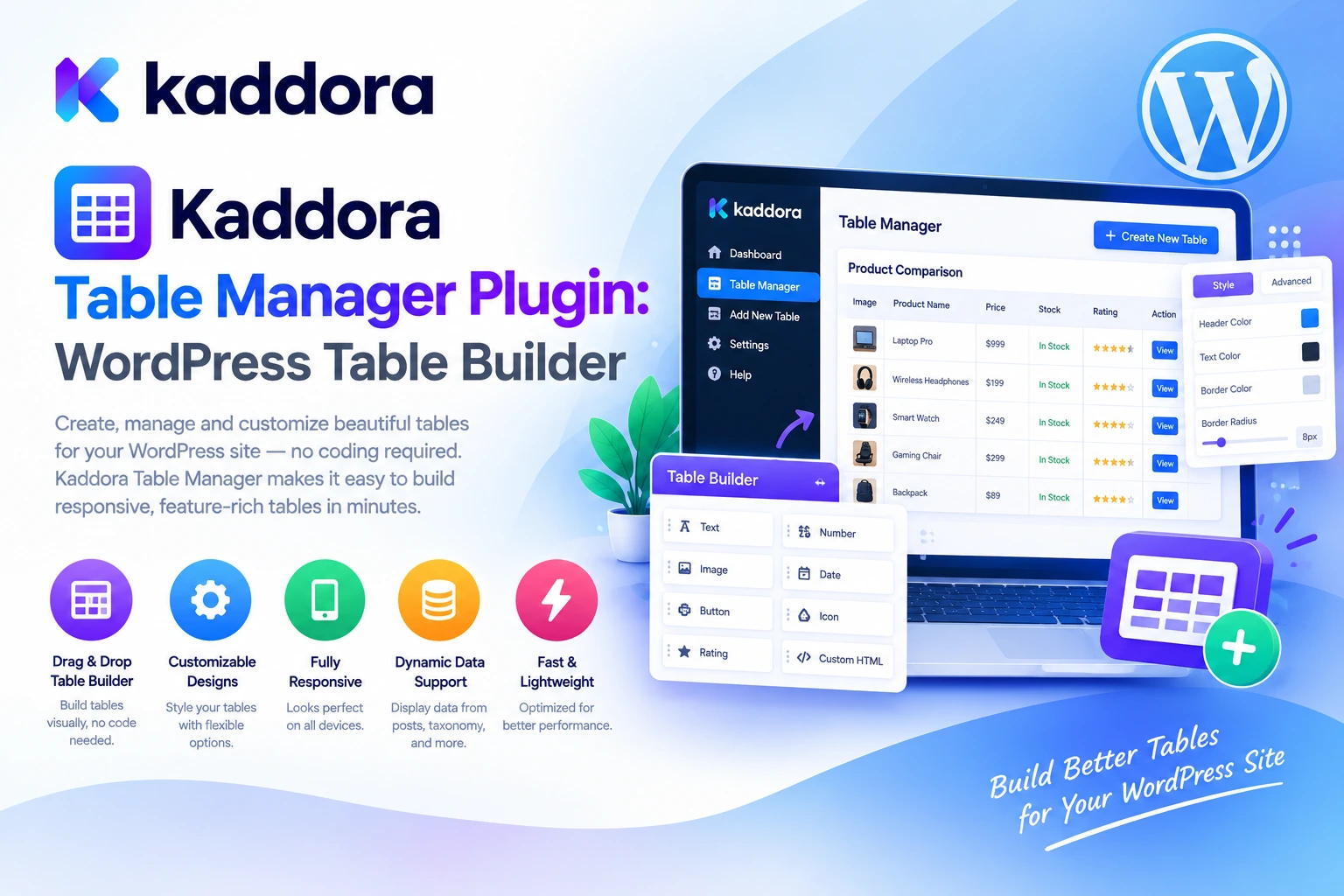
Introduction
Tables are one of the most effective ways to organize and present structured information on a website.
Businesses use tables to compare products, display pricing, explain service packages, publish specifications, organize directories, and present information that visitors need to review quickly.
However, creating and maintaining website tables can become difficult when the information changes frequently or needs to appear across multiple pages.
A simple HTML table may work for a small amount of information, but updating its content, maintaining consistent styling, and ensuring that it displays properly on mobile devices can require additional work.
For growing WordPress websites, a dedicated table management solution can help make these tasks more organized.
Kaddora Table Manager Plugin is intended to simplify the process of creating, managing, and presenting structured information within a WordPress website. Its role is to help website owners organize tabular information and integrate it into useful website layouts.
Whether you manage a business website, publish product specifications, display pricing plans, or maintain structured information for visitors, a table management workflow can help improve consistency and maintainability.
This guide explores how WordPress table management works, where tables can be useful, how to approach table design, and the best practices for presenting structured information effectively.
What Is the Kaddora Table Manager Plugin?
Kaddora Table Manager is a WordPress plugin focused on table-related content management and data presentation.
Tables allow website owners to organize information into rows and columns, making relationships between different values easier to understand.
For example, a business might present service packages using a table:
Feature
Basic
Professional
Enterprise
Website support
Standard
Priority
Dedicated
Reporting
Basic
Advanced
Custom
Integrations
Limited
Extended
Custom
Support
Priority
Dedicated
A table like this provides visitors with a structured way to compare options without reading several separate paragraphs.
A table management plugin can help website owners create and maintain these presentations within WordPress.
The best implementation depends on the available features in the installed plugin version, the type of data being displayed, and the website's design requirements.
Why Use a Table Manager in WordPress?
WordPress websites often need to present information in a structured format.
A business may need a pricing comparison table. A technology blog may publish hardware specifications. A service provider may need a clear breakdown of packages and features.
Without a consistent table management workflow, administrators may have to edit HTML manually, maintain several copies of the same information, or repeatedly rebuild the same table layouts.
Common challenges include:
Inconsistent formatting: Tables created independently may use different spacing, colors, typography, and border styles.
Difficult maintenance: Updating manually written HTML can become inconvenient when tables contain many rows or columns.
Poor mobile usability: Wide tables may extend beyond the available screen width on smaller devices.
Unclear comparisons: Poorly organized columns and lengthy cell content can make information difficult to scan.
Repeated content updates: Similar tables published on multiple pages may become inconsistent when information changes.
Limited accessibility: Tables without clear headers or meaningful structure can be difficult for some visitors to understand.
A dedicated table management workflow can help address these challenges by making table content easier to organize and maintain.
Key Benefits of Kaddora Table Manager Plugin
1. Organized Table Creation and Management
A website table should have a clear purpose and a logical structure.
Kaddora Table Manager is designed to support the management of tabular information within WordPress, providing a dedicated approach to organizing content into rows and columns.
Potential applications include:
Service comparison tables
Product specification tables
Pricing information
Feature comparison tables
Business directories
Technical data
Membership plan comparisons
Structured reference information
For example, a web development agency could organize different service packages in a table showing deliverables, estimated timelines, and included support.
A clear structure makes it easier for visitors to understand what is being offered and compare relevant details.
2. Clear Data Presentation
Tables are especially useful when visitors need to compare multiple values side by side.
Consider a website publishing information about different hosting plans. Each plan may have different storage limits, bandwidth allowances, support options, and pricing.
Presenting these values in a structured table allows visitors to compare the plans more efficiently.
A good data presentation workflow follows a simple principle:
Collect Information ↓ Organize Rows and Columns ↓ Choose Meaningful Headings ↓ Format the Table ↓ Preview the Display ↓ Publish and Maintain
Kaddora Table Manager is designed for table-focused content management, helping website owners work with structured information rather than relying entirely on individually coded page sections.
The goal is to make information easier to read and understand, not simply to place more data on a page.
3. Product Comparison Tables
Product comparison tables are useful when visitors need to evaluate several products before making a decision.
For example, a technology website might compare laptops by processor, memory, storage, screen size, and price.
A software business might compare subscription plans by features and usage limits.
A comparison table can look like this:
Specification
Product A
Product B
Product C
Memory
8 GB
16 GB
32 GB
Storage
256 GB
512 GB
1 TB
Warranty
1 year
2 years
3 years
Best suited for
Basic use
Professional use
Intensive workloads
The information should reflect verified product specifications.
For ecommerce websites, comparison tables can also help explain differences between product variations, service tiers, or purchasing options.
Avoid including unsupported performance claims or presenting incomplete information in a way that could mislead customers.
4. Pricing and Service Tables
Pricing tables are useful for businesses that offer multiple service packages or subscription plans.
For example, a digital agency might display website design, maintenance, and support packages in a structured format.
A SaaS business might compare its available subscription levels.
A pricing table can help visitors understand:
What each package includes
Which features differ
Whether usage limits apply
What the listed price covers
Which option best matches their requirements
Kaddora Table Manager can serve as part of a structured approach to presenting this information on a WordPress website.
Keep prices, billing intervals, taxes, and package descriptions accurate. If the business changes its offering, update the displayed information promptly.
A clear pricing table should help visitors make informed decisions rather than rely on confusing labels or hidden conditions.
5. Business Information and Reference Tables
Not every table needs to compare products or prices.
Many websites publish structured information for reference purposes.
Examples include:
Business opening hours
Service availability
Project timelines
Course schedules
Event programs
Technical specifications
Contact directories
Policy summaries
Product compatibility information
A table can make these details easier to locate and review.
For instance, an educational website could display a course timetable, while a business website might organize regional service coverage.
Choose meaningful column headings and keep the information concise enough to scan.
If a table becomes too large or contains substantial explanatory text, consider breaking it into smaller tables or presenting the information through a more appropriate page layout.
6. Maintainable Table Content
Information displayed on websites often changes.
Prices may be revised, services may be updated, product specifications may change, and schedules may need to be corrected.
When table information is copied manually into several pages, keeping every version synchronized becomes difficult.
A structured table management process can improve consistency by encouraging administrators to maintain table content through a more organized workflow.
Before selecting an implementation, review the plugin's available editing and reuse options to determine how tables can be updated and displayed in your particular setup.
Avoid assuming that changes made to one table automatically update unrelated copies unless the installed version explicitly supports that behavior.
7. Consistent Website Styling
Tables should complement the visual design of the rest of the website.
A business website may use subtle borders and restrained colors, while a technology website may need a denser specification table.
Regardless of the design, the following elements contribute to readability:
Clear column headings
Consistent alignment
Suitable row spacing
Readable typography
Appropriate contrast
Sensible column widths
Visible separation between records
A consistent design system also makes the website easier to maintain.
When choosing table styles, prioritize usability over decoration. Excessive colors, borders, and background effects can make large datasets more difficult to scan.
Review the available styling controls in your installed Kaddora Table Manager version and apply a consistent visual approach across relevant pages.
8. Responsive Table Design
Mobile usability is an important consideration when presenting structured information.
A table with several columns may fit comfortably on a desktop screen but become difficult to read on a smartphone.
Responsive behavior depends on the table implementation and available display controls.
Possible approaches include horizontal scrolling, adjusted column visibility, simplified layouts, or reorganized content where appropriate.
Before publishing a table, test it at different screen sizes.
For example, a pricing comparison table should allow mobile visitors to understand the differences between plans without losing the relationship between headings and values.
Do not hide essential information simply to make a table fit a small screen. Choose a presentation method that preserves the meaning of the data.
9. Suitable Integration With WordPress Content
Tables are often only one component of a larger page.
A blog article may use a table to summarize specifications. A services page may place a pricing table below the introduction. A product page may include a technical comparison section.
A table manager should fit into the website's content creation workflow without making the surrounding page difficult to maintain.
Consider where a table belongs in the overall content structure and ensure that the surrounding text explains what the information means.
Review the plugin's supported insertion methods and compatibility with your WordPress editor, theme, and any page builders used by the website.
10. A More Structured Workflow for Website Maintenance
Table management is not only about creating the initial layout. It also involves maintaining the correctness of published information.
A table may need updates when:
Pricing changes
A product is discontinued
A service package is revised
An event schedule changes
A technical specification is updated
A policy is amended
Establish a process for reviewing tables that contain important or time-sensitive information.
For business-critical tables, record the authoritative information source and assign responsibility for updates.
This helps reduce the risk of outdated information remaining visible after the business has changed its offering.
How to Use Kaddora Table Manager on a WordPress Website
Step 1: Prepare Your WordPress Website
Ensure that your WordPress installation meets the requirements listed in the documentation for your downloaded plugin version.
Create a website backup before making significant changes to existing content or table layouts.
Step 2: Install the Plugin
From your WordPress dashboard:
Navigate to Plugins → Add New → Upload Plugin.
Select the downloaded Kaddora Table Manager ZIP file.
Click Install Now.
Activate the plugin.
Open the plugin's dashboard or management interface.
Follow the installation instructions supplied with your specific version.
Step 3: Identify the Table You Need
Decide what information you want to display.
For example, you may need:
A pricing table
A product comparison
A specifications table
A timetable
A service directory
A business reference table
Defining the table's purpose first helps determine the appropriate number of rows, columns, and headings.
Step 4: Organize the Data
Arrange the information into a logical structure.
Give each column a descriptive heading and avoid combining unrelated information into the same cell.
Use consistent units, currency formats, dates, and naming conventions.
Step 5: Configure the Presentation
Use the table options available in your installed plugin version to create the intended layout.
Review spacing, typography, alignment, borders, and any supported display controls.
Step 6: Add the Table to Your Page
Insert or display the table using the method supported by the plugin.
Place it where it supports the surrounding content and make sure visitors understand what the table represents.
Step 7: Preview and Test
Review the published result on desktop, tablet, and mobile screens.
Check that the information is accurate, the headings are clear, and the table remains readable.
Update the table whenever the underlying information changes.
Practical Use Cases for Kaddora Table Manager
Business and Corporate Websites
Businesses can use tables to present service packages, pricing structures, office locations, operating hours, or service coverage.
A well-organized table allows visitors to locate specific information without navigating through several separate sections.
WooCommerce and Ecommerce Websites
Online stores can use comparison tables for product specifications, feature differences, package contents, compatibility information, and other structured product details.
If a table contains purchase-related information, keep it synchronized with the store's authoritative product data.
Educational Websites
Schools, training providers, and educational platforms may need tables for course schedules, curriculum details, program comparisons, and academic reference material.
Make sure dates, times, course names, and other important information remain current.
Technology and Review Websites
Technology publishers frequently compare products using specification tables.
These tables can include hardware details, supported standards, dimensions, compatibility information, and other factual characteristics.
Accuracy and consistent measurement units are particularly important when readers use these tables to make purchasing decisions.
Agencies and Professional Service Providers
Agencies can use tables to present deliverables, package comparisons, support arrangements, and project timelines.
A consistent presentation can help clients understand the scope of different services.
Membership and Subscription Websites
Membership businesses can display plan differences, access levels, included benefits, and usage restrictions.
Use clear headings and accurately describe any limitations so visitors can understand what each membership includes.
Best Practices for Effective WordPress Tables
Start with a clear purpose. Every table should answer a specific question or organize information that benefits from a row-and-column structure.
Use descriptive headings. Visitors should understand what each column represents without guessing.
Keep data consistent. Use consistent date formats, units, currencies, and naming conventions.
Prioritize readability. Avoid excessively small text, crowded cells, and unnecessary decorative effects.
Design for mobile devices. Test wide tables carefully and use a suitable responsive presentation.
Keep information accurate. Verify specifications, prices, dates, and other important values before publishing.
Avoid unnecessarily large tables. Split extensive information into logical sections when doing so improves navigation.
Consider accessibility. Use meaningful headings, appropriate table semantics, and readable contrast. Do not rely on color alone to communicate important information.
Review tables periodically. Assign responsibility for updating content that changes over time.
Test compatibility. Check the table in the actual WordPress theme, editor, and page-building environment used by the website.
Common Table Management Mistakes to Avoid
1. Using Tables for Every Layout
Tables are best suited to information with meaningful row-and-column relationships. They are not always appropriate for general page layout.
Better approach: Use tables for structured data and use standard page sections, grids, or cards when they communicate the information more clearly.
2. Creating Too Many Columns
Wide tables can become difficult to use on smaller screens.
Better approach: Include only relevant columns and consider separate tables for different categories of information.
3. Using Ambiguous Column Headings
Generic headings can make it difficult for readers to understand the information.
Better approach: Use descriptive labels, including units where necessary.
4. Publishing Outdated Information
Old prices, specifications, or schedules can mislead visitors and create unnecessary support requests.
Better approach: Review important tables whenever their source information changes.
5. Ignoring Accessibility
Poor contrast, unclear heading structure, and content that depends exclusively on color can make tables difficult to use.
Better approach: Review semantic structure, readability, keyboard access, and mobile behavior.
6. Assuming Every Table Is Search-Friendly by Default
Search engines and users need meaningful context to understand tabular information.
Better approach: Introduce the table with relevant explanatory text, use descriptive headings, and ensure the important information is available in an accessible format.
Who Can Benefit From Kaddora Table Manager Plugin?
Kaddora Table Manager may be useful for:
Business website owners
WordPress bloggers and publishers
Ecommerce store owners
Technology and product review websites
Educational institutions
Agencies and freelancers
Membership websites
Service providers
Websites publishing schedules and directories
Developers maintaining structured website content
The best fit depends on the type of tables you need, the features supported by your installed version, and how those tables should be maintained and displayed.
Why Choose Kaddora?
Kaddora focuses on practical WordPress products designed to help website owners and developers manage website content and business workflows more efficiently.
Kaddora Table Manager is intended to simplify the management and presentation of structured information within WordPress.
For businesses, organized tables can make prices, services, specifications, and other important details easier to compare. For publishers and developers, a dedicated table management workflow can help maintain consistency across content that contains structured data.
The objective is not simply to place more tables on a website. It is to present information accurately, make it easier for visitors to understand, and simplify maintenance as content changes.
Before selecting specific workflows, review the current plugin documentation to confirm the available editing, display, styling, and integration options.
Conclusion
Tables remain a useful way to present structured information on WordPress websites. They help organize product specifications, compare service packages, display pricing, publish schedules, and communicate other information that benefits from a clear row-and-column structure.
Kaddora Table Manager Plugin is designed to help WordPress website owners manage and display tables through a more organized content workflow.
Whether you maintain a business website, ecommerce store, blog, educational platform, or technical publication, a dedicated table management approach can help make information easier to maintain and understand.
Start by defining the purpose of each table, organizing its information, choosing clear headings, and testing the result across devices. Keep important values accurate and review tables whenever the underlying information changes.
A well-designed table should help visitors find answers quickly. The strongest table management workflow combines clear structure, accessible presentation, accurate data, and ongoing maintenance.
Frequently Asked Questions
What is Kaddora Table Manager Plugin?
Kaddora Table Manager is a WordPress plugin focused on managing and presenting structured information in tables. Review the current product documentation for the exact editing, styling, and display features available in your installed version.
What can I use a WordPress table manager for?
Table management can be useful for pricing plans, product comparisons, technical specifications, business directories, service packages, schedules, membership comparisons, and other structured information.
Can I use tables for WooCommerce products?
Tables can be useful for presenting product specifications, feature comparisons, package details, compatibility information, and other ecommerce data. Verify that the displayed information matches the actual product details.
Why should tables be responsive?
Visitors use different devices and screen sizes. A responsive table presentation helps keep information accessible when a table is wider than the available screen space.
Are tables suitable for pricing comparisons?
Yes. Pricing tables can help visitors compare services, packages, subscription levels, and included features, provided that the information is accurate and easy to understand.
How can I make WordPress tables easier to read?
Use descriptive headings, consistent formatting, readable typography, sufficient spacing, appropriate contrast, and a layout that works on mobile devices.
Should I use a table for every type of website content?
No. Tables are best suited to information with meaningful relationships between rows and columns. Cards, lists, and regular content sections may be more suitable for other layouts.
Can tables help with SEO?
Well-structured tables can improve the presentation of useful information for visitors. Their SEO value depends on the relevance and quality of the page as a whole; using a table does not guarantee higher rankings.
Why choose ThemeKaddora?
ThemeKaddora provides a marketplace for WordPress themes, plugins, and website templates. Website owners, agencies, and developers can explore its catalog to find tools that match their content presentation and website management requirements.
Comments (0)