
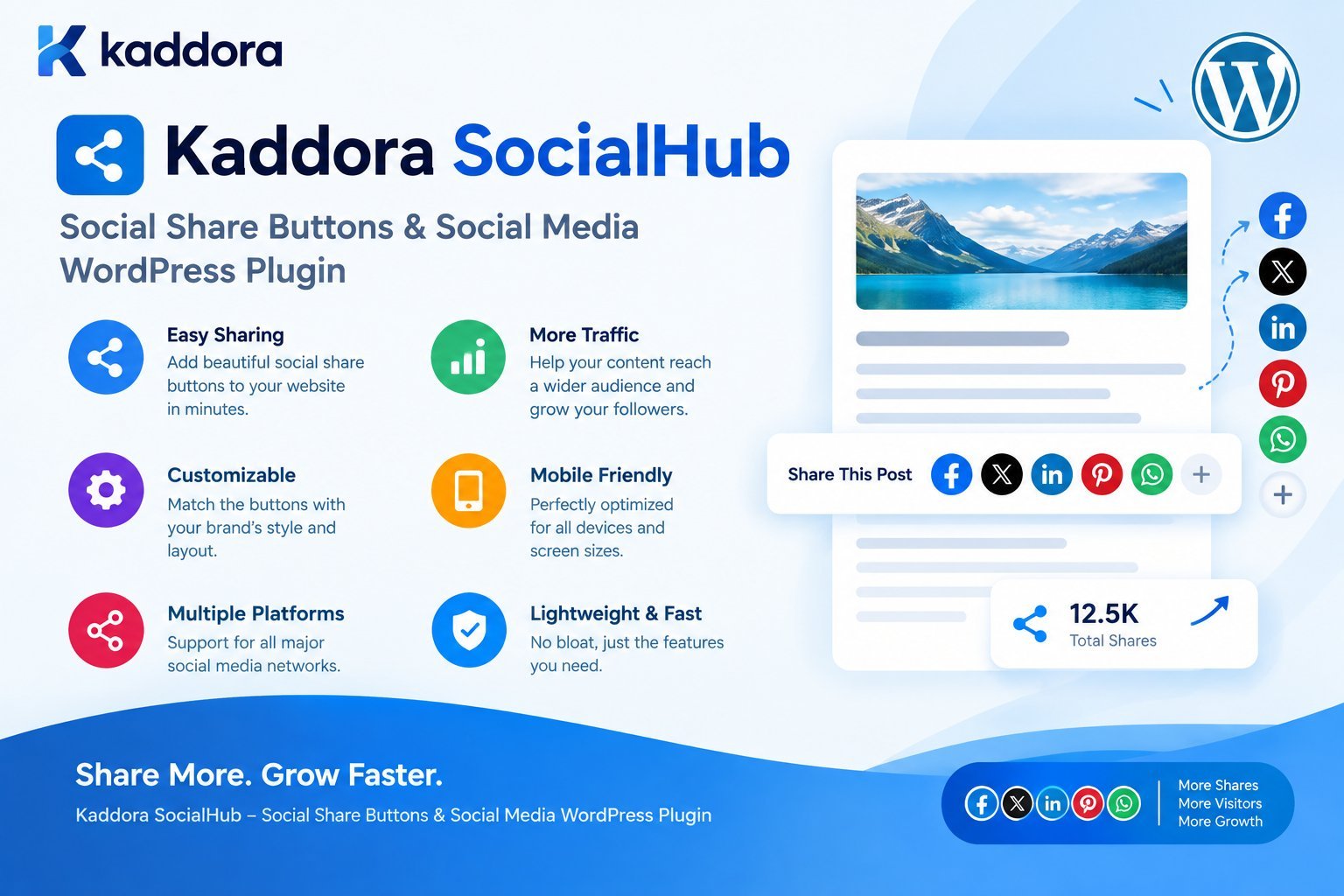
Kaddora SocialHub – Social Share Buttons & Social Media WordPress Plugin
Introduction
Social media can play an important role in helping WordPress websites increase content visibility, encourage sharing, and generate additional traffic.
Whether you operate a blog, business website, WooCommerce store, magazine, portfolio, agency website, or content platform, visitors may want to share useful content with their friends, colleagues, customers, or followers.
However, if sharing requires visitors to manually copy a URL and open a social media application, many users simply will not do it.
This is where Kaddora SocialHub – Social Share Buttons & Social Media WordPress Plugin can help.
Kaddora SocialHub is designed to add customizable social sharing functionality to WordPress websites without requiring developers to manually implement sharing buttons throughout the site.
Instead of building individual social sharing interfaces for different post types and templates, website owners can use a centralized social sharing solution.
The plugin can help place sharing buttons around important content such as:
Blog posts
Pages
WooCommerce products
Custom post types
Articles
Landing pages
Portfolio content
Business content
Other shareable WordPress content
The objective is simple:
Make it easier for visitors to share useful website content with their social networks.
What Is Kaddora SocialHub?
Kaddora SocialHub is a WordPress social sharing plugin designed to add social share buttons and social media sharing functionality to WordPress websites.
The plugin provides a centralized way to manage social sharing instead of manually adding social buttons to individual pages or templates.
A typical workflow looks like this:
Visitor Opens Content ↓ Reads Article / Product / Page ↓ Sees Social Share Buttons ↓ Chooses Social Platform ↓ Shares Content ↓ New Visitors Discover Website
This makes social sharing a natural part of the website experience.
Why Add Social Share Buttons to WordPress?
A useful piece of content has more value when visitors can easily share it.
For example, a visitor may read:
10 WordPress Performance Tips
and want to send it to a colleague.
If the website provides an accessible sharing interface:
Share: Facebook X LinkedIn WhatsApp Email Copy Link
the visitor can share the page with minimal effort.
The easier the action becomes, the less friction exists between discovering content and sharing it.
Key Benefits of Kaddora SocialHub
Kaddora SocialHub can help WordPress website owners centralize social sharing functionality.
Potential benefits include:
Easy Social Sharing
Visitors can share content without manually copying URLs.
Centralized Configuration
Social sharing options can be managed from one WordPress interface.
Better Content Distribution
Useful content can be shared across visitors' social networks.
Flexible Placement
Sharing buttons can be displayed in appropriate locations around content.
WordPress Integration
The plugin can work with standard WordPress content and can be extended for different website requirements.
WooCommerce Compatibility
Social sharing can be particularly useful for product pages.
Improved User Experience
Visitors receive a clear and familiar sharing interface.
Reduced Development Work
Website owners do not need to manually implement every social platform integration.
Social Share Buttons vs Social Follow Buttons
These concepts are often confused.
Social Share Buttons
Share the current page or content.
For example:
Share this article ↓ Facebook X LinkedIn WhatsApp
The destination is generally the content currently being viewed.
Social Follow Buttons
Send visitors to a website's social media profile.
For example:
Follow Us ↓ Facebook Page Instagram Profile YouTube Channel LinkedIn Page
These serve different purposes.
Social sharing helps distribute content.
Social follow functionality helps build an audience on social platforms.
Kaddora SocialHub is primarily focused on the social sharing experience.
How Kaddora SocialHub Works
A typical architecture looks like:
WordPress Content ↓ Kaddora SocialHub ↓ Sharing Configuration ↓ Social Share Interface ↓ Visitor Interaction ↓ Social Platform
The plugin determines the relevant page URL and content information and presents sharing options to the visitor.
This avoids requiring every individual theme template to implement its own sharing system.
Social Sharing for Blog Posts
Blog websites are one of the most common use cases.
Consider an article such as:
How to Improve WordPress Website Performance
After reading the article, a visitor may want to share it.
A sharing section can provide:
Share This Article [ Facebook ] [ X ] [ LinkedIn ] [ WhatsApp ] [ Copy Link ]
This creates a clear sharing opportunity without interrupting the article itself.
Social Sharing for Pages
Social sharing should not be limited to blog posts.
Business websites may want visitors to share:
Service pages
Landing pages
Case studies
Company announcements
Events
Resources
Guides
For example:
Web Development Services
could be shared by a potential customer with a business partner.
Social Sharing for WooCommerce Products
WooCommerce stores can also benefit from social sharing.
Imagine a visitor discovers:
Premium Wireless Headphones
They may want to send the product to:
A friend
Family member
Colleague
Purchasing manager
A product page can provide a sharing interface:
Share Product Facebook X WhatsApp Pinterest Copy Link
The recipient can then open the product page directly.
Why Social Sharing Matters for Ecommerce
Social sharing can be useful throughout the purchasing journey.
For example:
Discover Product ↓ Compare Product ↓ Share Product ↓ Ask Friend ↓ Return to Product ↓ Purchase
Social sharing does not replace ecommerce marketing, but it can make product discovery easier.
Social Sharing for Custom Post Types
Many WordPress websites use custom post types.
Examples include:
Portfolio Case Studies Events Properties Courses Recipes Jobs Directories Listings Documentation
A flexible social sharing plugin can be useful when these content types need to be shared.
For developers, support for configurable post types can make a social sharing solution more useful across different WordPress projects.
WhatsApp Sharing for WordPress
WhatsApp can be particularly useful for websites targeting mobile users and markets where private messaging plays an important role in content sharing.
A visitor may see:
Share on WhatsApp
and send the current page to a contact or group.
For mobile-first websites, this can provide a convenient sharing experience.
Social Sharing on Mobile Devices
Mobile users interact with websites differently from desktop visitors.
A sharing interface should therefore be:
Touch-friendly
Responsive
Clearly visible
Easy to close
Accessible
Lightweight
Buttons should not be so small that visitors struggle to tap them.
Likewise, social buttons should not cover important content or interfere with scrolling.
Floating Social Share Buttons
One common design is a floating share bar.
For example:
| F | | X | | W | | L |
The buttons remain visible while the visitor reads.
This can make sharing highly accessible.
However, floating interfaces should be carefully implemented.
They should not:
Cover text
Block navigation
Interfere with mobile menus
Obscure important buttons
Reduce accessibility
Responsive behavior is essential.
Inline Social Share Buttons
Another approach is placing buttons inside the content.
For example:
Article Introduction Article Content... -------------------------------- Share This Article [Facebook] [X] [LinkedIn] [WhatsApp] -------------------------------- More Article Content...
Inline sharing can feel more natural because it appears as part of the content flow.
Social Sharing at the End of Content
Another simple strategy is displaying sharing buttons after an article.
For example:
Article ↓ Conclusion ↓ Share This Article ↓ Social Buttons
This can be useful because visitors who reach the end have already consumed the content.
A plugin such as Kaddora SocialHub can support a configurable approach depending on the website's design.
Copy Link Functionality
Social platforms are not the only way visitors share content.
A Copy Link option can be extremely useful.
For example:
[ Copy Link ]
When clicked, the page URL can be copied to the visitor's clipboard.
The visitor can then paste the URL into:
Messaging apps
Slack
Discord
SMS
Other applications
This makes the sharing system more flexible.
Social Share Button Design
Social buttons should balance visibility with the overall website design.
A good interface should have:
Clear icons Readable labels where useful Consistent spacing Accessible contrast Responsive sizing Visible hover/focus states
Avoid making every button enormous.
The objective is to encourage sharing without distracting visitors from the primary content.
Customizable Social Sharing
Different websites have different audiences.
A technology blog may prioritize:
X LinkedIn Reddit
A lifestyle website may prioritize:
Facebook Pinterest WhatsApp
A professional B2B website may focus on:
LinkedIn Email Copy Link
Therefore, social sharing configuration should allow administrators to select the platforms that are actually relevant to their audience.
Avoid Too Many Social Buttons
More buttons do not automatically mean more sharing.
A long row containing:
Facebook X LinkedIn Pinterest Reddit Telegram WhatsApp Email ...
can create visual clutter.
A better approach is to prioritize the platforms used by the site's audience.
For example:
Primary: LinkedIn WhatsApp X Secondary: Email Copy Link
Keep the interface focused.
Social Sharing and Website Performance
Social sharing functionality should not unnecessarily slow down the website.
A well-designed plugin should avoid loading excessive third-party resources simply to display basic share buttons.
For example, if a simple share link can perform the required action, loading multiple external JavaScript SDKs may be unnecessary.
A lightweight architecture can help:
WordPress ↓ Small Share UI ↓ Share URL ↓ Social Platform
This can reduce unnecessary frontend overhead.
Avoid Unnecessary Third-Party Tracking
Website owners should understand what happens when social sharing features are implemented.
Some social platform widgets can introduce third-party requests or tracking behavior.
A simple share-link implementation may provide more control than embedding a full third-party social widget.
Website owners should evaluate:
External requests
Cookies
Tracking
Privacy implications
Performance impact
Kaddora SocialHub should be configured according to the site's privacy and compliance requirements.
Social Sharing and Privacy
Social sharing features can involve external platforms.
A privacy-conscious implementation should minimize unnecessary data transmission.
For example:
User visits website ↓ No external social SDK required ↓ User clicks Share ↓ Share destination opens
This can be preferable to automatically loading multiple social platform scripts on every page.
Website owners should review the privacy requirements relevant to their audience and jurisdiction.
Social Sharing and GDPR/Privacy Compliance
Privacy requirements depend on how the feature is implemented.
A simple link-based sharing interface generally has a different privacy profile from embedded social widgets that load third-party scripts before user interaction.
When implementing social sharing, consider:
Third-party requests
Cookies
Tracking
Consent requirements
Privacy policy disclosures
Data transmission
The safest architecture is generally the one that avoids unnecessary third-party processing.
Social Share Buttons and SEO
Social sharing is not a replacement for SEO.
Adding share buttons does not automatically improve search rankings.
However, sharing can help content reach more people.
A typical distribution process can be:
Publish Content ↓ Social Sharing ↓ More People Discover Content ↓ Potential Traffic ↓ Potential Mentions / Links ↓ Broader Content Visibility
The SEO value is indirect and depends on the quality and usefulness of the content.
Open Graph and Social Sharing
Social platforms often use page metadata to determine how shared content appears.
For example:
Title Description Image URL
A WordPress website should have appropriate social metadata configured.
For example, a shared product could ideally display:
Product Name Product Description Product Image Product URL
Kaddora SocialHub handles the sharing experience, while SEO or social metadata systems can manage how the destination is previewed.
Social Sharing for Featured Images
When a visitor shares an article, the social platform may use an appropriate preview image.
For content marketing websites, this makes the featured image important.
For example:
Article ↓ Featured Image ↓ Social Preview ↓ User Engagement
Website owners should ensure that important content has appropriate featured images and social metadata.
Social Sharing Analytics
If a website needs detailed reporting, administrators may want to understand how visitors interact with sharing buttons.
Useful metrics can include:
Share button impressions Share clicks Most shared content Most used platform Shares by content type Shares by device
Analytics should be implemented carefully and transparently.
Avoid collecting unnecessary personal information merely to measure social interactions.
Most Popular Content by Shares
A social sharing system can potentially help identify content that visitors consider useful.
For example:
Top Shared Articles 1. WordPress Security Guide 2. WooCommerce SEO Guide 3. AI WordPress Plugin Guide 4. WordPress Performance Guide
This information can help content teams identify topics worth expanding.
However, social share counts should not be treated as the only measure of content quality.
Kaddora SocialHub for Bloggers
Bloggers can use social sharing buttons to make content easier to distribute.
Useful content types include:
Tutorials
Guides
Reviews
Lists
Case studies
News
How-to articles
Research
Resources
A simple sharing interface can become part of the standard publishing workflow.
Kaddora SocialHub for Business Websites
Business websites can use social sharing for:
Service pages
Case studies
Company announcements
Industry reports
Resources
Whitepapers
Blog content
For B2B websites, LinkedIn and email sharing may be particularly useful.
Kaddora SocialHub for Agencies
Agencies often build WordPress websites for multiple clients.
A centralized social sharing plugin can reduce the need to implement custom sharing systems repeatedly.
An agency workflow can look like:
Install Plugin ↓ Configure Social Platforms ↓ Select Content Types ↓ Configure Placement ↓ Style Buttons ↓ Test Mobile ↓ Launch
This can simplify website maintenance.
Kaddora SocialHub for WooCommerce Stores
WooCommerce stores can configure social sharing for:
Products
Product categories
Promotions
Buying guides
Blog content
Product collections
A store can combine social sharing with:
Product SEO + Product Images + Structured Data + Social Metadata + Social Sharing
Together, these create a broader product discovery strategy.
Kaddora SocialHub and Content Marketing
Social sharing works particularly well when combined with content marketing.
For example:
Keyword Research ↓ Useful Article ↓ SEO Optimization ↓ Social Sharing ↓ Audience Distribution ↓ Traffic
The quality of the content remains the most important factor.
A share button cannot make poor content valuable.
Accessibility Considerations
Social sharing buttons should be accessible.
Important considerations include:
Keyboard Navigation
Visitors should be able to reach and activate controls using the keyboard.
Focus States
Focused buttons should have a visible focus indicator.
Accessible Labels
Icon-only buttons should have meaningful accessible names.
For example:
<button aria-label="Share this article on LinkedIn">
Color Contrast
Icons and text should remain distinguishable.
Touch Targets
Buttons should be large enough for comfortable mobile interaction.
Accessibility should be treated as part of the plugin's design rather than an optional enhancement.
Security Considerations
Social sharing functionality generally has a relatively small attack surface, but WordPress plugin security remains important.
A professional plugin should follow WordPress security practices.
Sanitize Settings
Administrator-provided configuration should be validated and sanitized.
Escape Output
URLs, labels, and attributes should be escaped appropriately.
Use Nonces
Administrative actions should use WordPress nonce protection where applicable.
Capability Checks
Only authorized users should be able to modify plugin settings.
For example:
if ( ! current_user_can( 'manage_options' ) ) { return; }
Validate URLs
If administrators can configure custom sharing URLs or related settings, those values should be validated before use.
Performance Best Practices
A social sharing plugin should remain lightweight.
Recommended practices include:
Load assets only when required.
Avoid unnecessary third-party scripts.
Minimize frontend JavaScript.
Use efficient CSS.
Avoid excessive database queries.
Do not load admin assets on frontend pages.
Avoid blocking page rendering.
Use WordPress's enqueue APIs.
Keep DOM structures simple.
Test on mobile devices.
For simple share buttons, the plugin should not become a significant performance bottleneck.
How to Install Kaddora SocialHub
A typical installation process is straightforward.
Step 1: Upload the Plugin
Go to:
WordPress Dashboard → Plugins → Add New → Upload Plugin
Upload the Kaddora SocialHub ZIP package.
Step 2: Install
Click:
Install Now
Step 3: Activate
After installation:
Activate Plugin
Step 4: Open SocialHub Settings
Navigate to the plugin's settings area.
Step 5: Select Social Platforms
Choose the social networks that are relevant to your audience.
Step 6: Configure Placement
Choose where the buttons should appear.
For example:
Before Content After Content Floating Product Pages Pages Posts
Step 7: Customize Appearance
Configure the visual style according to the website design.
Step 8: Test
Check:
Desktop
Tablet
Mobile
Blog posts
Pages
WooCommerce products
Different themes
Recommended Configuration
A practical configuration might look like:
Social Platforms: ✓ Facebook ✓ X ✓ LinkedIn ✓ WhatsApp ✓ Copy Link Content: ✓ Posts ✓ Pages ✓ WooCommerce Products Placement: ✓ After Content ✓ Product Summary Mobile: ✓ Responsive Performance: ✓ Lightweight sharing links
The exact options depend on the version and configuration of the plugin.
Common Social Sharing Mistakes
1. Adding Too Many Buttons
More options can create visual clutter.
2. Ignoring Mobile
Most sharing interactions may occur on mobile for some websites.
Always test the mobile experience.
3. Using Tiny Icons
Buttons should be easy to tap.
4. Covering Content With Floating Buttons
Floating elements should not obstruct important information.
5. Loading Too Many Third-Party Scripts
Avoid unnecessary performance and privacy overhead.
6. Ignoring Accessibility
Icon-only interfaces need accessible labels and keyboard support.
7. Sharing Poor Metadata
The destination page should have useful title, description, and image metadata.
8. Assuming Social Sharing Automatically Improves SEO
Sharing supports distribution but does not guarantee higher search rankings.
9. Tracking More Data Than Necessary
Analytics should respect privacy requirements.
10. Ignoring Theme Compatibility
Always test social buttons with the active WordPress theme and responsive layouts.
Kaddora SocialHub Use Cases
Kaddora SocialHub can be useful for a wide range of WordPress websites.
Bloggers
Make articles easier to share.
Publishers
Encourage readers to distribute editorial content.
Business Websites
Make services, case studies, and resources shareable.
WooCommerce Stores
Allow visitors to share products.
Agencies
Deploy standardized social sharing functionality across client websites.
Portfolio Websites
Allow visitors to share projects and case studies.
Educational Websites
Make courses, tutorials, and resources easier to distribute.
News Websites
Provide quick sharing for articles and updates.
Affiliate Websites
Make product reviews and buying guides easier to share.
Recommended Social Sharing Architecture
A clean WordPress implementation can look like:
WordPress │ ▼ Kaddora SocialHub │ ├── Settings │ ├── Platform Configuration │ ├── Content Type Rules │ ├── Display Rules │ ├── Frontend UI │ └── Share URL Generator │ ▼ Social Platform
This keeps the plugin focused on social sharing rather than introducing unnecessary complexity.
Kaddora SocialHub Performance Checklist
Before launching, verify:
Only required frontend assets load.
Admin assets are not unnecessarily loaded on the frontend.
Social buttons work without unnecessary third-party scripts.
Mobile layouts are tested.
Floating buttons do not cover content.
JavaScript is lightweight.
CSS is optimized.
Share URLs are generated efficiently.
Pages remain responsive.
No unnecessary database queries occur during page rendering.
Kaddora SocialHub Accessibility Checklist
Check that:
Buttons are keyboard accessible.
Focus states are visible.
Icon-only buttons have accessible labels.
Color contrast is sufficient.
Touch targets are large enough.
Screen readers can understand button purposes.
Floating controls do not obstruct content.
Sharing controls remain usable on mobile.
Kaddora SocialHub Security Checklist
Before deployment:
Settings are protected by capability checks.
Administrative forms use nonces where appropriate.
Settings are sanitized.
Output is escaped.
URLs are validated.
Untrusted values are not inserted directly into HTML.
Frontend functionality does not expose sensitive credentials.
External integrations are documented where applicable.
Privacy implications are reviewed.
Why choose ThemeKaddora?
ThemeKaddora provides WordPress plugins and digital products designed for website owners, developers, agencies, and businesses.
Its product categories include solutions for:
WooCommerce
AI
Analytics
Marketing
Automation
Productivity
Business growth
ThemeKaddora focuses on practical functionality, modern WordPress development, performance, compatibility, and professional website requirements.
When searching for a WordPress plugin alternative, businesses should evaluate the actual problem first and then choose a solution that provides long-term value.
Why Social Sharing Should Be Part of Your WordPress Strategy
Modern websites are not isolated destinations.
Visitors discover content through:
Search engines
Social networks
Messaging applications
Communities
Referrals
Direct traffic
A good website should make it easy for visitors to distribute useful information through the channels they already use.
Social sharing buttons provide a simple bridge between your website and those external channels.
For content publishers and ecommerce businesses, this can be particularly useful because visitors can become voluntary distributors of useful content.
Conclusion
Kaddora SocialHub – Social Share Buttons & Social Media WordPress Plugin provides a practical way to add social sharing functionality to WordPress websites.
From blog posts and business pages to WooCommerce products and custom content, social share buttons can reduce the friction involved in sharing useful information.
A strong implementation should focus on:
Simple sharing
Relevant social platforms
Responsive design
Accessibility
Performance
Security
Privacy
Theme compatibility
Useful social metadata
The goal is not to fill every page with dozens of social icons.
The goal is to make the right content easy to share at the right moment.
With Kaddora SocialHub, WordPress website owners can create a more convenient sharing experience while keeping social functionality centralized and manageable.
Frequently Asked Questions
What is Kaddora SocialHub?
Kaddora SocialHub is a WordPress social sharing plugin designed to add customizable social share buttons to website content such as posts, pages, products, and other supported content types.
What are social share buttons?
Social share buttons allow visitors to share the page or content they are viewing through supported social networks or sharing channels.
Can social sharing buttons be added to blog posts?
Yes. Blog posts are one of the most common use cases for social sharing buttons.
Can I choose which social platforms appear?
A social sharing plugin can allow administrators to select relevant platforms rather than displaying every available option.
Does social sharing improve SEO?
Social sharing itself does not guarantee improved search rankings. However, it can help content reach a larger audience, potentially generating additional traffic and visibility.
Should I display every social network?
No. It is generally better to prioritize the platforms used by your target audience rather than overwhelming visitors with too many buttons.
Can social sharing work with custom post types?
Yes, provided the plugin supports or is configured for the relevant content types. Custom post types such as portfolios, events, listings, and case studies can benefit from social sharing.
Should social share buttons appear before or after content?
Both approaches can work. The best placement depends on the website's content, design, and user behavior. Some websites use inline or after-content sharing, while others use floating controls.
Can social sharing work with product images?
Social sharing can help visitors distribute product pages, while social metadata determines which title, description, and images may appear in the shared preview.
Does Kaddora SocialHub replace social media marketing?
No. SocialHub makes website content easier to share. It does not replace content strategy, social media management, paid advertising, or community building.
Who should use Kaddora SocialHub?
It can be useful for bloggers, publishers, WooCommerce stores, business websites, agencies, portfolio websites, educational websites, affiliate websites, and other WordPress sites that want to make their content easier to share.
Why choose Themekaddora?
Themekaddora provides lightweight, responsive, SEO-friendly WordPress themes with fast performance, WooCommerce compatibility, flexible customization, accessibility-conscious design, modern templates, regular updates, and professional support—providing a strong foundation for businesses building digital products and product-focused websites.
Comments (0)