
Introduction
Modern ecommerce customers interact with businesses across multiple channels.
A customer may:
Visit Website ↓ Browse Product ↓ Leave Without Buying ↓ Receive Email ↓ Open WhatsApp Message ↓ Return to Store ↓ Complete Purchase
Another customer may discover a product through social media, visit the WooCommerce store from a mobile device, subscribe to an email list, and later respond to a promotional message.
The challenge for store owners is keeping these interactions connected.
Managing each channel separately can create disconnected marketing workflows:
Email + SMS + WhatsApp + Website + Customer Data
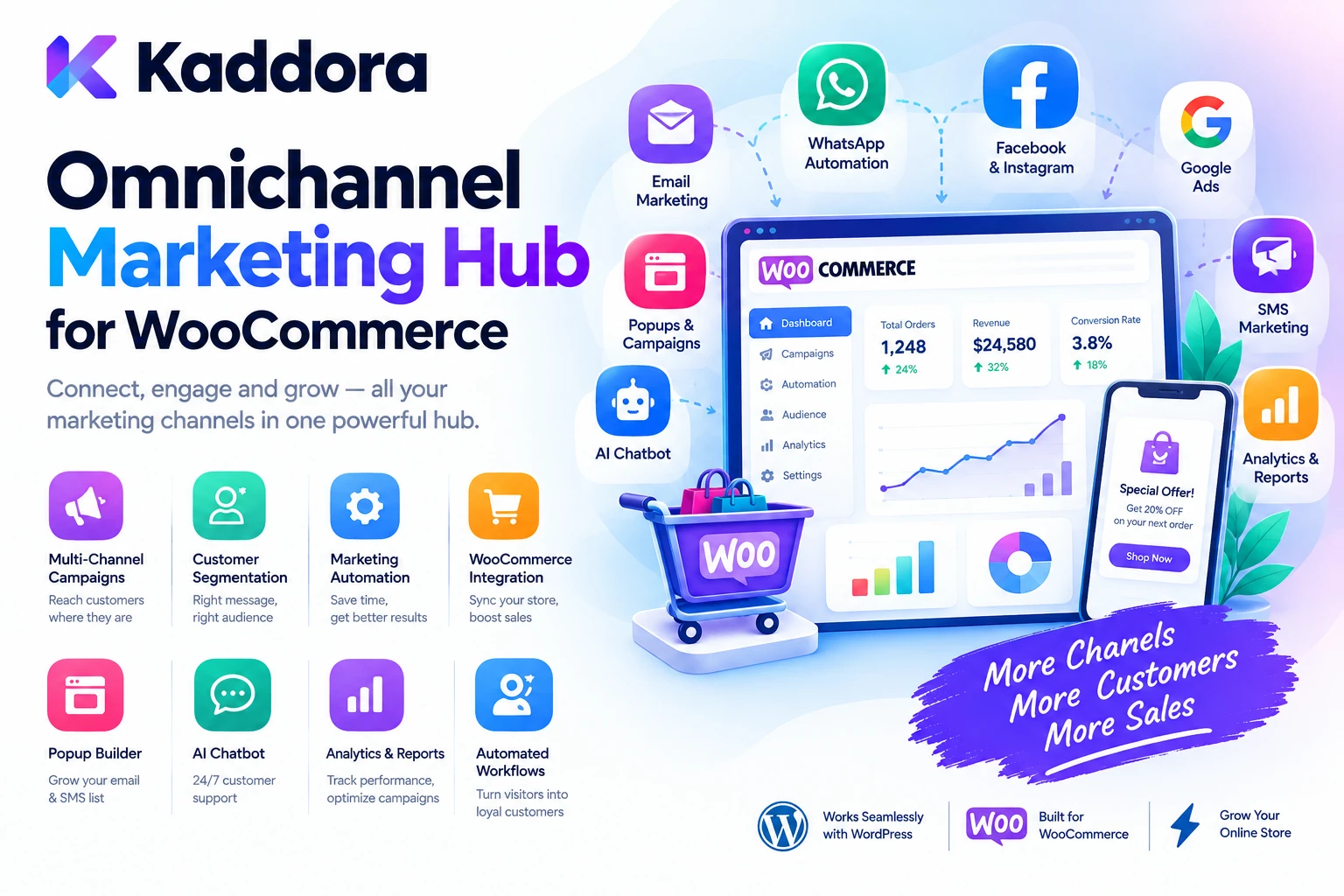
This is where Kaddora Omnichannel Marketing Hub for WooCommerce can provide a more organized approach.
The platform is designed around connecting ecommerce customer data, campaigns, segmentation, automation, and communication workflows so businesses can manage customer engagement from a more centralized WooCommerce environment.
The broader workflow is:
WooCommerce ↓ Customer Data ↓ Segmentation ↓ Campaigns ↓ Automation ↓ Multiple Channels ↓ Customer Engagement
The objective is not simply to send more marketing messages.
The goal is to deliver more relevant communication at the right stage of the customer journey.
What Is Omnichannel Marketing?
Omnichannel marketing is a customer-engagement strategy that connects multiple communication channels into a more coordinated experience.
Channels can include:
SMS
Website
Push notifications
Social platforms
Promotional campaigns
Customer support
A multichannel strategy may use several channels independently.
An omnichannel strategy attempts to connect them through shared customer context and coordinated workflows.
For example:
Customer Places Order ↓ Order Confirmation ↓ Email ↓ Delivery Update ↓ SMS ↓ Post-Purchase Follow-Up ↓ WhatsApp / Email
The exact channels depend on the business and the integrations available.
Why Omnichannel Marketing Matters for WooCommerce
WooCommerce stores have access to valuable customer and order information.
For example:
Customer Product Order Purchase History Cart Activity Categories Average Order Value
This information can support more personalized marketing workflows.
Instead of sending the same campaign to everyone:
All Customers ↓ Same Message
businesses can create segments:
Recent Customers ↓ Welcome / Follow-Up Inactive Customers ↓ Re-Engagement High-Value Customers ↓ VIP Campaign Cart Abandoners ↓ Recovery Campaign
This can make marketing more targeted and easier to manage.
What Is Kaddora Omnichannel Marketing Hub?
Kaddora Omnichannel Marketing Hub for WooCommerce is designed to bring customer engagement and marketing workflows closer to the WooCommerce store.
A practical architecture can look like:
WooCommerce Store ↓ Customer & Order Data ↓ Marketing Hub ↓ Segments + Campaigns ↓ Automation Rules ↓ Communication Channels
Depending on the plugin version and integrations, workflows may involve areas such as:
Email campaigns
SMS communication
WhatsApp communication
Customer segmentation
Marketing automation
Campaign management
Customer engagement
Order-triggered workflows
Promotional messaging
The exact capabilities depend on the installed version and configured integrations.
WooCommerce Customer Segmentation
Customer segmentation is one of the foundations of effective ecommerce marketing.
Instead of treating every customer identically, businesses can create groups based on information such as:
Purchase History Order Value Product Category Customer Activity Last Purchase Customer Status
For example:
Customers Who Purchased Shoes
can receive a campaign related to:
New Shoe Collection
while:
Customers Who Purchased Accessories
may receive:
Accessory Bundle Offer
Segmentation helps marketing become more relevant.
RFM-Style Customer Segmentation
Stores can also think about customers through dimensions such as:
Recency Frequency Monetary Value
For example:
Recent + Frequent + High Value → VIP Customer Recent + Low Frequency → Nurture Long Inactive → Re-Engagement
A marketing hub can use available WooCommerce customer information to support these types of campaigns where the required data and functionality are available.
Automated WooCommerce Campaigns
Automation allows actions to happen when defined conditions occur.
For example:
Customer Places First Order ↓ Welcome Workflow ↓ Follow-Up Message ↓ Product Recommendation
Another example:
Cart Abandoned ↓ Reminder ↓ Follow-Up
Automation can reduce repetitive manual marketing work.
However, automated communication should always respect customer consent, channel rules, and applicable regulations.
Email Marketing for WooCommerce
Email remains useful for ecommerce customer communication.
A WooCommerce email workflow can include:
Order ↓ Confirmation ↓ Customer Follow-Up ↓ Product Recommendation ↓ Repeat Purchase Campaign
Marketing campaigns can also include:
Product announcements
Promotions
Seasonal campaigns
Back-in-stock messages
Customer reactivation
Cross-sell campaigns
Loyalty communication
The appropriate workflow depends on the store's audience and marketing strategy.
SMS Marketing for WooCommerce
SMS can provide a direct communication channel.
Possible ecommerce applications include:
Order Updates Delivery Notifications Promotional Campaigns Flash Sales Customer Reminders
Marketing messages should be sent only where the customer has provided appropriate permission.
Businesses should also account for local messaging laws and carrier requirements.
WhatsApp Marketing for WooCommerce
WhatsApp can be useful for customer communication where an approved WhatsApp integration is available.
Possible workflows include:
Order Confirmation Shipping Update Customer Follow-Up Promotional Campaign Product Recommendation
A coordinated workflow might be:
Order Completed ↓ Email Confirmation ↓ WhatsApp Follow-Up ↓ Review Request
Channel availability and messaging rules depend on the selected provider and configuration.
Email + SMS + WhatsApp Campaigns
The biggest advantage of an omnichannel approach is coordination.
For example:
Customer Abandons Cart ↓ Email Reminder ↓ No Purchase ↓ SMS Reminder ↓ Still No Purchase ↓ Final Offer
This should not mean sending the same message repeatedly across every channel.
The campaign should use timing, customer behavior, consent, and channel preference to determine the appropriate communication.
WooCommerce Order-Based Automation
WooCommerce orders create useful automation opportunities.
For example:
Order Created ↓ Customer Confirmation Order Shipped ↓ Delivery Notification Order Completed ↓ Review Request Post-Purchase Period ↓ Repeat Purchase Campaign
These workflows can connect transactional and marketing communication where appropriate.
Transactional and promotional messages should be treated differently and configured according to applicable requirements.
Cart Abandonment Marketing
Customers frequently add products to a cart without completing the purchase.
A recovery workflow can be:
Cart Created ↓ No Purchase ↓ Wait ↓ Reminder ↓ Customer Returns ↓ Purchase
A second follow-up could be used according to the store's strategy.
Avoid over-messaging customers who repeatedly abandon carts.
Post-Purchase Marketing
The customer journey does not end when payment is completed.
A post-purchase workflow can include:
Purchase ↓ Order Confirmation ↓ Delivery ↓ Product Usage Period ↓ Review Request ↓ Cross-Sell ↓ Repeat Purchase
For example, a customer who purchased a coffee machine may later receive information about compatible accessories or consumable products.
Recommendations should be relevant to the customer's actual purchase history.
Customer Win-Back Campaigns
Customers who have not purchased for a long period may need re-engagement.
For example:
Last Purchase: 180 Days Ago
could trigger:
Customer Re-Engagement Campaign
Possible messages include:
New Products Special Offers Back-in-Stock Products Personalized Recommendations
The objective is to provide a reason to return rather than simply sending repeated promotional messages.
Customer Loyalty Marketing
A store can also segment customers based on purchase behavior.
For example:
3+ Orders + High Lifetime Value
may indicate a valuable customer segment.
A loyalty campaign could provide:
VIP Offers Early Product Access Special Promotions Personalized Recommendations
The exact loyalty mechanism depends on the store's business model.
WooCommerce Product-Based Campaigns
Marketing can be based on products or categories.
For example:
Purchased: Running Shoes
Future campaign:
Running Accessories
Another workflow:
Purchased: Laptop
Campaign:
Laptop Accessories
This creates a more contextual customer journey.
Cross-Sell and Upsell Campaigns
Omnichannel marketing can support cross-selling after a purchase.
For example:
Customer Purchases: Camera
Possible campaign:
Camera Bag Memory Card Tripod
The recommendation should be based on actual product relationships and business rules rather than simply sending unrelated promotions.
Seasonal WooCommerce Campaigns
Ecommerce businesses often run campaigns around:
Festival Sales Holiday Promotions Seasonal Collections Product Launches Clearance Flash Sales
A campaign workflow can be:
Audience ↓ Segment ↓ Campaign ↓ Channels ↓ Schedule ↓ Track Results
Different customer segments can receive different offers.
Omnichannel Campaign Scheduling
Timing matters.
For example:
Monday → Email Wednesday → SMS Friday → WhatsApp
The exact schedule depends on the audience and campaign.
A good marketing hub should help businesses coordinate communication rather than sending all messages simultaneously.
Customer Journey Automation
One of the strongest use cases for an omnichannel hub is creating customer journeys.
For example:
New Visitor ↓ Email Signup ↓ Welcome Message ↓ First Purchase ↓ Order Follow-Up ↓ Product Recommendation ↓ Repeat Purchase ↓ Loyal Customer
Each stage can have a different communication strategy.
Marketing Automation Based on Customer Behavior
Behavior-based automation can make campaigns more relevant.
Examples include:
Viewed Product Cart Abandoned Purchased Product Repeat Customer Inactive Customer High-Value Customer
For example:
Customer Purchased Product A ↓ Wait ↓ Recommend Product B
This is often more relevant than sending a generic store-wide campaign.
Marketing Dashboard
A centralized marketing dashboard can give store owners a broader view of activity.
For example:
------------------------------------ Marketing Overview ------------------------------------ Active Campaigns: 8 Automations: 14 Email Sent: 12,500 SMS Sent: 3,200 WhatsApp: 1,850 Conversions: 420 ------------------------------------
The available metrics depend on the configured channels and integrations.
A useful dashboard should help businesses understand what is happening rather than simply display large amounts of data.
Campaign Analytics
Marketing performance should be measured.
Useful metrics may include:
Sent Delivered Opened Clicked Converted Unsubscribed Failed
For ecommerce campaigns, it can also be useful to compare:
Campaign + Revenue + Orders + Average Order Value
Attribution is not always perfect, so campaign results should be interpreted carefully.
Customer Engagement Tracking
A marketing hub can help businesses understand whether customers are engaging with campaigns.
For example:
Campaign Sent ↓ Message Opened ↓ Link Clicked ↓ Website Visit ↓ Purchase
This can help marketers refine future campaigns.
Tracking should be implemented in accordance with applicable privacy requirements and customer expectations.
WooCommerce Marketing Automation and Personalization
Personalization can be simple.
For example:
Customer Name + Previously Purchased Category + Relevant Product
can produce a more contextual message.
However, personalization should remain useful.
Collecting or using excessive customer information can create privacy and trust concerns.
Omnichannel Marketing for Small Businesses
Small ecommerce businesses may not need complex marketing automation.
A simple setup can be:
WooCommerce ↓ Email ↓ Customer Segments ↓ Basic Automation
As the business grows:
WooCommerce + Email + SMS + WhatsApp + Automation + Analytics
can be introduced where there is a clear business benefit.
Omnichannel Marketing for Large WooCommerce Stores
Large stores may manage:
Thousands of Customers Large Product Catalogs Frequent Orders Multiple Campaigns Multiple Channels
At this scale, manual campaign management becomes difficult.
A centralized hub can help organize:
Segments Campaigns Automations Schedules Customer Journeys Analytics
Large-scale messaging should also use appropriate queues, provider limits, and rate controls.
Consent and Privacy
Omnichannel marketing should always consider customer consent.
Different channels can have different rules.
Before sending promotional messages, businesses should verify:
Customer Consent + Correct Channel + Marketing Preference + Applicable Regulations
Transactional communication and promotional communication should also be separated appropriately.
Customer data should not be shared with external communication providers unnecessarily.
Secure API Integrations
Marketing hubs may connect to external providers for:
Email SMS WhatsApp Analytics
API credentials should remain server-side.
Do not expose:
API Keys Access Tokens Secret Credentials
in frontend JavaScript, HTML, or public responses.
External integrations should also have clear configuration and error handling.
Handling Failed Messages
Communication services can fail.
Examples include:
Invalid Number Provider Error Rate Limit Network Timeout Invalid Email Blocked Message
A good automation workflow should record failures without stopping an entire campaign unnecessarily.
For example:
1,000 Messages ↓ 970 Delivered 20 Failed 10 Retrying
This makes campaign operations easier to monitor.
Retry and Rate Limiting
Large campaigns can generate many requests.
A scalable workflow can use:
Campaign ↓ Queue ↓ Batch ↓ Provider ↓ Result
Rate limits should be respected according to the external provider's requirements.
Retries should focus on temporary errors rather than repeatedly retrying permanently invalid recipients.
WooCommerce Marketing and Customer Data
Customer data can include:
Name Email Phone Orders Products Purchase History
Only the information required for a campaign should be used.
For example, an email campaign may not need a customer's phone number.
Data minimization can help reduce privacy and security risks.
Avoid Marketing Message Overload
Omnichannel does not mean:
Email + SMS + WhatsApp + Push + Social
for every event.
Too many messages can create:
Unsubscribes Ignored Messages Customer Frustration Brand Fatigue
A better strategy is coordinated communication.
For example:
Email First ↓ SMS Only If Needed ↓ No Duplicate WhatsApp Message
Channel frequency should match the customer's journey and preferences.
How to Install Kaddora Omnichannel Marketing Hub
A typical installation workflow is:
Step 1: Upload the Plugin
Go to:
WordPress Dashboard → Plugins → Add New → Upload Plugin
Upload the Kaddora Omnichannel Marketing Hub ZIP package.
Step 2: Install
Click:
Install Now
Step 3: Activate
Click:
Activate Plugin
Step 4: Connect WooCommerce
Make sure WooCommerce is installed and active.
Step 5: Configure Marketing Channels
Connect the supported email, SMS, WhatsApp, or other services required by your workflow.
Step 6: Create Segments
Define useful customer groups.
Step 7: Create Campaigns
Build campaigns for promotions, retention, follow-up, or customer engagement.
Step 8: Configure Automation
Create rules around supported WooCommerce events.
Step 9: Test
Send test messages and verify the workflow.
Step 10: Monitor
Review campaign delivery and customer engagement results.
Recommended Kaddora Setup
Start with a simple funnel:
WooCommerce ↓ Customer Segmentation ↓ Email Campaign ↓ Cart Recovery ↓ Post-Purchase Follow-Up
Then add additional channels where they provide measurable value:
+ SMS + WhatsApp + Advanced Automation
This prevents the marketing system from becoming unnecessarily complicated.
Example Omnichannel WooCommerce Workflow
Consider a customer who adds a product to the cart but does not purchase.
The workflow could be:
Cart Abandoned ↓ Wait ↓ Email Reminder ↓ No Purchase ↓ SMS Reminder ↓ Purchase ↓ Order Confirmation ↓ Post-Purchase Follow-Up
The customer receives coordinated communication instead of disconnected messages.
Who Can Use Kaddora Omnichannel Marketing Hub?
WooCommerce Stores
Coordinate ecommerce campaigns and customer communication.
D2C Brands
Build customer journeys across multiple channels.
Retail Businesses
Engage customers after purchases and during promotions.
Subscription Businesses
Automate recurring customer communication.
Agencies
Build marketing workflows for ecommerce clients.
Growing Online Stores
Reduce manual campaign management.
Large Ecommerce Businesses
Coordinate segmentation, automation, campaigns, and multiple channels.
Common Omnichannel Marketing Mistakes
1. Sending the Same Message Everywhere
Omnichannel communication should be coordinated rather than duplicated.
2. Ignoring Consent
Promotional communication must respect customer permissions and applicable requirements.
3. No Customer Segmentation
Sending identical campaigns to every customer reduces relevance.
4. Too Many Automated Messages
Automation should improve communication, not overwhelm customers.
5. No Testing
Incorrect automation can send the wrong message to the wrong audience.
6. Ignoring Failed Deliveries
Message failures should be monitored and handled.
7. Exposing API Credentials
External service credentials must remain secure.
8. Using Too Much Customer Data
Use only the information necessary for the marketing workflow.
WooCommerce Omnichannel Marketing Best Practices
Segment Customers
Use meaningful purchase and engagement characteristics.
Coordinate Channels
Email, SMS, and WhatsApp should support one journey rather than compete with each other.
Automate Repetitive Work
Use WooCommerce events and customer behaviors where appropriate.
Respect Consent
Confirm customers are permitted to receive promotional communication through the selected channel.
Personalize Carefully
Use relevant customer context without collecting unnecessary information.
Monitor Campaign Results
Review delivery, engagement, and ecommerce outcomes.
Use Frequency Controls
Avoid over-communication.
Test Before Launching
Verify recipients, content, timing, links, and automation conditions.
Protect Customer Data
Apply data minimization and secure provider integrations.
Start Simple
Build the essential workflows first and expand when the business needs them.
Kaddora Omnichannel Marketing Checklist
Before launching a WooCommerce marketing workflow, verify:
Customer Data
Customer data is collected appropriately.
Segments are clearly defined.
Unnecessary personal information is not used.
Customer preferences are respected.
Channels
Email configuration is tested.
SMS configuration is tested where applicable.
WhatsApp configuration is tested where applicable.
Provider credentials are protected.
Automation
Triggers are tested.
Delays are configured correctly.
Duplicate messages are prevented.
Failed messages are monitored.
Rate limits are considered.
WooCommerce
Order events work correctly.
Customer segments reflect store data.
Cart recovery is tested.
Post-purchase campaigns are tested.
Product-based campaigns use accurate information.
Marketing
Campaign content is reviewed.
Promotional consent is verified.
Unsubscribe or opt-out mechanisms are respected.
Message frequency is controlled.
Campaign performance is monitored.
Security
API keys remain server-side.
Administrative permissions are protected.
Nonces protect applicable settings actions.
Inputs are validated and sanitized.
Outputs are escaped.
Logs do not expose sensitive credentials.
Why Choose Kaddora?
Kaddora focuses on practical WordPress, WooCommerce, AI, automation, marketing, analytics, and business solutions designed around real-world ecommerce requirements.
Modern WooCommerce businesses often manage several customer communication channels independently:
Email + SMS + WhatsApp + WooCommerce + Customer Data
The Kaddora Omnichannel Marketing Hub for WooCommerce approach is focused on bringing these workflows into a more coordinated marketing environment.
A practical system can help businesses manage:
WooCommerce customer segmentation
Email marketing
SMS workflows
WhatsApp communication
Campaign management
Customer journeys
Marketing automation
Order-based messaging
Cart recovery
Post-purchase engagement
Campaign analytics
The objective is not to send more messages.
It is to create better-timed, more relevant communication based on customer activity and ecommerce context.
Kaddora's broader ecosystem is designed for businesses, agencies, developers, and ecommerce owners who want practical WordPress and WooCommerce solutions without unnecessary complexity.
Conclusion
Kaddora Omnichannel Marketing Hub for WooCommerce provides a practical framework for connecting ecommerce customer data with coordinated marketing and communication workflows.
A modern customer journey may involve:
Website ↓ Product ↓ Cart ↓ Purchase ↓ Email ↓ SMS ↓ WhatsApp ↓ Repeat Purchase
Managing each channel separately can make customer communication fragmented.
An omnichannel approach instead focuses on:
Customer Data + Segmentation + Campaigns + Automation + Multiple Channels
For WooCommerce stores, this can support important workflows such as:
Cart Recovery + Order Communication + Post-Purchase Follow-Up + Cross-Selling + Win-Back Campaigns + Seasonal Promotions
The strongest strategy is not to communicate through every available channel.
It is to use the right channel for the right customer and the right stage of the journey.
Consent, privacy, security, message frequency, and provider requirements should remain part of the implementation from the beginning.
Kaddora can help businesses organize their WooCommerce marketing workflows around customer behavior and measurable outcomes.
The core principle is simple:
Connect your customer data, coordinate your channels, automate repetitive marketing, and make every customer interaction more relevant.
When WooCommerce data, segmentation, automation, and communication are connected thoughtfully, ecommerce businesses can build more consistent customer journeys while reducing unnecessary manual campaign work.
Frequently Asked Questions
What is omnichannel marketing for WooCommerce?
WooCommerce omnichannel marketing connects customer data, campaigns, automation, and communication across channels such as email, SMS, WhatsApp, and the online store.
What is Kaddora Omnichannel Marketing Hub?
Kaddora Omnichannel Marketing Hub for WooCommerce is designed to help businesses coordinate customer engagement, campaigns, segmentation, and marketing automation around WooCommerce data where the relevant integrations are configured.
How can I prevent customers from receiving too many messages?
Use frequency limits, customer segmentation, campaign rules, timing controls, channel preferences, and suppression logic where supported.
Is customer consent important for omnichannel marketing?
Yes. Businesses should verify that promotional communication is permitted for the selected channel and comply with applicable privacy and messaging requirements.
Are transactional and promotional messages the same?
No. They can serve different purposes and may be subject to different requirements. Businesses should configure them appropriately.
Can Kaddora manage customer journeys?
Customer journey automation can connect events such as signup, purchase, cart abandonment, and inactivity with appropriate communication workflows where supported.
Can I create win-back campaigns?
Yes. A win-back strategy can target customers who have not purchased for a defined period and provide relevant reasons to return.
Can I create VIP customer campaigns?
Customer segments based on purchase frequency or value can be used for targeted campaigns where the necessary data and segmentation tools are available.
Should I use all available customer data?
No. Use only the information necessary for the specific marketing workflow and protect sensitive customer information appropriately.
Can marketing automation send messages automatically after orders?
Order-triggered workflows can automate customer communication where the relevant event triggers and integrations are supported.
How should failed marketing messages be handled?
Failures should be logged and classified so temporary provider problems can be retried while permanently invalid recipients are handled appropriately.
Can large campaigns be processed in batches?
Large campaigns may benefit from queues, batching, rate limits, and background processing to avoid excessive server or provider load.
Why choose ThemeKaddora?
ThemeKaddora provides practical WordPress themes, plugins, templates, WooCommerce solutions, AI tools, automation products, marketing solutions, security tools, and performance-focused website products for developers, agencies, businesses, and ecommerce owners.
Comments (0)