
Introduction
Running a successful WooCommerce store requires more than listing products and processing orders. Store owners also need to understand which products generate revenue, where customers come from, how frequently customers return, which marketing activities perform well, and where sales opportunities may be getting lost.
WooCommerce provides essential order and store-management functionality, but businesses often need a broader view of their performance to make informed decisions.
For example, increasing revenue does not necessarily mean that profits have increased. A product with many orders may contribute relatively little profit, while a smaller product category may generate stronger margins. Similarly, acquiring new customers may be less sustainable if existing customers rarely return.
Without organized analytics, answering these questions can require exporting data, creating spreadsheets, combining reports, and manually calculating business metrics.
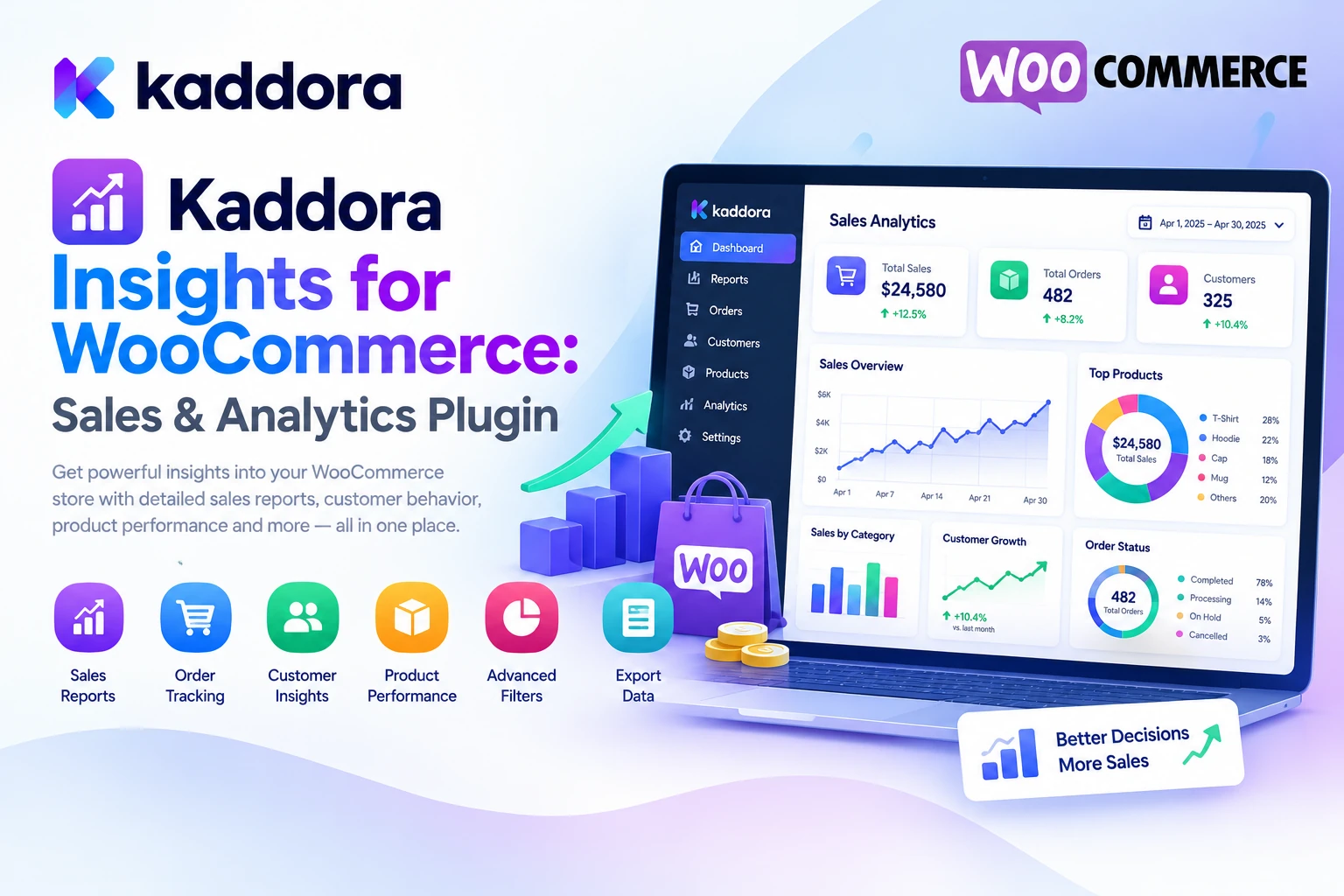
Kaddora Insights for WooCommerce is an advanced analytics and reporting plugin designed to help store owners understand their ecommerce performance through a centralized business intelligence dashboard.
Its listed capabilities include revenue analytics, sales reports, customer insights, product performance tracking, profit analysis, conversion monitoring, customer lifetime value, sales forecasting, geographic reporting, interactive charts, scheduled reports, and data exports.
In this guide, we'll explore the plugin's features, practical applications, setup process, and best practices for using WooCommerce data to make more informed business decisions.
What Is Kaddora Insights for WooCommerce?
Kaddora Insights for WooCommerce is an analytics and business intelligence plugin designed specifically for WooCommerce stores.
It brings together important ecommerce metrics and reporting tools to help business owners evaluate their store performance from one administrative interface.
According to the official Kaddora Insights for WooCommerce product listing, its feature set includes:
Real-time analytics dashboard
Sales and revenue reports
Customer behavior insights
Product performance analytics
Gross and net profit analysis
Conversion monitoring
Customer lifetime value tracking
Customer retention reports
Sales forecasting
Geographic sales reports
Order status analytics
Product category analysis
Interactive charts and visual reports
CSV, Excel, and PDF exports
Scheduled reports and email delivery
Store growth monitoring
WooCommerce integration
Developer-oriented hooks, filters, REST API, and WP-CLI support
These capabilities are intended to help businesses organize their reporting workflow and understand different aspects of store performance.
The value comes from connecting the metrics to practical decisions—not simply collecting more numbers.
Why Is Ecommerce Analytics Important?
An online store generates information about orders, products, customers, refunds, and sales activity. Properly analyzing this information can help identify trends that might otherwise go unnoticed.
Common challenges include:
Limited revenue visibility: Store owners may know their total sales but lack clear comparisons across days, weeks, months, products, and categories.
Unclear product performance: Some products generate substantial sales while others receive little attention or contribute limited revenue.
Insufficient customer insights: Without repeat-purchase and retention information, it can be difficult to understand long-term customer value.
Uncertain profitability: Revenue alone does not show the full financial contribution of a product or category.
Poor conversion visibility: Businesses may struggle to determine where potential customers abandon the shopping journey.
Manual reporting: Repeatedly creating spreadsheets and preparing reports consumes time that could be spent improving the business.
A structured analytics system helps organize these questions into measurable areas, allowing store owners to review performance more consistently.
Key Features of Kaddora Insights for WooCommerce
1. Real-Time Analytics Dashboard
A centralized dashboard provides a convenient starting point for reviewing store activity.
Kaddora Insights for WooCommerce includes an interactive analytics dashboard designed to display key business metrics in a single location.
The listed dashboard metrics include:
Revenue
Order count
Customer information
Product performance
Refunds
Conversion rates
Average order value
Growth metrics
These indicators provide a high-level view of store performance.
For example, a sudden increase in refunds alongside stable order volume may justify investigating product quality, fulfillment issues, or customer expectations.
Reviewing multiple metrics together is often more useful than examining each number independently.
2. Sales Analytics and Revenue Reports
Sales reports help store owners understand how revenue changes over time.
The plugin lists daily, weekly, monthly, and annual sales reporting, along with product revenue reports, category analysis, and store growth reports.
These reports can help answer questions such as:
Which periods generate the most revenue?
Are sales increasing or declining?
Which products contribute the most revenue?
Which categories perform well?
How does the current period compare with an earlier period?
A practical reporting workflow looks like this:
WooCommerce Sales Data ↓ Select Reporting Period ↓ Analyze Revenue and Orders ↓ Compare Products and Categories ↓ Identify Important Trends ↓ Plan Next Actions
Use comparable date ranges and consistent reporting definitions. Differences in discounts, refunds, seasonal demand, and order status can affect how results should be interpreted.
3. Customer Insights and Behavior Analysis
Understanding customer behavior helps businesses improve customer communication, product selection, and retention strategies.
Kaddora Insights for WooCommerce lists customer analytics covering:
New and returning customers
Purchase frequency
Customer retention
Customer segmentation
Customer lifetime value
Geographic customer information
For example, a store may discover that many customers make one purchase but rarely return. This could prompt a review of post-purchase communication, product quality, delivery experience, or relevant repeat-purchase offers.
Customer segments should be based on appropriate business criteria and used responsibly. Avoid drawing unsupported conclusions about individuals from limited shopping data.
4. Product Performance Analytics
Not every product contributes equally to an ecommerce business.
Some products generate substantial revenue, while others may receive many visits but few purchases. Certain items may also experience seasonal changes in demand.
The plugin lists product analytics such as:
Top-selling products
Revenue-generating products
Product conversion rates
Product trends
Seasonal demand patterns
Product category performance
These reports can help store owners prioritize product improvements, marketing activities, and inventory decisions.
For example, a product that receives significant traffic but converts poorly may need clearer descriptions, improved images, stronger product information, or a simpler purchasing experience.
Analytics can identify where to investigate, but they do not automatically explain the cause. Combine the numbers with customer feedback, product information, pricing, and other relevant evidence.
5. Profit Analysis
Revenue and profit are different measures.
A store can generate substantial sales while retaining relatively little after product costs, discounts, shipping expenses, payment fees, and other operating expenses.
Kaddora Insights for WooCommerce lists profit analytics covering:
Gross profit
Net profit
Revenue margins
Product profitability
Category profitability
Profit trends
These reports can help businesses evaluate which products and categories contribute more meaningfully to financial performance.
For example, one product may generate higher revenue but have a lower margin than another product with fewer sales.
For meaningful results, ensure that the relevant costs and financial assumptions are accurately configured or supplied to the reporting process. The reliability of profit calculations depends on the completeness and correctness of the underlying data.
6. Conversion Tracking
Conversion analytics help businesses understand how effectively their store turns visitors into customers.
The product listing includes conversion monitoring for metrics such as:
Conversion rate
Checkout success rate
Cart abandonment
Product conversion
Revenue per visitor
These indicators can help identify areas of the shopping journey that deserve investigation.
For example, if product engagement is strong but completed purchases remain low, the store owner may review shipping charges, product information, checkout usability, payment options, and mobile performance.
Conversion definitions matter. A conversion rate based on sessions is not necessarily comparable with one based on unique visitors. Similarly, accurate cart abandonment measurement requires appropriate event tracking.
Use consistent definitions before comparing results over time.
7. Customer Lifetime Value and Retention Reports
A customer's value to a business may extend beyond the first purchase.
Customer lifetime value (CLV) provides an estimate of the revenue or contribution associated with a customer over a defined relationship period, depending on the calculation method.
Kaddora Insights for WooCommerce lists customer lifetime value and retention features covering customer spending, repeat purchases, lifetime revenue, retention trends, and churn monitoring.
These insights can support questions such as:
How frequently do customers purchase again?
Which customer groups return most often?
How much revenue is associated with repeat customers?
Are retention patterns changing?
Which segments may benefit from a better post-purchase experience?
CLV estimates should be interpreted in context. Historical spending does not guarantee future purchases, and revenue-based CLV should not be confused with profit-based customer value.
8. Sales Forecasting
Forecasting helps businesses plan for possible future demand using historical data and relevant assumptions.
The plugin lists sales forecasting capabilities covering revenue trends, product demand, seasonal sales, and business growth opportunities.
For example, a store may review historical sales around major promotional periods to plan stock levels and marketing activities.
Forecasts are estimates, not guarantees. Their usefulness depends on data quality, seasonality, changes in pricing, marketing campaigns, market conditions, and the method used.
Use forecasts alongside current inventory information and practical business judgment rather than treating them as exact predictions.
9. Geographic Sales Reports
A store may serve customers from multiple countries, states, or regions.
Geographic reports can help businesses understand where sales originate and whether certain locations contribute significantly to revenue.
Kaddora Insights for WooCommerce lists geographic sales analysis covering country-based sales, regional reports, international revenue, and geographic performance.
These insights can support decisions about shipping options, regional promotions, localization, customer support, and product availability.
Interpret geographic trends carefully. Sales location data may reflect billing or shipping addresses, depending on the reporting definition, and does not necessarily represent a customer's physical location at the time of purchase.
10. Order Insights
Order status information can help store owners understand their operational workload and sales activity.
The plugin lists order reporting for:
Completed orders
Pending orders
Refunded orders
Order status
Average order value
These reports can help identify changes in order volume, review unresolved transactions, and understand how order values vary.
For example, an increase in pending orders may justify checking payment issues or fulfillment processes. A rise in refunded orders may require further investigation into product quality, customer expectations, or return policies.
Order metrics should be interpreted using the store's actual order-status definitions and operational processes.
11. Interactive Charts and Visual Reports
Large tables of numbers can be difficult to interpret quickly.
Kaddora Insights for WooCommerce lists interactive charts and visual reports for revenue, orders, customer growth, product performance, profit, and conversions.
Visual comparisons can help identify trends and differences more easily than reviewing raw values alone.
For example, comparing monthly revenue and order counts may reveal whether changes in revenue are associated with order volume, average order value, or both.
Charts should use clear labels, appropriate date ranges, and consistent units. Visual presentation should make the information easier to interpret rather than obscuring important details.
12. Report Exports and Scheduled Emails
Some businesses need to share analytics with team members, clients, accountants, or management.
The plugin lists report exports in CSV, Excel, and PDF formats, as well as scheduled reporting and email delivery.
The reporting workflow can look like this:
Select Metrics and Date Range ↓ Generate Report ↓ Review Results ↓ Export or Schedule Delivery ↓ Share With Authorized Recipients
CSV and Excel exports can support additional analysis, while PDF reports may be useful for presenting results in a consistent format.
Scheduled emails can help teams establish a regular reporting routine. Ensure recipients are authorized to access the information, especially when reports include customer or financial data.
13. Store Growth Monitoring
Store growth involves more than increasing revenue alone.
Kaddora Insights for WooCommerce lists growth monitoring for revenue, customers, products, orders, and conversions.
These indicators can help businesses understand which areas are expanding and which may need attention.
For example, customer growth without corresponding repeat purchases may suggest that acquisition is progressing faster than retention. Revenue growth accompanied by declining margins may require a review of discounts, costs, or product mix.
A balanced view of growth should include financial, customer, product, and operational indicators rather than relying on one headline metric.
14. WooCommerce Integration and Developer Support
Kaddora Insights for WooCommerce is designed to integrate with WooCommerce product and order data.
Its product listing identifies support for simple, variable, grouped, subscription, digital, and physical products.
The listing also describes developer-oriented functionality, including hooks and filters, REST API support, WP-CLI compatibility, translation readiness, RTL support, and multisite compatibility.
These capabilities may be helpful for stores with more complex reporting requirements or agencies managing multiple installations.
Before deployment, review the current documentation and verify that the desired metrics work correctly with your WooCommerce extensions, order storage configuration, and reporting requirements.
How to Install and Configure Kaddora Insights for WooCommerce
Step 1: Prepare Your WooCommerce Store
Confirm that WordPress, WooCommerce, and your hosting environment meet the requirements documented for your downloaded plugin version.
Back up your website before installing new extensions or changing important reporting settings.
Step 2: Install the Plugin
From your WordPress dashboard:
Navigate to Plugins → Add New → Upload Plugin.
Select the downloaded Kaddora Insights for WooCommerce ZIP file.
Click Install Now.
Activate the plugin.
Open the Insights analytics dashboard.
Follow the current installation documentation for your version.
Step 3: Review Dashboard Metrics
Examine the available metrics for revenue, orders, customers, products, refunds, conversions, and growth.
Confirm how each metric is defined before using it for business decisions.
Step 4: Configure Reports
Select the reports that match your store's objectives, such as sales performance, customer retention, product revenue, profit analysis, or geographic trends.
Choose suitable date ranges and filters so that reports reflect the questions you need to answer.
Step 5: Review Data Quality
Check that the underlying WooCommerce data is accurate.
Review order statuses, refunds, product costs, customer records, and other information relevant to the selected reports.
Step 6: Export or Schedule Reporting
Where supported, configure CSV, Excel, or PDF exports and scheduled email reports.
Restrict report access to authorized users and recipients.
Step 7: Review Results Regularly
Use a consistent reporting schedule to identify trends, compare periods, and track whether business changes are producing the intended results.
Best Practices for WooCommerce Analytics
Define a clear objective. Decide whether you are investigating revenue, profitability, conversion, retention, or another business question.
Use consistent metric definitions. Keep date ranges, order-status filters, and conversion definitions consistent when comparing periods.
Separate revenue from profit. Revenue does not account for every cost involved in selling products.
Review products and categories together. High sales volume does not necessarily mean high profitability.
Segment customers responsibly. Use appropriate data to understand purchasing patterns without making unsupported assumptions about individuals.
Verify tracking accuracy. Conversion and visitor metrics depend on correct tracking configuration and reliable data.
Investigate causes, not just symptoms. Analytics may reveal a problem, but additional evidence is often needed to understand why it occurred.
Protect business and customer data. Restrict sensitive reports, exports, and scheduled emails to authorized recipients.
Use forecasts as estimates. Consider assumptions and uncertainty when planning inventory, promotions, or staffing.
Measure business outcomes over time. Compare relevant metrics before and after important changes rather than assuming that every intervention caused an observed result.
Common WooCommerce Analytics Mistakes to Avoid
1. Looking Only at Revenue
High revenue can hide low profitability, excessive discounts, or growing refund activity.
Better approach: Review revenue alongside costs, refunds, margins, and other relevant indicators.
2. Comparing Inconsistent Periods
Comparing different date ranges or order-status filters may produce misleading conclusions.
Better approach: Keep report definitions consistent and account for seasonality and promotions.
3. Treating Correlation as Proof of Cause
A metric may change at the same time as a marketing campaign without the campaign necessarily causing the change.
Better approach: Use additional evidence and controlled tests where practical.
4. Ignoring Data Quality
Incorrect costs, inconsistent order statuses, or incomplete tracking can undermine reports.
Better approach: Verify important data sources before relying on the findings.
5. Sending Reports to Unauthorized Recipients
Sales, profit, and customer reports may contain sensitive business information.
Better approach: Apply appropriate access controls and verify report distribution settings.
6. Collecting Metrics Without Taking Action
Dashboards provide limited value if nobody reviews the findings.
Better approach: Establish a regular review process and connect important insights to specific, measurable business actions.
Who Can Benefit From Kaddora Insights for WooCommerce?
Kaddora Insights for WooCommerce may be useful for:
Small and growing WooCommerce stores
Online retailers
Subscription businesses
Digital product sellers
Ecommerce agencies
Marketplace operators
Store managers reviewing product performance
Businesses tracking customer retention
Teams requiring regular sales reports
Developers building reporting workflows
The best fit depends on the store's size, reporting needs, product mix, data quality, and the metrics required for day-to-day decisions.
Why Choose Kaddora?
Kaddora focuses on practical WordPress and WooCommerce products designed to help businesses manage their websites and ecommerce workflows more efficiently.
Kaddora Insights for WooCommerce combines sales analytics, revenue reports, customer insights, product performance tracking, profit analysis, conversion monitoring, forecasting, geographic reports, and scheduled reporting in one analytics-oriented plugin.
For store owners, this can provide a more organized way to review business performance. For agencies and developers, the listed exports, integrations, and developer interfaces may help support reporting workflows and business reviews.
The objective is not simply to collect more data. It is to make important ecommerce information easier to interpret, connect insights to decisions, and review results consistently.
Conclusion
Understanding WooCommerce performance requires more than looking at total sales. Businesses need visibility into revenue, profitability, customer behavior, product performance, conversion, retention, and growth.
Kaddora Insights for WooCommerce is designed to bring these areas together through a centralized analytics dashboard, sales reports, customer insights, product analytics, profit analysis, conversion tracking, lifetime value reporting, sales forecasting, geographic analysis, and scheduled exports.
Whether you operate a small online shop or manage a large product catalog, a structured reporting process can help you identify trends, investigate problems, and make better-informed business decisions.
Start by defining your most important metrics, verifying your data, reviewing reports regularly, and connecting each finding to a clear business objective.
The real value of ecommerce analytics comes not from the number of charts on a dashboard, but from the quality of the decisions those insights help you make.
Frequently Asked Questions
What is Kaddora Insights for WooCommerce?
Kaddora Insights for WooCommerce is an analytics and reporting plugin designed to help store owners monitor sales, revenue, customers, products, profit, conversions, retention, and other business performance indicators.
Does Kaddora Insights provide sales reports?
Yes. The product listing includes daily, weekly, monthly, and annual sales reports, as well as product revenue, category performance, and store growth reporting.
Can I track product performance?
Yes. Listed product analytics include best-selling products, revenue generators, conversion rates, product trends, and seasonal demand patterns.
Does the plugin provide customer analytics?
Yes. Its advertised features include new and returning customer analysis, purchase frequency, retention, segmentation, geographic information, and customer lifetime value reporting.
Can Kaddora Insights help analyze profitability?
The plugin lists gross profit, net profit, revenue margins, product profitability, category profitability, and profit trends. Results depend on the accuracy and completeness of the underlying cost and financial data.
Does the plugin support conversion tracking?
Yes. The product listing includes conversion monitoring covering conversion rate, checkout success, cart abandonment, product conversion, and revenue per visitor. Accurate results depend on the relevant tracking and reporting definitions.
Can I export WooCommerce analytics reports?
Yes. CSV, Excel, and PDF exports are listed features. Review report permissions and verify the contents before sharing sensitive business information.
Does Kaddora Insights support scheduled reports?
Yes. The product listing includes daily, weekly, and monthly scheduled reporting with email delivery.
Can it forecast future sales?
Sales forecasting is listed as a feature, including revenue trends, demand, seasonality, and growth opportunities. Forecasts should be treated as estimates rather than guaranteed predictions.
Is Kaddora Insights suitable for subscription stores?
The product listing identifies subscription stores among its intended use cases. Confirm how your subscription extension's recurring orders, refunds, and revenue data are represented in the reports.
Why choose ThemeKaddora?
ThemeKaddora provides a marketplace for WordPress plugins, themes, and website templates. Website owners, store operators, agencies, and developers can explore its catalog to find tools that fit their projects and technical requirements.
Comments (0)