
Introduction
Running a WooCommerce store involves much more than receiving orders and shipping products. As an ecommerce business grows, managing inventory, purchasing, suppliers, accounting, customer relationships, employees, warehouses, and sales reporting can become increasingly complicated.
At the beginning, spreadsheets and a few separate WordPress plugins may be sufficient. However, as order volumes increase and business operations expand, disconnected tools can create duplicate records, inconsistent stock information, delayed reporting, and unnecessary administrative work.
For example, an order may reduce inventory in WooCommerce, but the purchasing team may still be working from an outdated spreadsheet. Supplier payments may be tracked separately from purchase orders, while sales reports may not provide enough information to understand profitability.
This is where Enterprise Resource Planning (ERP) becomes valuable.
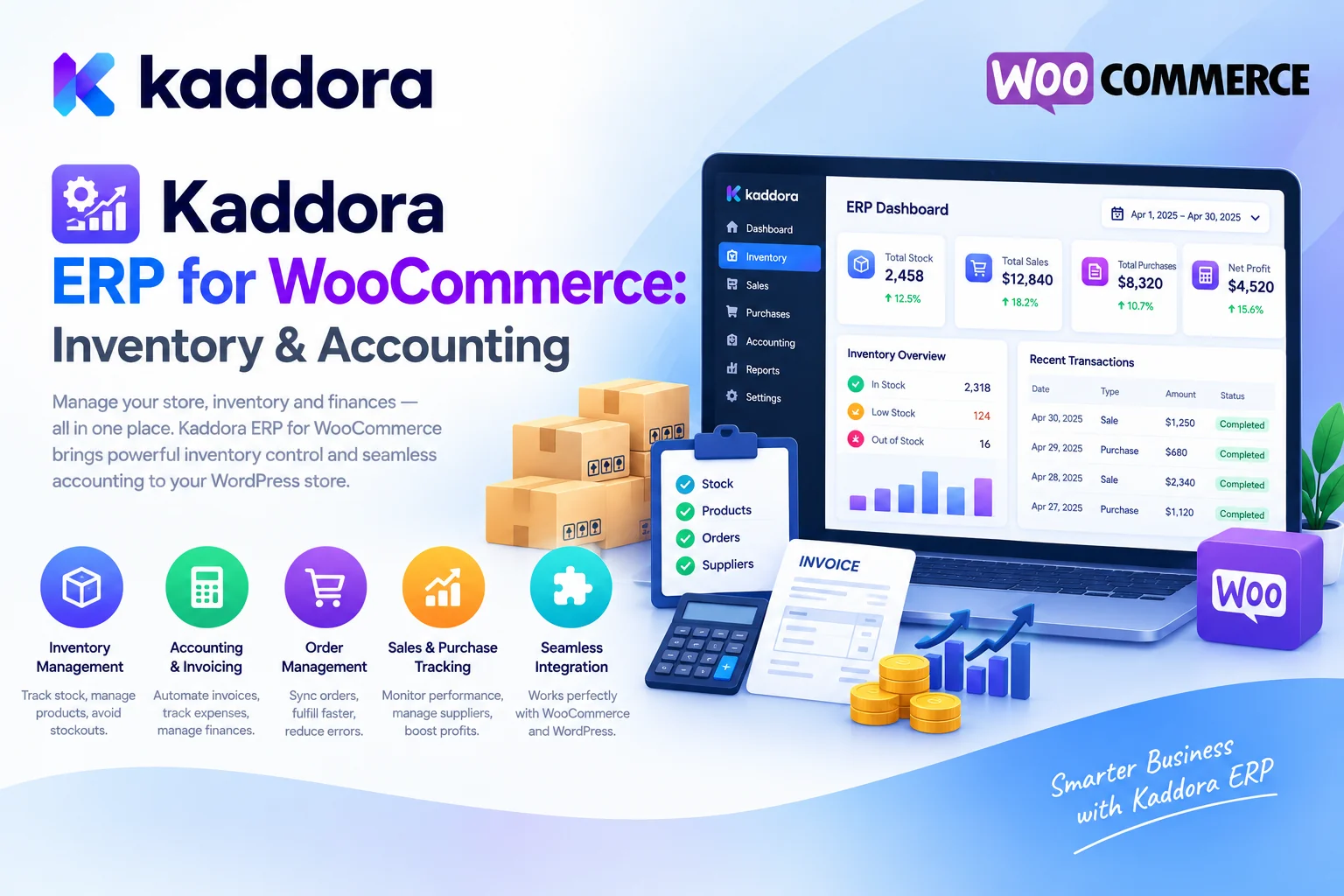
Kaddora ERP for WooCommerce Plugin is an all-in-one business management solution designed to connect important ecommerce operations through a centralized WordPress and WooCommerce environment.
Its feature set includes inventory management, purchase orders, warehouse operations, sales tracking, customer relationship management (CRM), accounting, supplier management, employee management, invoices, automation, and business reporting.
In this guide, we'll explore how Kaddora ERP works, its core features, practical ecommerce use cases, setup considerations, and best practices for organizing your WooCommerce operations.
What Is Kaddora ERP for WooCommerce?
Kaddora ERP for WooCommerce is a business management plugin designed to help online retailers coordinate essential operational activities from a centralized dashboard.
Instead of managing inventory, purchasing, supplier records, customer information, financial reporting, and warehouse activity through disconnected workflows, businesses can use the plugin's supported modules to organize these functions together.
According to the official Kaddora ERP for WooCommerce product listing, its advertised capabilities include:
Centralized ERP dashboard
Inventory and stock management
SKU and barcode support
Purchase orders and supplier management
Goods Received Notes (GRN)
Multi-warehouse operations
Sales and order reporting
Customer relationship management
Accounting and expense tracking
Profit and loss reporting
Invoice generation
Employee management
Business automation and notifications
Data import and export
Multi-store support
REST API and developer-oriented functionality
Security controls and activity logs
The aim is to make day-to-day ecommerce operations easier to coordinate while providing greater visibility into business performance.
The exact behavior of individual modules depends on the installed version, configuration, and connected WooCommerce extensions. Financial and inventory workflows should always be tested before being used for live business operations.
Why Do WooCommerce Stores Need ERP Software?
WooCommerce handles online selling, but growing businesses often need additional operational processes surrounding each order.
Consider a basic ecommerce workflow:
Customer Places Order ↓ WooCommerce Records Sale ↓ Inventory Is Updated ↓ Warehouse Prepares Order ↓ Supplier Restocking Is Managed ↓ Accounting Records the Transaction ↓ Business Performance Is Reviewed
When these activities are managed by separate tools, information can become difficult to synchronize.
Common problems include:
Inventory discrepancies: Physical stock and online stock may not match.
Unorganized purchasing: Staff may struggle to determine when to reorder products or how much to purchase.
Limited supplier visibility: Supplier details, purchase history, and payment records may be maintained separately.
Scattered financial records: Revenue, expenses, purchases, and refunds may require manual consolidation.
Complex warehouse operations: Businesses with multiple storage locations may struggle to track inventory movements.
Fragmented customer information: Order history and customer records may not be easy to review together.
Manual reporting: Store owners spend time preparing reports instead of analyzing performance.
ERP software helps organize these activities into a more connected business process.
Key Features of Kaddora ERP for WooCommerce
1. Centralized ERP Dashboard
A centralized dashboard provides an overview of important business information without requiring administrators to navigate multiple disconnected systems.
Kaddora ERP for WooCommerce includes a business dashboard designed to display operational and performance information.
The listed dashboard features include:
Business overview
Sales summaries
Revenue reports
Inventory status
Customer analytics
Order tracking
Employee activity
Warehouse overview
Financial reports
Key performance indicators
For example, a store manager reviewing daily operations may want to understand sales activity, identify products with low stock, and review pending purchasing tasks.
A centralized dashboard can help bring those activities into one administrative environment.
The dashboard should be used as an overview rather than a substitute for reviewing detailed records when making important inventory or financial decisions.
2. Inventory Management
Inventory accuracy is essential for ecommerce businesses.
Selling products that are no longer available can create fulfillment problems, while ordering excessive stock can tie up working capital.
Kaddora ERP for WooCommerce includes inventory management functionality designed to help businesses maintain organized stock records.
Its advertised features include:
Product stock management
SKU management
Barcode support
Low-stock alerts
Inventory transfers
Batch management
Stock history
Inventory valuation
Automatic stock updates
A typical inventory workflow looks like this:
Product Inventory ↓ Stock Is Updated ↓ WooCommerce Order Is Recorded ↓ Inventory Changes Are Tracked ↓ Low-Stock Threshold Is Reached ↓ Restocking Can Be Planned
For example, a retailer selling electronics may configure stock thresholds for frequently sold accessories. When available inventory reaches a defined level, the store team can review purchasing requirements before the product becomes unavailable.
Accurate stock management depends on correct product data and consistent handling of orders, cancellations, returns, and stock adjustments. Businesses should verify how inventory updates are applied across WooCommerce and the ERP workflow before going live.
3. Purchase Order Management
Inventory management does not end with tracking current stock. Businesses must also plan how replacement inventory will be ordered and received.
Kaddora ERP includes purchase management functionality designed to support supplier purchasing workflows.
The listed features include:
Purchase order creation
Supplier management
Purchase approval
Goods Received Notes
Purchase history
Vendor payment records
Purchase reports
A typical purchasing workflow can be organized as follows:
Low-Stock Item Identified ↓ Review Current Demand ↓ Select Supplier ↓ Create Purchase Order ↓ Approve Purchase ↓ Receive Goods ↓ Record Inventory Receipt
This can help businesses maintain a more consistent relationship between purchasing decisions and inventory records.
For example, a clothing retailer may use purchasing records to review which suppliers provide particular products, compare previous purchases, and track incoming inventory.
Purchase planning should also consider supplier lead times, minimum order quantities, product demand, storage capacity, and available cash flow.
4. Multi-Warehouse Management
Businesses that operate multiple warehouses or storage locations need more than a single stock quantity.
They may need to understand how much inventory is available at each location, when products are transferred, and whether a particular warehouse can fulfill an order.
Kaddora ERP for WooCommerce lists warehouse management capabilities including:
Multi-warehouse support
Warehouse transfers
Warehouse stock reports
Location management
Inventory movement tracking
For example, a business may maintain one warehouse for local deliveries and another for regional distribution.
A centralized warehouse workflow can help administrators organize location-specific inventory and review stock movement between storage locations.
Before relying on multi-warehouse workflows, confirm how stock allocation, transfer approvals, order fulfillment, and inventory synchronization behave within your installed configuration.
5. Sales and Order Management
Sales data is central to ecommerce operations.
Store owners need to understand how orders, revenue, discounts, refunds, and other transactions contribute to overall business performance.
Kaddora ERP includes sales management functionality designed to help organize these records.
Its listed capabilities include:
Order tracking
Revenue monitoring
Refund reporting
Discount tracking
Coupon reporting
Sales performance analytics
Sales reports
These reports can help answer questions such as:
Which products generate the most revenue?
How do sales vary across reporting periods?
How much revenue is associated with discounts?
Which orders require follow-up?
How are refunds affecting sales performance?
For example, if revenue rises while refunds also increase, the business may need to investigate product quality, customer expectations, order fulfillment, or return policies.
Ensure that your reporting definitions distinguish order totals, refunds, discounts, taxes, and other financial components correctly.
6. Customer Relationship Management (CRM)
Customer information is useful for understanding purchase history, supporting customer service, and organizing future communication.
Kaddora ERP includes CRM functionality intended to bring customer information together with ecommerce operations.
Its advertised features include:
Customer profiles
Purchase history
Customer segmentation
Lifetime value information
Notes and activity logs
Customer analytics
A store manager could use customer records to review previous purchases or understand recurring support requirements.
For example, identifying repeat purchasers may help a business evaluate loyalty programs, customer retention initiatives, or appropriate product recommendations.
Customer data should be handled responsibly. Limit access to authorized staff, collect only information necessary for the business workflow, and follow applicable privacy requirements.
7. Accounting and Financial Management
Understanding revenue alone does not provide a complete picture of business performance.
A store also needs visibility into expenses, purchases, cash movement, refunds, and other financial information relevant to its operations.
Kaddora ERP for WooCommerce lists accounting and finance features including:
Income tracking
Expense management
Profit and loss reports
Cash flow reports
Financial reporting
Interactive financial charts
These capabilities are intended to help businesses organize financial information alongside ecommerce activity.
For example, a business may compare sales revenue with recorded expenses to understand how financial performance has changed over time.
Accurate financial reporting depends on complete and correctly categorized data. Confirm how purchase costs, taxes, payment fees, refunds, shipping expenses, and other financial items are handled.
An ERP reporting module should not automatically be treated as a substitute for a complete statutory accounting system. Businesses with tax, audit, or regulatory obligations should verify that the supported features meet their requirements and consult an appropriate accounting professional when necessary.
8. Invoice Management
Invoices and transaction documents are important parts of ecommerce operations.
Businesses may need to generate invoices, maintain transaction records, and coordinate invoice-related information with orders and purchasing activities.
Kaddora ERP's advertised feature summary includes an invoice system and document export capabilities.
This can help organize invoice-related workflows within the broader business management process.
When configuring invoice generation, verify that the output includes the required business information, customer details, amounts, taxes, currency, invoice identifiers, and any applicable regional fields.
Do not assume that an invoice template automatically satisfies every country's tax or invoicing regulations.
9. Supplier and Vendor Management
Supplier information affects inventory availability, purchasing decisions, and operational planning.
Without organized supplier records, businesses may struggle to find previous purchase details, confirm product sources, or review payment history.
Kaddora ERP includes supplier management as part of its purchase and business management functionality.
The listed capabilities include:
Supplier records
Purchase history
Purchase orders
Goods receipt workflows
Vendor payment information
Purchase reports
This can help businesses organize supplier information alongside their purchasing activities.
For example, a distributor may review which supplier provides a specific product and examine previous purchase records before placing a new order.
Maintain accurate supplier contact details, product references, purchasing terms, and payment information to support consistent operations.
10. Employee Management and Access Control
As a store grows, several people may handle inventory, orders, purchasing, accounting, customer service, or warehouse operations.
Giving every employee unrestricted access to all business information can create unnecessary risk.
Kaddora ERP lists employee management alongside role-based access control, secure permissions, activity logs, and audit trails.
These capabilities can support more structured administrative workflows.
For example, an inventory employee may need stock management access but may not need permission to change financial settings.
Configure permissions according to job responsibilities. Test access using different user roles and verify that sensitive operations are restricted to authorized personnel.
11. Business Automation and Notifications
Many ecommerce operations involve repeated activities that can be supported through automation.
Kaddora ERP lists business automation features including:
Automatic inventory updates
Purchase reminders
Stock notifications
Sales alerts
Scheduled reports
Email notifications
Workflow automation
For example, a low-stock alert may prompt the purchasing team to review an item's current inventory and determine whether a purchase order is needed.
Automation can reduce repetitive administrative work, but its behavior should be predictable and monitored.
Configure appropriate thresholds, review notification recipients, and test automated workflows before relying on them for important purchasing or inventory decisions.
12. Multi-Store Support
Some businesses manage multiple WooCommerce stores or sell across different storefronts.
Maintaining separate operational processes can make it harder to review consolidated business activity.
Kaddora ERP's product listing includes multi-store support designed for businesses managing multiple WooCommerce environments.
Before using this functionality, verify how stores are connected, whether inventory is shared or separate, how customer and order records are handled, and which reports can be consolidated.
Do not assume that all cross-store operations behave identically. Confirm the supported workflow in your installed version and test stock synchronization and data access carefully.
13. Reporting, Analytics, and Data Export
Business decisions become easier when important information can be reviewed through consistent reports.
Kaddora ERP advertises dashboard analytics, financial reports, warehouse reports, sales summaries, inventory reporting, and other business reports.
Its import and export features list CSV, Excel, and PDF formats for supported information such as products, customers, orders, inventory, suppliers, and reports.
These options can help businesses review records, prepare management summaries, or share authorized information with team members.
When exporting reports, protect customer and financial information. Verify the data before making purchasing, accounting, or other important decisions.
14. WooCommerce Integration and Developer Support
WooCommerce is the foundation of the plugin's ecommerce integration.
The product listing identifies support for WooCommerce-related information, including products, orders, customers, coupons, shipping, taxes, refunds, and payment gateways.
It also lists developer-oriented features such as REST API support, AJAX-powered administration, responsive interfaces, translation readiness, and multisite compatibility.
These capabilities can be useful for businesses that need to connect business management workflows with their existing WordPress environment.
Before deployment, test the integration with the WooCommerce version, order storage configuration, payment extensions, inventory-related plugins, and other systems already running on the website.
How to Install and Configure Kaddora ERP for WooCommerce
Step 1: Prepare Your WooCommerce Store
Confirm that WordPress, WooCommerce, and your hosting environment meet the plugin's current requirements.
Back up your website and database before installing an ERP system or changing operational configuration.
If you already use separate inventory, accounting, or CRM plugins, document which system currently controls each type of record.
Step 2: Install the Plugin
From the WordPress dashboard:
Navigate to Plugins → Add New → Upload Plugin.
Select the downloaded Kaddora ERP for WooCommerce ZIP file.
Click Install Now.
Activate the plugin.
Open the Kaddora ERP dashboard.
Follow the installation documentation for your downloaded version.
Step 3: Review the ERP Dashboard
Inspect the available modules for inventory, sales, customers, suppliers, warehouses, purchasing, accounting, and reporting.
Identify the modules required for your current workflow before configuring every feature.
Step 4: Verify Product and Inventory Data
Review product SKUs, stock quantities, variations, categories, and existing order records.
Make sure there is a clear source of truth for inventory, especially if other stock management plugins or external systems are connected.
Step 5: Configure Suppliers and Purchasing
Add relevant supplier information and review the supported purchase order and goods receipt workflow.
Test a purchase-related scenario to ensure inventory records are updated as expected.
Step 6: Configure Employees and Permissions
Define which team members need access to specific modules.
Test each role to ensure that staff can perform their assigned work without receiving unnecessary access to sensitive financial or administrative functions.
Step 7: Review Financial and Reporting Settings
Check how revenue, expenses, refunds, taxes, and other financial records are represented.
Verify the reporting calculations against known WooCommerce transactions before relying on them for business decisions.
Step 8: Test an End-to-End Order Workflow
Use a controlled test to verify the expected sequence:
WooCommerce Order ↓ Order Record ↓ Inventory Change ↓ Fulfillment Workflow ↓ Financial Reporting ↓ Dashboard and Analytics
Check every relevant stage and confirm that records remain consistent across the configured modules.
Practical Use Cases for Kaddora ERP
Small and Growing WooCommerce Stores
Smaller businesses often begin with spreadsheets and a few individual plugins.
As order volume increases, centralizing supported inventory, purchasing, customer, and reporting tasks can help organize business operations.
Start with the modules that address the largest operational problems rather than configuring everything immediately.
Retail and Wholesale Businesses
Retailers and wholesalers may manage large product catalogs, supplier relationships, stock thresholds, and bulk purchasing requirements.
ERP workflows can help coordinate purchasing, inventory, warehouse activity, and sales records.
Distributors and Multi-Warehouse Businesses
Distributors often need visibility into multiple storage locations and inventory movements.
Multi-warehouse functionality can help organize stock information and transfers when configured to match the business's actual fulfillment process.
Businesses With Repeat Customers
Customer profiles and purchase history can support customer service and retention analysis.
Businesses can use this information to understand repeat-purchase patterns and identify opportunities to improve the customer experience.
Businesses Seeking Better Financial Visibility
Income tracking, expense management, and financial reports can help store owners review operational performance.
Financial accuracy depends on correct data entry, clearly defined calculations, and appropriate configuration of relevant costs and taxes.
Best Practices for WooCommerce ERP Management
Establish a source of truth for inventory. Decide which system controls stock quantities and ensure connected tools do not create conflicting updates.
Keep product data consistent. Use clear SKUs, accurate product names, and correctly configured variations.
Define purchasing procedures. Establish how stock requests, purchase approvals, goods receipts, and supplier payments are managed.
Use role-based access. Give employees only the permissions required for their responsibilities.
Verify financial calculations. Reconcile relevant ERP reports with WooCommerce records and your accounting workflow.
Test automation before relying on it. Review how low-stock alerts, purchase reminders, stock updates, and scheduled reports behave.
Maintain audit trails. Use activity logs to investigate unexpected changes and improve operational accountability.
Back up business data. Establish a recovery process before large imports, configuration changes, or data cleanup tasks.
Review data exports carefully. Protect sensitive customer, supplier, employee, and financial information.
Monitor integrations. Check that WooCommerce, payment gateways, stock workflows, and connected extensions continue to behave correctly after updates.
Common ERP Implementation Mistakes to Avoid
1. Configuring Every Module Immediately
Enabling every business function at once can make troubleshooting difficult.
Better approach: Start with the workflows that need the most improvement and expand gradually.
2. Maintaining Multiple Conflicting Inventory Sources
Separate plugins or spreadsheets may update stock differently.
Better approach: Establish which system is authoritative and test how inventory changes move between connected systems.
3. Ignoring Data Quality
Incorrect SKUs, costs, supplier details, or stock quantities can undermine ERP reports.
Better approach: Review and clean important records before relying on the reporting and automation features.
4. Giving Employees Excessive Permissions
Unnecessary access can increase operational and data security risks.
Better approach: Apply role-based access and test permissions using real workflow scenarios.
5. Treating Revenue as Profit
Revenue reports do not automatically account for every cost involved in running a business.
Better approach: Understand the inputs and calculations used by financial reports and validate them against your accounting records.
6. Launching Without Testing Integrations
Inventory, orders, and financial records may not behave as expected when multiple extensions are involved.
Better approach: Test the full order, fulfillment, refund, purchase, and reporting workflows before using the ERP configuration for critical business operations.
Who Can Benefit From Kaddora ERP for WooCommerce?
Kaddora ERP for WooCommerce may be useful for:
Small and growing ecommerce businesses
Retail and wholesale stores
Distributors and manufacturers
Businesses managing suppliers and purchase orders
Multi-warehouse operations
B2B ecommerce companies
Stores that need organized accounting and reporting workflows
Teams managing employees and customer records
Businesses operating multiple WooCommerce stores
The best fit depends on the business's operational complexity, inventory needs, accounting requirements, existing integrations, and supported plugin configuration.
Why Choose Kaddora?
Kaddora focuses on practical WordPress and WooCommerce products designed to help businesses manage their digital operations more efficiently.
Kaddora ERP for WooCommerce brings inventory management, purchasing, supplier records, warehouse operations, sales reporting, CRM, accounting, invoice management, employee administration, and automation into one business management environment.
For store owners, the plugin is designed to help organize business operations around WooCommerce data. For teams and developers, the listed reporting, export, integration, and developer-oriented capabilities can support structured management workflows.
The objective is not simply to display more business information. It is to help teams coordinate operational processes, maintain consistent records, and make informed decisions from their ecommerce data.
Conclusion
As WooCommerce businesses grow, managing orders, inventory, purchasing, suppliers, accounting, warehouses, customers, and employees can become increasingly complicated.
Kaddora ERP for WooCommerce Plugin is designed to bring these activities together through a centralized ERP dashboard and dedicated business management modules.
Its advertised capabilities include inventory tracking, purchase orders, supplier management, warehouse operations, sales analytics, CRM, accounting, invoice management, employee management, automation, reports, and data exports.
Whether you manage a growing online shop, wholesale operation, or a business with multiple stock locations, a structured ERP workflow can help organize essential information and improve operational visibility.
Start by identifying your biggest business management challenges, preparing accurate product and supplier data, configuring the relevant modules, and testing complete workflows before depending on them for live operations.
The real value of ERP comes from reliable records, consistent processes, clear accountability, and useful business insights—not from the number of features enabled.
Frequently Asked Questions
What is Kaddora ERP for WooCommerce?
Kaddora ERP for WooCommerce is a business management plugin designed to help store owners coordinate inventory, purchasing, suppliers, warehouses, sales, customers, accounting, employees, and reporting through a centralized WordPress environment.
Can Kaddora ERP manage WooCommerce inventory?
The plugin lists stock management, SKU management, barcode support, low-stock alerts, inventory transfers, batch management, stock history, inventory valuation, and automatic stock updates.
Does the plugin support purchase orders?
Yes. Purchase order creation, supplier management, purchase approval, Goods Received Notes, purchase history, vendor payment records, and purchase reporting are included in its advertised feature set.
Can Kaddora ERP manage multiple warehouses?
The product listing includes multi-warehouse support, warehouse transfers, location management, warehouse stock reports, and inventory movement tracking. Confirm the supported workflow in your installed version before managing live inventory across locations.
Can I manage customers and suppliers?
Yes. Customer profiles, purchase history, segmentation, supplier records, purchase history, and supplier-related reporting are among the listed capabilities.
Does Kaddora ERP support employee permissions?
The product listing includes employee management, role-based access control, secure permissions, activity logs, and audit trails. Configure permissions according to each employee's responsibilities.
Can the plugin generate invoices and reports?
Invoice management is listed as a plugin capability, and the import/export features include CSV, Excel, and PDF formats for supported information and reports.
Does Kaddora ERP support multiple WooCommerce stores?
Multi-store support is listed in the product description. Verify how store connections, inventory, permissions, and consolidated reporting work for your particular configuration.
Is Kaddora ERP suitable for small businesses?
It may be useful for small and growing WooCommerce businesses that need more organized inventory, supplier, accounting, and reporting workflows. The best configuration depends on the actual needs of the business.
Why choose ThemeKaddora?
ThemeKaddora provides a marketplace for WordPress plugins, themes, and website templates. Store owners, developers, agencies, and ecommerce businesses can explore its catalog to find products that match their operational requirements and technical needs.
Comments (0)