
Introduction
Building a professional WordPress website requires more than choosing a theme and adding a few sections. Modern websites often need interactive layouts, service grids, animated headings, pricing tables, testimonials, product showcases, blog layouts, lead-generation sections, and mobile-friendly designs.
Elementor makes visual website creation easier through its drag-and-drop editor. However, some projects require additional widgets and design elements beyond those available in the existing setup.
Installing multiple unrelated addons to achieve one design can make a project harder to maintain. Developers and designers may also spend considerable time recreating similar components across multiple pages.
This is where Kaddora Elementor Power Widgets Plugin comes in.
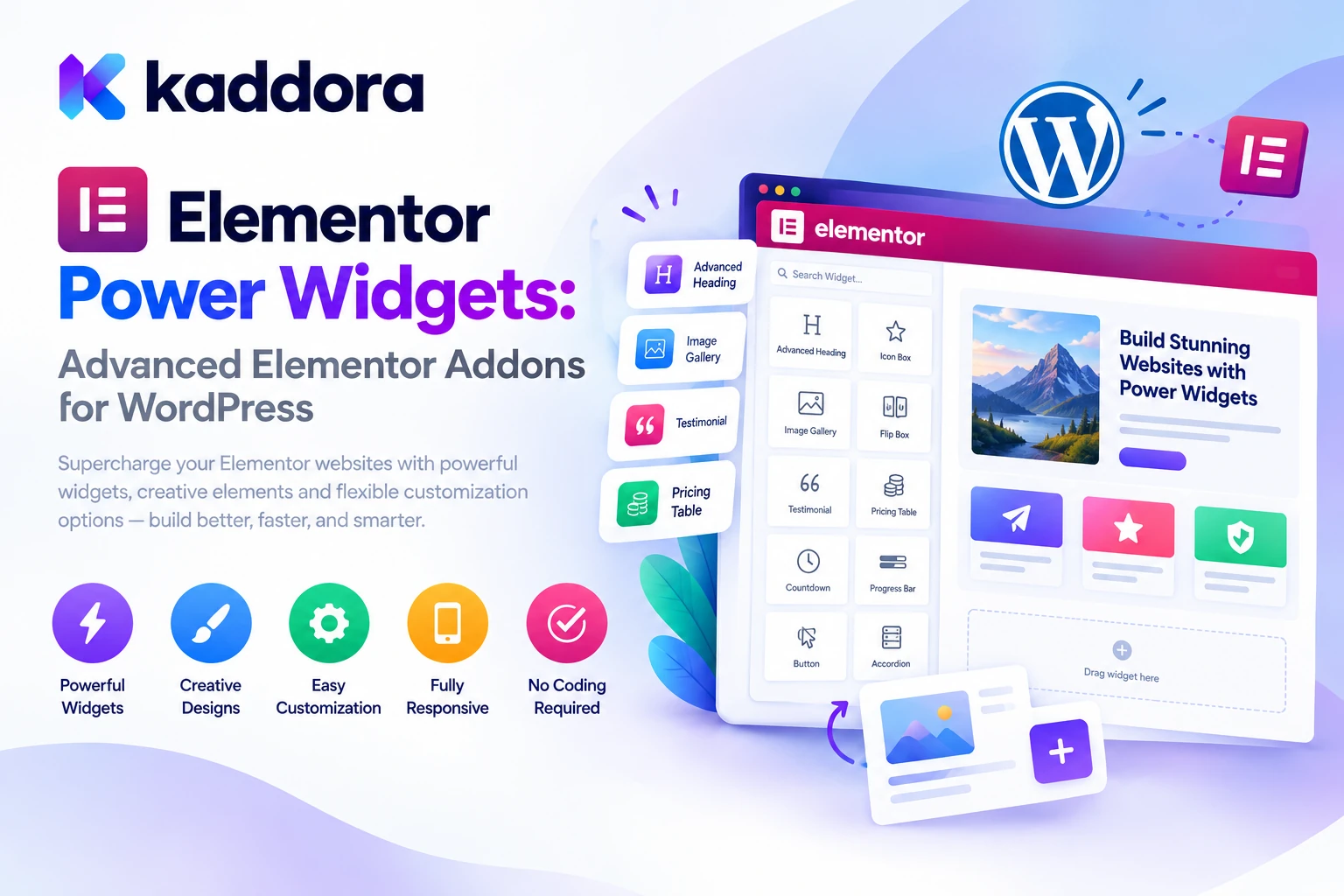
Kaddora Elementor Power Widgets is an advanced Elementor addon for WordPress that extends the page builder with more than 50 widgets covering content, business websites, marketing, creative layouts, social media, testimonials, WooCommerce, and dynamic content.
The plugin is designed to help freelancers, agencies, developers, business owners, ecommerce stores, and designers build visually engaging websites using a familiar drag-and-drop workflow.
In this guide, we'll explore its widget collection, design controls, animation features, dynamic content support, WooCommerce integration, setup process, and best practices for creating effective WordPress websites.
What Is Kaddora Elementor Power Widgets?
Kaddora Elementor Power Widgets is a WordPress plugin that extends the Elementor page builder with additional widgets and design functionality.
Instead of building every website component from scratch, users can select suitable widgets, add them to a page, and customize their appearance through the Elementor editor.
The official product listing describes a collection of 50+ advanced Elementor widgets, including:
Content and heading widgets
Business and corporate components
Marketing and lead-generation elements
Creative design widgets
Advanced layout components
Social media widgets
Testimonial and review widgets
Blog and portfolio layouts
WooCommerce elements
Dynamic content support
Animation and motion effects
Responsive design controls
Global settings and widget management
The plugin is intended for a variety of website types, including business websites, agency portfolios, SaaS landing pages, online stores, blogs, corporate websites, and membership platforms.
You can explore the official Kaddora Elementor Power Widgets product page for the complete feature list, licensing information, and current compatibility details.
Why Use Additional Elementor Widgets?
Elementor provides a visual editing environment, but individual projects may need specialized components for particular purposes.
For example, a digital agency website may need animated text, a services carousel, client testimonials, pricing sections, and an interactive portfolio. A SaaS website may need feature lists, comparison sections, pricing plans, countdown timers, and lead-generation components.
Without suitable widgets, developers may have to combine several existing elements or write custom HTML, CSS, and JavaScript.
Additional Elementor widgets can simplify these workflows by providing reusable components with configurable styling.
A typical design process looks like this:
Website Requirements ↓ Choose Suitable Widgets ↓ Add Widgets in Elementor ↓ Customize Content and Styling ↓ Configure Responsive Layouts ↓ Preview and Test ↓ Publish
Kaddora Elementor Power Widgets is designed to extend this workflow with more components in one addon toolkit.
Key Features of Kaddora Elementor Power Widgets Plugin
1. More Than 50 Advanced Elementor Widgets
The plugin's central feature is its growing collection of additional widgets.
Rather than relying on a small set of generic elements, users can choose components suited to different design and business needs.
The advertised collection includes heading widgets, content boxes, feature lists, pricing feature boxes, interactive cards, service layouts, statistics, timelines, marketing components, creative galleries, social elements, WooCommerce widgets, and more.
This variety can be useful when building multiple website sections that require different visual treatments.
For example, a business homepage could include an animated heading, service grid, statistics section, client testimonials, promotional banner, and call-to-action element.
The exact widgets available may depend on the installed version, so review the plugin's widget manager and current documentation when planning a project.
2. Advanced Content Widgets
Content components help organize information into readable and visually consistent sections.
Kaddora Elementor Power Widgets lists the following content-oriented widgets:
Advanced Heading
Animated Text
Typing Effect
Content Box
Icon Box
Feature List
Highlight Box
Information Card
Pricing Feature Box
Interactive Card
These widgets can help users present information more clearly without creating each component from basic elements.
For example, a software company could use an Advanced Heading to establish the section's main message, a Feature List to explain product capabilities, and Content Boxes to present service benefits.
Animated Text and Typing Effect widgets can add visual variety to selected headings.
Use animation purposefully, however. Important information should remain understandable without animation, and text effects should not interfere with readability or accessibility.
3. Business and Corporate Widgets
Business websites need components that communicate services, expertise, trust, achievements, and processes.
The plugin includes business-oriented widgets such as:
Services Grid
Services Carousel
Team Members
Team Carousel
Company Timeline
Process Steps
Business Statistics
Achievement Counter
Milestones
Company Showcase
These components can help structure a corporate homepage or service landing page.
For example, an agency website may use a Services Grid to explain its offerings, a Team Members widget to introduce its team, and a Company Timeline to communicate milestones.
Process Steps can help present a workflow in a logical sequence, while statistics and achievement components can highlight verified business information.
When publishing business statistics or customer achievements, ensure the figures are accurate and supported by actual records.
4. Marketing and Conversion-Focused Widgets
Marketing pages frequently need clear calls to action, promotional messages, newsletter forms, campaign sections, and other components designed to guide visitors toward a next step.
Kaddora Elementor Power Widgets includes a marketing-focused collection with:
Call To Action
Lead Generation Section
Newsletter Form
Promotional Banner
Countdown Timer
Special Offers
Campaign Widget
Conversion Blocks
Sales Notification
These widgets can be used to structure campaign pages, product promotions, newsletter sign-up sections, and service landing pages.
For example, a business promoting a new service could combine a clear headline, benefits section, testimonial, lead-generation component, and call-to-action button.
Countdown timers and promotional banners should communicate genuine offers and deadlines. Avoid using misleading urgency or displaying promotions that are no longer available.
The purpose of these components is to support a clearer visitor journey—not to guarantee more leads or sales.
5. Creative Widgets and Interactive Design Elements
Visual variety can make a website more engaging when used consistently with its purpose and brand identity.
The plugin lists creative widgets such as:
Flip Box
Image Comparison
Before After Slider
Interactive Hotspots
Advanced Gallery
Masonry Gallery
Portfolio Grid
Portfolio Filter
Creative Showcase
Hover Effects
These components are useful for portfolios, creative agencies, product demonstrations, photography websites, and service presentations.
For example, a design agency could use a Portfolio Grid to showcase completed projects and a Before After Slider to demonstrate a real transformation.
Interactive Hotspots may help explain details within an image, provided the information remains accessible and usable across different devices.
Keep interactive effects restrained. Too many animations or hover-dependent interactions can distract visitors and create usability problems on touchscreens.
6. Advanced Layout Widgets
Large websites often need more than a sequence of basic text and image sections.
Kaddora Elementor Power Widgets lists advanced layout components including:
Content Tabs
Advanced Accordion
FAQ Section
Timeline Layout
Mega Content Blocks
Sticky Section
Off-Canvas Panel
Advanced Columns
Content Switcher
These widgets can help organize complex information into clearer structures.
A product page might use tabs for specifications and additional details. A service page may use an accordion to organize common questions. A company website could use a timeline to explain its history.
The correct structure depends on the information being presented.
Avoid hiding essential information behind complicated interactions, and ensure interactive components work with keyboard navigation and assistive technology where applicable.
7. WooCommerce Widgets for Online Stores
WooCommerce stores often need specialized product layouts that match their visual branding and shopping workflows.
Kaddora Elementor Power Widgets includes WooCommerce-oriented elements designed to support product presentation.
The advertised widgets include:
Product Grid
Product Carousel
Product Categories
Featured Products
Best Sellers
Sale Products
Product Tabs
Product Showcase
Add To Cart Button
Product Reviews
These components can help users build custom product sections within Elementor.
For example, a homepage might display featured products, followed by product categories and a carousel highlighting selected items.
A product landing page could combine a product showcase, product information, reviews, and an Add To Cart button.
The displayed product information should remain synchronized with WooCommerce data. Always test product variations, stock status, pricing, reviews, and cart behavior after creating custom layouts.
Confirm that your installed Elementor and WooCommerce versions support the intended widget functionality.
8. Blog and Content Widgets
Publishing useful content is an important part of many WordPress websites.
Blogs, news websites, business sites, and educational platforms often need flexible ways to display recent articles, featured posts, and category-specific content.
Kaddora Elementor Power Widgets includes:
Blog Grid
Blog Carousel
Recent Posts
Featured Posts
News Ticker
Post Timeline
Category Showcase
These widgets can help organize content for different page layouts.
For example, a company website could display selected articles on its homepage, followed by recent posts and a category showcase.
A news website could use a News Ticker for relevant headlines or a Post Timeline for chronologically organized content.
Choose layouts that make the content easier to discover. Avoid creating unnecessary carousels or moving text where a simple list would be clearer.
9. Social Media Widgets
Social media elements can help visitors discover a business's social profiles or share content with other people.
The plugin lists social widgets such as:
Social Icons
Social Share
Instagram Feed
Facebook Feed
Twitter Feed
Social Counter
These components can be useful for business websites, content publishers, portfolios, and marketing pages.
Social icons can provide links to official profiles, while Social Share elements can help visitors share eligible content.
Embedded feeds and external social integrations may introduce additional requests, dependencies, or privacy considerations. Test their loading behavior and confirm that the integrations continue to work with current third-party platform requirements.
Display social counts only when the underlying data is accurate and available.
10. Testimonial and Review Widgets
Testimonials and reviews help businesses present customer feedback in a structured format.
Kaddora Elementor Power Widgets includes:
Testimonial Grid
Testimonial Slider
Review Carousel
Client Feedback Box
Customer Showcase
Social Testimonials
These components can help service businesses display client feedback or ecommerce websites present supported review content.
For example, a service landing page could include a short testimonial near a call-to-action section, while a dedicated reviews page might use a larger grid or carousel.
Use genuine customer feedback and obtain appropriate permission before publishing testimonials.
Do not invent customer identities, ratings, endorsements, or review content. A well-designed testimonial section should present reliable information rather than create a misleading impression.
11. Advanced Styling Controls
Different brands require different colors, typography, spacing, borders, and visual effects.
The plugin advertises advanced styling controls including:
Color customization
Typography controls
Padding and margin settings
Border styling
Shadow effects
Gradient backgrounds
Glassmorphism effects
Modern UI components
Responsive design controls
These options provide flexibility when adapting widgets to a website's existing design system.
For example, a corporate website may use conservative typography and subtle shadows, while a creative agency may choose gradients, interactive cards, and more expressive visual elements.
Consistency remains important. Define a limited palette, choose readable typography, and keep spacing patterns coherent across pages.
12. Animation and Motion Effects
Motion can draw attention to important content, provide feedback, and introduce visual interest.
Kaddora Elementor Power Widgets lists several animation and interaction options, including:
Entrance animations
Scroll animations
Reveal effects
Hover effects
Mouse interaction
Floating elements
Parallax effects
Fade effects
Zoom effects
Motion transitions
These effects can be useful for selected hero sections, feature cards, galleries, and product presentations.
However, animations should not make essential content difficult to read or interact with.
Excessive motion can negatively affect usability, accessibility, and perceived performance. Test animations on mobile devices and respect reduced-motion preferences where supported.
13. Dynamic Content Support
Dynamic content allows website layouts to display information from WordPress rather than requiring every value to be entered manually into a static widget.
Kaddora Elementor Power Widgets lists support for dynamic sources such as:
Post data
Custom fields
User information
Taxonomies
Dynamic images
Dynamic links
Dynamic metadata
This capability can be useful for blogs, directories, portfolios, custom post types, and websites that use structured content.
For example, a project portfolio may contain a title, featured image, category, completion date, and description for each project. Dynamic content can help reuse a single layout across multiple records.
Dynamic information should be reviewed for accuracy and access control, especially when displaying user-related data or information stored in custom fields.
14. Responsive Design Controls
Visitors may access a website through desktops, laptops, tablets, and smartphones.
A layout that looks good on a wide screen may become difficult to navigate when displayed on a smaller device.
Kaddora Elementor Power Widgets advertises responsive controls for device-specific layouts, element visibility, typography, and spacing.
These settings can help designers adapt widget layouts to different screen sizes.
For example, a wide three-column services layout could be adjusted to display fewer columns on a tablet and a single column on a mobile device.
Always preview the complete page across several screen sizes rather than assuming responsive settings alone guarantee a good mobile experience.
15. Performance and Website Management Features
A feature-rich page builder addon should be configured with performance in mind.
The plugin listing describes lightweight code, optimized assets, fast rendering, and performance controls.
It also lists an administration panel with a widget manager, global settings, import and export options, license management, and update notifications.
These controls can help administrators manage the plugin's available widgets and settings.
Where widget loading controls are available, enable only the components required by your website. Review pages after disabling widgets and test for errors if existing layouts depend on those components.
Actual performance depends on the theme, hosting, number of enabled widgets, page structure, external resources, and other installed plugins. Measure performance before and after making changes.
16. Developer-Friendly Features
Agencies and developers may need a more extensible setup than a basic visual editor provides.
Kaddora Elementor Power Widgets lists developer-oriented features including WordPress hooks and filters, translation readiness, right-to-left language support, multisite compatibility, and an extensible architecture.
These capabilities can be useful when building multilingual websites, creating client projects, and integrating supported functionality into existing WordPress environments.
The plugin listing also identifies compatibility with Elementor Free, Elementor Pro, WooCommerce, Gutenberg, popular WordPress themes, and multisite installations.
Confirm the compatibility of your installed versions and review the current documentation before deploying the plugin across a production environment.
How to Install Kaddora Elementor Power Widgets
Step 1: Prepare Your WordPress Website
Confirm that WordPress and your Elementor installation meet the plugin's current requirements.
If your project uses WooCommerce, ensure that WooCommerce is installed and that its essential store settings are configured.
Back up the website before making significant changes to existing layouts or plugin settings.
Step 2: Install the Plugin
From your WordPress dashboard:
Navigate to Plugins → Add New → Upload Plugin.
Select the downloaded Kaddora Elementor Power Widgets ZIP file.
Click Install Now.
Activate the plugin.
Open a page with the Elementor editor.
Follow the installation instructions supplied with your downloaded plugin version.
Step 3: Open the Elementor Editor
Create a new page or edit an existing one with Elementor.
In the widget panel, look for the available Kaddora Elementor Power Widgets components.
The names and organization of individual widgets may vary by version.
Step 4: Add Widgets to the Page
Drag a suitable widget into the desired section.
For example, a business homepage might use:
Hero Section ↓ Animated Heading ↓ Services Grid ↓ Business Statistics ↓ Testimonials ↓ Call To Action
Add only the components that support the purpose of the page.
Step 5: Customize Content and Styling
Configure the widget content, typography, colors, spacing, borders, and other available styling options.
Keep the website's design consistent by following a reusable set of brand colors, font choices, spacing rules, and visual treatments.
Step 6: Configure Responsive Layouts
Use responsive controls to review how the widgets behave on desktop, tablet, and mobile.
Adjust columns, spacing, typography, element visibility, and interactions where necessary.
Step 7: Preview and Test
Before publishing, check the complete page.
Verify that links work, interactive elements respond correctly, images load, content remains readable, and the layout behaves as expected across devices.
If the page uses WooCommerce widgets, test the relevant product and cart interactions as well.
Practical Use Cases
Business and Corporate Websites
Business websites can use service grids, process steps, statistics, team widgets, timelines, and call-to-action sections to present information clearly.
A consistent collection of components can also make it easier to maintain a unified design across multiple service pages.
Digital Agencies and Freelancers
Agencies often build websites for clients with different branding and content requirements.
Additional Elementor widgets can help agencies create reusable layouts for portfolios, service pages, team presentations, and marketing sections.
The combination of flexible styling and reusable components can help organize the design process across projects.
SaaS and Startup Websites
Software businesses often need feature lists, pricing sections, testimonials, product showcases, and newsletter or lead-generation elements.
Kaddora Elementor Power Widgets provides components suited to these layouts, allowing designers to assemble a landing page using the Elementor editor.
WooCommerce Stores
Online stores can use product grids, category sections, featured products, sale products, product tabs, and product showcases to organize storefront content.
Make sure that product layouts display accurate pricing, variations, stock status, and other essential shopping information.
Portfolio and Creative Websites
Designers, photographers, developers, and creative professionals can use galleries, portfolio grids, filters, image comparisons, interactive cards, and hover effects to present their work.
Choose effects that enhance the portfolio without distracting from the projects themselves.
Blogs and Content Publishers
Blog Grids, Recent Posts, Featured Posts, Post Timelines, and Category Showcases can help visitors discover relevant articles.
Organize content around meaningful topics and ensure that layouts remain accessible and easy to navigate.
Best Practices for Using Elementor Widgets Effectively
Start with a clear page structure. Decide what each section needs to communicate before selecting widgets.
Keep the design consistent. Reuse a limited set of colors, typography styles, spacing rules, and visual effects.
Optimize for mobile. Check how the page behaves on narrow screens and touch devices.
Use animation selectively. Add motion where it supports the experience rather than using every effect available.
Avoid unnecessary widgets. More components do not automatically make a better website. Remove elements that do not serve the page's purpose.
Protect website performance. Enable only the components you need where supported, optimize media, and monitor the impact of third-party scripts.
Use dynamic data carefully. Verify that fields, links, and images display the correct information for each record.
Keep ecommerce interactions reliable. Test product variations, Add To Cart buttons, reviews, and other shopping elements before publishing.
Prioritize accessibility. Ensure that interactive components support readable text, keyboard navigation, and appropriate motion behavior.
Test before deployment. Review the page across browsers and screen sizes and confirm that the published layout matches the intended design.
Common Elementor Design Mistakes to Avoid
1. Adding Too Many Effects
Excessive animations, gradients, shadows, and interactive sections can make a website feel cluttered.
Better approach: Use visual effects where they strengthen hierarchy or help explain information.
2. Ignoring Mobile Layouts
A desktop-oriented design may cause text overflow, crowded cards, and difficult interactions on phones.
Better approach: Use responsive controls and test the published page on smaller screens.
3. Building Every Page Differently
Unrelated layouts can make a website feel inconsistent.
Better approach: Create a small design system and reuse suitable components.
4. Installing Multiple Addons Without a Plan
Overlapping plugins can introduce redundant widgets, styling conflicts, and additional maintenance requirements.
Better approach: Review your actual design needs and select addons that fill genuine gaps.
5. Ignoring Accessibility
Hover-only interactions, low contrast, tiny text, and unnecessary motion can make a site harder to use.
Better approach: Review keyboard access, contrast, text size, and motion behavior.
6. Assuming Widgets Guarantee Better Conversions
A call-to-action widget or countdown timer does not automatically improve business results.
Better approach: Use accurate content, clear messaging, useful page structure, and measurable experiments to evaluate performance.
Who Can Benefit From Kaddora Elementor Power Widgets?
Kaddora Elementor Power Widgets may be useful for:
WordPress beginners building their first business website
Freelance web designers
Digital marketing agencies
WordPress developers
Corporate and business websites
SaaS companies and startups
WooCommerce store owners
Bloggers and publishers
Portfolio and creative websites
Developers creating client projects
Its suitability depends on the widgets required, the installed Elementor version, the active theme, and the website's performance and compatibility requirements.
Why Choose Kaddora?
Kaddora focuses on practical WordPress products designed to help website owners and developers build and manage their websites more efficiently.
Kaddora Elementor Power Widgets extends Elementor with a collection of 50+ widgets covering content, business layouts, marketing sections, creative elements, social media, testimonials, blogging, WooCommerce, animations, and dynamic content.
For designers and business owners, the plugin provides more components to work with inside the visual editing workflow. For agencies and developers, the styling controls, responsive options, and listed developer integrations may help support reusable website designs and customized workflows.
The objective is not simply to add more widgets to every page. It is to provide suitable building blocks that make it easier to create consistent, responsive, interactive, and maintainable WordPress websites.
Conclusion
Elementor provides a visual foundation for WordPress website design, while additional widgets can help extend that foundation with specialized components and advanced layouts.
Kaddora Elementor Power Widgets Plugin is designed to expand Elementor with more than 50 widgets for content, business websites, marketing, creative design, WooCommerce, social media, testimonials, blogging, and dynamic content.
Its advertised capabilities also include styling controls, animations, responsive layouts, widget management, global settings, and developer-oriented features.
Whether you are building a business website, SaaS landing page, ecommerce store, agency portfolio, or content-driven website, the plugin offers additional components to support your design workflow.
Start by identifying the elements your website actually needs, choosing suitable widgets, and configuring them for your content and brand. Test the results across devices, check interactive behavior, and monitor page performance before publishing.
A well-designed website does not depend on using the largest possible number of widgets. It depends on choosing the right components, presenting information clearly, and delivering a consistent experience to visitors.
Frequently Asked Questions
What is Kaddora Elementor Power Widgets Plugin?
Kaddora Elementor Power Widgets is a WordPress addon that extends Elementor with more than 50 widgets for content, business websites, marketing, creative layouts, WooCommerce, social media, testimonials, blogging, and dynamic content.
How many widgets does Kaddora Elementor Power Widgets include?
The product listing advertises 50+ advanced Elementor widgets. The exact set available should be confirmed against the installed version and current documentation.
Does Kaddora Elementor Power Widgets work with Elementor Free?
Yes. Elementor Free compatibility is listed on the product page. Review the current requirements and test compatibility with your installed version.
Is the plugin compatible with Elementor Pro?
Yes. Elementor Pro compatibility is also listed. Check the documentation to understand which features depend on Elementor Pro or other installed components.
Can I use it with WooCommerce?
Yes. The advertised widget collection includes product grids, product carousels, product categories, featured products, sale products, product tabs, product showcases, Add To Cart buttons, and product reviews.
Does the plugin support responsive design?
Yes. Responsive controls are listed among the features, including device-specific layouts, visibility settings, typography, and spacing. Test the actual page on desktop, tablet, and mobile devices.
Can I create animations with Kaddora Elementor Power Widgets?
The plugin advertises entrance animations, scroll effects, reveal effects, hover interactions, floating elements, parallax effects, fade effects, zoom effects, and motion transitions.
Does the plugin support dynamic content?
Yes. The listed dynamic content sources include post data, custom fields, user information, taxonomies, dynamic images, dynamic links, and metadata. Review permissions and field mappings before displaying sensitive information.
Do I need coding skills to use the plugin?
The plugin is designed for Elementor's visual editing workflow, allowing users to add and configure supported widgets through the editor. Advanced customization or troubleshooting may still require technical knowledge.
Why choose ThemeKaddora?
ThemeKaddora provides a marketplace for WordPress plugins, themes, and website templates. Website owners, freelancers, agencies, and developers can explore its catalog to find tools that match their design requirements and technical needs.
Comments (0)