
Introduction
A WordPress website does more than store published posts and pages.
Over time, the database can accumulate:
Post Revisions Auto-Drafts Trashed Content Spam Comments Expired Transients Unused Metadata Orphaned Relationships Plugin Data WooCommerce Records Temporary Information
A new website may have a relatively small database.
After months or years of publishing, editing, ecommerce transactions, plugin installations, imports, updates, and testing, the database can become much larger and more difficult to manage.
For example:
New Website ↓ Posts + Pages ↓ Plugins + Themes ↓ Revisions + Metadata ↓ Orders + Comments ↓ Temporary Records ↓ Growing Database
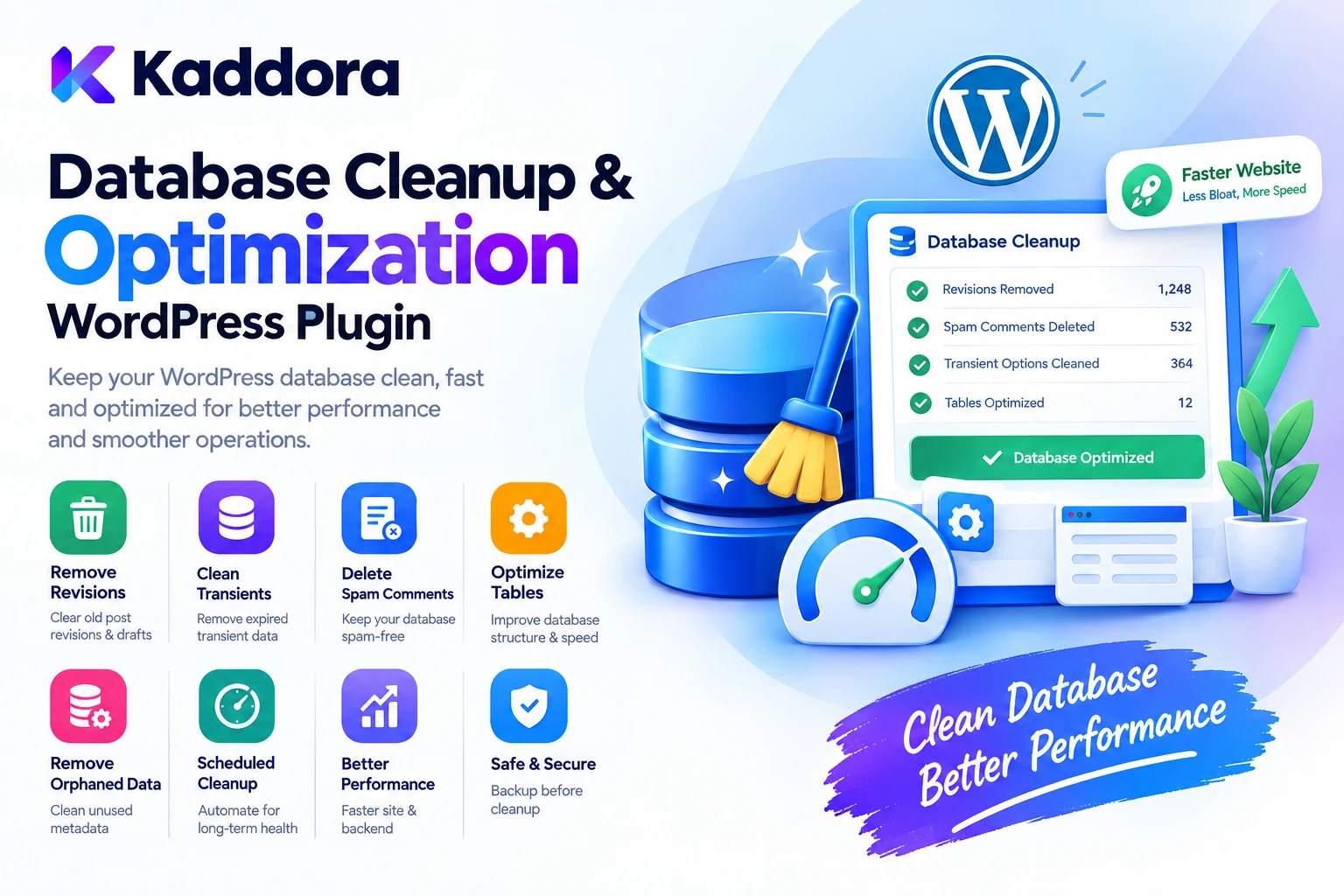
This is where Kaddora Database Cleanup & Optimization WordPress Plugin can help.
Kaddora is designed to provide a practical workflow for reviewing unnecessary database content, cleaning selected records, and maintaining a more organized WordPress database.
The goal is not to delete data aggressively.
The goal is:
Audit ↓ Identify ↓ Review ↓ Clean Safely ↓ Optimize ↓ Monitor
What Is WordPress Database Cleanup?
WordPress database cleanup is the process of identifying and removing unnecessary or obsolete records from a site's database.
Depending on the website, cleanup may involve:
Post revisions
Auto-drafts
Trashed posts
Spam comments
Unused metadata
Expired temporary data
Orphaned records
Unnecessary plugin information
A database cleanup workflow should distinguish between:
Required Data
and:
Safe-to-Remove Data
This is important because a WordPress database contains information required by themes, plugins, WooCommerce, users, orders, and other website functionality.
Why WordPress Database Optimization Matters
A growing database can make administration and maintenance more complicated.
For example:
Large Database ↓ More Records to Search ↓ More Maintenance Work ↓ Potentially More Complex Queries
Not every large database is automatically slow, and deleting records does not guarantee a faster website.
However, removing unnecessary data can make database maintenance easier and reduce clutter.
A better strategy is:
Useful Data + Efficient Tables + Controlled Cleanup + Regular Maintenance
What Is Kaddora Database Cleanup & Optimization?
Kaddora Database Cleanup & Optimization is designed to help WordPress administrators review database health and identify records that may no longer be necessary.
A practical workflow can look like:
WordPress Database ↓ Database Scan ↓ Cleanup Opportunities ↓ Review ↓ Select Records ↓ Cleanup ↓ Optimization
Depending on the plugin version and available configuration, a database maintenance workflow may include areas such as:
Database scanning
Revision cleanup
Auto-draft cleanup
Trash cleanup
Comment cleanup
Metadata review
Temporary data cleanup
Database optimization
Table information
Cleanup reports
The exact functionality depends on the installed plugin version.
WordPress Post Revisions
Post revisions are useful because they allow administrators and editors to restore previous versions of content.
For example:
Article Version 1 ↓ Version 2 ↓ Version 3 ↓ Version 4
A website with thousands of edited posts can accumulate many revisions.
For example:
2,000 Posts × Multiple Revisions = Thousands of Revision Records
Old revisions may no longer be needed depending on the site's content-management requirements.
A cleanup tool can help identify and remove older revisions while preserving current content.
Why Remove Old Revisions?
Revisions have legitimate value.
They can help recover:
Deleted text
Earlier versions
Accidental edits
Previous content structures
Therefore, revision cleanup should not blindly remove all history.
A better approach can be:
Keep Recent Revisions + Remove Excess Historical Data
where the website's workflow allows it.
For high-value editorial sites, keeping a suitable revision history may be more important than aggressively reducing database size.
Auto-Drafts and Temporary Content
WordPress can create temporary or automatically saved content during editing.
Over time, unused auto-drafts can accumulate.
A cleanup workflow can identify:
Old Auto-Drafts
that are no longer needed.
For example:
Editor Starts Article ↓ Auto-Save ↓ Article Abandoned ↓ Unused Auto-Draft
Cleaning obsolete drafts can reduce unnecessary database records.
Trashed Content Cleanup
Deleted WordPress content may remain in the trash before permanent removal.
For example:
Published Post ↓ Trash ↓ Temporary Retention ↓ Permanent Deletion
A database cleanup workflow can help administrators review old trashed content.
Before permanently deleting data, confirm that the content is not required for:
Recovery
Legal records
Editorial workflows
Business processes
Customer operations
Spam and Trashed Comments
Websites with comments can accumulate significant amounts of unwanted data.
For example:
Legitimate Comments + Spam Comments + Moderation Records + Trashed Comments
Spam cleanup can reduce unnecessary comment-related records.
A practical workflow is:
Scan Comments ↓ Identify Spam / Trash ↓ Review ↓ Delete Selected Records
Comment cleanup is especially useful for public blogs and content websites receiving large amounts of automated spam.
WordPress Transients and Temporary Data
WordPress and plugins may use temporary data.
These values can expire naturally, but databases can still contain temporary records that require periodic management depending on the implementation.
A cleanup process can review:
Temporary Data Expired Records Plugin Transients
However, administrators should avoid deleting active temporary data without understanding how a plugin uses it.
Aggressive transient cleanup can sometimes cause temporary performance changes because applications may need to regenerate cached information.
Orphaned Metadata
WordPress stores metadata for various objects.
Examples include:
Post Meta User Meta Comment Meta Term Meta
When a related object is deleted incorrectly or an old plugin leaves data behind, orphaned metadata may remain.
For example:
Deleted Post ↓ Post Record Removed ↓ Unused Metadata Remains
Cleaning orphaned records can improve database organization.
However, metadata should only be removed when it is confirmed to be unrelated to active content or plugins.
Unused Plugin Data
Plugin lifecycle management can leave data behind.
For example:
Install Plugin ↓ Create Tables / Options ↓ Use Plugin ↓ Deactivate ↓ Uninstall ↓ Old Data Remains
Not every plugin cleans up every record automatically.
Database cleanup tools can help identify potentially unused plugin data.
Never remove a plugin's custom tables simply because they look unfamiliar.
First identify:
Who Created the Table? What Uses It? Is the Plugin Installed? Is the Data Required?
WooCommerce Database Cleanup
WooCommerce stores can contain a much larger volume of data than ordinary blogs.
Examples include:
Orders Products Variations Customers Coupons Order Metadata Product Metadata Sessions Reports
An ecommerce database should be cleaned carefully because business records may be required for:
Orders
Accounting
Customer support
Reporting
Tax records
Fulfillment
Returns
Database cleanup for WooCommerce should therefore prioritize clearly obsolete records rather than historical business data.
WooCommerce Session and Temporary Data
WooCommerce and related extensions can use temporary session information.
For example:
Customer Session ↓ Cart Interaction ↓ Temporary Data
Expired session-related data may be candidates for cleanup depending on the WooCommerce environment.
Current customer sessions should not be removed indiscriminately.
Database Cleanup for Large Stores
A large ecommerce store may contain:
100,000+ Orders 1,000+ Products Thousands of Customers Large Metadata Tables
The database may therefore require more careful maintenance.
Large cleanup operations should use:
Batches + Progress Tracking + Validation + Backups + Controlled Execution
Avoid running huge destructive operations in a single browser request.
Database Table Analysis
A database optimization workflow can help administrators understand which tables consume the most space.
For example:
Table Size wp_posts 120 MB wp_postmeta 480 MB wp_options 65 MB wp_comments 90 MB wp_commentmeta 35 MB
This can reveal where database growth is concentrated.
A large wp_postmeta table, for example, may deserve further investigation rather than immediate deletion.
Why Database Table Size Matters
Large tables are not necessarily bad.
A WooCommerce website naturally needs many records.
The important question is:
Is the data required?
A better database maintenance process is therefore:
Measure ↓ Understand ↓ Identify Unnecessary Data ↓ Clean
rather than:
Large Table ↓ Delete Data
Database Optimization
Database optimization can involve maintenance operations intended to keep database tables organized.
Depending on the storage engine and environment, table maintenance may include actions such as:
Analyze Optimize Repair
The exact operation should be selected based on the actual database environment.
A WordPress database optimization plugin should therefore avoid treating every table identically without checking what type of table it is and whether the operation is appropriate.
Clean Before You Optimize
A useful order of operations is:
1. Backup 2. Scan 3. Clean Unnecessary Data 4. Verify 5. Optimize Tables 6. Test Website
This makes the maintenance process more deliberate.
Optimization should not become an excuse to delete records that are still needed.
Database Backup Before Cleanup
Database cleanup can be destructive.
Before performing major cleanup, create a reliable backup.
The workflow should be:
Database ↓ Backup ↓ Cleanup ↓ Verification
If an unexpected problem occurs:
Backup ↓ Restore
A security or optimization plugin should complement a proper backup strategy rather than replace it.
Safe Database Cleanup
A professional cleanup workflow should provide administrators with visibility before deletion.
For example:
Cleanup Opportunities Post Revisions: 1,280 Auto-Drafts: 96 Spam Comments: 450 Expired Temporary Data: 320
Then:
[Review] [Clean Selected]
This is safer than automatically deleting everything discovered during a scan.
Cleanup Preview
A preview can show administrators what will be removed.
For example:
Selected Cleanup 1,280 Post Revisions 96 Auto-Drafts 450 Spam Comments Estimated Records: 1,826
The administrator can then:
Approve Cancel
This reduces accidental deletion.
Scheduled Database Cleanup
Regular maintenance can be more effective than waiting until the database becomes extremely large.
A scheduled workflow could be:
Weekly ↓ Scan Monthly ↓ Review Quarterly ↓ Deep Cleanup
The schedule depends on the site's publishing and ecommerce activity.
High-volume websites may need more frequent monitoring.
Database Cleanup and Performance
Database cleanup can help reduce unnecessary data, but performance optimization requires a broader view.
Website performance can also depend on:
Hosting Queries Indexes Caching Plugins Theme Object Cache Page Cache CDN Frontend Assets
Deleting 10,000 rows does not automatically make a website faster.
The value of cleanup should therefore be measured in terms of:
Reduced unnecessary data
Better maintenance
More manageable tables
Cleaner application state
Improved operational visibility
Query Optimization
Some database performance problems come from inefficient queries rather than simply large data volume.
For example:
Large Table + Efficient Query = Potentially Acceptable
while:
Small Table + Poor Query = Potentially Slow
Database cleanup and query optimization are therefore related but different concerns.
Kaddora can be part of a broader maintenance strategy, while developers should also inspect inefficient queries where performance problems remain.
Database Indexes
Indexes can improve query performance when used appropriately.
For example:
Frequently Filtered Column ↓ Appropriate Index ↓ Faster Lookup
However, adding unnecessary indexes can increase storage and write overhead.
Index decisions should be based on actual query patterns and database structure.
Do not add indexes blindly simply because an optimization tool offers the option.
WordPress Database and SEO
Database cleanup does not directly guarantee better search rankings.
However, maintaining a healthy WordPress installation can support overall website management.
A broader SEO performance strategy may include:
Clean Database + Fast Hosting + Optimized Assets + Efficient Images + Technical SEO + Quality Content
Database cleanup is one component of technical maintenance, not a standalone SEO strategy.
Database Cleanup for Content Publishers
Publishers can accumulate large amounts of revision and comment data.
A typical workflow is:
Publish Articles ↓ Edit Frequently ↓ Create Revisions ↓ Receive Comments ↓ Accumulate Spam ↓ Periodic Cleanup
For large publishing sites, controlled cleanup can help keep database maintenance manageable.
Database Cleanup for Agencies
Agencies managing many client websites can benefit from standardized maintenance procedures.
For example:
Client Website ↓ Database Scan ↓ Cleanup Report ↓ Approved Cleanup ↓ Verification
This can become part of a recurring WordPress maintenance package.
Database Cleanup for Membership Websites
Membership websites may store:
Users User Metadata Sessions Membership Information Orders Activity Records
Cleanup should be especially conservative around active accounts.
Do not remove user metadata simply because a field appears unused without understanding which membership plugin or application component created it.
Database Cleanup and Multisite
WordPress multisite stores data across multiple site contexts.
For example:
Network ├── Site 1 ├── Site 2 ├── Site 3 └── Site 4
Database cleanup must understand the difference between:
Site-Specific Data
and:
Network-Level Data
A cleanup action should never accidentally remove records belonging to another site or network functionality.
Security Considerations
Database cleanup tools perform potentially destructive operations.
Administrative access should therefore be protected using:
Appropriate capabilities
Nonces
Input validation
Safe database queries
Confirmation before destructive actions
Clear error handling
Backup recommendations
Audit information where appropriate
Do not expose database cleanup endpoints to unauthorized users.
Never Allow Arbitrary SQL From Users
A database optimization plugin should not accept raw SQL such as:
DROP TABLE ... DELETE FROM ...
from browser input.
Instead, expose controlled actions such as:
Clean Revisions Clean Spam Remove Auto-Drafts Optimize Selected Tables
This provides a much safer architecture.
Protect Against Accidental Bulk Deletion
Destructive actions should be explicit.
A safe workflow can be:
Scan ↓ Select ↓ Preview ↓ Confirm ↓ Execute ↓ Report
For very large deletions, batching can further improve reliability.
How to Install Kaddora Database Cleanup & Optimization
A typical installation process is:
Step 1: Upload the Plugin
Go to:
WordPress Dashboard → Plugins → Add New → Upload Plugin
Upload the Kaddora Database Cleanup & Optimization ZIP package.
Step 2: Install
Click:
Install Now
Step 3: Activate
Click:
Activate Plugin
Step 4: Open Database Settings
Open the Kaddora database maintenance area.
Step 5: Run a Database Scan
Review the detected cleanup opportunities and table information.
Step 6: Create a Backup
Before major cleanup, create a reliable database backup.
Step 7: Review Cleanup Candidates
Inspect revisions, temporary data, comments, metadata, or other available cleanup categories.
Step 8: Clean Selected Data
Apply only the cleanup operations that are appropriate for the website.
Step 9: Optimize Tables
Run supported table-optimization operations where appropriate.
Step 10: Test the Website
Check:
Frontend Admin Forms Search WooCommerce Checkout
after significant cleanup.
Recommended Kaddora Database Setup
A practical workflow can focus on:
Database Scan ✓ Cleanup Preview ✓ Revision Cleanup ✓ Where appropriate Spam / Trash Cleanup ✓ Temporary Data Review ✓ Table Analysis ✓ Backup Before Cleanup ✓ Post-Cleanup Verification ✓
Start with low-risk cleanup categories before performing deeper database maintenance.
Example Database Cleanup Workflow
Suppose a WordPress website has:
Post Revisions: 2,400 Auto-Drafts: 180 Spam Comments: 1,250 Trashed Comments: 320
A controlled workflow is:
Database Scan ↓ Review Categories ↓ Backup ↓ Select Cleanup ↓ Preview ↓ Confirm ↓ Process in Batches ↓ Verify Website
This is safer than running unrestricted cleanup automatically.
Who Can Use Kaddora Database Cleanup?
WordPress Websites
Maintain cleaner content databases.
WooCommerce Stores
Review ecommerce-related database growth carefully.
Publishers
Manage revisions and comment data.
Agencies
Standardize maintenance across client sites.
Membership Websites
Review temporary and obsolete records conservatively.
High-Content Websites
Control database growth caused by continuous editing.
Large WooCommerce Sites
Monitor table growth and cleanup opportunities.
Common Database Cleanup Mistakes
1. Cleaning Without a Backup
Database deletion can be difficult to reverse.
2. Deleting Unknown Tables
A custom table may belong to an active plugin.
3. Removing All Metadata
Metadata may be essential to plugins and themes.
4. Cleaning WooCommerce Data Aggressively
Orders and customer records can be business-critical.
5. Running Huge Cleanup Jobs in One Request
Large operations can cause timeouts.
6. Optimizing Tables Without Understanding the Environment
Not every maintenance operation is appropriate for every database setup.
7. Assuming Cleanup Guarantees Speed
Website performance depends on much more than database size.
8. Ignoring Scheduled Maintenance
Waiting for a huge database can make maintenance more difficult.
WordPress Database Cleanup Best Practices
Always Back Up First
Create a reliable recovery point before significant deletion.
Scan Before Cleaning
Understand what the database contains.
Use Selective Cleanup
Remove only data that is genuinely unnecessary.
Preserve Business Records
Keep orders, customers, financial records, and other required information.
Review Plugin-Owned Data Carefully
Identify the owner and purpose of custom tables and options.
Use Batches for Large Operations
Avoid giant single-request deletions.
Test After Cleanup
Confirm the website still functions correctly.
Schedule Routine Maintenance
Regular review is easier than emergency cleanup.
Monitor Database Growth
Track which tables and data types are growing.
Combine Cleanup With Broader Optimization
Consider queries, caching, hosting, indexes, and application architecture too.
Kaddora Database Cleanup Checklist
Before cleaning a WordPress database, verify:
Preparation
A recent database backup exists.
The website has a tested recovery process.
Cleanup categories are understood.
Active plugins and custom tables are identified.
Cleanup
Old revisions have been reviewed.
Auto-drafts have been reviewed.
Spam and trash data have been reviewed.
Temporary data has been evaluated.
Orphaned metadata has been verified before deletion.
Unknown tables have not been deleted blindly.
WooCommerce
Orders are preserved.
Customers are preserved.
Product data is preserved.
Required order metadata remains intact.
Checkout has been tested.
Performance
Database size has been measured.
Large tables have been investigated.
Expensive queries have been considered.
Caching is configured appropriately.
Table optimization is used only where appropriate.
Security
Cleanup actions require proper capabilities.
Nonces protect applicable administrative requests.
Inputs are validated.
Database operations are controlled.
Destructive actions require confirmation.
Why Choose Kaddora?
Kaddora focuses on practical WordPress, WooCommerce, performance, automation, AI, and business solutions designed around real-world website requirements.
Database growth is a natural part of running a successful WordPress website. The challenge is identifying which data is valuable and which data has become unnecessary.
Kaddora Database Cleanup & Optimization is designed around a controlled maintenance workflow:
Scan ↓ Understand ↓ Review ↓ Clean ↓ Optimize ↓ Verify
A practical database maintenance solution can help administrators work with areas such as:
Revision cleanup
Auto-draft cleanup
Comment cleanup
Temporary data review
Metadata inspection
Database table analysis
Optimization workflows
Cleanup reporting
The objective is not to make the database as small as possible.
The objective is to create a cleaner, more manageable database while preserving the records and functionality the website actually needs.
Kaddora's broader ecosystem focuses on maintainable WordPress solutions for businesses, developers, agencies, ecommerce owners, and website administrators.
Conclusion
Kaddora Database Cleanup & Optimization WordPress Plugin provides a practical approach to WordPress database maintenance.
Over time, a site can accumulate:
Revisions + Auto-Drafts + Spam + Trash + Temporary Records + Unused Metadata + Plugin Data
Some of this information can be safely removed.
Other information may be essential.
That is why database optimization should begin with:
Audit ↓ Understand ↓ Backup ↓ Selective Cleanup ↓ Verify
For WooCommerce websites, extra caution is required because orders, customers, products, and related records can represent important business data.
For publishers, revision and comment cleanup may provide useful maintenance opportunities.
For agencies, scheduled database audits can become part of a broader website-maintenance workflow.
The most effective database strategy is not aggressive deletion.
It is:
Safe + Selective + Measured + Recoverable
Kaddora can help bring these maintenance activities into a practical WordPress workflow, giving administrators greater visibility into database cleanup and optimization opportunities.
The core principle is simple:
Remove what is unnecessary, preserve what is valuable, and always know what you are changing before you change it.
A healthy WordPress database is only one part of website performance, but regular and controlled database maintenance can make large installations easier to manage, troubleshoot, and maintain.
Frequently Asked Questions
What is WordPress database cleanup?
WordPress database cleanup is the process of identifying and removing obsolete or unnecessary records from a WordPress database while preserving data required by the website.
What is Kaddora Database Cleanup & Optimization?
Kaddora Database Cleanup & Optimization is a WordPress-focused database maintenance solution designed to help administrators scan, review, clean, and optimize database information where supported.
Why should I clean my WordPress database?
Regular cleanup can remove unnecessary records, reduce database clutter, and make long-term website maintenance easier.
Can Kaddora remove old WordPress revisions?
Revision cleanup can be part of a database maintenance workflow where the plugin provides that functionality.
Should all post revisions be deleted?
Not always. Revisions can be useful for content recovery. A sensible cleanup strategy should consider how much revision history the website needs.
Can Kaddora remove auto-drafts?
Auto-draft cleanup can help remove abandoned temporary content where the plugin supports it.
Can I clean spam comments?
Comment cleanup can identify and remove spam or trashed comments according to the available workflow.
Can Kaddora clean unused metadata?
Potentially, but metadata should only be removed when it is confirmed to be orphaned or unnecessary. Plugin and theme metadata can be essential.
Can database cleanup delete WooCommerce orders?
A safe database-cleanup workflow should not treat WooCommerce business records as disposable cleanup data. Orders and customer records should be preserved unless a deliberate business or legal retention process says otherwise.
Does database cleanup make WordPress faster?
It can reduce unnecessary data and improve maintainability, but database cleanup alone does not guarantee faster page loads.
Does a large database automatically mean a slow WordPress website?
No. Database size is only one factor. Query efficiency, indexes, hosting, caching, plugins, theme architecture, and application behavior also affect performance.
What is database optimization?
Database optimization refers to maintenance and structural improvements intended to keep database operations efficient and manageable.
Should I optimize every database table?
No. Table maintenance should be appropriate to the database environment and actual requirements rather than applied blindly.
Can agencies use Kaddora Database Cleanup & Optimization?
Yes. Agencies can incorporate controlled database audits and cleanup procedures into ongoing WordPress maintenance services.
Can publishers benefit from database cleanup?
Yes. High-content websites often accumulate revisions, comments, spam, and temporary records that may require periodic review.
Why choose ThemeKaddora?
ThemeKaddora provides practical WordPress themes, plugins, templates, WooCommerce solutions, AI tools, automation products, security solutions, and performance-focused website products for developers, agencies, businesses, and ecommerce owners.
Comments (0)