
Introduction
Search engine optimization is an ongoing process that involves creating useful content, improving website structure, managing metadata, implementing structured data, optimizing images, and resolving technical issues.
For WordPress website owners, these responsibilities can quickly become complicated. Blogs may contain hundreds of articles, WooCommerce stores may have thousands of product pages, and business websites may need consistent SEO management across multiple content types.
Managing all these tasks manually can consume considerable time, especially when different SEO activities require different tools.
This is where AI-assisted SEO can help.
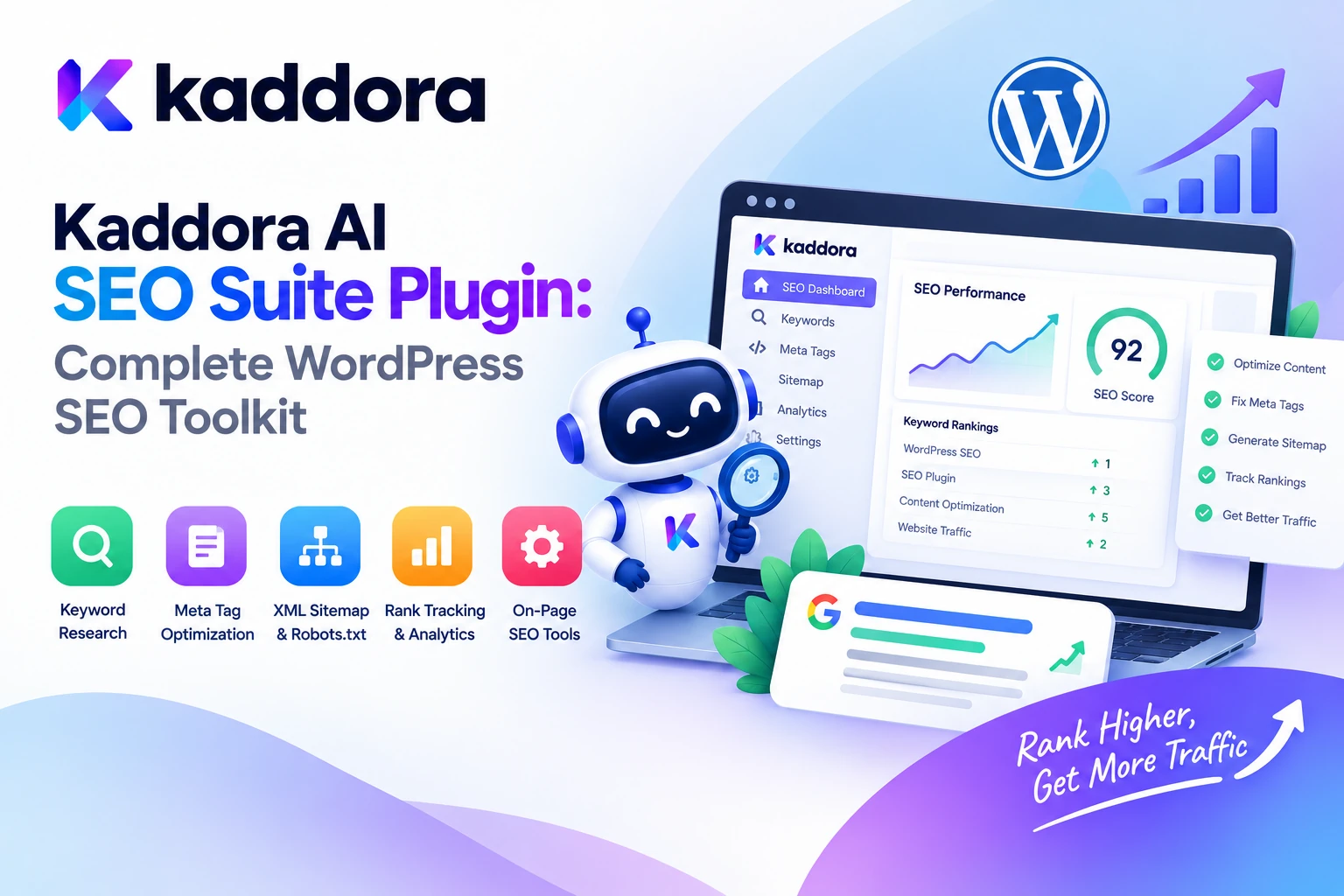
Kaddora AI SEO Suite Plugin is designed to bring content analysis, keyword optimization, metadata management, schema generation, internal linking assistance, technical SEO tools, image optimization, and WooCommerce SEO into a unified WordPress workflow.
Instead of treating SEO as a collection of disconnected tasks, the plugin provides a centralized environment for managing important optimization activities from the WordPress dashboard.
In this guide, we'll explore the features of Kaddora AI SEO Suite, how AI can support WordPress SEO, how to approach installation and configuration, and the best practices for optimizing websites without relying on shortcuts or unrealistic ranking promises.
What Is Kaddora AI SEO Suite?
Kaddora AI SEO Suite is an AI-powered WordPress SEO plugin designed to help website owners, bloggers, digital marketers, agencies, and ecommerce businesses organize their search optimization workflows.
According to the official Kaddora AI SEO Suite product listing, its feature set covers several major areas of SEO.
These include:
AI SEO dashboard
AI content analyzer
AI keyword optimizer
Meta title generator
Meta description generator
Schema generator
XML sitemap manager
Internal link assistant
Technical SEO toolkit
Image SEO optimizer
WooCommerce SEO tools
Social media metadata
Bulk SEO manager
SEO reports
WP-CLI support
REST API support
White-label features
Multisite compatibility
The purpose is to make SEO management more organized while combining AI-assisted recommendations with practical website optimization tools.
AI can help identify potential improvements and prepare suggestions, but important changes should still be reviewed for accuracy, relevance, and compatibility with the website.
Why Is SEO Management Important for WordPress Websites?
A website can contain valuable content and still struggle to attract search traffic if its pages are poorly structured, difficult to discover, or insufficiently optimized.
Common SEO challenges include:
Missing metadata: Pages may have incomplete or poorly written search titles and descriptions.
Unclear content structure: Articles may lack descriptive headings, useful subtopics, or clear answers to visitor questions.
Weak internal linking: Important pages may be difficult to discover through the website's existing links.
Technical problems: Incorrect indexation settings, broken URLs, or poorly maintained sitemaps can affect how search engines access website content.
Incomplete structured data: Search engines may lack eligible structured information about pages, products, or other entities.
Inconsistent ecommerce SEO: Large product catalogs can accumulate duplicate, incomplete, or outdated metadata.
Manual workload: Maintaining SEO across hundreds or thousands of URLs can be time-consuming.
A structured SEO workflow helps teams identify these issues, prioritize improvements, and maintain consistency across a website.
Key Features of Kaddora AI SEO Suite Plugin
1. AI SEO Dashboard
A centralized dashboard gives website owners a place to manage SEO-related activities and review available optimization information.
Rather than switching between separate tools for every task, users can work from a common interface for supported SEO functions.
An organized dashboard can help teams prioritize tasks such as reviewing content, checking metadata, improving internal links, and monitoring technical SEO requirements.
For agencies and larger websites, a centralized workflow can also make routine SEO maintenance easier to coordinate.
2. AI Content Analyzer
Content quality is an important part of a useful SEO strategy.
An article should answer the intended searcher's question, provide reliable information, and be organized so readers can navigate it easily.
The AI Content Analyzer is designed to help review content and identify potential optimization opportunities.
For example, an analysis workflow may examine:
Content relevance to the target topic
Heading structure
Readability and clarity
Potential content gaps
Keyword usage
Opportunities to improve explanations
Possible areas requiring editorial review
Consider a blog post that briefly introduces a topic but does not explain important related questions.
An AI-assisted review might recommend adding a section that addresses those questions, improving headings, or clarifying an ambiguous paragraph.
Use these recommendations as editorial guidance rather than automatically adding text simply to increase article length. Content should remain accurate, helpful, original, and relevant to the reader.
3. AI Keyword Optimizer
Keyword research helps website owners understand how people describe the subjects, products, and services they search for.
The AI Keyword Optimizer is designed to support keyword-focused content optimization.
A practical workflow begins with a clear topic:
Primary Topic ↓ Identify Search Intent ↓ Review Relevant Keywords ↓ Organize Related Subtopics ↓ Optimize Useful Content ↓ Review Results
For example, a website publishing an article about WordPress website security might address related subjects such as login protection, malware scanning, backup practices, and access control where those topics genuinely support the article.
Keyword optimization should not mean repeating the same phrase unnaturally. Use terminology that makes sense in context and prioritize the intent behind the search.
4. Meta Title Generator
A search title helps communicate what a page is about.
An effective title should be clear, relevant, and specific enough to distinguish the page from other results.
Kaddora AI SEO Suite includes a Meta Title Generator designed to assist with title creation.
For example, a generic title such as:
SEO for Online Stores
could become a more descriptive option:
WooCommerce SEO Guide: Optimize Product Pages and Categories
The best title depends on the actual content and target audience. AI-generated titles should be checked for accuracy, unnecessary repetition, misleading wording, and excessive keyword usage.
Search engines may also generate or modify displayed titles, so a suggested title does not guarantee that the exact wording will appear in search results.
5. Meta Description Generator
Meta descriptions summarize page content and can help users understand what a search result offers.
Kaddora AI SEO Suite provides a Meta Description Generator to assist with writing page summaries.
For example:
Learn how to optimize WooCommerce product pages with practical guidance on titles, descriptions, images, structured data, and internal linking.
A useful description should accurately reflect the page and give visitors a reason to explore it.
Meta descriptions should not be treated as a guaranteed ranking factor or a promise of increased clicks. Their main purpose is to provide a relevant summary that may influence how users perceive a search result.
6. Schema Generator
Structured data provides search engines with machine-readable information about page content.
Depending on the supported implementation, relevant schema types can describe articles, products, organizations, breadcrumbs, and other eligible entities.
Kaddora AI SEO Suite includes schema-generation capabilities to support structured-data management.
A practical workflow looks like this:
Page or Product ↓ Identify Relevant Content Type ↓ Generate or Configure Schema ↓ Verify the Markup ↓ Check Accuracy ↓ Publish
Structured data must match the information genuinely present on the page. Do not add fabricated ratings, prices, reviews, availability information, or other properties.
Valid structured data can make a page eligible for certain search enhancements, but it does not guarantee that search engines will display them.
7. XML Sitemap Manager
An XML sitemap helps search engines discover URLs that a website considers important.
Kaddora AI SEO Suite includes an XML Sitemap Manager intended to support sitemap management.
A sitemap workflow can involve reviewing which URLs should be included, checking that important pages are accessible, and ensuring that obsolete or inappropriate URLs are not unnecessarily promoted for crawling.
Sitemaps complement internal linking and correct technical configuration. They do not guarantee that every submitted URL will be crawled or indexed.
When using an SEO suite alongside another SEO plugin or a caching layer, review the resulting sitemap output to avoid conflicting configurations or duplicate sitemap systems.
8. Internal Link Assistant
Internal links connect related pages within the same website.
They help visitors discover additional resources and provide search engines with information about relationships between pages.
The Internal Link Assistant is designed to help identify relevant linking opportunities.
For example, an article about WooCommerce product optimization might link to other useful resources on product descriptions, image alt text, product schema, and ecommerce performance.
A sensible internal-linking workflow includes:
Identify the current page's main topic.
Find genuinely related pages.
Choose descriptive anchor text.
Confirm that the destination adds value.
Avoid excessive or repetitive linking.
Recheck links when content changes.
Relevant internal links can improve navigation and content discovery. Avoid adding links solely to meet an arbitrary target.
9. Technical SEO Toolkit
Technical SEO concerns how a website is accessed, crawled, rendered, and indexed.
A website may have strong content but still experience technical problems involving redirects, indexing directives, URL handling, or page accessibility.
Kaddora AI SEO Suite includes technical SEO tools intended to support website optimization and maintenance.
A practical technical review may involve checking:
Important pages are accessible
Unwanted pages are not being indexed
Canonical URLs are configured correctly
Redirects point to relevant destinations
XML sitemaps contain appropriate URLs
Broken links and errors are investigated
Mobile usability and page performance are reviewed
Use diagnostic findings to prioritize genuine problems. Avoid making broad technical changes without understanding their effects on existing URLs and website behavior.
10. Image SEO Optimizer
Images contribute to the usefulness and presentation of a page, but they also require appropriate optimization.
Image SEO includes more than writing alt text. It can involve descriptive filenames, relevant alternative text, suitable dimensions, compression, responsive delivery, and appropriate placement within content.
Kaddora AI SEO Suite lists Image SEO Optimizer functionality to support image-related optimization workflows.
For example, a product image might benefit from meaningful alt text such as:
Brown leather laptop bag with adjustable shoulder strap
rather than a generic filename or a repetitive list of keywords.
Always ensure that alternative text describes the image accurately. Decorative images may require empty alternative text, while meaningful product images should convey useful visual information.
11. WooCommerce SEO Tools
WooCommerce stores often manage large product catalogs with many variations, categories, and product images.
Keeping these pages optimized can involve significant repetitive work.
Kaddora AI SEO Suite includes WooCommerce SEO tools designed to support ecommerce optimization.
Potential SEO tasks include reviewing product titles, improving descriptions, generating metadata, organizing product content, and maintaining image-related information.
For example, a product page should communicate its actual features, specifications, compatibility, and intended use. AI may help improve how this information is presented, but it should not invent product claims, stock information, prices, or technical specifications.
12. Bulk SEO Manager
Bulk management becomes valuable when a website contains many pages or products.
Instead of reviewing every field individually, bulk workflows can help organize metadata-related tasks and identify pages that require attention.
The plugin lists a Bulk SEO Manager as part of its feature set.
A sensible approach is to identify pages with missing or incomplete metadata, prepare suggested changes, review a sample, and then apply approved updates in controlled batches.
Preserve manually written metadata where it is already useful. Before making large-scale changes, back up important content and test the workflow on a limited set of pages.
13. SEO Reports
Optimization is easier to manage when teams can review activity and results.
Kaddora AI SEO Suite lists SEO reporting capabilities intended to support website optimization workflows.
Reports can help organize information about completed tasks, outstanding issues, and areas that may require additional work.
For performance measurement, combine plugin reports with reliable analytics and search-performance data where available. Distinguish between work completed—such as creating metadata—and outcomes such as clicks, conversions, or search visibility.
This distinction makes it easier to understand whether an optimization activity is contributing to the website's goals.
14. Developer and Multisite Support
The product listing also identifies WP-CLI support, REST API support, white-label features, and multisite compatibility.
These capabilities can be relevant to agencies, developers, and organizations managing multiple WordPress sites.
Depending on the supported interfaces, developers may be able to integrate SEO operations into existing workflows or manage supported tasks programmatically.
Before using these options in production, review the plugin documentation, supported commands and endpoints, permissions, and compatibility requirements. Multisite installations should also be tested to ensure that settings and SEO data remain scoped to the correct site.
How to Use Kaddora AI SEO Suite on a WordPress Website
Step 1: Prepare Your Website
Check that your WordPress installation meets the plugin's current requirements. Back up your website before making significant SEO configuration changes.
If you already use an SEO plugin, review which plugin controls metadata, canonical URLs, schema markup, and XML sitemaps.
Step 2: Install and Activate the Plugin
From the WordPress dashboard:
Navigate to Plugins → Add New → Upload Plugin.
Select your downloaded Kaddora AI SEO Suite ZIP file.
Click Install Now.
Activate the plugin.
Open the Kaddora AI SEO Suite dashboard.
Follow the installation documentation supplied with your plugin version.
Step 3: Configure SEO Settings
Review the available settings for metadata, schema, sitemaps, image optimization, internal linking, technical SEO, and supported WooCommerce features.
Avoid enabling overlapping functionality without checking how it interacts with existing plugins and theme behavior.
Step 4: Analyze Important Pages
Start with high-value pages, such as key service pages, important blog articles, category pages, and product pages.
Use the available content analysis and keyword optimization tools to identify relevant improvements.
Step 5: Optimize Titles and Descriptions
Generate or refine metadata for important pages. Review each result to confirm that it accurately describes the page and aligns with its search intent.
Step 6: Review Technical SEO and Schema
Check the site's sitemap output, relevant structured data, indexing configuration, and URL behavior.
Use suitable external validation tools where necessary, and fix errors before making broad changes.
Step 7: Monitor Results
Track meaningful performance indicators over time.
Review search impressions, organic clicks, relevant landing-page engagement, and conversions using reliable measurement tools. Make changes based on evidence rather than assuming that every AI suggestion will improve results.
Best Practices for AI-Powered WordPress SEO
Prioritize helpful content. AI should help improve accuracy, relevance, clarity, and organization rather than produce unnecessary text.
Map each page to a clear search intent. Avoid creating multiple pages that compete to answer the same question without a clear purpose.
Review every important AI suggestion. Check titles, descriptions, schema, keywords, and content recommendations before applying them.
Avoid keyword stuffing. Use relevant terminology naturally and write primarily for readers.
Maintain consistent structured data. Ensure that schema matches the visible content and does not conflict with other plugins.
Create useful internal links. Link related pages where doing so improves navigation and context.
Protect existing SEO settings. Before replacing another SEO plugin or changing indexing behavior, understand how the current site is configured.
Optimize images thoughtfully. Use accurate alt text, suitable dimensions, and efficient file sizes.
Use bulk updates carefully. Test on a small group of pages, review the results, and maintain a backup before wider changes.
Measure the right outcomes. Search visibility, clicks, engagement, and conversions are different measurements. Evaluate them separately.
Common WordPress SEO Mistakes to Avoid
Publishing AI Content Without Review
AI may create inaccurate information, unsupported claims, or repetitive explanations.
Better approach: Verify facts, improve the content, and ensure that it provides real value to the intended reader.
Repeating the Same Keywords Everywhere
Unnatural keyword repetition can make content difficult to read.
Better approach: Use meaningful variations and focus on answering the user's question.
Overwriting Existing Metadata Automatically
A bulk process can replace useful titles or descriptions with less relevant suggestions.
Better approach: Review existing metadata first and preserve effective content unless there is a reason to change it.
Ignoring Technical Compatibility
Multiple plugins may attempt to generate metadata, schema, redirects, or sitemaps.
Better approach: Establish a clear configuration and test the rendered output.
Treating Schema as a Ranking Guarantee
Valid structured data does not guarantee enhanced search results.
Better approach: Implement the appropriate markup accurately and verify it.
Measuring Only the Number of Optimizations
Creating hundreds of titles or metadata descriptions does not prove that SEO performance has improved.
Better approach: Track completed work separately from actual search and business outcomes.
Who Can Benefit From Kaddora AI SEO Suite?
Kaddora AI SEO Suite may be useful for:
Bloggers and publishers managing large content libraries
Business websites improving service and landing pages
WooCommerce stores optimizing product catalogs
Digital marketing agencies managing multiple websites
WordPress developers building SEO-focused workflows
Website owners seeking a centralized SEO management environment
Multisite administrators managing supported SEO tasks across sites
The best fit depends on the website's requirements, current SEO setup, plugin compatibility, and the features available in the installed version.
Why Choose Kaddora?
Kaddora focuses on practical WordPress products designed to help website owners and developers manage digital workflows more efficiently.
Kaddora AI SEO Suite combines AI-assisted content analysis and keyword optimization with metadata tools, schema generation, sitemap management, internal linking assistance, technical SEO capabilities, image SEO, WooCommerce tools, and reporting.
This broad feature set is intended to help users organize multiple aspects of SEO through one WordPress-oriented workflow.
For developers and agencies, listed integrations such as WP-CLI and REST API support can also be useful where compatible with the project's requirements.
The goal is not to automate every SEO decision blindly. It is to combine helpful automation with editorial judgment, technical validation, and performance measurement.
Conclusion
Managing WordPress SEO requires a combination of useful content, accurate metadata, sound technical configuration, relevant internal links, appropriate structured data, and ongoing performance review.
The Kaddora AI SEO Suite Plugin is designed to bring these activities together through AI content analysis, keyword optimization, metadata generation, schema tools, XML sitemap management, internal linking assistance, technical SEO utilities, image optimization, WooCommerce SEO, bulk management, and reporting.
Whether you manage a blog, business website, ecommerce store, or a portfolio of WordPress installations, a structured workflow can make SEO maintenance easier to organize.
Start with your most important pages, configure the plugin carefully, review AI-generated recommendations, validate technical changes, and track measurable outcomes. AI can reduce repetitive work, but useful content, accurate information, sound technical implementation, and a clear understanding of your audience remain essential.
A thoughtful SEO process helps turn optimization from a collection of disconnected tasks into a consistent part of website management.
Frequently Asked Questions
What is the Kaddora AI SEO Suite Plugin?
Kaddora AI SEO Suite is an AI-powered WordPress SEO plugin designed to support content analysis, keyword optimization, metadata generation, schema markup, XML sitemaps, internal linking, technical SEO, image optimization, WooCommerce SEO, and reporting.
Can Kaddora AI SEO Suite generate meta titles and descriptions?
Yes. The product listing includes a Meta Title Generator and Meta Description Generator. Review generated text for accuracy, relevance, and alignment with the actual page content before publishing.
Does Kaddora AI SEO Suite support schema markup?
Yes. Schema generation is listed among its features. Structured data should accurately reflect visible page information and be validated before deployment.
Can I use it for WooCommerce SEO?
The product listing includes WooCommerce SEO tools intended to support optimization of ecommerce content and product pages. Review the current documentation for the exact supported operations.
Does the plugin include an XML sitemap manager?
Yes. XML Sitemap Manager is listed as a feature. If another plugin already generates your sitemap, review compatibility and avoid unintentionally creating conflicting outputs.
Can AI help improve WordPress content SEO?
AI can assist with content analysis, keyword organization, metadata suggestions, and content improvement ideas. Human review remains important for factual accuracy, originality, usefulness, and appropriate search intent.
Does Kaddora AI SEO Suite guarantee better Google rankings?
No plugin can guarantee specific rankings or traffic outcomes. SEO performance depends on many factors, including content quality, technical implementation, competition, relevance, website reputation, and search engine systems.
Can the plugin help with internal linking?
Yes. The product listing includes an Internal Link Assistant designed to support relevant internal-linking workflows. Review link destinations and anchor text before applying suggestions at scale.
Is the plugin suitable for large websites?
Its listed features include bulk SEO management, reporting, WP-CLI support, REST API support, and multisite compatibility. Suitability depends on your workload, hosting environment, version compatibility, and required workflow.
Why choose ThemeKaddora?
ThemeKaddora provides a marketplace for WordPress themes, plugins, and website templates. Website owners and developers can explore the catalog to find products that fit their project requirements, compatibility needs, and workflows.
Comments (0)