
Introduction
Interactive quizzes and forms can make a WordPress website more engaging. Businesses use forms to collect inquiries, educators use quizzes to assess understanding, marketers use questionnaires to understand their audiences, and publishers create interactive content to encourage participation.
However, building quizzes and forms manually can take time. Website owners may need to prepare questions, configure answer options, organize fields, define scoring rules, and test the final experience across different devices.
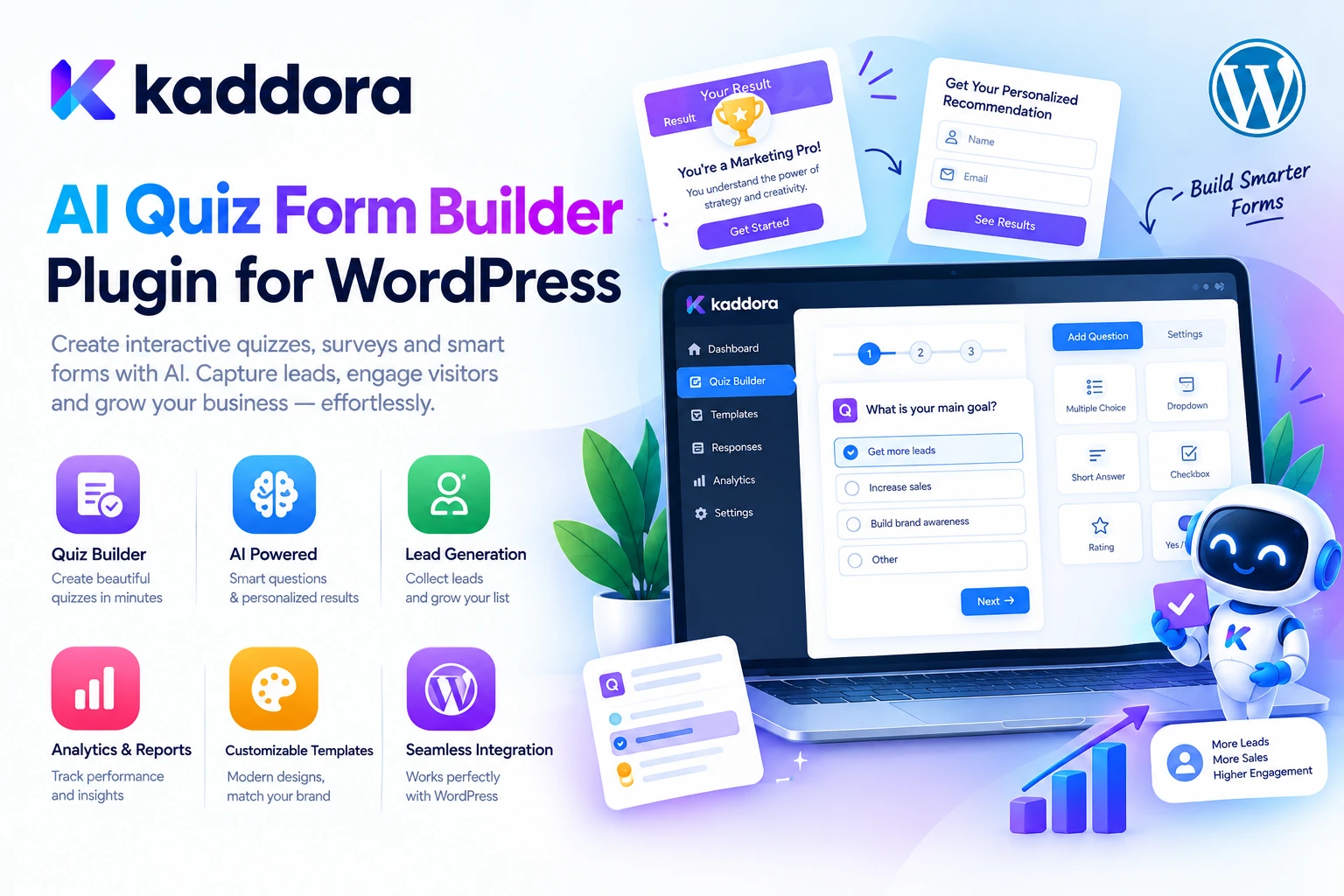
Kaddora AI Quiz Form Builder Plugin for WordPress is designed around making quiz and form creation more organized through a structured WordPress workflow, with AI-assisted capabilities where supported by the installed version.
A typical workflow looks like this:
Choose a Goal ↓ Prepare Questions and Fields ↓ Build the Quiz or Form ↓ Configure Validation and Results ↓ Preview and Test ↓ Publish on WordPress ↓ Review Responses
The goal is to help website owners prepare interactive experiences more efficiently while keeping questions relevant, forms easy to use, and collected information appropriately managed.
What Is an AI Quiz Form Builder?
An AI quiz form builder is a tool designed to help users create quizzes, questionnaires, or forms, potentially using AI to assist with question generation, content suggestions, or form preparation.
A traditional form builder focuses on fields, labels, validation, and submission handling. A quiz builder may also need answer options, scoring, correct answers, feedback, and result logic.
An AI-assisted workflow can help turn a topic or objective into a draft structure.
For example:
Topic: WordPress Website Security
Audience: Beginner website owners
Goal: Test basic knowledge of website security
The resulting quiz could contain questions about passwords, software updates, backups, and user permissions. The questions and answers must still be reviewed for accuracy before publication.
What Is Kaddora AI Quiz Form Builder Plugin?
Kaddora AI Quiz Form Builder Plugin is a WordPress-focused solution intended to support the creation of quizzes and forms within a website.
Depending on its installed version and available functionality, the workflow may support tasks such as:
Creating quiz or form structures
Preparing questions and answer options
Organizing form fields
Configuring form behavior
Supporting interactive visitor experiences
Preparing content with AI assistance, where available
Managing quiz or form workflows
The exact features depend on the plugin's implementation and configuration. Verify the available options in the installed version before relying on a specific capability, such as automatic scoring, conditional logic, result pages, or AI-generated questions.
The broader objective is to make interactive content creation easier to organize and maintain in WordPress.
Why Use Quizzes and Forms on WordPress?
Quizzes and forms serve different but complementary purposes.
Forms help collect information or requests, while quizzes often encourage participation, evaluate knowledge, or provide results based on responses.
Common use cases include:
Contact and inquiry forms
Customer feedback forms
Educational assessments
Knowledge quizzes
Product recommendation questionnaires
Lead qualification forms
Customer preference surveys
Audience engagement activities
Registration and application forms
A well-designed quiz or form should have a clear purpose and ask only questions that support that purpose.
AI-Assisted Quiz Creation
Preparing useful quiz questions requires more than generating a list of sentences. Questions should match the audience's knowledge level, avoid ambiguity, and have answer options that make sense.
AI-assisted quiz creation may help prepare an initial question set from a topic, learning objective, or content brief where supported.
For example:
Topic ↓ Define Learning Objective ↓ Generate Question Drafts ↓ Prepare Answer Options ↓ Check Accuracy ↓ Publish Quiz
AI-generated questions should be reviewed by someone who understands the subject. Incorrect answers, ambiguous wording, or multiple valid answers can undermine the quiz experience.
Create Different Types of Quizzes
Different objectives require different quiz formats.
Knowledge Quizzes
Test a visitor's understanding of a subject, such as WordPress development, marketing, or general knowledge.
Educational Quizzes
Help learners review course material and identify areas that need more attention.
Personality-Style Quizzes
Guide participants through questions and provide a result based on a defined outcome model, where the necessary logic is supported.
Product Recommendation Quizzes
Ask about customer needs and preferences to help identify suitable products or services.
Customer Engagement Quizzes
Create interactive experiences related to a brand, topic, or community.
The quiz type should determine the questions, scoring approach, feedback, and result experience.
Build Forms for Lead Generation
Forms are a common way for businesses to collect inquiries and connect with prospective customers.
A lead generation form may ask for a name, business email, service requirement, or preferred contact method. The fields should match the information the business genuinely needs.
For example:
Visitor ↓ Completes Form ↓ Server-Side Validation ↓ Submission Processing ↓ Confirmation or Next Step
An AI-assisted builder may help prepare field labels, introductory copy, or question suggestions where supported.
However, lead qualification, email notifications, CRM connections, and automated follow-ups may require additional plugin functionality or external integrations.
Use Forms for Customer Feedback
Customer feedback can help businesses understand their service quality and identify improvement opportunities.
A feedback form might include:
Overall satisfaction
Product or service experience
Ease of use
Areas for improvement
Optional comments
Keep the form focused. Asking too many questions can discourage completion and generate information the business may not need.
If feedback is collected anonymously, avoid adding fields or tracking methods that unintentionally undermine that promise.
Quiz Scoring and Results
Some quizzes require scores or outcome messages. For example, a knowledge quiz may assign points to correct answers, while a recommendation quiz may classify responses into different result categories.
Where supported, a scoring workflow can look like this:
User Answers ↓ Validate Responses ↓ Apply Quiz Rules ↓ Calculate Result ↓ Display Appropriate Feedback
The scoring rules should be defined before the quiz goes live.
For educational assessments, verify the correct answers and score calculations. For recommendation quizzes, explain results appropriately and avoid presenting a result as a professional diagnosis or definitive assessment when it is not one.
Not every form requires scoring, and scoring functionality should be confirmed in the installed plugin version.
Improve User Experience With Clear Questions
A useful quiz or form should be easy to understand and complete.
Follow these guidelines:
Write clear question labels.
Explain why required information is needed.
Avoid unnecessary technical language.
Make answer options distinct.
Use appropriate required-field indicators.
Provide understandable validation messages.
Test the layout on mobile devices.
Explain what happens after submission.
For example, instead of asking a vague question such as “What do you want?”, a business inquiry form could ask, “Which service are you interested in?”
Clarity helps visitors provide more useful responses.
AI Quiz Form Builder for Education and Training
Educational websites can use quizzes to reinforce learning, review concepts, or collect learner feedback.
For example, a WordPress course website could create a short quiz after a lesson to help learners check their understanding.
A learning workflow might look like this:
Publish Lesson ↓ Prepare Review Questions ↓ Check Correct Answers ↓ Publish Quiz ↓ Collect Responses ↓ Review Learning Outcomes
AI can assist with preparing draft questions, but educators should verify every answer and ensure the difficulty level matches the lesson.
Assessment results should also be handled appropriately when they contain identifiable learner information.
Forms for WooCommerce and Online Businesses
Forms can complement WooCommerce by collecting information that is not covered by a standard product or checkout interface.
Examples include:
Product inquiry forms
Bulk order inquiries
Customization requests
Service consultations
Feedback forms
Product preference questionnaires
A form builder can help organize these questions where the required functionality and integration are available.
Avoid collecting unnecessary payment information or sensitive personal data through general-purpose forms. Payment-related information should be handled through suitable, secure payment systems.
How to Use Kaddora AI Quiz Form Builder Plugin
The exact interface depends on the installed plugin version. A typical setup process can follow these steps.
Step 1: Install the Plugin
Open your WordPress dashboard and navigate to:
Plugins → Add New → Upload Plugin
Upload the Kaddora AI Quiz Form Builder Plugin ZIP package, install it, and activate it.
Step 2: Review Available Settings
Open the plugin's form or quiz interface. Review the supported question types, form controls, quiz settings, and any available AI configuration.
Step 3: Define Your Goal
Decide whether you are building a contact form, a survey, an educational quiz, a feedback questionnaire, or another interactive experience.
Step 4: Prepare Questions and Fields
Create the required questions, answer options, and input fields. Use AI-assisted creation features where available, then review the generated material.
Step 5: Configure Behavior
Set required fields, validation, scoring, results, or other supported options according to the form's purpose.
Step 6: Preview and Test
Submit test responses and check question order, error handling, result calculations, and mobile usability.
Step 7: Publish and Review
Add the completed form or quiz to the appropriate WordPress page using the plugin's supported publishing method. Review submissions and update the experience as needed.
Security and Privacy for WordPress Forms
Quizzes and forms can collect names, email addresses, customer preferences, educational responses, or other personal information.
A responsible implementation should:
Collect only necessary data.
Validate submissions on the server.
Restrict access to stored responses.
Protect administrative actions with appropriate security controls.
Avoid collecting passwords or payment credentials in ordinary forms.
Secure external integrations.
Explain relevant data handling in the website's privacy information.
Define a suitable data retention process.
If AI features send form responses or other content to an external provider, review what data is transmitted and whether it is necessary for the task.
Do not include sensitive information in AI prompts unless the processing is appropriate and properly protected.
Best Practices for Quiz and Form Creation
Start With a Clear Purpose
Define the information you need or the result the quiz should provide before creating questions.
Keep Forms Focused
Collect only the fields necessary for the intended workflow.
Review AI-Generated Questions
Check wording, answer accuracy, scoring, and ambiguity before publication.
Make Forms Accessible
Use clear labels, keyboard-friendly controls, visible validation messages, and readable layouts.
Test Conditional Behavior
If the installed version supports conditional questions or result logic, test each relevant path before publishing.
Protect Responses
Limit administrative access and avoid unnecessary personal-data collection.
Optimize for Mobile
Make sure questions, answer choices, and submission controls work comfortably on smaller screens.
Review Submissions Regularly
Use collected information responsibly and ensure follow-up processes work as expected.
Common Quiz and Form Builder Mistakes
Unclear questions: Ambiguous wording can lead to unreliable responses.
Too many fields: Unnecessary questions can discourage completion.
Incorrect quiz answers: AI-generated answer keys must be verified.
Poor mobile layout: Forms should remain usable on different screen sizes.
Missing validation: Invalid submissions should be handled safely.
Unclear result messages: Explain what the outcome means where appropriate.
Collecting excessive personal data: Request only what the form needs.
Ignoring accessibility: Use meaningful labels and keyboard-friendly interactions.
Assuming integrations are included: Verify email, CRM, payment, and automation capabilities before relying on them.
Publishing without testing: Complete test submissions before making the form available to visitors.
Kaddora AI Quiz Form Builder Checklist
Before publishing a quiz or form, verify:
The form or quiz has a clear objective.
Questions are understandable and relevant.
AI-generated content has been reviewed.
Required fields and validation work correctly.
Scoring and result logic are verified where supported.
Submission confirmation behaves as expected.
The layout works on mobile devices.
Keyboard accessibility has been considered.
Personal information is collected appropriately.
Response access is restricted to authorized users.
External integrations are configured securely.
The form has been tested with different response scenarios.
The published form works correctly on the intended page.
Why Choose Kaddora?
Kaddora focuses on practical WordPress, AI, content creation, automation, WooCommerce, and business solutions for developers, agencies, educators, marketers, and website owners.
Creating interactive experiences often involves repetitive work, from writing questions and arranging fields to defining validation rules and preparing feedback messages.
Kaddora AI Quiz Form Builder Plugin is intended to support a more organized approach to building quizzes and forms within WordPress.
Depending on the installed version and available functionality, the workflow may help users prepare question structures, organize form fields, and create interactive experiences with AI-assisted support where available.
The objective is not simply to collect more responses. It is to make forms easier to create, quizzes more useful, and user interactions more relevant to the website's purpose.
Kaddora's broader ecosystem focuses on practical WordPress and WooCommerce solutions that help businesses manage content, engagement, and website operations without unnecessary complexity.
Conclusion
Kaddora AI Quiz Form Builder Plugin for WordPress focuses on making quiz and form creation more organized through a structured WordPress workflow.
From educational quizzes and customer feedback forms to lead generation questionnaires and product inquiries, interactive forms can help websites engage visitors and collect useful information.
A practical workflow combines:
Define the Objective ↓ Create Questions ↓ Configure Form or Quiz ↓ Validate and Test ↓ Publish on WordPress ↓ Review Responses
AI-assisted question or content generation can reduce repetitive preparation work where supported, but accuracy, accessibility, privacy, and appropriate validation remain essential.
The core principle is simple:
Create useful questions, make forms easy to complete, protect collected information, and review the results responsibly.
With a well-planned workflow, Kaddora AI Quiz Form Builder Plugin can support more efficient interactive content creation while keeping usability and data quality at the center.
Frequently Asked Questions
What is Kaddora AI Quiz Form Builder Plugin?
It is a WordPress-focused solution intended to support quiz and form creation. Exact features depend on the installed plugin version and configuration.
What is an AI quiz form builder?
An AI quiz form builder helps prepare quizzes or forms using AI-assisted capabilities where available, alongside controls for fields, questions, and form behavior.
Can I create quizzes in WordPress?
A quiz-building plugin can provide a way to create and publish interactive quizzes, depending on the features included in the installed version.
Can the plugin generate questions using AI?
AI-assisted question generation depends on the plugin's implemented features and configuration. Generated questions and answers should be reviewed before publication.
Can I use the plugin for lead generation?
A form builder can support lead generation where the necessary form fields and submission handling are available. CRM connections and follow-up automation may require additional integrations.
Can I create customer feedback forms?
Yes, feedback collection is a common form-building use case. Configure questions around the information you need and avoid collecting unnecessary personal data.
Does the plugin work with WooCommerce?
WooCommerce integration depends on the plugin's available features. Verify compatibility before relying on product data, checkout connections, or order-related automation.
Can AI-generated questions be published without review?
Review is recommended. AI-generated content can contain incorrect answers, ambiguity, or unsuitable wording.
How can I make forms easier to complete?
Use clear labels, concise questions, logical question order, useful validation messages, and a mobile-friendly design.
How should form responses be protected?
Collect only necessary information, restrict access to authorized users, validate submissions, and secure external integrations that process the data.
Can Kaddora connect forms with email or CRM tools?
Email notifications and CRM integrations depend on the functionality provided by the installed plugin and connected services. Check the available integration options before configuration.
Is AI necessary for every quiz or form?
No. Simple forms can often be created with conventional form-building tools. AI adds value when it helps prepare questions, wording, or structures that would otherwise require repetitive work.
Why choose ThemeKaddora?
ThemeKaddora provides WordPress themes, plugins, templates, WooCommerce solutions, AI tools, quiz and form utilities, SEO products, automation tools, security solutions, and performance-focused website products for developers, agencies, educators, publishers, and businesses.
Comments (0)