
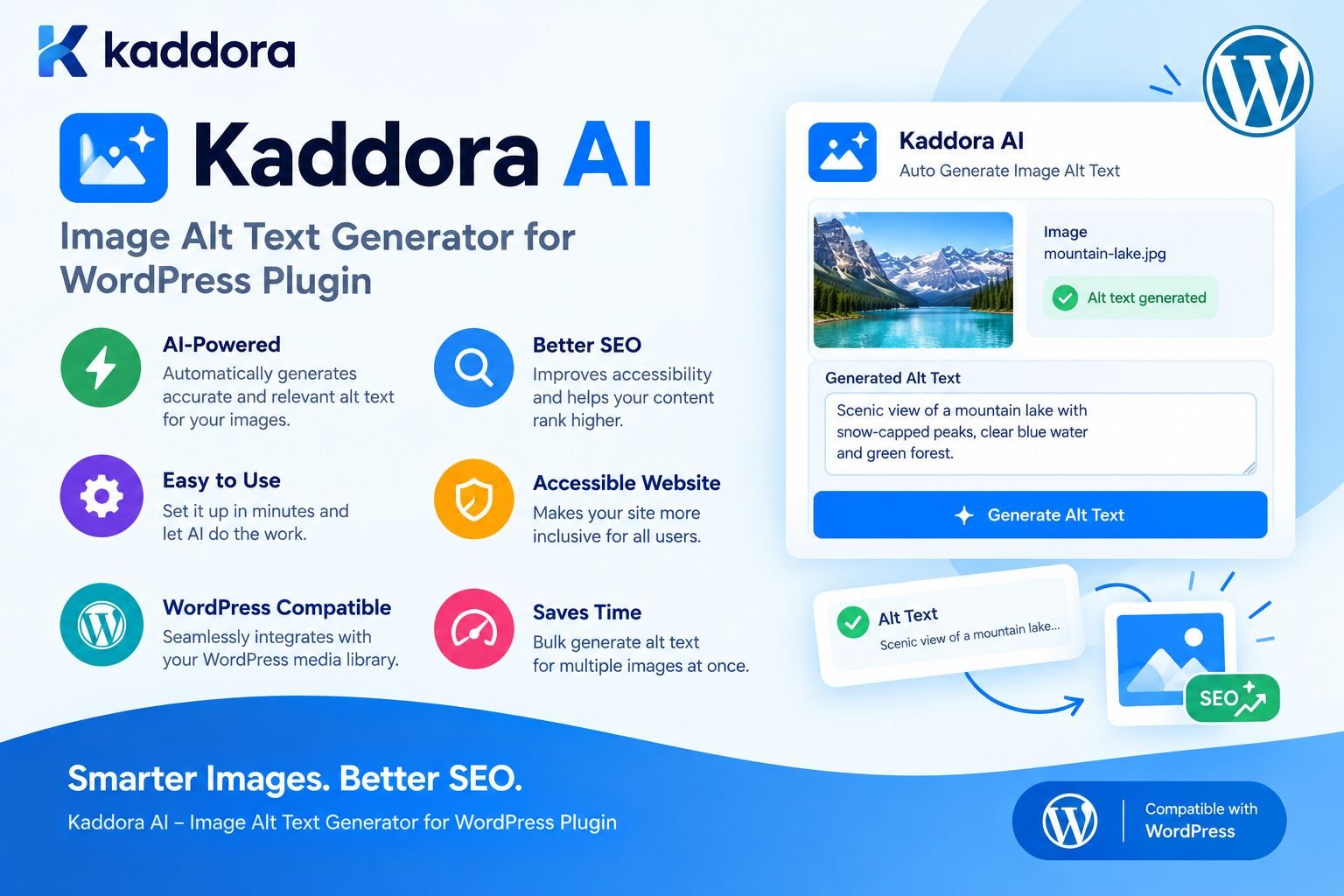
Kaddora AI – Image Alt Text Generator for WordPress Plugin
Introduction
Images are essential to modern WordPress websites.
Blog posts use screenshots and illustrations. Business websites rely on visual content to explain services. Publishers manage large collections of editorial images. WooCommerce stores may have several product photos for every product.
As a WordPress website grows, the number of images can quickly become difficult to manage.
A small website may contain:
100 Images
A growing WooCommerce store may contain:
5,000+ Product Images
A publishing platform or large ecommerce website may have:
50,000+ Media Files
Maintaining useful image alt text manually across thousands of files can become repetitive and time-consuming.
This is where Kaddora AI – Image Alt Text Generator for WordPress Plugin can help.
Kaddora AI is designed to assist website owners with generating descriptive image alt text using AI. Instead of manually creating descriptions for every image, administrators can use an automated workflow to identify missing metadata, generate suggestions, review the results, and save approved descriptions to WordPress.
The goal is not simply to generate more text.
The goal is to make image metadata management faster, more scalable, and easier to maintain.
What Is Kaddora AI Image Alt Text Generator?
Kaddora AI Image Alt Text Generator is a WordPress plugin designed to help automate image alt text creation using AI.
A typical workflow looks like this:
WordPress Image ↓ Check Existing Alt Text ↓ Analyze Image ↓ Generate AI Suggestion ↓ Review / Edit ↓ Save Alt Text
This approach can be particularly useful for websites with large media libraries.
Kaddora AI can support workflows for:
WordPress blogs
Business websites
WooCommerce stores
News websites
Publishers
Agencies
Affiliate websites
Portfolio websites
Content-heavy websites
Large media libraries
What Is Image Alt Text?
Alt text, also called alternative text, is text associated with an image that communicates useful information about the image when it cannot be adequately perceived.
For example:
Poor Alt Text
image
Better Alt Text
Black leather office chair with padded armrests
The better description gives meaningful information about the image.
Good alt text should generally be:
Accurate
Relevant
Concise
Natural
Useful to the visitor
It should not simply be a list of keywords.
Why Image Alt Text Matters
Image alt text is important for several reasons.
Accessibility
Meaningful images should communicate useful information to visitors who cannot adequately perceive the visual content.
A descriptive alt attribute can help assistive technologies communicate the purpose or content of an image.
For an ecommerce website, this can be especially important because product images often communicate information about appearance, color, shape, and visible features.
Image Understanding
Alt text adds textual context to visual content.
Compare:
product-image
with:
Brown leather laptop bag with adjustable shoulder strap
The second provides significantly more useful context.
Image SEO
Alt text can be part of a broader image optimization strategy.
Other important factors include:
Relevant page content
Descriptive filenames
Image quality
Image dimensions
Structured data
Product information
Page relevance
Website performance
Alt text should support useful content rather than become a keyword-stuffing technique.
Alternative Information
When an image cannot be displayed or adequately perceived, alternative text can help communicate what the image was intended to convey.
This makes alt text an important part of accessible content design.
Why Automate Alt Text in WordPress?
Manually writing alt text makes sense for smaller websites.
For example:
30 Images
can be managed relatively easily.
The situation changes when a website contains:
3,000 Images
or:
30,000 Images
Manually reviewing every file becomes a major maintenance task.
AI can help automate repetitive work:
Large Media Library ↓ Find Missing Alt Text ↓ Generate Suggestions ↓ Review ↓ Save Approved Metadata
This allows content teams to focus their attention on images that need human judgment.
How Kaddora AI Works
A practical Kaddora AI workflow can be represented as:
WordPress Media Library ↓ Image Detection ↓ Existing Alt Text Check ↓ AI Image Analysis ↓ Alt Text Suggestion ↓ Validation ↓ Administrator Review ↓ WordPress Metadata
The key principle is that AI acts as an assistant.
The website owner remains responsible for deciding whether the generated description is appropriate.
Generate Alt Text for New Images
One useful workflow is processing new images after they are uploaded.
For example:
Upload Image ↓ Check Alt Text ↓ Alt Text Missing? ┌────┴────┐ Yes No ↓ ↓ Generate Preserve ↓ Review ↓ Save
This can help prevent new images from creating another backlog of missing metadata.
Generate Alt Text for Existing Images
Many WordPress websites already have a large media library.
A plugin can scan older attachments and identify images that need attention.
For example:
Existing Media Library ↓ Scan Attachments ↓ Find Missing Alt Text ↓ Generate Suggestions ↓ Review ↓ Update Metadata
This is useful for websites undergoing:
SEO audits
Accessibility improvements
Content migrations
Website redesigns
WooCommerce optimization
Media library cleanup
Bulk Alt Text Generation
Large websites should avoid processing thousands of images in a single browser request.
A better architecture is:
5,000 Images ↓ Queue ↓ Batch 1 Batch 2 Batch 3 Batch 4 ↓ AI Processing ↓ Review ↓ Save
Batch processing can make large jobs more manageable and reduce the risk of request timeouts.
It can also make failed jobs easier to retry.
Preserve Existing Alt Text
One of the most important rules for automated image metadata management is:
Existing manually written alt text should normally be preserved.
For example:
Existing Alt Text ↓ Preserve
while:
Missing Alt Text ↓ Generate Suggestion
This protects descriptions that may have already been reviewed by:
Editors
SEO specialists
Accessibility professionals
Product teams
Developers
Automatic replacement should only happen when an administrator intentionally chooses it.
AI Alt Text With WordPress Context
Image analysis alone may not always provide enough information.
Suppose an image visually contains:
A small black electronic device
The WordPress or WooCommerce product information may identify it as:
Wireless Bluetooth Speaker
The application can combine:
Image + Product Title + Category + Attributes + Variation
to generate a more relevant description.
For example:
Black wireless Bluetooth speaker with compact design
This can be more useful than:
Black electronic device
Kaddora AI for WooCommerce
WooCommerce is an excellent use case for automated image alt text.
A product may contain:
Main Product Image Gallery Image Side View Back View Detail Image Variation Image Lifestyle Image
Multiply that across thousands of products, and the amount of image metadata becomes substantial.
Kaddora AI can support a workflow such as:
WooCommerce Product ↓ Product Images ↓ Check Alt Text ↓ Generate Suggestions ↓ Review ↓ Save
This can help ecommerce teams manage product image metadata more efficiently.
WooCommerce Alt Text Example
Suppose the product is:
Brown Leather Laptop Bag
For a primary product image:
Brown leather laptop bag with adjustable shoulder strap
For an interior image:
Interior of brown leather laptop bag with padded laptop compartment
For a close-up image:
Close-up of brown leather laptop bag texture and stitching
The descriptions should reflect the actual image rather than simply repeating the product title.
Avoid Keyword Stuffing
AI-generated alt text should not become an SEO keyword list.
Poor
laptop bag laptop bag leather bag buy laptop bag cheap laptop bag best laptop bag online
Better
Brown leather laptop bag with adjustable shoulder strap
The second version describes the visual content naturally.
The priority should be accuracy and usefulness.
AI Alt Text and Accessibility
Accessibility should remain a central consideration.
A useful question is:
What important information does this image communicate?
Not:
How many keywords can be added to the alt attribute?
For example:
Screenshot of the WordPress Media Library showing image alt text settings
is a meaningful description.
By comparison:
WordPress SEO plugin AI alt text generator best WordPress SEO tool
is primarily keyword-focused rather than image-focused.
AI should assist with accessibility, not work against it.
Handling Decorative Images
Not every image requires a detailed description.
A decorative visual that adds no meaningful information may use an empty alt attribute:
<img src="decorative-element.webp" alt="">
For example:
Decorative Background Visual Divider Design Ornament
may not need descriptive alternative text.
A quality-focused alt text workflow should therefore distinguish between meaningful and decorative images.
AI Alt Text Review and Approval
AI-generated content should be reviewable.
A practical interface might display:
Product Image
followed by:
AI Suggestion: White wireless headphones with padded ear cushions
and controls such as:
[ Approve ] [ Edit ] [ Reject ]
A useful internal status system could include:
Missing Suggested Reviewed Approved Rejected Updated
This provides a clear editorial workflow.
Kaddora AI Image Audit
A complete image audit can identify more than missing alt text.
Possible categories include:
Missing Alt Text Very Short Alt Text Duplicate Alt Text Potential Keyword Stuffing Unrelated Description Existing Manual Alt Text
An administrator dashboard could show:
Image SEO Audit Total Images: 8,450 Images With Alt Text: 7,530 Missing Alt Text: 920 Needs Review: 340
The exact numbers depend on the website.
The value comes from making image metadata problems visible.
Do Not Generate Alt Text During Page Loads
AI processing should generally happen before visitors request the page.
Avoid:
Visitor Opens Product ↓ Send Image to AI ↓ Generate Alt Text ↓ Render Page
This introduces unnecessary:
Latency
API requests
Costs
Failure points
A better model is:
Image Upload / Scheduled Job ↓ AI Processing ↓ Save Metadata ↓ Visitor Opens Page ↓ WordPress Uses Saved Alt Text
This keeps the frontend experience fast and predictable.
Background Processing for Large Media Libraries
Large image collections benefit from asynchronous processing.
For example:
Media Library ↓ Identify Images ↓ Create Processing Queue ↓ Process Batch ↓ Save Result ↓ Retry Failures ↓ Continue
Background processing is especially useful when processing:
Thousands of images
Large WooCommerce catalogs
Multiple image variations
Historical media libraries
Handling AI Errors
AI processing can fail for normal technical reasons.
Possible problems include:
Network errors
Authentication failures
API rate limits
Timeouts
Invalid responses
Temporary service failures
A reliable plugin should handle these states gracefully.
For example:
AI Request ↓ Success → Save Suggestion Failure ↓ Log ↓ Retry / Review
An error should not overwrite existing valid metadata.
Kaddora AI and WordPress Media Metadata
WordPress stores image attachments through its media system.
The attachment alt text is commonly stored in:
_wp_attachment_image_alt
A plugin can check the current value:
$alt_text = get_post_meta( $attachment_id, '_wp_attachment_image_alt', true );
If a new approved description is ready, the plugin can update the attachment metadata:
update_post_meta( $attachment_id, '_wp_attachment_image_alt', sanitize_text_field( $alt_text ) );
A production implementation should additionally use appropriate:
Capability checks
Nonce protection
Input validation
Error handling
Batch processing
Secure API handling
AI Alt Text and Image SEO
Alt text is only one part of image optimization.
A broader strategy can include:
Descriptive Filename + Accurate Alt Text + Relevant Page Content + Optimized Image Size + Responsive Images + Structured Data + Good Website Performance
AI can automate one part of this process, but it does not replace an overall SEO strategy.
AI Alt Text for Blog Images
Blog publishers can use AI-generated suggestions for:
Featured images
Screenshots
Tutorials
Infographics
Diagrams
Product reviews
Editorial photographs
For example:
Screenshot of WordPress plugin settings showing automatic image alt text configuration
can be more useful than:
WordPress screenshot
The description should reflect what is actually visible.
AI Alt Text for Business Websites
Business websites often contain many images across:
Service pages
Team pages
Case studies
Portfolios
Locations
Events
Blog posts
An AI-assisted workflow can reduce repetitive metadata work while allowing editors to review important images.
AI Alt Text for Agencies
Agencies frequently manage multiple WordPress websites.
A standardized process can look like:
Client Website ↓ Media Audit ↓ Find Missing Alt Text ↓ Generate Suggestions ↓ Review ↓ Approve ↓ Update
This can turn image optimization into a repeatable maintenance workflow.
Kaddora AI for Large Websites
Large websites often face the same problem repeatedly:
New Images + Old Images + Product Images + Editorial Images + Marketing Images
Without centralized management, missing metadata accumulates.
Kaddora AI can provide a workflow for identifying and processing images at scale.
The objective is not to automate everything blindly.
It is to automate the repetitive parts while keeping humans responsible for quality-sensitive decisions.
Privacy Considerations
Sending an image to an external AI service may involve data processing outside the WordPress installation.
Images can contain:
People
Documents
Customer information
Screenshots
Internal business data
Location information
Confidential content
Before enabling AI image processing, administrators should understand:
What images are transmitted
Which service receives them
What information is included
Relevant retention practices
Applicable privacy requirements
Whether sensitive media should be excluded
Only the information necessary for the task should be processed.
Security Considerations
AI integrations should follow strong WordPress security practices.
Protect API Credentials
Private API credentials should remain on the server.
Do not expose them through:
JavaScript HTML Page Source Public REST Responses
Use Capability Checks
Bulk AI processing and settings changes should only be available to authorized users.
For example:
if ( ! current_user_can( 'manage_options' ) ) { return; }
Use Nonces
Administrative actions should use WordPress nonce protection where appropriate.
Validate Inputs
Attachment IDs, batch parameters, configuration values, and related inputs should be validated.
Escape Output
Generated text should be escaped according to its output context.
Performance Best Practices
Kaddora AI should not make normal WordPress page loads dependent on AI processing.
Recommended practices include:
Process images asynchronously.
Use batches for large libraries.
Avoid frontend AI generation.
Use reasonable API timeouts.
Retry temporary failures.
Avoid duplicate processing.
Preserve processing status.
Load admin assets only where needed.
Monitor API usage.
The preferred workflow is:
Generate ↓ Save ↓ Serve
rather than:
Generate ↓ Serve ↓ Generate Again
Kaddora AI and Existing Metadata
A good automation system should never treat every image as a blank starting point.
Consider:
Image A: Existing Alt Text
and:
Image B: No Alt Text
The system should normally:
Image A → Preserve Image B → Generate Suggestion
This simple distinction can prevent large-scale metadata damage.
Alt Text Quality Guidelines
Generated descriptions should be reviewed for:
Accuracy
Does the description match what is actually visible?
Relevance
Does it describe information useful to the visitor?
Conciseness
Does it avoid unnecessary wording?
Context
Does it make sense for the page or product?
Accessibility
Does it communicate meaningful visual information?
Natural Language
Does it sound like a real description rather than an SEO keyword list?
These checks make AI-generated metadata more useful.
Common Kaddora AI Alt Text Mistakes to Avoid
Overwriting Existing Alt Text
Do not automatically replace manually created metadata.
Keyword Stuffing
Avoid excessive repetition of product or SEO keywords.
Overly Long Descriptions
Alt text should not become an entire product description.
Inventing Details
AI may infer information that is not actually visible.
Processing Images During Page Loads
This can introduce unnecessary latency and API costs.
Sending Sensitive Images Without Controls
External AI processing can create privacy concerns.
Processing Huge Libraries in One Request
Use queues and batches.
Ignoring Decorative Images
Not every visual asset needs descriptive alt text.
Skipping Human Review
Important or ambiguous images may require editorial verification.
How to Install Kaddora AI Image Alt Text Generator
A typical WordPress installation can follow these steps.
Step 1: Upload the Plugin
Open:
WordPress Dashboard → Plugins → Add New → Upload Plugin
Upload the Kaddora AI plugin ZIP file.
Step 2: Install
Click:
Install Now
Step 3: Activate
Select:
Activate Plugin
Step 4: Configure Settings
Open the Kaddora AI settings area and configure the available image alt text options.
Step 5: Scan the Media Library
Identify images that are missing useful alt text.
Step 6: Generate Suggestions
Run AI processing for eligible images.
Step 7: Review
Review generated descriptions and make edits where necessary.
Step 8: Save
Approve the final descriptions and update WordPress media metadata.
Recommended Workflow for Small Websites
For a smaller site:
Upload Image ↓ Check Alt Text ↓ Generate Suggestion ↓ Review ↓ Save
This keeps the workflow simple.
Recommended Workflow for Large Websites
For large websites:
Media Library ↓ Audit ↓ Missing Alt Text ↓ Queue ↓ Batch Processing ↓ AI Suggestions ↓ Review ↓ Bulk Approval ↓ Save Metadata
This provides much better scalability.
Kaddora AI Use Cases
Kaddora AI can be useful for a variety of WordPress websites.
Bloggers
Automate repetitive image metadata tasks.
WooCommerce Stores
Generate and manage product image descriptions.
Publishers
Process large editorial image libraries.
Agencies
Standardize image optimization workflows across client projects.
SEO Professionals
Audit and improve image metadata.
Business Websites
Manage images across service pages, blogs, and case studies.
Affiliate Websites
Handle product-oriented image metadata at scale.
Developers
Build AI-assisted image workflows into WordPress products.
Kaddora AI and WooCommerce SEO
For ecommerce websites, image optimization can be part of a larger product SEO strategy.
A strong workflow combines:
Product Title + Product Description + Product Images + Accurate Alt Text + Structured Data + Performance + Mobile Optimization
Kaddora AI focuses on the image alt text component while WordPress and WooCommerce remain the source of truth for product information.
Kaddora AI Performance Checklist
Before processing a large image library, verify:
AI processing happens outside normal frontend page loads.
Large jobs use batches or queues.
API requests have reasonable timeouts.
Failed jobs can be retried.
Existing alt text is preserved.
Duplicate processing is avoided.
Processing status can be monitored.
Admin assets are loaded only where necessary.
API usage is monitored.
Large background jobs do not block normal website requests.
Kaddora AI Accessibility Checklist
Check that:
Meaningful images receive useful alt text.
Decorative images are treated appropriately.
Generated descriptions are accurate.
Alt text is concise.
Keyword stuffing is avoided.
Important visible information is represented.
Existing accessible descriptions are preserved.
WooCommerce product images reflect their actual appearance.
Kaddora AI Security Checklist
Before production use:
AI API credentials remain server-side.
Administrative operations use capability checks.
Nonces protect applicable actions.
Attachment IDs are validated.
Generated text is safely stored.
Output is escaped appropriately.
Sensitive images are handled carefully.
External AI processing is documented where relevant.
Errors do not expose private credentials.
Logs do not contain sensitive API data.
Why choose ThemeKaddora?
ThemeKaddora provides WordPress plugins and digital products designed for website owners, developers, agencies, and businesses.
Its product categories include solutions for:
WooCommerce
AI
Analytics
Marketing
Automation
Productivity
Business growth
ThemeKaddora focuses on practical functionality, modern WordPress development, performance, compatibility, and professional website requirements.
When searching for a WordPress plugin alternative, businesses should evaluate the actual problem first and then choose a solution that provides long-term value.
Conclusion
Kaddora AI – Image Alt Text Generator for WordPress Plugin provides a scalable way to manage image alt text with AI-assisted automation.
Instead of manually writing descriptions for every image in a growing media library, WordPress administrators can identify missing metadata, generate AI suggestions, review those suggestions, and save approved descriptions.
The plugin can be particularly useful for:
WordPress blogs
WooCommerce stores
Publishers
Agencies
Business websites
Affiliate websites
Large media libraries
The strongest approach is not blind automation.
It is controlled automation that combines:
AI image analysis
WordPress context
WooCommerce product information
Accessibility principles
Existing metadata preservation
Human review
Background processing
Security controls
Privacy awareness
Performance optimization
Kaddora AI can turn image alt text from a repetitive manual task into a structured WordPress workflow.
The goal is not simply to generate more descriptions.
The goal is to create accurate, useful, and maintainable image metadata at scale.
Frequently Asked Questions
What is Kaddora AI Image Alt Text Generator?
Kaddora AI Image Alt Text Generator is a WordPress plugin designed to use AI to generate descriptive image alt text and help automate image metadata management.
Why should WordPress images have alt text?
Meaningful alt text can communicate useful information about images to visitors who cannot adequately perceive the visual content and provides additional context for images.
Can Kaddora AI automatically generate image alt text?
Kaddora AI is designed to assist with automated alt text generation using AI. Administrators can use the generated descriptions as suggestions and review them before saving where appropriate.
Can product information be used when creating alt text?
Yes. A contextual workflow can combine image information with product titles, categories, attributes, and variations to produce more relevant descriptions.
Should AI overwrite existing alt text?
Existing manually written alt text should generally be preserved. Automation should focus on missing metadata unless an administrator explicitly chooses to replace existing descriptions.
Does alt text improve SEO?
Accurate alt text provides useful image context and supports accessibility. It is one part of a broader SEO strategy and should not be treated as a keyword-stuffing field.
Should keywords be included in AI-generated alt text?
Relevant keywords can appear naturally when they accurately describe the image. Excessive keyword repetition should be avoided.
Can Kaddora AI handle decorative images?
Not every image requires descriptive alt text. Decorative images may appropriately use empty alt text depending on their purpose and implementation.
Can I process thousands of images?
Large media libraries can be handled more efficiently using background processing, queues, and batches rather than attempting to process everything in one request.
Will AI alt text generation slow down my WordPress website?
It should not have to. A properly designed workflow generates and stores metadata before visitors load the page rather than performing AI generation during normal frontend requests.
Can agencies use Kaddora AI?
Yes. Agencies can use AI-assisted image metadata workflows for client websites with large or inconsistent media libraries.
Is AI-generated alt text always accurate?
No. AI can misinterpret visual information or infer details that are not clearly visible. Important images should be reviewed when accuracy matters.
Can I review AI suggestions before they are saved?
A review workflow is recommended because administrators can approve, edit, or reject generated descriptions before updating important media metadata.
Why choose ThemeKaddora?
ThemeKaddora provides WordPress-focused themes, plugins, templates, and development solutions designed around practical website requirements. For businesses, agencies, developers, and site owners looking for WordPress tools, ThemeKaddora offers a broader ecosystem for building and improving WordPress websites.
Comments (0)