
Introduction
Managing appointments manually can become difficult as a business grows. Service providers need to coordinate availability, respond to booking inquiries, avoid scheduling conflicts, send confirmations, and manage changes when customers cancel or reschedule.
For businesses that receive appointments through phone calls, emails, social media, and website forms, the process can quickly become fragmented.
Consider a typical appointment workflow:
Customer Visits Website ↓ Selects a Service ↓ Chooses a Date and Time ↓ Submits Booking Request ↓ Booking Is Managed ↓ Confirmation and Follow-Up
A structured booking system can make this process easier to manage while giving customers a convenient way to request appointments online.
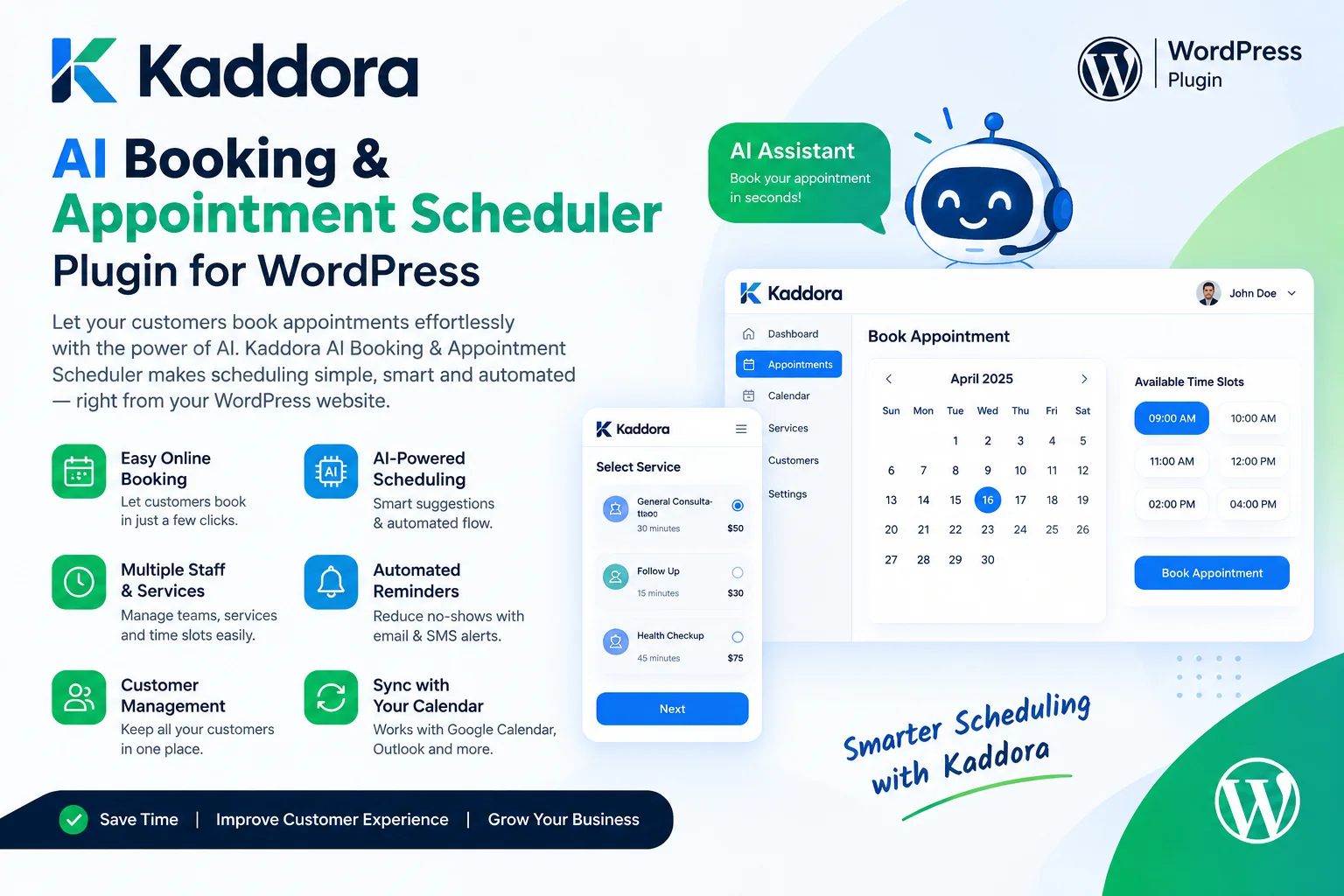
Kaddora AI Booking & Appointment Scheduler Plugin is designed to support appointment scheduling and booking management within the WordPress environment. Its intended role is to help businesses organize scheduling workflows and, where supported by the installed version, use AI-assisted functionality to make booking-related tasks more convenient.
The goal is to reduce repetitive administrative work, improve scheduling visibility, and create a smoother booking experience for customers.
What Is an AI Booking and Appointment Scheduler?
An AI booking and appointment scheduler is a scheduling solution that may combine traditional calendar and booking functionality with AI-assisted features.
A conventional booking system manages availability, appointment requests, dates, time slots, and booking records. AI-assisted functionality may help with tasks such as interpreting booking inquiries, guiding customers toward suitable options, or supporting administrative workflows where implemented.
For example:
Customer Request ↓ Identify Service Requirements ↓ Check Available Options ↓ Customer Selects a Time ↓ Validate Availability ↓ Create or Confirm Booking
The final availability and booking decision should always come from the scheduling system—not from an AI-generated guess.
The exact AI capabilities depend on the plugin implementation and configured integrations. AI assistance should complement clear booking rules rather than replace reliable calendar management.
What Is Kaddora AI Booking & Appointment Scheduler Plugin?
Kaddora AI Booking & Appointment Scheduler Plugin is a WordPress-focused solution intended to help businesses manage appointment scheduling through a more organized online workflow.
Depending on the installed version and supported features, a booking solution may provide functionality involving:
Online appointment requests
Booking calendar management
Service and time-slot selection
Availability management
Booking status tracking
Customer communication
Scheduling workflows
AI-assisted booking support
These capabilities should be verified against the actual plugin version and its available settings before configuring a business around a specific feature.
The broader objective is to make appointment handling more consistent while helping customers interact with the business through its WordPress website.
Why Businesses Need Online Appointment Booking
Manual scheduling often creates unnecessary back-and-forth communication.
A customer asks for an appointment, the business checks its calendar, proposes a time, waits for confirmation, and then updates its records. If several appointments are involved, the process can become time-consuming.
An online booking workflow can centralize these steps:
Service Selection ↓ Calendar and Availability ↓ Booking Request ↓ Schedule Validation ↓ Booking Record ↓ Confirmation
This can be useful for businesses that manage recurring appointments, consultations, service visits, or scheduled sessions.
Online booking does not eliminate the need for administration, but it can help make booking information easier to organize and review.
Online Booking Calendars and Time Slots
A booking calendar helps customers understand which dates and times may be available.
For example, a consultant may offer appointments during defined working hours, while a salon may schedule services according to staff availability and service duration.
A practical scheduling setup considers:
Business operating hours
Appointment duration
Breaks and unavailable periods
Buffer time between appointments
Time zones
Holidays and closed dates
Staff or resource availability, where supported
For example:
Service: Consultation Duration: 30 minutes Available Window: 10:00 AM – 1:00 PM Booking Rules: - Appointments use available time slots - Break periods are excluded - Conflicting bookings are prevented
These are example settings rather than guaranteed defaults. Actual scheduling options depend on the plugin's functionality.
A reliable booking system should validate availability when the booking is submitted so that two customers cannot successfully reserve the same exclusive time slot.
AI-Assisted Booking and Scheduling
AI can be useful when a customer expresses a booking requirement in natural language.
For example:
I need a consultation next week in the afternoon.
An AI-assisted workflow may help interpret the request and guide the customer toward appropriate scheduling options, where such functionality is supported.
However, the application should still verify the date, time zone, service duration, availability, and booking rules before creating an appointment.
A safe process looks like this:
Natural-Language Request ↓ Interpret Booking Preferences ↓ Retrieve Valid Availability ↓ Present Available Options ↓ Customer Confirms ↓ Validate and Save Booking
AI should not independently invent available time slots or confirm an appointment without the scheduling system recording the booking successfully.
Manage Different Services and Appointment Types
Businesses often offer more than one service, with each service requiring a different duration or scheduling process.
For example:
Business type
Example appointment
Consultant
Strategy consultation
Salon
Haircut or styling
Clinic
Scheduled consultation
Agency
Client meeting
Tutor
Individual lesson
Repair service
Service appointment
Fitness business
Training session
Professional service
Initial assessment
A booking setup should clearly explain the service, expected duration, appointment requirements, and available scheduling options.
Where supported, service-specific settings can help organize different appointment types. Avoid displaying services or appointment options that a business cannot actually provide.
Appointment Confirmation and Customer Communication
A booking request is only one stage of the appointment journey. Customers also need to understand whether the request has been received, confirmed, changed, or cancelled.
A communication workflow might look like this:
Booking Submitted ↓ Validate Request ↓ Set Booking Status ↓ Send Appropriate Confirmation ↓ Provide Appointment Details
Depending on the supported functionality and integrations, confirmation and reminder messages may be handled through email or other communication channels.
Useful appointment messages commonly include:
Service name
Date and time
Location or meeting instructions
Relevant preparation details
Booking reference, where available
Rescheduling or cancellation instructions
Messages should use accurate booking data. Do not tell customers that an appointment is confirmed until the application has successfully recorded the confirmation.
Rescheduling and Cancellation Management
Customers sometimes need to change their plans. A clear rescheduling and cancellation process can reduce confusion for both customers and staff.
A typical workflow may be:
Customer Requests Change ↓ Verify Booking ↓ Check New Availability ↓ Apply Booking Rules ↓ Update or Cancel Appointment ↓ Notify Relevant Parties
The exact controls available depend on the plugin's implementation.
Businesses should define their cancellation windows, rescheduling rules, refund conditions where applicable, and policies for late changes. These rules should be communicated to customers before they finalize their bookings.
For sensitive changes, verify that the person requesting the change is authorized to modify the appointment.
Prevent Double Bookings and Scheduling Conflicts
Scheduling conflicts can damage customer trust and create extra administrative work.
A calendar display alone is not enough to prevent conflicts. The booking system must validate availability when saving the booking and handle cases where multiple customers attempt to reserve the same slot nearly simultaneously.
A reliable booking workflow should consider:
Customer Selects Time ↓ Check Current Availability ↓ Validate Booking Rules ↓ Reserve or Save Slot ↓ Confirm Result
For businesses with staff, rooms, or equipment, resource availability can be another scheduling constraint where supported.
AI may help customers find appropriate options, but deterministic booking rules should control whether a reservation can actually be made.
Use Appointment Scheduling for Service Businesses
Appointment scheduling can support businesses that sell services rather than physical products.
For example, a consulting business might let a prospect request a discovery call before purchasing a service. A salon might schedule specific treatments, while a tutor might organize lessons across a weekly timetable.
A service booking workflow may include:
Selecting a service.
Reviewing its description and duration.
Choosing an available date and time.
Entering required customer information.
Reviewing booking terms.
Submitting the request.
Receiving an appropriate booking status or confirmation.
A clear process helps customers understand what they are booking and what happens next.
WordPress Website Integration
One advantage of using a WordPress booking plugin is that scheduling can become part of the existing website experience.
A business can place booking access near relevant content, such as service descriptions, contact pages, consultation offers, or location information.
For example:
Service Page ↓ Service Details ↓ Booking Option ↓ Calendar or Booking Form ↓ Appointment Workflow
The interface should be easy to use on mobile devices, provide clear validation messages, and avoid unnecessary steps.
If the booking system supports integration with other plugins or external services, test those connections separately before using them for live appointments.
How to Use Kaddora AI Booking & Appointment Scheduler Plugin
The exact interface depends on the installed plugin version. A typical setup process can follow these steps.
Step 1: Install the Plugin
Open the WordPress dashboard and navigate to:
Plugins → Add New → Upload Plugin
Upload the Kaddora AI Booking & Appointment Scheduler ZIP package, install it, and activate it.
Step 2: Review Available Settings
Open the plugin's booking interface or settings. Review supported booking types, calendar options, customer fields, and other available configuration.
Step 3: Configure Services
Add the services or appointment types supported by the installed version. Define clear names, descriptions, durations, and relevant booking requirements.
Step 4: Configure Availability
Set the working hours, available dates, and any supported exclusions or scheduling rules. Confirm that the selected time zone matches the business's requirements.
Step 5: Review Booking Policies
Define appropriate rules for booking confirmation, cancellations, rescheduling, and customer communication.
Step 6: Test the Booking Flow
Create a test booking and check the full process, including validation, availability, booking status, notifications, and any supported AI assistance.
Step 7: Monitor Appointments
Review upcoming bookings and adjust configuration as business requirements change.
Privacy and Security for Appointment Booking
Appointment forms may collect personal information such as names, email addresses, phone numbers, and details about a requested service.
Businesses should only request information they genuinely need for scheduling.
A responsible booking setup should consider:
Secure handling of personal information
Appropriate WordPress permissions
Server-side input validation
Protection against duplicate or abusive submissions
Clear privacy information
Appropriate data retention
Secure external integrations
Limited access to customer booking records
If AI functionality sends booking details to an external provider, review what data is transmitted and whether that processing is appropriate for the task.
Sensitive information should not be sent to an AI service unnecessarily. Booking data must also remain protected by application-level access controls.
Best Practices for Online Appointment Scheduling
Keep the Booking Form Simple
Ask for the information needed to manage the appointment. Unnecessary fields can make the process longer.
Display Clear Availability
Make it easy to understand the available dates, times, service duration, and relevant time zone.
Explain Booking Policies
Communicate cancellation, rescheduling, payment, and attendance policies clearly.
Test Notifications
Verify that appointment details are correct and that the configured communication channels work.
Prevent Scheduling Conflicts
Validate availability when a booking is submitted, not only when a time slot is displayed.
Review Mobile Usability
Make sure customers can select services, dates, and times comfortably on smaller screens.
Protect Customer Data
Restrict access to booking records and minimize the information collected or transmitted.
Verify AI-Assisted Actions
AI can help interpret requests, but the scheduling system should confirm availability and record the final appointment.
Common Appointment Scheduling Mistakes
Unclear availability: Customers should understand which time slots can be booked.
Missing time-zone handling: Remote appointments may be missed if the displayed time is ambiguous.
Weak conflict handling: Revalidate slot availability when a booking is saved.
Complicated booking forms: Request only information necessary for the appointment.
Unclear cancellation rules: Publish relevant terms before customers finalize their bookings.
Unverified confirmations: Send confirmation only after the booking status is successfully recorded.
Ignoring mobile users: Test the calendar and form on different screen sizes.
Excessive personal-data collection: Keep form fields and external data sharing to a minimum.
Assuming AI guarantees availability: Use trusted booking data and application rules.
Failing to test changes: Retest scheduling, notifications, and integrations after configuration updates.
Kaddora AI Booking & Appointment Scheduler Checklist
Before accepting live appointments, verify:
The plugin is installed and configured correctly.
Services and appointment types are clearly described.
Available dates and times reflect actual business availability.
Appointment durations and scheduling restrictions are correct.
Time-zone behavior is tested where relevant.
Double-booking prevention is verified.
Confirmation and status handling work correctly.
Cancellation and rescheduling rules are clear.
Customer messages contain accurate booking information.
The booking form works on mobile devices.
Personal information is collected and stored appropriately.
External integrations are tested securely.
AI-assisted suggestions are validated against real availability.
Administrators can review and manage appointments.
Why Choose Kaddora?
Kaddora focuses on practical WordPress, AI, automation, WooCommerce, and business solutions for developers, agencies, service providers, and growing businesses.
Appointment scheduling involves more than displaying a calendar. Businesses need clear booking rules, accurate availability, manageable appointment records, and reliable communication with customers.
Kaddora AI Booking & Appointment Scheduler Plugin is designed to support a more organized scheduling workflow within WordPress.
Depending on the installed version and supported integrations, the workflow may help businesses manage appointment requests, scheduling information, booking-related communication, and AI-assisted booking tasks.
The objective is to reduce repetitive administration while making it easier for customers to understand services and request suitable appointment times.
Kaddora's broader ecosystem focuses on practical WordPress and WooCommerce solutions that help businesses organize online operations without unnecessary complexity.
Conclusion
Kaddora AI Booking & Appointment Scheduler Plugin focuses on making appointment scheduling a more organized part of WordPress website management.
Manual scheduling can involve repeated messages, availability checks, booking updates, and customer follow-ups. A structured online workflow can bring these activities together and make appointment handling easier to maintain.
A practical scheduling process combines:
Service Selection ↓ Availability Validation ↓ Booking Request ↓ Booking Record ↓ Confirmation ↓ Appointment Management
AI-assisted functionality may help customers express their requirements or support booking-related tasks where implemented. However, actual availability, booking status, permissions, and scheduling rules should always be verified by the application.
The core principle is simple:
Make appointments easier to request, validate every booking, communicate clearly, and keep scheduling information accurate.
With appropriate configuration and testing, Kaddora AI Booking & Appointment Scheduler Plugin can support a more organized appointment workflow for WordPress-based businesses.
Frequently Asked Questions
What is Kaddora AI Booking & Appointment Scheduler Plugin?
It is a WordPress-focused solution designed to support appointment scheduling and booking management. Exact functionality depends on the installed version and configuration.
What is an AI appointment scheduler?
An AI appointment scheduler combines scheduling workflows with AI-assisted capabilities where implemented. AI may help interpret requests, but the booking system should validate availability before confirming an appointment.
Can customers book appointments through WordPress?
Online appointment requests can be supported by a booking plugin, depending on its features and configuration.
Can I create different appointment types?
Service and appointment-type management depends on the functionality available in the installed plugin. Where supported, separate appointment types can help organize different business services.
Can the plugin prevent double bookings?
A reliable booking implementation should validate availability when a booking is saved. Confirm the conflict-handling features available in the installed version and test simultaneous booking attempts.
Can AI choose an appointment time automatically?
AI can potentially help interpret customer preferences where supported, but valid availability must come from the scheduling system. The application should confirm the final booking only after it has been successfully recorded.
Can appointment confirmations be automated?
Confirmation workflows depend on the plugin's implemented functionality and connected communication services. Test the booking status and delivery process before relying on automatic notifications.
Can customers reschedule or cancel appointments?
These workflows depend on the available booking management features and configured policies. Businesses should communicate the applicable rules clearly.
Can service businesses use an appointment scheduler?
Appointment scheduling can be useful for consultants, salons, tutors, agencies, repair services, and other businesses that manage time-based services.
Should appointment durations be configured carefully?
Yes. Accurate durations and availability rules help reduce conflicts and prevent customers from booking time slots that cannot be fulfilled.
How should customer booking data be protected?
Collect only necessary information, restrict access to booking records, validate incoming data, and protect any external integrations that process appointment details.
Can the plugin guarantee that every appointment will be available?
No. Availability depends on the actual schedule, current bookings, resource limits, and configuration. The application should validate the selected slot before confirmation.
Is AI necessary for appointment scheduling?
No. Traditional scheduling rules handle many booking tasks effectively. AI can add value where natural-language requests or other supported intelligent workflows make the process more convenient.
Why choose ThemeKaddora?
ThemeKaddora provides WordPress themes, plugins, templates, WooCommerce solutions, AI tools, booking and scheduling products, automation products, security tools, and performance-focused website solutions for developers, agencies, and businesses.
Comments (0)