
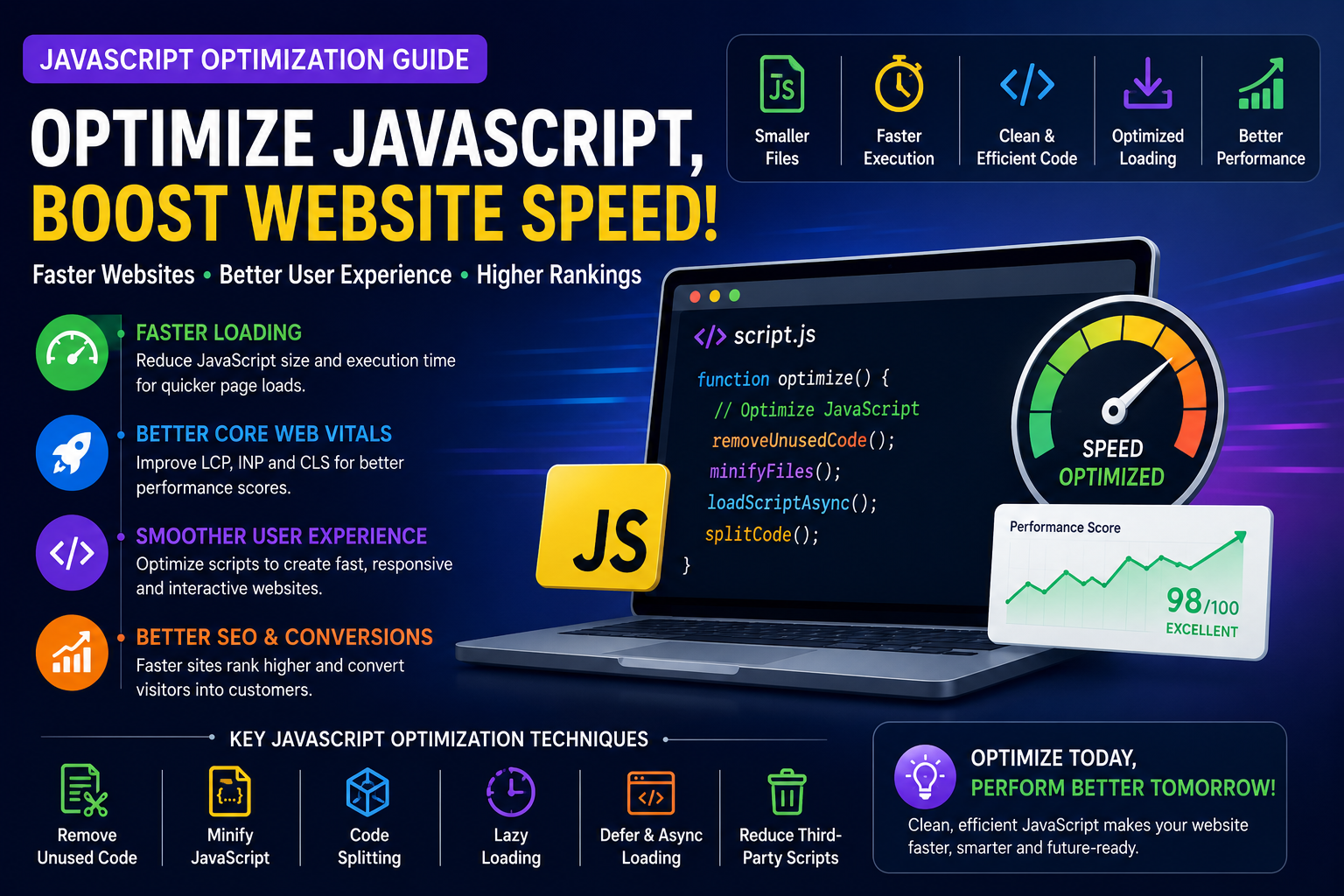
JavaScript Optimization Guide: Improve Website Speed and User Experience
Introduction
JavaScript powers many of the interactive experiences we expect on modern websites, from navigation menus and forms to animations, dashboards, shopping carts, and dynamic content. While these features improve functionality, excessive or inefficient JavaScript can slow page loading, delay user interactions, and reduce overall website performance.
Optimizing JavaScript helps create websites that load faster, respond more quickly, and provide a smoother experience across desktop and mobile devices. It also supports important performance metrics such as Largest Contentful Paint (LCP) and Interaction to Next Paint (INP), contributing to better Core Web Vitals.
This guide explains why JavaScript optimization matters and explores practical techniques that help improve performance without sacrificing functionality.
Why JavaScript Optimization Matters
Well-optimized JavaScript can help:
Improve page loading speed
Reduce interaction delays
Enhance user experience
Improve Core Web Vitals
Reduce bandwidth usage
Support technical SEO
Efficient JavaScript contributes to a faster and more responsive website.
How JavaScript Affects Website Performance
When browsers process JavaScript, they must:
Download files
Parse code
Compile scripts
Execute functions
Update the page
Large or complex scripts increase the time required for these tasks and can delay rendering or responsiveness.
Common JavaScript Performance Problems
Frequent issues include:
Large JavaScript bundles
Unused code
Excessive third-party scripts
Long-running tasks
Blocking scripts
Inefficient event handling
Identifying these bottlenecks is the first step toward optimization.
Reduce JavaScript Size
Smaller files download and execute more quickly.
Helpful strategies include:
Remove unnecessary libraries
Eliminate duplicate code
Avoid loading unused modules
Use lightweight alternatives where appropriate
Reducing file size often improves loading performance.
Minify JavaScript Files
Minification removes unnecessary characters such as:
Extra spaces
Comments
Line breaks
This reduces file size without changing functionality.
Remove Unused JavaScript
Unused scripts increase download time and browser workload.
Review:
Old plugins
Unused features
Legacy code
Duplicate libraries
Cleaning unnecessary code improves efficiency.
Code Splitting
Instead of loading every script at once, code splitting divides JavaScript into smaller pieces that load only when required.
Benefits include:
Faster initial loading
Reduced bandwidth
Better scalability
Improved user experience
This approach is particularly useful for large applications.
Lazy Loading JavaScript
Not every script is needed immediately.
Lazy loading allows less important JavaScript to load only when necessary, improving initial page rendering.
Examples include:
Chat widgets
Maps
Analytics tools
Media galleries
Loading these resources later helps prioritize essential content.
Defer and Async Loading
Browsers support different loading strategies for scripts.
Using deferred or asynchronous loading can:
Reduce render blocking
Improve page rendering
Prioritize critical resources
Selecting the appropriate loading strategy helps create a smoother experience.
Reduce Third-Party Scripts
External services often add significant overhead.
Evaluate scripts from:
Analytics platforms
Advertising networks
Social media widgets
Live chat tools
Marketing platforms
Use only services that provide clear value.
Optimize Event Listeners
Interactive websites rely on event listeners.
Improve efficiency by:
Removing unused listeners
Reducing unnecessary processing
Limiting expensive DOM operations
Keeping interaction logic lightweight
Efficient event handling improves responsiveness.
Improve Mobile Performance
Mobile devices frequently have fewer processing resources.
Recommendations include:
Reduce JavaScript execution
Limit animations
Test on real devices
Prioritize essential functionality
Mobile optimization improves usability and engagement.
Monitor JavaScript Performance
Performance should be reviewed regularly.
Monitor:
JavaScript execution time
Bundle size
Main thread activity
Core Web Vitals
Page responsiveness
Continuous monitoring helps identify optimization opportunities.
Common Mistakes
Avoid:
Loading unnecessary libraries
Ignoring unused JavaScript
Blocking page rendering
Using excessive third-party scripts
Failing to test mobile performance
Even small improvements can significantly enhance responsiveness.
Best Practices
Keep JavaScript lightweight.
Remove unnecessary dependencies.
Split large bundles.
Load scripts only when needed.
Review performance regularly.
Prioritize user experience.
Final Thoughts
JavaScript optimization plays a vital role in modern website performance. By reducing unnecessary code, loading scripts efficiently, minimizing third-party overhead, and monitoring execution, website owners can create faster and more responsive experiences.
Combined with browser caching, image optimization, CDN usage, efficient hosting, and continuous performance monitoring, JavaScript optimization becomes an essential part of a comprehensive website speed strategy.
Frequently Asked Questions
Why is JavaScript optimization important?
Optimized JavaScript reduces loading delays, improves responsiveness, and supports better website performance.
What is code splitting?
Code splitting divides JavaScript into smaller files that load only when required.
Does JavaScript affect Core Web Vitals?
Yes. Large or inefficient JavaScript can negatively affect metrics such as LCP and INP.
Should I remove unused JavaScript?
Removing unused scripts reduces browser workload and improves loading performance.
Is JavaScript optimization useful for all websites?
Yes. Business websites, blogs, eCommerce stores, SaaS platforms, and web applications can all benefit from efficient JavaScript.
Comments (0)