
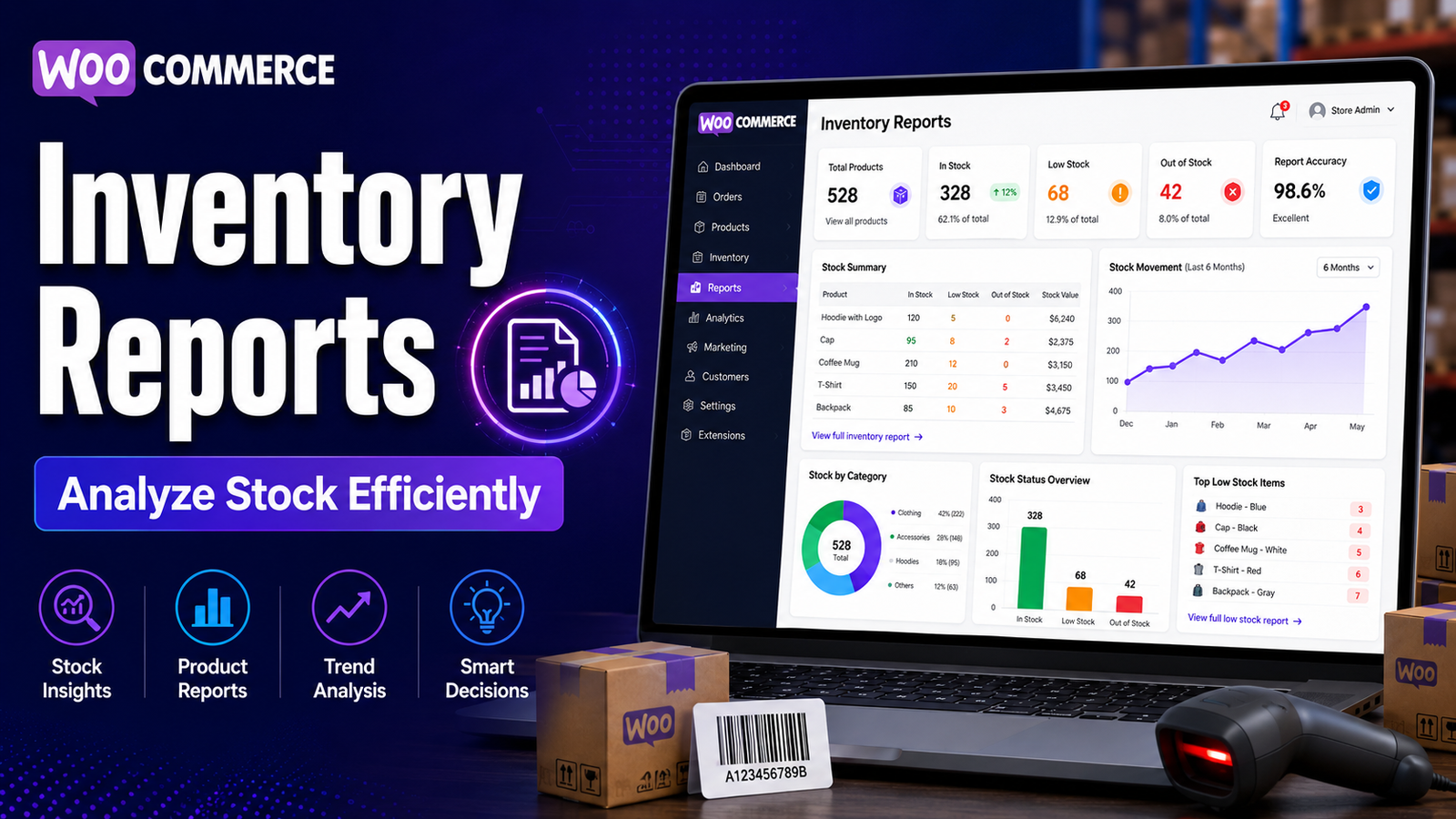
Inventory Reports in WooCommerce
Managing inventory isn't just about knowing how many products are available today. Successful WooCommerce businesses regularly analyze inventory data to understand which products are selling well, which items need replenishment, and where inventory costs can be optimized.
That's where inventory reports become essential.
Inventory reports transform raw stock data into useful business insights. They help store owners monitor stock movement, identify trends, reduce inventory waste, and make informed purchasing decisions.
In this guide, you'll learn what WooCommerce inventory reports are, why they matter, what metrics to monitor, and how to use inventory reporting to improve your store's efficiency.
Quick Answer
What are inventory reports in WooCommerce?
Inventory reports in WooCommerce provide information about product stock levels, inventory movement, stock availability, low-stock items, best-selling products, slow-moving inventory, and overall stock performance. These reports help businesses manage inventory more efficiently and support better purchasing decisions.
Why Inventory Reports Matter
Without regular reporting, inventory decisions often rely on assumptions rather than data.
Effective inventory reports help you:
Monitor stock levels
Prevent stock shortages
Reduce overstocking
Identify best-selling products
Find slow-moving inventory
Improve purchasing decisions
Optimize cash flow
Increase operational efficiency
Accurate reporting also makes it easier to plan promotions, seasonal inventory, and supplier orders.
Types of Inventory Reports
Stock Availability Report
Shows current inventory levels for every product, helping you quickly identify products that are in stock, running low, or unavailable.
Low Stock Report
Highlights products approaching their minimum stock threshold so you can replenish inventory before stockouts occur.
Out-of-Stock Report
Displays products that are currently unavailable and may require immediate attention.
Fast-Moving Products Report
Identifies products with the highest sales volume over a selected period.
These products typically require more frequent inventory monitoring and restocking.
Slow-Moving Inventory Report
Shows products with low sales activity.
This information can help you:
Run promotions
Adjust pricing
Reduce future purchasing
Free up warehouse space
Stock Movement Report
Tracks inventory changes caused by:
Customer orders
Returns
Restocking
Manual adjustments
Refunds
This report provides greater visibility into inventory activity.
Important Inventory Metrics
Monitor these key performance indicators regularly:
Current Stock Quantity
The number of units currently available.
Low Stock Items
Products approaching their reorder point.
Out-of-Stock Products
Products unavailable for purchase.
Inventory Turnover
Measures how quickly inventory sells and is replenished.
Higher turnover often indicates efficient inventory management.
Days of Inventory Remaining
Estimates how long current inventory may last based on historical sales trends.
Best-Selling Products
Products generating the highest sales volume.
Slow-Moving Products
Products remaining in inventory longer than expected.
Benefits of Inventory Reporting
Better Purchasing Decisions
Historical inventory data helps determine what products should be reordered and when.
Improved Cash Flow
Reducing unnecessary inventory helps free working capital for other business activities.
Reduced Stockouts
Monitoring inventory reports allows businesses to reorder products before inventory becomes critically low.
Better Warehouse Organization
Inventory reports help prioritize storage for frequently sold products while identifying products that require less space.
Improved Customer Satisfaction
Maintaining accurate inventory levels helps ensure customers can purchase products when they need them.
Best Practices
Review Reports Weekly
Consistent reporting helps identify trends before they become larger problems.
Monitor Seasonal Demand
Compare reports across different seasons to improve future inventory planning.
Track High-Value Products
Frequently review inventory reports for products that generate the highest revenue.
Investigate Inventory Changes
Unexpected inventory adjustments should be reviewed promptly to maintain accurate records.
Combine Reports with Physical Audits
Regular physical inventory counts help verify system accuracy.
Common Mistakes
Avoid these common inventory reporting mistakes:
❌ Reviewing reports only when inventory problems occur
❌ Ignoring slow-moving inventory
❌ Relying solely on current stock quantity
❌ Not monitoring inventory turnover
❌ Failing to analyze seasonal inventory patterns
Inventory reports deliver the greatest value when reviewed consistently and used to guide purchasing decisions.
How Kaddora WooCommerce Inventory Management Helps
As your WooCommerce business grows, manually reviewing inventory data becomes more time-consuming.
Kaddora WooCommerce Inventory Management Plugin provides centralized inventory reporting that helps businesses monitor stock performance more efficiently.
Key Features
Inventory dashboard
Real-time stock reports
Low-stock reporting
Inventory movement tracking
Product performance reports
SKU management
Bulk inventory tools
WooCommerce integration
These reports help store owners understand inventory performance and respond more quickly to changing stock conditions.
Inventory Reporting Checklist
✅ Review inventory reports weekly
✅ Monitor stock movement
✅ Track fast-selling products
✅ Analyze slow-moving inventory
✅ Review inventory turnover
✅ Monitor low-stock items
✅ Perform regular stock audits
✅ Adjust purchasing decisions using report data
Frequently Asked Questions
Does WooCommerce include inventory reports?
WooCommerce provides basic inventory information. Businesses with more advanced reporting requirements may benefit from dedicated inventory management plugins that offer additional dashboards and reporting capabilities.
How often should inventory reports be reviewed?
Most businesses benefit from reviewing inventory reports weekly, while high-volume stores may monitor key reports daily.
Why are inventory reports important?
Inventory reports provide visibility into stock performance, helping businesses improve purchasing, reduce stockouts, and optimize inventory levels.
What metrics should I monitor?
Important metrics include stock quantity, low-stock items, inventory turnover, stock movement, fast-selling products, and slow-moving inventory.
Which WooCommerce plugin offers advanced inventory reports?
Businesses seeking centralized inventory dashboards, stock reporting, inventory movement tracking, and detailed analytics can evaluate Kaddora WooCommerce Inventory Management Plugin.
Final Thoughts
Inventory reports are one of the most valuable tools for improving operational efficiency in WooCommerce.
By reviewing stock performance regularly, businesses can make better purchasing decisions, reduce inventory costs, improve product availability, and create a more reliable shopping experience for customers.
If you're looking for deeper inventory insights than WooCommerce's default reporting provides, Kaddora WooCommerce Inventory Management Plugin offers centralized dashboards, inventory analytics, and detailed reporting to help you manage stock with confidence.
Comments (0)