
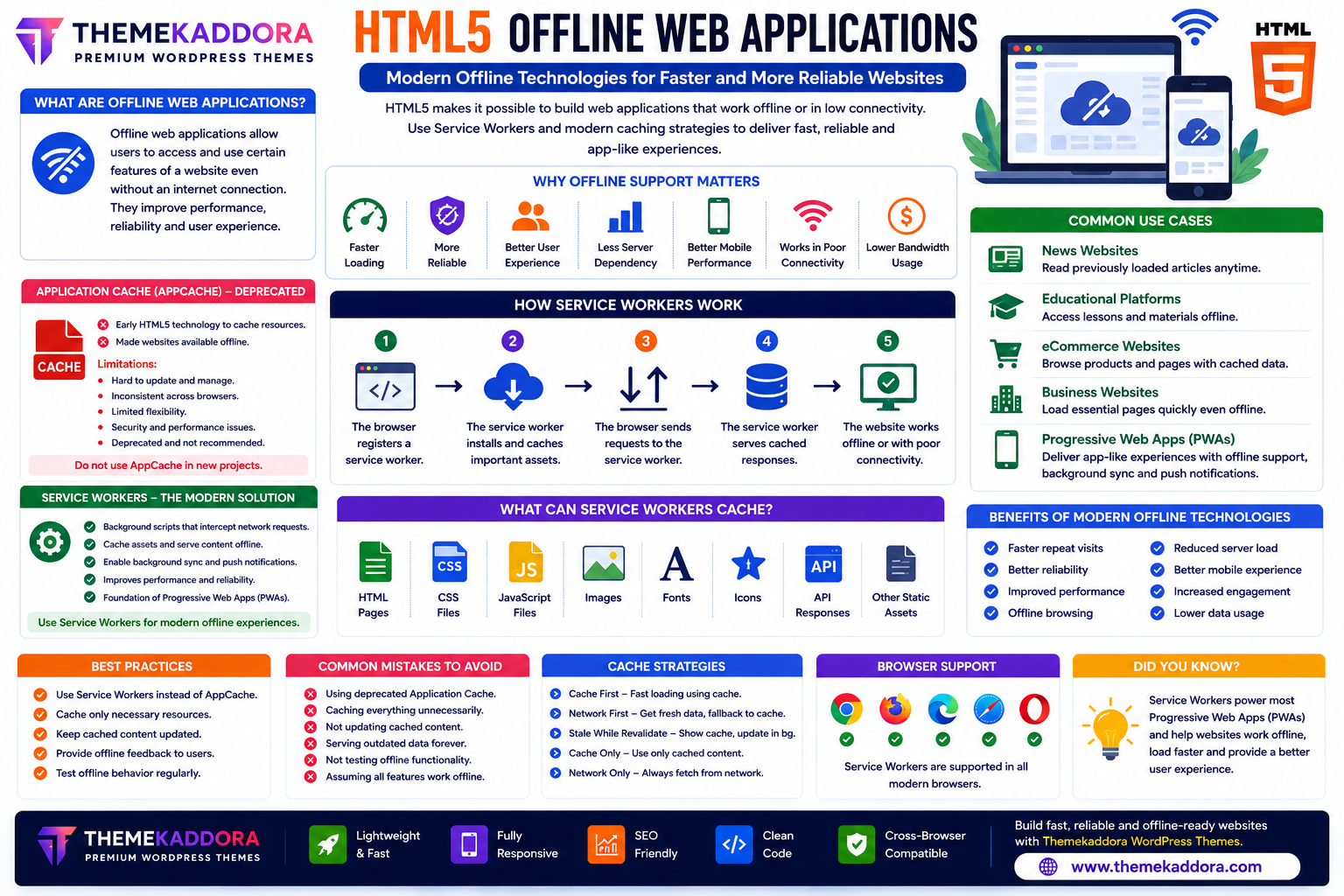
HTML5 Offline Web Applications: Modern Offline Technologies for Faster and More Reliable Websites
Introduction
Internet connectivity has improved dramatically, but users still experience slow networks, unstable connections, and occasional outages. Modern web applications are expected to remain responsive even when the network is unreliable.
HTML5 introduced technologies that made offline functionality possible. Early implementations used Application Cache (AppCache), but this technology has since been deprecated because of its limitations. Today, Service Workers are the recommended approach for building offline-capable web applications and Progressive Web Apps (PWAs).
Whether you're developing business websites, eCommerce platforms, educational portals, or mobile-friendly web apps, offline support can improve reliability and user satisfaction.
This guide explains offline web applications, the transition from AppCache to Service Workers, and best practices for modern web development.
What Are Offline Web Applications?
Offline web applications are websites or web apps that continue to provide some functionality even when the internet connection is unavailable or unstable.
Depending on how they are designed, they may allow users to:
View previously loaded pages
Access cached content
Continue reading articles
Fill out forms
Browse stored data
Load application interfaces quickly
Offline capabilities help reduce interruptions caused by poor connectivity.
Why Offline Support Matters
Offline functionality provides several benefits:
Faster page loading
Better user experience
Improved reliability
Reduced server requests
Better mobile performance
Lower bandwidth usage
Increased engagement
Enhanced application resilience
These advantages are especially important for mobile users and areas with inconsistent internet access.
Understanding Application Cache (AppCache)
Application Cache was an early HTML5 technology designed to make websites available offline.
It allowed browsers to cache specified resources so they could be accessed without a network connection.
However, AppCache had several drawbacks, including:
Difficult cache management
Inconsistent behavior
Limited flexibility
Security concerns
Because of these issues, it has been deprecated and should not be used in new projects.
Modern Offline Technology: Service Workers
Service Workers are lightweight JavaScript files that run in the background and intercept network requests.
They enable developers to:
Cache website assets
Serve content offline
Improve loading performance
Handle background synchronization
Support push notifications
Service Workers form the foundation of many Progressive Web Apps (PWAs).
What Can Service Workers Cache?
Developers commonly cache:
HTML pages
CSS files
JavaScript files
Images
Fonts
Icons
API responses (where appropriate)
Static assets
Caching strategies should match the needs of the application.
Common Use Cases
News Websites
Allow readers to continue viewing previously loaded articles.
Educational Platforms
Provide access to downloaded lessons and study materials.
eCommerce Websites
Cache product pages and assets to improve browsing performance during poor connectivity.
Business Websites
Load essential pages quickly, even when the connection is unstable.
Progressive Web Apps (PWAs)
Support app-like experiences with offline access, background updates, and faster loading.
Benefits of Modern Offline Technologies
Using Service Workers provides:
Faster repeat visits
Better reliability
Reduced network dependency
Improved performance
Offline browsing capabilities
Better mobile experiences
Lower server load
Greater user engagement
These benefits help create resilient web applications.
Best Practices
Use Service Workers Instead of AppCache
For new projects, implement Service Workers because AppCache is deprecated.
Cache Only Necessary Resources
Avoid caching unnecessary files that increase storage usage.
Update Cached Content Carefully
Implement strategies to ensure users receive fresh content when appropriate.
Provide Offline Feedback
Display a helpful offline page or message when live content is unavailable.
Test Offline Behavior
Verify that your application behaves correctly with slow or disconnected networks.
Common Mistakes to Avoid
Avoid:
Using deprecated Application Cache in new projects
Caching everything indiscriminately
Ignoring cache updates
Serving outdated content indefinitely
Failing to test offline functionality
Assuming every feature can work without a network connection
Thoughtful caching strategies improve reliability without sacrificing freshness.
Offline Technologies in Modern Websites
Offline capabilities are widely used in:
Progressive Web Apps
Business dashboards
Educational websites
eCommerce platforms
News portals
Productivity tools
Travel applications
Healthcare portals
These technologies help users stay productive even when connectivity is limited.
Why Offline Technologies Matter for WordPress Themes
Modern WordPress themes—including Themekaddora themes—provide a strong foundation for performance-focused websites that can integrate modern offline technologies.
Benefits include:
Lightweight HTML5 structure
Responsive layouts
Fast loading pages
SEO-friendly architecture
Compatibility with PWA enhancements
Optimized asset delivery
Modern coding standards
Together with Service Workers, these features contribute to faster and more reliable websites.
Conclusion
Offline functionality has become an important part of modern web development. While HTML5 originally introduced Application Cache, today's best practice is to use Service Workers for caching and offline support.
By implementing modern offline technologies, developers can improve performance, increase reliability, and provide better experiences for users on slow or unstable networks.
When paired with responsive WordPress themes from Themekaddora, Service Workers and offline capabilities help create fast, resilient, and user-friendly websites that continue to perform even when connectivity is limited.
Frequently Asked Questions (FAQs)
What is an offline web application?
An offline web application is a website or web app that can continue to provide some functionality when the internet connection is unavailable or unreliable.
Is Application Cache still recommended?
No. Application Cache (AppCache) has been deprecated and should not be used in new projects. Service Workers are the modern replacement.
What are Service Workers?
Service Workers are background scripts that enable features such as offline support, caching, background synchronization, and push notifications.
Do Service Workers improve website performance?
Yes. By caching resources and reducing unnecessary network requests, Service Workers can improve loading speed and responsiveness, especially for repeat visits.
Why do Themekaddora WordPress themes support modern HTML5 standards?
Themekaddora themes are built with clean HTML5 code, responsive layouts, SEO-friendly architecture, and performance-focused design, making them an excellent foundation for integrating modern technologies such as Service Workers and Progressive Web Apps.
Comments (0)