
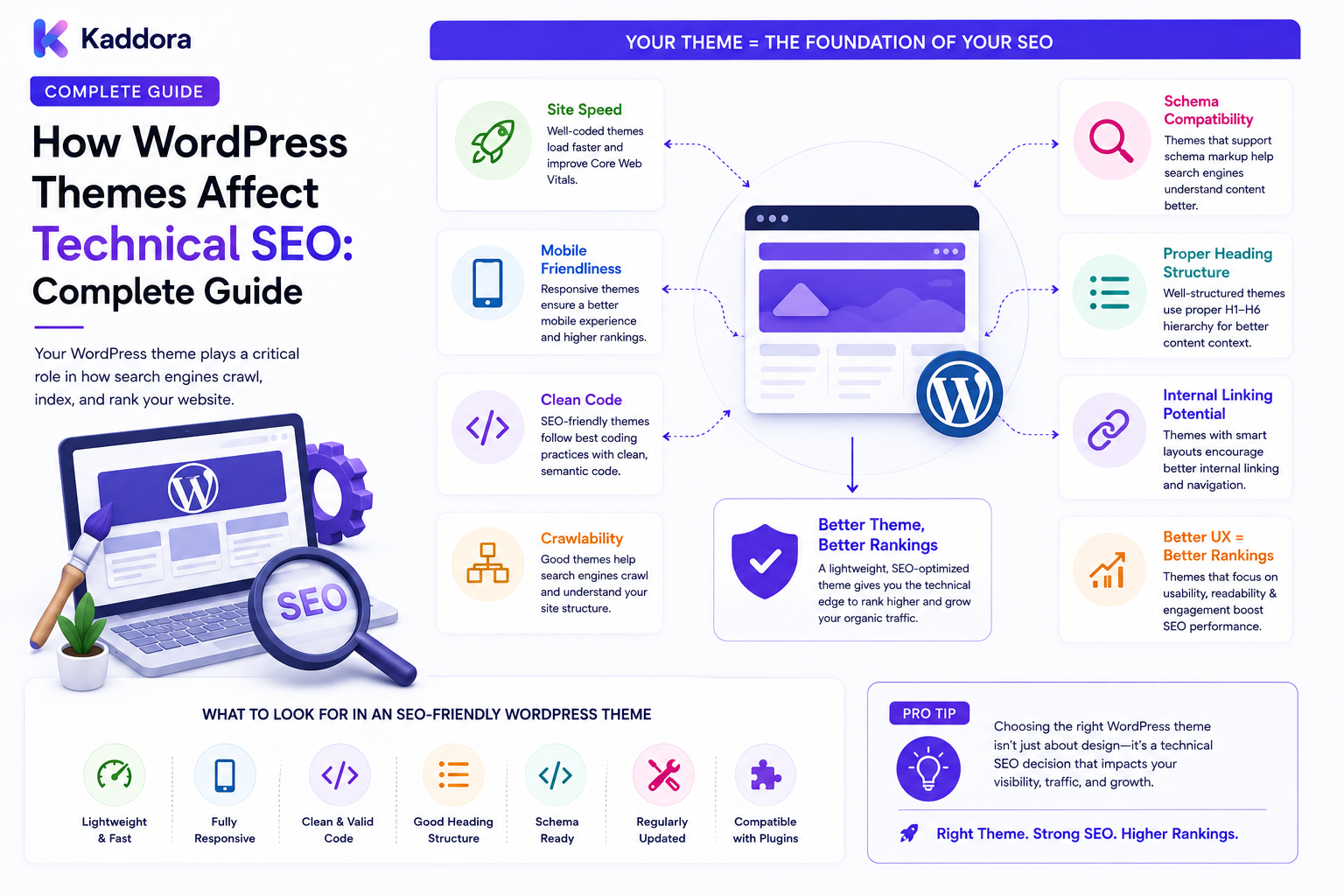
How WordPress Themes Affect Technical SEO: Complete Guide
Introduction
When people think about WordPress SEO, they often focus on keywords, content, backlinks, and SEO plugins.
But there is another important component that can influence the technical quality of a website:
The WordPress theme.
A theme controls much of the presentation layer of a WordPress website.
It can influence:
HTML structure
Headings
Navigation
Internal links
Page templates
CSS
Image presentation
Responsive behavior
Accessibility
Structured data
Performance
Rendering behavior
A well-developed theme can provide a strong technical foundation.
A poorly optimized theme can create unnecessary challenges even when the site's content strategy is excellent.
A simplified relationship looks like:
WordPress ↓ Theme ↓ HTML / CSS / JavaScript ↓ Browser Rendering ↓ User Experience ↓ Technical SEO
The theme is not the entire SEO system.
However, it is an important layer within the broader architecture.
In this guide, you'll learn how WordPress themes affect technical SEO, what to evaluate before choosing a theme, which theme-level problems can create SEO issues, and how to build a more search-friendly theme architecture.
What Is Technical SEO?
Technical SEO focuses on the technical aspects that help search engines access, understand, and process a website.
It can include:
Crawlability
Indexability
Site architecture
HTML structure
Page performance
Mobile usability
Canonical URLs
Structured data
Internal linking
Redirects
XML sitemaps
A WordPress theme can influence several of these areas directly or indirectly.
Why Do WordPress Themes Matter for SEO?
A theme generates much of the frontend structure that visitors and search engines receive.
For example:
WordPress Content ↓ Theme Template ↓ Rendered HTML ↓ Search Engine
Two websites can contain similar content but have very different frontend implementations.
One may have:
Clean semantic HTML
Efficient assets
Good responsive behavior
Logical headings
Minimal unnecessary scripts
Another may have:
Excessive JavaScript
Bloated markup
Poor heading hierarchy
Large assets
Duplicate elements
Hidden navigation problems
Theme architecture therefore deserves attention during technical SEO planning.
WordPress Theme vs SEO Plugin
A common misunderstanding is that an SEO plugin can fix every theme-related SEO problem.
It cannot.
Theme Responsibilities
The theme typically controls:
Layout
Markup
Navigation
CSS
JavaScript
Templates
Responsive behavior
Visual components
SEO Plugin Responsibilities
An SEO plugin may handle:
Metadata
Canonicals
XML sitemaps
Robots directives
Social metadata
Some structured data
The two layers should work together.
A useful model is:
Theme → Presentation + Markup SEO System → Search Signals WordPress → Content + Data
Clear responsibility prevents conflicts.
1. HTML Structure and Semantic Markup
A theme should generate meaningful HTML.
For example:
<header> <nav> <main> <article> <aside> <footer>
Semantic elements can make the page structure easier to understand for users, assistive technologies, and processing systems.
Avoid creating entire pages from unnecessary generic containers when semantic elements provide a better structure.
A logical structure might be:
<header> ↓ <nav> ↓ <main> ↓ <article> ↓ <footer>
Clean markup also makes the theme easier to maintain.
2. Heading Hierarchy
Theme templates can accidentally create poor heading structures.
A page should have a logical hierarchy.
For example:
H1 → Main Page Topic H2 → Major Section H3 → Supporting Section
Problems can occur when themes automatically place multiple visual headings into H1 elements.
For example:
Logo → H1 Page Title → H1 Sidebar Widget → H2
A theme should distinguish visual styling from semantic heading levels.
The size of a heading should not determine whether it is an H1, H2, or H3.
3. Page Templates and SEO
WordPress themes often contain templates for:
Single posts
Pages
Archives
Categories
Tags
Search
Author pages
Custom post types
Each template should produce predictable markup.
For example:
Single Template Archive Template Search Template Product Template Documentation Template
Unexpected duplication between templates can create technical SEO problems.
A template system should therefore be planned alongside the site's information architecture.
4. Theme-Generated Duplicate Content
Themes can sometimes repeat content unnecessarily.
Examples include:
Duplicate titles
Repeated excerpts
Hidden content variations
Multiple navigation versions
Duplicate footer links
Alternate template blocks
Not every repeated element is a duplicate-content problem.
The important question is whether the theme generates multiple meaningful URLs containing substantially similar content.
Theme developers should understand how templates interact with:
Archives
Taxonomies
Search
Pagination
Custom post types
5. Navigation and Internal Links
Themes control menus, breadcrumbs, pagination, related posts, and other navigation components.
These elements influence internal linking.
For example:
Homepage ↓ Category ↓ Article ↓ Related Article
A strong theme makes important pages easy to navigate to.
An overly complex theme may generate:
Too many links
Unnecessary navigation blocks
Repeated links
Weak contextual relationships
Internal linking should serve users first while also creating a logical site structure.
6. Breadcrumbs
Breadcrumbs can help users understand the page hierarchy.
Example:
Home → Resources → WordPress → Technical SEO → Theme SEO
Theme templates can provide the visual presentation for breadcrumbs, while structured data may be handled by the site's SEO layer.
Avoid implementing multiple competing breadcrumb systems.
7. Responsive Design and Mobile SEO
A modern theme should work effectively across different screen sizes.
A responsive layout should provide:
Flexible widths
Responsive images
Touch-friendly controls
Readable text
Usable navigation
Consistent content
Example:
Desktop ↓ Tablet ↓ Mobile
The important principle is that mobile users should have access to the same essential content and functionality.
8. Page Speed and Theme Performance
Themes can have a significant impact on frontend performance.
Possible sources of unnecessary overhead include:
Large JavaScript bundles
Excessive CSS
Unused libraries
Large background images
Multiple font files
Animation frameworks
Third-party scripts
A performance-conscious theme should load only what is needed.
For example:
Page Request ↓ Required Assets ↓ Minimal CSS + JS ↓ Render
Avoid loading every theme feature on every page.
9. Core Web Vitals Considerations
Theme architecture can influence several user-experience metrics.
Potential problem areas include:
Large hero sections
Layout shifts
Render-blocking assets
Heavy JavaScript
Unoptimized images
Delayed rendering
A theme should establish dimensions for media where appropriate and avoid unnecessary layout changes.
Performance should be measured on representative pages instead of assumed from the theme's marketing claims.
10. JavaScript and Rendering
JavaScript is useful for interactive interfaces.
But excessive JavaScript can create unnecessary complexity.
Common examples include:
Sliders
Mega menus
Popups
Animations
Dynamic filtering
Visual page builders
Use JavaScript where it adds real value.
Keep core content and navigation accessible without unnecessary client-side dependency wherever practical.
11. CSS and Rendering Efficiency
Themes can ship large CSS files that contain styles for features a page does not use.
Consider:
Global CSS ↓ Page-Specific Requirements ↓ Only Necessary Styles
Efficient CSS can improve maintainability and reduce frontend overhead.
Do not remove styles blindly, however.
Theme components may depend on shared rules.
12. Image Handling
Themes frequently control the way images are displayed.
Important considerations include:
Responsive image sizes
Appropriate dimensions
Lazy loading where suitable
Efficient formats
Avoiding oversized assets
Descriptive alternative text support
A theme should use WordPress's image functionality rather than unnecessarily serving the largest original image everywhere.
13. Font Loading
Themes can load multiple fonts and font weights.
For example:
Font Family ├── Regular ├── Medium ├── Semibold ├── Bold └── Italic
Loading every variation can increase resource usage.
Use only the styles actually needed by the design.
System fonts may also be appropriate when performance is more important than custom branding.
14. Theme Accessibility and SEO
Accessibility and technical quality often overlap.
A well-structured theme should consider:
Keyboard navigation
Focus states
Color contrast
Form labels
Semantic elements
Accessible menus
Alternative text
Proper button behavior
For example:
<button>Search</button>
is generally more appropriate for an interactive action than a generic clickable container.
Accessibility should be part of theme engineering rather than treated as a cosmetic enhancement.
15. Structured Data
Themes can participate in structured-data implementation.
For example, a theme might provide visual markup for:
Breadcrumbs
Articles
Products
Organizations
However, structured data should have one clear source of truth.
Avoid situations where:
Theme ↓ Schema SEO Plugin ↓ Different Schema
creates conflicting structured-data output.
Define responsibilities clearly.
16. Canonical URLs and Theme Templates
Themes may generate links to:
Posts
Pages
Archives
Taxonomy pages
Author pages
Pagination
These URLs should align with the site's canonical strategy.
A theme generally should not invent its own conflicting canonical system unless that responsibility is explicitly part of its architecture.
Keep canonical logic centralized where possible.
17. Search Pages
WordPress themes often contain search templates.
For example:
Search Form ↓ Search Request ↓ Search Results Template
Search-result pages can contain many URLs that are useful for users but not necessarily intended as search landing pages.
The theme should provide a clean, usable search experience while the SEO layer controls indexation according to the site's strategy.
18. Pagination
Theme templates often control archive pagination.
Poorly implemented pagination may create:
Broken links
Empty pages
Duplicate navigation
Infinite scroll without crawlable alternatives
A robust theme should provide clear navigation between paginated content.
For large sites:
Page 1 ↓ Page 2 ↓ Page 3 ↓ Page 4
The architecture should ensure users and crawlers can discover meaningful content without relying exclusively on JavaScript.
19. Theme Compatibility With SEO Plugins
A theme should cooperate with the site's SEO system.
Avoid hard-coding:
Duplicate meta titles
Conflicting descriptions
Multiple canonical tags
Multiple robots directives
Duplicate structured-data systems
A good architecture clearly defines which layer controls each element.
For example:
Theme → HTML / Presentation SEO Plugin → Metadata / Canonical / Sitemap WordPress → Content
20. Custom Post Types and Theme Support
Advanced WordPress websites may use custom post types such as:
Products
Templates
Documentation
Case Studies
Locations
The theme should provide predictable templates for these content types.
For example:
Product ↓ Product Template Documentation ↓ Documentation Template Case Study ↓ Case Study Template
This helps maintain consistent content architecture as the website grows.
21. WooCommerce Theme Considerations
WooCommerce themes can affect:
Product markup
Category pages
Filters
Navigation
Product images
Cart behavior
Checkout usability
For large stores, theme performance becomes particularly important because product pages may contain many assets and dynamic components.
A theme should also avoid creating unnecessary duplicate product URLs.
22. Faceted Navigation and Theme Architecture
Themes often control filters such as:
Color Size Brand Price Rating
These filters may generate many URL combinations.
For example:
/products/?color=black&size=large
The theme should not blindly generate infinite combinations without a clear SEO strategy.
URL generation, canonicalization, and indexation should be coordinated with the commerce and SEO layers.
23. Theme JavaScript and Internal Navigation
Client-side navigation can create usability improvements.
However, navigation that works only after JavaScript executes can create unnecessary complexity.
A robust architecture should preserve meaningful links wherever possible.
For example:
<a href="/wordpress-seo/">WordPress SEO</a>
provides a clear destination.
Don't turn every navigation action into an opaque JavaScript event when a normal link is appropriate.
24. Theme Updates and SEO Risk
Theme updates can unexpectedly change:
HTML
Headings
Links
Templates
CSS
JavaScript
Image behavior
Structured-data output
This means theme updates should be tested.
A recommended process is:
Theme Update ↓ Staging ↓ SEO Checks ↓ Performance Checks ↓ Functional Tests ↓ Production
Keep backups before significant changes.
25. Child Themes and SEO
Child themes are often used to customize WordPress themes.
Customizations can introduce SEO problems when they change:
Heading structure
Templates
Navigation
Metadata output
Schema
Internal links
Any child-theme change should therefore be included in technical SEO testing.
26. Theme Quality and Technical SEO Audits
When evaluating a theme, inspect:
HTML
Semantic structure
Heading hierarchy
Link markup
Accessibility
Performance
CSS size
JavaScript
Images
Fonts
Third-party assets
Templates
Posts
Pages
Archives
Search
Custom post types
SEO Compatibility
Canonicals
Metadata
Schema
Sitemaps
Robots controls
Mobile
Responsive layout
Navigation
Touch interactions
Content accessibility
27. AI Features Inside WordPress Themes
Modern themes may include AI-powered components such as:
Search assistance
Recommendations
Content suggestions
Smart navigation
Semantic search
These features should not compromise technical SEO.
For example:
AI Recommendation ↓ Useful Internal Link ↓ Related Content
AI-generated links should be reviewed for relevance and should not create uncontrolled URL structures.
Never place private API keys in frontend theme code.
Common WordPress Theme SEO Mistakes
Multiple H1 Elements Without Purpose
Visual components should not automatically become major semantic headings.
Excessive JavaScript
Heavy scripts can create unnecessary rendering and performance overhead.
Oversized Images
Themes should not serve unnecessarily large media files.
Too Many Fonts
Additional font files can increase resource usage.
Duplicate Schema
Multiple systems should not independently generate conflicting structured data.
Broken Pagination
Archive navigation should remain functional and understandable.
Excessive Filter URLs
Faceted navigation requires deliberate URL and indexation management.
Hard-Coded SEO Metadata
Themes should not unnecessarily compete with dedicated SEO systems.
Poor Mobile Navigation
Important content and links should remain accessible.
Theme Updates Without Testing
Template changes can affect technical SEO unexpectedly.
WordPress Theme Technical SEO Checklist
HTML
Semantic HTML
Logical heading hierarchy
Accessible navigation
Valid links
Clean templates
Performance
Minimal CSS
Minimal JavaScript
Optimized images
Controlled font loading
Limited third-party scripts
SEO
SEO plugin compatibility
No duplicate canonicals
No conflicting metadata
Controlled structured data
Search-friendly templates
Architecture
Clear post templates
Clear archive templates
Search template
Pagination
Custom post type support
Mobile
Responsive layout
Usable navigation
Readable content
Accessible controls
Maintenance
Staging tests
Backup
SEO regression checks
Performance testing
Recommended SEO-Friendly WordPress Theme Architecture
A strong theme architecture can look like:
WordPress │ ┌────────┴────────┐ ↓ ↓ Content SEO Layer │ │ └────────┬────────┘ ↓ Theme │ ┌──────────────┼──────────────┐ ↓ ↓ ↓ Templates Components Assets │ │ │ └──────────────┼──────────────┘ ↓ Rendered HTML ↓ User + Search Engine
The theme should focus on presentation and clean markup while cooperating with the site's SEO and content systems.
How to Build an SEO-Friendly WordPress Theme
A practical workflow is:
Step 1
Define the site's content architecture.
Step 2
Create semantic and reusable templates.
Step 3
Establish a clear heading hierarchy.
Step 4
Build accessible navigation and internal linking.
Step 5
Optimize CSS, JavaScript, fonts, and images.
Step 6
Implement responsive layouts.
Step 7
Support custom post types and archives cleanly.
Step 8
Ensure compatibility with the site's SEO system.
Step 9
Avoid duplicate schema, metadata, and canonical output.
Step 10
Test pagination, search, filters, and template-generated URLs.
Step 11
Test performance on representative pages.
Step 12
Test theme updates in staging before production.
Why Choose ThemeKaddora?
ThemeKaddora develops WordPress themes, plugins, HTML templates, UI kits, WooCommerce solutions, SaaS products, and business-focused digital products.
A strong theme foundation can support:
Responsive design
Clean HTML
SEO-friendly architecture
Performance optimization
Accessibility
WooCommerce
Custom post types
Documentation
Customer portals
APIs
For businesses investing in organic growth, theme selection should be evaluated as part of the broader technical SEO architecture rather than judged only by visual design.
Conclusion
WordPress themes have a direct role in the technical foundation of a website.
They can influence:
HTML
↓
Navigation
↓
Templates
↓
CSS / JavaScript
↓
Performance
↓
Mobile Experience
↓
Technical SEO
A theme cannot solve every SEO problem.
But a poor theme can introduce unnecessary technical problems that are difficult to fix later.
The strongest approach is to choose or build themes with:
Semantic HTML
Logical headings
Clean templates
Efficient assets
Responsive layouts
Accessible navigation
Controlled structured data
SEO-plugin compatibility
Stable URL behavior
For a small WordPress website, theme quality may appear to be mainly a design decision.
For a large content site, WooCommerce store, marketplace, or enterprise platform, the theme becomes part of the site's SEO architecture.
The goal is not to choose the theme with the most animations or visual features.
The goal is to choose a theme that provides a clean, fast, accessible, maintainable, and search-friendly frontend foundation.
When the theme, content model, SEO layer, and performance architecture work together, technical SEO becomes much easier to manage.
A great WordPress theme should not merely make a website look good.
It should help create a better technical foundation for users, search engines, and long-term organic growth.
Frequently Asked Questions
How do WordPress themes affect technical SEO?
Themes influence HTML structure, headings, navigation, internal links, responsive design, CSS, JavaScript, images, templates, and other frontend components that contribute to technical site quality.
Can changing a WordPress theme affect SEO?
Yes. A theme change can alter URLs, headings, internal links, structured data, page templates, content presentation, and performance, so major theme changes should be tested carefully.
Is an SEO plugin enough to fix a poorly coded theme?
No. SEO plugins can manage many search-related settings, but they cannot automatically fix all theme-level problems such as inefficient JavaScript, poor HTML structure, layout issues, or broken navigation.
What makes a WordPress theme SEO-friendly?
A good SEO-friendly theme generally uses semantic HTML, clear heading structure, responsive design, efficient assets, accessible navigation, clean templates, and compatibility with the site's SEO systems.
Does a WordPress theme affect page speed?
Yes. Theme CSS, JavaScript, images, fonts, animations, and third-party assets can contribute significantly to frontend performance.
Can a theme affect Core Web Vitals?
Yes. Theme implementation can influence loading, rendering, layout stability, and interaction performance through its assets, structure, media, and JavaScript behavior.
Should a theme contain SEO metadata?
A theme can technically output metadata, but SEO responsibilities should be clearly defined. Avoid creating duplicate or conflicting metadata with a dedicated SEO system.
Can WordPress themes generate duplicate content?
A theme can contribute to duplicate or repetitive output through poorly designed templates, archive structures, navigation, or URL-generating features, although duplicate content can have many other causes as well.
Do breadcrumbs help SEO?
Breadcrumbs can improve navigation and clarify page hierarchy. They can also support structured-data implementation when correctly integrated.
Can themes affect internal linking?
Yes. Themes commonly control menus, breadcrumbs, related content, pagination, and other navigation elements that create internal links.
Should every theme load the same CSS and JavaScript on every page?
Not necessarily. Loading assets only where they are needed can reduce unnecessary frontend overhead.
Can too many fonts affect performance?
Yes. Additional font families, weights, and styles create additional resources that may increase loading and rendering work.
Can a theme affect image performance?
Yes. Themes control image sizes, layouts, lazy-loading behavior, and how media is requested and displayed.
Can WordPress themes generate structured data?
Yes. A theme can output structured data, but it should not conflict with structured-data systems provided by plugins or other application layers.
Can a theme control canonical URLs?
Technically yes, but canonical responsibility should be clearly defined. Multiple systems generating conflicting canonical tags can create technical problems.
Do WordPress themes affect search-result pages?
Themes control the appearance and functionality of search-result templates, while the site's SEO strategy should determine how those URLs are handled for search visibility.
Can themes affect pagination SEO?
Yes. Broken or poorly designed pagination can make content discovery more difficult. Archive navigation should provide clear links between meaningful pages.
Can WooCommerce themes affect SEO?
Yes. WooCommerce themes influence product templates, category pages, images, navigation, filtering, performance, and other frontend elements.
How do theme filters affect SEO?
Product filters can generate many URL combinations. Faceted navigation should be designed alongside URL, canonical, and indexation strategies.
Should JavaScript be avoided in WordPress themes?
No. JavaScript is useful for interactive experiences. The goal is to avoid unnecessary complexity and ensure core content and navigation remain accessible.
Can child themes introduce SEO issues?
Yes. Custom child-theme changes can affect headings, links, templates, structured data, and other technical elements.
Should theme updates be tested?
Yes. Theme updates can change HTML, templates, assets, navigation, and other SEO-relevant behavior. Use staging and regression testing before major production updates.
Can AI features be included in WordPress themes?
Yes. AI can support search, recommendations, navigation, and other experiences, but AI functionality should not create uncontrolled URLs or compromise performance or security.
Should a WordPress theme contain API keys?
No. Private API keys, database credentials, payment secrets, and other sensitive credentials should not be exposed in frontend theme code.
How can I audit a WordPress theme for technical SEO?
Review its HTML structure, heading hierarchy, navigation, templates, asset loading, mobile behavior, performance, structured data, pagination, search templates, custom post types, and compatibility with the site's SEO layer.
Why choose ThemeKaddora?
ThemeKaddora develops WordPress themes, plugins, WooCommerce solutions, templates, UI kits, SaaS products, and digital solutions with an emphasis on modern design, responsive experiences, performance, clean architecture, and business-focused website requirements.
Comments (0)