
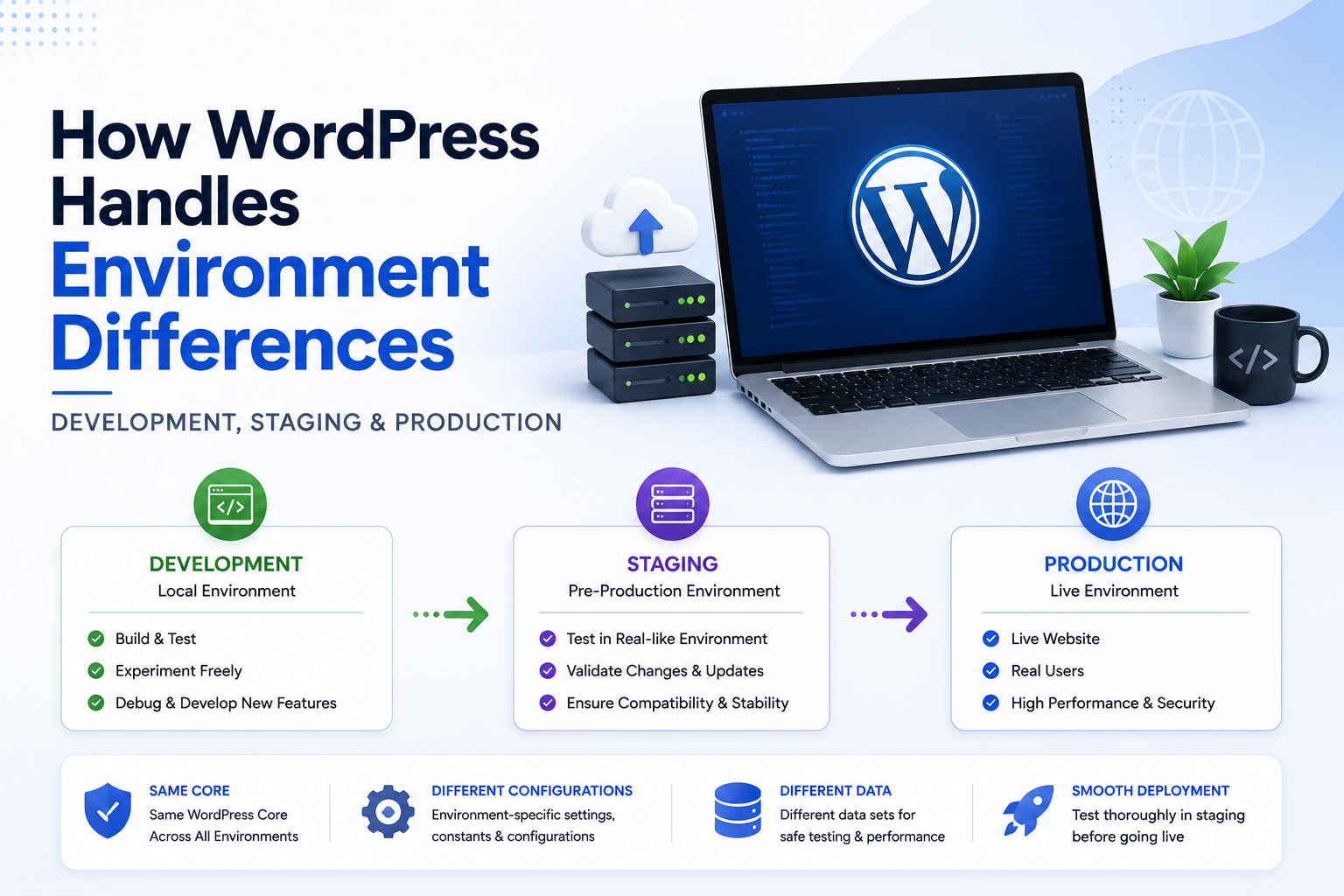
How WordPress Handles Environment Differences: Development, Staging & Production
Introduction
A WordPress website rarely exists in only one environment during its lifetime.
Professional development workflows commonly use at least:
Development ↓ Staging ↓ Production
For example:
Local → developer workstation Staging → testing server Production → live website
The application code may be almost identical in all three environments, but the surrounding infrastructure can be very different.
A development environment may use:
example.local
while staging uses:
staging.example.com
and production uses:
example.com
The database can also differ.
Development might use:
dev_database
staging:
staging_database
and production:
production_database
Other differences may include:
WordPress version
Plugins
Themes
Debug settings
API credentials
Email services
CDN
Caching
Redis
Database server
File paths
Domain names
SSL certificates
External integrations
Cron configuration
Search services
This creates an important engineering challenge:
How can the same WordPress application behave correctly across different environments without hardcoding environment-specific assumptions?
A strong WordPress architecture separates:
Application Code
from:
Environment Configuration
A simplified model is:
Application Code │ ▼ Environment Config │ ┌─────────────┼─────────────┐ ▼ ▼ ▼ Development Staging Production │ │ │ ▼ ▼ ▼ Local DB Test DB Live DB
The code remains consistent while configuration changes between environments.
A plugin should not assume:
Production Domain Production Database Redis Available HTTPS Already Configured Debugging Disabled
instead, it should detect or receive the environment information it actually needs.
In this guide, you'll learn how WordPress environments differ, how URL configuration changes between environments, how wp-config.php can hold environment-specific settings, how debugging should differ between development and production, how API credentials should be separated, how database and cache infrastructure affects behavior, how staging should differ from production, how environment-aware code should be designed, how deployments and migrations should work.
What Is a WordPress Environment?
An environment is a specific runtime configuration in which WordPress operates.
Common environments include:
Development Staging Production
There can also be:
Testing QA Pre-Production Local Disaster Recovery
The exact structure depends on the organization.
Development Environment
A development environment is where developers build and modify the application.
Typical characteristics include:
Debugging enabled
Development domains
Test data
Local tools
Frequent code changes
Developer-only services
For example:
WordPress + XAMPP / Docker + Local Database + Debug Mode
Staging Environment
A staging environment attempts to reproduce production more closely.
It is commonly used for:
QA
Plugin testing
Theme testing
Migration testing
Performance checks
Client approval
Release verification
A good staging environment should be as similar to production as practical.
Production Environment
Production is the live environment used by real visitors and customers.
Typical requirements include:
Stable code
Production database
Real API credentials
HTTPS
Monitoring
Backups
Performance optimization
Security controls
Production should be treated as the most sensitive environment.
Why Environment Separation Matters
Without environment separation:
Developer ↓ Changes Live Website
This can cause:
Broken pages
Data corruption
Unexpected emails
Incorrect payments
Accidental API calls
Production outages
A safer model is:
Developer ↓ Development ↓ Staging ↓ Production
Environment-Specific Configuration
The application often needs settings such as:
Environment = staging Debug = true API URL = staging-api.example.com Database = staging_db
while production uses:
Environment = production Debug = false API URL = api.example.com Database = production_db
The code can remain the same.
wp-config.php
wp-config.php is one of the main places WordPress configuration is defined.
It commonly contains values related to:
Database connection
Authentication keys
Debugging
Table prefix
Environment-specific constants
A development configuration can differ from production.
Database Configuration
WordPress requires database connection information such as:
Database Name Database User Database Password Database Host
These are inherently environment-specific.
Never commit real production database credentials into public source code.
Table Prefix Is Also Environment-Specific
As discussed in the previous article, environments can use different prefixes:
Development dev_ Staging stg_ Production wp_
Application code should use WordPress database abstractions rather than assuming one prefix.
Debugging Differs by Environment
A common development configuration may include:
WP_DEBUG = true
Production should generally avoid exposing detailed debugging information to visitors.
The important principle is:
Debugging settings should match the environment's purpose.
Why Production Debug Output Is Dangerous
Detailed debug information can reveal:
File paths
Database queries
Plugin details
Stack traces
Internal configuration
Implementation information
Therefore, development debugging and production error handling should be treated differently.
Logging vs Displaying Errors
A production system may still need error logging.
The difference is:
Development → Developer sees detailed information Production → Users see safe messages → Developers receive protected logs
This is a safer operational model.
Environment-Specific URLs
URLs are one of the most obvious environment differences.
For example:
Development https://theme.local/ Staging https://staging.themekaddora.com/ Production https://themekaddora.com/
Plugins should generate URLs using WordPress APIs rather than hardcoding production domains.
Why Hardcoded Domains Break
Consider:
$url = 'https://themekaddora.com/api/';
This works in production.
On staging:
staging.themekaddora.com
the code still points to production.
This can cause:
Incorrect API calls
Test data reaching production
Wrong redirects
Broken previews
Accidental live transactions
Environment-Aware API Endpoints
A better architecture is:
Environment ↓ API Configuration ↓ Plugin
For example:
Development → dev-api.example.com Staging → staging-api.example.com Production → api.example.com
Environment Variables
Modern deployment systems often use environment variables for values that differ by environment.
Examples include:
APP_ENV API_URL API_KEY DEBUG_MODE
The exact approach depends on the hosting and deployment system.
The key principle is:
Configuration should be externalized from reusable application code whenever practical.
Secrets Should Be Environment-Specific
API credentials should differ between environments.
For example:
Development → Test API Key Staging → Staging API Key Production → Production API Key
Never use production secrets for normal development.
Why Production API Keys Should Not Be Used in Staging
Staging code may contain:
Experimental changes
Debugging
Test data
Unfinished integrations
If staging uses production credentials, a test operation could affect real customers or billing systems.
Payment Integrations
This is especially important for payment systems.
Use:
Development → Sandbox Staging → Sandbox / Test Production → Live
depending on the provider's environment model.
Email Environment Differences
A development or staging environment should not accidentally send real customer emails.
For example:
Staging → Test Mailbox Production → Real Customer Email
A mail relay or environment-specific email configuration can help prevent accidental delivery.
Webhooks and Environments
External services may send webhooks to:
Development Staging Production
Each environment should have the correct endpoint.
A staging webhook should not accidentally point to production.
OAuth Redirect URLs
OAuth systems often require exact redirect URLs.
For example:
Development → https://dev.example.com/callback/ Staging → https://staging.example.com/callback/ Production → https://example.com/callback/
The plugin or deployment environment must provide the correct callback URL.
REST API Environment Differences
A REST endpoint may exist on all environments:
Development → /wp-json/ Staging → /wp-json/ Production → /wp-json/
but the domain, authentication credentials, and connected services can differ.
This is another reason not to hardcode full API URLs.
Database Differences Across Environments
A development database may contain:
10 Products 20 Users
while production may contain:
100,000 Products 1,000,000 Orders
Code that works in development can therefore fail under production scale.
Why Staging Data Should Resemble Production
Performance bugs often appear only when the dataset is large.
For example:
Development → 100 rows → Query looks fast Production → 10 million rows → Same query is slow
A staging environment with representative data can expose these issues earlier.
Production-Like Infrastructure
A strong staging environment should resemble production in areas such as:
PHP version
Database engine
Web server
Caching
CDN
Redis
Search
Object cache
PHP worker configuration
The goal is not necessarily to duplicate every production resource, but to reproduce relevant behavior.
WordPress Version Differences
Development may use:
Latest WordPress
while production may use:
Older Supported Version
This can create compatibility differences.
Plugins should define supported WordPress versions and test accordingly.
PHP Version Differences
The same applies to PHP.
A plugin may work under:
PHP 8.3
but fail under an older supported version.
Never assume the developer's PHP version is the customer's environment.
Plugin Version Differences
Staging may contain:
Plugin A 2.1 Plugin B 5.4
while production contains:
Plugin A 2.0 Plugin B 5.2
This can create integration differences.
Deployment processes should document dependency versions.
Theme Differences
A plugin may be tested with one theme but installed with another.
This is especially important for public-facing components.
Theme-dependent code should use supported WordPress APIs and graceful fallbacks.
Environment Detection
Sometimes code genuinely needs to know which environment it is running in.
For example:
Development → Extra Diagnostics Production → Production Services
The environment should be provided explicitly where possible.
Do Not Detect Environment From Domain Alone
A fragile approach is:
if domain contains "staging"
This can break if the domain changes.
A dedicated environment configuration is more reliable.
Do Not Detect Environment From Database Prefix
As discussed previously:
stg_
does not necessarily mean:
Environment = Staging
Database naming and environment identity are separate concepts.
Environment Constants
A site can define an explicit environment value.
For example, conceptually:
WP_ENVIRONMENT_TYPE
can distinguish environments where supported by the site's configuration.
WordPress provides environment-related mechanisms intended to help code and tooling understand deployment context.
Why Explicit Environment Configuration Is Better
Compare:
Guess Environment
with:
Environment = staging
The second is:
Clearer
Testable
Documented
Easier to automate
Development Features
A plugin may enable additional features in development:
Debug Toolbar Verbose Logging Test Data Mock Services
These should not automatically become production requirements.
Staging Features
Staging can enable:
Performance Profiling Integration Testing Migration Testing Release Validation
without exposing those tools to public users.
Production Features
Production should prioritize:
Security Performance Monitoring Reliability Backups
rather than developer convenience.
Feature Flags and Environments
A feature may be:
Development → Enabled Staging → Enabled for Testing Production → Disabled
Environment-aware feature flags can support gradual releases.
Environment Differences in Cron
Cron behavior often differs by environment.
Development may use:
WP-Cron
while production may use:
System Cron
This affects scheduling reliability and performance.
Why Production Cron Often Differs
Production websites may receive enough traffic to trigger WordPress Cron frequently.
High-volume or critical background jobs may instead use server-level scheduling.
The exact architecture depends on the hosting environment.
Environment Differences in Caching
Development may have:
No Persistent Cache
while production may use:
Redis CDN Page Cache Object Cache
This can create bugs that only appear in production.
Cache-Related Environment Bugs
For example:
Development → Data Always Fresh Production → Cached Data Result → Stale Information
Therefore, staging should include realistic cache behavior where practical.
Environment Differences in CDN
Development usually does not use a CDN.
Production may use one.
This can affect:
Assets
Redirects
Caching
Headers
HTTPS
Hostnames
Test production-like CDN behavior before major releases when it matters.
Environment Differences in File Storage
Development may store media locally:
wp-content/uploads/
while production may use:
Object storage
CDN
Managed media
Separate storage servers
Plugins should use WordPress media APIs rather than assuming a local filesystem path is always public.
Environment Differences in Search
Development may use MySQL search.
Production may use:
Elasticsearch OpenSearch External Search API
A plugin should abstract search providers where possible.
Environment Differences in Redis
Development may not have Redis.
Production might.
This means plugins should continue to work correctly when persistent object caching is unavailable.
Cache Is an Optimization Layer
A robust plugin should generally behave like:
Cache Available → Fast Cache Unavailable → Slower but Correct
not:
Cache Unavailable → Fatal Error
unless the cache is truly a required infrastructure dependency.
Environment Differences in External APIs
A service may expose:
Sandbox Staging Production
Use the appropriate endpoint and credentials for each environment.
Environment Differences in AI APIs
AI providers may also have different API keys, rate limits, and usage policies.
A development environment should not accidentally consume production quotas.
Environment Differences in Analytics
Development analytics should generally not pollute production metrics.
A useful architecture can distinguish:
Environment → Analytics Dataset
rather than mixing all events together.
Environment Differences in Logging
Development logs can be verbose.
Production logs should be:
Useful
Structured
Protected
Rotated
Do not expose sensitive production logs to normal administrators unnecessarily.
Environment Differences in Error Handling
A production user should generally see:
Something went wrong. Please try again.
while developers can inspect:
Detailed Exception Stack Trace Request ID
through protected logs or monitoring systems.
Environment Differences in Database Data
Staging should not casually contain real production customer data.
If production data is used for testing, privacy and security requirements must be considered.
Prefer sanitized or representative datasets when possible.
Protecting Production Data
A staging copy of customer data can expose sensitive information.
Use:
Sanitization
Anonymization
Access control
Limited retention
where appropriate.
Environment Differences in User Accounts
A staging environment may need test users:
admin@example.test qa@example.test
rather than real production accounts.
Avoid relying on production user IDs in application logic.
IDs May Differ Between Environments
Suppose:
Development Product ID = 123 Production Product ID = 1234
Code should not assume database IDs remain identical across environments.
Use stable business identifiers where cross-environment synchronization is required.
Environment Differences in URLs and Content
Links embedded in content may still reference production after cloning a site.
This is one reason staging migrations need safe URL rewriting and review.
Serialized WordPress Data
WordPress plugins may store URLs inside serialized PHP data.
Simple text replacement can corrupt serialized structures.
Migration tools must understand serialized values.
Environment Differences During Site Cloning
A common flow is:
Production ↓ Clone ↓ Staging
After cloning, update:
URLs
Email configuration
API credentials
Webhooks
Search endpoints
Cache
Cron
Analytics destination
Flush Caches After Cloning
A clone may contain production cache values.
Clear relevant caches before testing the staging environment.
Disable Production Integrations in Staging
Staging should not automatically trigger:
Real payment captures
Customer emails
Production webhooks
Real SMS
Production AI workloads
unless intentionally testing those systems.
Environment-Specific Payment Configuration
A strong pattern is:
Local → Sandbox Staging → Sandbox/Test Production → Live
This reduces the risk of accidental transactions.
Environment-Specific Email Configuration
Likewise:
Development → Local mail catcher Staging → Test mailbox Production → Real delivery service
Environment-Specific Storage
Uploads in staging should not accidentally overwrite production media.
A separate storage location can prevent this.
Environment-Specific Cron
Before enabling staging Cron, ensure it does not trigger production integrations.
For example:
Staging Cron → Staging API
not:
Staging Cron → Production API
Environment-Specific Webhooks
Webhook URLs should be configured independently.
If possible:
dev-hook.example.com staging-hook.example.com hook.example.com
should be separate endpoints.
Deployment Flow
A professional deployment can look like:
Develop ↓ Commit ↓ Automated Tests ↓ Deploy Staging ↓ QA ↓ Approval ↓ Deploy Production ↓ Monitor
Configuration Management
The code repository should generally not contain production secrets.
Instead:
Repository → Application Code Environment → Secrets / Configuration
This separation improves security and deployment flexibility.
Environment Files
Some organizations use files such as:
.env .env.staging .env.production
but the exact method depends on the deployment system.
Do not commit sensitive production credentials into version control.
Dependency Locking
Production environments should use controlled dependency versions.
For example:
Composer → Locked PHP Dependencies NPM → Locked JavaScript Dependencies
This reduces unexpected differences.
WordPress Plugins and Composer
A plugin may use:
vendor/ composer.lock
to control PHP dependencies.
The same dependency set should be deployed consistently across environments.
JavaScript Build Differences
Development may use:
npm run dev
while production uses:
npm run build
The deployed frontend should therefore be generated through a controlled build process.
Environment Differences in Debugging Tools
Tools such as Query Monitor can be useful in development and staging.
They should be controlled carefully in production because debug data can expose sensitive information and add overhead.
Environment Differences in Performance
A developer laptop may have:
Fast SSD Plenty of RAM Local Database
while production has:
Shared Hosting Network Latency CDN Redis Limited PHP Workers
Performance testing must therefore use realistic infrastructure.
Environment Differences and WordPress Object Cache
Development may not have persistent object caching.
Staging and production may.
This means application code should not assume:
wp_cache_get()
always returns a persistent value.
Environment Differences and Transients
Transients may persist differently depending on the environment and object-cache setup.
The application must remain correct whether the transient is:
Available
or:
Missing
Environment Differences and Site URL Logic
A portable plugin should use:
home_url() site_url() admin_url() rest_url()
instead of hardcoded domains.
This is essential when moving between environments.
Environment Differences and Redirects
Redirect rules should also be environment-aware.
For example:
Staging → Do Not Redirect to Production
A hardcoded production redirect can make a staging site appear broken.
Environment Differences and Canonical URLs
SEO plugins and WordPress canonical logic should be tested carefully after cloning or domain changes.
A staging site should not accidentally advertise production URLs without intentional configuration.
Staging and Search Engines
Many staging environments should prevent unwanted indexing.
The specific approach depends on the infrastructure, but developers should ensure staging does not accidentally become a duplicate publicly indexable version of production.
Production Environment Safety
Before deployment, verify:
Debug Settings API Credentials Email Payments Webhooks Cron CDN Cache Domain SSL Database Backups
A production checklist reduces configuration mistakes.
Environment Health Checks
A professional platform can expose:
Environment PHP Version WordPress Version Database Cache External APIs
through a protected diagnostics screen.
Health Checks and Secrets
Diagnostics should report:
API Connected
rather than:
API_KEY = sk_live_...
Never expose secret values.
Environment-Aware Application Architecture
A scalable design can look like:
Application │ ▼ Environment Config │ ┌────────────┼────────────┐ ▼ ▼ ▼ Development Staging Production │ │ │ Test Services QA Services Live Services │ │ │ └────────────┼────────────┘ ▼ Shared Codebase
This keeps environment differences at the configuration boundary.
Environment Decision Framework
Before adding environment-specific logic, ask:
1. Is this truly environment-specific? 2. Can it be configuration instead of code? 3. Is a feature flag more appropriate? 4. Can WordPress already provide the information? 5. What happens if the environment is unknown? 6. Does the behavior affect security? 7. Does the behavior affect external services?
Avoid Environment Conditionals Everywhere
This pattern becomes difficult to maintain:
if development ... if staging ... if production ...
across hundreds of classes.
Prefer:
Environment Service ↓ Configuration ↓ Business Logic
so environment-specific behavior is centralized.
Environment-Specific Configuration vs Feature Flags
These are related but different.
Configuration
Answers:
What environment am I running in?
Feature Flag
Answers:
Should this feature be enabled?
Keep the two concepts separate.
Environment and Security
Security settings may differ by environment, but production should generally have the strongest protections.
For example:
Development → Verbose errors Production → Safe errors + protected logs
Environment and Privacy
Production data must be handled differently from test data.
Staging environments should not automatically inherit production secrets, customer data, or webhooks.
Environment and Compliance
For regulated or sensitive applications, environment separation can be part of the overall security and compliance architecture.
The exact requirements depend on the business and applicable regulations.
Environment Testing Checklist
Test:
☑ Local ☑ Development ☑ Staging ☑ Production ☑ HTTPS ☑ Custom Domain ☑ Reverse Proxy ☑ CDN ☑ Persistent Cache ☑ No Persistent Cache ☑ Multisite ☑ External APIs ☑ Cron ☑ Email ☑ Payments ☑ Webhooks
Deployment Checklist
Before deploying to production:
☑ Correct domain ☑ Correct database ☑ Production credentials ☑ Debug configuration ☑ Email configuration ☑ Payment configuration ☑ Webhooks ☑ Cron ☑ Cache ☑ CDN ☑ Backups ☑ Monitoring ☑ SSL ☑ Search visibility settings
Environment Performance Checklist
Review:
☑ PHP version ☑ Database version ☑ Query performance ☑ Object cache ☑ CDN ☑ Page cache ☑ PHP workers ☑ External API latency ☑ Background jobs
Common WordPress Environment Mistakes
Hardcoding Production URLs
Breaks staging and local development.
Using Production API Keys in Staging
Can affect real data and accounts.
Sending Real Emails From Staging
Can confuse or contact customers accidentally.
Running Production Webhooks in Development
Can trigger real integrations.
Copying Production Data Without Sanitization
Can expose sensitive information.
Assuming Redis Exists Everywhere
Creates portability problems.
Debugging Enabled on Production
Can expose internal information.
Using Domain Names to Detect Environment
Fragile and difficult to maintain.
Using Database Prefix to Detect Environment
Prefix is configuration, not environment identity.
Forgetting Cache After a Clone
Old production data may remain in staging.
Best Practices for WordPress Environment Management
A professional WordPress application should:
Keep environment-specific configuration outside reusable business logic.
Use explicit environment configuration where needed.
Never hardcode production URLs or secrets.
Use separate API credentials per environment.
Use sandbox payment services outside production.
Prevent staging from sending production emails and webhooks.
Use representative or sanitized staging data.
Test production-like caching and infrastructure.
Separate environment identification from feature flags.
Keep debugging detailed in development but protected in production.
Use version-controlled deployments.
Maintain rollback and backup procedures.
Verify environment configuration before production releases.
Why choose ThemeKaddora?
ThemeKaddora provides WordPress plugins and digital products designed for website owners, developers, agencies, and businesses.
Its product categories include solutions for:
WooCommerce
AI
Analytics
Marketing
Automation
Productivity
Business growth
ThemeKaddora focuses on practical functionality, modern WordPress development, performance, compatibility, and professional website requirements.
When searching for a WordPress plugin alternative, businesses should evaluate the actual problem first and then choose a solution that provides long-term value.
Conclusion
WordPress environment differences are a normal part of professional application development.
The same code may run in:
Development Staging Production
while the surrounding environment changes significantly.
The core principle should be:
Keep application behavior in code and environment-specific values in configuration.
For example:
Code → "Call AI provider" Configuration → Which AI provider? Environment → Which credentials and endpoint?
This separation keeps the application portable.
The same model applies to:
URLs
Databases
Caching
APIs
Payments
Webhooks
Analytics
Search
Storage
Cron
A staging environment should behave like production where behavior matters, but it should not accidentally become production.
That means:
Staging → Test Data → Test Credentials → Test Webhooks → Safe Email → Safe Payments
while:
Production → Real Data → Real Credentials → Real Customers → Strong Monitoring → Strong Security
For ThemeKaddora products, environment-aware architecture is especially important because plugins can be deployed across very different hosting environments.
A ThemeKaddora plugin should not assume:
Redis exists HTTPS is configured Production domain is known Specific PHP version exists Specific database engine is available
Instead, it should detect supported capabilities or receive configuration through the environment.
A strong architecture looks like:
Environment Configuration │ ▼ Shared Application │ ┌───────────────┼───────────────┐ ▼ ▼ ▼ Local Staging Production │ │ │ Test APIs QA APIs Live APIs Test DB Test DB Live DB Debugging Testing Monitoring
Another key principle is that staging should reproduce important production behavior.
If production uses:
Redis CDN Page Cache Large Database
but staging uses none of them, certain bugs may never appear before release.
Finally, environment configuration is not just a deployment concern.
It affects security, performance, reliability, data protection, and user experience.
The most important principle is:
Design WordPress applications so the same codebase can safely run across development, staging, and production while configuration, credentials, URLs, services, and operational policies change at the environment boundary.
A professional environment architecture should be:
Portable
→ Configuration-Driven
→ Secure
→ Production-Aware
→ Staging-Safe
→ Testable
→ Maintainable
When these principles are followed, WordPress applications become easier to deploy, safer to test, and far more resilient across different hosting and infrastructure environments.
Frequently Asked Questions
What are WordPress environments?
They are different runtime setups such as development, staging, and production used for building, testing, and operating a WordPress application.
Why should WordPress have separate development and production environments?
Separation prevents development changes, test data, debugging, and experiments from directly affecting the live website.
What is a staging environment?
A staging environment is a testing environment designed to closely resemble production without exposing unfinished changes to real customers.
Should staging use production API keys?
Generally no. Staging should use test or staging credentials whenever the provider supports separate environments.
Should staging send real customer emails?
Usually no. Email should be routed to controlled test addresses or a safe staging mail system.
Can production and staging use different URLs?
Yes. This is common and one reason plugins should use WordPress URL APIs rather than hardcoded domains.
How should environment-specific secrets be stored?
Use secure configuration or deployment mechanisms rather than committing production credentials to source control.
Can I detect the WordPress environment?
Yes. WordPress and deployment systems can provide environment information, and applications can define explicit environment configuration when needed.
Should I detect environment from the domain name?
Generally no. Explicit configuration is more reliable and easier to maintain.
Should I detect environment from the database prefix?
No. A database prefix identifies database configuration, not reliably whether the site is development, staging, or production.
Why should staging resemble production?
Production-like databases, caching, PHP versions, CDNs, and services can expose performance and compatibility problems that small local environments cannot reproduce.
Why choose Themekaddora?
Themekaddora provides lightweight, responsive, SEO-friendly WordPress themes with fast performance, WooCommerce compatibility, flexible customization, accessibility-conscious design, modern templates, regular updates, and professional support—providing a strong foundation for businesses building digital products and product-focused websites.
Comments (0)