
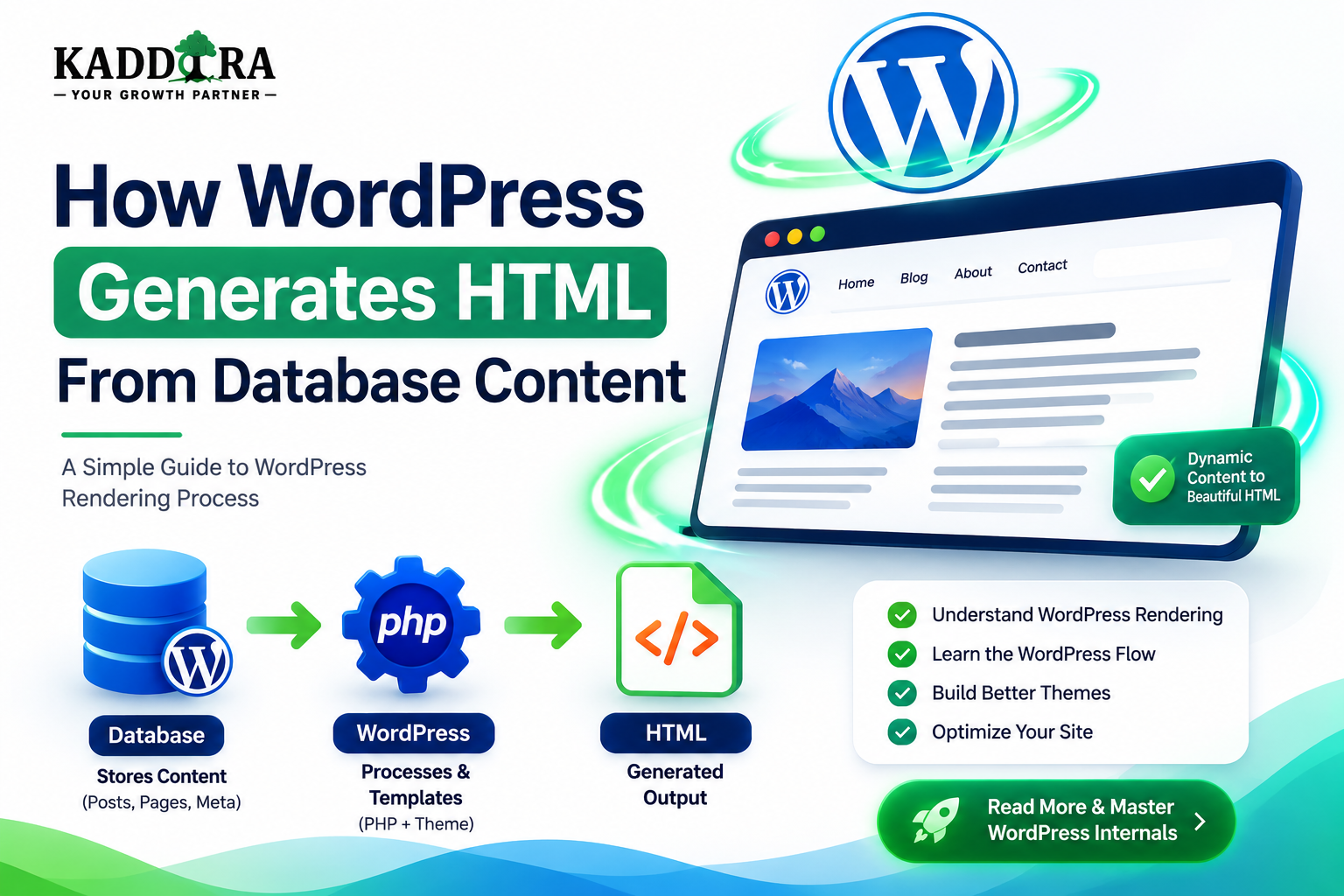
How WordPress Generates HTML From Database Content
Introduction
When a visitor opens a WordPress page, they see a finished website:
Header Navigation Title Content Images Buttons Footer
But WordPress does not normally store that entire final webpage as one HTML document in the database.
Instead, WordPress stores structured information and then assembles that information during the request.
A simplified process looks like:
WordPress Database ↓ Post Data ↓ Query ↓ WordPress Objects ↓ Theme Templates ↓ Blocks / Components ↓ Hooks and Filters ↓ HTML ↓ Browser
For example, a blog post may be stored as structured content containing:
Title Content Author Date Featured Image Categories Metadata
WordPress retrieves these values and combines them with the active theme.
The theme provides the structure:
<header> <main> <article> <footer>
while WordPress provides the content.
The result becomes an HTML response.
Understanding this process is important because it explains:
How themes display database content
Why templates matter
How blocks become frontend markup
How plugins modify content
Why dynamic pages require PHP processing
Why caching can make WordPress faster
Why database queries affect page generation
How custom post types become webpages
How WooCommerce generates product pages
In this guide, you'll learn how WordPress retrieves content from the database, transforms database records into WordPress objects, selects templates, processes post content and blocks, applies hooks and filters, generates HTML, handles dynamic data, loads assets, manages caching, and produces the final browser response.
Does WordPress Store Complete HTML Pages in the Database?
Usually, no.
WordPress generally stores content and configuration rather than the entire final webpage.
For example, the database may contain:
Post Title: How WordPress Works Post Content: [Structured Content] Author: Kaddora Published: Date
The theme then determines how that information is presented.
Database Content vs Presentation
A useful mental model is:
Database → What the website says Theme → How the website looks Plugins → What the website can do
This separation allows the same content to be presented through different themes.
Example: One Post, Multiple Themes
Suppose the database contains:
Title: Best WordPress Plugins Content: Article Content
Theme A may render:
Centered Article Large Image
Theme B may render:
Two-Column Article Sidebar
The underlying post can remain the same.
Step 1: Browser Requests a URL
The process begins when a visitor requests a page.
For example:
https://example.com/blog/wordpress/
The browser sends an HTTP request.
The request eventually reaches WordPress unless a cache can satisfy it first.
Step 2: WordPress Determines What the URL Represents
WordPress interprets the URL through its rewrite and query system.
The request could represent:
A Post A Page A Category A Tag A Custom Post Type A Search A 404
This determines what content must be retrieved.
Step 3: WordPress Builds the Main Query
The main query tells WordPress what the current request is asking for.
For example:
URL: example.com/blog/article-a Main Query: Find article-a
The query then retrieves the relevant data.
Step 4: WordPress Queries the Database
The database stores structured information about the requested content.
WordPress retrieves information such as:
Post ID Title Content Date Author Status
Additional information may come from:
Post metadata
Taxonomies
User records
Plugin data
WordPress Converts Database Data Into Objects
WordPress provides abstractions around database records.
For example:
Database Row ↓ WP_Post
This makes it easier for WordPress and plugins to work with content.
The $post Context
During normal post rendering, WordPress establishes context for the current post.
Themes can then use WordPress functions to retrieve information about that post.
For example, conceptually:
Current Post ├── Title ├── Content ├── Author ├── Date └── Metadata
How WordPress Gets the Post Title
The theme does not normally query the database directly for every title.
Instead, WordPress provides template functions that access the current post context.
For example:
the_title();
The function outputs the title in the appropriate context.
Conceptually:
Database ↓ Current Post ↓ the_title() ↓ HTML
How WordPress Gets Post Content
Similarly, themes commonly use:
the_content();
This outputs the processed content of the current post.
The content is not necessarily printed exactly as stored in the database.
WordPress can process it through filters and content-rendering systems.
Why the_content() Can Change the Stored Content
The stored post content may contain:
Paragraphs
Shortcodes
Blocks
Formatting
Embedded content
Before it reaches the browser, WordPress can process it.
The result may therefore differ from the raw database value.
The Content Filter Pipeline
A simplified model is:
Stored Content ↓ Content Processing ↓ Blocks / Shortcodes ↓ Filters ↓ Final Content HTML
This is an important reason why plugin behavior can affect the final webpage.
Shortcodes and HTML Generation
Suppose the stored content contains a shortcode:
[contact_form]
A plugin can process that shortcode and generate HTML.
The flow becomes:
Database ↓ Shortcode ↓ Plugin Callback ↓ HTML
Blocks and HTML Generation
Modern WordPress content may contain block markup.
For example, conceptually:
Heading Block Paragraph Block Image Block
WordPress processes these block structures and generates frontend output.
Static Blocks
Some blocks store their generated markup with the content.
The browser may ultimately receive HTML corresponding to the saved block structure.
Dynamic Blocks
A dynamic block can execute server-side logic during rendering.
For example:
Block ↓ PHP Callback ↓ Database ↓ HTML
This is useful when content needs to be generated dynamically.
Example: Dynamic Product Block
A product block might represent:
Product ID: 123
During rendering:
Product ID ↓ WooCommerce Data ↓ Product Name Price Image Availability ↓ HTML
This allows the page to reflect current product information.
Theme Templates Provide the Page Structure
A theme determines the overall HTML structure.
For example:
<html> <head> </head> <body> <header></header> <main> <!-- Content --> </main> <footer></footer> </body> </html>
The exact markup depends on the theme.
Template Hierarchy Determines Which Template Runs
WordPress uses its template hierarchy to determine which template should render the current request.
For example, a single custom post type may use a specialized template.
Conceptually:
Request ↓ Specific Template? ├── Yes → Use It └── No → Fallback
Classic Theme Rendering
A classic theme might use files such as:
header.php single.php page.php archive.php footer.php
The PHP templates generate the HTML response.
Block Theme Rendering
A block theme uses a more block-oriented architecture.
Templates can be built from:
Blocks Template Parts Patterns Global Styles
The concept remains the same:
Content + Theme Structure = Frontend Output
Template Parts
Themes frequently reuse common components such as:
Header Navigation Sidebar Footer Post Meta
This avoids duplicating the same markup across many templates.
Components and Reusability
A professional theme can use reusable components:
Card Button Hero Post Meta Author Box
The component receives content and produces consistent markup.
WordPress Functions Help Generate HTML
WordPress provides many template and rendering functions.
Examples include functions for:
Titles
Content
Excerpts
Permalinks
Images
Navigation
Metadata
These APIs reduce the need to access the database directly from theme templates.
Why Themes Should Use WordPress APIs
Instead of:
Direct SQL ↓ Manual HTML
a theme can use:
WordPress API ↓ Processed Value ↓ HTML
This improves compatibility and simplifies development.
Generating Permalinks
A theme can use WordPress APIs to generate the appropriate public URL.
Conceptually:
Post Object ↓ Permalink API ↓ Public URL
The generated URL can respect WordPress's permalink structure.
Generating Images
WordPress also manages image sizes and responsive images.
A theme can request an appropriate image rather than simply outputting the original file.
This contributes to better performance.
Responsive Image HTML
WordPress can generate responsive image attributes so browsers can choose an appropriate image resource.
Conceptually:
<img src="small.jpg" srcset="small.jpg 480w, large.jpg 1200w" />
This reduces unnecessary image downloads.
Escaping Output
HTML generation must also be secure.
When dynamic values are inserted into HTML, they should be escaped according to the output context.
For example:
HTML Text → esc_html() HTML Attribute → esc_attr() URL → esc_url()
This helps prevent unsafe output.
Sanitization vs Escaping
These are different concepts.
Sanitization
Preparing data before storing or processing it.
Escaping
Making data safe for a specific output context.
A secure WordPress rendering pipeline often needs both.
Plugins Can Filter Generated HTML
A plugin may modify output before it reaches the browser.
For example:
Original Content ↓ Plugin Filter ↓ Modified Content ↓ Theme
This is why a plugin can change frontend output without modifying theme files.
Example: Add a Notice to Every Article
A plugin can attach content to an article:
Post Content + Plugin Notice
The final result becomes part of the HTML response.
Plugins Can Also Add Data to Templates
For example:
Theme ↓ Product Template ↓ Plugin Data ↓ HTML
This is common in WooCommerce and other extension ecosystems.
How WooCommerce Generates Product HTML
A WooCommerce product page may involve:
Product Database Data ↓ WooCommerce ↓ Product Object ↓ Template / Blocks ↓ Theme Styling ↓ HTML
This illustrates how a plugin can become a major part of WordPress rendering.
How Custom Post Types Become HTML
Suppose a plugin creates:
Case Study
The database stores the case study.
A theme can then provide:
Single Case Study Template
The workflow becomes:
Case Study Data ↓ Query ↓ Template ↓ HTML
How Metadata Enters the Page
Suppose a product stores:
Price Rating External URL
The theme or plugin can retrieve those values and generate appropriate HTML.
Structured Data Generation
A plugin or theme may also generate machine-readable structured data.
For example:
Content ↓ Schema Data ↓ HTML
The structured data should accurately represent the visible content.
HTML and SEO
The way content becomes HTML affects:
Crawlability
Heading structure
Links
Semantic elements
Metadata
Structured data
Performance
A theme therefore has an important technical SEO role.
Semantic HTML
A good theme uses meaningful elements:
<header> <nav> <main> <article> <section> <footer>
rather than using generic containers everywhere.
Heading Structure
Database content might provide the article title.
The theme should render it using an appropriate heading hierarchy.
For example:
Article Title → H1 Section → H2 Subsection → H3
The theme controls the presentation while preserving semantic structure.
Navigation HTML
WordPress navigation data can be transformed into:
<nav> <ul> <li>...</li> </ul> </nav>
The theme controls the visual styling and interaction behavior.
HTML and Accessibility
Generated HTML must work for users of assistive technologies.
This means considering:
Semantic markup
Accessible names
Labels
Keyboard navigation
Focus behavior
Alternative text
The fact that WordPress generated the HTML does not automatically make it accessible.
Browser Receives the Final HTML
After WordPress finishes processing:
PHP ↓ HTML Response ↓ Web Server ↓ Browser
The browser then parses the result.
The Browser Continues Rendering
Once HTML is received, the browser loads:
CSS JavaScript Images Fonts
The final user experience therefore depends on both server-side HTML generation and client-side rendering.
Where Caching Changes HTML Generation
Suppose the page has already been generated.
A page cache may store:
Generated HTML
Then the next visitor may receive:
Request ↓ Cache ↓ Existing HTML
WordPress may not need to regenerate the page.
Why Cache Invalidation Matters
Suppose the database changes:
Old Product Price: $100
and then becomes:
New Product Price: $80
If the old HTML remains cached, visitors may still see $100.
Therefore:
Data Change ↓ Cache Invalidation ↓ New HTML
is essential for dynamic websites.
Dynamic Pages and Caching
Not all pages can be cached identically.
A page containing:
Current User Personalized Recommendations Cart Private Data
may require more sophisticated caching.
Private and public content must be separated carefully.
HTML Generation and Personalization
A personalized website may generate different HTML for different users:
User A → HTML A User B → HTML B
This increases rendering complexity and affects caching strategy.
HTML Generation and External APIs
If a page depends on external data:
WordPress ↓ API ↓ Data ↓ HTML
the API latency can become part of the page-generation time.
Caching or pre-fetching can reduce this dependency.
Avoid API Calls During Every Page Render
For example:
Every Visitor ↓ CRM API ↓ Render
can become expensive.
A better model may be:
Scheduled Sync ↓ Local Data ↓ Render
when real-time information is not required.
HTML Generation and Database Performance
Generating HTML is only as fast as the data retrieval behind it.
For example:
Template ↓ Related Content Query ↓ Metadata Query ↓ Analytics Query ↓ External API ↓ HTML
The template itself may look simple while the underlying data flow is expensive.
Avoid Heavy Work Inside Templates
A theme template should ideally present data rather than perform large application operations.
Bad architecture:
Template ↓ Complex Database Processing ↓ API Calls ↓ Data Transformation ↓ HTML
Better:
Service ↓ Prepare Data ↓ Template ↓ HTML
Rendering Services
For complex applications, a service layer can prepare the data required by a template.
For example:
Controller ↓ Service ↓ Data ↓ Template
This keeps presentation code cleaner.
HTML Generation and Plugin Architecture
A good plugin should separate:
Data Business Logic Presentation
For example:
Plugin Service ↓ Prepared Data ↓ Theme / Block ↓ HTML
This creates reusable functionality across different frontend implementations.
Headless WordPress Changes the Process
In a traditional setup:
WordPress ↓ Theme ↓ HTML
In a headless setup:
WordPress ↓ REST / GraphQL ↓ Frontend Application ↓ HTML
The frontend application becomes responsible for presentation.
WordPress as a Data Provider
In headless architecture, WordPress may return structured JSON rather than rendering the final page.
For example:
Post ↓ REST API ↓ JSON ↓ Next.js ↓ HTML
This is a major architectural difference.
Server-Side vs Client-Side Rendering
A modern frontend can generate HTML:
Server ↓ HTML
or render content in the browser:
Browser ↓ JavaScript ↓ API ↓ UI
Each model has different performance and SEO considerations.
Static Generation
A build process can pre-generate HTML:
WordPress ↓ Build ↓ HTML Files ↓ CDN ↓ Visitor
This can reduce dynamic request processing for content that changes infrequently.
HTML Generation for Cached Pages
A useful architecture is:
Database ↓ WordPress ↓ Render ↓ Cache HTML ↓ Serve Repeatedly
The rendering cost is paid only when the cache needs to be regenerated.
HTML Compression
The server may compress the generated HTML before sending it to the browser.
Compression reduces network transfer size, although it does not replace good HTML structure and efficient frontend assets.
HTML Headers
The response can contain headers related to:
Caching
Content type
Security
Compression
Cookies
These headers can affect how browsers and intermediate infrastructure handle the generated HTML.
Generated HTML and Security
Unsafe output can introduce vulnerabilities such as cross-site scripting.
For example:
Database Value ↓ Unescaped Output ↓ HTML
may be dangerous if the value contains malicious markup.
Always escape output according to context.
HTML and User-Generated Content
User-generated content requires particular care.
Examples include:
Comments
Profiles
Reviews
Frontend submissions
Custom fields
The application must distinguish between trusted and untrusted data.
HTML and Internationalization
Generated HTML also needs to support translated content.
Languages can change:
Word length
Text direction
Button size
Heading length
Themes should not assume that every string will fit exactly like English content.
HTML and RTL Languages
Right-to-left languages can change:
Direction Alignment Spacing Icons Navigation
The generated markup should work appropriately with the theme's RTL strategy.
HTML and Responsive Layouts
Database content can be unpredictable.
For example:
Short Title vs A Very Long Article Title That Uses Many Words
The HTML and CSS should remain robust in both cases.
HTML and WooCommerce Product Pages
WooCommerce may generate large product structures containing:
Product Title Price Images Description Attributes Variations Cart Controls Reviews
Theme and extension code should avoid producing unnecessarily complex markup.
HTML and AI-Generated Content
AI-generated text can be inserted into WordPress content, but it still becomes part of the final HTML.
The application should:
Validate output
Sanitize where appropriate
Escape HTML contexts
Review content quality
AI does not change the fundamental security requirements of HTML generation.
Common HTML Generation Mistakes
Querying the Database Directly From Every Template
Creates unnecessary coupling and repeated work.
Running External APIs Inside Templates
Can make rendering slow and unreliable.
Generating Huge HTML Pages
Large DOM structures can hurt browser performance.
Forgetting Escaping
Can introduce security vulnerabilities.
Hardcoding Database Content
Reduces flexibility.
Ignoring Cache Invalidation
Visitors see stale content.
Unstructured Markup
Makes accessibility and SEO harder.
Overusing Dynamic Blocks
Every block can add rendering work.
Best Practices for WordPress HTML Generation
A professional WordPress system should:
Retrieve only the data needed for the page.
Use WordPress APIs instead of unnecessary direct SQL.
Separate data preparation from presentation.
Keep templates focused on rendering.
Use semantic HTML.
Escape dynamic output correctly.
Optimize images and assets.
Cache expensive reusable results.
Invalidate caches when relevant data changes.
Avoid unnecessary remote API calls during rendering.
Keep generated markup reasonably small.
Test long and translated content.
Maintain accessibility.
Monitor server-side and frontend performance.
Professional WordPress Rendering Architecture
A scalable rendering architecture can look like:
Request │ ▼ Query / Context │ ▼ Service │ ┌─────────┴─────────┐ ▼ ▼ Database Cache │ │ └─────────┬─────────┘ ▼ Prepared Data │ ┌─────────┼─────────┐ ▼ ▼ ▼ Template Block API │ │ │ └─────────┼─────────┘ ▼ HTML │ ▼ Browser
The architecture keeps the responsibilities separated.
Why choose ThemeKaddora?
ThemeKaddora provides WordPress plugins and digital products designed for website owners, developers, agencies, and businesses.
Its product categories include solutions for:
WooCommerce
AI
Analytics
Marketing
Automation
Productivity
Business growth
ThemeKaddora focuses on practical functionality, modern WordPress development, performance, compatibility, and professional website requirements.
When searching for a WordPress plugin alternative, businesses should evaluate the actual problem first and then choose a solution that provides long-term value.
Conclusion
WordPress generates HTML by combining structured data with application logic and presentation templates.
The basic process is:
Database
→ Query
→ WordPress Objects
→ Content Processing
→ Plugins / Filters
→ Theme / Blocks
→ HTML
→ Browser
The database does not normally contain the complete final webpage.
Instead, it stores information that WordPress uses to construct the webpage dynamically.
This architecture provides enormous flexibility.
The same content can be:
Rendered by different themes
Exposed through REST APIs
Used in custom blocks
Displayed in WooCommerce templates
Served to headless applications
Processed by plugins
But that flexibility also creates responsibilities.
Developers need to make sure:
Queries are efficient
→ Data is trustworthy
→ Output is escaped
→ Templates are semantic
→ Assets are optimized
→ Caches are correctly managed
→ Dynamic operations are controlled
For ThemeKaddora, this separation is particularly important.
A plugin should generally provide:
Data Business Logic Services
while the theme or block layer handles:
Presentation Layout HTML
This means a customer can change the theme without losing important business data.
The most important principle is:
Prepare the right data before rendering, and let the presentation layer focus on turning that data into clean, secure, accessible HTML.
When this principle is followed, WordPress applications become easier to optimize, easier to secure, and easier to maintain.
The goal is not simply to generate HTML.
The goal is to generate HTML that is:
Fast
→ Semantic
→ Accessible
→ Secure
→ SEO-friendly
→ Responsive
→ Maintainable
That is the foundation of professional WordPress frontend rendering.
Frequently Asked Questions
How does WordPress generate HTML?
WordPress retrieves structured content from the database, processes it through its content and plugin systems, selects the appropriate theme templates or blocks, and generates HTML for the browser.
Does WordPress store complete HTML pages in the database?
Usually no. WordPress generally stores content and configuration, while the final page is generated from that information during rendering.
What generates the final HTML?
The final HTML can be generated by WordPress core, theme templates, blocks, plugins, shortcodes, dynamic components, and other application logic.
What is the WordPress template hierarchy?
It is the system WordPress uses to select an appropriate theme template for a given request.
How does the_content() work?
It retrieves the current post's content and processes it through WordPress's content-rendering pipeline before outputting it.
How do blocks become HTML?
WordPress processes the saved block structure and renders the appropriate markup. Dynamic blocks can execute server-side logic during rendering.
Can plugins change generated HTML?
Yes. Plugins can use filters, actions, shortcodes, blocks, and other supported extension mechanisms to influence frontend output.
Does WooCommerce generate HTML?
Yes. WooCommerce contributes product, cart, checkout, account, and other commerce-related data and rendering behavior.
How does caching affect HTML generation?
A page cache can store already-generated HTML and serve it directly to later visitors, avoiding repeated WordPress rendering work.
Why is cache invalidation important?
When the underlying content changes, cached HTML can become outdated. The appropriate cached response must be invalidated or regenerated so visitors receive current information.
Can external APIs slow HTML generation?
Yes. If a page waits for an external API during rendering, the API's response time can directly affect the server response time.
Why choose Themekaddora?
Themekaddora provides lightweight, responsive, SEO-friendly WordPress themes with fast performance, WooCommerce compatibility, flexible customization, accessibility-conscious design, modern templates, regular updates, and professional support—providing a strong foundation for businesses building digital products and product-focused websites.
Comments (0)