
Introduction
Artificial intelligence is making database operations easier to access through natural-language instructions. Instead of writing SQL manually, website administrators can ask an AI assistant to find recent orders, retrieve published articles, identify low-stock products, or generate business reports.
WordPress developers are increasingly incorporating these capabilities into analytics dashboards, WooCommerce extensions, database assistants, chatbot integrations, and automated reporting plugins.
However, allowing AI-generated instructions to interact with a WordPress database introduces an important security challenge. A model may generate incorrect queries, include unauthorized filters, request sensitive information, or produce SQL statements influenced by malicious prompts and external documents.
Even when an AI provider is reliable, its output cannot be treated as trusted database instructions.
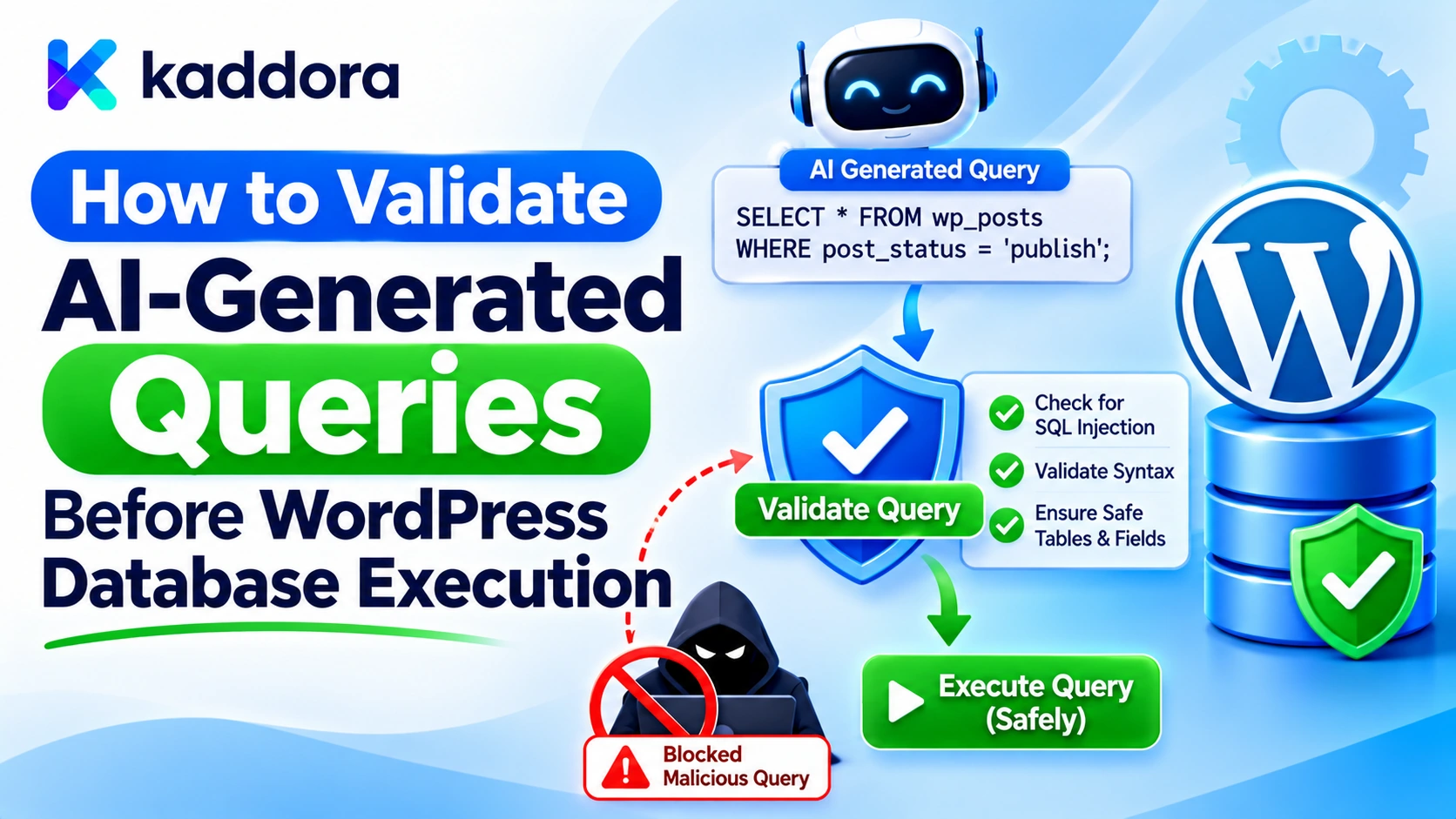
Validating AI-generated queries before database execution is essential for preventing SQL injection, unauthorized data access, destructive operations, and expensive database requests.
A secure integration should never allow an AI model to decide independently which SQL commands, tables, columns, and database operations can be executed. Instead, the application should validate the model's response, restrict available operations, verify user permissions, and construct database queries using application-controlled logic.
This guide explains how to build a practical validation pipeline for WordPress AI plugins, use structured query instructions, validate dynamic filters, apply prepared statements, enforce authorization, and prevent unsafe AI-generated requests from reaching the database.
Why AI-Generated Queries Need Validation
Traditional WordPress plugins generally define their database operations inside application code. User input is collected, validated, and passed into predefined database operations.
AI-powered plugins introduce an additional layer: a model interprets natural-language requests and generates instructions for the application.
For example, an administrator might ask:
"Find the ten most recently created products that are low in stock."
The AI model may interpret this request and generate a query specification containing a search operation, product status, stock condition, sorting preference, and result limit.
This is convenient, but the model can misunderstand the request or return unexpected instructions.
Potential problems include:
Unexpected database operations: The model may return an unsupported operation or generate SQL that the plugin never intended to execute.
SQL injection: Untrusted values may be combined with SQL statements without proper parameterization.
Unauthorized information access: A generated query may request customer records or private information outside the current user's permissions.
Invalid query parameters: The response may contain incorrect field names, unsupported operators, malformed dates, or inappropriate data types.
Excessive database requests: The model may request thousands of records or generate unnecessarily expensive search conditions.
Destructive operations: A request intended to retrieve information may produce an instruction to update or delete records.
Prompt injection: Malicious instructions in user prompts, retrieved documents, or external information may influence the generated query.
These risks make validation necessary before any AI-generated instruction reaches the WordPress database layer.
Never Treat AI-Generated SQL as Executable Instructions
The first security rule is to avoid executing raw SQL returned by an AI provider.
Consider an unsafe implementation:
global $wpdb; $ai_generated_sql = $ai_response; $results = $wpdb->get_results( $ai_generated_sql );
This code allows the model to control the database query structure.
Even when the prompt instructs the model to generate only read-only SQL, that instruction does not enforce database permissions or guarantee that the output will follow the required rules.
An AI model can return malformed SQL, access an unintended table, or include unauthorized conditions.
Checking whether the response begins with SELECT is also insufficient. A read query can expose private information, bypass application-level restrictions, or consume excessive database resources.
Instead, the plugin should accept a restricted description of an approved operation and construct the actual SQL itself.
The AI model can interpret the user's intention, but WordPress must control how that intention becomes a database operation.
Convert AI Requests Into Structured Query Specifications
A secure database assistant should request structured data instead of arbitrary SQL statements.
For example, an AI model could return the following JSON:
{ "action": "search_records", "status": "active", "search": "analytics", "sort": "newest", "limit": 10 }
This response describes what the user wants without supplying a complete SQL query.
The WordPress plugin can then verify each field against its approved schema.
Define Supported Operations
Start with a fixed list of database operations that the feature actually needs.
Supported action
Intended operation
search_records
Retrieve matching records
get_recent_posts
Retrieve recent published posts
find_low_stock
Retrieve products with low inventory
count_orders
Count authorized orders
get_sales_summary
Calculate approved sales metrics
The application should map each action to a dedicated function.
Unknown operations must be rejected rather than interpreted as new database instructions.
Define the Accepted Fields
Each operation should have its own list of accepted arguments.
For a record-search operation, the plugin may allow:
status: An approved record status.
search: A text search value.
sort: An approved sorting option.
limit: A maximum number of results.
It should not accept unexpected fields such as:
sql
table
column
database
delete
raw_condition
Rejecting unsupported fields prevents the model from expanding the database operation beyond the application's intended capabilities.
Validate the AI Response Structure
Before checking individual values, validate the overall response structure.
The application should confirm that the provider returned the expected data type and required fields.
For example:
function kaddora_ai_validate_query_spec( $spec ) { if ( ! is_array( $spec ) ) { return new WP_Error( 'kaddora_ai_invalid_spec', 'The AI query specification is invalid.' ); } $allowed_keys = array( 'action', 'status', 'search', 'sort', 'limit', ); $unexpected_keys = array_diff( array_keys( $spec ), $allowed_keys ); if ( ! empty( $unexpected_keys ) ) { return new WP_Error( 'kaddora_ai_unexpected_fields', 'The query contains unsupported fields.' ); } if ( ! isset( $spec['action'] ) || 'search_records' !== $spec['action'] ) { return new WP_Error( 'kaddora_ai_unsupported_action', 'The requested database operation is not supported.' ); } return true; }
This is an initial structural validation example. A production implementation must continue by validating every accepted field and returning normalized values before query construction.
Do not assume that valid JSON means the request is safe. JSON only describes the response format; it does not establish authorization or database security.
Validate Every Query Parameter
After validating the response structure, inspect each individual field.
The validation rules should reflect the application's actual database requirements.
Validate Action Names With Allowlists
The AI model should only select operations that the application explicitly supports.
$allowed_actions = array( 'search_records', 'get_recent_posts', 'find_low_stock', ); $action = $spec['action'] ?? ''; if ( ! is_string( $action ) || ! in_array( $action, $allowed_actions, true ) ) { return new WP_Error( 'kaddora_ai_invalid_action', 'Unsupported database action.' ); }
Strict comparison prevents unexpected values from being treated as valid operations.
Never construct a function name, class name, SQL statement, or database method call directly from an AI-generated action.
Validate Enumerated Values
Some parameters should accept only predefined values.
For example, a record status might support active and archived.
$allowed_statuses = array( 'active', 'archived', ); $status = $spec['status'] ?? 'active'; if ( ! is_string( $status ) || ! in_array( $status, $allowed_statuses, true ) ) { return new WP_Error( 'kaddora_ai_invalid_status', 'Unsupported record status.' ); }
This prevents arbitrary status values from entering the query-building process.
The same approach applies to categories, sorting options, workflow types, and supported filter operators.
Validate Search Text
Search values should have an expected type and a reasonable maximum length.
$search = $spec['search'] ?? ''; if ( ! is_string( $search ) || strlen( $search ) > 200 ) { return new WP_Error( 'kaddora_ai_invalid_search', 'The search value is invalid or too long.' ); } $search = sanitize_text_field( $search );
sanitize_text_field() can normalize ordinary text, but it does not replace SQL parameterization.
Even after validation and sanitization, the search value must be passed through the appropriate $wpdb->prepare() placeholder when used in SQL.
Validate Numeric Limits
Never allow an AI-generated result limit to determine an unrestricted database operation.
$limit = $spec['limit'] ?? 10; if ( ! is_int( $limit ) || $limit < 1 || $limit > 50 ) { return new WP_Error( 'kaddora_ai_invalid_limit', 'The requested result limit is outside the permitted range.' ); }
This example accepts integer values between 1 and 50.
The maximum should be defined by the feature's actual performance requirements, not selected by the AI model.
Apply equivalent validation to pagination, date ranges, numeric thresholds, and other database filters.
Validate Sorting Columns and Query Operators
AI-generated queries often include sorting instructions such as:
Newest first.
Oldest first.
Highest price.
Alphabetical order.
These instructions may eventually influence SQL identifiers or keywords.
The important distinction is that SQL placeholders are designed for data values. They should not be used as a substitute for validating arbitrary query structure.
Map Sorting Options to Trusted Columns
Instead of accepting a raw column name from the AI response, create a fixed mapping.
$sort_options = array( 'newest' => array( 'column' => 'created_at', 'direction' => 'DESC', ), 'oldest' => array( 'column' => 'created_at', 'direction' => 'ASC', ), 'title' => array( 'column' => 'title', 'direction' => 'ASC', ), ); $sort = $spec['sort'] ?? 'newest'; if ( ! is_string( $sort ) || ! isset( $sort_options[ $sort ] ) ) { return new WP_Error( 'kaddora_ai_invalid_sort', 'Unsupported sorting option.' ); } $sort_rule = $sort_options[ $sort ];
The column and sorting direction now come from application-controlled values.
The AI model chooses an approved sorting option rather than supplying an arbitrary SQL identifier.
Restrict Filter Operators
A query specification might need operators such as:
Equals.
Greater than.
Less than.
Contains.
Define these operators explicitly and map them to application-controlled SQL fragments.
Do not allow the model to supply a complete WHERE condition or arbitrary SQL expression.
Even when an operator is allowlisted, its associated value must still be validated and bound through a placeholder.
Build SQL Only After Validation
Once every field has passed validation, the plugin can construct a query using application-controlled SQL.
Consider a custom database table used by a WordPress analytics feature.
The following example assumes that the plugin has already created the table and that the approved query specification has been validated.
function kaddora_ai_execute_record_search( $spec ) { global $wpdb; $validation = kaddora_ai_validate_query_spec( $spec ); if ( is_wp_error( $validation ) ) { return $validation; } // Run the remaining field validations here. // The values below must be normalized and approved // before they reach this function. $status = $spec['status']; $search = $spec['search'] ?? ''; $limit = $spec['limit'] ?? 10; $sort = $spec['sort'] ?? 'newest'; $sort_options = array( 'newest' => array( 'column' => 'created_at', 'direction' => 'DESC', ), 'oldest' => array( 'column' => 'created_at', 'direction' => 'ASC', ), ); if ( ! isset( $sort_options[ $sort ] ) ) { return new WP_Error( 'kaddora_ai_invalid_sort', 'Unsupported sorting option.' ); } $sort_rule = $sort_options[ $sort ]; // The table suffix is fixed by the plugin. $table_name = $wpdb->prefix . 'kaddora_ai_records'; $like = '%' . $wpdb->esc_like( $search ) . '%'; $sql = $wpdb->prepare( "SELECT id, title, created_at FROM {$table_name} WHERE status = %s AND title LIKE %s ORDER BY {$sort_rule['column']} {$sort_rule['direction']} LIMIT %d", $status, $like, $limit ); return $wpdb->get_results( $sql, ARRAY_A ); }
The example demonstrates several important protections:
The database table name is controlled by the plugin.
The sorting column comes from a fixed allowlist.
The sorting direction comes from a predefined mapping.
The status and search values are passed through placeholders.
The search value uses $wpdb->esc_like() for a LIKE pattern.
The result limit is expected to have passed server-side validation.
In a production plugin, the validation function should return a normalized specification, and the execution function should accept only that validated structure. The example separates the core query-building responsibilities for clarity.
The SQL structure must never be assembled from raw AI-generated strings.
Use $wpdb->prepare() for Every Dynamic SQL Value
Prepared statements are an essential part of query security.
WordPress provides $wpdb->prepare() with placeholders for different data types.
Placeholder
Intended value
%s
String
%d
Integer
%f
Floating-point number
%i
SQL identifier in supported WordPress versions
For example:
global $wpdb; $sql = $wpdb->prepare( "SELECT id, title FROM {$wpdb->prefix}kaddora_ai_records WHERE status = %s AND record_id = %d", $status, $record_id ); $results = $wpdb->get_results( $sql );
The SQL structure remains controlled by the plugin, while dynamic values are supplied separately.
WordPress also supports the %i placeholder for identifiers in supported versions. However, using it does not mean an AI model should be allowed to select arbitrary database tables or columns.
Identifier selection should still be restricted through application-controlled mappings.
For plugins supporting older WordPress versions, check the minimum version's $wpdb->prepare() capabilities and build compatible identifier handling without accepting untrusted identifiers.
Enforce User Permissions Before Database Execution
A correctly validated query can still access information that the current user is not allowed to see.
For example, an AI assistant may generate a valid request for customer orders. The SQL may be completely parameterized, but the current user might not have permission to access those orders.
Therefore, validation must include application authorization.
Check WordPress Capabilities
Use current_user_can() to verify whether the current user has the capability required for the requested operation.
if ( ! current_user_can( 'manage_options' ) ) { return new WP_Error( 'kaddora_ai_access_denied', 'You are not authorized to access this report.' ); }
Choose capabilities based on the purpose of the feature. A public search operation and an administrator-only financial report should not automatically have identical permission requirements.
Verify Resource Ownership
For operations involving customer records, orders, membership data, or private content, capability checks may need to be supplemented with resource-level authorization.
Examples include:
A customer can access only their own order records.
A user can access only records belonging to their organization.
An editor can modify only posts they are permitted to edit.
A member cannot retrieve private records belonging to another member.
The database query should include the verified resource scope. Do not rely on the AI model to add the correct user ID, tenant ID, or ownership condition.
The application must obtain those trusted identifiers from its authenticated session and permission checks.
Use Nonces Correctly
For relevant WordPress request flows, use nonce verification to help prevent cross-site request forgery.
However, a nonce is not authorization. A valid nonce does not establish that a user has permission to view private records or perform a database operation.
Use nonce validation, capability checks, and resource-level authorization for their separate purposes.
Add Validation to WordPress REST API Endpoints
Many AI-powered plugins use REST API endpoints to receive query specifications and return database results.
WordPress supports argument validation and sanitization when registering REST routes.
A simplified route definition might look like this:
add_action( 'rest_api_init', function() { register_rest_route( 'kaddora-ai/v1', '/search-records', array( 'methods' => 'POST', 'callback' => 'kaddora_ai_rest_search_records', 'permission_callback' => function() { return current_user_can( 'manage_options' ); }, 'args' => array( 'search' => array( 'type' => 'string', 'required' => false, 'validate_callback' => function( $value ) { return is_string( $value ) && strlen( $value ) <= 200; }, 'sanitize_callback' => 'sanitize_text_field', ), ), ) ); } );
The route example validates and sanitizes a search argument and checks the user's capability.
The actual REST callback must also validate the complete AI-generated query specification before execution. Route-level validation of one parameter does not automatically validate every field returned by the AI provider.
For larger specifications, define a complete schema or use dedicated validation functions for each field.
Prevent Unauthorized Data Access Through AI Queries
An AI-generated request may be technically valid and still violate application-level data boundaries.
This is particularly important for multi-user WordPress websites and SaaS-style applications.
Suppose a business dashboard manages data for multiple organizations. The AI assistant receives a request to retrieve recent transactions.
The plugin must not let the model choose the organization identifier.
Instead, it should derive the authorized organization from the authenticated user and verify that the user can access the requested records.
Apply the same approach to:
Customer accounts.
WooCommerce orders.
Membership records.
Private posts.
Employee information.
Website-specific analytics.
Tenant-scoped databases.
Where cached query results are used, cache keys must include appropriate user, tenant, and resource scope. Otherwise, a result retrieved for one user could accidentally be served to another.
Restrict Query Complexity and Database Resource Usage
Validation should also protect WordPress performance.
An AI-generated query could request too much data or include combinations of filters that require expensive database operations.
A secure query validator should enforce:
Maximum result counts: Restrict the number of records returned by every operation.
Date range limits: Prevent unnecessarily broad historical searches where they are not required.
Allowed filters: Permit only the conditions the feature actually supports.
Approved sorting: Avoid arbitrary ordering expressions.
Pagination limits: Prevent extremely large page sizes and uncontrolled offsets.
Query timeouts and execution controls: Design the feature to handle slow operations without exhausting PHP workers.
Duplicate request protection: Avoid repeating expensive identical operations unnecessarily.
For large reports, consider background processing with an authorization check at execution time. The user who initiated a task may lose access before the background job runs, so permissions should be rechecked rather than permanently assumed.
Separate Read, Write, and Destructive Operations
Not every database operation carries the same level of risk.
A read-only reporting feature may retrieve information without modifying existing records. A content-management assistant may create or update posts. A cleanup assistant might delete records.
These operations should not share unrestricted execution privileges.
A safer design separates them:
Read operations: Retrieve approved and authorized information.
Create operations: Add records through dedicated WordPress functions.
Update operations: Modify approved fields after permission and business-rule validation.
Delete operations: Require stronger authorization and explicit confirmation.
For example, an AI assistant may identify a post that appears outdated. It should not automatically delete that post merely because the model recommends doing so.
The plugin can present the recommendation to an authorized administrator and execute a dedicated deletion function only after appropriate approval.
Every write operation should validate the target record, allowed fields, values, and current user's permissions.
Log Validation Results and Rejected Requests
A secure validation pipeline should provide enough operational information to investigate unexpected behavior.
Useful audit fields include:
Operation identifier.
AI feature name.
Requested action.
Validation outcome.
Rejection reason category.
Current user or authorized account reference.
Number of records returned.
Database execution status.
Execution duration.
Approval status for sensitive operations.
Avoid logging API credentials, full private prompts, complete database records, or sensitive query values unnecessarily.
Logging should help administrators identify invalid requests, repeated validation failures, and suspicious query patterns without creating another source of sensitive information exposure.
Test AI-Generated Query Validation Before Release
Validation rules must be tested against both legitimate and malicious inputs.
Use a staging WordPress installation and prepare test cases for each supported database operation.
Test scenario
Expected result
Valid search specification
Approved query executes
Unknown action
Request rejected
Unexpected SQL field
Request rejected
Invalid status value
Request rejected
Search value with SQL-like characters
Treated only as a parameter value
Invalid sorting option
Request rejected
Unknown database column
Request rejected
Excessive result limit
Request rejected or restricted to server maximum
Another user's record ID
Authorization denied
Prompt injection in retrieved content
Cannot introduce a new database operation
Request for DELETE operation
Rejected unless a separate approved workflow permits it
Malformed JSON response
Rejected before execution
Review Every Database Execution Path
Inspect all plugin code that performs database operations.
Pay attention to:
$wpdb->query()
$wpdb->get_results()
$wpdb->get_row()
$wpdb->get_var()
$wpdb->insert()
$wpdb->update()
$wpdb->delete()
Check whether untrusted data can reach these methods directly or indirectly.
A query may use $wpdb->prepare() in one part while still concatenating an untrusted table name, column, operator, or SQL fragment elsewhere.
Also test the complete workflow, starting from the user request and ending with database execution. This helps identify weaknesses that may not be visible when testing the query-building function alone.
Common Mistakes to Avoid
Executing raw AI-generated SQL: Never allow model responses to control unrestricted database query execution.
Checking only the SQL keyword: Confirming that a query begins with SELECT does not establish that it is safe or authorized.
Validating only JSON syntax: A properly formatted response may still contain invalid actions and unauthorized values.
Using sanitization instead of parameterization: Text sanitization does not replace $wpdb->prepare().
Allowing arbitrary identifiers: Table names, column names, and sorting directions should come from application-controlled allowlists.
Trusting AI-generated user or tenant IDs: Obtain trusted identity and resource scope from the authenticated application context.
Ignoring expensive queries: A harmless read operation may still overload the website.
Using nonces as authorization: Nonces help protect request flows but do not replace capability checks.
Giving AI unrestricted write permissions: Sensitive modifications should use dedicated functions and appropriate approval.
Skipping validation after model changes: A different model or provider may return a different response structure, so validation must remain enforced independently of model behavior.
Best Practices Checklist
Never execute raw AI-generated SQL.
Request structured query specifications.
Define a fixed list of supported database operations.
Reject unexpected response fields.
Validate every field's type, format, and length.
Restrict actions, operators, and filter values through allowlists.
Validate sorting columns and directions separately.
Set server-side result and pagination limits.
Prefer native WordPress APIs when suitable.
Use $wpdb->prepare() for every dynamic SQL value.
Keep table and column selection under application control.
Check user capabilities before protected operations.
Verify resource ownership and tenant boundaries.
Keep read, write, and destructive operations separate.
Require approval for sensitive database modifications.
Recheck authorization when background tasks execute.
Log validation failures without exposing sensitive information.
Test SQL injection, prompt injection, and unauthorized access scenarios.
Why Choose Kaddora?
Kaddora focuses on WordPress development, AI integration, and business workflow solutions. Secure AI database functionality requires a clear separation between model-generated instructions and application-controlled execution. Understanding query validation, prepared statements, permission checks, and database safeguards helps developers build WordPress solutions that are easier to maintain and protect.
Conclusion
Validating AI-generated queries before WordPress database execution is a critical security requirement for modern AI-powered plugins.
An AI model can understand natural-language requests and suggest database operations, but it should never receive unrestricted authority to construct and execute SQL statements.
A secure implementation begins with structured query specifications, validates every action and parameter, restricts database identifiers through allowlists, and checks user permissions before execution. WordPress APIs and $wpdb->prepare() should be used to construct safe database operations with application-controlled SQL.
Developers must also consider resource-level authorization, tenant isolation, query complexity, background execution, and approval requirements for sensitive changes.
The most effective architecture keeps AI responsible for interpreting user intent while WordPress remains responsible for validating permissions, constructing queries, and controlling database execution.
By implementing these controls, developers can create intelligent WordPress database assistants without turning AI-generated instructions into an unrestricted pathway to sensitive website information.
Frequently Asked Questions
Why should AI-generated queries be validated before database execution?
AI-generated queries may contain incorrect operations, unauthorized filters, invalid fields, or unsafe SQL instructions. Validation prevents unsupported requests from reaching the database and ensures that only approved operations are executed.
Can WordPress plugins execute SQL generated by AI models?
Plugins should not execute raw AI-generated SQL. They should convert the model's response into structured instructions, validate the arguments, and construct queries through application-controlled database functions.
How does $wpdb->prepare() help validate AI-generated queries?
$wpdb->prepare() helps prevent SQL injection by separating dynamic data values from SQL syntax. It does not validate business permissions or approve query structure, so developers must combine it with input validation and identifier allowlists.
What is a structured query specification?
A structured query specification is a predefined data format that describes an approved database operation and its arguments. It allows an AI model to communicate the user's intent without supplying executable SQL.
How can developers prevent AI-generated queries from accessing unauthorized records?
Developers should check WordPress capabilities, verify resource ownership, enforce tenant boundaries, and construct database queries using trusted user and account identifiers rather than identifiers supplied by the AI model.
Should WordPress AI plugins allow automatically generated UPDATE and DELETE queries?
Unrestricted generated modification queries should not be allowed. Updates and deletions should use dedicated application functions with validation, authorization, business-rule checks, and explicit approval for sensitive operations.
Why choose ThemeKaddora?
ThemeKaddora provides WordPress plugins, themes, and templates for developers, agencies, and website owners. Its practical approach to digital product development supports building useful WordPress solutions with attention to functionality, maintainability, and security.
How often should AI query validation rules be reviewed?
Review validation rules whenever the AI model, provider, database schema, plugin feature, or supported query operations change. Also reassess them after security incidents and before significant production releases.
Comments (0)