
Introduction
AI-powered WordPress plugins are increasingly capable of interpreting user instructions and turning them into application operations. An AI assistant may create a draft post, update a product description, organize website content, modify selected records, or trigger an automated workflow.
These capabilities are often implemented through AI tool calling, function calling, or agent-based execution. The AI model receives a request, determines which operation may be appropriate, and generates a command or structured set of arguments for the plugin.
However, an AI-generated command is not automatically safe to execute. The model may produce invalid parameters, misunderstand the requested operation, select an unauthorized action, or respond to malicious instructions hidden in a document or external website.
For example, a user may ask an AI assistant to create a draft article. The model might generate a command that attempts to publish the article immediately or modify unrelated website settings. Executing the command without independent verification could cause unintended changes.
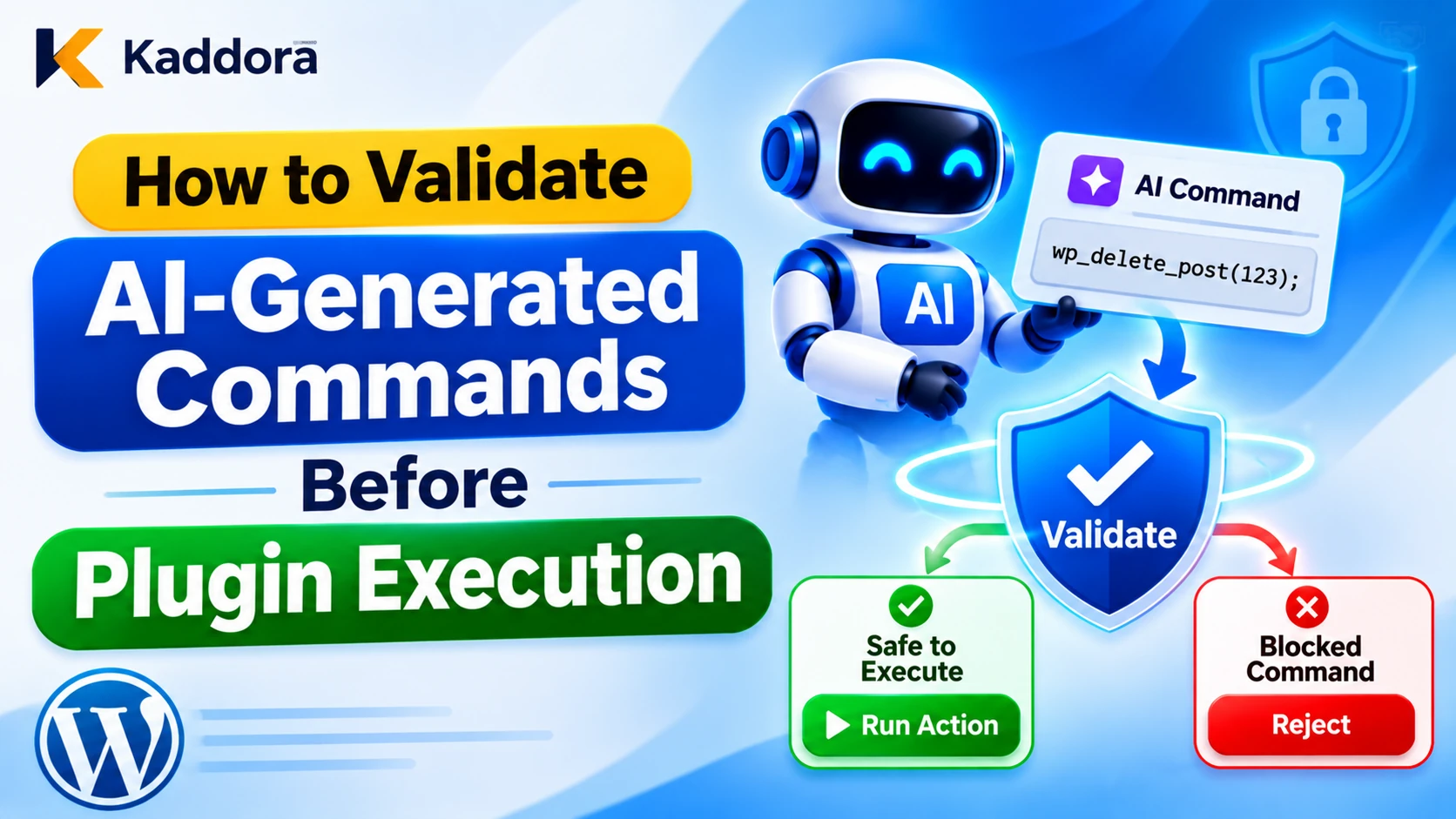
Validating AI-generated commands before plugin execution creates a security boundary between AI decision-making and trusted WordPress functionality. It ensures that every proposed operation is checked against predefined tools, argument rules, user permissions, business policies, and approval requirements.
This guide explains how to build a secure command validation system for WordPress AI plugins, including command allowlists, schema validation, authorization, risk assessment, human approval, safe execution, and audit logging.
What Are AI-Generated Commands in WordPress Plugins?
AI-generated commands are structured instructions produced by an AI model to request an operation from an application.
In a WordPress plugin, these commands may represent actions such as:
Creating a draft post.
Updating an existing page.
Retrieving product information.
Generating a product description.
Updating an approved record.
Creating a customer-support ticket.
Scheduling a content task.
Triggering a permitted automation.
For example, an AI content assistant may generate the following structured command:
{ "command": "create_draft_post", "arguments": { "title": "WordPress AI Security Guide", "content": "An introduction to securing AI-powered plugins." } }
This is a proposal, not an instruction that the plugin must automatically execute.
The application must establish whether the command is recognized, whether its parameters are valid, and whether the authenticated user is permitted to perform the operation.
It is also important to distinguish structured application commands from operating-system commands. A WordPress plugin should not turn model-generated text into unrestricted shell commands, PHP code, SQL statements, or dynamically selected functions.
Why Must AI-Generated Commands Be Validated?
Allowing a model to control plugin operations without verification can create security and reliability problems.
Prevent Unauthorized Operations
An AI model may propose an action that exceeds the permissions of the current user.
For example, a user who can create draft posts may not have permission to publish content or modify another user's records.
The plugin must enforce WordPress permissions independently of the AI-generated command.
Prevent Malformed Parameters
Model-generated commands may contain missing fields, incorrect data types, invalid identifiers, unexpected nested objects, or excessive content.
Strict validation ensures that only values supported by the intended operation reach WordPress functions.
Reduce Prompt Injection Risks
A malicious instruction can enter through a user message, uploaded file, retrieved document, external website, or API response.
It may influence the model to generate a command that attempts to access private information or perform an unauthorized action.
Command validation helps prevent manipulated model output from bypassing application security controls.
Protect Website Data
AI commands may affect posts, products, users, orders, settings, and other business records.
Validating every operation reduces the risk of accidental deletion, unauthorized modifications, inappropriate publication, and incorrect automation.
Maintain Predictable Plugin Behavior
A plugin should perform only the operations its developers intentionally designed.
Command allowlists, validation rules, and controlled execution make AI automation more predictable and easier to test, monitor, and maintain.
Design a Secure AI Command Execution Architecture
A secure plugin should separate command generation, validation, authorization, and execution.
A recommended workflow is:
User Request → AI Model → Proposed Command → Command Parser → Command Allowlist → Schema Validation → Permission Checks → Risk Assessment → Approval Gate → WordPress Executor → Audit Log
Each component should have a clearly defined role.
AI Command Generation
The AI model interprets the user's request and proposes an available operation.
It may select a predefined tool and return structured arguments. However, model output must always be treated as untrusted data.
Command Parsing
The plugin receives the response and checks whether it can be interpreted using the expected format.
Malformed JSON, unsupported response structures, incomplete commands, and unexpected data types should be rejected.
Command Validation
The validator checks the command name, permitted arguments, required fields, value types, length limits, and allowed values.
Authorization and Policy Checks
The application identifies the authenticated user, verifies the relevant WordPress capabilities, checks object-level permissions, and applies plugin-specific business rules.
Controlled Execution
Only approved commands reach predefined PHP handlers.
The executor must not evaluate arbitrary model-generated code or dynamically invoke unrestricted functions.
Create an Approved Command Allowlist
The first step is deciding which operations an AI feature is allowed to request.
Maintain a fixed registry of permitted commands.
For example:
Command
Purpose
Suggested risk
get_post_details
Retrieve permitted post information
Low
create_draft_post
Create draft content
Medium
update_post_excerpt
Modify an existing excerpt
Medium
publish_post
Publish website content
High
delete_post
Remove an existing post
High
update_site_settings
Modify website configuration
Critical
These classifications are examples. Actual risk depends on the operation, website configuration, user permissions, and business impact.
Use Fixed Command Names
Accept only exact command identifiers defined in trusted plugin code.
Reject unknown commands, alternative spellings, and model-generated function names that do not exist in the registry.
Do not use call_user_func() with a function name supplied by the model. Do not allow the AI to define new PHP handlers dynamically.
Separate Read and Write Operations
Read-only commands should be separated from commands that modify data.
For example, retrieving an existing post should not automatically provide permission to update it.
This separation helps developers apply different security policies to different operations.
Use Minimum Required Permissions
An AI assistant that generates draft content does not need administrator access to WordPress settings.
Grant each feature only the tools and permissions required for its intended purpose.
Validate Command Structure and Arguments
Once a command has been recognized, validate its arguments before performing any operation.
Define a Schema for Every Command
Each command should have a strict schema containing:
Required arguments.
Optional arguments.
Accepted data types.
Maximum string lengths.
Allowed values.
Valid object identifiers.
Additional property restrictions.
For example, a draft creation command may accept only a title and content field.
It should not accept unexpected properties such as user_id, post_status, database_query, or execute_command.
Reject Unexpected Parameters
Do not silently accept arbitrary fields simply because the main command is valid.
Unexpected parameters can indicate malformed model output or an attempt to influence operations beyond their intended scope.
Validate Values Before Sanitizing
Validation checks whether a value meets the requirements of an operation. Sanitization transforms input into a suitable format.
For example, a post title should be a string within an appropriate length limit. A post identifier should be a positive integer. A requested status should match an explicitly permitted value.
Do not silently convert an invalid command into a different operation.
Example: Validating an AI-Generated Draft Command
The following example illustrates a restricted command validator for a WordPress plugin.
<?php /** * Validate an AI-generated draft creation command. * * @param mixed $proposal Proposed command from the AI model. * @return array|WP_Error Validated arguments or an error. */ function kaddora_ai_validate_draft_command( $proposal ) { if ( ! is_array( $proposal ) ) { return new WP_Error( 'kaddora_ai_invalid_command', 'The proposed command is invalid.' ); } $allowed_keys = array( 'command', 'arguments', ); if ( array_diff( array_keys( $proposal ), $allowed_keys ) ) { return new WP_Error( 'kaddora_ai_unexpected_fields', 'The command contains unsupported fields.' ); } if ( ! isset( $proposal['command'] ) || 'create_draft_post' !== $proposal['command'] ) { return new WP_Error( 'kaddora_ai_unknown_command', 'The requested command is not permitted.' ); } if ( ! isset( $proposal['arguments'] ) || ! is_array( $proposal['arguments'] ) ) { return new WP_Error( 'kaddora_ai_invalid_arguments', 'The command arguments are invalid.' ); } $arguments = $proposal['arguments']; $allowed_argument_keys = array( 'title', 'content', ); if ( array_diff( array_keys( $arguments ), $allowed_argument_keys ) ) { return new WP_Error( 'kaddora_ai_unexpected_arguments', 'The command contains unsupported arguments.' ); } if ( ! isset( $arguments['title'] ) || ! is_string( $arguments['title'] ) || strlen( $arguments['title'] ) > 200 ) { return new WP_Error( 'kaddora_ai_invalid_title', 'The proposed title is invalid.' ); } if ( ! isset( $arguments['content'] ) || ! is_string( $arguments['content'] ) || strlen( $arguments['content'] ) > 30000 ) { return new WP_Error( 'kaddora_ai_invalid_content', 'The proposed content is invalid.' ); } $title = sanitize_text_field( $arguments['title'] ); $content = wp_kses_post( $arguments['content'] ); if ( '' === trim( $title ) ) { return new WP_Error( 'kaddora_ai_empty_title', 'A valid post title is required.' ); } return array( 'title' => $title, 'content' => $content, ); }
This example validates one specific operation. A production plugin should use separate schemas and handlers for different commands, enforce an appropriate user capability before execution, and apply approval requirements based on the operation's risk.
Sanitization does not establish that generated HTML is factually correct or appropriate. Additional content review may be necessary before publication.
Verify WordPress User Permissions
A command may be technically valid but still unauthorized.
For every operation, identify the authenticated WordPress user and check whether that user is allowed to perform the requested action.
Use current_user_can()
WordPress provides current_user_can() to check whether the current user has a particular capability.
For example, a draft creation handler may require:
if ( ! current_user_can( 'edit_posts' ) ) { return new WP_Error( 'kaddora_ai_permission_denied', 'You are not allowed to create posts.' ); }
For an existing post, use an object-level capability check:
if ( ! current_user_can( 'edit_post', $post_id ) ) { return new WP_Error( 'kaddora_ai_edit_denied', 'You cannot edit this post.' ); }
A general capability check does not necessarily authorize access to every individual record.
Do Not Trust AI-Generated User IDs
The AI model must not decide which WordPress user is authorized to execute an operation.
Use the authenticated request context to identify the actor.
Do not accept a model-generated user ID, administrator name, or role as proof of identity or authorization.
Recheck Permissions Before Execution
Permissions can change while an AI operation is waiting for approval.
Repeat the relevant authorization checks immediately before executing a sensitive action.
An earlier successful check should not be considered permanent permission.
Build a Controlled Command Executor
After validation and authorization, the plugin should execute the operation through a predefined handler.
For example, a draft creation handler can use wp_insert_post() with fixed fields and a hardcoded draft status.
/** * Execute a validated AI draft command. * * @param array $validated Validated command arguments. * @return int|WP_Error Created post ID or error. */ function kaddora_ai_execute_draft_command( $validated ) { if ( ! current_user_can( 'edit_posts' ) ) { return new WP_Error( 'kaddora_ai_execution_denied', 'You cannot create a draft.' ); } if ( ! is_array( $validated ) || ! isset( $validated['title'], $validated['content'] ) || ! is_string( $validated['title'] ) || ! is_string( $validated['content'] ) ) { return new WP_Error( 'kaddora_ai_invalid_execution_data', 'The validated command data is incomplete.' ); } $post_data = array( 'post_title' => $validated['title'], 'post_content' => $validated['content'], 'post_status' => 'draft', 'post_type' => 'post', 'post_author' => get_current_user_id(), ); return wp_insert_post( wp_slash( $post_data ), true ); }
The important design decision is that the model cannot choose the post status, author, PHP function, or other unrestricted fields.
The executor receives only the arguments required by its predefined operation and sets sensitive values using trusted application logic.
A production implementation should also record the execution result, handle failures, enforce request limits, and prevent duplicate operations.
Add Risk-Based Approval for Sensitive Commands
Different commands have different consequences. A plugin should not require identical approval for every operation.
Low-Risk Commands
Examples include retrieving permitted public information or generating a preview.
These operations may execute automatically when validation and authorization succeed.
Medium-Risk Commands
Examples include creating a draft, updating an approved excerpt, or changing non-sensitive metadata.
Depending on the plugin's use case, these operations may require confirmation or additional review.
High-Risk Commands
Examples include publishing content, deleting records, sending external communications, and modifying important product or customer information.
Require explicit approval before execution.
Critical Commands
Examples include changing administrator permissions, modifying security settings, deleting large amounts of data, or performing sensitive financial operations.
These operations should require strong independent controls and may be inappropriate for AI-initiated execution altogether.
Bind Approval to the Exact Command
An approval request should clearly display:
Command name.
Target object.
Exact arguments.
Expected result.
Current user.
Required approval level.
Approval must apply to the precise command and parameters presented to the user.
If the model changes the command or any argument after approval, the previous approval must not authorize the modified request.
Use short approval expiry periods, unique operation identifiers, and replay protection.
Prevent Arbitrary Code and Dangerous Command Execution
One of the most important security rules is never to treat AI-generated text as executable PHP, SQL, or operating-system instructions.
Avoid patterns such as:
eval( $ai_generated_code );
Also avoid:
shell_exec( $ai_generated_command );
And never use model-generated SQL as a direct database query.
Even if a model appears to generate valid code or a legitimate administrative command, the application cannot assume that the output is safe.
Instead, expose a small collection of predefined WordPress operations. Validate their arguments and execute them through trusted handlers.
If a plugin genuinely needs a system-level operation, use a separate restricted service with a fixed command allowlist, sandboxing, limited credentials, and resource controls. Do not expose unrestricted operating-system execution through an ordinary WordPress AI tool.
Secure REST API and AJAX Command Endpoints
AI commands are often submitted through WordPress REST endpoints or AJAX handlers.
These endpoints must enforce security independently of the AI model.
Use REST Permission Callbacks
When registering a custom REST route, define a permission_callback that verifies whether the authenticated user can access the operation.
Validate and sanitize request parameters before processing them.
Verify Nonces Where Applicable
For cookie-authenticated requests, use the appropriate WordPress REST or AJAX nonce verification.
Remember that a nonce helps protect against certain request-forgery attacks but is not authentication or authorization.
Always use capability checks and object-level permission verification.
Restrict Direct Execution Access
Do not expose an execution endpoint that allows visitors to submit arbitrary command names and arguments.
The endpoint should accept only an authenticated, policy-controlled operation and should verify the actor, permissions, and approval state before execution.
Add Command Logging and Execution Monitoring
A secure plugin should record important command events so administrators can understand what the model proposed and how the application handled it.
Useful audit information includes:
Audit field
Purpose
Command ID
Unique operation reference
User ID
Identifies the authenticated actor
Command name
Records the proposed operation
Validation result
Shows whether arguments passed
Authorization result
Records the permission decision
Approval status
Shows whether approval was required
Execution status
Records success, rejection, or failure
Policy version
Identifies the applied security rules
Timestamp
Supports investigation
Avoid recording API credentials, passwords, private tokens, or unnecessary customer information.
Protect audit logs against unauthorized access and modification. For high-impact actions, consider sending important security events to an independent logging system.
Monitor repeated validation failures, unknown command attempts, unusual tool activity, and unexpected command sequences.
Test AI-Generated Command Validation Before Deployment
Testing should include both legitimate operations and malicious or malformed commands.
Test Unknown Commands
Submit fabricated tool names, unsupported function names, and requests to execute arbitrary code.
The plugin should reject them without invoking any WordPress operation.
Test Invalid Arguments
Try:
Missing required fields.
Unexpected properties.
Incorrect data types.
Invalid record identifiers.
Excessively long strings.
Unsupported status values.
Malformed nested objects.
Values outside permitted ranges.
Confirm that invalid data never reaches the executor.
Test Permission Boundaries
Test commands with administrator, editor, author, contributor, and subscriber accounts.
Verify that each user can perform only the actions allowed by their actual WordPress capabilities.
Include object-level tests involving posts and records owned by other users.
Test Prompt Injection
Use malicious instructions in chat messages, uploaded documents, retrieved pages, and external API responses.
Check whether they can influence command selection or arguments. Confirm that application-level authorization and command policies still prevent unsafe execution.
Test Approval and Replay Protection
Verify that sensitive commands cannot execute without approval, that approval is bound to the exact arguments, and that expired or previously completed operations cannot be replayed.
Test Failure Scenarios
Simulate database errors, timeouts, interrupted requests, duplicate submissions, and logging failures.
For operations that require a security check or approval, fail closed when that control cannot be completed.
Common Mistakes When Validating AI-Generated Commands
Trusting valid JSON: Correct syntax does not establish that a command is authorized or safe.
Executing arbitrary PHP or shell commands: Model-generated code should never receive unrestricted execution privileges.
Using only prompt instructions: A system prompt cannot replace server-side validation and authorization.
Checking only the general user role: Specific records may require additional object-level permission checks.
Allowing extra command parameters: Unexpected arguments can change the behavior of an otherwise valid operation.
Approving an entire conversation: Approval should be tied to one exact operation, not every future command.
Ignoring duplicate execution: Repeated requests may create duplicate posts, send multiple messages, or repeat external operations.
Logging sensitive command data: Audit records should support investigation without exposing secrets or private information.
Giving every AI feature administrator access: Each tool should receive only the permissions needed for its intended purpose.
Best Practices for Validating AI-Generated Commands
Use this checklist when developing or reviewing WordPress AI plugins.
Maintain a fixed allowlist of approved commands.
Separate AI command generation from WordPress execution.
Treat all AI-generated commands and arguments as untrusted.
Define strict schemas for every permitted operation.
Reject unknown command names and unexpected parameters.
Validate data types, IDs, lengths, and allowed values.
Use trusted application context to identify the current user.
Enforce current_user_can() and object-level permissions.
Recheck authorization immediately before execution.
Set fixed sensitive values in trusted code.
Classify commands according to their potential impact.
Require human approval for high-impact operations.
Bind approvals to exact commands and arguments.
Prevent replay and duplicate execution.
Never execute arbitrary AI-generated PHP, SQL, or shell commands.
Secure REST and AJAX execution endpoints.
Maintain protected command audit logs.
Test malformed inputs, prompt injection, and permission bypass attempts.
Why Choose Kaddora?
Kaddora focuses on WordPress plugins, themes, HTML templates, AI integrations, business applications, and digital products designed for practical website and business requirements.
Developing AI-powered automation requires more than allowing a model to generate instructions for WordPress. Developers must consider command validation, user permissions, execution boundaries, approval workflows, error handling, and monitoring.
A structured command validation architecture makes automation easier to control, test, investigate, and maintain. It also ensures that AI-generated suggestions cannot independently gain access to privileged website operations.
Kaddora emphasizes practical WordPress development, responsible AI integration, and useful digital solutions for website owners, developers, and businesses.
Conclusion
Validating AI-generated commands before plugin execution is essential for any WordPress AI feature that can modify website content, access records, or trigger automated operations.
Developers should treat every generated command as an untrusted proposal. Before execution, the plugin must validate the command name, check the argument schema, verify the authenticated user's permissions, apply risk policies, and obtain human approval where required.
Actual operations should run through predefined, developer-controlled handlers rather than arbitrary model-generated code. Secure logging, duplicate-execution protection, and regular adversarial testing further strengthen the implementation.
AI should help interpret requests and propose useful actions, but trusted WordPress application code must remain responsible for deciding what can execute.
By creating a clear boundary between AI-generated instructions and privileged plugin functionality, developers can build more secure, predictable, and maintainable WordPress automation systems.
Frequently Asked Questions
What are AI-generated commands in WordPress plugins?
AI-generated commands are structured instructions produced by an AI model to request operations such as creating posts, updating content, retrieving information, or triggering plugin workflows. The application must validate and authorize them before execution.
Why should AI-generated commands be validated before plugin execution?
AI models can generate incorrect arguments, select unsupported operations, or respond to malicious instructions. Validation helps prevent unauthorized changes, unsafe automation, and unexpected access to WordPress functionality.
How can developers validate AI-generated commands in WordPress?
Developers should maintain an allowlist of approved commands, define strict argument schemas, reject unexpected fields, validate data types, check WordPress permissions, and execute only through predefined handlers.
Can WordPress plugins execute AI-generated PHP or SQL commands?
Plugins should not execute arbitrary AI-generated PHP, SQL, or shell commands. They should expose restricted application operations through trusted handlers with validated arguments and appropriate permissions.
How can WordPress developers check permissions before executing AI commands?
Use WordPress capability checks such as current_user_can(). For actions involving individual posts or records, apply object-level authorization to verify that the authenticated user can access the specific target.
When should human approval be required for AI-generated commands?
Human approval is important for high-impact operations such as publishing sensitive content, deleting records, changing website permissions, modifying customer information, or performing financial and externally visible actions.
How can developers prevent duplicate AI-generated commands?
Use unique execution identifiers, idempotency checks, approval expiry, replay protection, and execution-state tracking. For external services, use provider-supported idempotency mechanisms where available.
What is the role of command allowlisting in AI plugin security?
Command allowlisting ensures that AI models can request only operations intentionally implemented by developers. It prevents fabricated function names and arbitrary commands from being passed to unrestricted execution mechanisms.
Why choose ThemeKaddora?
ThemeKaddora offers WordPress plugins, themes, HTML templates, and digital products for website owners, developers, and businesses. Its focus is on practical digital solutions, useful functionality, and supporting better website and business workflows.
Comments (0)