
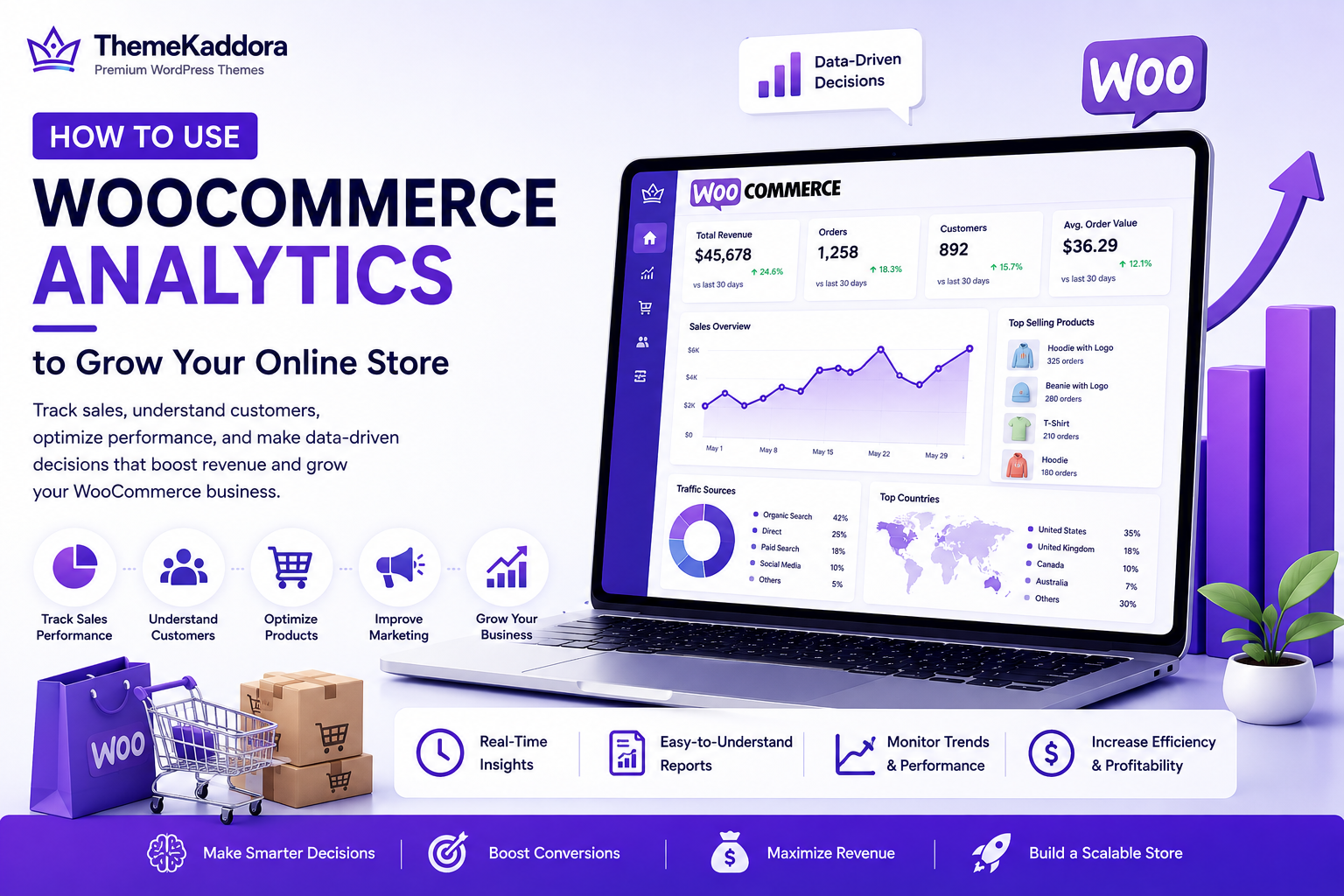
How to Use WooCommerce Analytics to Grow Your Online Store
Introduction
Running a successful WooCommerce store isn't just about adding products and waiting for customers to make purchases. Long-term growth depends on understanding how visitors interact with your store, which products perform best, where sales come from, and what improvements can increase revenue.
This is where WooCommerce Analytics becomes invaluable.
WooCommerce Analytics provides detailed insights into your store's performance, helping you monitor sales, understand customer behavior, evaluate marketing campaigns, and make informed business decisions. Instead of relying on guesswork, you can use real data to identify opportunities, solve problems, and optimize every stage of the customer journey.
Whether you're launching a new store or managing an established online business, learning how to interpret analytics is essential for sustainable growth.
In this guide, we'll explore the key reports, metrics, and best practices that help WooCommerce store owners turn data into actionable strategies.
1. What Is WooCommerce Analytics?
WooCommerce Analytics is the built-in reporting system that helps you monitor the performance of your online store. It collects valuable data about sales, orders, customers, and products, presenting it in easy-to-understand reports and dashboards.
You can use these insights to answer important business questions such as:
Which products generate the most revenue?
Where do your customers come from?
Which marketing campaigns perform best?
How are sales changing over time?
Which products need improvement?
By reviewing analytics regularly, you can make smarter decisions that support long-term business growth.
2. Why Analytics Matters for eCommerce
Making business decisions without data often leads to missed opportunities.
WooCommerce Analytics helps you:
Understand customer purchasing behavior
Measure marketing performance
Track sales trends
Improve inventory planning
Identify high-performing products
Detect underperforming categories
Increase profitability
Instead of guessing what works, analytics allows you to base decisions on measurable results.
3. Setting Up WooCommerce Analytics
WooCommerce includes a built-in Analytics dashboard that becomes available after installation.
To get the most accurate data:
Keep WooCommerce updated.
Ensure your store timezone is configured correctly.
Enable order tracking.
Import historical data if prompted.
Connect additional analytics tools such as Google Analytics if needed.
A properly configured analytics setup provides reliable insights for monitoring your store's performance.
4. Key Metrics Every Store Owner Should Track
Not every metric is equally important. Focus on the data that directly impacts your business goals.
Revenue
Revenue shows how much income your store generates over a specific period.
Monitoring revenue trends helps you identify seasonal demand, evaluate promotions, and measure business growth.
Orders
Tracking the number of orders helps you understand purchasing activity and compare performance across different time periods.
Average Order Value (AOV)
Average Order Value measures how much customers spend per order.
Improving AOV through product bundles, upselling, and cross-selling can significantly increase revenue without acquiring more customers.
Conversion Rate
Your conversion rate represents the percentage of visitors who complete a purchase.
A low conversion rate may indicate issues with product pages, pricing, or the checkout experience.
5. Understanding Customer Behavior
Analytics helps you understand how customers interact with your store before making a purchase.
Pay attention to:
Frequently viewed products
Popular product categories
Returning customers
New customer acquisition
Shopping patterns
Seasonal buying behavior
Understanding these behaviors allows you to personalize marketing campaigns and improve the overall shopping experience.
6. Monitoring Sales Performance
Sales reports provide valuable insights into your store's overall health.
Regularly monitor:
Daily sales
Weekly trends
Monthly revenue
Annual growth
Refunds
Top-performing periods
Comparing performance across different timeframes helps you identify patterns and evaluate the impact of promotions, product launches, and seasonal campaigns.
End of Part 1
Part 2 will continue with:
Identifying Best-Selling Products
Improving Marketing Campaigns with Analytics
Common Analytics Mistakes to Avoid
Best Practices for Data-Driven Growth
Why Choose ThemeKaddora
Conclusion
Frequently Asked Questions
High-Traffic SEO Keywords
Internal Linking Strategy
How to Use WooCommerce Analytics to Grow Your Online Store (Part 2)
7. Identifying Best-Selling Products
One of the biggest advantages of WooCommerce Analytics is the ability to identify your best-performing products. Knowing which products generate the highest revenue allows you to make smarter inventory and marketing decisions.
Monitor metrics such as:
Total sales per product
Number of units sold
Product revenue
Refund rate
Product views
Conversion rate by product
Use this information to:
Feature top-selling products on your homepage.
Increase inventory for high-demand items.
Create product bundles.
Run promotional campaigns.
Cross-sell related products.
Your best-selling products can also provide valuable insights into customer preferences and future product opportunities.
8. Improve Marketing Campaigns with Analytics
Marketing becomes much more effective when it's backed by data.
WooCommerce Analytics helps you evaluate which campaigns produce the highest return on investment (ROI).
Track metrics such as:
Traffic sources
Campaign conversions
Sales generated by promotions
Coupon usage
Email campaign performance
Customer acquisition channels
By identifying which channels generate the most profitable customers, you can invest more confidently in your marketing budget while reducing spending on underperforming campaigns.
9. Common Analytics Mistakes to Avoid
Many store owners collect data but fail to use it effectively.
Avoid these common mistakes:
Focusing on vanity metrics instead of business outcomes.
Ignoring declining sales trends.
Reviewing reports too infrequently.
Making decisions based on short-term data only.
Failing to compare historical performance.
Not tracking marketing campaign effectiveness.
Ignoring customer behavior insights.
Remember that analytics should support continuous improvement rather than occasional reporting.
10. Best Practices for Data-Driven Growth
Successful WooCommerce businesses use analytics consistently rather than occasionally.
Follow these best practices:
Review your dashboard weekly.
Set measurable business goals.
Track KPIs that align with your objectives.
Compare performance over different time periods.
Test one improvement at a time.
Measure results before making additional changes.
Share insights with your team.
A disciplined approach to analytics helps you make informed decisions and achieve sustainable growth.
Why Choose ThemeKaddora?
At ThemeKaddora, we develop high-performance WordPress themes and WooCommerce solutions that help businesses make smarter decisions and grow faster.
Our products are designed with:
Lightweight, optimized code
SEO-friendly architecture
Fast loading performance
Mobile-first responsive design
WooCommerce compatibility
Easy customization
Secure development practices
AI-powered business automation
Advanced reporting and optimization capabilities
Whether you're launching a new online store or scaling an existing one, ThemeKaddora provides the tools needed to improve performance, user experience, and long-term business success.
Conclusion
WooCommerce Analytics is much more than a reporting tool—it's a powerful decision-making system that helps you understand your customers, measure performance, and identify opportunities for growth. By tracking key metrics such as revenue, conversion rate, Average Order Value, customer behavior, and product performance, you can replace guesswork with informed business strategies.
The most successful online stores don't simply collect data—they act on it. Regularly reviewing analytics, testing improvements, and refining your marketing and sales strategies will help you build a stronger, more profitable WooCommerce business.
Combined with ThemeKaddora's performance-focused themes and AI-powered WooCommerce plugins, analytics becomes an essential part of building an online store that attracts more visitors, converts more customers, and supports sustainable growth.
Frequently Asked Questions
1. What is WooCommerce Analytics?
WooCommerce Analytics is the built-in reporting system that provides insights into your store's sales, products, customers, and overall business performance.
2. Is WooCommerce Analytics free?
Yes. WooCommerce Analytics is included with WooCommerce and offers a wide range of reporting features at no additional cost.
3. Which metrics should I monitor daily?
Monitor revenue, orders, Average Order Value (AOV), conversion rate, refunds, and top-selling products to stay informed about your store's performance.
4. How can analytics increase sales?
Analytics helps identify successful products, effective marketing channels, and customer behavior patterns, enabling you to make data-driven improvements that increase conversions and revenue.
5. Can I connect WooCommerce with Google Analytics?
Yes. Integrating Google Analytics with WooCommerce provides additional insights into traffic sources, user behavior, and marketing performance.
6. How often should I review analytics reports?
Review key performance metrics weekly and conduct a more detailed analysis monthly to identify trends and opportunities.
7. Which products deserve more promotion?
Products with high conversion rates, strong customer reviews, and consistent sales are excellent candidates for additional promotion.
8. How do I track customer behavior?
WooCommerce Analytics, combined with tools such as Google Analytics, helps you understand browsing patterns, purchase behavior, and customer engagement.
9. What is the most important eCommerce KPI?
There is no single most important KPI, but revenue, conversion rate, Average Order Value, and customer lifetime value are among the most valuable metrics for measuring business growth.
10. Why choose ThemeKaddora?
ThemeKaddora develops fast, secure, SEO-friendly WordPress themes and WooCommerce plugins that help businesses improve performance, automate workflows, and grow their online stores.
Comments (0)