
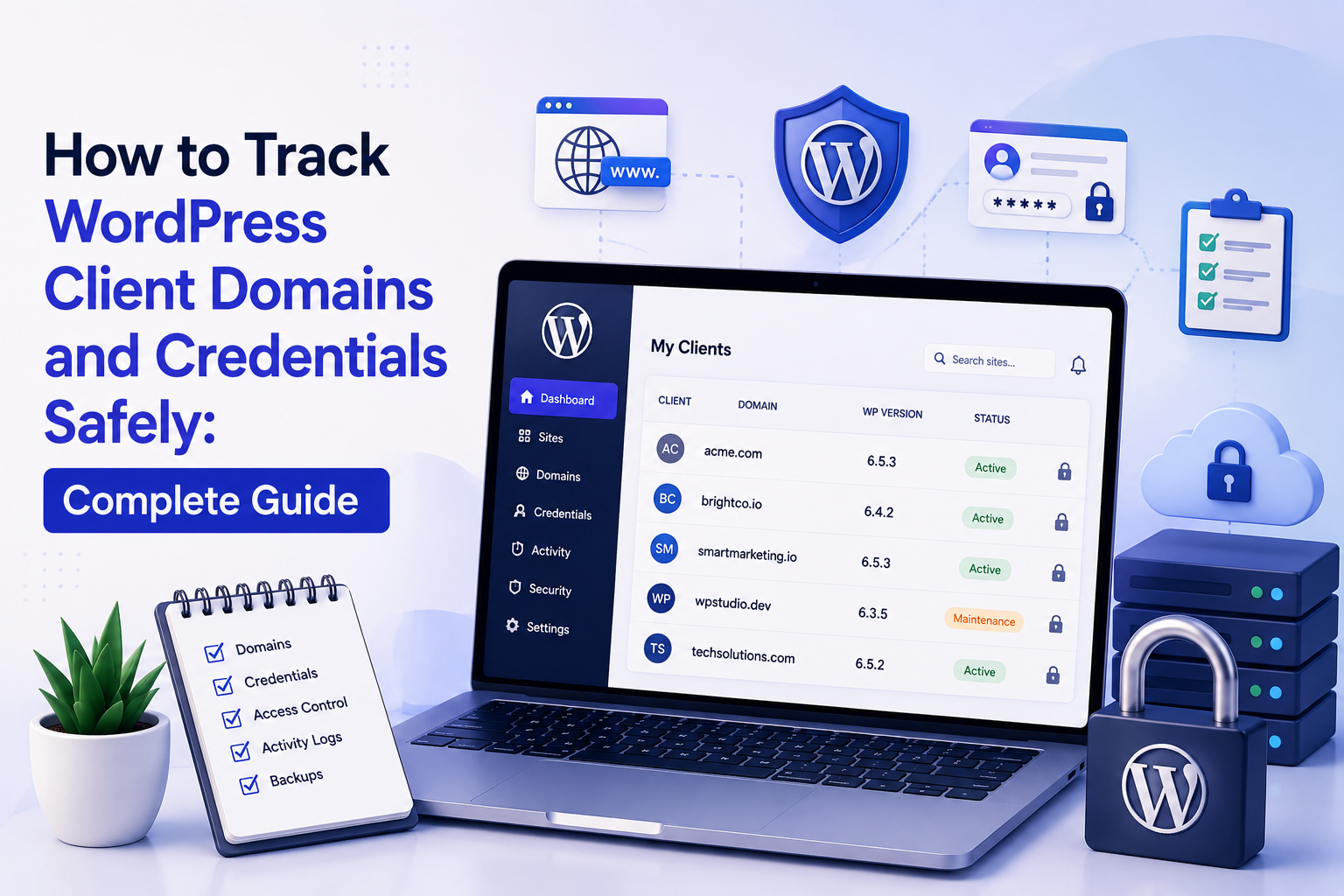
How to Track WordPress Client Domains and Credentials Safely: Complete Guide
Introduction
WordPress agencies rarely manage only website content.
They often manage an entire collection of digital assets and access systems:
Domain DNS Hosting WordPress Email SSL CDN CRM Analytics Payment Third-Party Plugins API Services
Each system may have a different account, owner, renewal date, permission model, and credential.
As the client portfolio grows, agencies can quickly end up with:
20 Clients 50 Websites 100+ Services Hundreds of Credentials Multiple Registrars Multiple Hosting Providers
Tracking this information in spreadsheets, browser bookmarks, emails, or chat messages creates significant operational and security risk.
A better model is:
Client Inventory ↓ Asset Registry ↓ Ownership ↓ Access Roles ↓ Secure Credential Store ↓ Renewal Monitoring ↓ Audit ↓ Offboarding
The most important distinction is between asset metadata and secret credentials.
For example:
Domain: example.com Registrar: Provider A Expiration: March 2027
is operational metadata.
But:
Registrar Password API Secret Private Token
is sensitive credential information.
These should not be stored or exposed in the same way.
A professional agency should track client domains and digital assets centrally while storing actual secrets in dedicated secure credential systems, enforcing least privilege, auditing access, and maintaining clear ownership and offboarding procedures.
What Does Client Domain and Credential Tracking Mean?
It means maintaining an operational record of:
Domains Registrars DNS Providers Hosting SSL WordPress Email CDN APIs Third-Party Services
and linking them to:
Client Website Environment Owner Responsible Team Renewal Access Policy
without putting passwords and secrets into ordinary records.
Why Agencies Need a Central Asset Registry
A central registry helps answer:
Who Owns This Domain? Where Is DNS Managed? Who Controls Hosting? When Does the Domain Expire? Which Team Manages WordPress? Which Credentials Are Required? Who Has Access?
Without this information, even routine maintenance can become difficult.
Asset Registry vs Password Manager
These should be treated as complementary systems.
Asset Registry
Stores:
Client Domain Registrar Hosting Owner Renewal Status
Secure Credential Manager
Stores:
Passwords API Keys Tokens Private Keys Recovery Codes
The registry can reference where a credential is stored without exposing the actual secret.
Build a Client Asset Inventory
A useful record can include:
Client ID Site ID Domain Environment Registrar DNS Provider Hosting Provider SSL Provider CDN Email Provider WordPress Owner Renewal Dates Status
Use Stable Client and Site IDs
Assign stable identifiers:
client_001 site_001 site_002
Do not use domains as the only identifier.
Domains can change.
Separate Production and Staging
Track:
Production Staging Development
separately.
Credentials for one environment should never be assumed to work for another.
Domain Inventory
Track:
Domain Registrar Registration Date Expiration Date Auto-Renew Owner DNS Provider Status
Domain Ownership
Record who owns the domain:
Client Agency Partner Other Authorized Entity
This is important during client offboarding.
Registrar Information
Track the registrar separately from DNS.
For example:
Registrar: Provider A DNS: Provider B
These can be different services.
DNS Provider
Record:
DNS Provider Nameservers DNS Management Owner
Avoid storing DNS account passwords in the asset registry.
DNS Change Tracking
Important changes can be recorded:
Record Old Value New Value Actor Time Reason
This creates useful operational history.
Domain Expiration Monitoring
Monitor:
Expiration Auto-Renew Payment Status Owner
Alert well before expiration.
Renewal Alerts
Useful configurable windows include:
60 Days 30 Days 14 Days 7 Days 1 Day
The correct schedule depends on the agency's process.
Domain Renewal Ownership
Clearly record:
Who Pays? Who Renews? Who Owns?
These can be different parties.
Auto-Renewal
Track whether:
Auto-Renew: Enabled Disabled Unknown
Do not assume auto-renewal is enabled.
Domain Transfer
Before transferring a domain:
Confirm Ownership ↓ Confirm Authorization ↓ Check Transfer Lock ↓ Transfer ↓ Verify
Follow the registrar's actual process.
Domain Security
Protect registrar accounts with:
MFA Strong Password Access Control Recovery Methods
where supported.
Registrar Account Roles
Use delegated roles where available instead of sharing one master account.
Possible roles:
Owner Administrator Technical Billing Read Only
Shared Registrar Accounts
Avoid sharing credentials when the provider supports individual user access.
Individual accounts improve accountability.
Domain Recovery
Maintain recovery procedures for:
Lost Access Compromised Account Expiration Unauthorized Transfer DNS Hijack
Domain Locking
Where supported, use appropriate transfer-lock features to reduce unauthorized transfers.
DNS Security
Consider controls such as:
MFA Restricted Access Change Auditing DNSSEC
where supported and appropriate.
DNSSEC
DNSSEC can add cryptographic protection to DNS responses.
Its use requires careful configuration and should be managed by staff who understand the DNS environment.
Hosting Inventory
Track:
Hosting Provider Server Plan Region Account Owner Renewal Status
Hosting Access
Do not store hosting passwords in the general site inventory.
Reference the secure credential location instead.
Hosting Roles
Where supported, use separate accounts such as:
Owner Administrator Developer Support Billing
WordPress Access
Track:
WordPress URL Access Type Owner Administrator Technical Contact Status
Don't store WordPress administrator passwords in ordinary notes.
Individual WordPress Accounts
Do not use one shared administrator account for every agency employee.
Create individual accounts where appropriate.
Least Privilege
Give each person only the capabilities they need.
For example:
Content Staff → Editor Technical Staff → Specific Technical Role
rather than universal administrator access.
Remove Old Users
When staff leave an agency or client relationship ends:
Review Access ↓ Disable / Remove ↓ Revoke Sessions ↓ Audit
Credential Inventory
The inventory should track metadata:
Credential ID System Client Site Owner Type Last Rotated Status
Not necessarily the credential value itself.
Credential Types
Examples include:
Password API Key OAuth Token SSH Key Database Credential Webhook Secret Recovery Code
Secret Reference
The inventory can say:
Credential: vault://client-001/hosting
or another secure internal reference.
The exact implementation depends on the credential-management system.
Never Put Secrets in Spreadsheets
Avoid storing:
Passwords API Keys Private Tokens SSH Private Keys
inside ordinary Excel or spreadsheet files.
Never Put Credentials in Email
Email is not an appropriate long-term secret store.
Never Put Credentials in Chat
Chat messages should not become the agency's credential repository.
Never Put Credentials in Source Code
Do not commit:
API_KEY= PASSWORD= PRIVATE_TOKEN=
to source control.
Environment Variables
Application secrets can be provided through secure environment configuration.
Do not commit actual secret values into .env files stored in source control.
Secret Management Systems
Use an appropriate secret manager for:
Passwords API Keys Tokens Certificates Private Keys
Credential Rotation
Track when credentials were last changed:
Last Rotation Next Review Status
Rotation Workflow
A safe pattern is:
Create New Credential ↓ Deploy ↓ Test ↓ Revoke Old Credential ↓ Verify
Emergency Credential Rotation
If compromise is suspected:
Contain ↓ Revoke ↓ Rotate ↓ Review Access ↓ Check Logs ↓ Verify
The exact sequence depends on the affected service.
Don't Rotate Everything Blindly
Ordinary maintenance does not require rotating every credential without reason.
Rotation should follow defined security policies and actual risk.
Access Reviews
Periodically review:
Who Has Access? Which System? Which Client? What Permission?
Privileged Access
Identify high-risk credentials:
Registrar Admin Hosting Root WordPress Administrator Database Cloud Payment
These deserve stronger controls.
Break-Glass Access
Critical systems may require emergency access.
A break-glass process should be:
Restricted Audited Time-Limited
Recovery Codes
Recovery codes are sensitive credentials.
Store them securely and separately from ordinary asset metadata.
SSH Access
SSH keys should be managed as secrets.
Track metadata such as:
Key ID Owner Server Created Last Used Status
Never publish private key material in the inventory.
Database Credentials
Track:
Database Host Environment Owner Credential Reference
Keep the actual secret in secure storage.
API Credential Tracking
Track:
Provider Service Client Purpose Owner Created Last Rotated
Webhook Secrets
Webhook signing secrets should be treated like API credentials.
OAuth Tokens
Track:
Provider Account Scope Issued Expires Status
Avoid storing raw tokens in ordinary records.
Credential Expiration
Some credentials expire.
Monitor:
Expiration Renewal Revocation
where the provider exposes appropriate metadata.
Certificate Management
TLS certificates may require:
Expiration Issuer Domain Renewal Status
Track these separately from private keys.
Private Keys
Private keys require strong protection.
Never place private keys into ordinary tickets, spreadsheets, or reports.
CDN Credentials
Track:
CDN Account Site Credential Reference
not the secret value.
Analytics Credentials
Analytics access may include:
Property Account Role Credential Reference
Keep secret credentials out of the asset inventory.
Payment Credentials
Payment systems deserve special handling.
Do not store raw payment-card data in agency systems.
Use provider-managed accounts, tokens, or references where appropriate.
CRM Credentials
Track:
CRM Tenant Account Integration Credential Reference
Email Credentials
Email systems may include:
SMTP Email API OAuth Mailbox
Treat credentials as secrets.
AI Provider Credentials
AI APIs often use API keys.
Track:
Provider Project Purpose Owner Credential Reference
but never store raw keys in ordinary inventory.
API Scope
Use the minimum required scope.
For example:
Read Only
is preferable to:
Full Access
when read-only access is sufficient.
Credential Ownership
Record who controls the credential:
Client Agency Vendor
Access Delegation
The agency may be granted access without owning the underlying account.
Record:
Owner: Client Agency Access: Delegated
Client-Owned Accounts
Whenever practical, client-owned domains, hosting, payment, and critical vendor accounts should remain under clearly documented ownership.
The agency can use delegated access where the provider supports it.
Agency-Owned Accounts
For agency-managed products, ownership can remain with the agency when contractually and commercially appropriate.
Document the arrangement.
Shared Accounts
Avoid shared accounts when individual role-based access is available.
Access Expiration
Contractors and temporary staff should receive time-limited access when possible.
Access Request Workflow
A staff member may request access:
Request ↓ Client / Manager Approval ↓ Grant ↓ Audit
Access Removal Workflow
When access is no longer required:
Identify ↓ Revoke ↓ Verify ↓ Audit
Domain and Credential Relationships
Build explicit relationships:
Client ↓ Domain ↓ Registrar ↓ Credential Reference
and:
Site ↓ Hosting ↓ Credential Reference
Credential Dependency Mapping
Track which systems depend on a credential.
For example:
API Credential ↓ CRM Sync ↓ Lead Forms
This makes rotation safer.
Renewal Dependency Mapping
A domain expiration can affect:
Website Email SSL APIs
Identify these dependencies where appropriate.
Domain Expiration Impact
Before a domain expires, identify:
Website Email Redirects Certificates Third-Party Integrations
SSL Dependency
A domain and its certificate are related but separate assets.
Track:
Domain Certificate Renewal Provider
DNS and Email Dependency
DNS changes can affect:
Website Email Verification APIs
Test carefully before changing DNS.
DNS Change Approval
For critical domains:
Request ↓ Review ↓ Approve ↓ Change ↓ Verify
DNS Change Audit
Record:
Record Old New Actor Time Reason
Client Domain Dashboard
An agency dashboard can show:
Total Domains Expiring Soon Expired Auto-Renew Off Ownership Unknown DNS Issues
Credential Dashboard
Show metadata:
Credentials Expiring Stale Unassigned High Risk Rotation Due
Never display secret values.
Access Dashboard
Show:
Users Clients Roles Privileged Access Temporary Access Inactive Accounts
Security Dashboard
Combine:
MFA Privileged Accounts Rotation Expiring Credentials Suspicious Access
where reliable data is available.
Asset Health Status
Use:
Healthy Attention Warning Critical Unknown
Explain why the asset has its status.
Unknown State
If synchronization fails:
Status: Unknown
Do not assume a domain or credential is healthy when data is unavailable.
Data Freshness
Show:
Last Checked Last Synced Last Verified
for dynamic asset information.
Vendor API Synchronization
Where supported, domain and service providers may expose data through APIs.
A central system can synchronize:
Domain Status Expiration Renewal Account
Use secure credentials and rate limits.
Synchronization Queue
For many clients:
Sync Requested ↓ Queue ↓ Worker ↓ Provider API ↓ Normalize ↓ Store
Retry Logic
Retry transient failures:
Timeout Rate Limit Temporary Provider Error
with bounded backoff.
Don't Retry Authentication Failures Forever
Invalid credentials require investigation.
Dead-Letter Handling
Repeated synchronization failures can move to:
dead_letter
for manual review.
API Rate Limits
Respect provider limits.
Use:
Throttle Queue Backoff
rather than uncontrolled requests.
Audit Logs
Track:
Credential Viewed Access Granted Access Revoked Domain Changed DNS Changed Credential Rotated
Do not log secrets.
Secret Access Auditing
Where the secure vault supports it, track:
Who Accessed What Secret When Why
without recording the secret value.
Just-in-Time Access
For sensitive credentials, access can be:
Requested → Approved → Temporarily Granted → Expired
where the platform supports it.
Time-Limited Credentials
Temporary access reduces long-term exposure.
Client Approval for Sensitive Access
Some agencies may require client approval before accessing certain critical systems.
Define this in contracts and policy.
Credential Access Policies
Policies can define:
Who Can Access Which Credential For What Purpose For How Long
Purpose-Bound Access
Avoid granting credentials simply because someone is on the project.
Access should correspond to a legitimate task.
Domain Transfer Approval
Domain transfers should have stronger approval because they can affect ownership and service continuity.
Hosting Transfer Approval
Hosting account transfers can also be high impact.
Production Credential Access
Production credentials deserve stronger controls than development credentials.
Staging Credential Access
Staging environments may use separate credentials with reduced scope.
Development Environment
Never assume development credentials can access production.
Credential Environment Labels
Use:
prod staging dev
as explicit metadata.
Credential Rotation History
Track:
Rotation Date Actor Reason Result
without recording the secret.
Credential Compromise
If a credential may be compromised:
Revoke ↓ Rotate ↓ Review ↓ Audit ↓ Monitor
Incident Response
Compromised domain or hosting credentials can require:
Containment Credential Rotation Access Review DNS Review File Integrity Review Log Review
The exact response depends on the incident.
Do Not Over-Collect
A client asset inventory should contain enough information to operate the service, not every piece of personal information available.
Privacy
Domains and account information can still be sensitive business data.
Protect:
Client Identity Account Details Support Data Access Metadata
according to the applicable privacy requirements.
Retention
Define how long to retain:
Access Logs Credential Metadata Domain History DNS Changes Audit Events
Offboarding
Client offboarding should include:
Domain Ownership Hosting WordPress DNS Third-Party Services Credentials Reports Documents
Offboarding Checklist
Before closing a client:
Review Accounts ↓ Identify Client-Owned Assets ↓ Transfer Required Access ↓ Revoke Agency Access ↓ Rotate Shared Credentials ↓ Archive Required Records
Domain Offboarding
Confirm:
Domain Owner Registrar DNS Auto-Renew Transfer Requirements
Hosting Offboarding
Confirm:
Owner Account Backups Access Migration Status
WordPress Offboarding
Review:
Agency Users Client Users Plugins Themes Custom Code API Integrations
Remove agency access when appropriate.
Shared Credentials During Offboarding
If a password was historically shared:
Transfer ↓ Rotate ↓ Revoke Agency Access
where appropriate.
API Credential Offboarding
Revoke agency-created:
API Keys OAuth Grants Webhook Credentials
when no longer required.
Registrar Offboarding
Remove agency delegated access when the service ends.
Documentation Handoff
Provide the client with appropriate:
Domains Hosting DNS Service Information Documentation
without sending secret values through insecure channels.
Credential Handoff
Where a client needs ownership of a credential:
Transfer Through Secure System ↓ Verify Client Access ↓ Revoke Agency Access
Do not send passwords in plain email.
Access Verification After Handoff
Confirm:
Client Can Access Agency Cannot Access Required Services Still Work
Domain Monitoring After Offboarding
If the contract ends, monitoring should stop or transition according to the agreed handoff process.
Do not continue accessing client assets indefinitely.
Credential Offboarding Audit
Record:
Credential Action Actor Time Result
without recording the secret.
Client Asset Documentation
Maintain:
Asset Owner Provider Purpose Status Renewal Credential Reference
Internal Asset Notes
Useful internal notes include:
Special DNS Requirement Custom Hosting Legacy Integration Renewal Exception
Do not place secret values in notes.
Vendor Contact
Record vendor support information:
Provider Support URL Account Manager Escalation Contact
where appropriate.
Account Ownership Disputes
If ownership is unclear:
Status: Ownership Unknown
Resolve it before critical renewals or transfers.
Domain Ownership Audit
Periodically verify:
Registrar Account Registrant / Owner Billing DNS Agency Access
according to applicable registrar and privacy requirements.
Credential Inventory Review
Review:
Unknown Owner Stale Credential Expired Unused Privileged Unrotated
Stale Credential Definition
A credential is stale when it has not been reviewed or used according to the agency's defined policy.
Do not assume a credential is compromised simply because it is old.
Unused Credential Review
An unused credential may be:
Unnecessary Emergency Backup Legacy
Investigate before removing it.
Privileged Credential Review
High-risk credentials should receive more frequent review.
Credential Risk Scoring
A system can score:
Privilege Age Scope Environment Business Criticality
Use scores as decision aids, not absolute security guarantees.
Access Risk
A useful risk model can combine:
Credential Sensitivity + Privilege + Client Criticality + Exposure
Emergency Credentials
Break-glass credentials should be:
Restricted Stored Securely Monitored Tested
Recovery Testing
For critical systems, periodically test whether authorized staff can actually access recovery credentials.
Don't Make Recovery Dependent on One Person
At least appropriate backup personnel should be able to recover access without sharing secrets informally.
Documentation for Emergency Access
Record:
Where Who When Why
for break-glass access.
Domain and Credential Dependencies
An agency should understand:
Domain ↓ DNS ↓ Hosting ↓ SSL ↓ Website ↓ Email ↓ APIs
Changes at one layer can affect others.
Change Impact Analysis
Before critical changes:
Identify Dependencies ↓ Assess Impact ↓ Approve ↓ Change ↓ Verify
DNS Change Impact
Before changing nameservers or records, identify:
Website Email Verification CDN APIs
Hosting Change Impact
Before migrating hosting, identify:
DNS SSL Email Database Storage Cron APIs
Credential Rotation Impact
Before rotating an API credential, identify:
Which Apps Use It? Which Sites? Which Automations? Which Webhooks?
Credential Dependency Mapping
This prevents service interruption during rotations.
Agency Dashboard
A mature dashboard may show:
Clients Domains Hosting SSL Credentials Renewals Access Risks Incidents
Domain Dashboard Example
example.com Owner: Client Registrar: Provider A DNS: Provider B Expires: 90 Days Auto-Renew: Enabled Status: Healthy
Do not display account passwords.
Credential Dashboard Example
Hosting Credential Client: Acme Environment: Production Owner: Agency Scope: Admin Last Rotated: Recent Vault Reference: Available Status: Healthy
The secret itself stays in the secure vault.
Access Dashboard Example
Site User Role Environment Last Access Status
Domain Renewal Workflow
Expiration Detected ↓ Notify Owner ↓ Confirm Billing ↓ Renew ↓ Verify ↓ Record
Credential Rotation Workflow
Rotation Due ↓ Identify Dependencies ↓ Create New ↓ Deploy ↓ Test ↓ Revoke Old ↓ Audit
Domain Transfer Workflow
Request ↓ Verify Ownership ↓ Verify Authorization ↓ Transfer ↓ Confirm DNS ↓ Verify Website
Client Access Request
Request ↓ Review ↓ Approve ↓ Grant ↓ Audit
Client Access Revocation
Contract Ends ↓ Identify Access ↓ Revoke ↓ Verify ↓ Audit
Automation
Many operational tasks can be automated:
Expiration Alerts Inventory Sync Access Reviews Credential Rotation Reminders Audit Reports
Avoid automating high-impact transfers or secret changes without safeguards.
Automated Domain Alerts
Trigger alerts before expiration.
Automated Credential Review
Trigger reminders when credentials become due for review or rotation.
Automated Access Review
Generate a list of privileged or stale access for periodic review.
Vendor Synchronization
Sync domain and service metadata where APIs support it.
AI-Assisted Asset Management
AI can help summarize:
Renewal Risks Asset Inventory Access Reviews Dependency Maps Incident Summaries
using verified metadata.
AI Should Not See Secrets
Do not send:
Passwords API Keys Private Tokens Private Keys
to AI simply to create summaries.
AI and Access Decisions
AI may recommend:
Review This Credential
but it should not independently grant access.
AI and Credential Rotation
AI can identify credentials due for review based on metadata.
Actual rotation should follow controlled processes.
AI and Domain Renewal
AI can summarize domains approaching expiration.
Renewal should still use authorized workflows.
AI and Client Reports
AI can draft:
Three domains require renewal this quarter. Two privileged credentials are due for review.
using verified data.
Tenant Isolation
In a multi-client agency system:
Client A → A Domains A Hosting A Credentials Metadata Client B → B Domains B Hosting B Credentials Metadata
must remain isolated.
Never Trust Client IDs
A request such as:
client_id=123
does not prove the caller can access Client 123's assets.
Object-Level Authorization
Every domain, service, credential reference, access record, and audit event should be checked against the user's authorized scope.
Secret Vault Isolation
Where possible, secret namespaces should also reflect:
Client Environment System
Audit Logging
Record:
Viewed Metadata Requested Access Granted Access Revoked Access Rotated Credential Changed Domain
Do not log secret values.
Security Events
Important security events include:
New Admin MFA Disabled Credential Viewed Domain Changed DNS Changed Access Granted
according to the platform.
Audit Retention
Define how long audit data should be retained.
Monitoring the Asset System
Monitor the agency's asset-management system itself:
Availability API Sync Queue Database
Backup the Asset Registry
Back up:
Clients Sites Domains Asset Metadata Relationships Policies Audit History
where required.
Do Not Back Up Secrets Into Ordinary Databases
Secret storage should remain managed by the dedicated credential system.
Disaster Recovery
The agency should know how to recover:
Asset Registry Credential Vault Access Domain Information Emergency Contacts
Emergency Access Drill
Periodically verify that authorized personnel can recover access without relying on one employee's private knowledge.
Common WordPress Domain and Credential Tracking Mistakes
Avoid:
Storing passwords in spreadsheets.
Keeping API keys in email.
Saving credentials in chat histories.
Committing secrets to Git.
Mixing production and staging credentials.
Sharing one administrator account between staff.
Giving everyone domain-owner privileges.
Treating domains and DNS as the same asset.
Assuming the agency owns client domains.
Failing to record who pays for renewals.
Failing to record who actually owns the account.
Ignoring domain expiration.
Assuming auto-renewal is enabled.
Giving contractors permanent access.
Failing to revoke access after offboarding.
Logging secret values.
Sending secrets to AI.
Allowing AI to grant privileged access.
Ignoring credential dependencies.
Rotating credentials without mapping dependent systems.
Changing DNS without checking email dependencies.
Transferring domains without verifying ownership and authorization.
Trusting browser-supplied client IDs.
Failing to enforce object-level authorization.
Mixing client data in shared dashboards.
Treating stale data as healthy.
Ignoring synchronization failures.
Retrying authentication failures indefinitely.
Failing to audit privileged access.
Keeping emergency credentials undocumented.
Making recovery dependent on one employee.
Deleting records immediately during offboarding without considering retention requirements.
Best Practices for Tracking WordPress Client Domains and Credentials Safely
A professional agency should:
Maintain a central client asset registry containing domains, websites, hosting, DNS, SSL, CDN, email, important integrations, ownership, renewal status, and operational contacts.
Assign stable client and site identifiers rather than using domains as the sole identity.
Keep production, staging, and development environments explicitly separated.
Treat domain, registrar, DNS, hosting, SSL, email, CDN, WordPress, API, and payment systems as related but distinct assets.
Record ownership separately from billing responsibility and renewal responsibility.
Clearly identify whether a domain or service is client-owned, agency-owned, partner-owned, or otherwise controlled by another authorized entity.
Never assume the agency owns an asset merely because it manages it.
Record registrar information separately from DNS-provider information because they may be different services.
Track domain expiration, auto-renewal state, billing status, owner, renewal responsibility, and transfer requirements.
Monitor important domain expiration dates well before they become urgent.
Use configurable expiration alerts such as 60, 30, 14, 7, and 1 day where appropriate.
Protect registrar accounts with MFA and strong access controls where supported.
Use individual registrar accounts and delegated roles instead of shared master credentials where provider capabilities allow.
Apply stronger controls to domain ownership and transfer actions because they can affect service continuity and ownership.
Verify ownership and authorization before domain transfers.
Use transfer locks and other registrar security controls where appropriate.
Distinguish DNS management from registrar management and document both.
Audit important DNS changes with record, old value, new value, actor, timestamp, and reason.
Review DNS dependencies before changing nameservers or important records.
Consider website, email, SSL, CDN, verification records, and API dependencies before changing DNS.
Use controlled approval workflows for high-impact DNS changes.
Consider DNSSEC where appropriate and ensure staff understand the operational requirements before enabling it.
Maintain a hosting inventory containing provider, plan, server, region, account ownership, renewal, and status.
Track WordPress access metadata without putting administrator passwords into the asset inventory.
Avoid shared WordPress administrator accounts; create individual accounts where appropriate.
Apply least privilege to client, agency, developer, editor, billing, and technical users.
Periodically review WordPress users and remove or disable access that is no longer required.
Revoke sessions and access promptly when staff, contractors, or agency relationships end.
Maintain a credential metadata registry separate from the secret values themselves.
Give each credential a stable internal ID and record system, client, site, environment, type, owner, scope, rotation status, and expiration metadata.
Store passwords, API keys, OAuth tokens, private keys, SSH keys, recovery codes, database credentials, and webhook secrets in dedicated secure secret-management systems.
Store only a secure reference to the secret in ordinary asset records.
Never store secrets in spreadsheets, ordinary tickets, email, chat histories, source code, public repositories, screenshots, or client reports.
Never commit secret values into .env files or other configuration files stored in source control.
Use secure runtime configuration or secret-management integrations for application credentials.
Track credential environment explicitly using identifiers such as production, staging, and development.
Track credential ownership and delegated access separately.
Record when a credential was last rotated and when it should next be reviewed.
Use a controlled credential-rotation workflow that creates the new credential, updates dependents, tests the integration, revokes the old credential, and verifies the result.
Map credential dependencies before rotation so dependent sites, automations, webhooks, CRMs, forms, APIs, and integrations do not unexpectedly fail.
Do not rotate credentials blindly simply because they are old; follow an established security policy and risk model.
Maintain an emergency rotation workflow for suspected compromise.
During suspected compromise, revoke or contain access, rotate credentials, review permissions, inspect relevant logs, and monitor the affected systems according to the incident process.
Do not assume an old credential is compromised merely because it is old.
Define stale credentials according to the agency's review or usage policy.
Review unused credentials before deleting them because some may be required for emergency recovery or legacy integrations.
Apply stronger review requirements to privileged credentials such as registrar administrators, hosting administrators, databases, payment systems, cloud platforms, and WordPress administrators.
Use break-glass access for critical systems only when necessary and keep it restricted, audited, and time-limited.
Make emergency access recoverable by more than one appropriately authorized person without sharing secrets informally.
Maintain documented procedures for emergency access and recovery.
Track API credentials by provider, service, project, purpose, owner, scope, created date, expiration, and secure credential reference.
Use the minimum API scope necessary.
Prefer read-only scopes when write access is unnecessary.
Treat webhook signing secrets as credentials.
Treat OAuth tokens as credentials and track their scopes and expiration where available.
Track TLS certificates by domain, issuer, expiry, renewal mechanism, and status without storing private keys in ordinary inventory records.
Protect certificate private keys using appropriate secure storage.
Treat payment integrations as high-sensitivity systems and never store raw payment-card information in the agency asset platform.
Track CRM, email, analytics, AI, CDN, and other integration metadata without exposing their secret credentials.
Maintain explicit relationships between clients, sites, domains, hosting, DNS, credentials, integrations, and environments.
Maintain dependency mappings showing which applications, sites, services, or automations rely on particular credentials or domains.
Identify the impact of domain expiration on website, email, SSL, redirects, API verification, and other dependent services.
Identify the impact of credential rotation on every application, webhook, API, automation, and client workflow that uses the credential.
Use dashboards that show asset metadata, expiration, ownership, access status, risk, and freshness without displaying secrets.
Provide domain, credential, and access dashboards as separate operational views where appropriate.
Use statuses such as healthy, attention, warning, critical, and unknown.
Use Unknown when synchronization or verification has failed rather than assuming the asset remains healthy.
Display last-checked, last-synced, or last-verified information for dynamic asset metadata.
Integrate provider APIs where supported to synchronize domain status, expiration, renewal, service ownership, and other reliable metadata.
Protect provider API credentials with secure secret management.
Respect provider rate limits.
Use queues, throttling, bounded retries, and backoff for large-scale synchronization.
Do not retry permanent authentication failures indefinitely.
Route persistent synchronization failures to a dead-letter or manual-review process.
Maintain synchronization freshness so stale provider data is not presented as current.
Log important administrative events such as access grants, access revocation, credential rotation, domain changes, DNS changes, and privileged access.
Never log the actual secret value.
Where the credential system supports it, audit who accessed a secret, when, and for what purpose without recording the secret content.
Consider just-in-time or temporary access for especially sensitive credentials.
Make temporary access expire automatically where the platform supports it.
Require additional approval for critical production or client-owned systems when the service agreement and security policy warrant it.
Define access request and approval workflows with requester, reviewer, scope, purpose, and expiration.
Enforce object-level authorization for every client, site, domain, credential reference, access record, and audit record.
Enforce strict tenant isolation for multi-client or multi-agency systems.
Never trust browser-supplied client IDs, site IDs, domain IDs, credential IDs, or tenant IDs without server-side authorization.
Protect APIs with authentication, authorization, input validation, rate limiting, and appropriate request-integrity controls.
Never allow generic API endpoints to retrieve arbitrary credentials or execute unrestricted administrative actions.
Protect the client asset platform as a high-value operational system because compromise could expose information about many clients.
Use MFA and strong authentication for users who can view sensitive metadata or manage privileged access.
Keep asset metadata and credential secrets architecturally separate.
Avoid copying secrets from the vault into tickets, reports, spreadsheets, or documentation.
Use secure credential handoff processes when clients take ownership of systems.
Never send passwords or private keys through ordinary email.
Verify that the client can access transferred assets before revoking the agency's access.
Remove agency access after transfer when the contract or ownership arrangement requires it.
Rotate shared credentials when historical sharing makes it impossible to determine who still knows the secret.
During client offboarding, review domains, hosting, DNS, WordPress, third-party services, API keys, OAuth grants, webhooks, documentation, and reports.
Distinguish assets that belong to the client from assets owned or shared by the agency before offboarding.
Revoke agency-created access where it is no longer required.
Revoke agency-created API keys, OAuth grants, and webhook credentials when no longer required.
Retain required operational and audit information according to contractual, security, legal, and business requirements.
Do not immediately delete every offboarding record if historical information is required for audit or dispute resolution.
Monitor the asset-management platform itself for availability, database problems, synchronization failures, API errors, queues, and background jobs.
Back up the asset registry, relationships, policies, configuration, and audit history as appropriate.
Keep secret storage backups and recovery procedures under the dedicated credential-management architecture rather than copying secrets into ordinary database backups.
Test recovery of the asset registry and authorized emergency access procedures periodically.
Document vendor support contacts, account-management paths, renewal responsibilities, and escalation information.
Review ownership and account-control information periodically to identify unknown or ambiguous owners.
Flag Unknown Owner, Unknown Renewal, Unknown Billing, and Unknown Provider Status as data-quality issues requiring review.
Maintain a domain-transfer and hosting-transfer approval process.
Perform impact analysis before moving DNS, hosting, domains, or high-value integrations.
Use change records and dependency maps to understand what might break before a critical change.
Define maintenance windows for high-impact domain, DNS, hosting, and credential changes where appropriate.
Keep client asset documentation separate from highly sensitive secret values.
Provide clients with appropriate asset and ownership information without exposing unnecessary internal security details.
Use AI only for non-secret analysis such as renewal summaries, asset inventories, risk summaries, dependency explanations, and access-review reports.
Never send passwords, API keys, private keys, session tokens, recovery codes, or raw credential material to AI for summarization.
Ensure AI follows the current user's existing client and site permissions.
Never let AI grant privileged access, transfer domains, rotate credentials, or change DNS directly without controlled authorization workflows.
Use AI suggestions as decision support rather than authoritative security decisions.
Generate client reports from verified asset metadata and clearly identify unavailable or stale information.
Track ThemeKaddora and other third-party products by product, version, license, affected sites, dependencies, owner, and maintenance responsibility where appropriate.
Keep ThemeKaddora license secrets and third-party vendor credentials inside secure secret-management systems.
Include ThemeKaddora themes and plugins in the same access, update, ownership, dependency, and offboarding inventory used for other third-party products.
Do not assume ThemeKaddora or other third-party licenses allow unrestricted client, staging, or development access without checking applicable terms.
Maintain a clear distinction between product ownership, license ownership, website management, and credential ownership.
Review client asset and credential inventories periodically and immediately after onboarding, offboarding, major migrations, vendor changes, domain transfers, security incidents, or significant organizational changes.
Conclusion
Tracking client domains and credentials is one of the most sensitive operational responsibilities of a WordPress agency.
The wrong approach is:
Client ↓ Spreadsheet ↓ Passwords ↓ Everything in One Place
The better approach is:
Client Registry ↓ Asset Inventory ↓ Ownership ↓ Access Policies ↓ Secure Credential Vault ↓ Monitoring ↓ Audit ↓ Offboarding
The first principle is separate metadata from secrets.
The agency needs to know:
Which Hosting Provider? Which Registrar? Who Owns It? When Does It Expire?
but it does not need to put the password beside those fields.
The second principle is make ownership explicit.
For each domain, hosting account, API, plugin, or service, document who owns the account, who pays, and who is responsible for managing access.
The third principle is use least privilege.
A developer does not automatically need registrar-owner access.
A content editor does not need hosting credentials.
A finance user does not need WordPress administrator privileges.
The fourth principle is use individual accounts.
Shared accounts reduce accountability and make offboarding harder.
The fifth principle is protect domains carefully.
Domain expiration, DNS changes, registrar access, and transfers can affect the entire digital presence of a client.
The sixth principle is map dependencies.
Changing one credential can break multiple systems.
Changing DNS can affect websites, email, SSL, APIs, verification services, and CDNs.
The seventh principle is make access temporary when possible.
Just-in-time and time-limited access reduce long-term exposure for sensitive systems.
The eighth principle is audit important actions.
Access grants, credential rotations, DNS changes, domain transfers, and privileged activity should be traceable.
The ninth principle is make offboarding a formal process.
When an agency relationship ends, access should not remain indefinitely.
The tenth principle is keep AI away from secrets.
AI can help summarize asset metadata, renewal schedules, dependencies, and access reviews, but it should not receive passwords or private keys or bypass authorization controls.
For ThemeKaddora-based projects, agencies can include:
Product Version License Owner Affected Sites Dependencies Customization Maintenance Responsibility
in the asset inventory while keeping license credentials and vendor secrets securely stored.
A mature WordPress agency asset-management architecture can look like:
Client Registry ↓ Site Inventory ↓ Domain / DNS / Hosting ↓ Service Relationships ↓ Credential References ↓ Secure Secret Vault ↓ Access Policies ↓ Renewal Monitoring ↓ Security / Audit ↓ Incident Response ↓ Offboarding
A professional client asset and credential system should be:
Secure
→ Ownership-Aware
→ Least-Privilege
→ Tenant-Isolated
→ Auditable
→ Dependency-Aware
→ Fresh
→ Recoverable
→ Client-Aware
→ Scalable
The most important principle is:
Track where client assets and credentials exist, who owns them, who can access them, and how they are maintained—but keep actual secrets inside dedicated secure storage with strict authorization, auditing, rotation, and offboarding controls.
When agencies implement this approach, they can reduce credential exposure, prevent missed domain renewals, improve accountability, manage client infrastructure more efficiently, simplify onboarding and offboarding, and build a more secure operational foundation for managing large WordPress portfolios.
Frequently Asked Questions
What is WordPress client domain tracking?
It is the process of maintaining an operational record of client domains, registrars, DNS providers, ownership, expiration, renewal, and related website dependencies.
What is WordPress client credential tracking?
It is the process of tracking which credentials are required, who owns them, what system they belong to, who can access them, and when they should be reviewed or rotated—without storing the secret value in ordinary records.
Should passwords be stored in the client asset inventory?
No. Store passwords in a dedicated secure credential-management system.
Can a spreadsheet be used for domain tracking?
A spreadsheet can hold limited non-sensitive asset metadata, but it should not be the primary repository for passwords, API keys, private keys, or other secrets.
Should API keys be stored in spreadsheets?
No.
Should passwords be sent by email?
Avoid sending passwords through ordinary email. Use a secure credential-transfer or vault mechanism.
Should credentials be shared in chat?
No. Chat history should not become the agency's secret store.
Should API keys be stored in source code?
No. Use secure runtime configuration or a secret-management system.
What is an asset registry?
A centralized record of client domains, websites, hosting, DNS, SSL, integrations, ownership, renewal, and other operational metadata.
What is a credential vault?
A dedicated secure system for storing and controlling access to passwords, API keys, tokens, private keys, and other secrets.
What is the difference between an asset registry and credential vault?
The asset registry explains what exists and how assets relate. The credential vault stores the sensitive access material.
Why choose Themekaddora?
Themekaddora provides lightweight, responsive, SEO-friendly WordPress themes with fast performance, WooCommerce compatibility, flexible customization, accessibility-conscious design, modern templates, regular updates, and professional support—providing a strong foundation for businesses building digital products and product-focused websites.
Comments (0)