
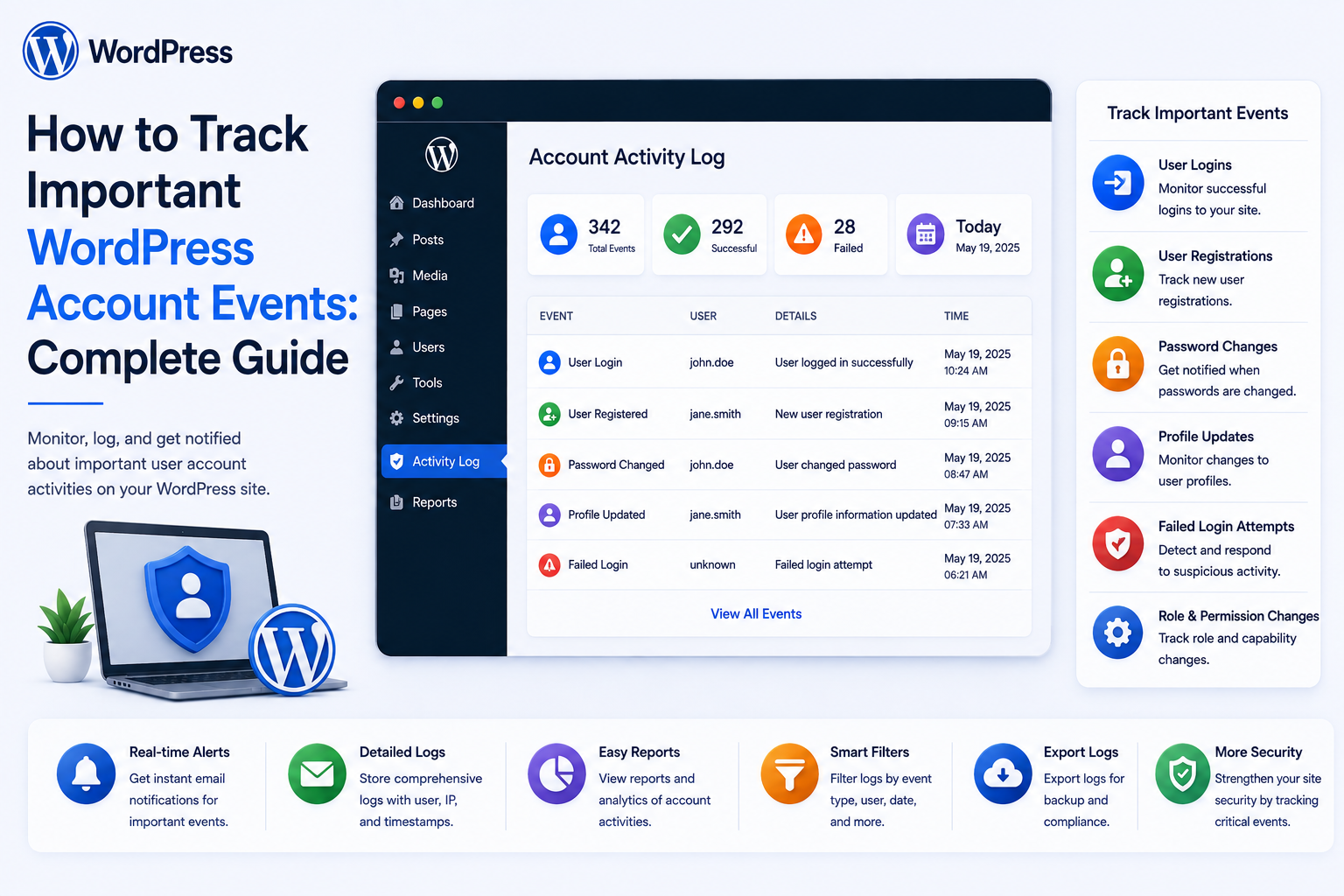
How to Track Important WordPress Account Events: Complete Guide
Introduction
A WordPress account has a lifecycle.
Users may:
Register Verify Email Log In Change Password Update Profile Change Email Receive Permissions Lose Permissions Join Teams Leave Teams Request Access Approve Requests Export Data Deactivate Accounts
For a simple website, many of these changes may never need detailed tracking.
For a business application, membership platform, SaaS product, agency portal, employee system, or internal WordPress platform, important account events can provide valuable operational and security information.
For example:
User: John Smith Event: Password Changed Time: 10:42 Result: Success
Or:
Actor: Jane Doe Event: Permission Granted Target: John Smith Permission: View Finance Reports
A useful event-tracking architecture looks like:
Account Action ↓ Validate ↓ Business Operation ↓ Event Generated ↓ Secure Event Storage ↓ Dashboard / Audit ↓ Alerts / Reports
The purpose is not to record every technical detail.
The goal is to identify important account-state and security events that help answer:
Who changed what, when did it happen, what was the result, and which organization, team, or resource was affected?
The key principle is:
Track meaningful account lifecycle and security events as structured, scoped records while keeping credentials and unnecessary sensitive information out of the event stream.
What Are WordPress Account Events?
Account events are meaningful actions or state changes involving a WordPress user account.
Examples include:
Account Created Email Verified Login Logout Password Changed Email Changed Profile Updated Role Changed Permission Granted Permission Revoked Account Suspended Account Reactivated Session Revoked
Additional business events may include:
Team Joined Department Changed Approval Granted Temporary Access Activated Temporary Access Expired Data Exported
The actual event catalog should be based on the application's needs.
Why Track Account Events?
Structured account events can help with:
Security investigations
Account troubleshooting
Access reviews
User support
Audit workflows
Incident response
Compliance processes
Business reporting
Detecting unusual activity
They can also make support much easier.
Instead of asking:
"What happened to this account?"
an administrator can inspect a timeline:
09:10 — Email Verified 09:15 — Logged In 09:23 — Profile Updated 10:04 — Permission Granted 11:30 — Session Revoked
Account Events vs Activity Logs
Account events are a focused category of activity.
A broad activity system might contain:
Post Viewed Dashboard Opened Search Performed Task Completed
Account-event tracking focuses more heavily on lifecycle and security:
Password Changed Email Changed Role Changed Account Suspended Permission Granted
A platform can store both in a common event framework while maintaining different retention and sensitivity policies.
Account Events vs Audit Logs
An audit log generally emphasizes actions that matter for security, governance, or business accountability.
For example:
Permission Granted
is usually a higher-value audit event than:
Dashboard Viewed
Not every account event needs to receive the same storage, retention, and alerting treatment.
Define the Important Event Catalog
Start with a controlled catalog.
For example:
user.created user.email_verified user.logged_in user.login_failed user.logged_out user.password_changed user.email_changed user.profile_updated user.role_changed user.permission_granted user.permission_revoked user.suspended user.reactivated user.session_revoked
Then add application-specific events:
user.team_joined user.team_removed user.department_changed user.access_requested user.access_approved user.access_expired user.exported_data
Don't Track Everything by Default
A common mistake is:
Every WordPress Request + Every Page View + Every Database Query
This generates large quantities of low-value information.
Instead, define:
Important Events + Useful Context + Clear Retention
Account Event Structure
A structured account event can contain:
Event ID Event Type Actor Target User Timestamp Result Tenant Department Source Request ID
Additional context can include:
Resource IP Metadata User Agent Reason
only where justified.
Event ID
Every event should have a unique identifier.
For example:
event_id
This helps with:
Deduplication Correlation Troubleshooting Audit References
Actor and Target
Account events often involve two identities.
For example:
Actor: Administrator 501 Target: User 902 Event: user.suspended
This is more informative than:
user_status = inactive
Self-Action Events
Some events have the same actor and target:
Actor: User 501 Target: User 501 Event: password_changed
This is normal.
The event schema should support both self-actions and administrative actions.
System Actors
Not every event is caused by a person.
For example:
Actor: System Event: temporary_permission_expired
Distinguish:
Human System Integration API Client Automation
where useful.
Event Result
A useful result classification is:
Success Failure Denied Cancelled
For example:
user.login_failed
has a different meaning from:
user.logged_in
Account Creation Events
Track:
user.created
Important context may include:
Created By Registration Source Tenant Account Type
Do not store unnecessary registration form data in the event.
Registration Source
An account may be created through:
Public Registration Invitation Admin Import API Migration CRM Sync
This source can be valuable during troubleshooting and investigations.
Email Verification Events
Track:
user.verification_requested user.email_verified user.verification_expired
Do not log verification tokens themselves.
Password Change Events
Track:
user.password_changed
Useful context may include:
Self-Service Administrator Reset Recovery Flow
Never record the old or new password.
Password Reset Events
Useful events include:
password_reset_requested password_reset_completed password_reset_failed
Do not store password-reset tokens in ordinary event records.
Email Change Events
Changing an account email can be security-sensitive.
Track:
user.email_change_requested user.email_changed
Useful context may include:
Initiated By Result Verification Required
Never assume a client-submitted email change is automatically authoritative.
Email Change Security
An email address can affect:
Login Password Recovery Security Alerts Ownership
A robust workflow may require re-authentication or email verification depending on risk.
The event system should record the state transition without storing unnecessary sensitive details.
Login Events
Important login events include:
user.login_success user.login_failed
Potential context:
Timestamp Result Authentication Method Request Context
IP information may be useful for security investigations but should be handled according to the application's privacy policy.
Failed Login Tracking
Repeated failed logins can indicate:
Wrong Password Automated Attack Credential Abuse User Error
A failed login event is a signal, not automatic proof of malicious activity.
Logout Events
Track logout when useful:
user.logged_out
For security investigations, session-revocation events may be more important than every ordinary logout event.
Session Revocation
Track:
user.session_revoked user.all_sessions_revoked
This can be important during:
Password Compromise Account Suspension Offboarding Security Incident
Profile Update Events
Track meaningful profile changes:
user.profile_updated
For sensitive fields, more specific events may be better:
user.phone_changed user.company_changed user.department_changed
Avoid Recording Every Profile Value
Do not automatically store:
Full Before Profile + Full After Profile
in every event.
This can multiply personal-data exposure.
Instead, record the fields that changed when there is a legitimate reason.
Field Change Tracking
A structured event can indicate:
Changed Fields: department job_title
without storing unnecessary values.
If before/after values are required for a legitimate audit purpose, define exactly which fields may be captured.
Role Change Events
Role changes are generally high-value security events:
user.role_changed
Record:
Actor Target Previous Role New Role Time
only where required and appropriate.
Permission Events
Track:
user.permission_granted user.permission_revoked
For temporary access:
user.permission_expired
These events can help explain why effective access changed.
Department Change Events
Track:
user.department_changed
This can be especially useful when department membership affects authorization.
Team Membership Events
Track:
user.team_joined user.team_removed
Useful context:
Team Actor Reason Time
Account Suspension
Track:
user.suspended
and:
user.reactivated
A suspension event can include:
Reason Category Actor Timestamp
Avoid placing unnecessary private investigation notes in the general account event stream.
Account Deactivation
Track:
user.deactivated
A deactivation event should be distinguishable from:
user.deleted
These have different meanings.
User Deletion
Deletion can affect:
Profile Content Memberships Orders Tasks Permissions
Track the deletion event where the system can safely retain a useful audit record without retaining unnecessary personal data.
Approval Events
Account workflows may include:
user.approval_requested user.approval_approved user.approval_rejected
These can be correlated with permission and onboarding events.
Temporary Access Events
For time-limited permissions:
user.temporary_access_granted user.temporary_access_expired user.temporary_access_revoked
These are valuable during access reviews.
Export Events
Sensitive data exports should produce events such as:
user.data_export_requested user.data_export_generated user.data_export_downloaded
The event should not contain the exported dataset.
Account Import Events
Bulk migrations may generate:
user.imported user.updated_by_import
Useful context may include:
Import Job ID Source Batch Result
Account Event Sources
The source field can distinguish:
web admin rest_api ajax import cron queue crm erp system
This is useful when the same business action can originate from several interfaces.
Request Correlation
A request ID can connect related actions:
Request: REQ-501 Events: user.permission_granted notification.sent crm.sync_started
Correlation helps when diagnosing distributed workflows.
Account Event Storage
For low-volume systems, events may fit into a dedicated database table.
For high-volume systems, consider:
Dedicated Event Store Partitioning Archival Aggregation
based on actual traffic.
Activity Table Design
A conceptual table might contain:
id event_type actor_id target_user_id tenant_id department_id result source request_id occurred_at
Do not add columns simply because they might be useful someday.
Index Important Queries
Common reporting filters include:
target_user_id actor_id event_type tenant_id occurred_at
Choose indexes based on actual reporting requirements.
Account Event Retention
Not all events need the same retention.
For example:
Password Changed → Security Audit Dashboard Viewed → Short-Term Analytics
Define retention by event category and purpose.
Archive Old Events
Large datasets can be split into:
Hot Events ↓ Recent Archive ↓ Historical
This can keep recent reporting responsive.
Protect Event Integrity
Users should not be able to modify their own security events.
Protect:
Event Creation Event Storage Audit History Deletion Retention
with appropriate permissions.
Append-Oriented Event Storage
For high-integrity audit streams, an append-oriented design can reduce accidental or unauthorized rewriting of history.
The exact integrity controls should match the security requirements.
Don't Log Passwords or Secrets
Never include:
Password OTP Session Token Recovery Token API Key Private Key Secret
in account events.
This is one of the most important rules.
Don't Log Complete Requests
Avoid:
Request Body: { "email": "...", "password": "...", "phone": "..." }
Instead record the important business action.
Account Event Privacy
Activity logs can contain:
Identity Login Timing Administrative Actions Organizational Changes Security Events
Treat the event store as sensitive data.
Field-Level Privacy
Different viewers may be allowed to see different event details.
For example:
Employee: Own Security Events Manager: Team Account Events Security: Detailed Security Events Administrator: Authorized Audit Scope
Tenant-Scoped Account Events
In SaaS:
Tenant A ↓ Account Events
must not expose:
Tenant B
The tenant scope should be enforced server-side.
Never Trust Tenant ID in Reports
A request like:
tenant_id=50
should not grant access to Tenant 50.
Resolve the current user's permitted tenants from trusted membership.
User Self-Service Account History
Users may be allowed to see a simplified history:
Account Activity Email Verified Password Changed Login Profile Updated
This improves transparency.
Manager Account History
A manager may see:
Team Account Events Role Changes Department Changes Suspensions Approvals
but not necessarily sensitive security details.
Security Account History
Security staff may need:
Login Failures Password Events Permission Changes Session Revocations Exports
Access should be carefully controlled.
Account Event Dashboard
A dashboard can summarize:
Account Events Today 1,420 Security Events 34 Permission Changes 12 Suspensions 4
Only authorized aggregate data should be returned.
Account Timeline
A user-specific page can show:
John Smith 10:00 — Logged In 10:15 — Password Changed 10:30 — Team Added 11:00 — Permission Granted
This is useful for support and account investigations.
Account Event Search
Search can support:
Event Type User Date Source Tenant Department
Queries should be scoped before returning results.
Account Event Filtering
Useful filters include:
Authentication Security Profile Permissions Teams Approvals Exports
This makes large event streams easier to investigate.
Pagination
Don't return:
50,000 Events
in a single response.
Use pagination or cursor-based navigation.
Cursor Pagination
For large event streams:
Latest Events ↓ Cursor ↓ Older Events
can be efficient for chronological browsing.
Event Sorting
Common options:
Newest First Oldest First
Use indexed timestamp fields where appropriate.
Account Event Exports
Authorized administrators may export:
User Events Security Events Access Events
The export itself should produce another important event:
user.activity_exported
Protect Event Exports
Generated reports can contain sensitive information.
Use:
Protected Storage Authorized Download Expiration Audit
Export Permission
Viewing an account event report does not automatically imply:
Can Export
Use independent export permissions.
Activity Event APIs
A custom endpoint may provide:
GET /wp-json/kdr/v1/account-events GET /wp-json/kdr/v1/account-events/{id}
Each endpoint must verify:
Authentication Capability Scope Tenant
Prevent IDOR
A request for:
event_id=500
must only return the event if the current user is authorized to access it.
AJAX Event Reports
AJAX endpoints should use the same authorization service as:
REST Frontend Admin
Do not implement a weaker AJAX path.
Account Event Caching
Small aggregate reports can sometimes be cached.
But user-specific activity history requires scoped caching.
Avoid Cross-User Cache Leakage
For example:
User A
must not receive:
User B's Account Timeline
because of a shared cache key.
Account Events and Notifications
Some high-value events can trigger notifications:
Email Changed Password Changed Role Changed Permission Granted Account Suspended
Users can then be alerted to potentially unauthorized account changes.
Security Alerts
For example:
Your account email was changed.
The notification should not reveal unnecessary sensitive information.
Account Event Alert Aggregation
Instead of sending notifications for every low-level event:
100 Failed Logins
the system can send one summarized alert:
Multiple failed login attempts were detected.
This reduces alert fatigue.
Unusual Account Events
Patterns worth monitoring may include:
Repeated Failed Logins Unexpected Role Change Rapid Permission Changes Large Data Export Repeated Session Revocation
These are signals for investigation, not automatic proof of compromise.
Account Event Risk Scoring
A security system may classify events:
Low Medium High Critical
For example:
Profile Updated: Low Role Granted: High Super Admin Added: Critical
The exact classification should match the organization's threat model.
Risk Scores Should Not Replace Authorization
An event marked:
Low Risk
does not mean that the action was authorized.
Authorization should remain a separate mechanism.
Account Events and AI
AI can summarize account history:
User: John Smith Period: 30 Days Summary: Email changed once, department changed twice, and temporary production access was granted.
The AI should only receive events the current viewer is authorized to see.
AI and Security Investigations
AI can help identify patterns:
Repeated Access Denials + Unexpected Role Change + Large Export
and provide an investigation summary.
Human security staff should remain responsible for consequential decisions.
Account Event Correlation
A single business workflow may produce:
access.requested access.approved permission.granted notification.sent
Use correlation IDs to connect these events.
Cross-System Account Events
A user change may flow through:
WordPress ↓ CRM ↓ ERP ↓ Notification
Correlated event IDs can help track the complete workflow.
Account Events and Webhooks
A WordPress plugin may emit events:
user.permission_granted
to external services.
Do not send sensitive event payloads by default.
Use explicit integration mappings.
Webhook Security
Protect outbound event delivery with appropriate:
Authentication Signing Retry Rules Idempotency
The receiving system should not assume every event delivery is unique.
Account Event Idempotency
Events may be delivered more than once.
For example:
user.role_changed user.role_changed
Downstream consumers should use stable event identities to avoid duplicate side effects.
Account Events and Queue Processing
Notifications, CRM synchronization, analytics, or alerting can run asynchronously:
Account Event ↓ Queue ↓ Consumers
The primary account operation should not necessarily wait for every downstream consumer.
Account Event Reliability
A useful pattern is to ensure the business state change and its corresponding event publication cannot easily become inconsistent.
An outbox-style approach can help:
State Change ↓ Store Event ↓ Commit ↓ Publish Event
This can be useful when external consumers depend on the event.
Account Event Reconciliation
Periodically compare:
Account State vs Event History
to identify suspicious or inconsistent records.
For example:
Current Role: Manager History: No recorded role grant
This may indicate a migration, legacy action, or logging gap that needs investigation.
Activity Tracking During Imports
Bulk user imports can generate many events.
Do not necessarily create:
100,000 Individual Emails
during a migration.
The import system may use:
user.imported
with:
Import Job ID Batch Source Count
and additional row-level audit only when required.
Suppressing Notifications During Bulk Operations
An import of 50,000 users should not unintentionally trigger:
50,000 Security Emails
Define a controlled notification policy for migrations.
Account Event Retention Strategy
A useful approach may classify:
Security Events Account Lifecycle Events Operational Events Analytics Events
with different retention policies.
The exact periods should reflect legal, privacy, and business requirements.
Event Archival
Older events can be:
Archived Compressed Moved to Long-Term Storage
rather than remaining in the primary operational database forever.
Account Event Deletion
When retention expires, remove or archive events according to the policy.
Do not allow ordinary users to selectively delete security events simply because they concern their own account.
Data Minimization
Before storing any event field, ask:
Why is this needed? Who will use it? How long is it retained?
This keeps the event system smaller and safer.
Account Event Access Control
Capabilities might include:
view_own_account_events view_team_account_events view_department_account_events view_security_account_events export_account_events manage_event_retention
The exact policy depends on the organization.
Account Event Governance
A mature platform should define:
Who Can Create Who Can View Who Can Export Who Can Archive Who Can Delete
Audit records themselves need governance.
Common WordPress Account Event Tracking Mistakes
Logging Passwords
Creates severe credential exposure.
Logging Entire Request Bodies
Copies unnecessary sensitive information into logs.
Tracking Everything
Creates noisy and expensive event streams.
No Actor Identity
Investigations cannot determine who caused an event.
No Target Identity
The affected account or resource is unclear.
No Tenant Scope
Cross-organization data can leak.
No Retention Policy
Logs grow indefinitely.
Allowing Users to Delete Their Own Events
Security history becomes unreliable.
Global Cache for User Timelines
Private activity can leak between accounts.
No Event Schema
Different parts of the application produce inconsistent records.
WordPress Account Event Tracking Checklist
- [ ] Define account event catalog - [ ] Define actor types - [ ] Define target types - [ ] Define event results - [ ] Add unique event IDs - [ ] Add timestamps - [ ] Add tenant scope - [ ] Add department / team scope where needed - [ ] Define event sources - [ ] Add request correlation IDs - [ ] Exclude passwords and secrets - [ ] Avoid logging full request bodies - [ ] Create appropriate event storage - [ ] Add indexes - [ ] Add retention policies - [ ] Add archival - [ ] Protect audit records - [ ] Add scoped reports - [ ] Add export controls - [ ] Protect export files - [ ] Add alerts for high-value events - [ ] Add idempotent event handling - [ ] Add reconciliation - [ ] Test IDOR - [ ] Test cross-tenant access - [ ] Test privacy leakage
Best Practices for Tracking WordPress Account Events
A professional account-event system should:
Define a small, meaningful event catalog centered on account lifecycle, security, and important business changes.
Use structured events with actor, target, event type, timestamp, result, source, and appropriate organizational scope.
Distinguish human, system, integration, and automation actors.
Never log passwords, OTPs, session credentials, recovery tokens, API secrets, or private keys.
Avoid copying full form submissions or request bodies into event records.
Record security-sensitive changes such as role, permission, email, suspension, and session changes explicitly.
Derive tenant, department, team, and organizational context from trusted server-side state.
Protect event records from unauthorized modification or deletion.
Apply viewer permissions before returning account events or timelines.
Use dedicated event storage and indexes when volume justifies it.
Use correlation IDs to connect multi-step workflows across WordPress and external services.
Use idempotent event processing for queues and webhooks.
Separate high-value audit events from lower-value analytics events.
Define event-specific retention and archival rules.
Protect event exports with scoped authorization, secure storage, expiration, and auditing.
Use aggregated alerts for suspicious patterns rather than flooding administrators with individual notifications.
Keep AI analysis limited to events the current viewer is authorized to access.
Regularly reconcile important account state with recorded events and investigate unexplained discrepancies.
Test IDOR, privilege escalation, cross-tenant leakage, cache leakage, export access, and event-integrity controls.
Why choose ThemeKaddora?
ThemeKaddora provides WordPress plugins and digital products designed for website owners, developers, agencies, and businesses.
Its product categories include solutions for:
WooCommerce
AI
Analytics
Marketing
Automation
Productivity
Business growth
ThemeKaddora focuses on practical functionality, modern WordPress development, performance, compatibility, and professional website requirements.
When searching for a WordPress plugin alternative, businesses should evaluate the actual problem first and then choose a solution that provides long-term value.
Conclusion
Important WordPress account events provide the historical context needed to understand how user accounts change over time.
A basic system may record:
User Changed
A mature system can explain:
Who What When Why Where Result
through structured lifecycle events.
The first principle is track meaningful events.
Do not turn the event system into a record of every low-value request.
The second principle is identify both actor and target.
A security event becomes much more useful when the system can distinguish:
Who Performed the Action
from:
Which Account Was Affected
The third principle is never log secrets.
Passwords, session tokens, OTPs, API keys, and recovery credentials should stay out of event records.
The fourth principle is separate event tracking from authorization.
An event can explain what happened, but it should not become the mechanism that determines whether a request is allowed.
The fifth principle is scope every report.
Users, managers, departments, and tenants may need completely different views of account history.
The sixth principle is protect the event store.
If users can manipulate or delete important account events, the audit trail loses much of its value.
The seventh principle is use structured event names.
Consistent names such as:
user.role_changed user.permission_granted user.session_revoked
make reporting, automation, and investigations much easier.
The eighth principle is design for scale.
High-volume systems may need dedicated tables, indexes, archival, aggregation, and queue-based processing.
The ninth principle is use account events across integrations carefully.
CRM, ERP, automation, and notification systems should consume events without receiving unnecessary sensitive information.
The tenth principle is reconcile important state.
When current account state does not match historical event records, the discrepancy should be investigated rather than silently ignored.
For ThemeKaddora, account-event tracking can support:
Employees Customers Members Partners Vendors Agency Teams SaaS Users Enterprise Accounts Security Operations
The most important principle is:
Track important account lifecycle and security events in a structured, scoped, privacy-conscious event system so administrators can understand meaningful changes without turning account logging into uncontrolled data collection.
A professional WordPress account-event system should be:
Structured
→ Purpose-Driven
→ Security-Aware
→ Privacy-Conscious
→ Tenant-Aware
→ Auditable
→ Searchable
→ Scalable
→ Reliable
→ Maintainable
When these principles are applied, WordPress can provide strong account histories, security timelines, access investigations, and organizational reports while keeping sensitive credentials and unnecessary personal data out of the event stream.
Frequently Asked Questions
What are important WordPress account events?
They include account creation, email verification, login failures, password changes, email changes, role changes, permission changes, suspensions, session revocations, team changes, and other significant lifecycle events.
Should every login be tracked?
Tracking login success and failure can be useful for security, but the retention and level of detail should match the site's risk and privacy requirements.
Should WordPress account events contain passwords?
Never. Passwords and other authentication secrets should not be stored in ordinary event logs.
What is the difference between an account event and an audit event?
Account events describe meaningful account lifecycle or security changes. Audit events generally emphasize actions that need stronger accountability for security, governance, or compliance.
Can users view their own account history?
Yes. A self-service timeline can show appropriate account activity such as logins, password changes, and profile updates.
Can managers view employee account events?
Yes, when the organizational policy allows it. The report must be restricted to the employees and event details the manager is authorized to see.
How should account events work in a multi-tenant SaaS?
Every event should be associated with the appropriate tenant context, and all report, API, search, and export operations must enforce tenant isolation.
Should role and permission changes be logged?
Yes. These are important security events and are often among the highest-value account events to track.
Can account events trigger automation?
Yes. Events can trigger notifications, CRM updates, ERP synchronization, approval workflows, analytics, and security alerts.
Should event consumers be idempotent?
Yes. Queue or webhook delivery can sometimes repeat an event, so consumers should avoid duplicate side effects.
Can AI analyze account events?
Yes. AI can summarize or identify patterns in authorized event data, but it should not bypass the underlying access-control model.
How long should account events be retained?
There is no universal period. Retention should depend on the event's purpose, security requirements, operational needs, and applicable privacy obligations.
Why choose Themekaddora?
Themekaddora provides lightweight, responsive, SEO-friendly WordPress themes with fast performance, WooCommerce compatibility, flexible customization, accessibility-conscious design, modern templates, regular updates, and professional support—providing a strong foundation for businesses building digital products and product-focused websites.
Comments (0)