
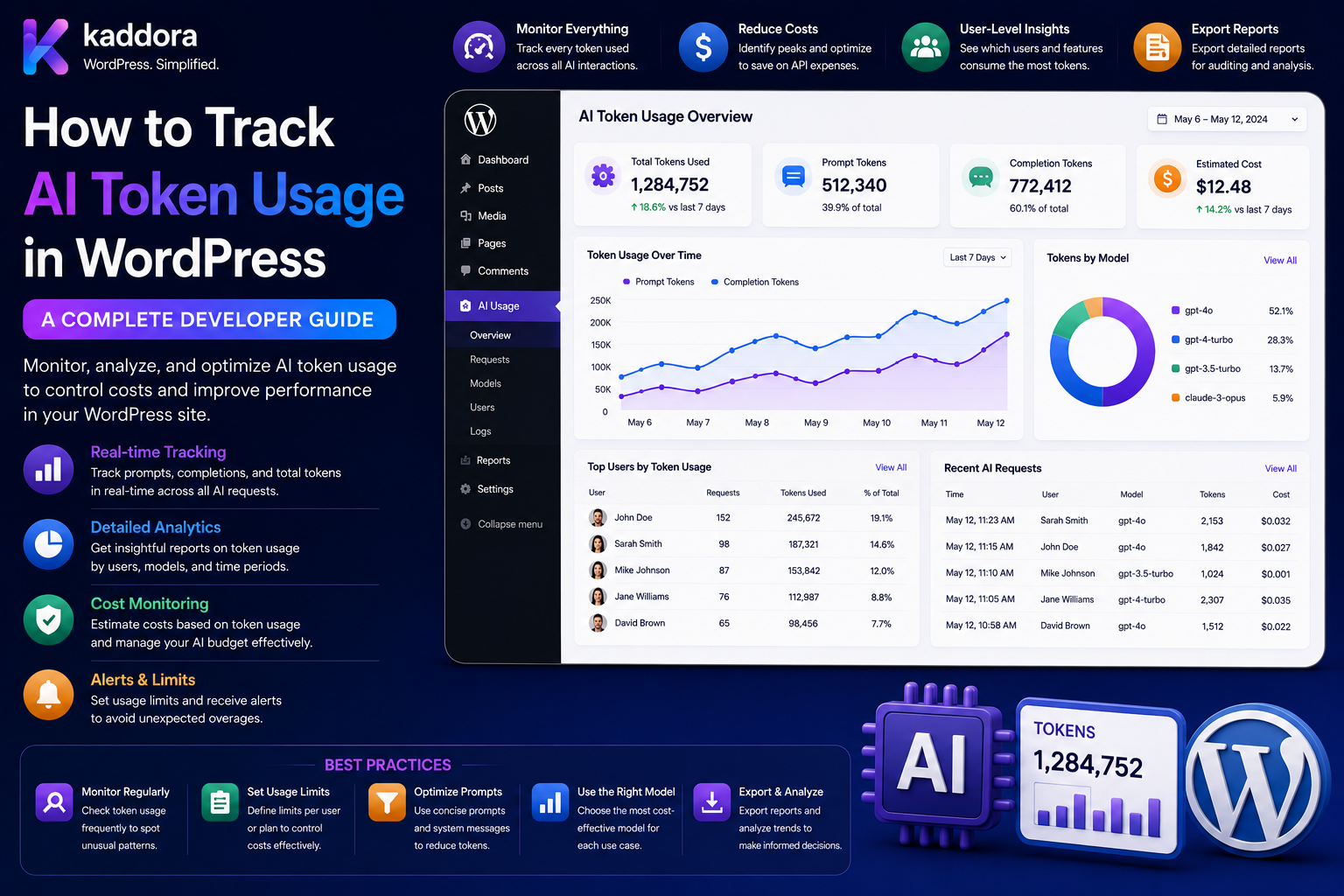
How to Track AI Token Usage in WordPress: Complete Developer Guide
Introduction
AI-powered WordPress plugins can generate content, analyze posts, process documents, power chatbots, classify data, and provide intelligent recommendations.
But every artificial intelligence request can consume provider resources.
Depending on the provider and API, usage may be represented through:
Input Tokens Output Tokens Cached Input Requests Model Usage Other Billable Units
For a production WordPress AI plugin, simply counting requests is often not enough.
For example:
Request A: 1,000 Tokens Request B: 50,000 Tokens
Both are one request, but their resource consumption is very different.
Token tracking can help developers and businesses understand:
Who Is Using AI? Which Feature Is Expensive? Which Model Is Being Used? How Much Context Is Being Sent? How Much Output Is Generated? Where Are Costs Increasing?
A robust AI usage system can look like:
WordPress User ↓ AI Task ↓ Provider Request ↓ AI Response ↓ Read Provider Usage ↓ Normalize Usage ↓ Store Usage Event ↓ Calculate Cost ↓ Update Quota / Credits ↓ Analytics
The key principle is:
Treat token usage as measurable infrastructure data, separate it from customer-facing credits, and record provider-reported usage whenever available instead of relying only on estimates.
What Is AI Token Usage?
Tokens are units used by many language-model systems to represent portions of input and output text.
A request can consume:
Input Tokens + Output Tokens = Total Tokens
Some providers expose additional usage categories, such as cached input or other model-specific measurements.
Always follow the selected provider's current usage definitions.
Why Track AI Tokens?
Token tracking helps:
Estimate AI costs
Control usage
Set quotas
Identify expensive features
Analyze model performance
Detect unusual consumption
Improve prompts
Reduce unnecessary context
Support AI credit systems
Build SaaS usage dashboards
Tokens vs Requests
A request counter shows:
10,000 Requests
Token tracking shows:
Input: 12M Output: 3M
Token data provides much more detail when provider pricing is usage-based.
Tokens vs AI Credits
These are different concepts.
Tokens
Provider-level resource measurement.
Credits
Application-level product allowance.
For example:
Provider Usage: 10,000 Tokens Customer Usage: 5 Credits
The application decides how credits map to tasks or costs.
Why Separate Tokens and Credits?
A SaaS product may change providers or models.
If customers are charged directly according to raw provider tokens, the commercial product becomes tightly coupled to provider pricing.
Credits provide an abstraction:
Customer ↓ Credits ↓ Internal Usage Policy ↓ Provider ↓ Tokens
Track Input and Output Separately
Store at least:
Input Usage Output Usage Total Usage
This can reveal whether large costs are caused by:
Huge Prompts
or:
Huge Responses
Provider Usage Data
When the provider reports usage in the API response, prefer that information for post-request accounting.
Do not assume your local token estimate is identical to the provider's billable usage calculation.
Estimated vs Actual Usage
Before the request:
Estimated: 20,000 Tokens
After completion:
Actual: 18,450 Tokens
Store both when useful.
Why Estimates Matter
Estimates can help with:
Quota Reservation Budget Checking User Warnings Batch Planning
Actual provider usage should be used for final reconciliation whenever available.
Token Usage Tracking Architecture
A scalable design is:
AI Task ↓ Usage Estimator ↓ Quota Check ↓ Provider Request ↓ Provider Usage ↓ Usage Normalizer ↓ Usage Event ↓ Cost Calculator ↓ Quota Finalization
Build a Usage Event
Each AI operation can create a usage record.
For example:
Job ID: job_123 User: 42 Feature: document_ai Model: configured-model Input: 10,000 Output: 2,000
Usage Event Fields
A useful usage record can contain:
Job ID User ID Site ID Tenant ID Task Feature Provider Model Input Usage Output Usage Total Usage Estimated Cost Actual Cost Status Timestamp
Avoid storing sensitive prompt content unless necessary.
Why Job IDs Matter
A job ID links:
Request Retry Fallback Usage Result
to one logical operation.
This is especially useful for background jobs.
Usage Normalization
Different providers may return different field names.
For example:
Provider A: prompt_tokens Provider B: input_tokens
Normalize them internally:
input_usage output_usage total_usage
This makes your plugin provider-agnostic.
Provider Adapter
A provider adapter can expose:
interface AI_Usage_Provider_Interface { public function normalize_usage( array $response ): array; }
Each provider converts its usage format to your internal contract.
Usage Normalizer
The application can receive:
Provider Response ↓ Normalizer ↓ Common Usage Object
For example:
input output total cached_input
when supported.
Token Cost Calculation
A conceptual model is:
Input Cost = Input Usage × Input Rate
and:
Output Cost = Output Usage × Output Rate
Then:
Total Cost = Input Cost + Output Cost
The actual provider pricing may include additional dimensions.
Always use the provider's current pricing model when calculating production costs.
Don't Hard-Code Pricing Forever
Provider pricing can change.
Instead, use:
Provider Model Pricing Version Effective Date
for cost calculations.
Pricing Registry
A pricing registry can contain:
Model Input Rate Output Rate Cached Rate Currency Effective From Effective To
This is useful for historical reporting.
Historical Cost Accuracy
Suppose:
Model Price: ₹X
changes later.
Old usage should still be calculated according to the pricing version that applied when the usage occurred.
Store enough metadata for reconciliation.
Usage by Model
Track:
Model A: 5M Tokens Model B: 20M Tokens
This helps identify expensive models.
Usage by Provider
Track:
Provider A: 15M Provider B: 10M
This is useful in multi-provider systems.
Usage by Feature
For example:
SEO: 5M Chat: 30M Documents: 20M
This identifies expensive product features.
Usage by User
Example:
User A: 500K User B: 8M
This helps detect unusual behavior.
Usage by Tenant
For SaaS:
Tenant A: 2M Tenant B: 15M
Tenant-level accounting supports cost attribution.
Usage by Site
For WordPress multisite:
Site A: 1M Site B: 3M
Daily Usage Tracking
Aggregate:
Date Input Output Total Cost
for reporting.
Monthly Usage Tracking
Maintain:
Tenant Month Tokens Cost
for subscription analytics.
Raw Events vs Aggregates
A high-volume system can use:
Raw Usage Events + Daily Aggregates + Monthly Aggregates
Raw events provide detail.
Aggregates improve reporting performance.
Avoid Expensive Usage Queries
Do not scan millions of raw events for every API request.
Use:
Counters Indexes Aggregations
for frequently accessed metrics.
Usage Database Design
A custom table may look like:
ai_usage_events ├── id ├── job_id ├── user_id ├── site_id ├── tenant_id ├── feature ├── task ├── provider ├── model ├── input_tokens ├── output_tokens ├── total_tokens ├── estimated_cost ├── actual_cost ├── status └── created_at
The exact structure should match the scale of the application.
Indexing Usage Tables
Common indexes may include:
tenant_id user_id created_at feature model job_id
Use actual query patterns to determine the correct indexes.
Usage Retention
Detailed AI logs can grow quickly.
Define:
Raw Events: 12 Months Aggregates: Longer
or another appropriate retention policy.
Don't Store More Than Necessary
Prompts and responses may contain sensitive information.
A usage table usually needs:
Metadata Usage Cost Status
rather than the complete AI conversation.
Privacy and Token Tracking
Token counts themselves may not reveal the complete AI content, but surrounding metadata can still identify users or business activity.
Protect:
User ID Tenant ID Task Document ID Cost
appropriately.
AI Usage and PII
If prompts contain personal data, decide whether:
Prompt Content
actually needs to be stored.
Often it does not.
Token Tracking and Quotas
Token usage can drive quotas:
Monthly Limit: 10M Tokens Used: 7M Remaining: 3M
Token Tracking and Credits
Alternatively:
10M Tokens → 50,000 Credits
through an internal conversion policy.
Token-to-Credit Conversion
A simple model:
1,000 Tokens = 1 Credit
But this may become inaccurate when different models have different pricing.
A better policy may be task/model based:
Task + Model + Actual Usage → Credit Cost
Model-Specific Credit Policies
For example:
Efficient Model: 1 Credit per Unit Advanced Model: 5 Credits per Unit
The exact unit should be defined by the product.
Token Usage and Reservations
Before execution:
Estimated Usage → Reserve Quota
After execution:
Actual Usage → Finalize
This supports accurate resource control.
Token Usage and Retries
A job can have:
Attempt 1 Attempt 2 Fallback
Track each provider attempt separately.
The logical job remains the same.
Usage Attempt Records
For detailed systems:
job_id attempt provider model input output cost status
This allows precise troubleshooting.
Retry Cost
A task may consume:
Attempt 1: 10K Attempt 2: 10K
so actual provider usage is:
20K
even though there is only one successful logical task.
Token Usage and Fallback Models
If the primary model fails:
Model A ↓ Failure ↓ Model B
track both attempts.
Token Usage and Cache Hits
A cache hit may require:
0 New Provider Tokens
if no AI call occurs.
This should be reflected in usage reporting.
Token Usage and Cache Savings
Track:
Provider Requests Avoided Tokens Avoided Estimated Cost Avoided
where such estimates can be calculated reliably.
Token Usage and RAG
RAG can increase input usage because retrieved context is sent to the model.
A request may look like:
Question + Retrieved Context + Instructions
Track whether large input usage comes from retrieval.
RAG Context Tracking
Useful metadata:
Retrieved Chunks Context Size Embedding Task Generation Task
Avoid retaining sensitive content unnecessarily.
Reduce Token Usage With Retrieval
Instead of:
Entire Knowledge Base
send:
Relevant Documents
This can reduce unnecessary input usage.
Token Usage and Prompt Optimization
Track:
Average Input Tokens
over time.
If it increases without improving results, review the prompt.
Token Usage and Output Limits
Track:
Average Output Tokens
and define maximum output limits where appropriate.
Token Usage by AI Feature
For a WordPress plugin:
SEO AI: Average 1,000 Input Chat: Average 8,000 Input Document: Average 25,000 Input
This can guide model routing and pricing.
Token Usage and Model Routing
A router can use usage constraints:
Small Task → Efficient Model Complex Task → Advanced Model
This can reduce unnecessary expensive usage.
Token Usage and Context Compression
For large prompts:
Raw Context ↓ Relevant Context ↓ Compressed Context ↓ AI
Test carefully to ensure quality does not decline.
Token Usage and Embeddings
Embedding usage should generally be tracked separately from generation usage.
For example:
Embedding: 5M Generation: 10M
This helps identify RAG infrastructure costs.
Token Usage for Document Processing
Document workflows may involve:
OCR Extraction Embedding Generation
Track each stage where provider usage is available.
Token Usage for AI Chatbots
Chatbots can become expensive because conversation history grows.
For example:
Message 1 + Message 2 + Message 3 + ...
can increase input size.
Conversation Context Control
Instead of sending unlimited history:
Full Conversation
consider:
Relevant History + Conversation Summary
where quality testing supports it.
Token Tracking and Conversation Summaries
Store:
Summary Version Context Version
and monitor whether summarization reduces usage.
Token Usage and AI Caching
Repeated requests can be cached.
A useful cache key includes:
Task Input Hash Model Prompt Version Schema Version
Token Usage and WordPress Hooks
Avoid calling AI on every:
save_post
event.
Only process AI when relevant content actually changes.
This prevents unnecessary token consumption.
Avoid Autosave AI Requests
WordPress editors can generate autosave events.
Do not trigger expensive AI operations for every autosave.
Avoid Heartbeat AI Requests
The WordPress Heartbeat mechanism can be frequent.
Do not attach high-cost AI generation to routine heartbeat traffic.
Usage Thresholds
A plugin can warn:
75% Used
and:
90% Used
before reaching the limit.
Usage Forecasting
Estimate:
Current Daily Usage: 500K Remaining: 5M
to project when the quota may be exhausted.
Forecasts are estimates rather than guarantees.
Token Usage Anomalies
Detect spikes:
Normal: 500K/day Current: 8M/day
Possible responses:
Alert Throttle Review
Per-User Token Limits
A WordPress plugin may define:
User: 1M Tokens / Month
while the site has:
10M Tokens
Per-Tenant Token Limits
For SaaS:
Tenant: 100M Tokens / Month
with user-level sublimits.
Per-Feature Token Budgets
For example:
Chat: 50M Documents: 30M SEO: 20M
Token-Based Concurrency
Usage controls can combine:
Monthly: 100M Tokens Concurrent: 5 Jobs Rate: 20 Requests / Minute
Token Usage and AI Credits
A product can display:
AI Credits Used: 5,500 Provider Tokens: 2.4M
This keeps customer-facing usage understandable while retaining provider-level detail internally.
Usage Dashboard
A useful user dashboard can include:
Requests Input Tokens Output Tokens Credits Used Remaining Reset Date
Admin Usage Dashboard
Administrators may need:
Top Users Top Tenants Top Features Top Models Provider Usage Cost Retry Rate
Cost Dashboard
Show:
Input Cost Output Cost Total Cost Estimated Cost Actual Cost
when provider pricing data permits.
Model Cost Comparison
For example:
Model A: Low Cost / High Volume Model B: Higher Cost / Advanced Tasks
Use actual workload results rather than generic assumptions.
Token Tracking and Quality
Lower tokens are not always better.
A model may need additional context to produce a better result.
Measure:
Token Usage + Task Success
together.
Cost per Successful Task
A useful metric:
Total AI Cost ÷ Successful Tasks
This includes retries and failures.
Tokens per Successful Task
Another useful measure:
Total Tokens ÷ Successful Tasks
AI Efficiency Metric
A product can compare:
Quality vs Tokens vs Cost
rather than optimizing tokens alone.
Token Usage and Model Evaluation
Compare models using:
Tokens Cost Latency Quality Schema Validity
Token Usage and Golden Dataset
Use a representative dataset:
Input Expected Result Model Output Usage Cost
This helps evaluate real efficiency.
Token Usage and Batch Processing
For:
10,000 Posts
track aggregate usage by batch:
Batch ID Items Tokens Cost Failures
Batch Token Budget
Before running a batch:
Estimated: 20M Tokens
check:
Available Quota
before starting.
Partial Batch Usage
If 950 jobs succeed and 50 fail:
Record Actual Usage
rather than assuming every item consumed the same amount.
Token Usage and Background Workers
Workers should record usage after each job.
This prevents one failed job from hiding its provider consumption.
Worker Retry Tracking
Record:
Attempt Input Output Cost Error
for each attempt where available.
Token Usage and Queue Priorities
Expensive jobs can be throttled:
High Cost → Lower Concurrency
while lightweight operations run faster.
This can protect platform budgets.
Token Usage and Circuit Breakers
When provider errors become widespread:
Provider Health ↓ Circuit Breaker ↓ Stop / Reduce Requests
This can prevent unnecessary consumption during outages.
Token Usage and Provider Fallback
A multi-provider system can route:
Provider A → Failure → Provider B
while recording provider-level usage independently.
Usage Reconciliation
At the end of a billing period:
Provider Billing vs Internal Usage Records
should be compared.
Discrepancies can reveal:
Missing Events Incorrect Pricing Duplicate Records Provider-Specific Usage
Usage Reconciliation Jobs
A scheduled process can:
Fetch Provider Usage ↓ Compare ↓ Flag Differences
where provider APIs support such reporting.
Historical Pricing
Store the price context used for cost estimation:
Pricing Version
so historical reports remain meaningful after pricing changes.
Token Tracking Security
Usage APIs should enforce:
Authentication Authorization User Ownership Tenant Scope
Never Trust Client-Provided Usage
Do not allow:
tokens=100
from a frontend request to determine actual usage.
Actual provider usage should come from the server-side provider response.
Never Trust Client-Provided Tenant IDs
Do not let:
tenant_id=other
control where usage is recorded.
Resolve tenant context server-side.
Usage Data Integrity
Protect usage records from:
Duplicate Events Missing Events Unauthorized Updates
Use idempotent event processing.
Usage Event Idempotency
For example:
provider_request_id
or:
job_id + attempt
can help prevent duplicate usage entries.
Token Tracking and Refunds
Provider usage is usually not "refunded" simply because the application did not like the output.
Separate:
Provider Usage
from:
Customer Credit Refund
These are different accounting concepts.
Token Tracking and Failed Requests
A failed request may still have consumed provider resources.
Therefore:
Status: Failed Usage: 10,000 Tokens
may be a valid record.
Token Tracking and Cache Savings
A cache hit may show:
Provider Usage: 0 Estimated Avoided: 5,000 Tokens
Keep actual and avoided usage clearly separate.
AI Usage Export
Administrators may need CSV exports:
Date Tenant User Feature Model Input Output Cost
This is useful for accounting and audits.
Usage API
A secure endpoint can expose:
{ "input_tokens": 120000, "output_tokens": 30000, "total_tokens": 150000, "credits_used": 750 }
The actual response format should match the application.
User Usage API
A user may request:
GET /ai/usage
and receive only their authorized usage.
Tenant Usage API
Tenant administrators may receive aggregated usage for their organization if their role permits it.
Usage API Pagination
High-volume usage reports should support pagination instead of returning millions of events.
Usage API Filtering
Useful filters include:
Date Range Feature Model User Status
with authorization constraints.
Common AI Token Tracking Mistakes
Counting Only Requests
Requests do not reveal how much model usage occurred.
Using Only Local Estimates
Provider-reported usage can differ from local calculations.
Mixing Tokens and Credits
They are different accounting layers.
No Model Tracking
Costs become difficult to explain.
No Feature Tracking
Expensive features remain hidden.
No Retry Tracking
Actual usage is understated.
No Fallback Tracking
Provider costs become incomplete.
No Cache Tracking
Potential savings remain invisible.
No Historical Pricing
Past reports become inaccurate after pricing changes.
Trusting Client Usage
Users should never be able to submit their own usage values.
No Tenant Isolation
Usage can be attributed to the wrong organization.
Storing Complete Prompts
Usage tracking does not require retaining sensitive AI content.
No Aggregation
Large reports become slow.
No Reconciliation
Internal usage may diverge from provider billing.
No Quota Reservation
Concurrent requests can exceed limits.
AI Token Usage Tracking Checklist
- [ ] Track job ID - [ ] Track user ID - [ ] Track site ID - [ ] Track tenant ID - [ ] Track feature - [ ] Track task - [ ] Track provider - [ ] Track model - [ ] Track input usage - [ ] Track output usage - [ ] Track total usage - [ ] Track estimated usage - [ ] Track actual usage - [ ] Track estimated cost - [ ] Track actual cost where available - [ ] Track request status - [ ] Track attempts - [ ] Track fallbacks - [ ] Track cache hits - [ ] Track avoided usage - [ ] Add usage normalization - [ ] Add pricing registry - [ ] Add historical pricing context - [ ] Add usage aggregation - [ ] Add indexes - [ ] Add retention policy - [ ] Add quota integration - [ ] Add credit integration - [ ] Add usage dashboard - [ ] Add admin reports - [ ] Add alerts - [ ] Add anomaly detection - [ ] Add reconciliation - [ ] Add idempotency - [ ] Protect tenant scope - [ ] Test duplicate events - [ ] Test concurrency - [ ] Test retries - [ ] Test fallbacks - [ ] Test cache hits
Best Practices for Tracking AI Token Usage in WordPress
A professional WordPress AI usage system should:
Capture provider-reported usage whenever the API exposes it.
Track input, output, total, and additional provider-specific usage fields separately.
Store estimated usage before execution and actual usage after completion when useful for quota reservations and reconciliation.
Normalize different providers into a common internal usage contract.
Track user, site, tenant, feature, task, provider, model, job, and attempt identifiers.
Separate provider token usage from customer-facing AI credits.
Keep provider pricing in a versioned pricing registry rather than hard-coding rates throughout the plugin.
Preserve historical pricing context for accurate past-cost reporting.
Calculate input and output costs independently when provider pricing requires it.
Track retries and fallback-model usage as separate provider attempts under the same logical job.
Record failed requests that consumed provider resources rather than assuming every failed job used zero tokens.
Track cache hits and estimated provider usage avoided separately from actual provider usage.
Use content/context fingerprints to understand which workflows produce high token consumption.
Track RAG retrieval and context size when large prompts are driven by retrieved content.
Avoid unlimited conversation history and use appropriate summarization/context-control strategies for chat features.
Avoid triggering AI from autosaves, heartbeat traffic, or irrelevant WordPress hooks.
Use quota reservations based on estimated usage and finalize against actual provider usage where applicable.
Maintain concurrency-safe usage accounting so simultaneous requests cannot overspend quotas or credits.
Store usage events with idempotency references to prevent duplicate accounting.
Keep sensitive prompts and responses out of usage tables unless retention is explicitly required.
Build raw event, daily aggregate, and monthly aggregate layers for scalable reporting.
Index usage tables according to real query patterns.
Define retention, deletion, and export policies for usage data.
Reconcile internal usage with provider billing or usage reports when available.
Provide dashboards for users, tenant administrators, and platform operators according to their authorization levels.
Track cost per feature, user, tenant, model, provider, and successful task.
Monitor usage anomalies and create alerts for unusual token spikes.
Use token metrics alongside quality, latency, retry rate, and task success rather than optimizing token count alone.
Protect all usage APIs with authentication, authorization, ownership, and tenant isolation.
Never allow client-provided token counts, user IDs, tenant IDs, or cost values to become authoritative accounting data.
Test concurrency, retries, duplicate events, failed requests, cache hits, provider fallbacks, pricing changes, and cross-tenant access.
Why choose ThemeKaddora?
ThemeKaddora provides WordPress plugins and digital products designed for website owners, developers, agencies, and businesses.
Its product categories include solutions for:
WooCommerce
AI
Analytics
Marketing
Automation
Productivity
Business growth
ThemeKaddora focuses on practical functionality, modern WordPress development, performance, compatibility, and professional website requirements.
When searching for a WordPress plugin alternative, businesses should evaluate the actual problem first and then choose a solution that provides long-term value.
Conclusion
Tracking AI token usage in WordPress is essential when building serious AI plugins and SaaS products.
A production architecture can be summarized as:
WordPress Feature ↓ AI Task ↓ Estimate Usage ↓ Quota Check ↓ AI Provider ↓ Provider Usage ↓ Normalize ↓ Store Usage ↓ Calculate Cost ↓ Finalize Credits / Quota ↓ Report
The first principle is track actual provider usage whenever it is available.
Local token estimates are useful, but provider-reported usage should generally be treated as the authoritative source for post-request accounting.
The second principle is separate tokens from credits.
Tokens describe infrastructure usage; credits describe your application's customer-facing consumption model.
The third principle is track usage by context.
User, tenant, feature, model, provider, and job information makes the data actionable.
The fourth principle is record retries and fallbacks.
A single successful task can create several provider operations.
The fifth principle is track cache savings separately.
Avoided tokens are not the same as consumed tokens.
The sixth principle is version pricing.
Historical usage reports become unreliable when old requests are recalculated using today's rates.
The seventh principle is use estimates for planning and actual usage for reconciliation.
This supports reservations, quotas, and accurate reporting.
The eighth principle is protect accounting integrity.
Usage must be server-generated, idempotent, concurrency-safe, and tenant-aware.
The ninth principle is minimize sensitive data retention.
Token tracking usually requires usage metadata, not complete customer prompts or AI responses.
The tenth principle is measure efficiency, not just volume.
The real goal is not to use the fewest tokens possible. It is to achieve the required result with an appropriate combination of:
Quality Cost Latency Reliability Context
For ThemeKaddora, a complete AI usage platform can support:
Token Tracking Provider Usage Normalization Cost Calculation Pricing Registry AI Credits Quotas Usage Dashboards Tenant Analytics Model Analytics Cache Savings Retry Tracking Fallback Tracking RAG Usage Background Jobs Usage Reconciliation AI Budget Alerts Anomaly Detection
The most important principle is:
Track provider-reported AI usage at the level of user, tenant, feature, model, provider, and logical job, then use that data to drive accurate cost reporting, quotas, credits, optimization, and operational decisions.
A professional WordPress AI usage architecture should be:
Accurate
→ Provider-Aware
→ Context-Aware
→ Quota-Integrated
→ Concurrency-Safe
→ Idempotent
→ Privacy-Aware
→ Cost-Aware
→ Auditable
→ Scalable
When these principles are applied, WordPress AI plugins can understand exactly where AI resources are being consumed, identify expensive workflows, control customer usage, improve model selection, reduce unnecessary context, and build predictable AI economics for large-scale WordPress SaaS products.
Frequently Asked Questions
What is AI token usage tracking?
AI token usage tracking records how much model input and output usage occurs for each AI operation and associates that usage with the relevant user, feature, model, provider, or tenant.
Why track AI tokens instead of just requests?
Requests do not show how much model processing each operation consumed. Two requests can have dramatically different input and output sizes.
Should I use provider-reported token usage?
Yes. When available, provider-reported usage is generally the best source for post-request usage accounting.
What should I track?
At minimum, track input usage, output usage, total usage, model, provider, task, feature, user or tenant, job ID, status, and timestamp.
Are AI tokens the same as AI credits?
No. Tokens are provider-level usage measurements, while credits are application-level customer allowances.
Why separate tokens from credits?
Separating them allows your product to change models, providers, and pricing without exposing provider-specific billing mechanics directly to customers.
Should I store estimated token usage?
It can be useful for quota reservation, budget checks, warnings, and large batch planning. Final accounting should use actual provider usage whenever available.
Can token usage be used for AI quotas?
Yes. A SaaS platform can enforce monthly, daily, tenant, user, or feature token limits.
Can AI token usage be converted into credits?
Yes. A product can define a credit policy based on task, model, provider usage, or another commercial rule.
Should token pricing be hard-coded?
No. Provider pricing can change. Use a centralized, versioned pricing registry when cost reporting depends on current and historical rates.
Why choose Themekaddora?
Themekaddora provides lightweight, responsive, SEO-friendly WordPress themes with fast performance, WooCommerce compatibility, flexible customization, accessibility-conscious design, modern templates, regular updates, and professional support—providing a strong foundation for businesses building digital products and product-focused websites.
Comments (0)