
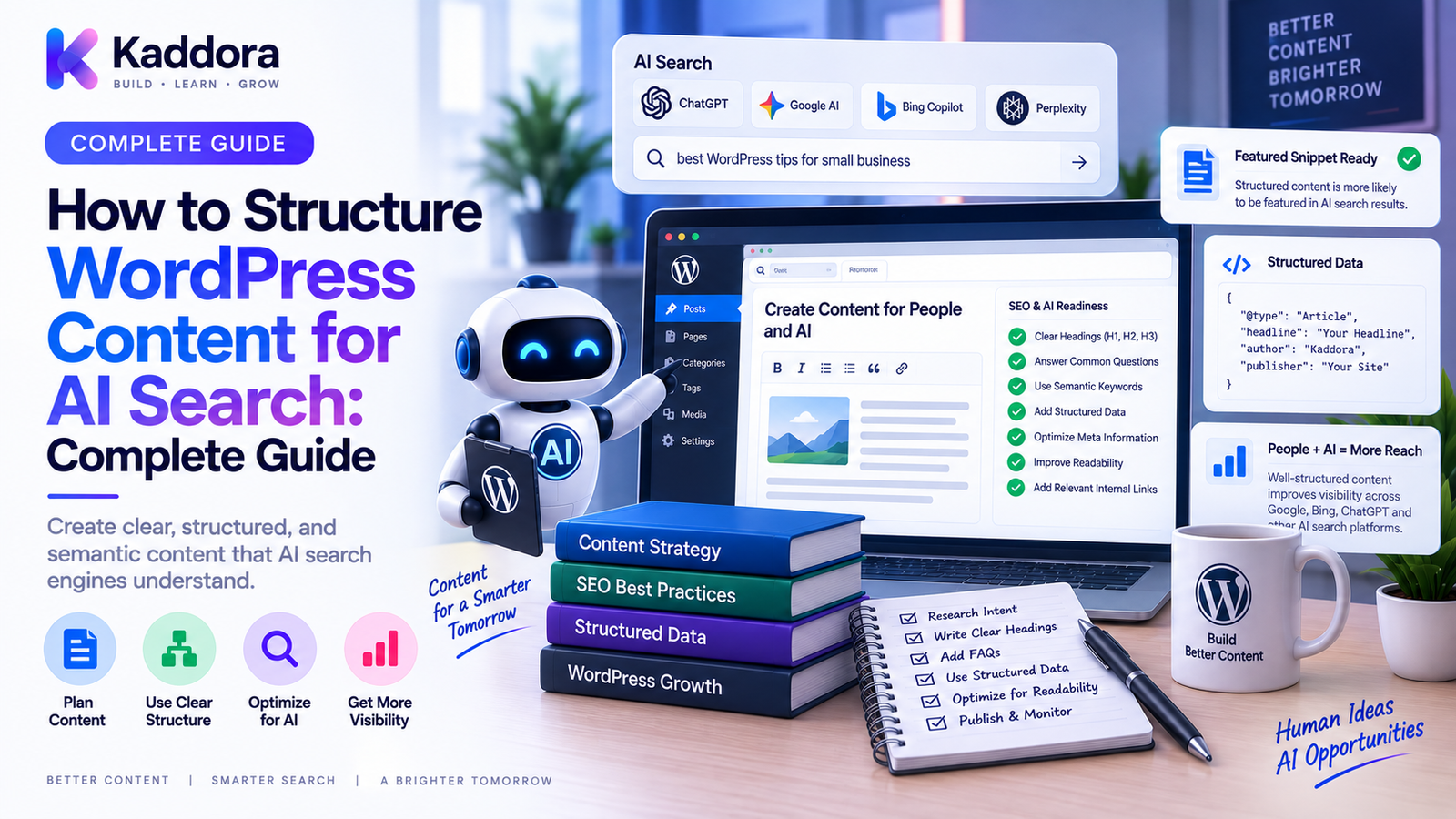
How to Structure WordPress Content for AI Search: Complete Guide
Introduction
Search is changing.
Traditional search engines primarily return lists of links that users can visit and evaluate.
AI-powered search experiences can take a different approach.
Instead of simply presenting a list of pages, an AI system may:
Interpret a user's question
Identify relevant concepts
Compare information from multiple sources
Summarize answers
Connect related entities
Generate a direct response
Provide links to supporting sources
This creates a new challenge for website owners.
It is no longer enough to publish content that is merely understandable to search engines.
Content should also be structured so that important facts, concepts, relationships, and answers are easy for both machines and people to understand.
For WordPress websites, this means thinking beyond individual articles.
A strong AI-search strategy combines:
Clear content hierarchy
Strong topic relationships
Explicit entities
Direct answers
Structured data
Internal linking
Consistent terminology
Author and organization context
High-quality supporting content
This guide explains how to structure WordPress content for AI search, how to organize information semantically, how to build content relationships, how to improve answer extraction, and how to create a more AI-ready WordPress content architecture.
What Does AI Search Mean for WordPress?
AI search refers to search experiences that use artificial intelligence to understand queries, retrieve information, synthesize content, and generate answers.
A traditional model may look like:
User Query ↓ Search Index ↓ Ranking ↓ Search Results
An AI-assisted model can involve:
User Query ↓ Intent Understanding ↓ Information Retrieval ↓ Entity / Context Analysis ↓ Answer Generation ↓ Sources / Links
This makes content structure increasingly important.
A page with clear facts, logical headings, descriptive relationships, and concise answers can be easier to interpret than a page containing the same information in an unstructured block of text.
What Is AI-Friendly Content Structure?
AI-friendly content is not content written for machines instead of humans.
It is content that is:
Clear
Specific
Well-organized
Factually grounded
Contextually rich
Easy to navigate
Semantically consistent
A simple structure might be:
Topic ↓ Definition ↓ Key Characteristics ↓ How It Works ↓ Examples ↓ Best Practices ↓ Common Questions
This organization makes the topic easier to understand at multiple levels.
Start With a Clear Search Intent
Before creating content, identify what the user is actually trying to accomplish.
A query may be:
Informational
Navigational
Commercial
Transactional
Comparative
Problem-solving
For example:
"What is WordPress caching?"
has a different intent from:
"Best WordPress caching plugin"
and:
"How to configure WordPress caching?"
AI search systems need context to distinguish these intents.
Your content architecture should therefore make the page's primary purpose obvious.
Answer the Main Question Early
Many articles spend several paragraphs before answering the actual question.
For AI-oriented content, a clearer structure is often:
Question ↓ Direct Answer ↓ Explanation ↓ Details ↓ Examples
For example:
What is WordPress caching?
Then immediately explain the concept before expanding into advanced details.
This creates a strong information hierarchy.
Use Descriptive Headings
Headings should communicate the meaning of the section.
Weak:
Some Important Things
Better:
How WordPress Caching Improves Website Performance
The second heading provides stronger context.
Use headings to define relationships between ideas:
WordPress SEO ├── Technical SEO ├── Content SEO ├── Internal Linking └── Structured Data
This creates a clearer topical structure.
Build Content Around Entities
AI systems often need to understand entities rather than isolated keywords.
An entity can be:
Person
Company
Product
Organization
Technology
Location
Concept
Software
Brand
For example, a ThemeKaddora article might discuss:
ThemeKaddora ↓ WordPress Products ↓ Plugins ↓ Themes ↓ WooCommerce ↓ AI Tools
Use consistent names and descriptions throughout related content.
Avoid changing the terminology for the same entity from one page to another without a reason.
Define Important Concepts Explicitly
Do not assume the reader or machine already knows what a term means.
For important concepts, provide a clear definition.
Example:
Canonical URL = The preferred URL representing a page when multiple URL versions exist.
Explicit definitions help establish semantic context.
This is especially useful for technical subjects where terms can have multiple meanings.
Use One Primary Topic Per Page
A page should have a clear central topic.
For example:
WordPress Database Optimization
should not become a giant article about:
Hosting
Design
Analytics
Email marketing
Social media
Programming
Related topics can be included, but the primary entity and intent should remain clear.
A focused page is easier to classify and connect with other pages.
Create Topic Hubs
AI search benefits from broader context.
Instead of publishing isolated articles, create topic hubs.
For example:
WordPress SEO │ ┌────┼──────────┐ ▼ ▼ ▼ URLs Canonical Sitemaps │ │ │ ▼ ▼ ▼ Redirects Robots.txt Internal Links
The hub page introduces the topic.
Supporting pages explain individual concepts in more depth.
This creates a strong semantic content architecture.
Build Content Clusters
A content cluster expands the topic-hub model.
For example:
WordPress SEO │ ┌────────────┼────────────┐ ▼ ▼ ▼ Technical SEO Content SEO AI Search │ │ │ URLs/Robots Clusters GEO/AEO Sitemaps Internal Links Entity SEO Canonicals Content Audits AI-ready pages
Internal links should connect these pages naturally.
This gives users and search systems more context about the relationships between topics.
Use Internal Links as Semantic Connections
Internal links are more than navigation.
They can communicate relationships between pages.
For example:
WordPress Redirects ↓ WordPress Canonicals ↓ WordPress XML Sitemaps
Use descriptive anchor text.
Compare:
Click here
with:
Learn more about WordPress canonical URLs
The second link communicates more context.
Create Explicit Parent-Child Relationships
WordPress content can be structured hierarchically.
For example:
WordPress ↓ SEO ↓ Technical SEO ↓ Canonical URLs
Use categories, taxonomies, breadcrumbs, navigation, internal links, and URL structures consistently where appropriate.
This helps communicate relationships between concepts.
Use Consistent Terminology
Suppose your site uses:
AI Search
for a particular concept.
Avoid randomly switching among:
AI Search
Intelligent Search
Generative Search
Smart Search
Machine Search
unless those terms actually represent different concepts.
Consistency improves clarity.
Define alternate terminology where appropriate.
For example:
AI search, also referred to in some contexts as generative search, uses AI systems to interpret queries and generate responses.
This creates a clear relationship between terms.
Structure Important Facts Clearly
Important information should be easy to locate.
Examples include:
Definitions
Specifications
Dates
Features
Pricing
Requirements
Compatibility
Steps
Limitations
Use tables, lists, short paragraphs, and clearly labeled sections where they improve readability.
For example:
Feature
Description
Content Type
WordPress Plugin
Platform
WordPress
Primary Use
SEO
Integration
REST API
Structured information is easier for both users and software to interpret.
Use FAQ Sections Strategically
FAQ sections can clarify specific user questions.
Good questions are closely related to the page's actual topic.
For example:
What is WordPress canonicalization? Why are canonical URLs important? How do redirects and canonicals differ?
Avoid generating dozens of repetitive questions merely to increase page length.
The objective is to answer real questions clearly.
Write Self-Contained Sections
Each major section should contain enough context to make sense.
Instead of:
This process improves performance.
Prefer:
Database query optimization can reduce unnecessary database work and improve response efficiency when inefficient queries are a real bottleneck.
Self-contained writing is easier to extract and interpret.
Avoid Ambiguous References
AI systems can struggle with vague references.
For example:
It improves performance.
What does "it" refer to?
A clearer statement is:
WordPress object caching can reduce repeated database queries for cached data.
Use specific nouns when the distinction matters.
Provide Evidence and Context
AI systems need reliable source material.
For important claims, provide:
Original data
Documentation
Methodology
References
Examples
Product specifications
Author expertise
For technical topics, linking to authoritative documentation can improve the usefulness of your content.
Don't make unsupported claims such as:
This technique guarantees first-page rankings.
Instead:
This technique can improve the clarity and maintainability of your technical SEO architecture.
Demonstrate First-Hand Expertise
AI search can make source quality more important.
WordPress sites should demonstrate expertise through:
Real implementation examples
Original research
Case studies
Code examples
Screenshots
Testing results
Practical recommendations
Author credentials where appropriate
Don't simply rewrite generic information found elsewhere.
Add genuine value.
Use Structured Data
Structured data can provide machine-readable context about page content.
Depending on the content, examples may include:
Article
Product
Organization
Breadcrumb
Event
FAQ where appropriate
The data should accurately describe the visible content.
Do not add structured data that does not match the page.
Build an Organization Entity
Businesses should maintain consistent information about the organization.
For example:
Organization ↓ Brand ↓ Website ↓ Products ↓ Authors
Keep important organization information consistent across:
Website
About pages
Author pages
Product pages
Contact information
Structured data
This strengthens entity clarity.
Create Strong Author Context
For expert content, establish who created or reviewed the information.
An author page can include:
Name
Role
Expertise
Relevant experience
Published content
Professional background
This helps users understand the source of the information.
Use Breadcrumbs
Breadcrumbs provide hierarchical context.
For example:
Home > WordPress > SEO > AI Search
They help users understand where a page fits within the site.
They can also support structured data and site architecture.
Structure Product Content Clearly
For ThemeKaddora product pages, separate information into clear fields.
For example:
Product ├── Name ├── Type ├── Features ├── Compatibility ├── Requirements ├── Documentation ├── Integrations └── Support
This is better than placing all product information into one long paragraph.
Structure Documentation as Knowledge
Documentation is particularly useful for AI-readable architectures.
A documentation system can use:
Product ↓ Installation ↓ Configuration ↓ Features ↓ API ↓ Troubleshooting ↓ FAQ
Each page should focus on one clear question or procedure.
Create Comparison Pages Carefully
Comparison content can be highly useful when users are evaluating alternatives.
Use structured tables for:
Features
Compatibility
Integrations
Pricing
Use cases
Limitations
Be transparent about differences.
Avoid creating fake comparisons simply to target competitor names.
Use Tables for Structured Information
Tables are especially useful for technical content.
Example:
Technology
Primary Purpose
Typical Use
REST API
Data communication
Web integrations
WebSocket
Real-time communication
Live applications
XML Sitemap
URL discovery
Search engines
robots.txt
Crawl guidance
Crawler management
Tables create explicit relationships between fields.
Structure WordPress Content for Questions
AI search often begins with natural-language questions.
Build content around realistic user questions.
For example:
Question ↓ Direct Answer ↓ Explanation ↓ Example ↓ Related Question
This architecture works particularly well for:
Tutorials
Definitions
Troubleshooting guides
Comparisons
How-to articles
Documentation
Use Short Answer Blocks
For important questions, consider a concise answer section before detailed explanation.
Example:
What is a WordPress XML sitemap?
A WordPress XML sitemap is a machine-readable file containing URLs that a website wants search engines to discover.
Then expand:
How it works
When to use it
How to build one
This creates layered information:
Short Answer ↓ Detailed Explanation ↓ Advanced Guidance
Connect Facts Across Pages
AI-ready content should not exist as isolated documents.
For example:
AI Search Article │ ├── Entity SEO ├── Content Clusters ├── Internal Linking ├── Structured Data └── Answer Engines
Each supporting page should have a meaningful relationship with the main topic.
Avoid Keyword Stuffing
AI search optimization is not about repeating the same keyword dozens of times.
Instead of:
AI search WordPress content, WordPress AI search, AI search WordPress SEO...
write naturally about the topic.
Use related concepts:
Search intent
Entities
Semantic relationships
Retrieval
Answers
Structured data
Content architecture
Semantic depth is more useful than repetitive wording.
Optimize Content for Retrieval
AI systems may need to retrieve specific passages from long documents.
Make important sections easy to locate.
Use:
Descriptive headings
Clear question-answer pairs
Specific terminology
Short paragraphs
Lists
Tables
Strong internal links
Think:
Topic ↓ Precise Section ↓ Precise Answer
rather than one enormous undifferentiated article.
Structure Code Examples Clearly
Technical WordPress content often contains code.
Keep examples:
Focused
Correct
Labeled
Contextualized
Explain what the code does before or after the example.
For example:
Problem ↓ Code Example ↓ Explanation ↓ Expected Result
This makes technical content easier to understand.
Build a Knowledge Graph Mindset
Think of your WordPress site as a network of concepts.
For example:
ThemeKaddora │ ├── WordPress │ ├── Plugins │ ├── Themes │ └── WooCommerce │ ├── AI │ ├── AI Search │ ├── AI SEO │ └── AI Content │ └── Developer Tools ├── REST API ├── WebSocket └── Automation
Pages should connect naturally across this network.
This creates a stronger semantic ecosystem than a collection of unrelated articles.
Build AI-Ready WordPress Taxonomies
Categories and custom taxonomies can support semantic organization.
For example:
Technology ├── WordPress ├── AI ├── SEO └── APIs Content Type ├── Guide ├── Tutorial ├── Comparison └── Documentation
Use taxonomies that reflect meaningful relationships.
Avoid creating dozens of nearly identical tags.
Keep URLs Consistent With Content Architecture
URL structures can reinforce site hierarchy.
For example:
/wordpress/ /wordpress/seo/ /wordpress/seo/canonical-urls/
The URL doesn't determine meaning by itself, but a consistent structure can support navigation and maintainability.
Avoid excessive nesting simply for SEO.
Connect Content With Sitemaps
Your sitemap should help expose important content.
A useful architecture is:
Content ↓ Canonical ↓ Internal Links ↓ XML Sitemap
The URLs presented through these systems should generally support the same preferred content architecture.
Use Canonicals Correctly
Canonical URLs can help communicate preferred versions of similar URLs.
For example:
Filtered URL ↓ Canonical ↓ Preferred Page
Canonicalization should be intentional and should not be used to hide unrelated content.
Use Robots.txt Correctly
robots.txt should manage crawler access where appropriate.
It should not be used as a universal indexing or security mechanism.
A strong AI-search architecture coordinates:
robots.txt + Canonicals + Redirects + Sitemaps + Internal Links
Each system has a distinct role.
Create Content Governance
AI-ready content needs maintenance.
Create rules for:
Naming
Definitions
Authors
Categories
URL structures
Internal links
Updating old content
Content ownership
For a large WordPress website, governance prevents semantic fragmentation.
Monitor AI Search Visibility Carefully
AI search is harder to measure than traditional rankings.
Don't focus only on one metric.
Monitor broader indicators such as:
Organic search traffic
Referral traffic
Search impressions
Branded searches
Content visibility
Engagement
Citation or source appearances where measurable
Use available analytics and search data rather than assuming that one number represents AI visibility.
Build Automated Content Structure Audits
A WordPress auditing system can check:
Page ↓ Primary Topic ↓ Heading Structure ↓ Entity Mentions ↓ Internal Links ↓ Canonical ↓ Structured Data ↓ Sitemap
The report can identify:
Missing headings
Weak internal links
Inconsistent terminology
Missing structured data
Broken relationships
Duplicate pages
This makes large-scale content governance easier.
Using AI to Improve WordPress Content Structure
AI can assist with content analysis.
For example:
Existing Article ↓ Analyze Topic ↓ Extract Entities ↓ Identify Questions ↓ Suggest Missing Sections ↓ Recommend Internal Links ↓ Human Review
AI can be useful for:
Content gap analysis
Question discovery
Entity extraction
Internal-link suggestions
Content organization
Summary generation
But AI should not automatically rewrite or publish large amounts of content without editorial review.
Quality and accuracy still matter.
Common WordPress AI Search Mistakes
Writing Only for Keywords
Keyword repetition does not create semantic depth.
Creating Generic AI Content
Low-value summaries rarely provide strong differentiation.
Ignoring Entities
The same concepts may become inconsistently named across pages.
Weak Internal Linking
Disconnected content creates a fragmented site.
Overusing FAQs
Large repetitive FAQ sections add little value.
Unsupported Claims
AI-generated claims should be verified.
Inconsistent Organization Information
Brand and company details should remain coherent.
Ignoring Technical SEO
AI-friendly content still needs sound crawlability and URL architecture.
Automatically Publishing AI Content
Human review remains essential.
WordPress Content for AI Search Checklist
Content
Clear primary topic
Clear search intent
Direct answer near the beginning
Descriptive headings
Self-contained sections
Specific terminology
Semantic Structure
Important entities identified
Consistent naming
Parent-child relationships
Topic clusters
Meaningful taxonomies
Technical SEO
Canonical URL
XML sitemap inclusion where appropriate
Internal links
Structured data where appropriate
Crawlable content
Trust
Author context
Organization context
Accurate claims
Original expertise
Supporting references where appropriate
Maintenance
Content reviewed regularly
Broken links monitored
Duplicate content reviewed
Internal links updated
Major content changes tracked
Recommended AI-Ready WordPress Content Architecture
A scalable architecture can look like:
WordPress Website │ ┌───────────┼───────────┐ ▼ ▼ ▼ Entities Topics Content Types │ │ │ └───────────┼───────────┘ ▼ Content Architecture │ ┌─────────────────┼─────────────────┐ ▼ ▼ ▼ Hubs Supporting Pages Documentation │ │ │ └─────────────────┼─────────────────┘ ▼ Internal Link Graph │ ▼ Canonicals / Sitemaps │ ▼ AI / Search Systems
This architecture turns the website into a connected information system rather than a collection of independent articles.
Best Practices for Structuring WordPress Content for AI Search
Answer the question clearly.
Make the primary answer easy to locate.
Build around entities and relationships.
Explain what things are and how they relate.
Create topic clusters.
Connect broad subjects to detailed supporting pages.
Use descriptive structure.
Headings, tables, lists, and sections should communicate meaning.
Strengthen internal links.
Link related concepts using descriptive anchors.
Keep terminology consistent.
Use the same names for important entities across the site.
Support claims with evidence and expertise.
Add original knowledge rather than generic summaries.
Coordinate content and technical SEO.
Canonical URLs, sitemaps, redirects, robots.txt, and structured data should support the same architecture.
Use AI as an assistant.
Automate analysis and recommendations while keeping important editorial and publishing decisions under human control.
Why Choose ThemeKaddora?
At ThemeKaddora, a modern WordPress content ecosystem can be designed to support users, traditional search, and emerging AI-driven search experiences.
Themes, plugins, templates, documentation, WooCommerce products, and business-focused digital solutions can all benefit from:
Clear information architecture
Strong internal linking
Structured content
Consistent entities
Clean URLs
Technical SEO
Structured data
Maintainable taxonomies
For developers and agencies, this means content architecture should be considered during product development rather than added only after publishing thousands of pages.
A well-structured WordPress ecosystem is easier for users to navigate, easier for developers to maintain, and better positioned for evolving search experiences.
Conclusion
Structuring WordPress content for AI search is not about filling articles with AI-related keywords.
It is about making information clear, connected, specific, and trustworthy.
A strong AI-ready architecture follows this model:
Intent → Topic → Entity → Answer → Context → Relationship → Evidence → Connection
Build pages around real user questions.
Explain important concepts explicitly.
Use descriptive headings.
Create topic hubs and content clusters.
Strengthen internal links.
Keep entities and organization information consistent.
Use structured data where appropriate.
Coordinate canonicals, redirects, sitemaps, and crawl policies.
Most importantly, create content that provides genuine value instead of content designed only to manipulate search systems.
The future of search is increasingly conversational and context-aware.
WordPress websites that organize information as a connected knowledge system will be better prepared for that environment.
The goal is not simply to make a page visible to an AI system.
The goal is to make the information easy to understand, retrieve, verify, and use.
For ThemeKaddora and other large WordPress ecosystems, this means treating content architecture as a product-level concern.
When content, entities, internal links, technical SEO, structured data, and supporting documentation work together, WordPress can become a much stronger foundation for modern search experiences.
Frequently Asked Questions
What does AI search mean for WordPress?
AI search refers to search experiences that use artificial intelligence to interpret queries, retrieve information, synthesize content, and generate answers. WordPress sites can prepare by creating clear, structured, well-connected content.
How should I structure WordPress content for AI search?
Use clear topics, descriptive headings, direct answers, explicit entities, logical sections, strong internal links, structured data where appropriate, and consistent terminology.
Should I write specifically for AI search?
Write primarily for users while making the content structured and machine-readable. Clear, useful content benefits both traditional search and AI-driven retrieval.
What are entities in WordPress content?
Entities are identifiable concepts such as products, companies, people, technologies, organizations, locations, or subjects. Defining and connecting them clearly can strengthen semantic content architecture.
Does keyword density matter for AI search?
Keyword repetition is not a substitute for useful content. Focus on clear concepts, related terminology, user intent, and meaningful topic coverage.
Why are internal links important for AI-ready content?
Internal links connect related pages and communicate relationships between topics, helping users and search systems navigate the website's information architecture.
Should WordPress content use FAQ sections?
Relevant FAQs can answer specific user questions clearly. Avoid adding repetitive questions solely to increase page length.
Does structured data help with AI search?
Structured data can provide machine-readable context about content, but it should accurately describe the visible page and should be treated as one part of a broader content and technical SEO strategy.
Should every WordPress page have structured data?
Not necessarily. Use structured data types that are appropriate for the actual content and supported by the site's implementation.
How can I make WordPress content easier for AI systems to retrieve?
Use descriptive headings, concise answer sections, self-contained explanations, clear terminology, tables where useful, and strong relationships between related pages.
Are topic clusters useful for AI search?
Yes. Topic clusters create a connected information architecture in which broad hub pages link to detailed supporting pages and related concepts.
Can AI help optimize WordPress content structure?
Yes. AI can help identify entities, questions, content gaps, internal-link opportunities, and structural improvements. Important editorial decisions should still be reviewed by humans.
Should AI-generated WordPress content be published automatically?
Automatic publishing can introduce factual, structural, and quality problems. AI-generated or AI-assisted content should be reviewed, verified, and edited before important publication.
Why choose Themekaddora?
Themekaddora provides lightweight, responsive, SEO-friendly WordPress themes with fast performance, WooCommerce compatibility, flexible customization, accessibility-conscious design, modern templates, regular updates, and professional support—providing a strong foundation for businesses building digital products and product-focused websites.
Comments (0)