
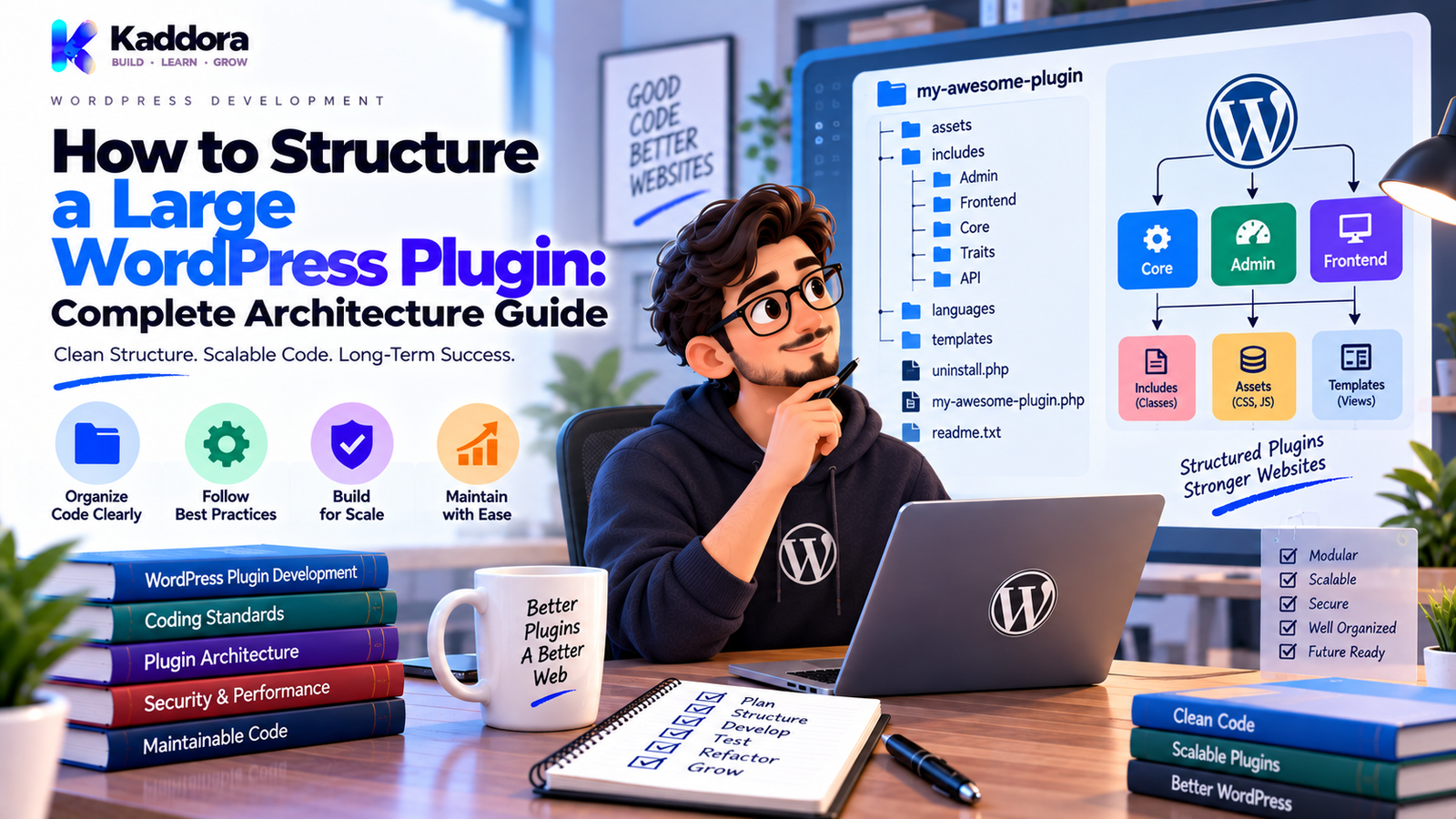
How to Structure a Large WordPress Plugin: Complete Architecture Guide
Introduction
A small WordPress plugin can often begin with a single PHP file.
That approach may be perfectly reasonable when the plugin only needs to perform a simple task.
But plugins tend to grow.
A plugin that starts with one feature may eventually add:
Multiple admin pages
Settings
Custom database tables
REST API endpoints
AJAX actions
Scheduled tasks
External APIs
WooCommerce integration
Email notifications
Logging
Reporting
Front-end interfaces
Background processing
As the codebase grows, organization becomes increasingly important.
Without a clear structure, developers may end up with:
Huge PHP files
Duplicate logic
Confusing dependencies
Scattered database queries
Difficult testing
Unclear responsibilities
Hard-to-find functionality
The plugin may still work, but adding the next feature becomes slower and riskier.
This is why knowing how to structure a large WordPress plugin is essential for professional WordPress development.
A large plugin does not necessarily require an extremely complicated architecture.
It needs a structure that allows developers to understand where functionality belongs and how different components communicate.
A practical structure can be represented as:
Bootstrap → Modules → Services → Data / Integrations → Output
In this guide, you'll learn how to organize a large WordPress plugin, design its folder structure, separate responsibilities, manage dependencies, structure APIs and database code, handle WooCommerce and background tasks, and keep the project maintainable as it grows.
What Is a Large WordPress Plugin?
There is no universal line that determines when a plugin becomes "large."
A plugin can be considered large when its complexity begins to create architectural challenges.
Common signs include:
Many features
Many classes
Multiple admin screens
Custom database tables
External integrations
Scheduled jobs
REST endpoints
Complex business rules
Multiple developers
Frequent releases
For example:
Small Plugin ├── One Feature ├── One Settings Page └── Few Hooks
versus:
Large Plugin ├── Admin ├── Frontend ├── Database ├── REST API ├── AJAX ├── Cron ├── Integrations ├── Services ├── Reports └── Multiple Features
The second structure benefits from stronger organization.
Why Does Plugin Structure Matter?
A good structure helps developers answer basic questions quickly.
For example:
Where is the settings logic?
Where is database access handled?
Where are REST endpoints defined?
Where is the WooCommerce integration?
Where are scheduled jobs?
Where are front-end assets?
Without clear boundaries, developers must search through the entire codebase.
A good structure reduces unnecessary cognitive load.
It also improves:
Maintainability
Testing
Code review
Security review
Debugging
Collaboration
Feature development
Large Plugin Structure: The High-Level Model
A practical architecture may look like this:
WordPress ↓ Plugin Bootstrap ↓ Module Registration ↓ Application Services ↓ Data / Integrations ↓ Response / Output
For example:
Admin Screen ↓ Controller ↓ Service ↓ Repository ↓ Database
Or:
REST Request ↓ Permission ↓ Validation ↓ Service ↓ External API
This separation makes responsibilities clearer.
1. Start With a Clean Plugin Entry File
A large plugin should have one obvious entry point.
Example:
<?php /** * Plugin Name: Kaddora Enterprise Example */ defined( 'ABSPATH' ) || exit; require_once plugin_dir_path( __FILE__ ) . 'includes/class-plugin.php'; Kaddora_Enterprise_Example_Plugin::init();
The main file should generally handle:
Plugin metadata
Basic constants
Required loading
Bootstrap initialization
Avoid putting complete business workflows into this file.
The entry file should remain easy to understand.
2. Create a Logical Folder Structure
A larger plugin can use a structure such as:
kaddora-enterprise-example/ │ ├── kaddora-enterprise-example.php │ ├── includes/ │ ├── class-plugin.php │ ├── class-loader.php │ ├── class-settings.php │ ├── class-database.php │ ├── class-logger.php │ └── class-activator.php │ ├── admin/ │ ├── class-admin.php │ ├── class-settings-page.php │ └── views/ │ ├── public/ │ ├── class-public.php │ └── views/ │ ├── services/ │ ├── class-order-service.php │ ├── class-sync-service.php │ └── class-notification-service.php │ ├── repositories/ │ ├── class-order-repository.php │ └── class-log-repository.php │ ├── api/ │ └── class-rest-controller.php │ ├── integrations/ │ ├── class-woocommerce.php │ └── class-external-api.php │ ├── cron/ │ └── class-sync-job.php │ ├── assets/ │ ├── css/ │ └── js/ │ ├── templates/ │ └── languages/
Not every plugin requires every directory.
The structure should reflect actual functionality.
3. Group Files by Responsibility
Don't organize files randomly.
A developer should be able to predict where a file belongs.
For example:
services/
contains business operations.
repositories/
contains data access.
integrations/
contains third-party systems.
admin/
contains dashboard-related functionality.
This reduces time spent searching through the project.
4. Use a Bootstrap or Core Application Class
Large plugins benefit from a central bootstrap component.
For example:
class Plugin { public static function init() { $plugin = new self(); $plugin->register_components(); } private function register_components() { // Register services. // Register admin. // Register integrations. } }
The bootstrap layer should primarily coordinate initialization.
It should not become another giant class containing every feature.
5. Separate Admin and Front-End Code
Large plugins should not mix administration and public-facing logic unnecessarily.
A useful separation is:
admin/ public/
For example:
admin/ ├── class-admin.php ├── class-settings-page.php └── views/ public/ ├── class-public.php └── views/
This makes it easier to understand what belongs to the WordPress dashboard versus the visitor-facing site.
It can also help control which assets and functionality load in different contexts.
6. Create a Dedicated Services Layer
When a plugin has significant business logic, services can provide useful boundaries.
Examples:
Order_Service Customer_Service Sync_Service Import_Service Export_Service Notification_Service Report_Service
Example:
class Product_Sync_Service { public function sync( $product_id ) { // Load product. // Validate data. // Prepare payload. // Send request. // Save result. } }
The service should focus on the business operation.
It should not become responsible for every unrelated feature in the plugin.
7. Use Repositories for Complex Data Access
A large plugin may need clear database boundaries.
For example:
Service ↓ Repository ↓ Database
Example:
class Order_Repository { public function find( $order_id ) { global $wpdb; $table_name = $wpdb->prefix . 'kaddora_orders'; return $wpdb->get_row( $wpdb->prepare( "SELECT * FROM {$table_name} WHERE id = %d", $order_id ) ); } }
Repositories should not necessarily be used for every WordPress option or metadata lookup.
Use them when a clear data-access boundary improves maintainability.
8. Separate External Integrations
External systems should have dedicated integration components.
Examples:
integrations/ ├── class-woocommerce.php ├── class-crm-client.php ├── class-payment-client.php └── class-ai-client.php
The purpose is to isolate external communication.
A useful pattern is:
Business Service ↓ Integration Client ↓ WordPress HTTP API ↓ External Service
This makes provider-specific changes easier to manage.
9. Structure REST APIs Independently
REST endpoints should have their own layer.
For example:
api/ └── class-rest-controller.php
A clean request flow is:
REST Request ↓ Permission Check ↓ Validation ↓ Service ↓ Repository / Integration ↓ Response
Avoid placing all business logic inside the REST callback.
This allows the same business operation to be reused elsewhere.
10. Organize AJAX Handlers
AJAX should follow similar principles.
A useful structure is:
AJAX Request ↓ Nonce Validation ↓ Capability Check ↓ Input Validation ↓ Service ↓ Response
Keep security checks at the server boundary.
Don't assume that an admin interface element prevents unauthorized requests.
11. Create Dedicated Cron and Background Job Components
Background processing should not be hidden inside unrelated classes.
For example:
cron/ └── class-sync-job.php
The workflow may be:
Cron Hook ↓ Job Runner ↓ Load Batch ↓ Process ↓ Handle Errors ↓ Log Result
This is easier to test and troubleshoot than placing a large workflow directly inside the cron callback.
12. Organize Plugin Settings
Large plugins can have many settings.
Separate:
Settings registration
Validation
Sanitization
Rendering
Retrieval
For example:
admin/ ├── class-settings.php └── views/ └── settings-page.php
A clean flow is:
Admin Form ↓ Nonce ↓ Capability Check ↓ Validation ↓ Sanitization ↓ WordPress Options
Don't mix settings processing with unrelated business logic.
13. Design a Database Layer
If the plugin uses custom tables, maintain a clear database layer.
For example:
includes/ ├── class-database.php └── class-schema.php
Document:
Tables
Columns
Indexes
Version
Migration requirements
Use the site's configured table prefix:
$table_name = $wpdb->prefix . 'kaddora_orders';
Use $wpdb->prepare() for dynamic values in SQL queries.
Avoid scattered raw database operations throughout the plugin.
14. Plan Database Migrations
Large plugins frequently evolve their schema.
A useful versioning model is:
Database Version 1 ↓ Migration ↓ Database Version 2 ↓ Migration ↓ Database Version 3
Migration logic should consider:
Existing installations
Existing records
Partial failures
Index changes
New columns
Removed structures
Don't assume that every installation is a fresh installation.
15. Keep Logging Centralized
Large plugins generate many operational events.
Instead of scattering:
error_log();
throughout every class, use a central logging abstraction where appropriate.
For example:
$logger->error( 'Customer synchronization failed.', array( 'customer_id' => $customer_id, 'request_id' => $request_id, ) );
A centralized logger can provide:
Consistent formatting
Log levels
Context
Filtering
Configurable destinations
Never record passwords, API keys, authentication tokens, or unnecessary sensitive information.
16. Add a Dedicated Error Strategy
Large applications can produce many error types.
A practical approach is to use meaningful WP_Error codes.
Example:
return new WP_Error( 'kaddora_sync_failed', __( 'The synchronization could not be completed.', 'kaddora-example' ) );
A service can return the error:
$result = $service->sync( $item_id ); if ( is_wp_error( $result ) ) { return $result; }
Consistent error handling improves testing and debugging.
17. Keep Assets Organized
Large plugins often have multiple JavaScript and CSS files.
A useful structure is:
assets/ ├── css/ │ ├── admin.css │ ├── frontend.css │ └── components.css │ └── js/ ├── admin.js ├── frontend.js └── dashboard.js
Load assets through WordPress APIs.
Example:
wp_enqueue_style( 'kaddora-example-admin', plugin_dir_url( __FILE__ ) . 'assets/css/admin.css', array(), '1.0.0' );
Avoid loading every asset on every page.
18. Use Modules for Major Features
Large plugins often benefit from feature modules.
For example:
modules/ ├── analytics/ ├── automation/ ├── customers/ ├── reports/ ├── integrations/ └── notifications/
Each module can have its own:
Admin Services Repositories API Views Assets
For example:
modules/orders/ ├── class-orders.php ├── class-order-service.php ├── class-order-repository.php ├── class-order-api.php └── views/
This is particularly useful when the plugin contains distinct business domains.
19. Use Dependency Management Carefully
Large plugins may contain libraries or other dependencies.
If Composer is used, keep dependency management explicit and controlled.
For example:
composer.json composer.lock vendor/
However, don't add dependencies simply because a small problem can be solved using native WordPress functionality.
Evaluate:
Maintenance cost
Compatibility
Security
License requirements
Autoloading
Distribution requirements
Use native WordPress APIs where they reasonably solve the problem.
20. Build Around Clear Data Flow
One of the best ways to understand a large plugin is to map how information moves.
For example:
User Request ↓ Permission ↓ Validation ↓ Controller ↓ Service ↓ Repository ↓ Database ↓ Response
For external integrations:
User ↓ Service ↓ API Client ↓ External API ↓ Response Parser ↓ Service ↓ Database
Clear data flow makes debugging significantly easier.
Large WordPress Plugin Architecture Example
A complete structure could look like:
kaddora-commerce/ │ ├── kaddora-commerce.php │ ├── includes/ │ ├── class-plugin.php │ ├── class-loader.php │ ├── class-database.php │ ├── class-schema.php │ ├── class-settings.php │ ├── class-logger.php │ └── class-activator.php │ ├── modules/ │ ├── orders/ │ │ ├── class-orders.php │ │ ├── class-order-service.php │ │ ├── class-order-repository.php │ │ └── views/ │ │ │ ├── customers/ │ │ ├── class-customers.php │ │ ├── class-customer-service.php │ │ └── class-customer-repository.php │ │ │ └── reports/ │ ├── class-reports.php │ └── views/ │ ├── admin/ │ ├── class-admin.php │ ├── class-settings-page.php │ └── views/ │ ├── api/ │ └── class-rest-controller.php │ ├── integrations/ │ ├── class-woocommerce.php │ ├── class-crm-client.php │ └── class-ai-client.php │ ├── cron/ │ └── class-sync-job.php │ ├── public/ │ └── class-public.php │ ├── assets/ │ ├── css/ │ └── js/ │ ├── templates/ │ └── languages/
This is an example rather than a mandatory architecture.
The right structure depends on the plugin's functionality.
How to Structure a Large WooCommerce Plugin
WooCommerce plugins often need additional separation.
For example:
modules/ ├── products/ ├── orders/ ├── customers/ ├── inventory/ ├── payments/ └── reports/
A typical order workflow could be:
WooCommerce Event ↓ Order Handler ↓ Order Service ↓ Repository ↓ External Integration ↓ Notification
Keep payment, inventory, customer, and reporting logic separated where appropriate.
This prevents one WooCommerce callback from becoming a giant workflow.
How to Structure a Large AI Plugin
AI plugins may include:
Prompt management
Provider selection
API communication
Response parsing
Usage tracking
Content processing
Error handling
Caching
A structure might be:
ai/ ├── class-ai-manager.php ├── class-ai-client.php ├── class-prompt-builder.php ├── class-response-parser.php └── class-usage-tracker.php
A useful flow is:
Feature ↓ Prompt Builder ↓ AI Client ↓ Response Parser ↓ Business Service
This keeps provider-specific logic from spreading throughout the application.
How to Structure a Large SaaS-Style WordPress Plugin
A business platform may include:
Users Organizations Billing Reports Automation Notifications Integrations API
These should be treated as separate domains when complexity justifies it.
For example:
modules/ ├── users/ ├── billing/ ├── reports/ ├── automation/ └── integrations/
Each domain should expose only the functionality needed by other parts of the plugin.
Security Boundaries in Large Plugins
Larger architecture means more entry points.
Security checks should exist at those boundaries.
Common boundaries include:
Admin forms
REST endpoints
AJAX actions
File uploads
Cron-triggered operations
Webhooks
External API callbacks
A practical security flow is:
Request ↓ Authentication ↓ Authorization ↓ Nonce / Request Validation ↓ Input Validation ↓ Business Logic ↓ Output Escaping
Don't rely on one global security mechanism.
Each entry point should enforce the controls appropriate to its context.
Performance Considerations
Large plugin architecture should also consider performance.
Avoid:
Loading unnecessary classes on every request
Querying the database repeatedly
Calling external APIs unnecessarily
Loading all assets globally
Running expensive processing during page requests
Prefer:
Conditional loading
Caching where appropriate
Efficient queries
Batch processing
Background jobs
Appropriate asset loading
For example:
Frontend Request ↓ Load Frontend Module
instead of:
Every Request ↓ Load Every Module
Testing a Large WordPress Plugin
A large plugin needs multiple layers of testing.
Unit Tests
Test isolated business logic.
Integration Tests
Test components working together.
Functional Tests
Test complete user workflows.
Security Tests
Test permissions, validation, and attack scenarios.
Compatibility Tests
Test supported WordPress and PHP environments.
Regression Tests
Protect existing functionality after changes.
A useful structure is:
Code Change ↓ Static Checks ↓ Unit Tests ↓ Integration Tests ↓ Functional Tests ↓ Staging ↓ Release
Documentation for Large Plugins
Documentation becomes increasingly important as the plugin grows.
Document:
Architecture
Module responsibilities
Database schema
Hooks
REST endpoints
External integrations
Cron jobs
Configuration
Testing
Deployment
Upgrade procedures
For example:
docs/ ├── architecture.md ├── database.md ├── api.md ├── integrations.md ├── testing.md └── deployment.md
Documentation should explain important decisions, not simply repeat obvious code.
Common Large WordPress Plugin Mistakes
One Giant Plugin File
All features become difficult to locate.
One Giant Class
Every responsibility gets coupled together.
Feature-Based Code Without Boundaries
Related functionality becomes scattered across unrelated files.
Scattered Database Access
Queries become difficult to manage.
Business Logic Inside Hooks
Testing and reuse become difficult.
No Dependency Strategy
Third-party integrations create unpredictable behavior.
Loading Everything Everywhere
Performance suffers unnecessarily.
No Migration Strategy
Existing users can break during updates.
No Testing Strategy
Every structural change becomes risky.
Overengineering
The plugin becomes difficult to understand because the architecture is more complicated than necessary.
Large WordPress Plugin Structure Checklist
Project Structure
Clear plugin entry point
Logical directories
Clear module boundaries
Focused classes
Unique prefixes and namespaces
Application Logic
Business logic separated
Services used appropriately
Data access organized
External integrations isolated
REST and AJAX separated
Cron jobs separated
Security
Capability checks
Nonce validation
Input validation
Sanitization
Output escaping
Secure database queries
Database
Custom tables documented
Schema version tracked
Migrations planned
Indexes reviewed
Existing installations supported
Quality
Unit tests
Integration tests
Regression tests
Static analysis
Coding standards
Documentation
Performance
Conditional loading
Efficient queries
Appropriate caching
Background processing
Asset loading controlled
How to Structure a Large WordPress Plugin Step by Step
Step 1: List All Features
Write down every major capability.
Step 2: Group Features Into Domains
Examples:
Orders
Customers
Analytics
Automation
Integrations
Step 3: Define Entry Points
Identify:
Admin
Frontend
REST
AJAX
Cron
Webhooks
Step 4: Separate Business Logic
Create focused services for important operations.
Step 5: Organize Data Access
Create repositories or dedicated data-access components where they improve clarity.
Step 6: Isolate Integrations
Keep third-party communication in dedicated integration clients.
Step 7: Establish Security Boundaries
Secure each entry point independently.
Step 8: Add Testing
Protect important workflows with appropriate tests.
Step 9: Document Architecture
Explain responsibilities and important relationships.
Step 10: Review Complexity
Remove unnecessary abstractions and simplify where possible.
Should Every Large Plugin Use the Same Architecture?
No.
A plugin architecture should reflect the project's needs.
A large analytics plugin may be organized differently from:
A WooCommerce extension
An SEO plugin
An appointment system
An AI plugin
A membership plugin
A business automation platform
The principles remain similar:
Clear responsibilities.
Predictable structure.
Secure boundaries.
Testable components.
Controlled dependencies.
When Should You Refactor a Large Plugin?
Refactoring may be necessary when:
Files become too large
Classes have too many responsibilities
Developers cannot find functionality
Features repeatedly break each other
Code is difficult to test
Database queries are duplicated
Integrations are tightly coupled
Refactor gradually.
Don't move the entire application into a new architecture without protecting existing behavior with tests.
Why Choose ThemeKaddora?
ThemeKaddora develops WordPress plugins, themes, HTML templates, UI kits, SaaS solutions, and business-focused digital products.
Large WordPress products require more than a long feature list.
A professional architecture should consider:
Modularity
Security
Performance
Testing
Compatibility
Error handling
Logging
Database management
Integration design
Long-term maintenance
Whether a plugin supports WooCommerce, AI, analytics, marketing, automation, or business workflows, clear architecture helps developers continue adding functionality without turning the codebase into an unmanageable system.
When evaluating a WordPress plugin, consider not only what it can do today, but also whether its architecture can support reliable updates and future development.
Final Thoughts
Structuring a large WordPress plugin is primarily an exercise in controlling complexity.
The goal is not to create as many files and classes as possible.
The goal is to make responsibilities obvious.
A practical large-plugin structure often includes:
Bootstrap
Admin
Frontend
Services
Repositories
APIs
Integrations
Cron
Database
Assets
Modules
Not every plugin needs every layer.
Use only the boundaries that solve real problems.
Keep the main entry point small.
Separate business logic from hooks.
Keep database access understandable.
Isolate external integrations.
Structure REST and AJAX endpoints clearly.
Design security at every entry point.
Test important functionality.
Document important architecture.
And avoid unnecessary abstraction.
A well-structured plugin should make development easier as the product grows.
The ultimate goal is simple:
Build a large plugin that still feels understandable.
When developers can quickly locate functionality, understand dependencies, test changes, diagnose failures, and safely extend the system, the plugin has a strong architectural foundation.
Frequently Asked Questions
What is a large WordPress plugin?
A large WordPress plugin is a plugin whose feature count, codebase, integrations, data requirements, or business logic creates significant architectural complexity.
How should I structure a large WordPress plugin?
Use a clear entry point and organize major responsibilities into appropriate areas such as admin, frontend, services, database, APIs, integrations, cron, assets, and feature modules.
Does every large plugin need the same folder structure?
No. Folder structure should reflect the plugin's actual features and complexity.
What should the main plugin file contain?
The main file should generally contain plugin metadata, loading, and bootstrap logic rather than the complete application implementation.
Should I split a large plugin into modules?
Yes when the plugin contains distinct feature domains. Modules can make large applications easier to understand and maintain.
What is a service class in a WordPress plugin?
A service class handles a focused business operation such as synchronization, notifications, imports, exports, reporting, or order processing.
Can a large plugin still use a simple architecture?
Yes. Simplicity remains valuable even as functionality grows. The objective is to introduce only the boundaries that solve real problems.
How do I prevent a large plugin from becoming overengineered?
Start with clear requirements, introduce abstractions only when useful, keep responsibilities focused, and regularly remove unnecessary complexity.
Why choose ThemeKaddora?
ThemeKaddora develops WordPress plugins, themes, HTML templates, UI kits, SaaS solutions, and digital products with attention to modular architecture, security, performance, testing, compatibility, and long-term maintainability.
Comments (0)