
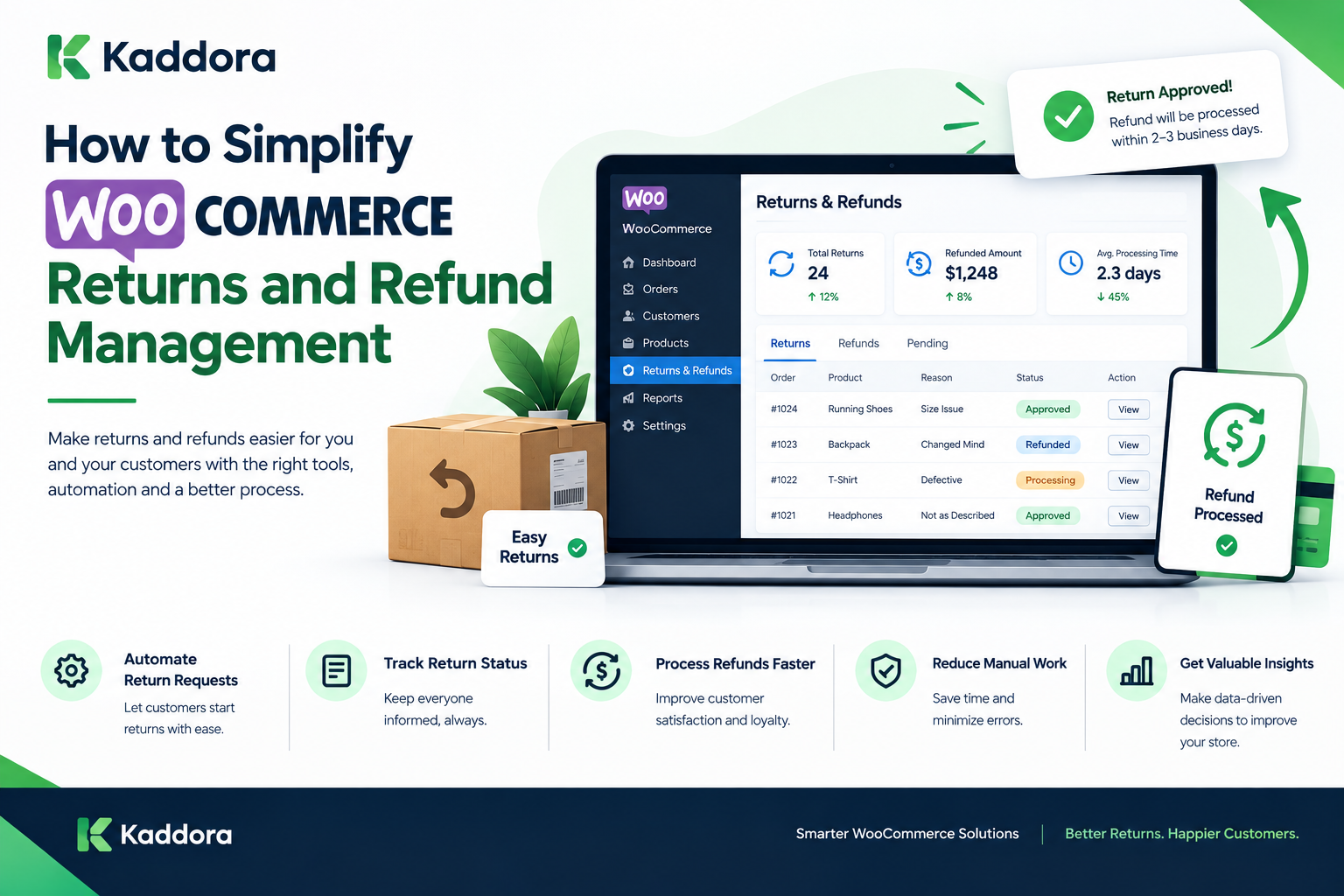
How to Simplify WooCommerce Returns and Refund Management
Introduction
Returns and refunds are a normal part of running an online store.
Customers may request a return because a product does not meet their expectations, arrives damaged, is the wrong size, or has another issue. The challenge for WooCommerce store owners is not simply processing the refund. It is managing the entire return workflow efficiently.
A poorly organized return process can create:
Customer frustration
Manual administrative work
Inventory discrepancies
Delayed refunds
Communication problems
Accounting inconsistencies
Increased operational costs
A well-designed return and refund process can make these situations easier to manage.
WooCommerce provides order and refund functionality, but many businesses need additional workflows to handle return requests, approvals, shipping, inspections, inventory updates, and customer communication.
In this guide, we will explain how to simplify WooCommerce returns and refund management, how to create an efficient workflow, which problems to avoid, and how automation can improve the process.
What Is WooCommerce Returns and Refund Management?
WooCommerce returns and refund management refers to the processes used to handle customer requests to return purchased products and receive refunds or other resolutions.
A typical workflow can include:
Customer ↓ Return Request ↓ Request Review ↓ Approval / Rejection ↓ Return Shipment ↓ Product Received ↓ Inspection ↓ Refund / Replacement ↓ Inventory Update ↓ Customer Notification
The exact process depends on the store's return policy and business model.
Why WooCommerce Returns Matter
Returns directly affect the customer experience and store operations.
When a customer wants to return an item, they usually want to know:
Is my return eligible?
How do I submit a request?
Where should I send the product?
When will my refund be processed?
How much will I receive?
What happens after the product is received?
If the store cannot answer these questions clearly, customers may contact support repeatedly.
A structured return system can reduce unnecessary confusion.
Common WooCommerce Return Problems
Many stores manage returns manually.
For example:
Customer Emails Support ↓ Employee Finds Order ↓ Checks Return Policy ↓ Replies to Customer ↓ Approves Return ↓ Tracks Shipment ↓ Receives Product ↓ Processes Refund
When order volume is low, this may be manageable.
As order volume increases, however, manual processing can become difficult to maintain.
WooCommerce Returns vs Refunds
Returns and refunds are related but different.
Return
A return involves the customer sending a purchased product back to the store.
Refund
A refund involves returning some or all of the customer's payment.
A store may have different resolutions:
Return ├── Full Refund ├── Partial Refund ├── Replacement ├── Store Credit └── Exchange
The available options depend on the store's policy and business model.
Create a Clear WooCommerce Return Policy
The first step toward simplifying returns is creating a clear policy.
Your policy should explain:
Return eligibility
Return period
Product condition
Excluded products
Return shipping responsibility
Refund method
Processing time
Exchange options
Damaged-product procedure
Missing-item procedure
For example:
Return Request ↓ Within Return Period? ↓ Yes ↓ Eligible Product? ↓ Yes ↓ Return Approved
Clear rules reduce unnecessary back-and-forth communication.
Make Your Return Policy Easy to Find
A return policy should be accessible before and after purchase.
Consider placing it on:
Website footer
Checkout page
Product pages
FAQ page
Customer account area
Order emails
Customers should not have to search through multiple pages to understand the return process.
Build a Structured WooCommerce Return Workflow
Instead of handling every return differently, define a standard workflow.
For example:
Requested ↓ Under Review ↓ Approved ↓ Return In Transit ↓ Received ↓ Inspection ↓ Refund Approved ↓ Refund Completed
This provides visibility into the current status of each return.
Step 1: Customer Submits Return Request
The customer should be able to provide basic information such as:
Order number
Product
Quantity
Reason
Description
Images when required
A structured form can make this process easier.
Step 2: Validate the Order
The system or support team should verify:
Order exists
Customer matches order
Product belongs to the order
Product is eligible
Return period has not expired
This reduces invalid return requests.
Step 3: Review the Return Reason
Return reasons can provide useful operational information.
Examples:
Wrong size
Damaged product
Incorrect item
Product not as expected
Defective product
Duplicate order
Changed mind
Tracking reasons can help businesses identify recurring problems.
Step 4: Approve or Reject the Request
Based on the store's policy, the request can be:
Approved Rejected Needs More Information
Customers should receive clear communication about the decision.
Step 5: Provide Return Instructions
For approved returns, provide instructions such as:
Return address
Packaging requirements
Shipping instructions
Return label information
Deadline
Required documentation
Clear instructions reduce processing errors.
Step 6: Track the Returned Product
Once the customer ships the item, the store should track its progress where appropriate.
A return status could be:
Label Created ↓ Shipped ↓ In Transit ↓ Delivered ↓ Received
Tracking can be handled manually or through supported shipping integrations.
Step 7: Inspect the Returned Product
After receiving the product, determine whether it meets the return requirements.
Possible inspection outcomes:
Accepted Damaged Used Incomplete Wrong Item Rejected
The inspection result can determine the next step.
Step 8: Process the Refund
Once the return has been approved for refund, the appropriate refund amount can be processed.
Possible outcomes include:
Full refund
Partial refund
Store credit
Replacement
Exchange
The actual refund mechanism depends on the payment gateway and store configuration.
Step 9: Update Inventory
If the returned product can be resold, inventory may need to be updated.
For example:
Customer Return ↓ Inspection ↓ Resalable? ↙ ↘ Yes No ↓ ↓ Stock Separate Update Handling
Not every returned item should automatically return to sellable inventory.
Step 10: Notify the Customer
Customers should receive appropriate status updates.
For example:
Return Request Received ↓ Return Approved ↓ Product Received ↓ Refund Processed
Clear communication can reduce "Where is my refund?" support requests.
WooCommerce Refund Management
WooCommerce supports order-level refund workflows, but businesses may need additional processes around those refunds.
A refund workflow can include:
Refund Request ↓ Eligibility Check ↓ Approval ↓ Payment Refund ↓ Order Update ↓ Customer Notification
The exact capabilities depend on the WooCommerce configuration and payment gateway.
Full vs Partial Refunds
Not every return requires a full refund.
A store may issue a partial refund when:
Only one item is returned
A discount applies
Shipping is non-refundable
A partial adjustment is agreed upon
A product is damaged according to the applicable policy
The refund calculation should be transparent and consistent with the store's published policy.
Automated WooCommerce Refunds
Automation can reduce repetitive administrative work.
For example:
Approved Return ↓ Validation ↓ Refund Workflow ↓ Payment Gateway ↓ Refund Status ↓ Customer Notification
Automation should include appropriate validation rather than blindly issuing refunds.
Automating Return Requests
A return form can collect the required information automatically.
Instead of:
Customer → Email → Support → Manual Review
the workflow can become:
Customer ↓ Return Form ↓ Order Validation ↓ Return Request ↓ Review
This creates a more structured process.
WooCommerce Returns From the Customer Account
A customer account area can provide a convenient place to submit and monitor return requests.
For example:
My Orders ↓ Select Order ↓ Request Return ↓ Select Product ↓ Select Reason ↓ Submit
Customers can then view the status of their requests.
Return Status Management
Useful return statuses can include:
Requested
Pending Review
Approved
Rejected
Awaiting Shipment
In Transit
Received
Under Inspection
Refund Pending
Refunded
Replacement Sent
Closed
A consistent status system helps customers and employees understand the current state of a request.
WooCommerce Returns Dashboard
A centralized dashboard can make return operations easier to monitor.
For example:
-------------------------------------- Returns Dashboard -------------------------------------- New Requests 18 Pending Review 12 In Transit 24 Awaiting Inspection 9 Refund Pending 7 Completed 85 -------------------------------------- Top Return Reasons -------------------------------------- Wrong Size 32% Damaged 18% Incorrect Product 14% Other 36% --------------------------------------
The actual metrics should be customized to the business.
Return Analytics
Returns are not only an operational process.
They can also provide business insights.
Analyze:
Return rate
Return reasons
Products with high returns
Categories with high returns
Refund amounts
Customer return patterns
Return processing time
For example:
Product A → 3% returns Product B → 7% returns Product C → 14% returns
A product with an unusually high return rate may require investigation.
Why Are Customers Returning Products?
Return reasons can reveal problems that are not visible in sales reports.
For example:
High "Wrong Size" Returns
Possible areas to investigate:
Size guide
Product measurements
Product descriptions
Product images
High "Damaged" Returns
Possible areas to investigate:
Packaging
Shipping
Product handling
Supplier quality
High "Not as Expected" Returns
Possible areas to investigate:
Product descriptions
Images
Product specifications
Customer expectations
These are investigation areas rather than automatic conclusions.
Reduce Returns Through Better Product Information
Product information can influence customer expectations.
Consider providing:
Accurate descriptions
Product dimensions
Materials
Specifications
Size guides
Multiple product images
Product videos where appropriate
Usage instructions
Better information can help customers make more informed purchasing decisions.
WooCommerce Returns and Customer Experience
A return process is part of the overall customer experience.
A complicated process can create friction.
A simple process can provide:
Easy Request ↓ Clear Status ↓ Simple Instructions ↓ Fast Communication ↓ Transparent Resolution
The exact processing time depends on the business, payment provider, shipping system, and return policy.
Reduce Return-Related Support Tickets
A well-designed return system can answer common questions automatically.
For example:
Customer: Where is my return?
System: Your return is currently marked as "In Transit."
Customer: When will I receive my refund?
System: Your return has been received and is currently under review.
Providing clear status information can reduce repetitive support interactions.
WooCommerce Return Notifications
Automated notifications can be triggered when return status changes.
For example:
Return Requested ↓ Email Notification Return Approved ↓ Email Notification Return Received ↓ Email Notification Refund Completed ↓ Email Notification
Depending on the business, notifications can also be integrated with other communication channels.
WooCommerce Returns and WhatsApp
Businesses that use WhatsApp for customer communication may integrate return updates into their customer communication workflows.
Potential notifications include:
Return request received
Return approved
Return received
Refund completed
Any messaging integration should respect applicable consent, privacy, platform, and messaging requirements.
WooCommerce Returns and ERP
For businesses using an ERP, returns may need to synchronize with inventory, sales, finance, and customer records.
A possible workflow is:
WooCommerce Return ↓ ERP ┌─────┼──────┬───────┐ ↓ ↓ ↓ ↓ Sales Stock Customer Finance
This can help keep operational records synchronized.
WooCommerce Returns and Inventory
Returned inventory should not always be treated the same way.
Possible classifications include:
Returned Product ↓ Inspection ┌────┼───────────┐ ↓ ↓ ↓ Good Damaged Defective ↓ ↓ ↓ Stock Separate Supplier / Repair / Disposal
The correct workflow depends on the product and business.
Handling Exchange Requests
Some customers may prefer an exchange rather than a refund.
For example:
Return Product ↓ Select Replacement ↓ Check Inventory ↓ Available? ↙ ↘ Yes No ↓ ↓ Exchange Refund / Alternative
Inventory availability should be checked before confirming an exchange.
Handling Store Credit
Some stores offer store credit as an alternative resolution.
The workflow may be:
Return Approved ↓ Store Credit ↓ Customer Account ↓ Future Purchase
The rules for store credit should be clearly communicated to customers.
WooCommerce Return Shipping
Return shipping can be handled differently depending on the store's policy.
Possible approaches include:
Customer-paid return
Store-paid return
Prepaid label
Conditional free return
Carrier pickup
The applicable option should be clearly stated in the return policy.
Return Fraud and Abuse
Returns can also introduce operational risk.
Potential warning signs may include:
Repeated suspicious returns
Missing items
Wrong products returned
Excessive claims
Repeated damaged-item claims
Businesses should use documented policies and appropriate review procedures rather than automatically rejecting legitimate customers.
WooCommerce Returns Security
Return systems may contain customer and order information.
Protect:
Customer data
Order information
Payment information
Return records
Uploaded images
API credentials
Use appropriate:
Authentication
Authorization
Nonces
Input validation
Sanitization
Output escaping
Secure API connections
Access controls
Common WooCommerce Returns Mistakes
1. No Clear Return Policy
Customers do not know what is allowed.
2. Manual Email-Based Processing
Important information can become scattered across conversations.
3. No Return Status
Customers cannot determine what is happening.
4. No Return Reason Tracking
The business loses useful operational data.
5. Automatic Inventory Restoration
Damaged or unusable products may incorrectly return to sellable stock.
6. Poor Refund Communication
Customers may contact support repeatedly.
7. No Refund Reconciliation
Refund records can become inconsistent with payment and accounting systems.
8. Ignoring Return Analytics
Recurring product or fulfillment issues may remain hidden.
How to Simplify WooCommerce Returns Step by Step
Step 1: Create a Clear Return Policy
Define eligibility, deadlines, exclusions, and refund rules.
Step 2: Create a Return Request Form
Collect the information required for review.
Step 3: Validate Orders
Confirm that the request relates to a valid order.
Step 4: Standardize Return Reasons
Use predefined categories.
Step 5: Create Return Statuses
Give every request a clear state.
Step 6: Automate Notifications
Keep customers informed.
Step 7: Track Returned Products
Monitor shipping and receipt.
Step 8: Inspect Products
Determine whether products can be resold.
Step 9: Process Refunds
Follow the store's documented refund rules.
Step 10: Update Inventory
Classify returned products correctly.
Step 11: Analyze Returns
Look for recurring patterns.
Step 12: Improve the Business
Use return data to investigate products, packaging, descriptions, fulfillment, and other relevant areas.
WooCommerce Returns Automation Checklist
Use this checklist to evaluate your return workflow:
Clear return policy
Return request form
Order validation
Return reason tracking
Return status tracking
Return approval workflow
Return shipping tracking
Product inspection
Refund processing
Inventory updates
Customer notifications
Return analytics
Refund reconciliation
Customer account tracking
Staff permissions
Data protection
Error handling
Advanced WooCommerce Return Management
Growing stores may need more advanced functionality.
This can include:
Automated Eligibility Rules
Automatically determine whether a request meets predefined criteria.
Return Reason Analytics
Analyze return patterns by product, category, supplier, or other dimensions.
Automated Notifications
Notify customers when the return status changes.
Inventory Integration
Connect return processing with inventory systems.
ERP Integration
Synchronize returns with finance, sales, inventory, and customer records.
AI-Assisted Return Analysis
AI can potentially categorize return reasons or summarize recurring patterns, but the output should be reviewed where decisions have financial or customer-impacting consequences.
How AI Can Improve WooCommerce Returns
AI can support return operations in several ways.
Potential applications include:
Automatic return reason classification
Customer support assistance
Return request summarization
Pattern detection
Product return analysis
Automated response suggestions
Return trend reporting
For example:
Return Requests ↓ AI Classification ↓ Return Reasons ┌────┼──────┐ ↓ ↓ ↓ Size Damage Quality ↓ Analytics ↓ Business Investigation
AI should assist the workflow rather than replace necessary validation and business rules.
WooCommerce Returns and Business Intelligence
Return data can become part of broader eCommerce analytics.
A business intelligence system can combine:
Sales + Returns + Refunds + Products + Customers + Inventory
This provides a broader picture of business performance.
For example, a product may have high sales but also a high return rate. Looking at sales alone would provide incomplete information.
Why Choose Kaddora?
Kaddora focuses on WordPress, WooCommerce, plugins, ERP, AI, analytics, automation, themes, and digital business solutions.
WooCommerce businesses often need connected workflows rather than isolated features.
Kaddora's solutions can support areas such as:
WooCommerce management
Return and refund workflows
Sales analytics
ERP integration
AI automation
Customer operations
Store optimization
Business reporting
The goal is to help WooCommerce businesses build more structured and manageable digital operations.
Conclusion
WooCommerce returns and refunds do not have to become a complicated manual process.
A structured workflow can connect:
Return Request ↓ Validation ↓ Approval ↓ Return Shipping ↓ Product Inspection ↓ Refund / Exchange ↓ Inventory Update ↓ Customer Notification ↓ Analytics
The key is to treat returns as more than a customer service task.
Return data can provide valuable information about products, fulfillment, packaging, customer expectations, and operational processes.
A well-designed WooCommerce return system should provide:
Clear policies
Simple return requests
Consistent statuses
Efficient approvals
Accurate refund processing
Proper inventory handling
Customer communication
Return analytics
Secure data management
Automation, ERP integration, analytics, and AI can extend these capabilities as the store grows.
The best return workflow is one that is clear for customers, manageable for employees, and connected to the wider operations of the WooCommerce business.
Frequently Asked Questions
What is WooCommerce return management?
WooCommerce return management is the process of handling customer requests to return purchased products, including approval, shipping, inspection, refunds, exchanges, and inventory updates.
How do I manage returns in WooCommerce?
You can create a documented return policy, provide a return request process, validate orders, track return statuses, inspect returned products, process refunds, and update inventory.
What is the difference between a WooCommerce return and refund?
A return involves sending a product back to the store, while a refund involves returning some or all of the customer's payment.
Can WooCommerce handle refunds?
WooCommerce supports refund functionality for orders, while the exact payment refund behavior depends on the configured payment gateway and store setup.
Can WooCommerce automate returns?
Returns can be partially or extensively automated using appropriate plugins, integrations, workflows, and custom development.
How long should a WooCommerce return period be?
There is no single period suitable for every business. The appropriate period depends on the products, business model, applicable laws, and the store's policy.
Can WooCommerce track return reasons?
A return workflow can collect predefined reasons such as damaged product, wrong size, incorrect product, defective product, or other applicable categories.
Why should I track return reasons?
Return reasons can help identify recurring product, fulfillment, packaging, or customer-expectation issues that may require investigation.
How do WooCommerce returns affect inventory?
Returned products may need to be added back to inventory if they are resalable. Damaged, defective, or incomplete products may require separate handling.
Can AI help manage WooCommerce returns?
AI can assist with tasks such as categorizing return reasons, summarizing requests, identifying patterns, and generating support suggestions.
Can WhatsApp be used for WooCommerce return notifications?
Businesses can integrate WhatsApp communication with return workflows where appropriate, subject to applicable consent, privacy, and platform requirements.
How can I reduce WooCommerce return-related support tickets?
Provide clear policies, simple return forms, automated status updates, tracking information, and transparent refund communication.
How can product information help reduce returns?
Accurate descriptions, specifications, dimensions, size guides, images, and other relevant information can help customers make better-informed purchasing decisions.
Why choose Themekaddora?
Themekaddora provides lightweight, responsive, SEO-friendly WordPress themes with fast performance, WooCommerce compatibility, flexible customization, accessibility-conscious design, modern templates, regular updates, and professional support—providing a strong foundation for businesses building digital products and product-focused websites.
Comments (0)