
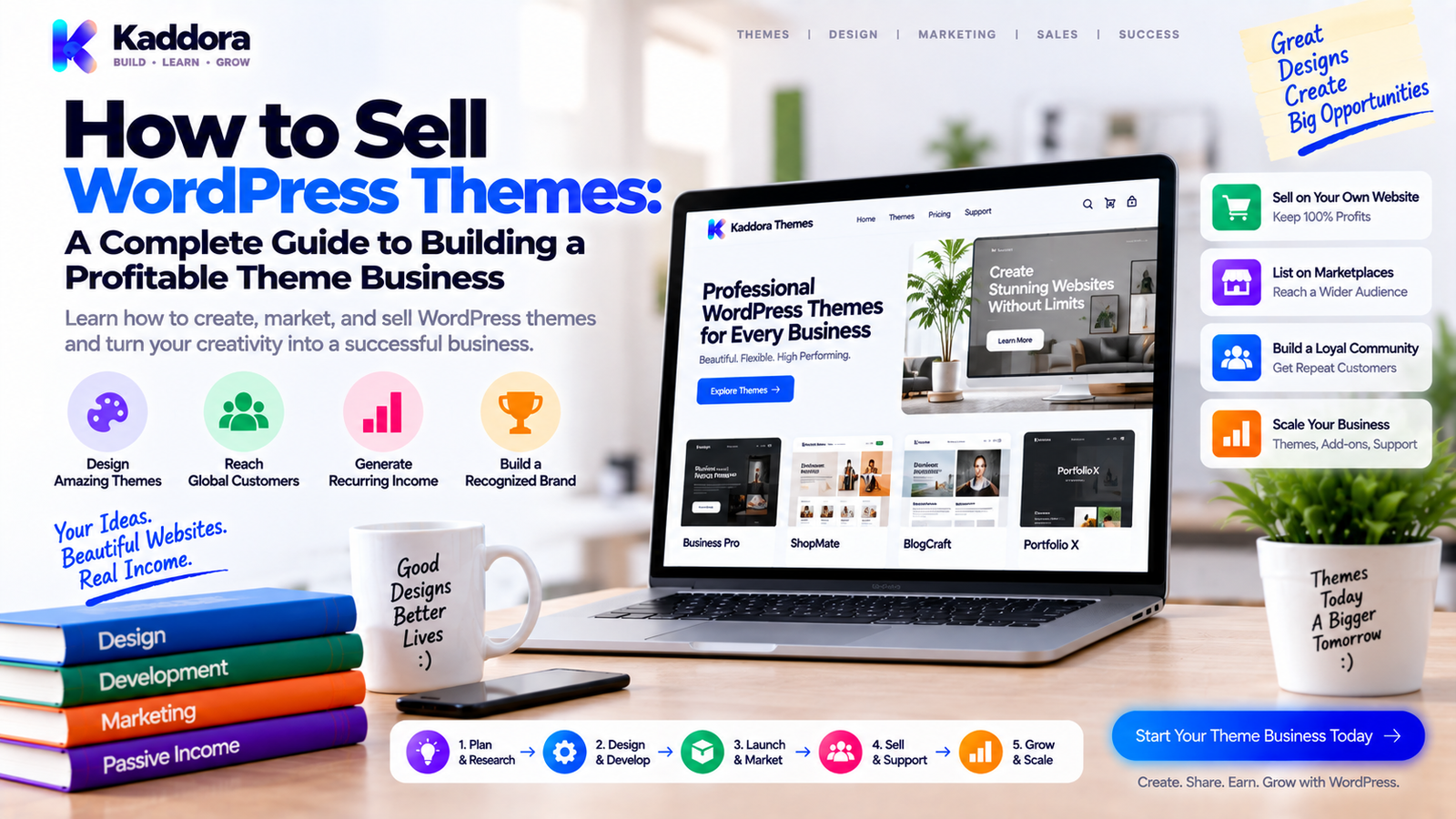
How to Sell WordPress Themes: A Complete Guide to Building a Profitable Theme Business
Introduction
A WordPress theme is more than a collection of colors, layouts, and templates.
A well-built theme can become a complete digital product business when it solves a specific design or website-building problem for a clearly defined audience.
Businesses, agencies, freelancers, creators, publishers, online stores, and developers all have different website requirements. That creates opportunities for specialized WordPress themes designed around particular industries, workflows, and use cases.
However, creating a theme is only one part of the process.
A commercial theme also needs:
A clear target audience
A defined market problem
Professional design
Clean development
Responsive layouts
Good performance
Accessibility
Documentation
Pricing
Licensing
Distribution
Customer support
Updates
The complete business process looks like:
Market ↓ Theme Idea ↓ Design ↓ Development ↓ Testing ↓ Packaging ↓ Distribution ↓ Marketing ↓ Sales ↓ Support ↓ Updates ↓ Retention ↓ Growth
Many theme businesses struggle not because the theme looks bad, but because the product is too generic, the positioning is unclear, the customer experience is weak, or the business cannot maintain the product over time.
In this guide, you'll learn how to sell WordPress themes from idea validation through development, launch, marketing, licensing, support, and long-term growth.
What Does It Mean to Sell a WordPress Theme?
Selling a WordPress theme means distributing a reusable design and presentation system that customers can install on WordPress websites under defined usage terms.
A commercial theme can include:
Page templates
Header layouts
Footer layouts
Blog layouts
Customizer settings
Block patterns
Template parts
WooCommerce styling
Typography options
Color controls
Design systems
Starter templates
A commercial theme business may use:
One-time sales
Annual licenses
Lifetime licenses
Subscription plans
Theme bundles
Membership access
Agency plans
Commercial licenses
A simplified customer journey is:
Visitor ↓ Theme Demo ↓ Product Page ↓ Pricing ↓ Purchase ↓ Download ↓ Installation ↓ Customization ↓ Successful Website ↓ Renewal / Upgrade
The value is not simply the files.
Customers are also buying saved time, design quality, flexibility, compatibility, documentation, support, and a faster path to launching a website.
Why Sell WordPress Themes?
WordPress themes can be attractive digital products because one theme can serve many customers without physical manufacturing or shipping.
A theme can also be expanded over time through:
New templates
Industry demos
Starter sites
WooCommerce improvements
Design updates
Performance improvements
Accessibility improvements
New integrations
However, a commercial theme still requires ongoing investment.
WordPress evolves.
Browsers change.
PHP changes.
WooCommerce changes.
Block editor capabilities evolve.
Customers expect updates.
Therefore, theme sales should be treated as a software and design business rather than a one-time downloadable file.
Step 1: Choose a Theme Niche
Avoid starting with:
"I want to build a WordPress theme."
Instead ask:
"Who needs this theme, and what specific problem will it solve?"
Potential niches include:
Restaurants
Law firms
Agencies
SaaS companies
Real estate
Hotels
Education
Healthcare businesses
Finance
Construction
Portfolio websites
eCommerce
Technology startups
A focused theme is often easier to position than:
"A multipurpose theme for everyone."
For example:
Broad "Business WordPress Theme" ↓ Focused "WordPress Theme for Digital Agencies" ↓ Specific "Conversion-Focused WordPress Theme for Small Digital Agencies"
Specific positioning helps customers quickly understand whether the product is relevant to them.
Step 2: Identify the Customer Problem
A theme should solve a practical problem.
For example:
Problem
A small business spends too much time assembling a professional website.
Theme Solution
Provide ready-made layouts, starter templates, typography, sections, and industry-specific pages.
Another:
Problem
An online store needs a fast, mobile-friendly storefront.
Theme Solution
Provide a responsive WooCommerce-ready design system with optimized product and checkout styling.
The model is:
Customer Problem ↓ Design / Workflow Requirement ↓ Theme Solution ↓ Time Saved / Better Experience
A theme becomes easier to sell when its business value is understandable.
Step 3: Research Competing Themes
Before designing your theme, study existing products.
Evaluate:
Design quality
Demo websites
Pricing
Features
Starter sites
Page-builder support
Block editor support
WooCommerce compatibility
Documentation
Reviews
Support complaints
Update history
Look for gaps such as:
Poor mobile layouts
Complicated setup
Heavy performance
Confusing customization
Limited accessibility
Weak documentation
Outdated design systems
Don't copy another theme.
Find a meaningful way to improve the customer experience.
Step 4: Define the Theme's Unique Value Proposition
Avoid generic claims such as:
"The most powerful WordPress theme."
Instead communicate:
Audience + Problem + Theme Solution + Outcome
For example:
"A lightweight WordPress theme that helps SaaS companies launch professional marketing websites without designing every page from scratch."
This is more useful than simply listing dozens of features.
Step 5: Plan the Design System
A professional theme should have a consistent design system.
Define:
Typography
Colors
Spacing
Buttons
Forms
Cards
Navigation
Icons
Tables
Alerts
Responsive behavior
A basic system might look like:
Design System │ ├── Typography ├── Colors ├── Spacing ├── Buttons ├── Forms ├── Cards ├── Navigation ├── Content Blocks └── Responsive Rules
This makes the theme easier to expand and maintain.
Step 6: Design Starter Templates
Customers often value ready-made pages more than raw customization controls.
Useful templates may include:
Home
About
Services
Contact
Blog
Single Post
Archive
Search
404
Pricing
Team
FAQ
Testimonials
Industry themes can also include:
Booking
Portfolio
Case Studies
Properties
Menus
Courses
Events
Starter templates reduce setup time and help customers understand what the theme can produce.
Step 7: Build for Responsive Design
A commercial theme must work across different screen sizes.
Test:
Desktop
Laptop
Tablet
Mobile
Large displays
Check:
Navigation
Typography
Buttons
Forms
Images
Grids
Tables
Menus
Spacing
A useful responsive workflow is:
Desktop Layout ↓ Tablet Adaptation ↓ Mobile Adaptation ↓ Real Device Testing
Don't assume a browser resize test is enough.
Test important workflows on actual devices when practical.
Step 8: Optimize Theme Performance
Performance can affect usability and customer experience.
Review:
CSS size
JavaScript
Images
Fonts
DOM complexity
Third-party dependencies
Unused assets
Render-blocking resources
A useful principle is:
Don't ship assets that aren't necessary for the page.
Performance optimization should be measured rather than based on assumptions.
Use a cycle such as:
Measure ↓ Identify Bottleneck ↓ Optimize ↓ Measure Again
Step 9: Build With WordPress Standards
Commercial themes should follow WordPress development practices.
Important areas include:
Escaping
Escape output appropriately.
Sanitization
Sanitize incoming settings and user-controlled values.
Validation
Validate data before processing it.
Nonces
Protect applicable state-changing administrative requests.
Capabilities
Use capability checks for privileged actions.
Enqueued Assets
Load scripts and styles through WordPress APIs.
Internationalization
Prepare customer-facing strings for translation where appropriate.
Accessibility
Build interfaces that work for users with different accessibility needs.
Security
Avoid unsafe handling of user input or untrusted output.
Theme quality isn't only visual.
Code quality affects maintainability, security, compatibility, and customer support.
Step 10: Support the WordPress Block Editor
Modern WordPress workflows increasingly involve block-based editing.
A theme business should understand how its design system works with:
Blocks
Patterns
Template parts
Global styles
Site editing where applicable
A theme that looks excellent in a static demo but becomes difficult to customize in the editor can create customer frustration.
Think about the complete workflow:
Install Theme ↓ Open Editor ↓ Choose Template ↓ Customize ↓ Publish
The customer should be able to move through that process without unnecessary complexity.
Step 11: Support WooCommerce Where Relevant
For eCommerce themes, WooCommerce integration can be an important product feature.
Consider templates and styling for:
Shop
Product
Product archive
Cart
Checkout
Account
Search
Product filters
Also test:
Variable products
Images
Product tables
Mobile layouts
Buttons
Forms
Checkout screens
Don't advertise WooCommerce compatibility without testing the actual workflows you claim to support.
Step 12: Test Theme Compatibility
Customers may combine your theme with many plugins.
Test common combinations relevant to your market.
For example:
Theme + WordPress + WooCommerce + Page Builder / Block Editor + Other Plugins = Real-World Compatibility
Also test:
PHP versions you support
WordPress versions you support
Different browsers
Different screen sizes
Child themes
Theme updates
Compatibility documentation should clearly state supported environments.
Step 13: Create a Professional Theme Package
A commercial theme should be packaged cleanly.
A basic structure might look like:
theme-folder/ │ ├── style.css ├── functions.php ├── theme.json ├── templates/ ├── parts/ ├── patterns/ ├── assets/ ├── inc/ ├── languages/ └── screenshot.png
The exact structure depends on whether you're building a classic theme, block theme, or hybrid approach.
Do not include:
Development secrets
Test credentials
Local machine configuration
Temporary files
Unnecessary source artifacts
The final package should be production-ready.
Step 14: Create an Excellent Theme Demo
The demo often has a major influence on purchasing decisions.
A good demo should show:
Homepage
Navigation
Inner pages
Blog
Responsive behavior
Theme options
Starter templates
WooCommerce features where applicable
Avoid creating a demo that is so heavily customized that customers cannot realistically reproduce it.
The demo should demonstrate what the product actually provides.
Step 15: Build a Strong Product Page
A commercial theme product page should explain:
Who Is It For?
Identify the ideal customer.
What Problem Does It Solve?
Explain the practical use case.
What Does It Include?
Describe important features.
What Does It Look Like?
Provide screenshots and demos.
What Does It Support?
List WordPress, WooCommerce, editor, browser, and other relevant compatibility information.
What Does the Customer Receive?
Explain the package and license.
What Support Is Included?
Define support clearly.
A strong structure is:
Headline ↓ Problem ↓ Solution ↓ Benefits ↓ Features ↓ Demo / Screenshots ↓ Templates ↓ Compatibility ↓ Pricing ↓ FAQ ↓ CTA
Step 16: Choose Where to Sell
There are several distribution options.
Sell Directly
Your own website gives you control over:
Branding
Pricing
Product pages
Customer journey
Licensing
Bundles
Promotions
You also need to manage:
Checkout
Taxes
Payments
License delivery
Updates
Customer support
Theme Marketplaces
Marketplaces can provide:
Existing customer traffic
Discovery
Checkout
Marketplace credibility
Distribution infrastructure
Trade-offs may include:
Platform fees
Product rules
Revenue sharing
Customer relationship limitations
Choose channels based on your business strategy.
Free + Premium Distribution
A free theme can create awareness while a premium theme provides additional functionality.
The flow could be:
Free Theme ↓ User Adoption ↓ Customization Need ↓ Premium Theme ↓ Purchase
The free product should be genuinely useful.
Step 17: Decide on Theme Pricing
Common pricing models include:
Single-Site License
1 Website ₹X / year
Multi-Site License
Multiple Websites ₹Y / year
Agency License
Higher Site Limit ₹Z / year
Lifetime License
One-Time Payment
Membership
Access to Theme Collection Recurring Payment
Pricing should consider:
Customer value
Target market
Support effort
Update costs
Number of sites
Product maturity
Competition
A lower price isn't automatically a stronger business model.
Step 18: Define Theme Licensing
A license should clearly explain:
Number of websites
Personal or commercial use
Client-site usage
Update access
Support duration
Renewal terms
Redistribution rights
Modification rights
For example:
Personal → 1 Website → Updates → Standard Support Business → 5 Websites → Updates → Priority Support Agency → Multiple Sites → Updates → Extended Support
Exact terms should reflect your actual commercial policy.
Clear licensing reduces confusion and support requests.
Step 19: Build a Reliable Update System
Themes need regular updates.
Reasons include:
WordPress compatibility
PHP compatibility
WooCommerce changes
Browser changes
Security fixes
Accessibility improvements
Bug fixes
New templates
New features
A repeatable release process might be:
Development ↓ Code Review ↓ Testing ↓ Compatibility Checks ↓ Package ↓ Release ↓ Update Delivery
Version control makes ongoing theme maintenance easier.
Step 20: Create Theme Documentation
Documentation should cover:
Installation
Activation
Setup
Importing starter content
Customization
Templates
Menus
Widgets where applicable
Block patterns
WooCommerce configuration
Troubleshooting
Updates
Licensing
A good documentation structure might be:
Getting Started ↓ Theme Setup ↓ Customization ↓ Templates ↓ Integrations ↓ Troubleshooting ↓ FAQ
Documentation is part of the product.
Step 21: Simplify Theme Onboarding
Customers should be able to move from purchase to working website quickly.
A good onboarding path is:
Purchase ↓ Download ↓ Install ↓ Activate ↓ Import Starter Site ↓ Customize ↓ Launch
Helpful onboarding can include:
Setup wizard
Recommended settings
Starter templates
Documentation prompts
Demo content
Configuration checklist
Avoid forcing users through unnecessary setup screens.
Step 22: Use Starter Sites Carefully
Starter sites can be one of the strongest commercial theme features.
For example:
Theme │ ├── Agency Demo ├── SaaS Demo ├── Business Demo ├── Portfolio Demo └── eCommerce Demo
However, starter content should be maintained alongside the theme.
Broken imports, outdated images, missing plugins, or incompatible layouts can generate substantial support issues.
Test starter-site imports regularly.
Step 23: Market Your WordPress Theme
Theme marketing can use multiple channels.
Useful channels include:
SEO
Tutorials
Social media
YouTube
Partnerships
Affiliate programs
Theme marketplaces
Communities
Product launches
A content funnel might look like:
Search Traffic ↓ Tutorial ↓ Theme Use Case ↓ Demo ↓ Product Page ↓ Purchase
Don't make every article a sales pitch.
Educational content should solve a genuine problem first.
Step 24: Build SEO Content Around Customer Problems
Instead of targeting only:
WordPress themes
create content around specific use cases.
For example:
How to build a law firm website ↓ Legal Theme Guide ↓ Theme Demo ↓ Product Page
Another:
How to create a SaaS landing page in WordPress ↓ SaaS Theme Tutorial ↓ Starter Demo ↓ Theme Purchase
This creates a natural connection between content and product.
Step 25: Create Industry-Specific Landing Pages
A theme collection can support multiple landing pages.
For example:
/wordpress-themes/agency/ /wordpress-themes/saas/ /wordpress-themes/legal/ /wordpress-themes/restaurant/ /wordpress-themes/woocommerce/
Each page can focus on:
Industry needs
Relevant features
Demo
Templates
Benefits
Compatibility
FAQs
This is often easier to communicate than sending everyone to one generic homepage.
Step 26: Use Theme Comparisons
Comparison content can help customers evaluate options.
Possible topics include:
Theme A vs Theme B
Free vs Premium themes
Block theme vs Classic theme
Multipurpose vs Niche theme
Theme vs Page Builder
Lightweight vs Feature-heavy theme
Comparison content should clearly distinguish factual differences from marketing claims.
Step 27: Build an Email Funnel
Email can support both sales and customer success.
For prospects:
Visitor ↓ Free Resource ↓ Email Signup ↓ Educational Emails ↓ Theme Demo ↓ Purchase
For customers:
Purchase ↓ Welcome ↓ Setup ↓ Customization ↓ Tips ↓ Updates ↓ Renewal
Good email communication should be useful and relevant.
Step 28: Offer Support That Scales
Theme support can become expensive when every problem requires a custom response.
Reduce repetitive support through:
Better documentation
Setup guides
Troubleshooting pages
Video tutorials
FAQs
Error explanations
Clear compatibility information
A useful pattern is:
Customer Question ↓ Repeated Pattern? ↓ Documentation Improvement ↓ Future Support Reduced
Support feedback can therefore improve the product itself.
Step 29: Listen to Customer Feedback
Monitor recurring issues involving:
Setup
Customization
Performance
Compatibility
Documentation
Starter sites
WooCommerce
Mobile layouts
Accessibility
Categorize feedback rather than treating every request as equally urgent.
For example:
Feedback ↓ Categorize ↓ Repeated Issue? ↓ Prioritize ↓ Improve Product
A recurring support problem may represent a product-design problem.
Step 30: Build a Theme Product Ecosystem
One theme can become an ecosystem.
For example:
Core Theme ↓ Starter Sites ↓ Premium Templates ↓ Add-On Plugin ↓ Theme Bundle ↓ Agency Plan
A theme company can also build a portfolio:
Business Theme + SaaS Theme + eCommerce Theme + Agency Theme + Niche Theme
Related products can increase customer lifetime value when they solve genuinely connected needs.
Theme Business Metrics
Track metrics across the full funnel.
Important metrics can include:
Theme Page Views
How many people view the product.
Demo Engagement
How many visitors explore the demo.
Conversion Rate
How many visitors purchase.
Average Order Value
Average revenue per order.
Refund Rate
Percentage of orders refunded.
Support Volume
Number of support requests.
Renewal Rate
Percentage of customers who renew.
Customer Lifetime Value
Estimated total value generated over the customer relationship.
A useful funnel is:
Visitors ↓ Demo Visitors ↓ Product Views ↓ Purchases ↓ Active Users ↓ Renewals
This reveals where the biggest business bottlenecks exist.
Theme Business Profitability
Revenue is only one side of the equation.
Consider:
Theme Revenue - Payment Fees - Marketing - Design - Development - Support - Hosting - Third-Party Services - Refunds = Business Contribution
For larger theme businesses, expenses can also include:
Team salaries
Administration
Legal
Accounting
Customer success
Infrastructure
A theme with thousands of sales isn't automatically highly profitable.
Margins matter.
Common WordPress Theme Selling Mistakes
Building a Generic Theme
A theme for everyone may be difficult to differentiate.
Copying Existing Themes
Similarity does not create a compelling reason to buy.
Too Many Features
Feature overload can make themes harder to understand and maintain.
Weak Demos
Customers need to understand what they can realistically build.
Poor Performance
A beautiful theme that performs badly can create customer frustration.
Weak Documentation
Setup problems increase support costs.
Unclear Licensing
Customers should know exactly what their purchase includes.
Ignoring Compatibility
Themes must work in the environments you claim to support.
Infrequent Updates
Outdated products become difficult to trust and maintain.
Overpromising
Claims should match the actual product.
Selling Without Customer Research
A theme can be beautifully designed for a market that doesn't value the solution enough.
How to Build a WordPress Theme Sales Funnel
A complete funnel can look like:
SEO / Social / Marketplace ↓ Educational Content ↓ Industry Landing Page ↓ Theme Demo ↓ Product Page ↓ Pricing ↓ Purchase ↓ Installation ↓ Starter Site ↓ Successful Setup ↓ Support ↓ Renewal
Every stage has a purpose.
Traffic creates awareness.
Content creates understanding.
The demo creates confidence.
The product page explains value.
Onboarding creates activation.
Support builds trust.
Updates support retention.
Free Theme + Premium Theme Strategy
A free theme can act as an acquisition channel.
For example:
Free Theme ↓ Large User Base ↓ Premium Features ↓ Upgrade
Premium functionality might include:
Additional templates
Advanced customization
WooCommerce features
More starter sites
Extended support
Advanced layout options
However, the free version should remain genuinely useful.
WordPress Theme Licensing and Updates
For annual-license businesses, recurring value matters.
Customers should understand what renewal provides.
Possible renewal value includes:
Theme updates
Compatibility updates
Security fixes
New templates
New features
Support
The relationship can be modeled as:
Purchase ↓ Use Product ↓ Receive Value ↓ Product Improves ↓ Renew / Continue
Renewals should be supported by genuine ongoing value.
How AI Can Help Sell WordPress Themes
AI can assist a theme business with:
Content ideation
SEO research
Documentation drafts
Support-ticket classification
Product descriptions
Marketing concepts
FAQ creation
Customer-feedback analysis
For example:
Support Tickets ↓ AI Categorization ↓ Recurring Theme Issue ↓ Documentation / UX Improvement ↓ Lower Support Friction
AI should support the workflow while product claims, technical compatibility, and final customer communications remain properly reviewed.
Why choose ThemeKaddora?
ThemeKaddora provides digital products for developers, agencies, entrepreneurs, businesses, and website owners.
Its ecosystem includes areas such as:
WordPress themes
WordPress plugins
WooCommerce solutions
AI products
Analytics
Marketing
Automation
HTML templates
UI kits
SaaS-oriented digital products
A professional theme business can use these connected product categories to build a broader website ecosystem.
For example:
WordPress Theme + Plugin + WooCommerce Solution + UI Kit + Marketing Resource
The important principle is to ensure that related products solve real customer needs rather than adding unnecessary complexity.
ThemeKaddora focuses on practical digital products that can help businesses, agencies, developers, and entrepreneurs build professional online experiences.
Final Thoughts
Learning how to sell WordPress themes requires much more than creating attractive layouts.
A sustainable theme business connects:
Real Customer Need + Strong Design + Reliable Development + Performance + Compatibility + Clear Positioning + Professional Demo + Pricing + Licensing + Marketing + Support + Updates = Theme Business
Start with the customer.
Find a specific website problem.
Choose a focused market.
Research existing products.
Create a clear value proposition.
Build a theme that is useful, responsive, maintainable, accessible, and performant.
Create realistic demos and starter templates.
Explain the product clearly.
Choose a pricing and licensing model that supports the ongoing cost of development and support.
Then build the post-purchase experience.
Customers need more than a ZIP file.
They need to install the theme, understand it, customize it, launch their website, solve problems, and continue receiving value from the product.
The goal isn't simply:
Sell a WordPress theme.
The larger goal is:
Build a WordPress theme product customers trust and continue to use.
That is what turns a theme into a sustainable digital business.
Frequently Asked Questions
How can I sell WordPress themes?
You can sell WordPress themes through your own website, theme marketplaces, direct sales, or a combination of free and premium distribution models.
Can I make money selling WordPress themes?
Yes. Theme businesses can generate revenue through one-time purchases, annual licenses, lifetime licenses, subscriptions, bundles, memberships, and agency plans.
Where can I sell WordPress themes?
Common distribution channels include your own website and third-party marketplaces. Free themes can also be distributed through WordPress.org when they meet the applicable requirements.
Should I sell WordPress themes directly from my website?
Direct sales provide control over branding, pricing, product pages, customer experience, and licensing, but you must also manage payments, delivery, support, licensing, taxes, and updates.
Can I sell free WordPress themes?
Yes. A free theme can be used to build awareness and provide a path toward premium themes, advanced features, related plugins, services, or other products.
What is a premium WordPress theme?
A premium WordPress theme is a commercially distributed theme that provides paid access to design features, templates, functionality, support, updates, or other defined benefits.
How should I price a WordPress theme?
Consider customer value, target market, support requirements, development and update costs, license scope, competition, and product maturity.
Can AI help with WordPress theme marketing?
Yes. AI can assist with content planning, documentation drafts, support categorization, customer-feedback analysis, and marketing workflows, while technical claims and final content should be reviewed.
Why choose ThemeKaddora?
ThemeKaddora provides practical digital products for businesses, developers, agencies, entrepreneurs, and website owners, with a broader ecosystem covering themes, plugins, WooCommerce, AI, analytics, marketing, automation, templates, and UI kits.
Comments (0)