
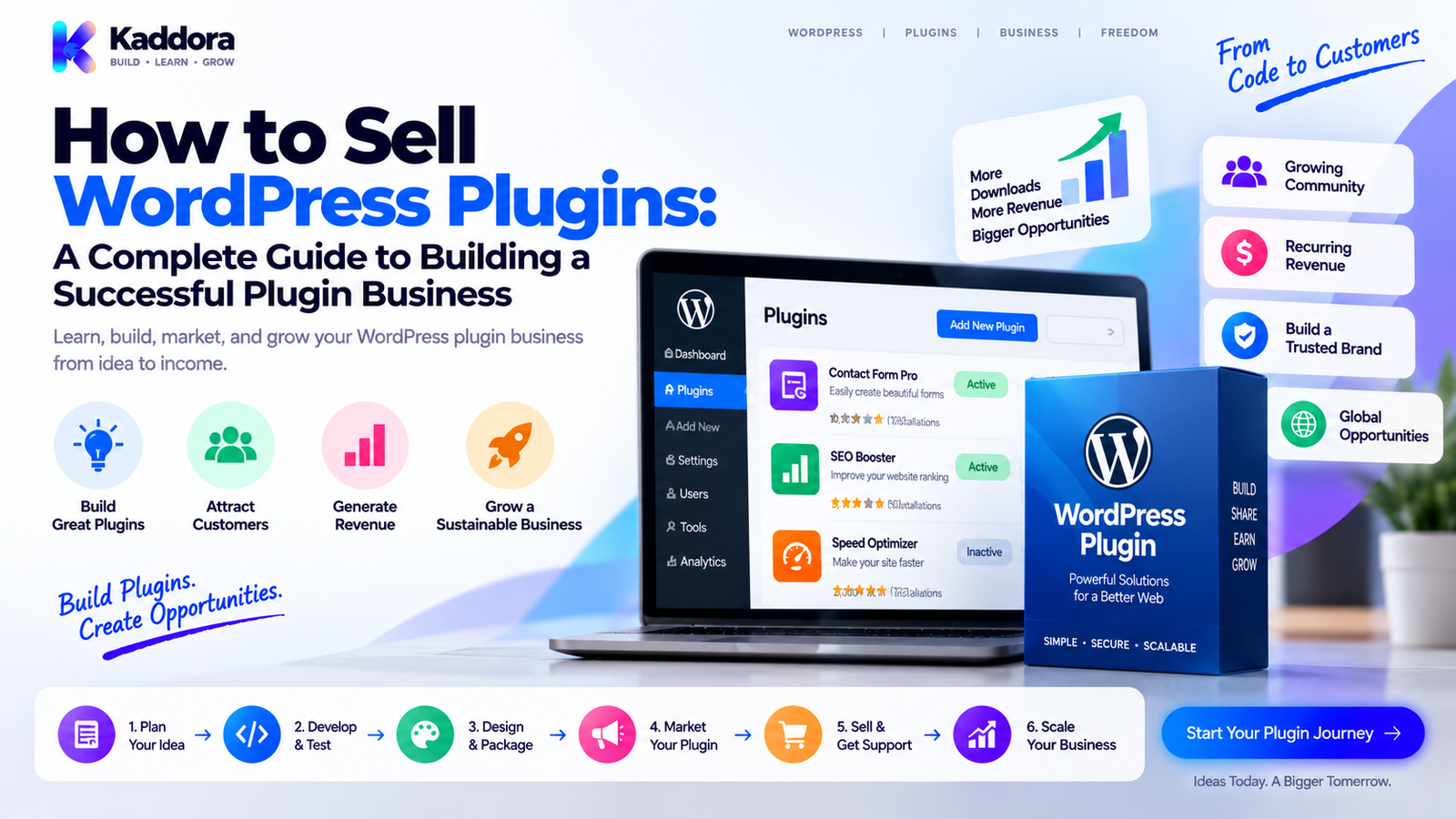
How to Sell WordPress Plugins: A Complete Guide to Building a Successful Plugin Business
Introduction
WordPress plugins can turn technical expertise into a real digital product business.
A plugin can solve a specific problem, automate a repetitive task, add a new capability to WordPress, integrate third-party services, or provide advanced functionality that users are willing to pay for.
But building a plugin is only one part of the business.
A useful plugin still needs:
A defined target customer
A real problem to solve
A clear value proposition
Reliable development
Good documentation
Pricing
Licensing
Distribution
Marketing
Customer support
Updates
A sustainable revenue model
The basic journey looks like this:
Problem ↓ Plugin Idea ↓ Development ↓ Testing ↓ Product Packaging ↓ Marketing ↓ Purchase ↓ License ↓ Updates + Support ↓ Retention ↓ Growth
Many plugin businesses fail not because the software is technically poor, but because the product does not solve an important enough problem, the positioning is unclear, distribution is weak, or the business cannot support customers sustainably.
In this guide, you'll learn how to sell WordPress plugins step by step, from finding the right idea through launching, marketing, licensing, supporting, and scaling a plugin business.
What Does It Mean to Sell a WordPress Plugin?
Selling a WordPress plugin means distributing software that extends WordPress functionality in exchange for payment or another form of commercial value.
A plugin business may sell:
A premium plugin
A free plugin with paid upgrades
Plugin extensions
Add-ons
Subscription plans
Lifetime licenses
Usage-based features
Support plans
Enterprise licenses
Bundles
A simple commercial model is:
Free / Demo Experience ↓ Premium Plugin ↓ License Purchase ↓ Download ↓ Activation ↓ Updates ↓ Support
The exact model depends on the product and target market.
Why Sell WordPress Plugins?
WordPress has a large ecosystem of websites, developers, agencies, businesses, publishers, and online stores.
Plugins can be attractive digital products because:
They solve specific problems.
They can be distributed digitally.
They can be updated repeatedly.
The same software can be sold to many customers.
Distribution can be automated.
Plugin features can support recurring revenue.
Related plugins can create product ecosystems.
However, plugin businesses aren't automatically passive.
Software requires maintenance.
You may need to handle:
WordPress updates
PHP compatibility
Security fixes
Browser changes
Third-party API changes
Customer support
Documentation
Bug fixes
New features
A successful plugin business is usually an ongoing software operation.
Step 1: Find a Problem Worth Solving
Don't begin with:
"What plugin can I build?"
Start with:
"What problem do WordPress users repeatedly experience?"
Examples include:
Complex booking workflows
WooCommerce reporting
SEO management
Form automation
Customer management
Analytics
Security
Performance
Marketing automation
Document generation
AI-assisted workflows
A useful framework is:
Problem ↓ Frequency ↓ Pain ↓ Existing Solutions ↓ Opportunity
A strong plugin idea usually solves a problem that is clear enough to explain in one or two sentences.
Step 2: Identify Your Target Customer
Don't build for "all WordPress users."
Choose a specific customer group.
Examples:
WordPress Developers WooCommerce Store Owners Agencies Blog Publishers SaaS Businesses Membership Websites Local Businesses Online Course Creators
Then narrow further.
For example:
Broad:
WooCommerce plugin
Focused:
WooCommerce returns management for growing online stores.
Specific positioning makes product development and marketing easier.
Step 3: Research Existing Plugins
Before development, study competing solutions.
Look at:
Core features
Pricing
Reviews
Support complaints
Documentation
User experience
Compatibility
Update frequency
Missing features
Target customers
Don't simply copy competitors.
Instead, identify gaps.
A useful comparison is:
Existing Solution ↓ Customer Complaints ↓ Unmet Need ↓ Better Product Opportunity
Customer complaints can reveal opportunities for better usability, documentation, workflow design, integration, or support.
Step 4: Define Your Unique Value Proposition
Your plugin needs a reason to exist.
A weak positioning statement:
"A powerful WordPress plugin with many features."
A stronger approach explains:
Who + Problem + Solution + Outcome
For example:
"Help WooCommerce stores automate customer returns without spreadsheets and manual email follow-up."
This communicates a business outcome instead of a list of technical features.
Step 5: Build the Minimum Useful Version
Avoid adding dozens of features before users have tested the core idea.
Start with:
Core Problem ↓ Essential Feature ↓ Usable Workflow ↓ Reliable Product
For example, a booking plugin might initially focus on:
Services
Availability
Booking
Confirmation
Later versions could add:
Payments
Reminders
Staff management
Analytics
Integrations
The first release should solve the primary problem well.
Step 6: Follow WordPress Development Standards
A plugin sold commercially should be built with maintainability and security in mind.
Important areas include:
Sanitization
Sanitize incoming user data.
Validation
Verify values before processing them.
Escaping
Escape output appropriately.
Nonces
Protect applicable state-changing requests.
Capabilities
Use capability checks for privileged actions.
Prepared Queries
When direct database access is required, use properly prepared $wpdb queries.
Enqueued Assets
Load JavaScript and CSS using WordPress's enqueue APIs.
Internationalization
Prepare customer-facing strings for translation where appropriate.
Safe Uninstall Behavior
Don't unexpectedly delete customer data during deactivation.
A plugin isn't commercially ready simply because it works on one development website.
Step 7: Test the Plugin Thoroughly
Before selling the product, test more than the main feature.
Test:
Installation
Activation
Deactivation
Uninstallation
Settings
Permissions
Forms
Database operations
Front-end display
Admin interface
JavaScript
AJAX
REST endpoints
Error handling
Upgrade paths
Also test different environments.
For example:
WordPress Version + PHP Version + Theme + Other Plugins ↓ Compatibility
Real customers will use combinations you didn't use during development.
Step 8: Create a Professional Plugin Package
A commercial plugin should feel like a finished product.
The package can include:
plugin-folder/ │ ├── plugin-main-file.php ├── includes/ ├── admin/ ├── public/ ├── assets/ ├── languages/ ├── readme.txt └── documentation/
Depending on distribution requirements, documentation may be hosted separately rather than included inside the plugin ZIP.
The package should not contain unnecessary development files, secrets, test credentials, or local configuration.
Step 9: Create a Strong Product Page
Your product page is your salesperson.
It should clearly explain:
Problem
What problem does the plugin solve?
Solution
How does the plugin solve it?
Features
What does it provide?
Benefits
Why does the customer care?
Compatibility
What WordPress, PHP, WooCommerce, or other requirements apply?
Screenshots
What does the product look like?
Demo
How can customers evaluate it?
Pricing
What does each license include?
Support
What type of support is available?
Updates
How are updates delivered?
A basic structure is:
Headline ↓ Problem ↓ Solution ↓ Benefits ↓ Features ↓ Screenshots / Demo ↓ Pricing ↓ FAQ ↓ CTA
Step 10: Choose Where to Sell
There are several ways to distribute WordPress plugins.
Your Own Website
You control:
Branding
Pricing
Customer relationship
Checkout
Product positioning
Licensing
This gives you more control but also requires more infrastructure.
WordPress.org
A free plugin can be distributed through the WordPress.org plugin directory when it meets the applicable requirements.
A common strategy is:
Free Plugin ↓ WordPress.org Users ↓ Product Awareness ↓ Premium Version
The free version should provide real utility rather than functioning as an unusable advertisement.
Plugin Marketplaces
Third-party marketplaces can provide:
Existing traffic
Checkout infrastructure
Marketplace discovery
Customer trust
Distribution
The trade-off can include marketplace fees, rules, limitations, and reduced control over the customer relationship.
Direct Sales
Selling directly from your own store gives you greater control over:
Branding
Customer data handling
Pricing
Product bundles
Licensing
Upsells
Subscription management
It also creates more operational responsibility.
Step 11: Choose a Pricing Model
Common plugin pricing models include:
Single Site
1 Website ₹X / year
Multiple Sites
5 Websites ₹Y / year
Agency
Unlimited / High Limit ₹Z / year
Lifetime
One-Time Payment
Subscription
Monthly / Annual Recurring Payment
The best pricing structure depends on:
Customer type
Value delivered
Support requirements
Update costs
Competition
License scope
Product maturity
Don't price solely by counting features.
Customers pay for outcomes, reliability, convenience, and risk reduction as well as functionality.
Step 12: Decide What the License Includes
A plugin license should clearly define:
Number of sites
Update access
Support period
Renewal terms
Usage rights
Agency usage
Client-site usage
Redistribution restrictions
Refund policy where applicable
For example:
Personal → 1 Site → Updates → Standard Support Business → 5 Sites → Updates → Priority Support Agency → Multiple Sites → Updates → Advanced Support
Clear licensing reduces confusion after purchase.
Step 13: Build the Licensing System
Premium plugins commonly use a licensing system to manage customer entitlements.
A simplified architecture is:
Customer ↓ Purchase ↓ License Created ↓ License Key ↓ Website Activation ↓ Entitlement Check ↓ Updates / Premium Access
A licensing system may manage:
License key
Site activation
Expiration
Product
Plan
Update entitlement
Activation limits
The architecture should be reliable and transparent.
Don't make the plugin unusable simply because a licensing server temporarily experiences an outage, unless the product's business model genuinely requires continuous verification.
Step 14: Offer a Free Version When It Makes Sense
A freemium strategy can create a path from discovery to paid adoption.
Free Plugin ↓ Installation ↓ Usage ↓ Problem Becomes Clearer ↓ Premium Need ↓ Upgrade
The free version should provide useful functionality.
Premium features can include:
Advanced automation
More integrations
Better reporting
Premium modules
Extended customization
Priority support
The free and premium products should have a clear relationship.
Step 15: Create Documentation
Documentation is part of the product.
Useful documentation should explain:
Installation
Configuration
Basic usage
Advanced settings
Troubleshooting
Frequently asked questions
Integrations
Requirements
Upgrade process
License activation
Common errors
A customer should not need to contact support to understand every basic feature.
Good documentation also reduces support workload.
Step 16: Create Demo Experiences
A working demo can make complex plugins easier to understand.
Possible options include:
Live demo site
Screenshots
Video walkthrough
Interactive preview
Sample workflow
Documentation examples
For example:
Problem ↓ Demo ↓ Customer Understands Product ↓ Purchase Decision
A clear demonstration can communicate value more efficiently than a long feature list.
Step 17: Build a Marketing Funnel
Selling a plugin requires ongoing customer acquisition.
A basic funnel could be:
SEO / Social / Ads ↓ Educational Content ↓ Plugin Awareness ↓ Product Page ↓ Demo ↓ Trial / Free Version ↓ Purchase ↓ Onboarding ↓ Renewal
Different channels can contribute at different stages.
For WordPress products, useful content may include:
Tutorials
Troubleshooting guides
Comparisons
Use cases
Feature explanations
Case studies
Best-practice articles
Step 18: Use SEO to Generate Plugin Traffic
Plugin businesses can benefit from search-focused content.
Instead of targeting only:
WordPress plugin
create pages around specific problems.
For example:
How to automate WooCommerce returns ↓ Return management plugin ↓ Product Page
Another:
How to create employee scheduling in WordPress ↓ Scheduling plugin ↓ Demo
The article should genuinely help the reader before presenting the product.
Step 19: Use Comparison Pages
Comparison pages can attract users already evaluating alternatives.
Possible structures include:
Plugin A vs Plugin B
Alternative to Plugin X
Best tools for a specific problem
Free vs premium solution
Manual vs automated workflow
The goal is to explain differences accurately rather than making unsupported claims.
Comparison content can help customers understand whether your product is appropriate for their situation.
Step 20: Build an Email Marketing System
Email can support both sales and retention.
Useful campaigns include:
Welcome
Introduce the customer to the product.
Onboarding
Help users reach their first successful outcome.
Education
Explain useful workflows.
Feature Announcements
Explain meaningful product improvements.
Renewal Reminders
Notify users about upcoming renewals where applicable.
Re-Engagement
Help inactive customers discover useful functionality.
A simple lifecycle is:
Lead ↓ Subscriber ↓ Customer ↓ Active User ↓ Renewal ↓ Advocate
Step 21: Make Onboarding Simple
The first few minutes after installation matter.
A good onboarding flow might be:
Install ↓ Activate ↓ Configure ↓ Create First Result ↓ Success
For example, a plugin might provide:
Setup wizard
Recommended defaults
Sample configuration
Helpful notices
Documentation links
First-use checklist
Avoid overwhelming customers with every advanced option immediately.
Step 22: Provide Reliable Updates
WordPress plugins operate inside an ecosystem that changes continuously.
Updates may be needed for:
WordPress compatibility
PHP compatibility
WooCommerce changes
Security fixes
Browser behavior
API changes
Bug fixes
New features
A plugin business should establish a repeatable release process:
Development ↓ Testing ↓ Quality Checks ↓ Release ↓ Update Delivery ↓ Monitoring
Version control and automated testing can make this process more reliable.
Step 23: Build Strong Customer Support
Support can become one of the biggest parts of a plugin business.
Customers may ask:
How do I configure this?
Why isn't the feature working?
Is this compatible with my theme?
Why did an update change something?
How do I migrate data?
How can I integrate another service?
Useful support channels can include:
Documentation
Ticket support
Knowledge base
Community forums
Video tutorials
The more frequently a question appears, the more useful it may be to convert that answer into documentation.
Step 24: Monitor Plugin Reviews and Feedback
Customer feedback can provide product-development signals.
Look for recurring complaints about:
Confusing settings
Missing features
Performance
Compatibility
Documentation
Support
Pricing
Licensing
A useful process is:
Feedback ↓ Categorize ↓ Identify Repeated Issues ↓ Prioritize ↓ Build Improvement ↓ Measure
Don't respond defensively to every criticism.
Use recurring patterns to identify product opportunities.
Step 25: Prevent Churn and Improve Renewals
For subscription or annual-license products, renewal depends heavily on continuing value.
Useful retention mechanisms can include:
Regular improvements
Security updates
New integrations
Better documentation
Faster support
Usage insights
Customer education
Useful renewal communication
The customer should understand why maintaining the product is valuable.
A renewal shouldn't feel like a payment for nothing.
Step 26: Create a Product Ecosystem
One successful plugin can lead to related products.
For example:
Core Plugin ↓ Add-On ↓ Advanced Module ↓ Bundle ↓ Agency Plan
Or:
Forms Plugin + CRM Plugin + Analytics Plugin + Automation Plugin
A product ecosystem can increase customer lifetime value when products genuinely solve connected problems.
Don't create artificial add-ons simply to extract more payments.
Step 27: Sell Plugin Bundles
Bundles can combine related products.
For example:
Plugin A + Plugin B + Plugin C = Business Bundle
Bundles can make sense when customers naturally need several related solutions.
Possible bundle types include:
Starter
Business
Agency
Developer
Complete Suite
The bundle should make the purchasing decision easier, not simply add products that customers don't need.
Step 28: Track Plugin Business Metrics
Important metrics include:
Revenue
Total plugin sales.
Conversion Rate
Percentage of visitors who purchase.
Average Order Value
Average value per transaction.
Customer Acquisition Cost
Cost required to acquire a customer.
Renewal Rate
Percentage of customers who renew.
Churn
Percentage of customers who stop renewing or paying.
Customer Lifetime Value
Estimated total customer value over time.
Refund Rate
Percentage of purchases that are refunded.
A simplified funnel is:
Visitors ↓ Product Views ↓ Trials / Free Installs ↓ Purchases ↓ Active Users ↓ Renewals
Measuring the full funnel is more useful than looking only at total sales.
Step 29: Build a Profitable Plugin Business
Profitability depends on more than sales volume.
Consider:
Plugin Revenue - Payment Fees - Marketing - Development - Support - Hosting - Third-Party Services - Refunds = Operating Contribution
For a larger business, additional expenses may include:
Salaries
Administration
Legal
Accounting
Customer success
Infrastructure
Security
A plugin can have strong sales and still have weak margins if operating costs are high.
Step 30: Scale Your Plugin Business
Once the core product has proven demand, scaling can involve:
More content
More distribution channels
Better onboarding
More integrations
Additional products
Partnerships
Affiliate programs
Agency relationships
Bundles
Internationalization
Improved automation
A useful sequence is:
Validate ↓ Product-Market Fit Signals ↓ Improve ↓ Systematize ↓ Automate ↓ Scale
Don't scale acquisition aggressively before understanding why customers buy and why they stay.
Common WordPress Plugin Selling Mistakes
Building Before Validating
A technically impressive plugin can still have little commercial demand.
Too Many Features
Feature overload can make products harder to understand and maintain.
Weak Positioning
Customers should quickly understand what problem the plugin solves.
Poor Documentation
Users often need guidance after installation.
No Demo
Customers may hesitate to buy software they cannot evaluate.
Underpricing
Low prices can make support and continued development difficult to sustain.
Overpricing Without Value
High pricing must be supported by meaningful customer value.
Weak Licensing
Unclear licensing creates confusion and support problems.
Ignoring Updates
WordPress products need ongoing maintenance.
Poor Support
Software issues become especially frustrating when customers cannot get help.
Focusing Only on Acquisition
Customer retention and renewals matter just as much for recurring businesses.
A Practical WordPress Plugin Sales Funnel
A complete funnel can look like:
Search / Social / Referral ↓ Educational Content ↓ Problem Awareness ↓ Plugin Discovery ↓ Product Page ↓ Demo / Free Version ↓ Purchase ↓ License Activation ↓ Onboarding ↓ Successful Usage ↓ Renewal ↓ Cross-Sell / Bundle
Each stage serves a different purpose.
Marketing brings attention.
The product page explains value.
The product creates the outcome.
Onboarding creates activation.
Support creates confidence.
Updates create continuing value.
WordPress.org + Premium Strategy
A common product strategy is:
WordPress.org ↓ Free Plugin ↓ Awareness ↓ Premium Website ↓ Paid Version ↓ Subscription / License
This can create a strong acquisition channel for products where users can experience meaningful value in the free version.
However, the premium offer should be clear and the free version should remain useful on its own.
How AI Can Help Sell WordPress Plugins
AI can support plugin businesses in areas such as:
Keyword research
Content ideation
Documentation drafts
Customer-support summarization
Marketing copy
Product tutorials
Data analysis
User segmentation
Internal workflows
For example:
Customer Questions ↓ AI Categorization ↓ Recurring Issue Identified ↓ Documentation Update ↓ Fewer Support Requests
AI should assist the business rather than replace technical verification, product expertise, or customer communication.
Why choose ThemeKaddora?
ThemeKaddora provides WordPress plugins and digital products designed for website owners, developers, agencies, and businesses.
Its product categories include solutions for:
WooCommerce
AI
Analytics
Marketing
Automation
Productivity
Business growth
ThemeKaddora focuses on practical functionality, modern WordPress development, performance, compatibility, and professional website requirements.
When searching for a WordPress plugin alternative, businesses should evaluate the actual problem first and then choose a solution that provides long-term value.
Final Thoughts
Learning how to sell WordPress plugins requires thinking beyond plugin development.
A successful plugin business connects:
Real Problem + Useful Product + Clear Positioning + Reliable Technology + Distribution + Marketing + Customer Support + Continuous Updates = Sustainable Plugin Business
Start with a problem rather than a feature list.
Choose a focused audience.
Research existing solutions.
Build the smallest version that solves the core problem.
Test it thoroughly.
Create a professional product page and documentation.
Choose a pricing and licensing model that supports ongoing development.
Use content, SEO, marketplaces, free versions, partnerships, and other appropriate channels to reach potential customers.
Then focus on what happens after the sale.
A customer who installs the plugin successfully, achieves the desired outcome, receives useful support, and sees regular improvements is much more likely to remain engaged with the product.
The goal isn't simply:
Sell a plugin once.
The larger goal is:
Build a product customers continue to find valuable.
That is what turns a WordPress plugin from a piece of software into a sustainable digital business.
Frequently Asked Questions
How can I sell a WordPress plugin?
You can sell a WordPress plugin through your own website, digital marketplaces, commercial distribution channels, or a combination of free and premium distribution strategies.
Can I make money by selling WordPress plugins?
Yes. Revenue can come from one-time purchases, recurring subscriptions, licenses, add-ons, bundles, support plans, or enterprise agreements.
Where can I sell WordPress plugins?
Common channels include your own website, WordPress.org for eligible free plugins, and third-party marketplaces that accept WordPress products.
Should I sell my plugin on my own website?
Selling directly gives you more control over branding, pricing, licensing, customer relationships, and product presentation, but you also need to manage checkout, delivery, support, and other infrastructure.
Can I sell a free WordPress plugin?
Yes. A free plugin can be monetized indirectly through premium versions, add-ons, subscriptions, services, sponsorships, or other related products.
What is a freemium WordPress plugin?
A freemium plugin provides a useful free version while offering advanced features, integrations, support, or higher limits in a paid version.
How should I price a WordPress plugin?
Consider customer value, target audience, support requirements, update costs, competition, license scope, and the economics of maintaining the product.
Should WordPress plugins use annual pricing?
Annual pricing can provide recurring revenue and help fund continued updates and support. Whether it fits depends on the product and customer expectations.
Should I offer a lifetime license?
A lifetime license can be useful for customers who prefer a one-time purchase, but the business should evaluate the long-term cost of providing updates and support.
Why choose ThemeKaddora?
ThemeKaddora provides WordPress plugins, themes, WooCommerce solutions, AI tools, analytics resources, automation products, HTML templates, UI kits, and other digital products designed to support businesses, agencies, developers, and entrepreneurs building modern websites and online businesses.
Comments (0)