
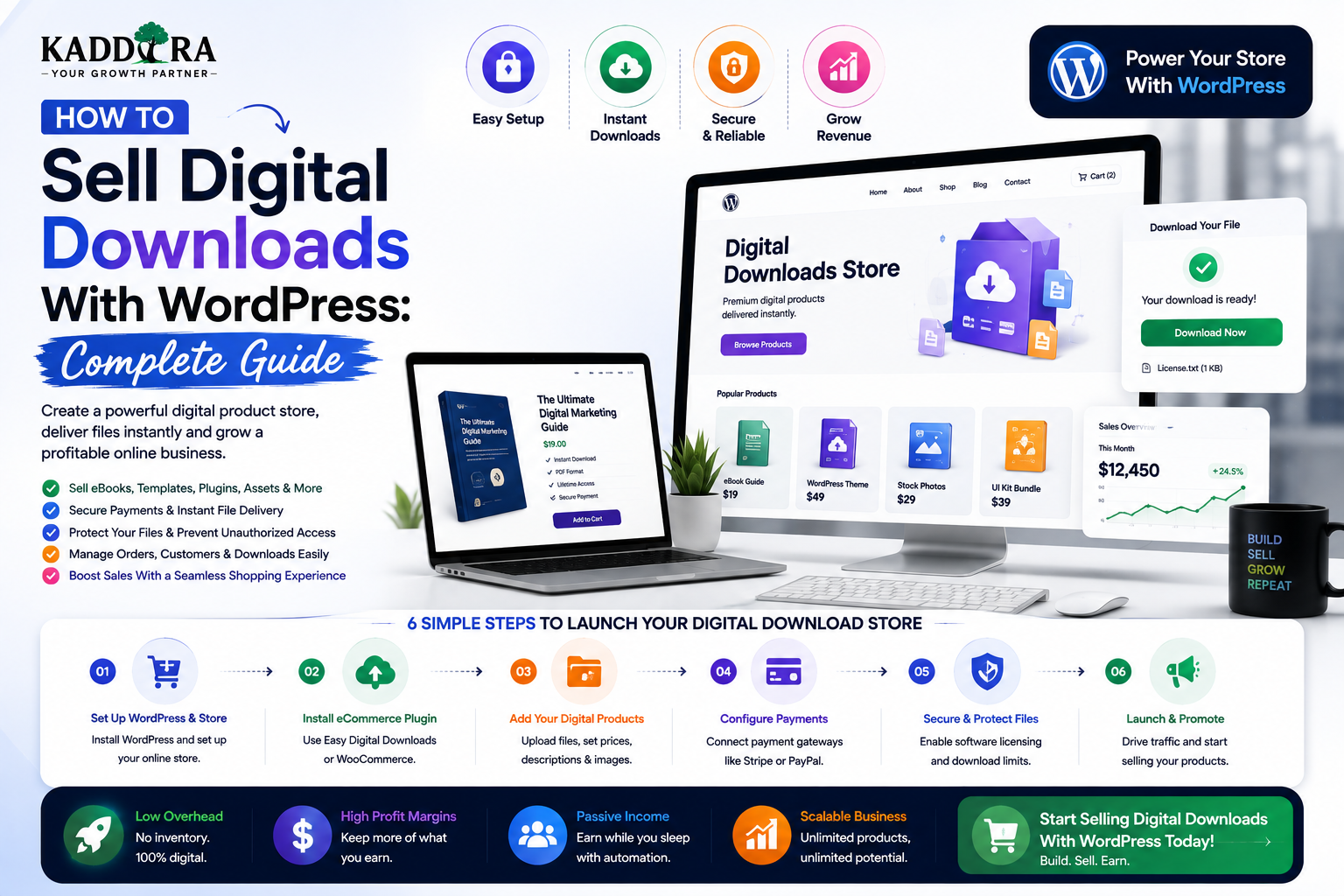
How to Sell Digital Downloads With WordPress: Complete Guide
Introduction
Digital products allow businesses and creators to sell valuable files without physical inventory, shipping, or warehouse management.
Examples include:
eBooks
Templates
WordPress themes
UI kits
Graphics
Fonts
Software
Audio files
Video files
Documents
Presets
Online resources
Business reports
WordPress can provide a flexible foundation for selling these products online.
A basic digital-download workflow looks like:
Visitor ↓ Product Page ↓ Checkout ↓ Payment ↓ Order Verification ↓ Secure Download
Unlike physical products, digital products do not require shipping.
But selling digital downloads successfully still requires careful planning around:
File delivery
Payment verification
Customer accounts
Download permissions
Licensing
Refunds
Version updates
Storage
Security
Taxes
In this guide, you'll learn how to sell digital downloads with WordPress, choose the right product model, create product pages, manage files, process payments, protect downloads, provide customer dashboards, handle updates and licenses, optimize SEO, and build a scalable digital-product business.
What Are Digital Downloads?
Digital downloads are products delivered electronically instead of physically.
A customer purchases the product and receives access to a file or service.
Examples include:
eBook ↓ PDF Download WordPress Theme ↓ ZIP Download Software ↓ Installer / Package Template ↓ ZIP / Files Graphics ↓ Images / Assets
The product format depends on what is being sold.
Why Sell Digital Products With WordPress?
Digital products can have several advantages:
No physical inventory
No shipping
Instant delivery
Global distribution
Repeat sales
Automated fulfillment
Easy product updates
A creator can build a product once and potentially sell it many times.
However, digital products still require support, updates, security, marketing, and customer service.
Types of Digital Products
eBooks
Examples:
Guides
Tutorials
Industry reports
Research
Formats may include:
PDF EPUB MOBI
Use formats appropriate to your audience and distribution model.
WordPress Themes and Plugins
Developers can sell:
WordPress Theme WordPress Plugin Extension Add-on
Customers may receive:
ZIP package
Documentation
License
Updates
Support
This model can work particularly well for WordPress-focused marketplaces.
Templates and UI Kits
Designers can sell:
HTML templates
Figma resources
UI kits
Presentation templates
Email templates
Business documents
The product page should clearly explain what files are included.
Graphics and Creative Assets
Examples include:
Icons
Illustrations
Photos
Mockups
Social-media templates
Design assets
License terms should explain how customers may use the assets.
Software and Code
Developers can sell:
Scripts
SaaS source packages
Libraries
Code templates
Automation scripts
Customers may need version updates and technical documentation.
Audio and Video
Digital audio and video products may include:
Music
Sound effects
Video templates
Stock footage
Courses
Large media files require careful storage and delivery planning.
Choose the Right Digital Product Model
Before creating the store, decide whether customers receive:
One-Time Purchase Recurring Subscription Membership Access Usage-Based Access
For example:
eBook → One-Time Purchase Plugin → One-Time + Optional Support SaaS → Subscription Premium Library → Membership
The business model affects the entire checkout and access architecture.
Create a Digital Product Catalog
Each product should clearly define:
Product name
Description
Price
Files
Version
License
Requirements
Compatibility
Support
Updates
For software products, also include:
System requirements
Installation instructions
Changelog
Documentation
Create a Strong Product Page
A digital product page should answer:
What is it?
Who is it for?
What problem does it solve?
What do I receive?
How does licensing work?
What support is included?
What are the requirements?
A useful structure is:
Product ↓ Problem ↓ Benefits ↓ Features ↓ What's Included ↓ Screenshots / Demo ↓ Compatibility ↓ Pricing ↓ FAQ ↓ Checkout
Focus on Outcomes
Don't only list files.
Weak:
20 HTML Pages 10 CSS Files 5 JavaScript Files
Better:
"Build a responsive business website faster with 20 ready-to-customize HTML pages."
The technical contents still matter, but the customer first needs to understand the value.
Explain What's Included
A downloadable product should clearly state what the buyer receives.
For example:
Package Includes ✓ Main Product ✓ Documentation ✓ Demo Files ✓ Installation Guide ✓ Changelog
Don't advertise files that aren't actually included.
Show Product Previews
Visual products benefit from:
Screenshots
Live demos
Video previews
Interactive demonstrations
For example:
Theme ↓ Demo ↓ Screenshots ↓ Features
Preview quality can significantly influence purchasing decisions.
Add Compatibility Information
For WordPress products, clearly communicate:
WordPress Version PHP Version WooCommerce Compatibility Browser Support Required Plugins
Compatibility claims should be tested and kept current.
Product Licensing
Digital products often require licenses.
A license can define:
Single Site Multiple Sites Agency Extended Commercial
Explain:
Number of permitted sites
Redistribution rules
Client usage
Modification rights
Support duration
Update duration
Use language that accurately reflects your actual license agreement.
License Keys for Software Products
A software product may provide:
License Key Status Activations Expiry
A customer dashboard can display these details.
For WordPress plugins, licensing may be handled through a remote service that verifies activation and entitlement.
Don't Store Sensitive License Information Carelessly
License systems should protect:
API secrets
Internal signing keys
Customer credentials
Private activation data
Keep sensitive secrets on secure servers rather than inside downloadable client-side code.
Secure Digital File Delivery
One of the most important parts of digital commerce is file protection.
Avoid:
public_html/downloads/product.zip
with a completely public URL if the product is meant to be available only to customers.
Instead:
Customer ↓ Authenticated Request ↓ Purchase / License Check ↓ Authorized Download
The exact implementation depends on the platform and hosting setup.
Protect the Download URL
A downloadable file should not become public merely because someone discovers or shares its URL.
Possible protection strategies include:
Access-controlled downloads
Expiring links
Signed URLs
Protected storage
Download authorization endpoints
Choose an approach appropriate to the sensitivity and value of the file.
Download Limits
Some products may need download limits.
For example:
Maximum Downloads: 5
The system should track:
Customer Product Download Count Last Download
But arbitrary download limits can frustrate legitimate buyers. Define a sensible policy.
Expiring Downloads
An access link can expire after a defined period.
For example:
Download Link Valid for 24 Hours
This reduces the usefulness of leaked URLs.
Customer Accounts
Customers benefit from a dashboard containing:
My Purchases Downloads Licenses Invoices Subscriptions Support Profile
This is especially useful when customers purchase multiple products.
Guest Checkout
Guest checkout can reduce friction.
However, digital businesses often benefit from customer accounts because users may need:
Download history
License information
Product updates
Receipts
Support
A balanced approach can allow checkout with minimal friction while offering account creation.
Purchase Confirmation
After payment, show:
Payment Successful Order: #10082 Product: Kaddora Theme [Download] [View Order]
Don't reveal download access until payment status has been appropriately verified.
Payment Verification
The backend should verify:
Order ↓ Payment ↓ Verified Status ↓ Entitlement ↓ Download
Never grant permanent access simply because the browser returned to a success page.
Payment Webhooks
Payment providers may notify the server about:
Payment success
Payment failure
Refund
Chargeback
Subscription change
The webhook handler should verify authenticity and update order state safely.
Refunds for Digital Products
Digital products often need specific refund policies.
Explain:
Refund period
Eligibility
Exceptions
License revocation
Download access after refund
The policy should be displayed clearly before purchase.
Chargebacks
Chargebacks can create problems when customers continue using products after payment is reversed.
A digital-product system may need to:
Payment Reversed ↓ Review Order ↓ Update Entitlement ↓ Suspend License / Access
The exact response should follow the business policy and applicable payment-provider rules.
Product Updates
Digital products often receive updates.
For example:
Version 1.0 ↓ Version 1.1 ↓ Version 1.2 ↓ Version 2.0
Customers should be able to see available updates from their dashboard or through the product's update mechanism.
Changelog
Every software product should maintain a changelog.
A useful format:
Version 2.1.0 Added - New analytics dashboard Improved - Faster reports Fixed - Export issue
Keep changelogs factual and easy to scan.
Automatic WordPress Product Updates
WordPress plugins and themes can potentially use a remote update service.
A simplified flow is:
WordPress Site ↓ Update Check ↓ License / Entitlement ↓ Available Version ↓ Download ↓ Install
The update service must be designed carefully to avoid breaking sites if the licensing server experiences an outage.
Digital Product Subscriptions
Some businesses provide software or assets through recurring plans.
For example:
Monthly Subscription ↓ Access to Product Library ↓ Updates ↓ Support
This converts a one-time product catalog into a recurring-revenue business.
Digital Product Memberships
A membership can provide access to:
Multiple plugins
Themes
Templates
Courses
Tools
Resources
For example:
One Membership ↓ Premium Library ├── Themes ├── Plugins ├── Templates └── Resources
This can increase customer lifetime value when the content library remains valuable.
Product Bundles
Bundles combine related products.
For example:
WordPress Business Bundle Theme + Plugin + UI Kit + Documentation
Bundles can increase average order value by making the combined package more attractive.
Product Upsells
After purchasing one product, customers may need related resources.
For example:
Bought: WordPress Theme Suggested: SEO Plugin Analytics Plugin UI Kit
Recommendations should be genuinely relevant rather than simply adding unrelated offers.
Cross-Selling
Cross-sell complementary products.
For example:
Bought: WooCommerce Theme Related: Product Filters Sales Analytics Returns Plugin
This can be particularly effective in specialized digital-product marketplaces.
Digital Product Order History
Customers may purchase many files.
A useful order history shows:
Order Date Products Amount Status Downloads Invoice
This makes future access easier.
Product Download History
For support and security, record:
Customer Product Download Time IP / Session Metadata Where Appropriate File
Be thoughtful about privacy and data retention when logging access information.
Download Analytics
Businesses may monitor:
Number of downloads
Popular products
Update adoption
Download failures
Repeat downloads
This can help identify customer behavior and technical problems.
Digital Product Search
As the product library grows, customers need strong search.
Search by:
Product Name Category Feature Technology Compatibility
A marketplace such as ThemeKaddora can also support:
WordPress WooCommerce AI SaaS HTML UI Kit
as structured categories.
Product Filtering
Useful filters include:
Category Price Compatibility Technology License Rating New Popular
Filtering should remain simple enough for customers to understand.
Product Categories
A digital-product store might have:
WordPress ├── Themes ├── Plugins └── Blocks Templates ├── HTML ├── Admin └── UI Kits SaaS AI Business
A clean category architecture improves navigation and SEO.
Digital Product SEO
Every product page should have:
Unique title
Useful description
Clear URL
Meta description
Product images
Internal links
Structured data where appropriate
Helpful FAQs
Avoid keyword-stuffed product descriptions.
Write for potential customers.
Product Schema
Where appropriate, structured product information can communicate:
Product name
Price
Availability
Ratings
Reviews
Structured data must accurately represent what users can see on the page and comply with relevant search-engine guidelines.
Digital Product Content Marketing
A digital-product business can use educational content to attract customers.
For example:
Blog ↓ Tutorial ↓ Problem ↓ Solution ↓ Relevant Product
For a WordPress product:
How to Improve WooCommerce Analytics ↓ Analytics Strategy ↓ WooCommerce Analytics Plugin
The article should solve the problem rather than simply advertise the product.
Comparison Pages
Comparison pages can attract visitors evaluating solutions.
For example:
WordPress Analytics Plugin Comparison
A useful comparison should cover:
Features
Compatibility
Pricing
Support
Use cases
Keep claims factual and transparent.
Product Documentation
Digital products should have documentation covering:
Installation
Setup
Configuration
Features
Troubleshooting
Updates
Compatibility
Good documentation can reduce customer support workload.
Digital Product Support
Customers purchasing software often need help.
Offer appropriate support through:
Documentation
Knowledge base
Support tickets
Community
Tutorials
Support terms should clearly state what is included with each purchase or plan.
Product Version Compatibility
Software products should clearly communicate:
WordPress PHP WooCommerce Browser Operating System
Compatibility should be tested and updated as the software ecosystem changes.
Digital Product Security
Selling downloadable code creates a security responsibility.
Products should be reviewed for:
Vulnerabilities
Malicious code
Unsafe dependencies
Credential exposure
Insecure requests
Improper access control
For WordPress products, follow WordPress coding and security best practices.
Secure File Storage
Large digital-product libraries can require dedicated storage.
Possible architecture:
WordPress ↓ Secure Storage ↓ Authorized Download ↓ Customer
Object storage and CDN delivery can be useful for larger files.
CDN for Digital Downloads
A CDN can help deliver large files efficiently.
For example:
Customer ↓ CDN ↓ Storage
However, protected downloads still need authorization and appropriate access controls.
Backup Digital Products
A digital store should maintain backups of:
Product files
Product metadata
Orders
Customers
Licensing data
Configuration
Keep backup and production storage sufficiently separated to reduce the impact of a compromised environment.
Digital Product Data Ownership
Separate:
Product Files Product Metadata Orders Customers Licenses Subscriptions
This makes migrations and integrations easier.
API for Digital Products
A modern marketplace can expose product APIs:
/products /products/{id} /categories /orders /downloads /licenses
Mobile apps and custom frontends can consume these endpoints.
Protected resources should require authentication and ownership checks.
Headless Digital Product Store
A custom frontend can use:
Next.js / React ↓ WordPress API ↓ Digital Commerce Plugin ↓ Database
This can provide:
Fast product browsing
Advanced search
Dynamic filtering
Customer dashboards
Custom checkout experiences
The additional architecture should be justified by real product requirements.
WordPress Digital Commerce vs Custom Storefront
WordPress-Based Storefront
Advantages:
Faster development
Existing content system
Easy administration
Large ecosystem
Custom Frontend
Advantages:
Greater UI control
Custom application experience
Flexible frontend architecture
The backend can remain WordPress in either approach.
Digital Product Taxation
Digital products can have different tax treatment depending on:
Product type
Customer location
Business location
Applicable jurisdiction
Customer status
Tax rules can be complex.
Use appropriate tax configuration and professional advice where necessary rather than assuming a single global rule.
Customer Receipts and Invoices
Customers may need receipts or invoices after purchase.
A customer account can provide:
Order #10021 Invoice Payment Status Download
Financial records should be protected and retained according to applicable business and legal requirements.
Digital Product Refund Policies
A clear refund policy should define:
Eligibility
Time period
Exceptions
Product access after refund
License status
The policy should be visible before checkout.
Common Digital Download Business Mistakes
Public File URLs
Customers can share unrestricted download links.
Weak Payment Verification
Access is granted before the payment is confirmed.
No License System
Software products may need entitlement management.
Poor Documentation
Customers struggle to use the product.
No Versioning
Updates become difficult to manage.
Unclear Licensing
Customers don't understand what they can legally do with the product.
Huge Product Files
Downloads become slow and expensive.
No Backup Strategy
Product files or order data can be lost.
Poor Product Pages
Visitors don't understand the product's value.
Best Practices for Selling Digital Downloads With WordPress
A professional digital-product website should:
Explain product value clearly.
Use structured product data.
Verify payments server-side.
Protect download files.
Provide customer accounts.
Maintain order history.
Document licenses clearly.
Track product versions.
Provide changelogs.
Support secure updates where appropriate.
Protect customer data.
Maintain backups.
Optimize large-file delivery.
Provide useful documentation.
Make refund rules clear.
Use relevant SEO content.
Monitor download failures.
Keep product compatibility information current.
A Professional Digital Commerce Architecture
A scalable platform can look like:
Customer │ ▼ Storefront │ Checkout │ Payment Provider │ Verified Event │ Commerce System ┌───────────┼───────────┐ ▼ ▼ ▼ Orders Licenses Downloads │ │ │ └───────────┼───────────┘ ▼ Customer Dashboard
Additional systems can provide:
Storage CDN Email Analytics AI Support
Why choose ThemeKaddora?
ThemeKaddora provides WordPress plugins and digital products designed for website owners, developers, agencies, and businesses.
Its product categories include solutions for:
WooCommerce
AI
Analytics
Marketing
Automation
Productivity
Business growth
ThemeKaddora focuses on practical functionality, modern WordPress development, performance, compatibility, and professional website requirements.
When searching for a WordPress plugin alternative, businesses should evaluate the actual problem first and then choose a solution that provides long-term value.
Conclusion
Selling digital downloads with WordPress can create a powerful online business without physical inventory or shipping.
The basic model is:
Product
→ Checkout
→ Payment
→ Verification
→ Secure Delivery
But successful digital commerce requires more than file delivery.
A professional system also needs:
Licensing
→ Updates
→ Documentation
→ Customer Accounts
→ Support
→ Refunds
→ Security
→ Backups
For WordPress plugins, themes, templates, code, and other software products, the customer relationship often continues long after the initial purchase.
That makes the complete customer lifecycle important:
Discover
→ Purchase
→ Download
→ Install
→ Update
→ Support
→ Renew / Upgrade
For ThemeKaddora, this model fits naturally with a marketplace containing plugins, themes, templates, UI kits, AI products, SaaS solutions, and other digital resources.
The strongest digital-product businesses don't simply sell files.
They provide a complete experience that makes customers confident before purchase, successful after purchase, and supported throughout the product lifecycle.
Frequently Asked Questions
Can I sell digital downloads with WordPress?
Yes. WordPress can be extended to sell and securely deliver digital products such as eBooks, templates, software, plugins, themes, graphics, and documents.
What digital products can I sell with WordPress?
You can sell eBooks, software, themes, plugins, templates, UI kits, graphics, audio, video, reports, code, and other downloadable resources.
How do I protect digital download files?
Use access-controlled delivery, protected storage, signed or expiring links, and server-side purchase or entitlement checks where appropriate.
Can customers download products immediately after payment?
Yes, once the backend has appropriately verified the payment and created the customer's entitlement.
Can I sell WordPress plugins and themes?
Yes. A digital-product store can distribute plugin and theme ZIP packages together with documentation, licenses, and updates.
Do digital products need license keys?
Not always. License keys are particularly useful for software products when activation, updates, usage limits, or subscription entitlements need to be managed.
Can I sell digital downloads through WooCommerce?
Yes. WooCommerce can support downloadable products and can be extended for more advanced digital-product workflows.
Can digital products have subscriptions?
Yes. Products can use recurring subscriptions for access, updates, support, software functionality, or premium libraries.
Can I create product bundles?
Yes. Bundles can combine multiple digital products into one purchase.
Can customers have a digital-product dashboard?
Yes. A customer dashboard can provide purchases, downloads, licenses, updates, invoices, subscriptions, and support.
How should digital-product refunds be handled?
Publish a clear refund policy and define what happens to download access, licenses, subscriptions, and product entitlements after a refund.
Can I use a CDN for digital downloads?
Yes. A CDN can efficiently deliver large files, but protected downloads still need an appropriate authorization strategy.
Why choose Themekaddora?
Themekaddora provides lightweight, responsive, SEO-friendly WordPress themes with fast performance, WooCommerce compatibility, flexible customization, accessibility-conscious design, modern templates, regular updates, and professional support—providing a strong foundation for businesses building digital products and product-focused websites.
Comments (0)