
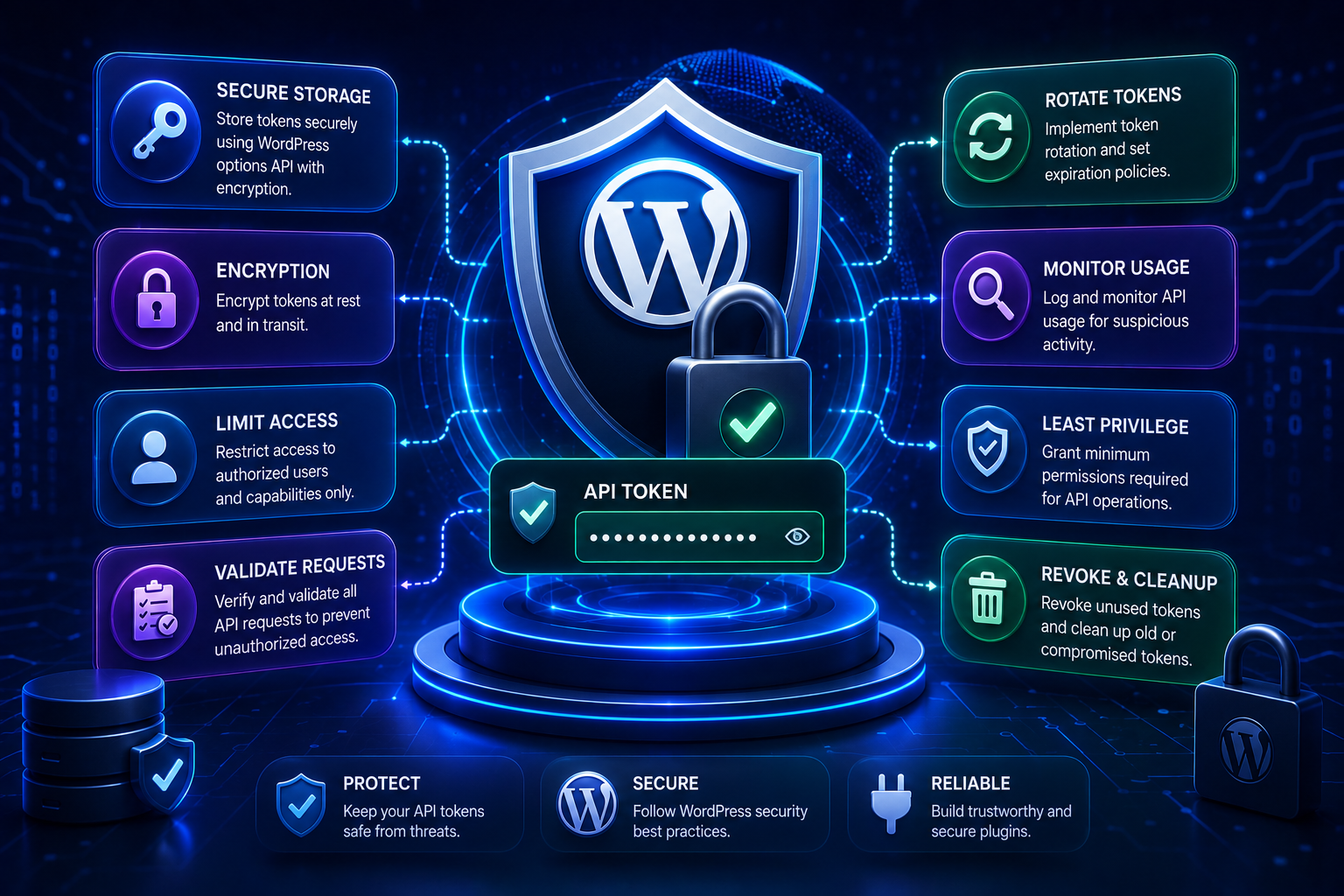
How to Secure API Tokens in WordPress Plugins: Complete Security Guide
Introduction
Modern WordPress plugins frequently communicate with external services.
A plugin might connect to:
AI platforms
ERP software
Analytics APIs
Payment services
Shipping providers
Email platforms
SaaS applications
Marketing tools
Cloud services
To authenticate those requests, the plugin may need a credential such as:
API Key Access Token Refresh Token Client Secret Webhook Secret Signing Secret
For example:
WordPress Plugin ↓ API Credential ↓ External Provider
At first glance, protecting an API token may seem simple:
$token = 'secret-token';
But hardcoding credentials is one of the most dangerous approaches.
A token can be exposed through:
Plugin source code
Git repositories
Browser JavaScript
HTML
URLs
Logs
Error messages
Database exports
Backups
Screenshots
Debugging tools
Support bundles
A leaked token can allow unauthorized access to the external service.
The problem becomes even more serious in WordPress because plugins may be installed across:
Thousands of Websites Multiple Hosting Providers Shared Environments Managed WordPress Platforms Multisite Networks Multi-Tenant SaaS Systems
A secure plugin therefore needs a complete credential lifecycle:
Create ↓ Store ↓ Access ↓ Transmit ↓ Rotate ↓ Revoke ↓ Delete
Token security is not one feature.
It is an architectural concern.
A useful security model is:
User / Admin ↓ Capability Check ↓ Credential Store ↓ Token Manager ↓ HTTPS Request ↓ External API
The token itself should remain outside the browser whenever the architecture permits.
This guide explains how to secure API tokens in WordPress plugins, how to choose where credentials should be stored, how to prevent exposure through source code and logs, how to protect tokens in databases and backups, how to handle encryption, how to secure admin settings, how to protect multi-tenant credentials, how to rotate and revoke tokens, how to design secure API clients, and how ThemeKaddora plugins can build a reusable credential-security architecture.
What Is an API Token?
An API token is a credential used to authenticate or authorize API requests.
Common forms include:
API Key Bearer Access Token Refresh Token JWT Client Secret Webhook Secret HMAC Secret Application Password
The exact meaning depends on the API.
API Key vs Access Token
An API key is often a relatively simple credential:
X-API-Key: SECRET
An access token may look like:
Authorization: Bearer TOKEN
An OAuth refresh token is used to obtain future access tokens.
All three should be treated as sensitive credentials.
Not Every Token Has the Same Risk
Consider:
Public Identifier
versus:
Private API Key
The public identifier may be safe to expose.
The private key is not.
The plugin should know which values are:
Public Sensitive Secret
and treat them accordingly.
The Credential Lifecycle
A secure system should plan for:
Credential Created ↓ Credential Stored ↓ Credential Used ↓ Credential Rotated ↓ Credential Revoked ↓ Credential Deleted
A plugin that only handles storage has an incomplete credential strategy.
The Most Dangerous Places to Store Tokens
Avoid placing secrets in:
Plugin Source Code JavaScript HTML URLs Git Public Files Debug Logs Error Messages Screenshots
These locations increase the chance of accidental disclosure.
Never Hardcode Secrets
Avoid:
$api_key = 'sk_live_abc123';
Hardcoded credentials can leak through:
Version control
Plugin packages
Developer machines
Code sharing
Source archives
Use protected configuration instead.
Do Not Commit Credentials to Git
A common mistake is:
.env config.php plugin-settings.php
containing real credentials.
Even if the file is later deleted, the credential may remain in Git history.
Rotate exposed credentials immediately.
Do Not Put Tokens in Frontend JavaScript
This is dangerous:
const apiToken = "SECRET_TOKEN";
Browser users can inspect:
Source code
JavaScript bundles
Network requests
Browser storage
If the credential is supposed to be private, it must remain server-side.
Browser vs Server Architecture
Unsafe:
Browser ↓ Private API Token ↓ External API
Safer:
Browser ↓ WordPress ↓ Private Token ↓ External API
The server becomes the credential boundary.
Do Not Put Tokens in URLs
Avoid:
https://api.example.com/data?token=SECRET
URLs may appear in:
Browser history
Web server logs
Proxy logs
Monitoring systems
Analytics
Referrer information
Use secure request headers when the provider supports them.
Use Authorization Headers
For bearer authentication:
$args['headers']['Authorization'] = 'Bearer ' . $token;
For API keys:
$args['headers']['X-API-Key'] = $api_key;
The header name depends on the provider.
Always Use HTTPS
Sensitive API credentials should be transmitted over encrypted transport.
Use:
https://
rather than:
http://
for production API communication.
Never Disable TLS Verification as a Quick Fix
Avoid:
'sslverify' => false,
as a routine workaround.
Disabling TLS verification can allow an attacker to interfere with the connection and potentially capture credentials or data.
Investigate certificate, CA, proxy, or hosting problems instead.
WordPress HTTP API
A WordPress plugin should generally use the WordPress HTTP API for remote requests:
$response = wp_remote_request( $url, $args );
This provides a consistent HTTP abstraction for WordPress applications.
Check for WP_Error
Always handle transport failures:
if ( is_wp_error( $response ) ) { // Handle failure. }
Do not assume the response contains a normal HTTP response.
Protect the Admin Settings Page
Suppose a plugin has:
API Settings API Key Client Secret Access Token
The page should require an appropriate WordPress capability.
For example:
if ( ! current_user_can( 'manage_options' ) ) { return; }
Use the capability appropriate for the plugin's security model.
Capability Checks Must Be Server-Side
Do not rely on:
Hidden Button Disabled Field Admin-Only JavaScript
for security.
The server-side save and action handlers must enforce authorization.
Protect Credential-Saving Actions
An API settings form should validate:
Authenticated User Capability Nonce Input
A typical workflow is:
Admin ↓ Authenticated ↓ Capability Check ↓ Nonce Check ↓ Sanitize ↓ Store Credential
WordPress Nonces
Nonces can help protect administrative form submissions and AJAX actions against CSRF.
But remember:
Nonce ≠ Credential
A nonce does not replace API-token security.
Sanitize Credential Input Carefully
Credentials should be sanitized appropriately without accidentally modifying the actual secret.
For opaque tokens, avoid transformations that change meaningful characters.
The goal is:
Accept Valid Credential + Prevent Unexpected Input
while preserving the exact credential value required by the provider.
Escaping Tokens for Output
The safest strategy is often:
Do Not Display Full Token
Instead show:
••••••••1234
or:
Connected
The full credential does not need to appear in ordinary admin HTML.
Never Expose Full Tokens in Admin HTML Unnecessarily
Even if only administrators can access the page, unnecessary exposure increases the attack surface.
Avoid:
<input value="FULL_SECRET_TOKEN">
when the field does not need to display the full secret.
Masked Credential Interfaces
A better settings interface might show:
API Key: ••••••••••••8F2A Status: Connected [Replace Key]
The browser does not need the existing secret to display its presence.
Updating Tokens
When replacing a credential:
New Token ↓ Validate ↓ Save ↓ Optionally Test ↓ Mark Connected
Do not delete the old working credential before you know the new one is valid when the provider supports a safe overlap strategy.
Credential Verification
A "Test Connection" feature is useful.
The flow can be:
Entered Credential ↓ Server-Side API Request ↓ Validate Response ↓ Show Result
Do not send the credential back to browser JavaScript for testing.
Test Connection Responses
Good:
Connection successful.
or:
Authentication failed.
Avoid displaying raw secrets or detailed provider credentials.
Do Not Log Credentials During Testing
A common debugging pattern is:
error_log( print_r( $args, true ) );
If $args contains:
Authorization: Bearer SECRET
the credential may enter logs.
Redact sensitive fields before logging.
Redacting Headers
Instead of:
Authorization: Bearer abc123
log:
Authorization: [REDACTED]
Likewise:
X-API-Key: [REDACTED]
Never Log Refresh Tokens
Refresh tokens can be especially valuable because they may obtain future access tokens.
Treat them as high-sensitivity credentials.
Never Log Client Secrets
OAuth client secrets should not appear in:
Debug logs
Exceptions
Support bundles
Screenshots
Error Messages Should Be Safe
Bad:
Authentication failed using API key sk_live_...
Better:
Authentication with the external service failed.
Technical diagnostics can reference a connection identifier instead.
Use Correlation IDs
For troubleshooting:
Connection ID: conn_12345
is safer than:
Token: SECRET
A correlation ID allows engineers to locate logs without exposing credentials.
Database Storage
Many WordPress plugins use the options API for configuration:
update_option( 'kdr_api_key', $api_key );
This can be appropriate depending on the plugin and deployment.
But remember:
Database Storage ≠ Automatically Secure Storage
Database security is also part of credential security.
Who Can Read WordPress Options?
A plugin should never expose a credential simply because it exists in the database.
Access should be restricted through:
WordPress capabilities
Server-side code
Proper database permissions
Hosting security
Dedicated Credential Tables
For larger plugins, a dedicated table can be useful:
connection_id user_id tenant_id provider external_account_id credential_data status created_at updated_at
This supports:
Multiple users
Multiple providers
Multiple tenants
Connection states
Auditing
Avoid One Global Credential for Multi-Tenant Systems
Unsafe:
global_api_token
when each tenant should have separate access.
Instead:
Tenant A → Token A Tenant B → Token B Tenant C → Token C
Tenant Isolation
Credential retrieval should be explicit:
tenant_id + connection_id
Then:
Tenant A ↓ Connection A ↓ Token A
A token for one tenant should never accidentally be returned for another.
User-Level Credential Isolation
Similarly:
User A ↓ Connection A ↓ Token A User B ↓ Connection B ↓ Token B
Keep the credential context explicit.
Connection IDs
Background jobs should reference:
connection_id
rather than copying:
access_token refresh_token
into every job.
For example:
Queue Job ↓ Connection 123 ↓ Credential Store ↓ Current Token
This also makes token rotation easier.
Why Copying Tokens Into Jobs Is Dangerous
If a refresh token changes:
Old Token ↓ New Token
old jobs containing the previous token may still try to use it.
Instead:
Job ↓ Connection ID ↓ Current Credential
always resolves the latest state.
Encryption at Rest
Encryption can provide an additional layer of protection when credentials are stored in databases or files.
Conceptually:
Plain Credential ↓ Encryption ↓ Encrypted Credential ↓ Storage
The application decrypts the credential only when needed.
Encryption Does Not Solve Everything
If an attacker controls the application runtime or obtains the encryption key, encrypted data may still be exposed.
Credential security should also include:
Access Control + Key Protection + Database Security + Application Security + Logging Controls
Where Should the Encryption Key Live?
Do not store:
Encryption Key
beside:
Encrypted Credential
in the same easily accessible location.
Use an environment or secret-management mechanism appropriate to the hosting architecture when available.
The precise strategy depends on the deployment environment.
Environment Variables
Some deployments can provide:
KDR_API_SECRET
through environment configuration.
This can prevent credentials from being embedded in plugin source code.
However, environment variables are not magically secure.
Protect the server environment and configuration files that expose them.
WordPress Configuration
For deployment-specific secrets, a protected configuration mechanism may be appropriate.
Avoid committing real credentials to source control.
Secrets in Backups
If credentials are stored in the database:
Database ↓ Backup
the backup may contain the secret.
Backup security is therefore part of API credential security.
Protect:
Database backups
File backups
Cloud snapshots
Export archives
Support Bundles
Plugins sometimes provide diagnostic downloads.
Be careful.
A support package might include:
Options Logs Configuration
If it contains API credentials, the secret may leave the server.
Redact credentials from support bundles.
Site Health and Diagnostics
Diagnostic pages should show:
API Connected: Yes Provider: Example Account: ****1234
not:
Access Token: SECRET
Debug Mode
Debug mode can accidentally expose credentials if requests are dumped.
Never assume:
WP_DEBUG
is safe for secrets.
The logging and debugging layer must explicitly redact sensitive data.
Request Logging
If an HTTP client records:
URL Headers Body Response
credentials can leak.
Create a redaction layer:
Authorization → REDACTED X-API-Key → REDACTED Client-Secret → REDACTED
Structured Logging
Use structured fields such as:
provider=crm operation=customer_sync connection=conn_123 status=401
instead of dumping the entire request object.
Token Fingerprints
For diagnostics, a token fingerprint can sometimes help identify which credential was used without recording the token itself.
For example:
Token Fingerprint: 4f7a91
Use a one-way or otherwise non-reversible identifier suitable for the diagnostic purpose.
Do not use reversible encoding as a substitute for security.
API Token Rotation
A secure credential system should support replacement.
For example:
Current Token ↓ New Token ↓ Validate ↓ Activate ↓ Revoke Old Token
The exact sequence depends on whether the provider supports overlapping credentials.
Zero-Downtime Rotation
If the provider allows multiple active credentials:
Old Token + New Token ↓ Test New ↓ Switch ↓ Revoke Old
This can avoid service interruptions.
Forced Rotation
A credential should be rotated immediately if:
Token Leaked Token Appeared in Git Token Appeared in Logs Unauthorized Use Detected Employee / Contractor Access Changed
Do not simply delete the local copy.
Revoke the old credential at the provider.
API Token Expiration
Short-lived access tokens reduce the usefulness of stolen credentials.
OAuth access tokens are often temporary, while refresh tokens are used to obtain replacements when supported.
A secure plugin must handle expiration gracefully.
Token Revocation
Provide a way to revoke credentials when:
Disconnect Security Incident Account Change Plugin Removal
when the provider supports revocation.
Plugin Uninstallation
Be careful with credential cleanup.
Some plugins should remove their credentials during uninstall, while others may preserve data based on explicit retention requirements.
If credentials remain after uninstall, document the behavior.
Deactivation vs Uninstallation
These are different.
Deactivation
The plugin is temporarily disabled.
Do not necessarily delete credentials because the user may reactivate the plugin.
Uninstallation
The user is removing the plugin.
Credential cleanup may be appropriate depending on the plugin's data-retention design.
Credential Cleanup
A cleanup workflow can be:
Disconnect ↓ Revoke Remote Credential ↓ Delete Local Credential ↓ Remove Connection State
The provider's revocation requirements should determine the exact order.
OAuth Client Secrets
OAuth client secrets are application credentials, not user access tokens.
Keep them server-side:
WordPress Server ↓ Client Secret ↓ Token Endpoint
Never expose them in browser JavaScript.
OAuth Access Tokens
Access tokens authorize API requests.
Use:
Authorization: Bearer ...
where the provider requires it.
Never expose them unnecessarily to the browser.
OAuth Refresh Tokens
Refresh tokens can be more sensitive because they may obtain new access tokens.
Use stronger protection and carefully restrict access.
Webhook Secrets
Webhook verification secrets should also be protected.
For example:
Provider ↓ Signed Webhook ↓ WordPress ↓ Secret ↓ Verify Signature
Do not expose the webhook signing secret through frontend code.
HMAC Secrets
HMAC signing secrets should be treated like API credentials.
They may be used to calculate request signatures:
Request + Secret ↓ Signature
If the secret leaks, an attacker may be able to forge requests.
Application Passwords
WordPress Application Passwords are themselves credentials and should receive the same type of protection as other API authentication secrets.
Token Access Control
Only code that needs a credential should receive it.
For example:
Business Service ↓ API Client ↓ Token Manager
instead of exposing the token to every plugin component.
Principle of Least Privilege
Limit both:
Who can manage the token
and:
Which code can access the token
This reduces the blast radius of vulnerabilities.
Admin Access to Credentials
A user who can manage posts should not automatically be allowed to view or replace an organization's API credentials.
Use the narrowest suitable capability.
Token Scope
Credential security also includes the permissions granted by the token.
A token with:
read_orders
has a smaller impact than one with:
read_orders write_orders delete_orders manage_billing
Request only what is required.
Provider-Side Restricted Keys
Some providers offer:
Read-Only Key Restricted Key Scoped Token Environment-Specific Key
Use restricted credentials whenever they satisfy the integration.
Separate Development and Production Credentials
Do not use:
Production Token
for:
Development Testing Staging
when the provider supports separate credentials.
Prefer:
Development → Test Credential Staging → Sandbox Credential Production → Production Credential
Why Environment Separation Matters
A development bug could accidentally:
Delete Production Data Send Real Emails Create Real Charges Consume Paid Quota
Environment-specific credentials reduce this risk.
Token Storage and Multisite
In WordPress multisite, determine whether credentials are:
Network-Wide
or:
Per-Site
Then implement storage accordingly.
Do not accidentally expose a network credential to every site.
Network-Wide Credential Security
If one token belongs to a network:
Network Credential ↓ Controlled Integration
individual sites should only access the operations they are authorized to use.
User-Supplied API Keys
If the plugin lets individual users enter their own keys:
User ↓ Own API Key ↓ External Service
the plugin must keep each user's credential isolated.
Never store all users' keys in one frontend-accessible configuration object.
API Token Migration
When migrating from:
Provider A
to:
Provider B
clean up unused credentials.
A forgotten old token is still an unnecessary security asset.
Credential Inventory
For complex plugins, maintain an inventory:
Provider Credential Type Owner Connection Scope Environment Status Created Last Rotated
This helps with audits and incident response.
Credential Rotation Schedule
Not every API provider requires routine manual rotation.
Rotation should follow:
Provider policy
Security requirements
Organizational policy
Credential exposure risk
Do not rotate blindly if doing so could cause unnecessary downtime.
Incident Response for Leaked Tokens
If a token leaks:
1. Revoke Token 2. Issue Replacement 3. Search Logs / Repositories 4. Determine Exposure 5. Review API Usage 6. Update Production Configuration 7. Document Incident
Do not assume deleting the leaked copy is enough.
Detecting Token Leakage
Search for:
Authorization: Bearer X-API-Key Client-Secret refresh_token
in:
Source control
Logs
Backups
Support exports
Use secret-scanning tools where appropriate.
Never Publish Real Credentials in Documentation
Documentation should use:
YOUR_API_KEY
or:
example-token
rather than real production values.
Screenshots Can Leak Tokens
Admin screenshots may accidentally show:
API Key Client Secret Account Identifier
Mask sensitive information before sharing screenshots.
Video Tutorials Can Leak Credentials
Screen recordings of plugin settings can expose credentials even if the source code is safe.
Use test credentials and masked fields.
Token Security in Error Tracking
Third-party error-reporting systems may capture:
Request Headers Environment Variables Exception Context
Configure them to redact secrets.
Token Security in Analytics
Do not send:
API Token Authorization Header Refresh Token
to analytics or telemetry services.
Token Security in Webhooks
Incoming webhook payloads can also contain sensitive values.
Do not log entire webhook bodies by default.
Token Security and Database Exports
Database migration tools may export plugin credentials.
Use secure migration procedures and remove credentials from environments that should no longer access them.
Token Security and Local Development
Developers should use:
Test Credentials Sandbox Accounts
where possible.
Never copy production secrets into local development without a strong operational reason and appropriate controls.
Token Security and Git History
If a secret is committed:
Remove File
is not enough.
The credential should be revoked and rotated because it may remain in:
Git History Forks Caches Clones Artifacts
Token Security and CI/CD
CI/CD systems may contain:
API_TOKEN CLIENT_SECRET
Store them through the platform's protected secret mechanism rather than plain-text source files.
Token Security and Plugin Packages
If a plugin is distributed publicly:
ZIP ↓ Source Code
must never contain production credentials.
Package builds should be scanned for secrets.
Secret Scanning
Before release, scan the plugin for common credential patterns.
Examples might include:
api_key secret token password Bearer private_key
Pattern matching alone is not perfect, but it can catch accidental leaks.
Static Security Review
Review code for:
Direct Token Output Logging Headers Hardcoded Secrets Unprotected AJAX Unprotected REST Unsafe URLs Credential Exposure
Token Security and REST Endpoints
If a WordPress REST endpoint uses an API credential internally:
Client ↓ WordPress REST ↓ Private Token ↓ External API
ensure the endpoint cannot be abused to perform arbitrary external requests.
Token Security and AJAX Endpoints
Likewise:
AJAX ↓ External API
should have:
Authentication
Authorization
Nonce where appropriate
Input validation
Rate limiting where needed
Prevent Credential Exfiltration Through Features
A vulnerable admin feature might allow:
User ↓ Enter URL ↓ Plugin Fetches Using Private Token
An attacker could exploit the feature to make privileged requests.
Separate configurable API endpoints from arbitrary user-controlled destinations.
SSRF and Credential Exposure
If the server attaches a private token to an arbitrary user-provided URL:
User-Controlled URL + Private API Token
the token may be disclosed to an attacker-controlled server.
Never attach provider credentials to arbitrary destinations.
Restrict Provider Hosts
For integrations with known providers, validate that requests go only to approved hosts.
For example:
api.provider.example
rather than:
any-user-supplied-host.example
Redirect Validation
Even a trusted-looking URL may redirect to another host.
For sensitive authenticated requests, ensure redirect behavior remains within the integration's security model.
Token Security Architecture
A strong design looks like:
Admin / User │ ▼ Capability Check │ ▼ Token Store │ ▼ Token Manager │ ▼ API Client │ ▼ HTTPS API │ ▼ Provider
Each layer has a specific role.
Token Store
Responsible for:
Save Read Update Delete Connection State
Token Manager
Responsible for:
Expiration Refresh Rotation Revocation Credential Selection
API Client
Responsible for:
HTTP Authentication Headers Timeout Response Handling
Business Service
Responsible for:
Orders Customers Reports Products
It should not manage raw token lifecycle logic.
Credential State Model
A connection can use:
connected expiring refreshing invalid revoked disconnected
This makes operational management easier.
Credential Audit Trail
For sensitive integrations, consider recording:
Credential Created Credential Replaced Credential Revoked Connection Disconnected Reauthorization Started
Do not record the credential value itself.
Example Secure Token Store Interface
interface KDR_Credential_Store { public function get( string $connection_id ); public function save( string $connection_id, array $credential ); public function delete( string $connection_id ); public function mark_revoked( string $connection_id ); }
The implementation can use an appropriate protected storage mechanism.
Example Redaction Helper
A logging helper might redact sensitive fields:
function kdr_redact_headers( array $headers ): array { $sensitive = array( 'authorization', 'x-api-key', 'x-api-secret', ); foreach ( $headers as $key => $value ) { if ( in_array( strtolower( $key ), $sensitive, true ) ) { $headers[ $key ] = '[REDACTED]'; } } return $headers; }
The exact header names should match the providers used by the plugin.
Practical Secure API Request
function kdr_secure_api_request( string $url, string $token ) { $response = wp_remote_request( $url, array( 'method' => 'GET', 'timeout' => 10, 'headers' => array( 'Authorization' => 'Bearer ' . $token, 'Accept' => 'application/json', ), ) ); if ( is_wp_error( $response ) ) { return new WP_Error( 'remote_request_failed', 'The external service could not be reached.' ); } $status = wp_remote_retrieve_response_code( $response ); if ( $status < 200 || $status >= 300 ) { return new WP_Error( 'remote_api_error', 'The external service returned an error.', array( 'status' => $status, ) ); } return $response; }
The important security characteristics are:
HTTPS + Server-Side Token + Explicit Timeout + Error Handling
Secure Credential Settings Workflow
Admin Opens Settings ↓ Capability Check ↓ Render Masked Credential ↓ Admin Enters New Credential ↓ Nonce Validation ↓ Validate Credential ↓ Store Securely ↓ Display Connection Status
Security Testing Checklist
Before releasing a plugin:
☑ No Hardcoded Production Tokens ☑ No Secrets in Git ☑ No Tokens in JavaScript ☑ No Tokens in URLs ☑ No Secrets in Logs ☑ Admin Capability Checks ☑ Nonce Validation ☑ HTTPS ☑ TLS Verification Enabled ☑ Credential Isolation ☑ Tenant Isolation ☑ Token Rotation ☑ Token Revocation ☑ Safe Uninstall Behavior ☑ Backup Security Considered ☑ Support Export Redaction ☑ CI/CD Secret Protection ☑ Release Secret Scanning
Incident Response Checklist
If a token is exposed:
- Revoke the exposed credential. - Issue a replacement credential. - Search repositories and logs. - Review provider usage and audit logs. - Determine the exposure window. - Update affected environments. - Remove accidental copies. - Document the incident.
The exact response should follow the provider's security policy and the organization's incident-response procedures.
Common API Token Security Mistakes
Hardcoding Tokens
Secrets become part of the codebase.
Exposing Tokens in JavaScript
Browser users can inspect them.
Logging Request Headers
Authorization credentials can enter logs.
Putting Tokens in URLs
URLs can leak through many systems.
No Capability Checks
Unauthorized administrators or users can modify credentials.
One Global Token for Every Tenant
Creates a large blast radius.
Copying Tokens Into Queue Jobs
Creates unnecessary secret duplication.
No Rotation
Compromised credentials remain active.
No Revocation
Old credentials continue working.
No Backup Security
Database exports can expose tokens.
Unsafe Support Bundles
Diagnostic downloads can leak credentials.
Attaching Tokens to User-Controlled URLs
Can create credential-exfiltration vulnerabilities.
Disabling SSL Verification
Can weaken transport security.
Best Practices for Securing API Tokens in WordPress Plugins
A professional WordPress plugin should:
Never hardcode production credentials.
Keep private tokens server-side.
Use HTTPS for API communication.
Keep TLS certificate verification enabled.
Protect credential settings with appropriate capabilities.
Use nonces for protected administrative actions.
Avoid displaying full secrets.
Never place credentials in URLs.
Redact authentication headers from logs.
Protect database backups containing credentials.
Isolate credentials by user, tenant, provider, and connection.
Prefer connection IDs over copying tokens into jobs.
Support credential rotation and revocation.
Use the least-privileged token scopes available.
Separate development, staging, and production credentials.
Review support exports and diagnostics for secret leakage.
Scan releases for accidentally committed credentials.
Protect CI/CD secrets.
Validate destination hosts before attaching private credentials.
Never send private tokens to arbitrary user-controlled URLs.
Consider encryption at rest where it meaningfully improves the security model.
Provide a clear disconnect and credential cleanup workflow.
Why choose ThemeKaddora?
ThemeKaddora provides WordPress plugins and digital products designed for website owners, developers, agencies, and businesses.
Its product categories include solutions for:
WooCommerce
AI
Analytics
Marketing
Automation
Productivity
Business growth
ThemeKaddora focuses on practical functionality, modern WordPress development, performance, compatibility, and professional website requirements.
When searching for a WordPress plugin alternative, businesses should evaluate the actual problem first and then choose a solution that provides long-term value.
Conclusion
API tokens are among the most sensitive pieces of configuration inside a WordPress plugin.
A token can provide access to:
Customer Data Orders Payments AI Services CRM Records ERP Systems Analytics Business Automation
Therefore:
Treat every private API token as a credential, not as ordinary plugin configuration.
The secure lifecycle is:
Create
→ Store
→ Access
→ Transmit
→ Rotate
→ Revoke
→ Delete
The first rule is to keep secrets out of source code.
Never commit:
API Key Client Secret Refresh Token
to Git or public plugin packages.
Never expose them in browser JavaScript:
Browser ↓ Private Token
Instead:
Browser ↓ WordPress ↓ Private Token ↓ Provider
The second rule is transport security.
Use HTTPS and keep certificate verification enabled.
The third rule is access control.
Credential settings should be protected with appropriate WordPress capabilities and server-side authorization checks.
The fourth rule is logging discipline.
Never let:
Authorization Header API Key Refresh Token Client Secret
appear in logs.
Use:
[REDACTED]
instead.
The fifth rule is isolation.
For multi-tenant systems:
Tenant A → Token A Tenant B → Token B
A credential must always be retrieved in the correct connection and tenant context.
For background jobs, do not copy tokens into the job payload.
Use:
Job ↓ Connection ID ↓ Credential Store ↓ Current Token
This also makes rotation easier.
The sixth rule is least privilege.
A token should have only the permissions required by the integration.
For example:
read_orders
is safer than unnecessarily requesting:
read_orders write_orders delete_orders manage_billing
The seventh rule is rotation and revocation.
A secure plugin should be able to move from:
Old Credential
to:
New Credential
without unnecessary downtime when the provider supports safe credential overlap.
If a token leaks:
Revoke ↓ Replace ↓ Review Usage ↓ Update Systems
Do not assume deleting the local copy solves the problem.
The eighth rule is backup security.
If credentials are stored in WordPress's database:
Database ↓ Backup
the backup may contain those credentials.
Therefore, protecting backups is part of protecting API tokens.
For larger ThemeKaddora products, use a layered architecture:
Business Feature │ ▼ API Client │ ▼ Token Manager │ ┌─────────┴─────────┐ ▼ ▼ Credential Store Security Policy │ ▼ HTTPS API │ ▼ Provider
The business layer should not directly manipulate raw credentials.
The API client should not decide tenant permissions.
The credential store should not decide business behavior.
The token manager should control:
Expiration Refresh Rotation Revocation
For SaaS, CRM, ERP, AI, analytics, and WooCommerce integrations, this creates a consistent security model across products.
The most important security principle is:
Minimize who can obtain a credential, where the credential can travel, how long it remains valid, and how much damage it can cause if it is compromised.
A professional WordPress API-token security architecture should be:
Server-Side
→ Least-Privileged
→ Encrypted or Otherwise Protected Where Appropriate
→ Tenant-Isolated
→ Rotation-Ready
→ Revocable
→ Log-Safe
→ Backup-Aware
→ Auditable
→ Tested
When these principles are followed, WordPress plugins can integrate with external services without turning API credentials into a hidden source of security vulnerabilities.
Frequently Asked Questions
Where should API tokens be stored in a WordPress plugin?
They can be stored in protected server-side configuration or WordPress-managed storage when appropriate. Larger systems may benefit from a dedicated credential store. The correct choice depends on the deployment and security requirements.
Should API tokens be stored in JavaScript?
No for private credentials. Browser JavaScript can be inspected by users. Keep private API credentials on the server whenever possible.
Should API tokens be stored in URLs?
No. URLs can appear in logs, browser history, monitoring systems, and other infrastructure. Use secure request headers when the provider supports them.
Should API tokens be encrypted in the WordPress database?
Encryption at rest can provide an additional security layer, but it is not a replacement for access controls, key protection, application security, and backup security.
Should API tokens be displayed in WordPress admin settings?
Usually only in masked form. There is rarely a reason to render the full secret after it has already been stored.
Should I log API requests during development?
Logging can be useful, but redact authorization headers, API keys, refresh tokens, client secrets, cookies, and other sensitive values before writing logs.
Should every tenant have a separate API token?
Not necessarily. It depends on the provider and architecture, but tenant-specific credentials can provide stronger isolation when each tenant has its own external account.
How should queue jobs access API credentials?
Store a connection identifier in the job and let a secure credential/token manager retrieve the current credential when the job executes.
Why choose Themekaddora?
Themekaddora provides lightweight, responsive, SEO-friendly WordPress themes with fast performance, WooCommerce compatibility, flexible customization, accessibility-conscious design, modern templates, regular updates, and professional support—providing a strong foundation for businesses building digital products and product-focused websites.
Comments (0)