
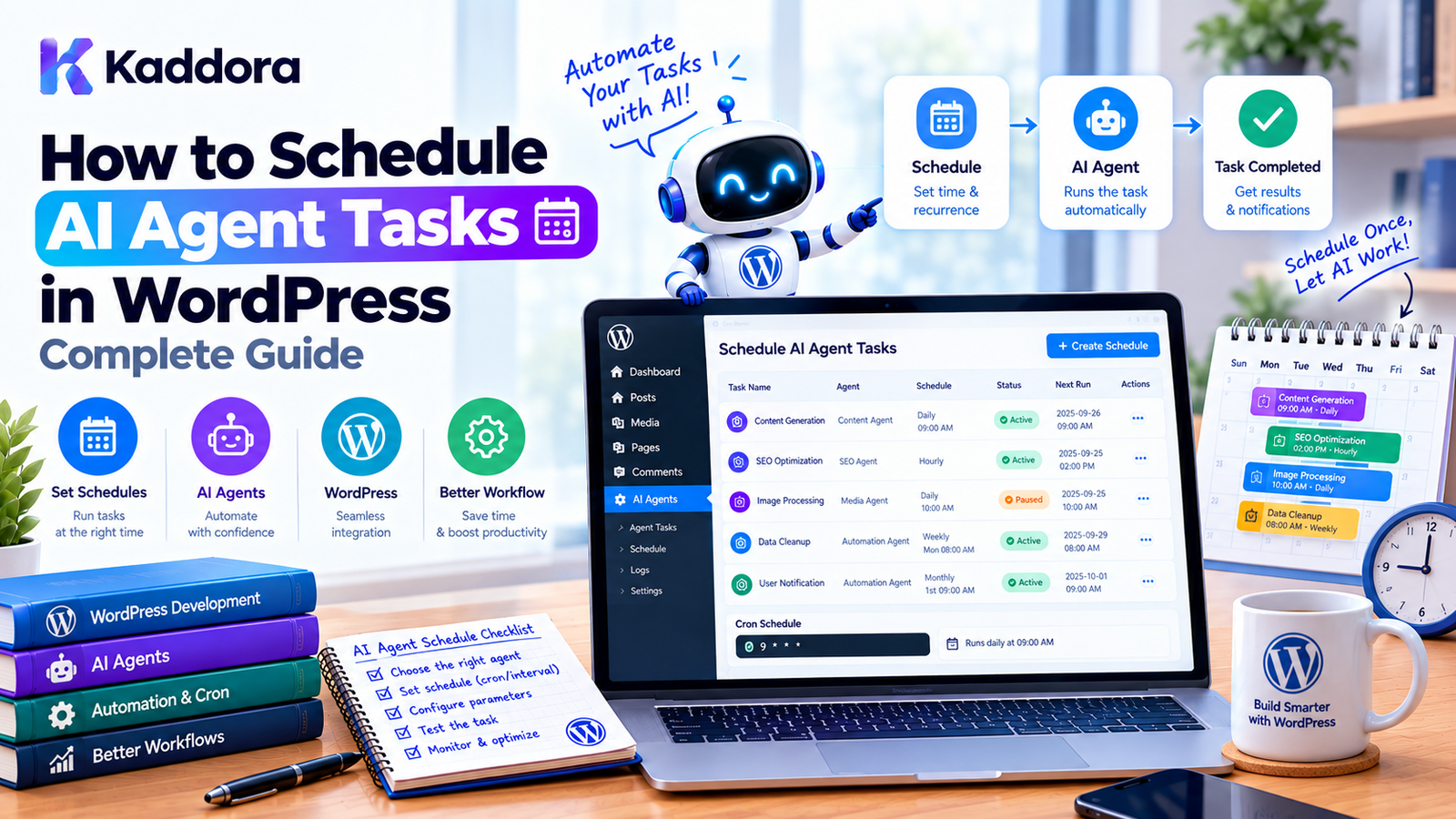
How to Schedule AI Agent Tasks in WordPress: Complete Guide
Introduction
AI agents can automate many WordPress tasks that would otherwise require repeated manual work.
An AI agent might:
analyze newly published posts,
generate content suggestions,
review WooCommerce products,
summarize analytics,
monitor website data,
identify SEO issues,
prepare reports,
process approved workflows,
classify customer requests,
or perform other controlled automation tasks.
But many of these operations should not run immediately.
For example:
Every morning at 8:00 ↓ AI Agent ↓ Analyze yesterday's sales ↓ Generate report ↓ Notify administrator
Or:
Every Monday ↓ Review published content ↓ Identify optimization opportunities ↓ Generate recommendations ↓ Create review queue
This is where scheduled AI tasks become useful.
Scheduling AI agent tasks in WordPress involves more than registering a cron event. A reliable implementation needs to consider task state, time zones, duplicate execution, retries, permissions, resource usage, API failures, and background processing.
This guide explains how to build a practical AI agent task scheduler for WordPress.
What Is an AI Agent Task?
An AI agent task is a defined unit of work that an AI-powered system can perform.
For example:
Task: Analyze WooCommerce sales Input: Yesterday's orders Agent: Sales Analysis Agent Output: Sales summary and recommendations
Another task could be:
Task: Review new blog posts Input: Posts published in the last 24 hours Agent: SEO Agent Output: Optimization suggestions
A task should have a clear purpose and a defined execution boundary.
What Does Scheduling an AI Agent Task Mean?
Scheduling means determining when a task should become eligible for execution.
For example:
Task: Generate weekly report Schedule: Every Monday at 08:00
The architecture becomes:
Schedule ↓ Task Creation ↓ Task Queue ↓ Worker ↓ AI Agent ↓ Result
The scheduler determines when.
The worker determines how.
Why Schedule AI Agent Tasks?
Scheduled AI tasks are useful when the same workflow needs to run repeatedly.
Common examples include:
Daily Reports
Every day ↓ Analyze website ↓ Generate report
Content Monitoring
Every night ↓ Find newly published content ↓ AI analysis
WooCommerce Analysis
Every morning ↓ Analyze previous day's orders
SEO Monitoring
Every week ↓ Review selected content ↓ Generate recommendations
Customer Support Analysis
Every evening ↓ Analyze support requests ↓ Identify common issues
WordPress Scheduling Options
There are several ways to schedule AI tasks.
1. WP-Cron
WordPress's built-in scheduling system.
Useful for many standard plugin workflows.
2. Server Cron
A server-level cron can trigger WordPress scheduled processing at more predictable intervals.
3. Custom Task Queue
A plugin can maintain persistent task records and process them using workers.
4. Background Processing
Tasks can be split into smaller units and processed asynchronously.
A practical architecture often combines these approaches.
WP-Cron and AI Tasks
WordPress provides functions such as:
wp_schedule_event(); wp_schedule_single_event(); wp_next_scheduled(); wp_unschedule_event();
For example:
if ( ! wp_next_scheduled( 'kaddora_ai_daily_task' ) ) { wp_schedule_event( time(), 'daily', 'kaddora_ai_daily_task' ); }
Then:
add_action( 'kaddora_ai_daily_task', 'kaddora_create_daily_ai_task' );
The callback should preferably create a persistent task rather than perform a large AI workflow directly.
WP-Cron Is Traffic Driven
WP-Cron does not operate exactly like a traditional system cron daemon.
Conceptually:
Website Request ↓ WordPress ↓ Check Due Events ↓ Run Scheduled Events
Therefore, a task scheduled for:
08:00
may execute later if the website does not receive traffic around that time.
This matters for time-sensitive AI workflows.
Using Server Cron
For websites that require more predictable execution, a server cron can periodically trigger WordPress's cron processing.
Conceptually:
Server Cron ↓ WordPress Cron Processing ↓ AI Task Scheduler ↓ Task Queue
This separates task timing from visitor traffic.
The exact server configuration depends on the hosting environment.
One-Time AI Agent Tasks
Some AI operations only need to run once.
For example:
Schedule: September 30, 09:00 Task: Generate monthly SEO report
WordPress provides:
wp_schedule_single_event( $timestamp, 'kaddora_ai_monthly_report' );
This is appropriate for delayed or one-time workflows.
Recurring AI Agent Tasks
Recurring tasks might run:
Hourly Daily Weekly Monthly
For example:
wp_schedule_event( time(), 'daily', 'kaddora_ai_daily_report' );
Before creating the event:
if ( ! wp_next_scheduled( 'kaddora_ai_daily_report' ) ) { // Schedule it. }
This prevents duplicate recurring events.
Custom AI Scheduling Intervals
Sometimes standard WordPress intervals are not enough.
For example:
Every 15 minutes
A plugin can register a custom interval:
add_filter( 'cron_schedules', 'kaddora_ai_add_cron_schedule' ); function kaddora_ai_add_cron_schedule( $schedules ) { $schedules['every_fifteen_minutes'] = array( 'interval' => 15 * MINUTE_IN_SECONDS, 'display' => __( 'Every 15 Minutes', 'kaddora-ai-agent' ), ); return $schedules; }
Then:
wp_schedule_event( time(), 'every_fifteen_minutes', 'kaddora_ai_check_tasks' );
Frequent AI execution should be used carefully because it can increase API usage and server load.
Do Not Put Large AI Workflows Directly in WP-Cron
Avoid:
add_action( 'kaddora_ai_task', function () { // Analyze thousands of products. // Make many AI requests. // Update hundreds of records. } );
A better architecture is:
WP-Cron ↓ Create Task ↓ Queue ↓ Worker ↓ AI Agent
This provides better control over failures and execution time.
Create a Persistent AI Task
A task can contain information such as:
ID Agent ID Task Type Status Priority Scheduled At Started At Completed At Attempt Count Payload Result Error Created At Updated At
For example:
Task ID: 125 Agent: SEO Agent Type: content_review Status: pending Scheduled: 2026-09-25 08:00
Persistent task records allow the system to understand what happened even after a request finishes.
Task Statuses
A useful task lifecycle is:
scheduled ↓ pending ↓ running ↓ completed
Failure can follow:
running ↓ failed ↓ retry ↓ pending
Or:
failed ↓ permanent failure
Cancelled tasks can use:
cancelled
Clear states make administration and debugging easier.
Separate Schedules From Tasks
For larger systems, keep these concepts separate.
Schedule
Defines recurrence:
Every Monday at 08:00
Task
Represents one actual execution:
Monday, September 28 Task #1025
The architecture becomes:
Schedule ↓ Task #1025 ↓ Task #1042 ↓ Task #1068
This makes historical execution tracking easier.
Example AI Schedule
Suppose a store wants weekly product analysis.
The schedule might be:
Name: Weekly Product Analysis Agent: WooCommerce AI Agent Frequency: Weekly Day: Monday Time: 08:00 Timezone: Site Timezone Status: Enabled
The scheduler creates a task:
Task: Weekly Product Analysis Scheduled: Monday 08:00 Status: Pending
A worker later executes the task.
Time Zone Handling
Time zones are extremely important for scheduled tasks.
An administrator may expect:
08:00 local time
while the server uses another timezone.
WordPress provides timezone-aware functionality.
For example:
$current_time = current_time( 'timestamp' );
The plugin should define whether schedules are based on:
WordPress site timezone,
UTC,
administrator timezone,
or another explicitly configured timezone.
For most WordPress plugin settings, the site timezone is a practical default.
Store Execution Times Consistently
A scheduling system can store timestamps in a consistent format and convert them when displaying or calculating local schedules.
Conceptually:
Admin Time ↓ Timezone Conversion ↓ Stored Timestamp ↓ Worker
This avoids ambiguous execution times.
Daylight Saving Time
If your plugin supports sites in regions with daylight saving time, recurring schedules should be based on the intended local time rather than simplistic fixed UTC offsets.
For example:
09:00 local time
should remain 09:00 local time even if the UTC offset changes.
Scheduling Based on Events
AI tasks do not always need a calendar schedule.
A WordPress event can schedule future work.
For example:
Product Published ↓ Wait 24 Hours ↓ AI Product Review
Or:
Order Completed ↓ Wait 2 Days ↓ AI Customer Follow-Up Draft
This is often more useful than running a global cron task constantly.
Scheduling AI Tasks After Publishing
Suppose an AI SEO agent should review every newly published post.
The workflow can be:
Post Published ↓ Create AI Review Task ↓ Schedule +5 Minutes ↓ Worker ↓ AI SEO Agent
This prevents the publishing request itself from becoming slow.
Delayed Execution
A task can be scheduled for a future timestamp.
For example:
wp_schedule_single_event( time() + 300, 'kaddora_ai_review_post', array( $post_id ) );
This means the task becomes eligible approximately five minutes later.
For larger systems, a persistent task table can provide more control than relying entirely on cron arguments.
Conditional AI Scheduling
Sometimes the schedule should only create work when a condition is satisfied.
For example:
Every morning ↓ Check order volume ↓ Orders > threshold? / \ Yes No ↓ ↓ Run AI Skip Analysis
This avoids unnecessary AI requests.
AI Scheduling and Usage Limits
AI requests can cost money and consume provider quotas.
Suppose:
Every 5 minutes
creates one AI request.
That can become a large number of requests over time.
Before scheduling a task, consider:
frequency
number of users
model cost
input size
output size
retry behavior
monthly limits
Add Task Budgets
A plugin can enforce usage budgets.
For example:
Daily AI Task Budget: 100 executions
Before execution:
Budget Available? ↓ Yes → Execute No → Delay or Stop
This is especially useful for public or commercial AI plugins.
Task Priority
Not every scheduled task has the same importance.
For example:
Priority 1: Security monitoring Priority 5: Sales reports Priority 10: Content suggestions
A queue can use priority to determine which task should execute first.
AI Task Queues
A queue might look like:
Pending Tasks ------------------------- #101 Security Analysis #102 Sales Report #103 SEO Review #104 Content Suggestions
Workers can claim tasks according to:
Priority Scheduled Time Retry State Resource Requirements
This is more reliable than allowing every cron event to perform work immediately.
Prevent Duplicate Tasks
A common scheduling problem is duplicate execution.
For example:
Cron Trigger ↓ Task Created Another Trigger ↓ Same Task Created Again
This can cause:
duplicate AI calls
duplicate database changes
higher API costs
conflicting updates
Use an idempotency key for each scheduled occurrence.
For example:
schedule_id + occurrence_time
can identify a unique execution.
Idempotent Task Creation
Before creating a task:
Does this schedule occurrence already have a task? ↓ Yes → Do nothing No → Create task
This protects against repeated scheduler execution.
Prevent Concurrent Execution
Suppose two workers see:
Task #500 status = pending
at the same time.
Without task claiming:
Worker A → executes Worker B → executes
Both may call the AI service.
A safer process is:
Find pending task ↓ Claim task atomically ↓ Change status to running ↓ Execute
The exact implementation depends on your storage system.
Worker Heartbeats
Long-running AI tasks need a way to indicate that they are still active.
For example:
Task: running Started: 10:00 Last Heartbeat: 10:05
The worker can periodically update the heartbeat.
If the heartbeat becomes stale:
Last heartbeat: 2 hours ago
the task may need recovery.
Recover Stuck Tasks
A recovery process can identify:
running + old heartbeat
and change it to:
retry
or:
failed
depending on the task's retry policy.
This prevents permanently stuck AI tasks.
Retry Failed AI Tasks
AI requests can fail because of:
network errors
API timeouts
rate limits
temporary provider failures
server errors
Use controlled retries.
Example:
Attempt 1 ↓ Failure ↓ Wait 1 minute Attempt 2 ↓ Failure ↓ Wait 5 minutes Attempt 3 ↓ Failure ↓ Mark Failed
Do not retry indefinitely.
Exponential Backoff
Retry delays can increase progressively.
For example:
1 minute 2 minutes 4 minutes 8 minutes
This reduces pressure on temporarily unavailable services.
A maximum delay should be enforced.
Jitter can also help prevent many tasks from retrying simultaneously.
Handle Rate Limits
If an AI provider reports a rate limit:
Rate Limited ↓ Do not immediately retry ↓ Wait ↓ Retry
A plugin can also reduce task concurrency when rate limits occur.
Break Large AI Jobs Into Batches
Suppose an AI agent needs to analyze:
10,000 products
Avoid one enormous task.
Instead:
Batch 1 → 100 products Batch 2 → 100 products Batch 3 → 100 products ...
Each batch can be retried independently.
This is especially useful on shared hosting.
Background Processing
A practical architecture is:
Schedule ↓ Create Parent Task ↓ Create Batch Tasks ↓ Queue ↓ Workers ↓ AI Agent
The scheduler should remain lightweight.
AI Task Payloads
A task may require input data.
For example:
$payload = array( 'post_id' => 123, 'task' => 'seo_review', );
The payload should contain identifiers and necessary configuration rather than large copies of database records.
For example, prefer:
post_id = 123
over storing the entire post object in the task payload.
The worker can retrieve current data when execution begins.
Do Not Store API Keys in Task Payloads
Never do:
$payload = array( 'api_key' => $secret_key, );
Task records may be visible to administrators, database backups, debugging tools, or other systems.
Credentials should remain in protected configuration.
AI Agent Permissions
Scheduled execution should respect the same authorization boundaries as manual execution.
For example:
Agent: Product Assistant Allowed: Read products Generate descriptions Not Allowed: Delete products Change prices Process refunds
A scheduled agent should not automatically receive broader privileges.
Human Approval for High-Risk Actions
Some scheduled AI workflows should only generate recommendations.
For example:
Every Friday ↓ AI identifies products with low conversion ↓ Generate recommendations ↓ Administrator reviews ↓ Approve changes
This is safer than allowing the agent to make high-impact changes automatically.
Scheduled AI Agents and WordPress Security
Use standard WordPress security mechanisms for administrative controls.
For example:
Capability Check
if ( ! current_user_can( 'manage_options' ) ) { return; }
Nonce
check_admin_referer( 'kaddora_ai_schedule_action' );
Input Validation
Validate:
schedule IDs
timestamps
recurrence values
task types
agent IDs
action types
Scheduling is not a replacement for authorization.
Admin Scheduling Interface
A useful admin page could provide:
AI Agent Schedules ---------------------------------------- Schedule Status Next Run ---------------------------------------- Daily SEO Review Active 08:00 Weekly Sales Report Active Monday Content Monitor Paused — ---------------------------------------- [Add Schedule]
When creating a schedule:
Agent Task Frequency Time Timezone Status Maximum Attempts Priority
Run Now
Administrators may want to execute a scheduled task immediately.
For example:
Weekly Sales Report Next Run: Monday 08:00 [Run Now]
The “Run Now” action should:
Verify the user's capability.
Verify the nonce.
Validate the schedule.
Create a task.
Avoid duplicate execution where appropriate.
It should not bypass task permissions.
Pause a Schedule
A schedule can be paused without deleting it.
For example:
Active ↓ Paused
The configuration remains available.
When resumed:
Paused ↓ Active
This is useful during:
maintenance
content review
API outages
budget restrictions
temporary workflow changes
Canceling Scheduled Tasks
There are two separate concepts:
Cancel Schedule
and:
Cancel Task
Canceling a schedule means:
Do not create future tasks.
Canceling a task means:
Do not execute this specific task.
Keeping these concepts separate prevents confusion.
Scheduling Dashboard Metrics
A useful dashboard might show:
AI Task Scheduler Active Schedules: 15 Pending Tasks: 23 Running Tasks: 3 Completed Today: 84 Failed Tasks: 2 Average Runtime: 1m 42s Retry Rate: 4.1%
These metrics can help administrators identify problems.
AI Scheduling Logs
Each execution should ideally record:
Task ID Schedule ID Agent ID Status Scheduled At Started At Completed At Attempts Duration Error
Avoid storing unnecessary sensitive content in logs.
Monitoring Scheduled AI Tasks
Administrators should be able to answer:
Did the task run? When did it run? Did it succeed? How long did it take? How many attempts were required? Why did it fail?
Without this information, background automation becomes difficult to trust.
Notifications
Important task failures can trigger notifications.
For example:
AI Agent Task Failed Agent: WooCommerce Analysis Task: Weekly Sales Report Attempts: 3 Error: Temporary AI API failure Status: Failed
Notifications should not include credentials or unnecessary sensitive data.
Scheduling and Maintenance Mode
During maintenance, low-priority AI tasks may need to be delayed.
For example:
Maintenance Mode Enabled ↓ Pause Non-Critical AI Tasks
Critical monitoring tasks can follow a separate policy if required.
Scheduling and Server Resources
AI processing can consume:
PHP execution time
memory
CPU
database resources
network bandwidth
On shared hosting, these limitations are especially important.
Avoid running many large AI tasks simultaneously.
Concurrency Limits
A scheduler can define:
Maximum AI Workers: 2
Then:
Pending Tasks: 50 Running: 2 Waiting: 48
This provides better resource control.
Scheduled AI Tasks on Multisite
Multisite plugins need to determine whether scheduling is:
Per Site
or:
Network Wide
For example:
Site A ↓ Daily AI Task Site B ↓ Daily AI Task
is different from:
Network ↓ One Scheduler ↓ Process Multiple Sites
Large networks should avoid creating unnecessary cron events for every site when a centralized queue is more appropriate.
Plugin Activation and Scheduling
A plugin can register its schedules during activation.
For example:
register_activation_hook( __FILE__, 'kaddora_ai_activate' ); function kaddora_ai_activate() { if ( ! wp_next_scheduled( 'kaddora_ai_process_tasks' ) ) { wp_schedule_event( time(), 'minute', 'kaddora_ai_process_tasks' ); } }
However, custom intervals must be registered correctly, and frequent schedules should be used only when necessary.
Plugin Deactivation
When the plugin is deactivated, its scheduled events should generally be removed.
For example:
register_deactivation_hook( __FILE__, 'kaddora_ai_deactivate' ); function kaddora_ai_deactivate() { $timestamp = wp_next_scheduled( 'kaddora_ai_process_tasks' ); if ( false !== $timestamp ) { wp_unschedule_event( $timestamp, 'kaddora_ai_process_tasks' ); } }
Deactivation should not delete user configuration or business data.
Scheduling and Uninstall
Uninstall is different from deactivation.
A plugin can remove its scheduling infrastructure during deactivation while preserving:
Settings Task History Business Data
Complete data removal should only occur according to an explicit uninstall/data-retention policy.
Example Task Scheduler Class
A simple scheduling abstraction can look like:
final class Kaddora_AI_Task_Scheduler { /** * Schedule a recurring event. * * @param string $hook Hook name. * @param int $timestamp Start timestamp. * @param string $recurrence Recurrence interval. */ public function schedule( $hook, $timestamp, $recurrence ) { if ( wp_next_scheduled( $hook ) ) { return; } wp_schedule_event( $timestamp, $recurrence, $hook ); } /** * Schedule a one-time event. * * @param string $hook Hook name. * @param int $timestamp Event timestamp. */ public function schedule_once( $hook, $timestamp ) { wp_schedule_single_event( $timestamp, $hook ); } }
The scheduler can remain focused on scheduling while another service handles task creation and execution.
Example: Schedule a Daily AI Task
$scheduler->schedule( 'kaddora_ai_daily_analysis', time(), 'daily' );
Then:
add_action( 'kaddora_ai_daily_analysis', 'kaddora_create_daily_analysis_task' );
The callback can create a task:
function kaddora_create_daily_analysis_task() { // Create a persistent AI task. }
A worker can later execute it.
Example Architecture for a WooCommerce AI Task
Consider a daily WooCommerce sales agent.
Daily Schedule ↓ Create Task ↓ Queue ↓ Worker ↓ Retrieve Yesterday's Orders ↓ AI Sales Agent ↓ Generate Analysis ↓ Store Report ↓ Notify Administrator
The AI agent does not need to know how the schedule was triggered.
Example Architecture for an SEO Agent
Every Sunday ↓ Create SEO Audit Task ↓ Find Content ↓ Batch Content ↓ AI Analysis ↓ Generate Suggestions ↓ Store Recommendations ↓ Admin Review
This approach avoids making the scheduler responsible for business logic.
Scheduling and AI Agent Memory
If an AI agent uses persistent memory, scheduled tasks should define which memory is available.
For example:
Agent Memory ↓ Scheduled Task Context ↓ Current Data ↓ AI Execution
Do not automatically provide every historical conversation or memory record to every scheduled task.
Use the minimum required context.
Scheduling and Context Freshness
Scheduled AI tasks should retrieve current data when possible.
For example:
Task created Monday ↓ Executed Tuesday
If the task payload contains stale product information from Monday, the agent may analyze outdated data.
Prefer:
Task Payload: product_id = 123 Worker: Retrieve current product data
This keeps execution context fresher.
Scheduling and AI Output Validation
AI output should be validated before it is used.
For example:
AI Output ↓ Validate ↓ Expected Structure? ↓ Yes → Continue No → Retry / Reject
If the agent generates structured data, validate the expected fields before saving them.
Never Treat AI Output as Trusted Commands
A scheduled agent may produce:
Delete product 123
The application should not execute that merely because the AI requested it.
Use:
AI Recommendation ↓ Application Validation ↓ Permission Check ↓ Approval if required ↓ Execution
The application remains the authority.
Best Practices for Scheduling AI Agent Tasks in WordPress
1. Define the Task Clearly
Every scheduled task should have a specific purpose.
2. Separate Schedule and Execution
Do not put the entire AI workflow inside the cron callback.
3. Use Persistent Task State
Store enough information to recover and inspect execution.
4. Prevent Duplicates
Use wp_next_scheduled() and task-level idempotency.
5. Respect Time Zones
Use the configured WordPress timezone or an explicitly defined scheduling timezone.
6. Control AI Usage
Use quotas, frequency limits, and concurrency controls.
7. Implement Retries
Retry temporary failures using controlled backoff.
8. Make Tasks Recoverable
Use heartbeats and stale-task detection for long-running jobs.
9. Keep Payloads Small
Store identifiers rather than unnecessarily duplicating large database objects.
10. Protect Credentials
Never place API keys in task payloads or frontend code.
11. Respect Permissions
Scheduled agents should only access authorized data and tools.
12. Require Approval for High-Risk Actions
Use human review when automation could cause significant changes.
13. Use Batches
Break large operations into smaller tasks.
14. Monitor Execution
Provide useful logs and status information.
15. Keep the Architecture Proportional
Use WP-Cron for simple tasks and introduce queues and workers when actual complexity requires them.
Common Mistakes
1. Assuming WP-Cron Is Exact
WP-Cron can be delayed on low-traffic sites.
2. Running Huge AI Jobs Inside Cron
Long-running workflows can cause timeouts and resource problems.
3. Creating Duplicate Schedules
Repeated registration can cause multiple executions.
4. Ignoring Time Zones
The server timezone may not match the site's configured timezone.
5. No Retry Strategy
Temporary API failures can permanently break scheduled workflows.
6. No Task Locking
Multiple workers can execute the same task.
7. Storing Secrets in Payloads
Task records should not contain API credentials.
8. Unlimited AI Execution
Frequent schedules can unexpectedly increase API costs.
9. No Failure Monitoring
Administrators need to know when background automation fails.
10. Giving AI Too Much Authority
The AI should not bypass application-level permissions.
WordPress AI Agent Task Scheduling Checklist
Before releasing the feature, verify:
Task purpose is clearly defined.
One-time tasks work.
Recurring tasks work.
Duplicate schedules are prevented.
Duplicate task creation is prevented.
Site timezone is respected.
Scheduled and actual execution times are distinguishable.
Task state is persistent.
Workers claim tasks safely.
Concurrent execution is controlled.
Retry limits are defined.
Backoff is implemented for temporary failures.
Stale tasks can be detected.
Large tasks can be split into batches.
API credentials remain protected.
Task payloads do not contain unnecessary secrets.
AI usage is monitored.
Rate limits are handled.
Permissions are checked.
Sensitive actions have appropriate approval controls.
Administrators can pause schedules.
Administrators can inspect task history.
Failures are visible.
Plugin deactivation cleans up scheduled events.
Deactivation does not delete user data.
Multisite behavior is documented.
Tests cover failure and recovery scenarios.
Why Choose Kaddora?
Building scheduled AI functionality for WordPress requires more than connecting an AI API to WP-Cron.
A reliable system needs to consider:
WordPress scheduling
background processing
task queues
AI API integration
rate limits
permissions
security
time zones
retries
task recovery
WooCommerce integration
reporting
administrator controls
Kaddora focuses on practical WordPress plugin architecture for AI-powered automation, WooCommerce, analytics, SEO, content workflows, and business applications.
A well-designed scheduler can turn AI functionality into a dependable background automation system:
Schedule ↓ Task ↓ Queue ↓ AI Agent ↓ Validate ↓ Execute ↓ Log ↓ Review
The objective is not simply to make an AI agent run automatically.
The objective is to ensure that automated AI work runs at the correct time, within defined limits, with appropriate permissions, and with enough visibility to be managed safely.
Conclusion
Scheduling AI agent tasks in WordPress allows plugins to perform recurring and delayed AI-powered workflows without requiring administrators to start every operation manually.
For simple tasks, WordPress's WP-Cron APIs can provide a practical scheduling mechanism:
WP-Cron ↓ Task
For more complex applications, a stronger architecture can separate:
Schedule ↓ Task ↓ Queue ↓ Worker ↓ AI Agent ↓ Result
This architecture makes it easier to handle:
recurring schedules
one-time tasks
delayed workflows
task priorities
time zones
duplicate prevention
concurrency
retries
API failures
background processing
usage limits
audit logging
The most important principle is to avoid making the scheduler responsible for everything.
The scheduler should determine when work becomes available.
The task system should determine what work needs to be performed.
The worker should determine how the work is executed.
The AI agent should operate within clearly defined permissions and application-level controls.
When these boundaries are designed correctly, WordPress can support sophisticated AI automation while remaining maintainable, observable, secure, and practical for real-world plugin development.
Frequently Asked Questions
What is an AI agent task in WordPress?
An AI agent task is a defined unit of AI-powered work, such as analyzing products, generating a report, reviewing content, or preparing recommendations.
How can I schedule an AI agent task in WordPress?
You can use WP-Cron for recurring or one-time scheduling and connect the scheduled event to a task queue or background worker.
Is WP-Cron reliable for AI tasks?
WP-Cron is useful for many WordPress workflows, but it can be delayed because it is triggered by WordPress requests. Time-sensitive or high-volume systems may benefit from server cron and persistent task queues.
Can AI tasks run after a WordPress event?
Yes. A plugin can create a delayed task after events such as publishing a post, completing an order, or creating a product.
How do I prevent duplicate AI tasks?
Use wp_next_scheduled() for recurring cron events and an idempotency mechanism for individual task occurrences.
How do I prevent two workers from running the same task?
Use safe task-claiming or locking logic so that only one worker can transition a pending task into a running state.
How should AI task failures be handled?
Temporary failures can be retried with controlled backoff. Permanent failures should be recorded and made visible to administrators.
Should AI tasks have a maximum number of retries?
Yes. Unlimited retries can create API costs, server load, and repeated failures.
How do time zones affect WordPress AI scheduling?
The configured WordPress site timezone may differ from the server timezone. The plugin should explicitly define its scheduling timezone and consistently handle timestamps.
Can AI tasks be scheduled for SEO?
Yes. AI agents can be scheduled to review content, generate SEO recommendations, monitor selected data, or create periodic reports.
Should an AI agent automatically modify WordPress data?
Only when the application explicitly authorizes the operation. High-impact actions should use appropriate permission checks and, where necessary, human approval.
Why choose Themekaddora?
Themekaddora provides lightweight, responsive, SEO-friendly WordPress themes with fast performance, WooCommerce compatibility, flexible customization, accessibility-conscious design, modern templates, regular updates, and professional support—providing a strong foundation for businesses building digital products and product-focused websites.
Comments (0)