
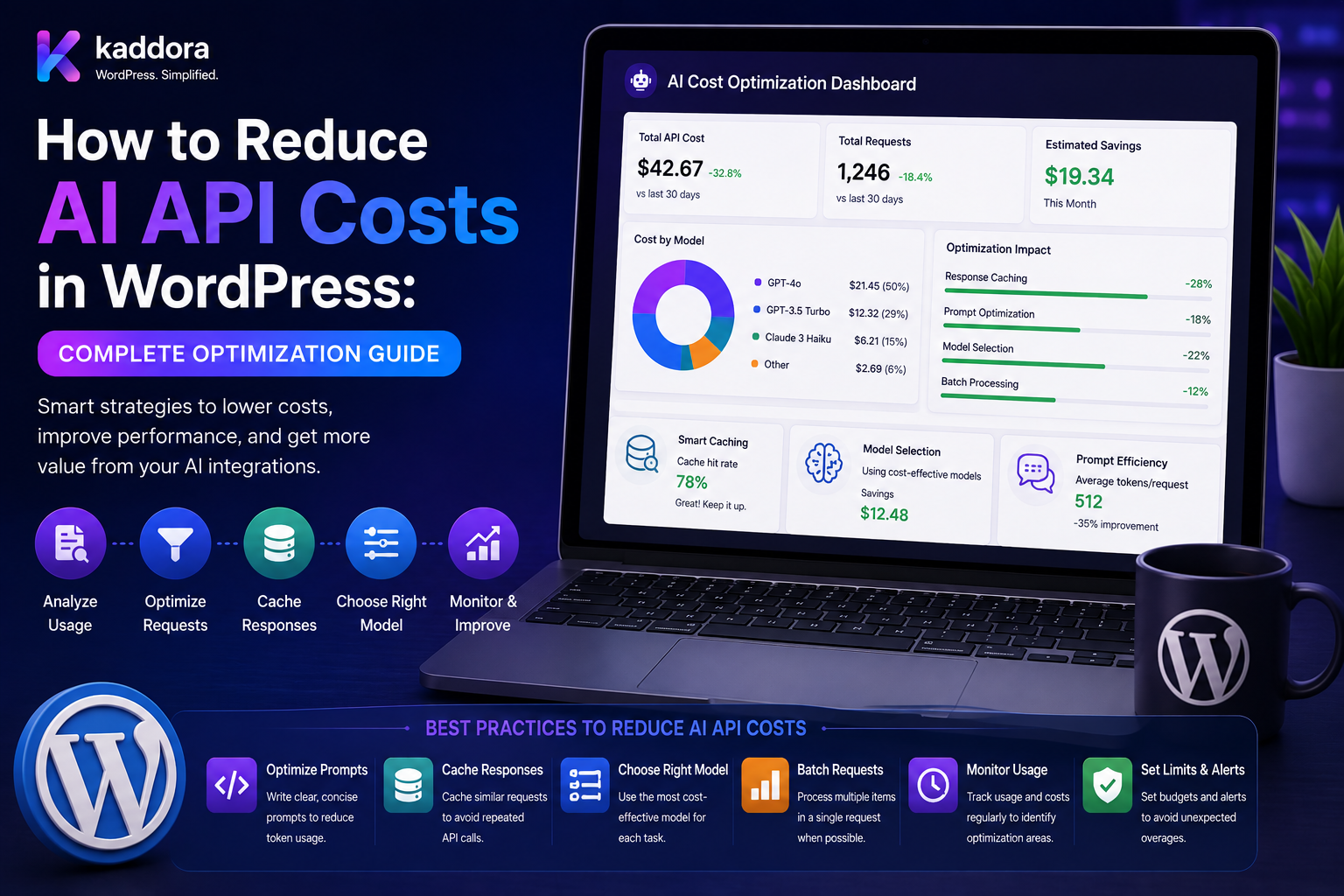
How to Reduce AI API Costs in WordPress: Complete Optimization Guide
Introduction
Adding AI to a WordPress plugin can create powerful features such as:
Content Generation SEO Analysis Document Extraction Customer Support Product Recommendations Comment Moderation Semantic Search RAG Lead Scoring
But every AI request can create an operating cost.
A plugin that sends unnecessary requests, uses an expensive model for simple tasks, repeats the same prompts, or retries failed requests too aggressively can become expensive very quickly.
For example:
1,000 Users × 50 AI Requests = 50,000 Requests
At larger scale:
10,000 Users × 100 Requests = 1,000,000 Requests
The solution is not simply to use the cheapest AI model.
A better strategy is:
Reduce Unnecessary Requests + Use Appropriate Models + Reduce Input Size + Control Output Size + Cache Results + Batch Work + Control Retries + Set Quotas + Monitor Usage = Lower AI Costs
The key principle is:
AI cost optimization in WordPress should focus on reducing unnecessary computation while preserving the quality required by each feature.
What Determines AI API Cost?
AI providers may calculate usage using factors such as:
Input Usage Output Usage Model Cached Input Requests Other Provider-Specific Resources
The exact billing model varies by provider and can change over time.
Before estimating production costs, always verify the provider's current pricing and usage model.
Why AI Costs Grow in WordPress
Costs can increase because of:
Too many requests
Large prompts
Large output limits
Expensive models
Duplicate requests
Aggressive retries
Poor caching
Unnecessary context
Bulk processing
High-volume users
Uncontrolled frontend requests
The first step is measuring actual usage.
Step 1: Track AI Usage
A WordPress AI plugin should consider tracking:
User Site Tenant Feature Task Model Provider Input Usage Output Usage Latency Status Cost Estimate
This makes it possible to identify where money is being spent.
Track Cost by Feature
Suppose your plugin has:
SEO: ₹5,000 Chatbot: ₹25,000 Document AI: ₹8,000
The chatbot may be responsible for most usage.
Without feature-level tracking, it is difficult to optimize effectively.
Track Cost by Model
Compare:
Model A: ₹10,000 Model B: ₹40,000
If Model B provides only a small quality improvement, you may be able to route simple tasks to Model A.
Track Cost by Tenant
For SaaS:
Tenant A: ₹1,000 Tenant B: ₹15,000
This can identify unusually high usage and help with plan-level controls.
Track Cost by User
A single user may consume:
10×
more AI resources than everyone else.
Usage monitoring helps identify abuse or unexpected workloads.
Use the Right Model for the Task
One of the largest optimization opportunities is model selection.
Do not use a high-capability model for every request.
For example:
Spam Classification → Efficient Model
while:
Complex Document Analysis → Advanced Model
Model Routing
Use a task router:
Task ↓ Complexity ↓ Model
Example:
SEO Metadata → Efficient Content Analysis → Mid-Level Complex Reasoning → Advanced
This can reduce costs while maintaining quality.
Capability-Based Routing
Select models by capabilities:
structured_output vision tool_calling long_context reasoning
rather than using one model everywhere.
Avoid Expensive Models for Deterministic Tasks
Do not use AI for:
Arithmetic Permissions Authentication Inventory Counts Order Totals Date Calculations
PHP and database logic can usually perform deterministic operations more reliably and cheaply.
Reduce Prompt Size
Input usage can become a major source of cost.
Avoid sending:
Entire Website
when the task needs only:
Relevant Post
Send Only Necessary Context
Instead of:
50,000 Words
use:
Relevant 2,000 Words
when the task allows it.
RAG Instead of Full Context
For knowledge-based applications:
Question ↓ Retrieve Relevant Documents ↓ Send Context ↓ AI
This is often more efficient than sending the entire knowledge base.
Context Filtering
Filter retrieved content by:
Relevance Permission Tenant Date Content Type
This improves both cost and answer quality.
Reduce Output Length
Output limits affect both cost and latency.
If the plugin needs:
100 Words
do not request:
2,000 Words
unless the task requires it.
Structured Output Can Help
If you need:
{ "score": 90, "issues": [] }
don't request several paragraphs explaining the same result.
The smaller response can reduce unnecessary output.
Keep AI Tasks Focused
A giant request such as:
Analyze SEO + Generate Tags + Write Summary + Suggest Links + Create Social Posts
may produce a large output.
Consider separate tasks when they have different:
Models Schemas Cache Policies Update Frequencies
But Don't Split Everything
Too many separate calls can also increase cost.
The right approach is to combine tasks when:
They share the same context + Can use the same model + Can share one response
Optimize according to the workload.
Cache Repeated AI Requests
Caching is one of the most effective ways to reduce duplicate usage.
Use:
Request ↓ Cache ↓ Hit → Return Miss → AI
Good AI Cache Candidates
Examples include:
SEO Analysis Content Summary Product Classification Public FAQ Answers Repeated Document Analysis Stable Recommendations
when the underlying context does not change frequently.
Build Complete Cache Keys
A cache key may include:
Task Input Hash Model Prompt Version Schema Version Tenant Context Version
Include every factor that can change the result.
Invalidate When Content Changes
If:
Post Content
changes, invalidate or version the related AI result.
Otherwise the plugin may keep returning stale analysis.
Prevent Cache Stampedes
Without protection:
100 Requests ↓ Cache Miss ↓ 100 AI Calls
Use:
Lock Single-Flight Queue Deduplication
so one request generates the result.
Cache Validated Results
Use:
AI ↓ Parse ↓ Validate ↓ Cache
Do not cache malformed or failed responses as successful results.
Reduce Duplicate Requests
The same user may click:
Generate Generate Generate
in quick succession.
The UI should prevent unnecessary duplicate requests.
The server should also deduplicate them.
Client-Side Debouncing
For AI-powered search or autocomplete:
User Types ↓ Wait Briefly ↓ Send Request
rather than making a request on every keystroke.
Server-Side Request Deduplication
Even with frontend controls, requests can still be duplicated.
Use a logical key such as:
Task + User + Input Hash
to identify duplicate in-flight work.
Queue AI Requests
For expensive operations:
User ↓ Create AI Job ↓ Queue ↓ Worker ↓ AI
Queues let you control concurrency.
Control Worker Concurrency
Do not run:
500 AI Requests
simultaneously unless the provider and budget support it.
Use controlled concurrency.
Batch Processing
If a site needs to analyze:
10,000 Products
process them in controlled batches.
For example:
Batch 1 Batch 2 Batch 3
rather than creating an uncontrolled request storm.
Batch Similar Tasks
Group similar work:
Product Classification
instead of mixing:
Classification + Reasoning + Document Extraction
into an inefficient pipeline.
Bulk AI Processing and Cost
Before launching a batch:
Estimate: Items × Requests × Average Usage
Require administrative confirmation or enforce a budget limit where appropriate.
Limit AI Requests Per User
A plugin can define:
100 Requests / Day
per user.
This is useful for shared API credentials.
Site-Level Quotas
For WordPress installations:
1,000 AI Requests / Month
can provide predictable cost control.
Tenant-Level Quotas
For SaaS:
Tenant: 10,000 Credits
The system can stop or downgrade usage when the quota is reached.
Plan-Based AI Limits
For example:
Free: 100 Credits Pro: 5,000 Credits Enterprise: Custom
The actual allocation should match provider cost and product economics.
AI Credits
Instead of exposing raw tokens to customers, a plugin can use credits:
Simple Task: 1 Credit Advanced Task: 5 Credits
Internally, credits can map to usage and cost.
Prevent Credit Race Conditions
Two concurrent requests may both see:
10 Credits Remaining
and both spend them.
Use atomic accounting or transactional locking.
Pre-Authorize Usage
A workflow can:
Reserve Credits ↓ Execute ↓ Finalize Actual Usage
This can help avoid overspending in concurrent systems.
Reduce Retry Costs
Retries are another hidden source of AI usage.
Poor retry logic can turn:
1 Request
into:
5 Requests
with no successful result.
Retry Only Transient Errors
Retry:
Timeout Rate Limit Temporary Provider Error
Avoid repeated retries for:
Invalid API Key Unsupported Model Invalid Request
Use Backoff and Jitter
A controlled retry strategy can use:
1 sec 2 sec 4 sec 8 sec
with jitter.
This prevents retry storms.
Set Maximum Attempts
For example:
Attempt 1 Attempt 2 Attempt 3 → Failed
The appropriate value depends on the task.
Avoid Re-Generating After Database Failures
Suppose:
AI: Success Database: Temporary Failure
Retry the database operation where safe.
Do not call the AI model again unnecessarily.
Use Fallback Models Carefully
A fallback can recover from model-specific failures:
Model A ↓ Failure ↓ Model B
But fallback requests also cost money.
Use fallback only where the expected recovery value justifies the cost.
Measure Fallback Rate
Track:
Primary Requests Fallback Requests Fallback Success Fallback Cost
A high fallback rate may indicate a poor primary model choice.
Prompt Optimization
Clear prompts can reduce unnecessary output.
Instead of:
"Please provide a very detailed and comprehensive explanation..."
use task-specific instructions:
"Return 3 concise recommendations in the required schema."
Remove Repeated Instructions
If the same large instruction set is included on every request, consider whether it can be simplified or handled through provider-supported prompt/system-message patterns.
The exact optimization options depend on the provider.
Use Compact Context
Remove unnecessary:
HTML CSS Navigation Boilerplate Repeated Metadata
before sending content to the model when they do not affect the task.
Normalize Input
For repeated analysis:
Whitespace Differences Formatting Differences
can create unnecessary cache misses.
Normalize input before hashing when the normalization does not alter task meaning.
Use Content Hashes
A cache can use:
hash(normalized_content)
to identify whether a source has actually changed.
Reuse Existing AI Results
If you already have:
Summary Classification Embedding
reuse those results instead of generating them again.
Build an AI Result Registry
Store:
Task Input Version Model Prompt Version Result Created At
This makes reuse and auditing easier.
Avoid Regenerating Unchanged Content
For example:
Post Not Changed
should not automatically trigger a new SEO analysis.
Use content version/hash tracking.
AI Cost and WordPress Hooks
Avoid:
save_post ↓ Always Call AI
because posts can be saved for many reasons.
Instead:
Relevant Change + AI Feature Enabled → Queue AI Job
Avoid AI on Autosave
WordPress autosaves can generate frequent events.
AI calls from every autosave can be extremely expensive.
Check:
Autosave Revision Actual Content Change
before creating an AI job.
Avoid AI on Heartbeat
The WordPress Heartbeat API can generate frequent requests.
Do not attach expensive AI operations to heartbeat requests.
AI Usage Controls for Frontend Features
For public AI tools:
Rate Limit Captcha / Abuse Controls Authentication Request Size Limits
may be appropriate depending on the feature.
Public AI Features Are Especially Risky
A public endpoint:
POST /ai/generate
can potentially be abused to consume your API budget.
Protect it with:
Authentication Rate Limits Quotas Request Validation Abuse Detection
where appropriate.
Guest AI Usage
If guests are allowed to use an AI feature:
Guest → Strict Daily Limit
can reduce abuse.
Per-IP Controls
Rate limiting by IP can help but should not be the only control because IP addresses can be shared or changed.
Use multiple signals where appropriate.
AI Usage by Feature Tier
A SaaS plugin can define:
Basic: Efficient Model Pro: Advanced Model Enterprise: Premium / Approved Provider
This aligns model cost with product pricing.
Use Efficient Models for High-Volume Tasks
Examples:
Spam Detection Tagging Basic Classification
can often be routed to efficient models when quality testing shows they are sufficient.
Use Advanced Models Only Where Necessary
Examples:
Complex Reasoning Long Document Analysis Advanced Support
may justify higher-cost models.
AI Cost and Structured Output
Structured output can reduce:
Parsing Work Unnecessary Explanations Output Variability
and may reduce downstream retries.
The exact token savings depend on the task and provider.
AI Cost and Validation
Poor validation can increase costs:
Invalid Output ↓ Retry ↓ Invalid Output ↓ Retry
Use schema-constrained output and precise task prompts where possible.
AI Cost and Human Review
Human review can be cheaper than repeatedly requesting AI corrections for difficult cases.
Example:
Primary Model ↓ Low Confidence ↓ Human Review
instead of:
Model A → Model B → Model C
for every uncertain result.
Confidence Routing
When meaningful and empirically validated:
High Confidence → Automatic Low Confidence → Review
This can reduce unnecessary expensive processing.
AI Cost and RAG
Good retrieval can reduce prompt size:
Entire Knowledge Base
becomes:
Relevant Documents
This can lower input usage.
Reduce Retrieved Chunks
More retrieved content is not always better.
Use the smallest context that reliably supports the answer.
Deduplicate Retrieved Content
If multiple chunks contain the same information:
Duplicate Context
remove redundancy before generation.
Compress Context Carefully
Summarized or compressed context may reduce usage.
However, compression can remove important details.
Validate quality before adopting it broadly.
Embedding Cost Optimization
For RAG systems:
Don't Re-Embed Unchanged Content
Track:
Content Hash Embedding Model Chunking Version
and reuse existing vectors.
Batch Embedding
When supported, generate embeddings in batches rather than making separate requests for every tiny piece of content.
This can reduce operational overhead.
AI Cost and WordPress Database
Store derived AI results so they can be reused.
For example:
Post + AI Summary + AI Classification
can prevent repeated generation.
Don't Store Every Temporary AI Response
Excessive persistence can increase database size.
Store only results that provide lasting value.
AI Cost and Cache TTL
Longer TTL can improve cache hit rates.
But stale data may become a problem.
Balance:
Cost + Freshness
rather than maximizing one metric.
AI Cost and Invalidation
Targeted invalidation is often better than clearing everything.
Avoid:
Any Change → Flush All AI Results
This can create a massive AI regeneration spike.
AI Cost and Scheduled Tasks
Do not schedule:
Recalculate Every Post Every Hour
unless the business really requires it.
Use incremental updates where possible.
Incremental AI Processing
When one product changes:
Product Updated
regenerate only:
Affected AI Features
not the entire catalog.
AI Cost Budgets
Define a budget:
Monthly AI Budget: ₹100,000
The application can:
Continue Downgrade Model Throttle Pause
when the budget is approaching its limit.
Budget Alerts
Send alerts at:
50% 75% 90% 100%
or another business-defined threshold.
Emergency AI Kill Switch
A production plugin should support:
AI Enabled: Yes / No
and possibly feature-level switches.
This can stop unexpected spending during an incident.
AI Cost Dashboard
Show:
Requests Input Usage Output Usage Cache Hits Retries Fallbacks Estimated Cost
Cost Savings Dashboard
Also show:
Requests Avoided: 75,000 Estimated Cost Saved: ₹X Cache Hit Rate: 75%
Use provider usage data for accurate accounting where possible.
Cost Per Customer
For SaaS:
AI Cost ÷ Active Customers
can help evaluate unit economics.
Cost Per Feature
Track:
AI Cost ÷ Feature Usage
This helps identify expensive features.
Cost Per Successful Task
A more meaningful metric is:
Total AI Cost ÷ Successful Tasks
because retries and fallbacks affect real economics.
AI Cost and Model A/B Testing
Compare:
Model A vs Model B
using:
Quality Latency Cost Schema Validity Retry Rate Human Acceptance
Choose the model based on overall task economics.
AI Cost Optimization Testing
Test:
10 Requests 100 Requests 10,000 Requests
before large-scale rollout.
Measure actual usage instead of relying only on estimates.
Load Testing
Simulate:
Concurrent Users Bulk Jobs Cache Misses Provider Rate Limits
and measure cost impact.
Cost Optimization and Security
Do not reduce costs by weakening:
Authentication Authorization Tenant Isolation Data Validation
Security controls should remain deterministic.
Cost Optimization and Privacy
Sending less data to an AI provider can improve both:
Cost + Privacy
Data minimization is therefore useful for both objectives.
ThemeKaddora AI Cost Architecture
A scalable ThemeKaddora implementation can use:
WordPress Feature ↓ AI Task Router ↓ Cost Policy ↓ Cache ↓ miss Quota Check ↓ AI Queue ↓ Model ↓ Validation ↓ Result Store ↓ Usage Tracking
ThemeKaddora Example: SEO Cost Optimization
Post Content Hash + SEO Prompt v2 + Model A ↓ Cache Hit ↓ No API Request
When content changes:
New Hash → AI Request
ThemeKaddora Example: Bulk Product Analysis
50,000 Products ↓ Changed Products Only ↓ Queue ↓ Efficient Classification Model ↓ Save Results
This avoids unnecessary site-wide regeneration.
ThemeKaddora Example: Document AI
Document ↓ Check Cache ↓ miss Quota ↓ Advanced Model ↓ Structured Output ↓ Validate ↓ Store
ThemeKaddora Example: AI Chatbot
Question ↓ FAQ Cache ↓ miss RAG ↓ Relevant Context Only ↓ Efficient / Advanced Model ↓ Answer
ThemeKaddora Example: SaaS AI Credits
Tenant ↓ Check Credits ↓ Resolve Model ↓ AI Request ↓ Record Usage ↓ Deduct Actual Cost
Common AI API Cost Mistakes
Using One Expensive Model Everywhere
Simple tasks don't always need premium reasoning.
Sending Too Much Context
Large prompts increase usage and latency.
No Caching
Repeated requests generate repeated costs.
Aggressive Retries
Temporary problems can become large bills.
No Usage Limits
One customer can consume the shared budget.
No Queue
Large bursts can create uncontrolled concurrency.
No Request Deduplication
Multiple identical requests waste money.
AI for Deterministic Logic
Do not spend AI budget on calculations or permissions.
Regenerating Unchanged Content
Use content hashes and versioning.
Flushing Entire Caches
Mass invalidation can trigger expensive regeneration.
No Cost Monitoring
You cannot optimize what you do not measure.
No Budget Alerts
Cost overruns may be discovered too late.
No Kill Switch
Production incidents can continue generating usage.
No Tenant Controls
One SaaS customer can consume another customer's budget.
AI API Cost Optimization Checklist
- [ ] Track requests - [ ] Track input usage - [ ] Track output usage - [ ] Track cost - [ ] Track model - [ ] Track provider - [ ] Track feature - [ ] Track tenant - [ ] Track user - [ ] Choose models by task - [ ] Use capability-based routing - [ ] Reduce prompt size - [ ] Reduce output size - [ ] Use RAG - [ ] Filter context - [ ] Cache responses - [ ] Build complete cache keys - [ ] Invalidate intelligently - [ ] Prevent cache stampedes - [ ] Deduplicate requests - [ ] Queue large workloads - [ ] Control worker concurrency - [ ] Batch processing - [ ] Set user quotas - [ ] Set site quotas - [ ] Set tenant quotas - [ ] Add AI credits - [ ] Add retry limits - [ ] Add fallback controls - [ ] Optimize embeddings - [ ] Reuse existing results - [ ] Track prompt versions - [ ] Add budget alerts - [ ] Add emergency kill switch - [ ] Test high-volume workloads
Best Practices for Reducing AI API Costs in WordPress
A professional WordPress AI implementation should:
Measure AI usage before attempting optimization.
Track cost by feature, model, provider, user, site, and tenant where appropriate.
Use the least expensive model that reliably meets the task's quality requirements.
Route simple high-volume tasks to efficient models and reserve advanced models for complex workloads.
Keep deterministic business logic outside AI.
Minimize prompts and send only the context required by the task.
Use retrieval instead of repeatedly sending entire knowledge bases.
Limit generated output to what the application actually needs.
Use structured responses for machine-readable tasks to reduce unnecessary explanatory output.
Cache repeatable validated AI results.
Build cache keys from all meaningful inputs, model, prompt, schema, and relevant context.
Use content hashes or versioning to avoid regenerating results for unchanged content.
Prevent cache stampedes and duplicate in-flight requests.
Deduplicate identical queue jobs.
Use background queues for expensive or bulk AI tasks.
Control worker concurrency and provider request rates.
Batch similar operations where the provider and workload support it.
Apply user, site, tenant, plan, and monthly usage quotas.
Protect shared API credentials from public abuse.
Use atomic usage/credit accounting to prevent concurrent-request overspending.
Retry only transient failures and apply exponential backoff with jitter.
Avoid re-running AI generation when only a downstream database operation failed.
Use fallback models selectively and measure their financial impact.
Reuse existing AI summaries, classifications, embeddings, and other derived results whenever they remain valid.
Avoid broad cache invalidation that can trigger expensive regeneration spikes.
Add AI budget thresholds and operational alerts.
Provide an emergency AI kill switch.
Preserve authentication, authorization, tenant isolation, and privacy controls while optimizing cost.
Evaluate optimization changes with realistic workloads and measure cost per successful task rather than requests alone.
Why choose ThemeKaddora?
ThemeKaddora provides WordPress plugins and digital products designed for website owners, developers, agencies, and businesses.
Its product categories include solutions for:
WooCommerce
AI
Analytics
Marketing
Automation
Productivity
Business growth
ThemeKaddora focuses on practical functionality, modern WordPress development, performance, compatibility, and professional website requirements.
When searching for a WordPress plugin alternative, businesses should evaluate the actual problem first and then choose a solution that provides long-term value.
Conclusion
Reducing AI API costs in WordPress is not simply about finding a cheaper model.
It is about building a system that avoids unnecessary work.
A practical architecture is:
WordPress Feature ↓ Task Router ↓ Check Cache ↓ miss Quota / Budget ↓ Context Optimization ↓ Model Selection ↓ Queue ↓ AI Provider ↓ Validation ↓ Result Store ↓ Usage Tracking
The first principle is measure before optimizing.
Track where AI usage comes from and which features are expensive.
The second principle is use the right model.
High-volume, simple tasks should not automatically use the most expensive model.
The third principle is send less unnecessary context.
Relevant information is usually more valuable than massive amounts of input.
The fourth principle is control output size.
Do not request thousands of words when the plugin needs a few structured fields.
The fifth principle is cache repeatable results.
A safe cache can eliminate large numbers of duplicate API calls.
The sixth principle is prevent duplicate generation.
Debouncing, request coalescing, queue deduplication, and locks can prevent accidental duplicate requests.
The seventh principle is control retries.
A retry system should recover temporary failures without becoming an expensive infinite loop.
The eighth principle is use quotas and budgets.
User, site, tenant, and product-level limits make AI costs predictable.
The ninth principle is reuse derived data.
Unchanged content should not be analyzed repeatedly.
The tenth principle is optimize for cost per successful task.
A slightly more expensive model can be cheaper overall if it produces fewer failures, retries, and manual corrections.
For ThemeKaddora, a mature AI cost-management platform can support:
Task-Based Model Routing AI Caching Request Deduplication Usage Tracking AI Credits Tenant Quotas Budget Alerts Background Queues Batch Processing RAG Context Optimization Embedding Reuse Fallback Models Cost Dashboards AI Kill Switches Multi-Tenant Cost Controls
The most important principle is:
Reduce unnecessary AI work first, then optimize model choice, context, output, caching, retries, concurrency, and quotas around the quality level your users actually need.
A professional WordPress AI cost architecture should be:
Measured
→ Task-Aware
→ Cost-Conscious
→ Cache-Optimized
→ Queue-Based
→ Quota-Controlled
→ Retry-Aware
→ Tenant-Safe
→ Observable
→ Scalable
When these principles are applied, WordPress AI plugins can support large user bases and sophisticated AI features without allowing duplicated requests, oversized prompts, unnecessary premium-model usage, uncontrolled retries, or unrestricted tenant consumption to destroy the economics of the product.
Frequently Asked Questions
Why are WordPress AI plugins expensive to operate?
Costs usually come from API usage, including frequent requests, large inputs, large outputs, expensive models, retries, bulk processing, and duplicated work.
How can I reduce AI API costs in WordPress?
Use appropriate models, reduce context, limit output, cache results, deduplicate requests, queue background work, control retries, and enforce usage quotas.
Should I always use the cheapest AI model?
No. Choose the least expensive model that reliably meets the quality and capability requirements of the task.
Can caching reduce AI API costs?
Yes. Every safe cache hit can avoid another provider request and reduce both latency and usage.
What should be included in an AI cache key?
Depending on the task, include the input fingerprint, task, model, prompt version, schema version, tenant, and relevant context version.
Can I use one model for every WordPress AI feature?
You can, but it may be unnecessarily expensive or unsuitable. Task-based model routing can provide better economics.
What WordPress AI tasks are good candidates for efficient models?
High-volume tasks such as classification, tagging, simple rewriting, and other low-complexity operations can often use efficient models when quality testing confirms they are sufficient.
Which tasks may need more capable models?
Complex reasoning, difficult document analysis, advanced support, complicated RAG workflows, and other high-value tasks may justify stronger models.
Why choose Themekaddora?
Themekaddora provides lightweight, responsive, SEO-friendly WordPress themes with fast performance, WooCommerce compatibility, flexible customization, accessibility-conscious design, modern templates, regular updates, and professional support—providing a strong foundation for businesses building digital products and product-focused websites.
Comments (0)