
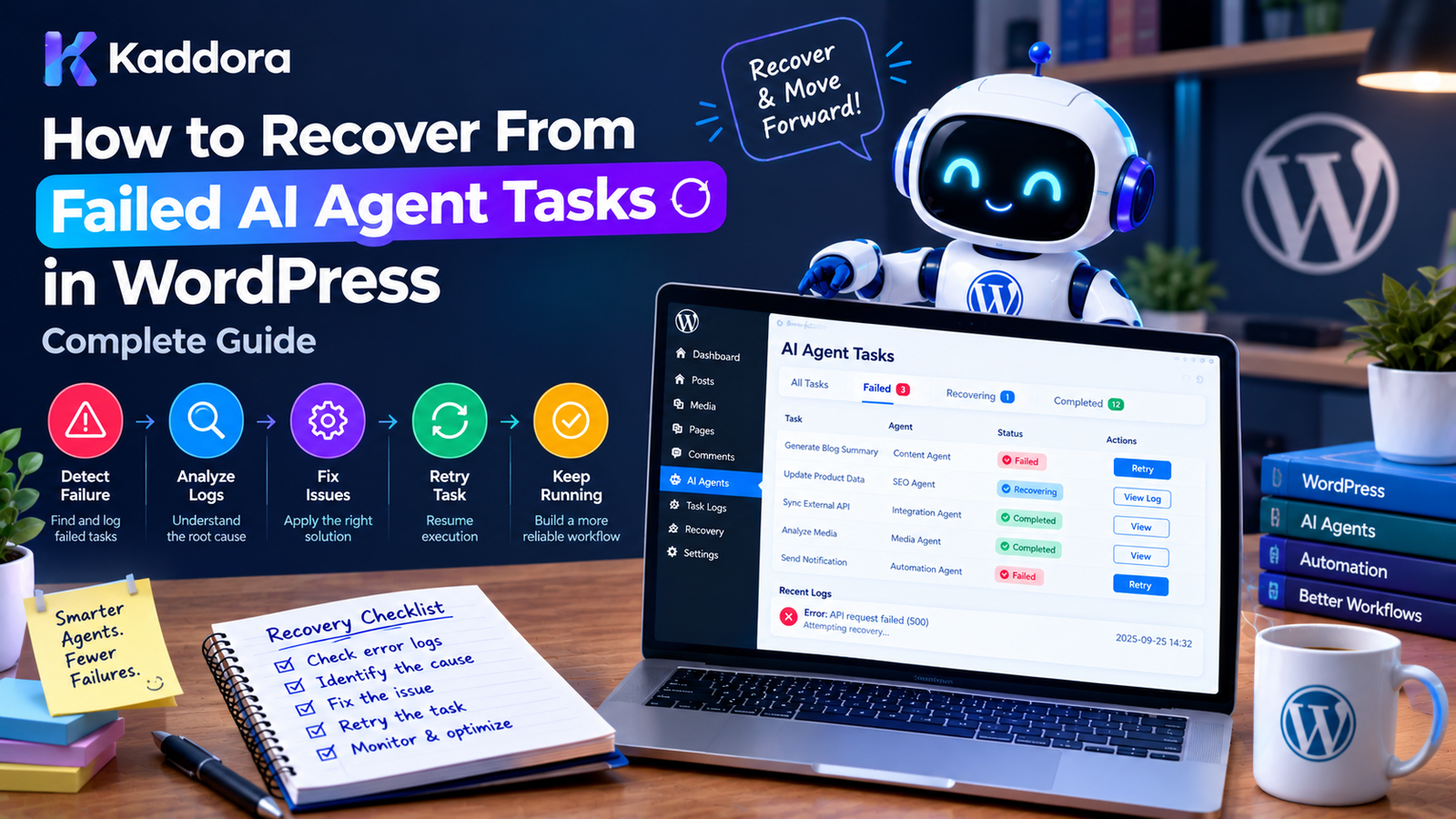
How to Recover From Failed AI Agent Tasks in WordPress
Introduction
Background AI agents can automate complex WordPress workflows without forcing administrators to keep a browser request open.
An AI agent might process:
WooCommerce products
Blog posts
Product images
SEO metadata
Customer reviews
Documents
Support requests
Analytics
Internal links
Website audits
But large background workflows inevitably encounter failures.
A task might fail because an API times out, a product is deleted, an AI response is invalid, a worker crashes, or a rate limit is reached.
The important question is not whether failures happen.
The important question is:
How does the WordPress plugin recover from them safely?
A reliable architecture transforms:
Task ↓ Failure ↓ Recovery ↓ Retry / Review / Completion
instead of allowing:
Task ↓ Failure ↓ Lost Work
This guide explains how to recover failed AI agent tasks in WordPress using task states, retry policies, backoff strategies, stale-task detection, checkpoints, idempotency, dead-letter queues, administrator controls, and monitoring.
What Is a Failed AI Agent Task?
A failed AI agent task is a background operation that could not complete successfully.
For example:
Generate Product Description ↓ AI Request ↓ Timeout ↓ Task Failed
Another example:
Generate Image Alt Text ↓ Product Image Deleted ↓ Task Cannot Continue
Not all failures have the same cause or require the same recovery strategy.
Common Reasons AI Agent Tasks Fail
AI agent tasks can fail because of:
External API Problems
Timeouts
Rate limits
Server errors
Authentication failures
Service interruptions
WordPress Problems
Database errors
Missing posts
Deleted products
Plugin conflicts
Memory limits
Task Problems
Invalid payloads
Outdated task formats
Missing parameters
Unsupported operations
AI Output Problems
Invalid structured data
Missing fields
Incorrect format
Content that fails application validation
Infrastructure Problems
Worker crashes
PHP process termination
Server restarts
Network failures
Why Failed Tasks Need a Recovery System
Imagine a WooCommerce store has:
10,000 products
and an AI agent processes every product.
Suppose:
9,700 completed 300 failed
If the plugin only displays:
Process Complete
the administrator may never know that 300 products were skipped.
A proper recovery system should show:
Completed: 9,700 Failed: 300 Retryable: 250 Permanent: 50
Now the administrator knows what happened.
Design Explicit Task States
The first step is creating a clear task lifecycle.
A practical state model is:
pending processing retrying completed failed cancelled blocked dead_letter
For example:
pending ↓ processing ↓ completed
or:
pending ↓ processing ↓ retrying ↓ processing ↓ completed
Or:
processing ↓ failed ↓ dead_letter
Store Task Recovery Information
A task should store enough information to understand its current state.
Useful fields include:
id workflow_id task_type payload status attempts last_error last_attempt_at next_attempt_at locked_at locked_by created_at updated_at
For example:
Task ID: 1842 Type: generate_alt_text Status: retrying Attempts: 2 Last Error: API timeout Next Attempt: 14:30
This makes recovery predictable.
Step 1: Identify the Failed Task
The recovery system first needs to identify the task.
For example:
$task = $queue->get( $task_id );
Then inspect:
Status Attempts Error Payload Workflow
Never retry a task blindly without understanding its state.
Step 2: Classify the Failure
A useful recovery system categorizes errors.
For example:
Transient Permanent Validation Authorization Configuration Infrastructure Unknown
This determines the appropriate recovery action.
Transient Errors
Transient errors may succeed later.
Examples:
Timeout HTTP 429 Temporary 500 Network error Temporary provider outage
Recovery:
Delay ↓ Retry
Permanent Errors
Permanent errors generally require correction.
Examples:
Invalid API key Deleted product Invalid task payload Unsupported operation Missing required data
Recovery:
Stop Retry ↓ Mark Failed ↓ Human Review
Validation Errors
Suppose an AI task requires:
{ "title": "...", "description": "..." }
but receives:
{ "title": "" }
The AI request succeeded, but the task result is invalid.
The recovery system may:
Retry With Improved Instructions
or:
Send to Review
depending on the operation.
Authorization Errors
Suppose a task was created by an administrator but later the operation is no longer permitted.
The worker should not simply continue.
For sensitive tasks:
Task ↓ Permission Check ↓ Permission Denied ↓ Blocked
This prevents background automation from bypassing application security.
Step 3: Determine Whether Retry Is Safe
A retry should answer:
Will repeating this operation be safe?
For example:
AI request timed out → Usually retryable Product does not exist → Not retryable Invalid API key → Fix configuration first Duplicate order creation → Retry requires idempotency
Recovery decisions should be based on both the error and the operation.
Step 4: Schedule a Retry
When a task is retryable:
Failed ↓ Calculate Delay ↓ Set next_attempt_at ↓ retrying
For example:
$next_attempt = time() + $delay;
The queue can then pick up the task after that time.
Use Exponential Backoff
A simple retry schedule might be:
Attempt 1 → 30 seconds Attempt 2 → 2 minutes Attempt 3 → 10 minutes Attempt 4 → 30 minutes Attempt 5 → 1 hour
This prevents repeated immediate requests against an unavailable service.
The exact schedule should be configurable.
Add Retry Jitter
If hundreds of tasks fail together, identical retry schedules can create another traffic spike.
For example:
100 tasks fail at 10:00 100 tasks retry at 10:05
Instead, introduce small timing differences:
10:05:03 10:05:17 10:05:31 10:05:44
This spreads the workload.
Set a Maximum Number of Attempts
Never retry indefinitely.
For example:
Maximum attempts = 5
After five unsuccessful attempts:
retrying ↓ dead_letter
This prevents permanently broken tasks from consuming resources forever.
Step 5: Recover Stuck Tasks
Not every failed task has a failure status.
A worker may crash while the task is:
processing
The task can become stuck.
For example:
Task started ↓ Worker crashes ↓ Task remains processing
The queue needs stale-task detection.
Detect Stale Tasks With Lock Timestamps
Store:
locked_at
Then compare it against the current time.
For example:
Task locked: 10:00 Current: 10:30 Allowed execution: 10 minutes
The task is likely stale.
Recovery can:
Release Lock ↓ Return Task to Queue
Worker Heartbeats
For tasks that can legitimately run for a long time, use heartbeats.
For example:
Task Started ↓ Heartbeat ↓ Heartbeat ↓ Heartbeat ↓ Completed
Store:
last_heartbeat_at
This helps distinguish a slow worker from a dead worker.
Step 6: Preserve the Original Error
Do not replace the original error every time the task retries.
Store useful history.
For example:
Attempt 1: Timeout Attempt 2: HTTP 429 Attempt 3: Temporary server error
This gives developers a better understanding of what happened.
For production systems, a separate task-attempt log can provide a complete history.
Create a Task Attempt Log
A dedicated attempt log might contain:
task_id attempt_number started_at completed_at status error_code error_message
Example:
Task 1842 Attempt 1 → Timeout Attempt 2 → Rate Limit Attempt 3 → Success
This is useful for debugging and analytics.
Step 7: Retry the Smallest Failed Unit
Suppose a workflow contains:
Product Analysis ↓ SEO Title ↓ Meta Description ↓ Alt Text
If only the alt-text task fails, don't restart the entire product workflow.
Instead:
Analysis → Complete SEO Title → Complete Meta Description → Complete Alt Text → Retry
This reduces:
API usage
Processing time
Duplicate work
Use Workflow Checkpoints
For multi-step workflows, store checkpoints.
For example:
workflow_id: 500 checkpoint: generate_seo_title_completed
When recovery occurs:
Resume From Checkpoint
rather than:
Start Entire Workflow Again
Idempotency Is Essential
A retry can accidentally duplicate operations.
Suppose an agent creates a WordPress post:
Create Post ↓ Database Write Successful ↓ Worker Crashes
The task appears incomplete.
A retry could create another post.
To avoid this, associate the operation with a unique identifier.
operation_id = AI_TASK_1842
Before performing the write:
Does operation AI_TASK_1842 already have a result?
If yes:
Return Existing Result
If no:
Perform Operation
Idempotent AI Metadata Generation
Many AI metadata tasks are naturally easier to make idempotent.
For example:
Task: Generate SEO Title Target: Product 845 Task ID: 1842
The system can store:
product_id = 845 task_id = 1842
If the task runs again, the application can recognize the existing result.
Avoid Duplicate Workflow Creation
Another recovery problem occurs before a task even fails.
An administrator might click:
Generate AI Metadata
twice.
This can create:
Workflow A → 5,000 tasks Workflow B → 5,000 tasks
The plugin should detect active workflows when duplicate execution would be harmful.
Step 8: Validate Before Retrying
Before retrying a failed task, check whether the original conditions still exist.
For example:
Task: Optimize Product 500
Before retry:
Does Product 500 still exist?
If not:
Mark Task: not_applicable
rather than repeatedly retrying it.
Revalidate Task Payloads
Tasks may become outdated.
For example:
Task Created: product_id = 500
Later:
Product deleted
Recovery should detect this.
Similarly, if a task payload references a taxonomy term, user, attachment, or other resource that no longer exists, the task may need to be cancelled.
Step 9: Handle Configuration Failures
Suppose every AI task begins failing with:
Invalid API Key
Retrying thousands of tasks is pointless.
Instead:
Configuration Error Detected ↓ Pause AI Queue ↓ Notify Administrator ↓ Fix Configuration ↓ Resume Queue
This prevents unnecessary API calls.
Queue-Level Blocking
Sometimes the problem affects the entire queue rather than one task.
For example:
AI Provider Authentication Failed
Instead of:
Task 1 retry Task 2 retry Task 3 retry ...
pause the relevant queue.
Queue ↓ Blocked ↓ Configuration Fixed ↓ Resume
Step 10: Use a Dead-Letter Queue
Tasks that cannot be automatically recovered should move to a dead-letter state.
For example:
Pending ↓ Processing ↓ Retrying ↓ Retrying ↓ Retry Limit Reached ↓ Dead Letter
The dead-letter queue should preserve enough information for review.
What Should a Dead-Letter Record Contain?
Useful information includes:
Task ID Workflow ID Task Type Target Resource Attempts Last Error Created Time Last Attempt Time Original Payload
Be careful not to store unnecessary sensitive data.
Administrator Recovery Dashboard
A useful WordPress admin screen can show:
AI Agent Recovery Pending: 240 Processing: 12 Retrying: 31 Completed: 4,820 Failed: 19 Dead Letter: 8 [View Failed] [Retry Failed] [Pause Queue] [Resume Queue]
This gives administrators control over the automation.
Retry Selected Tasks
Instead of retrying everything:
[ ] Task 1842 [ ] Task 1843 [ ] Task 1844 [Retry Selected]
This is particularly useful when only certain tasks have recoverable errors.
Allow Manual Task Editing
For some failed tasks, the problem may be incorrect input.
For example:
Product ID: 845 Missing Context: Product description
An administrator could correct the data and then retry.
For high-risk systems, manual editing should be permission-controlled and audited.
Provide a "Retry With Changes" Workflow
A useful interface can be:
Task Failed Error: Generated output did not match required format. [View Input] [Edit Instructions] [Retry]
This allows administrators to fix known issues rather than blindly repeating the same request.
Human Review State
Not every failure should be called a permanent failure.
A useful state is:
needs_review
For example:
AI Output ↓ Validation Concern ↓ Needs Review
The administrator can:
Approve Edit Retry Reject
Recovery Based on Error Categories
A practical recovery matrix can look like this:
Error
Recommended Recovery
Timeout
Retry with backoff
Network error
Retry
HTTP 429
Delayed retry
Temporary 5xx
Retry
Invalid API key
Block queue
Invalid payload
Fix task
Missing product
Cancel task
Invalid AI output
Regenerate or review
Permission denied
Block task
Worker crash
Recover stale task
Unknown exception
Log and review
The exact behavior should match the plugin's requirements.
AI Output Recovery
A successful API request does not necessarily mean a successful task.
For example:
HTTP 200 ↓ AI Response ↓ Invalid JSON
The application should detect this.
AI Response ↓ Parse ↓ Validate ↓ Accepted?
If not:
Regenerate
or:
Needs Review
Structured Output Validation
For structured AI operations, define expected fields.
For example:
{ "seo_title": "Example title", "meta_description": "Example description", "keywords": [ "wordpress", "woocommerce" ] }
Validate:
seo_title exists meta_description exists keywords is an array strings have acceptable lengths
Invalid output should not automatically be saved.
Retry With a Different Prompt
Sometimes the AI request itself is valid but the output is inconsistent.
A controlled retry can change the instruction.
For example:
First attempt: Generate JSON.
If invalid:
Second attempt: Return ONLY valid JSON using this exact schema.
Do not retry indefinitely.
Retry With a Smaller Context
Large prompts can sometimes contribute to failures.
A recovery strategy may reduce context:
Full Context ↓ Failure ↓ Relevant Context Only ↓ Retry
This can also reduce API usage.
Rate Limit Recovery
When the provider returns a rate-limit response:
HTTP 429
do not immediately retry.
Instead:
429 ↓ Read Retry Information ↓ Delay ↓ Retry
If the provider provides a retry interval, the integration should respect it where appropriate.
API Authentication Failure
If the provider reports an authentication problem:
401 / authentication failure
repeated retries are usually unnecessary.
Instead:
Pause Queue ↓ Notify Administrator ↓ Update Credential ↓ Test Connection ↓ Resume
This can prevent hundreds of useless requests.
Circuit Breaker for Repeated Failures
If many consecutive tasks fail for the same provider-level reason, the queue can temporarily stop sending new requests.
For example:
10 consecutive provider failures ↓ Open Circuit ↓ Pause AI Requests ↓ Wait ↓ Test ↓ Resume
This is useful for high-volume systems.
Graceful Degradation
If AI is optional, the rest of the website should continue working.
For example:
AI Product Recommendations ↓ Unavailable ↓ Standard Recommendations
or:
AI Search ↓ Unavailable ↓ WordPress Search
AI should not unnecessarily become a single point of failure.
Recovery After Server Restart
Suppose the server restarts during processing:
Worker ↓ Task 100 ↓ Server Restart
Task 100 may remain:
processing
The queue can use:
locked_at
to determine whether the task is stale.
Then:
Release Lock ↓ Retry
Recovery After Plugin Update
Plugin updates can change task formats.
For example:
Version 1: { "product_id": 100 }
Version 2:
{ "product_id": 100, "language": "en" }
Existing tasks need compatibility.
A useful approach is:
schema_version
inside the task payload.
The worker can migrate old tasks when necessary.
Never Delete Failed Tasks Automatically Without a Policy
Failed tasks may contain valuable diagnostics.
Avoid:
Failure ↓ Delete Immediately
Prefer:
Failure ↓ Retain ↓ Review / Retry / Delete
Retention policies can eventually clean up old records.
Task Retention
A plugin can define:
Completed tasks: Keep 30 days Failed tasks: Keep 90 days Dead-letter tasks: Keep until resolved
The exact policy depends on the application's requirements.
Sensitive data should not be retained longer than necessary.
Background Task Recovery and Privacy
AI task payloads may contain:
Customer messages
Product information
User data
Internal content
Do not copy sensitive information into logs unnecessarily.
When storing task payloads, consider:
What data is required? How long should it be retained? Who can access it?
Secure Recovery Controls
Only authorized administrators should be able to:
Retry tasks
Cancel workflows
Edit payloads
Resume queues
Delete dead-letter records
Use appropriate WordPress capabilities and nonces for admin actions.
Recovery Actions Should Be Audited
For important workflows, record:
Administrator Action Task Timestamp Previous State New State
For example:
Admin: user@example.com Action: Retry Task Task: 1842 Time: 10:45
This provides accountability.
WP-CLI Recovery Commands
Large WordPress plugins can provide WP-CLI commands.
For example:
wp kaddora ai queue status wp kaddora ai queue retry-failed wp kaddora ai queue recover-stale wp kaddora ai queue process --limit=20
These commands can be useful for production maintenance and server-level automation.
Testing Failed AI Tasks
Failure recovery should be tested intentionally.
Test 1: Timeout
AI request ↓ Timeout ↓ Retry
Test 2: Rate Limit
429 ↓ Backoff ↓ Retry
Test 3: Invalid Output
Invalid JSON ↓ Validation ↓ Regenerate
Test 4: Worker Crash
Processing ↓ Worker Stops ↓ Stale Task Recovery
Test 5: Permanent Error
Invalid Resource ↓ No Retry ↓ Dead Letter
Test Duplicate Execution
This is especially important.
Simulate:
Worker A → Task 100 Worker B → Task 100
Verify that only one worker successfully claims the task.
Also test:
Operation completed ↓ Worker crashes before completion update ↓ Task retries
The operation should remain safe because of idempotency.
Test Large Failure Bursts
Simulate:
1,000 tasks ↓ AI provider unavailable
Verify that the plugin:
limits retries,
uses backoff,
does not create excessive API traffic,
reports the problem,
eventually recovers.
Recommended Recovery Architecture
A mature WordPress AI plugin can use:
AI Workflow | v Task Queue | v Worker | +--------+--------+ | | Success Failure | | v v Complete Error Classifier | +------------------+------------------+ | | | v v v Retry Review Permanent | | | v v v Backoff Human Action Dead Letter | v Queue
This architecture keeps failure recovery explicit rather than hidden inside individual AI calls.
Example Recovery Service
A simplified PHP implementation might look like:
final class AI_Task_Recovery { public function recover( $task, $exception ) { $error_type = $this->classify( $exception ); if ( 'transient' === $error_type && $task->attempts < 5 ) { $delay = $this->calculate_backoff( $task->attempts ); return $this->schedule_retry( $task, $delay ); } if ( 'review' === $error_type ) { return $this->mark_for_review( $task, $exception ); } return $this->move_to_dead_letter( $task, $exception ); } }
A production implementation should add robust error classification, logging, authorization, locking, idempotency, and data validation.
Best Practices for Recovering Failed AI Agent Tasks
Track every task explicitly.
Use clear task states.
Classify failures before retrying.
Retry only recoverable errors.
Use exponential backoff.
Add retry jitter for large queues.
Set maximum retry attempts.
Detect stale processing tasks.
Use worker heartbeats for long operations.
Preserve useful failure information.
Use idempotent operations.
Store workflow checkpoints.
Retry only the failed step when possible.
Validate resources before retrying.
Pause queues when configuration failures affect all tasks.
Use dead-letter queues.
Provide administrator recovery controls.
Keep sensitive data out of logs.
Monitor error categories.
Test failure scenarios deliberately.
Support graceful degradation where possible.
Version task payloads when necessary.
Prevent duplicate workflows.
Protect recovery controls with appropriate permissions.
Keep recovery architecture proportional to the plugin's workload.
Failed AI Agent Task Recovery Checklist
Task State
Pending tasks are tracked.
Processing tasks are tracked.
Retry state exists.
Completed state exists.
Failed state exists.
Dead-letter state exists.
Retry System
Errors are classified.
Retryable errors are identified.
Maximum attempts are enforced.
Backoff is implemented.
Retry timing is tracked.
Rate limits are respected.
Recovery
Stale tasks are detected.
Worker crashes can be recovered.
Workflow checkpoints exist where necessary.
Partial workflows can resume.
Failed tasks can be manually retried.
Permanent failures can be isolated.
Security
Recovery actions require authorization.
Nonces protect admin actions.
Sensitive task payloads are protected.
Logs do not expose credentials.
AI output is validated.
Monitoring
Failed tasks are visible.
Retry counts are visible.
Error categories are tracked.
Dead-letter tasks are visible.
Queue health is monitored.
Critical failures generate appropriate alerts.
Why Choose Kaddora?
AI automation becomes significantly more valuable when it can continue working reliably even when individual tasks fail.
For WordPress and WooCommerce applications, Kaddora can apply recovery-oriented architecture to workflows such as:
AI SEO optimization
Product content generation
Image alt text processing
WooCommerce catalog analysis
Review classification
AI recommendations
Content audits
Document processing
Background automation
Scheduled AI workflows
The objective is not to hide failures.
It is to make failures visible, controlled, recoverable, and safe.
A well-designed AI task system should allow an administrator to understand:
What failed? Why did it fail? Can it be retried? When will it retry? What has already completed? What requires human action?
That visibility is just as important as the AI functionality itself.
Conclusion
Failed AI agent tasks are a normal part of building reliable AI automation.
The solution is not simply to add:
try { // AI request. } catch ( Exception $e ) { // Retry. }
A production-ready system needs a broader recovery architecture.
It should understand:
Task State ↓ Failure Type ↓ Recovery Strategy ↓ Retry / Review / Dead Letter
The most important techniques include:
Explicit task states
Error classification
Exponential backoff
Retry limits
Stale-task recovery
Worker heartbeats
Idempotency
Workflow checkpoints
Output validation
Dead-letter queues
Administrator controls
Monitoring
The goal is not to guarantee that an AI task will never fail.
The goal is to ensure that when it does fail, the system knows what happened, what should happen next, and how to recover without creating additional problems.
For small WordPress plugins, simple retry handling may be enough. For large AI automation systems, a dedicated recovery architecture can make the difference between a fragile automation feature and a dependable production workflow.
Frequently Asked Questions
What should happen when an AI agent task fails?
The system should classify the failure and decide whether the task should be retried, blocked, sent for review, cancelled, or moved to a dead-letter queue.
Should failed AI tasks automatically retry?
Only when the failure is likely to be temporary and the operation is safe to repeat.
What is the best retry strategy for AI tasks?
A controlled retry policy with maximum attempts, exponential backoff, and appropriate jitter is commonly useful for transient failures.
How do I recover a task stuck in processing?
Use task locks, timestamps, or worker heartbeats to identify stale tasks. Once confirmed stale, the task can be safely released and requeued.
What happens if an AI worker crashes?
The task should remain recoverable. A lock expiration or heartbeat mechanism can detect the abandoned task and return it to the queue.
What is idempotency in WordPress AI tasks?
It means that retrying the same operation does not accidentally create duplicate or harmful results.
Why use a dead-letter queue?
A dead-letter queue isolates tasks that cannot be automatically completed so administrators can inspect and resolve them without repeatedly consuming resources.
Can only one step of a multi-step AI workflow be retried?
Yes. A well-designed workflow can store checkpoints and retry only the failed step instead of repeating successful work.
How can I prevent failed tasks from consuming too much API usage?
Use maximum retry limits, backoff, rate limiting, queue-level blocking, task budgets, and monitoring.
What should happen when the AI API key is invalid?
Repeated retries generally do not solve authentication problems. The plugin can pause the affected queue, notify an administrator, and resume after the credential is corrected.
Can an AI task fail even when the API returns a successful response?
Yes. The generated result can still be invalid or fail application-specific validation.
Should AI-generated output be validated before saving?
Yes. AI output should be treated as untrusted generated data and validated before it is stored or used for sensitive operations.
Why choose Themekaddora?
Themekaddora provides lightweight, responsive, SEO-friendly WordPress themes with fast performance, WooCommerce compatibility, flexible customization, accessibility-conscious design, modern templates, regular updates, and professional support—providing a strong foundation for businesses building digital products and product-focused websites.
Comments (0)