
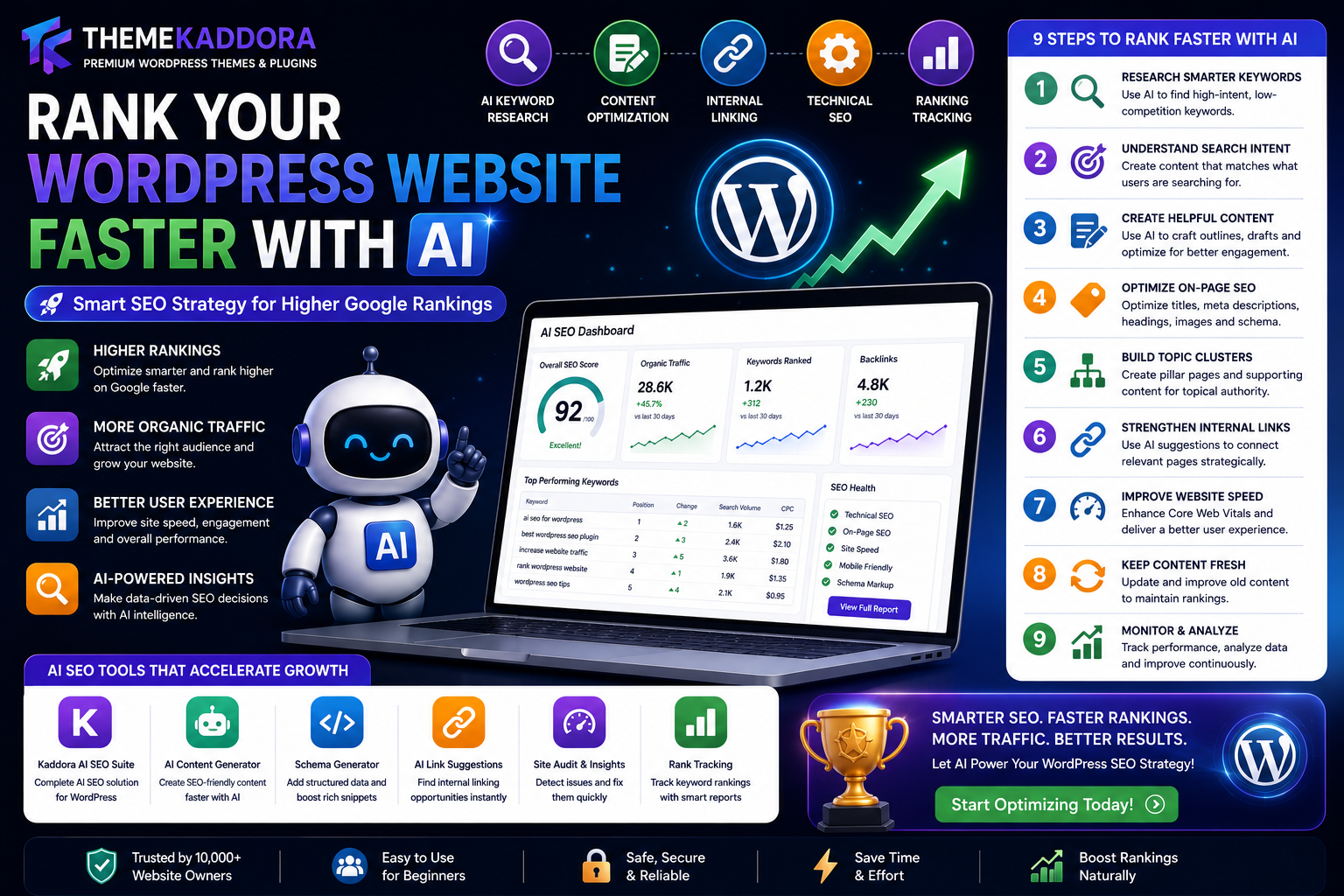
How to Rank a WordPress Website Faster with AI: Complete SEO Strategy for Higher Google Rankings
Introduction
Every WordPress website owner wants one thing—higher Google rankings.
Higher rankings bring:
More organic traffic
Better brand visibility
Increased leads
Higher ecommerce sales
Greater authority
Long-term business growth
However, SEO has become increasingly competitive. Simply publishing articles and adding keywords is no longer enough.
Today's search engines evaluate hundreds of ranking signals, including:
Search intent
Helpful content
Page experience
Website speed
Mobile usability
Internal linking
Structured data
User engagement
Content freshness
Artificial Intelligence (AI) is helping website owners manage these challenges more efficiently.
AI-powered SEO tools can accelerate keyword research, content optimization, internal linking, metadata generation, technical audits, and competitor analysis, allowing businesses to spend more time creating valuable content.
This guide explains how to use AI responsibly to strengthen your WordPress SEO strategy and improve your chances of earning better search visibility.
Why AI Matters for Modern SEO
AI can assist with repetitive SEO tasks by helping you:
Organize keyword ideas
Analyze content structure
Identify optimization opportunities
Draft metadata
Suggest internal links
Monitor technical issues
Instead of replacing strategy, AI supports faster decision-making and better workflows.
Step 1: Research the Right Keywords
Every successful SEO campaign starts with understanding what people search for.
AI tools can help identify:
High-intent keywords
Long-tail keyword ideas
Related questions
Topic clusters
Search intent patterns
Rather than targeting only one keyword, build comprehensive topic clusters around user needs.
Example:
Primary Topic:
WordPress SEO
Supporting Topics:
AI SEO
Technical SEO
Core Web Vitals
Internal Linking
Keyword Research
Content Optimization
Covering related topics helps build topical authority.
Step 2: Understand Search Intent
Google rewards pages that satisfy user intent.
Search intent generally falls into four categories:
Informational
Users want to learn.
Example:
"What is AI SEO?"
Commercial
Users compare products or services.
Example:
"Best WordPress AI SEO plugins"
Transactional
Users are ready to take action.
Example:
"Buy AI SEO plugin"
Navigational
Users want a specific website.
Example:
"Themekaddora AI SEO Suite"
AI tools can help classify search intent, but your content should always focus on answering the user's question clearly.
Step 3: Create Helpful Content
Helpful content remains one of the strongest ranking factors.
Aim to create content that is:
Accurate
Easy to read
Well organized
Useful
Up to date
AI can assist with:
Outlines
Drafts
FAQs
Headings
Topic ideas
Before publishing, review content carefully and add your own expertise, examples, and original insights.
Step 4: Optimize On-Page SEO
Every page should include:
Optimized Title
Keep titles descriptive and relevant.
Meta Description
Write summaries that encourage clicks.
Heading Structure
Use clear H1, H2, and H3 headings.
Image Alt Text
Describe images accurately for accessibility and search engines.
Internal Links
Connect related articles to help visitors explore your site.
AI can suggest opportunities, but link where it genuinely benefits readers.
Step 5: Build Topic Clusters
Instead of publishing isolated articles, organize content around a central theme.
Example:
Main Guide:
WordPress AI SEO
Supporting Articles:
AI Content Generation
AI Keyword Research
AI Chatbots
AI Marketing Automation
AI Lead Generation
AI Analytics
AI WooCommerce
AI Product Recommendations
Topic clusters help search engines understand your expertise.
Step 6: Improve Website Performance
Search engines value websites that provide a good user experience.
Focus on:
Fast loading pages
Mobile responsiveness
Efficient navigation
Optimized images
Reliable hosting
AI can help identify performance issues, but implementation still requires good website management.
Step 7: Strengthen Internal Linking
Internal links help:
Visitors discover related content
Search engines understand site structure
Distribute page authority
AI can recommend relevant pages, while human review ensures links make sense in context.
Step 8: Keep Content Fresh
SEO is an ongoing process.
Review existing articles periodically to:
Update information
Add new examples
Improve readability
Expand sections
Refresh screenshots
Fresh content is often more valuable than continually creating new pages.
Step 9: Monitor Performance
Track metrics such as:
Organic traffic
Rankings
Click-through rate
User engagement
Conversions
AI can summarize trends and highlight opportunities, but business decisions should always consider the broader context.
Common SEO Mistakes
Avoid:
Publishing AI drafts without review
Keyword stuffing
Thin content
Duplicate content
Ignoring mobile users
Slow websites
Broken internal links
Outdated information
SEO success comes from consistently helping users—not trying to manipulate rankings.
AI Tools That Support WordPress SEO
Examples of AI-assisted SEO tasks include:
Keyword ideation
Metadata generation
Content analysis
Internal link suggestions
Technical audits
SEO reporting
These tools are most effective when paired with editorial review and subject-matter expertise.
Why Choose Kaddora AI SEO Suite?
Kaddora AI SEO Suite is designed to help WordPress users streamline SEO workflows while maintaining control over content quality.
Key features include:
AI Keyword Suggestions
Discover relevant keyword opportunities.
SEO Analysis
Review page optimization and identify improvements.
Meta Title & Description Generator
Draft search-friendly metadata quickly.
Internal Link Suggestions
Strengthen site architecture.
Technical SEO Insights
Monitor important optimization opportunities.
SEO Dashboard
Track progress through an easy-to-understand interface.
Whether you manage a blog, WooCommerce store, agency, SaaS platform, or business website, Kaddora AI SEO Suite helps simplify optimization while supporting sustainable SEO practices.
Conclusion
AI has become a valuable assistant for WordPress SEO, helping website owners work more efficiently and stay organized.
The strongest SEO strategy combines:
Helpful, original content
Thoughtful keyword research
Strong technical foundations
Good user experience
Consistent updates
AI-assisted optimization
AI can accelerate many tasks, but lasting search success still depends on creating content that genuinely serves your audience.
When used responsibly, AI becomes a powerful partner in building long-term organic growth.
Frequently Asked Questions
Can AI help improve WordPress SEO?
Yes. AI can assist with keyword research, metadata, content analysis, internal linking suggestions, and technical monitoring.
Will AI guarantee higher rankings?
No. No tool can guarantee rankings. Success depends on content quality, user experience, competition, and many other factors.
Should I publish AI-generated content without editing?
No. Always review, verify, and improve AI-generated drafts before publishing.
Is keyword research still important?
Yes. Understanding user intent remains a core part of SEO.
Does internal linking matter?
Absolutely. Internal links help both users and search engines navigate your website.
How often should I update content?
Review important pages regularly and refresh them when information becomes outdated.
Can AI perform technical SEO?
AI can identify many technical issues, but implementing fixes often requires manual work.
Is AI useful for WooCommerce SEO?
Yes. AI can assist with optimizing product pages, categories, and metadata.
Why choose Kaddora AI SEO Suite?
Kaddora AI SEO Suite provides AI-assisted keyword suggestions, SEO analysis, metadata generation, internal link recommendations, and optimization insights for WordPress.
What is the best SEO strategy today?
Create helpful content, organize it into topic clusters, maintain technical quality, monitor performance, and use AI to improve efficiency rather than replace human expertise.
Comments (0)