
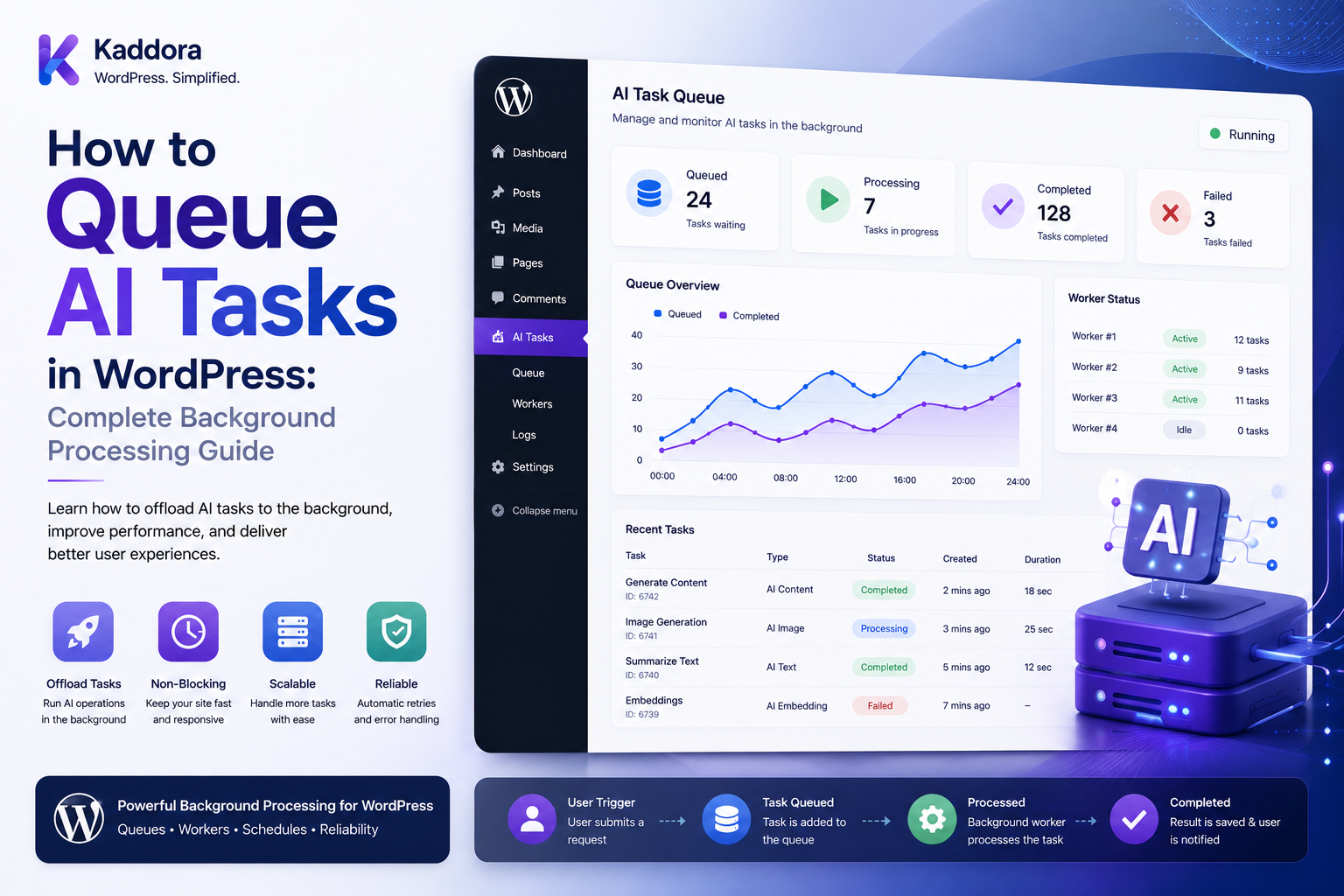
How to Queue AI Tasks in WordPress: Complete Background Processing Guide
Introduction
AI features can require significantly more processing than a normal WordPress request.
A simple feature might look like:
User ↓ WordPress ↓ AI API ↓ Response
This may work for a short request.
But consider a user asking a plugin to analyze:
10,000 Posts
or:
25,000 WooCommerce Products
or:
500 PDF Documents
Running all of that inside one normal WordPress request is inefficient and can lead to:
Timeouts Memory Problems Slow Admin Pages Provider Rate Limits Duplicate Requests Poor User Experience
A better architecture is:
User ↓ Create AI Job ↓ Queue ↓ Worker ↓ AI Provider ↓ Validate ↓ Save Result ↓ Update Job Status
The user does not need to keep a PHP request open while the AI process runs.
A production WordPress AI queue may support:
Jobs Priorities Retries Backoff Concurrency Quotas Credits Scheduling Idempotency Dead-Letter Jobs Progress Tracking Monitoring
The key principle is:
Use queues for AI operations that are expensive, slow, high-volume, or failure-prone, and keep job execution separate from the original user request.
What Is an AI Task Queue?
An AI task queue stores work that should be processed asynchronously.
For example:
Analyze Post #100 Analyze Post #101 Analyze Post #102
Instead of processing immediately:
User Request ↓ Queue
A worker later executes:
Queue ↓ Worker ↓ AI
Why Queue AI Tasks?
Queues can help:
Prevent request timeouts
Control concurrency
Handle large batches
Retry temporary failures
Respect provider rate limits
Track progress
Improve user experience
Prevent duplicate processing
Support scheduled AI workflows
Protect server resources
Synchronous vs Asynchronous AI
Synchronous
User ↓ WordPress ↓ AI ↓ Response
Best for short interactive operations.
Asynchronous
User ↓ Create Job ↓ Queue ↓ Worker ↓ AI ↓ Result
Best for expensive or long-running operations.
When Should AI Be Queued?
Good candidates include:
Bulk Content Analysis Document Extraction Embeddings RAG Ingestion Large SEO Audits Product Classification Bulk Metadata Generation Site-Wide Recommendations
When Synchronous AI May Be Better
Short operations such as:
Generate Meta Description Rewrite Paragraph Suggest Title
may work well in an interactive request when their latency is predictable and properly bounded.
WordPress Request Timeouts
A normal PHP request should not be expected to handle:
Thousands of AI Calls
Queueing moves the heavy work outside the user-facing request.
Basic AI Queue Architecture
A simple workflow is:
WordPress Feature ↓ Create Job ↓ Store Job ↓ Queue Job ↓ Worker ↓ Execute AI ↓ Validate ↓ Store Result ↓ Mark Complete
AI Job Lifecycle
A job can move through states such as:
pending queued processing retry_scheduled completed failed cancelled dead_letter
Use a clear state machine rather than arbitrary flags.
Job Record
A job might contain:
Job ID Tenant ID User ID Site ID Task Feature Input Reference Priority Status Attempts Scheduled At Started At Completed At Error Created At
Avoid storing large raw AI inputs unnecessarily when a safe source reference can be used.
Job ID
Every task should have a unique identifier:
job_12345
It connects:
Queue Attempts Usage Result Logs
Idempotency Key
A logical task can also have:
Idempotency Key
to prevent duplicate execution.
For example:
tenant_42:seo:post_100:v3
Preventing Duplicate Jobs
Suppose a user clicks:
Analyze Analyze Analyze
three times.
Without deduplication:
3 Jobs → 3 AI Calls
With deduplication:
1 Logical Job
when the requests are equivalent and safely coalescible.
Queue Deduplication
A deduplication key can include:
Tenant Task Object ID Object Version Prompt Version Model Policy
Object Versioning
For a WordPress post:
Post #100 Content Version: 42
If version 42 has already been processed:
No New Job
unless another configuration value changed.
Queue Priority
Not every AI task is equally important.
Example:
Priority 1: Interactive User Request Priority 5: Scheduled Analysis Priority 10: Bulk Backfill
The exact numbering can be designed around the queue implementation.
Priority Management
A queue may process:
High Priority ↓ Normal Priority ↓ Low Priority
This can improve responsiveness during busy periods.
Fairness
Priority alone can cause low-priority work to starve.
A mature queue may use:
Priority + Tenant Fairness + Age
to balance workload.
Tenant Queue Limits
For SaaS:
Tenant A: 100 Jobs Tenant B: 10,000 Jobs
Tenant B should not necessarily consume all workers.
Use per-tenant concurrency or queue budgets.
User Queue Limits
You may also define:
Maximum Queued Jobs: 100 / User
to prevent accidental flooding.
Maximum Queue Depth
A tenant or user should not be able to create an unlimited number of queued jobs.
For example:
Maximum: 1,000 Queued Jobs
The actual limit should match infrastructure capacity.
Concurrency Limits
Queue size controls how much work is waiting.
Concurrency controls how much work is running.
Example:
Queued: 10,000 Active: 10
Why Concurrency Matters
Without a concurrency limit:
1,000 Jobs ↓ 1,000 AI Requests
This can trigger:
Provider Rate Limits High Cost Network Saturation Worker Exhaustion
Global Concurrency
The platform may define:
Maximum Active AI Jobs: 100
Tenant Concurrency
A tenant might have:
Maximum: 10 Active Jobs
User Concurrency
A user might have:
Maximum: 3 Active Jobs
The effective concurrency can be controlled across all levels.
Provider Concurrency
Different providers can have separate limits:
Provider A: 50 Provider B: 20
The router should respect provider-specific constraints.
Model Concurrency
You may also need:
Advanced Model: 10 Active Efficient Model: 50 Active
when model capacity or provider limits differ.
Queue and Rate Limiting
Queues do not replace rate limits.
A worker may still need:
Requests / Minute Tokens / Minute
limits.
Queue Workers
A worker performs:
Fetch Job ↓ Lock Job ↓ Check Policy ↓ Call AI ↓ Validate ↓ Save Result ↓ Record Usage ↓ Complete Job
Job Locking
A worker should claim a job atomically so two workers do not process it simultaneously.
Conceptually:
pending ↓ processing
must be a protected state transition.
Job Lease
A worker can acquire the job temporarily:
Lease Start + Lease Expiration
If the worker crashes:
Lease Expires ↓ Job Becomes Retryable
Why Leases Help
Without lease recovery:
Worker Crash ↓ Job Stuck Forever
With leases:
Worker Crash ↓ Lease Expires ↓ Another Worker
WordPress Cron
For small installations, WP-Cron can help trigger background processing.
However, WP-Cron depends on WordPress traffic unless configured with a real server-side schedule.
For large AI workloads, a dedicated worker or external queue can provide more predictable processing.
Dedicated Workers
A high-volume SaaS system may use:
Queue ↓ Worker Processes
running independently from normal page requests.
Queue Storage Options
A queue can use:
Custom Database Table Object Store Redis-Based Queue External Queue Service
Choose according to scale and infrastructure.
WordPress Database Queue
A custom table can contain:
ai_jobs ├── id ├── job_key ├── tenant_id ├── user_id ├── task ├── status ├── priority ├── attempts ├── scheduled_at ├── locked_at └── created_at
Why Custom Tables Can Help
Large job volumes may be easier to manage with dedicated tables than with generic WordPress options.
Queue Indexes
Useful indexes may include:
status scheduled_at priority tenant_id locked_at
Use actual access patterns to determine the final indexing strategy.
Queue Polling
Workers can look for:
status = queued AND scheduled_at <= now
then claim available jobs.
Claiming Jobs Safely
Avoid:
SELECT Job ↓ Worker A SELECT Same Job ↓ Worker B
without a protected claim operation.
Use transaction-safe updates, locking, leases, or an appropriate queue mechanism.
Job Payloads
A job can contain:
Post ID Task Prompt Version Model Policy
rather than a huge duplicate copy of the source content.
The worker can fetch current or snapshotted data according to policy.
Current Data vs Snapshot
Suppose:
Post Created ↓ Job Queued
and later:
Post Changed
The application must decide whether to process:
Original Snapshot
or:
Latest Content
The policy should be explicit.
Snapshotting
For reproducibility, store:
Input Version Prompt Version Schema Version Model
rather than necessarily storing the entire source payload.
Queue and AI Credits
Before creating an expensive job:
Check Quota ↓ Reserve Credits ↓ Queue
This prevents unbounded queued consumption.
Quota Reservation
For example:
Available: 1,000 Credits Batch: 500 Credits → Reserve 500
Queue and Actual Usage
After execution:
Reserved: 500 Actual: 320 → Consume 320 → Release 180
when the product uses actual-usage billing.
Queue and Retry Accounting
A logical job may have:
Attempt 1 Attempt 2 Fallback
Track attempts separately from the logical job.
Retry Scheduling
On a transient failure:
processing ↓ retry_scheduled ↓ scheduled_at = future time ↓ queued
Exponential Backoff
A queue can use:
1 sec 2 sec 4 sec 8 sec
with maximum delay and jitter.
The exact values depend on the workload.
Retry Limits
Define:
Maximum Attempts: 3
or another appropriate policy.
After that:
dead_letter
or:
failed
Dead-Letter Jobs
A dead-letter job represents work that repeatedly failed and should not continue automatically.
Store:
Job ID Last Error Attempts Model Provider Timestamp
Manual Retry
Administrators can fix the problem and trigger:
Retry
through a secure interface.
Retry Permissions
Manual retry controls should verify:
Capability Job Ownership Tenant Current Status
Queue and AI Fallbacks
If the primary model fails:
Model A ↓ Fallback Model B ↓ Validate
The fallback must satisfy the same task contract.
Queue and Circuit Breaker
If a provider has a broad outage:
Provider Failure ↓ Circuit Open ↓ Pause Requests
This prevents workers from continuously retrying an unhealthy provider.
Queue and Provider Health
Workers can consult:
Provider Health Rate Limits Current Concurrency
before claiming or processing certain jobs.
Job Cancellation
Users may want to cancel:
10,000-job Batch
A queue should support:
pending → cancelled
before work begins.
Cancelling Active Jobs
An active provider call may not always be safely cancellable.
The system may instead:
Mark Job Cancelled + Ignore Late Result
when the provider operation cannot be interrupted.
Late Result Protection
Suppose:
Job Cancelled ↓ Provider Still Completes
The worker should check job state before applying side effects.
Queue and Idempotent Result Writes
A worker should be able to repeat safely without creating duplicate final records.
Result Versioning
Store:
Job ID Result Version
when multiple generations may occur.
Duplicate Worker Protection
If two workers somehow process the same job:
Worker A + Worker B
the final result should be protected using:
Unique Constraints Idempotency State Checks
Queue and WordPress Hooks
A post update can create a job:
Post Updated ↓ Check Relevant Change ↓ Create AI Job
Do not enqueue expensive AI work on every WordPress hook invocation.
Avoid Autosave Jobs
WordPress autosaves can generate frequent updates.
Check whether the event represents a meaningful content change.
Avoid Heartbeat Jobs
Do not create AI jobs from routine Heartbeat activity.
Scheduled AI Tasks
Examples:
Nightly SEO Review Weekly Content Audit Monthly Product Classification
These are natural queue workloads.
Scheduled Job Deduplication
A scheduled task should not enqueue the same work repeatedly if an equivalent job is already pending.
Bulk Processing
For:
50,000 Posts
create jobs in controlled batches.
Avoid inserting millions of jobs at once if the queue system cannot handle the burst.
Batch Insertion
Where supported, insert jobs in batches:
Batch 1 Batch 2 Batch 3
This can improve throughput.
Queue Backpressure
When the queue grows faster than workers can process it:
Queue Growth ↓ Backpressure
can slow job creation or reduce concurrency.
Why Backpressure Matters
Without backpressure:
1M Incoming Jobs
can overwhelm:
Database Queue Workers Provider
Queue Depth Monitoring
Track:
Queued Processing Completed Failed Dead Letter
over time.
Queue Lag
Queue lag measures how long jobs wait before processing.
For example:
Created: 10:00 Started: 10:30 Queue Lag: 30 Minutes
This is a valuable reliability metric.
Processing Time
Track:
Started Completed
to measure execution duration.
End-to-End Latency
A job may have:
Queue Lag + Processing Time
which gives total completion latency.
Worker Utilization
Monitor:
Active Workers Idle Workers Failed Workers
AI Provider Utilization
Track:
Requests Rate Limit Events Timeouts Latency
to tune worker concurrency.
Tenant Fairness
A large tenant should not automatically consume all workers.
Possible architecture:
Global Pool + Per-Tenant Concurrency + Fair Scheduling
Priority Inversion
A low-priority bulk batch should not block urgent customer operations.
Use priority-aware scheduling.
Queue and User Notifications
Users can receive:
Job Queued Processing Completed Failed
through the dashboard or application notifications.
Progress Tracking
For a batch:
1,000 Total 650 Completed 300 Processing 50 Failed
The UI can show progress.
Batch Progress Formula
Conceptually:
Completed ÷ Total × 100
For example:
650 ÷ 1,000 × 100 = 65%
The displayed percentage is progress, not necessarily time remaining.
Job Result Storage
Store only the result needed by the application.
Avoid storing huge duplicate payloads when the result can be regenerated or referenced safely.
AI Result Cache
A completed job can also populate an AI cache:
AI Result ↓ Validate ↓ Store ↓ Cache
Queue and Cache Deduplication
Before processing:
Check Existing Valid Result
If a valid result already exists:
Complete Job From Cache
without making another AI call.
Queue and Usage Tracking
Every job should contribute to:
Usage Cost Credits
according to the application's policy.
Queue and AI Cost Control
A queue can control:
Worker Concurrency Provider Rate Batch Size Model Selection
which influences AI costs.
Queue and Model Selection
Different job types can use different models:
Classification → Efficient Complex Analysis → Advanced
Queue and Model Routing
The router can consider:
Task Tenant Plan Quota Provider Health Model Availability
before choosing a model.
Queue and Multi-Tenant AI
A job should include:
Tenant User Site
to ensure the worker maintains correct context.
Tenant Authorization
Before applying the result:
Verify Tenant Verify User / Service Context Verify Object
Queue Security
Never allow a user to modify:
tenant_id user_id credit_cost
from the client and thereby change job ownership or billing.
Queue API
A secure API might support:
POST /ai/jobs GET /ai/jobs/{id} POST /ai/jobs/{id}/cancel POST /ai/jobs/{id}/retry
with appropriate authorization.
Queue API Permissions
Every endpoint should verify:
Authentication Capability Tenant Job Ownership State
Queue Status API
A user should be able to retrieve only jobs they are authorized to view.
Queue and Webhooks
External events can create AI jobs.
For example:
Payment Event ↓ Document Processing Job
Webhook handling must be idempotent.
Queue and Duplicate Events
If the same event arrives twice:
event_123 event_123
it should create at most one logical job where appropriate.
Queue and Payment Processing
Never use an AI queue as the final authority for financial transactions.
AI may assist with:
Document Extraction Classification
while payment state remains deterministic.
Queue and WooCommerce
Useful queued AI features include:
Bulk Product Analysis Review Classification Product Tagging Description Generation Recommendation Indexing
Queue and SEO
Queued workflows can include:
Site-Wide SEO Analysis Content Classification Metadata Suggestions Internal Linking
Queue and Document AI
A document pipeline can be:
Upload ↓ Queue ↓ Extraction ↓ Validation ↓ Save
Queue and RAG
A RAG ingestion pipeline can be:
Document ↓ Chunk ↓ Embedding Job ↓ Vector Store ↓ Ready
Queue and Embeddings
Avoid re-embedding unchanged content.
Use:
Content Hash + Embedding Model + Chunk Version
to identify reusable results.
Queue and Content Ingestion
For large knowledge bases:
1M Documents
use controlled batches and worker concurrency rather than one massive request.
Queue and WordPress Cron
Small deployments can run queue workers through scheduled tasks.
High-volume environments may require dedicated worker processes.
Queue Health Monitoring
Monitor:
Queue Depth Queue Lag Success Rate Failure Rate Retry Rate Dead-Letter Rate Worker Utilization Provider Errors
Queue SLOs
Define service targets such as:
95% of normal jobs start within 5 minutes.
The exact SLO depends on product expectations.
Queue Error Monitoring
Track:
Database Errors Provider Errors Validation Errors Timeouts Worker Crashes
AI Job Audit Logs
For important workflows, record:
Who Created Job Task Model Provider Attempts Result Status Timestamp
Avoid storing sensitive AI content in logs unnecessarily.
Job Retention
Completed jobs can accumulate.
Define:
Raw Job Records: 90 Days Aggregates: Longer
or another appropriate retention policy.
Cleanup Completed Jobs
A scheduled cleanup can remove or archive expired job metadata.
Do not delete records required for active billing, audit, or compliance.
Queue Database Growth
High-volume systems need to monitor:
Job Rows Logs Usage Events Result Storage
Queue and Database Optimization
Use:
Indexes Pagination Batch Deletes Archiving
where appropriate.
Queue and WordPress Database Tables
Keep high-volume queue and usage records separate from large general-purpose options where practical.
Queue Testing
Test:
Single Job Multiple Jobs Concurrent Workers Timeout Provider Error Rate Limit Retry Fallback Cancellation Duplicate Job Worker Crash
Queue Race Condition Testing
Run:
Two Workers + Same Job
and verify only one valid execution occurs.
Queue Recovery Testing
Kill a worker during processing:
Worker Crash ↓ Lease Expiration ↓ Retry
and confirm the job recovers correctly.
Quota Testing
Test:
Enough Credits Exact Credits Insufficient Credits
with simultaneous jobs.
Cancellation Testing
Cancel:
Pending Job Processing Job
and verify the correct final state.
Dead-Letter Testing
Force repeated failure:
Attempt 1 Attempt 2 Attempt 3
and verify:
Dead Letter
Batch Testing
Run:
1,000 Jobs
and ensure one failed item does not necessarily stop the entire batch.
Progress Testing
Verify:
0% 50% 100%
and correct failed-item accounting.
Common AI Queue Mistakes
Running Large Jobs Synchronously
Long PHP requests can time out.
No Job State Machine
Jobs become difficult to recover.
No Locking
Multiple workers process the same task.
No Lease
Crashes leave jobs stuck.
No Retry Limits
Jobs retry forever.
No Backoff
Provider outages become retry storms.
No Queue Limits
Users can flood the system.
No Concurrency Controls
Provider and server resources become overloaded.
No Deduplication
Identical tasks create unnecessary AI calls.
No Quota Integration
Queued tasks can bypass usage controls.
No Idempotency
Retries and duplicate events create duplicate actions.
No Tenant Isolation
One customer's job can access another customer's data.
No Progress Tracking
Large operations become difficult for users to understand.
No Dead-Letter Handling
Repeated failures remain invisible.
No Monitoring
Queue degradation is discovered too late.
No Retention Policy
Job data grows indefinitely.
AI Queue Checklist
- [ ] Define job types - [ ] Define job states - [ ] Create unique job ID - [ ] Add idempotency key - [ ] Add deduplication - [ ] Add priority - [ ] Add queue limits - [ ] Add tenant limits - [ ] Add user limits - [ ] Add concurrency limits - [ ] Add provider limits - [ ] Add rate limits - [ ] Add worker locking - [ ] Add leases - [ ] Add retry logic - [ ] Add exponential backoff - [ ] Add jitter - [ ] Add maximum attempts - [ ] Add fallback model - [ ] Add circuit breaker - [ ] Add dead-letter queue - [ ] Add cancellation - [ ] Add progress tracking - [ ] Add quota checks - [ ] Add credit reservations - [ ] Add usage tracking - [ ] Add cache checks - [ ] Add result validation - [ ] Add notifications - [ ] Add audit logs - [ ] Add retention policy - [ ] Add cleanup - [ ] Add queue metrics - [ ] Add worker monitoring - [ ] Add provider monitoring - [ ] Test race conditions - [ ] Test worker crashes - [ ] Test retries - [ ] Test cancellation - [ ] Test quotas - [ ] Test tenant isolation
Best Practices for Queuing AI Tasks in WordPress
A professional WordPress AI queue should:
Use asynchronous jobs for expensive, slow, bulk, or failure-prone AI workloads.
Keep short interactive AI operations synchronous when their latency and resource requirements are predictable.
Give every task a unique logical job ID.
Use idempotency keys to prevent duplicate side effects.
Deduplicate equivalent jobs before making duplicate provider calls.
Use explicit job states such as queued, processing, retry scheduled, completed, failed, cancelled, and dead letter.
Claim jobs atomically so multiple workers cannot process the same task simultaneously.
Use worker leases or recoverable locks so crashed workers do not leave jobs permanently stuck.
Apply priority and fairness so urgent work is not blocked by large bulk workloads.
Enforce global, tenant, user, provider, and model concurrency limits where appropriate.
Keep queue depth bounded to prevent untrusted clients from flooding infrastructure.
Integrate queue creation with user, tenant, feature, and plan quotas.
Reserve AI credits before expensive queued tasks when the product requires guaranteed budget availability.
Finalize reserved usage against actual consumption where the billing model supports it.
Respect rate limits and provider-specific retry guidance.
Use exponential backoff and jitter for transient failures.
Set maximum attempts and move repeatedly failing jobs to a dead-letter state.
Use compatible fallback models or providers only when the primary path is genuinely unavailable.
Do not regenerate AI content merely because a downstream database operation failed.
Make queued jobs version-aware when prompts, schemas, models, or source content can change.
Decide explicitly whether queued work uses an input snapshot or the latest WordPress data.
Prevent cancelled jobs from applying late provider results to WordPress state.
Make result writes idempotent so duplicate workers cannot create duplicate records.
Provide progress tracking for bulk jobs.
Expose only authorized job status and results through REST or AJAX APIs.
Resolve user, site, and tenant context server-side rather than trusting client parameters.
Apply tenant and object authorization again when a worker commits the result.
Keep sensitive prompt and response content out of operational logs unless retention is required.
Monitor queue depth, queue lag, processing time, success rate, retry rate, dead-letter rate, worker utilization, and provider errors.
Define retention and cleanup policies for completed job records, logs, and result metadata.
Use dedicated queue storage or tables for high-volume workloads rather than overloading generic WordPress settings storage.
Test duplicate events, concurrent workers, leases, worker crashes, quotas, retries, fallback, cancellation, batch isolation, and cross-tenant access.
Why choose ThemeKaddora?
ThemeKaddora provides WordPress plugins and digital products designed for website owners, developers, agencies, and businesses.
Its product categories include solutions for:
WooCommerce
AI
Analytics
Marketing
Automation
Productivity
Business growth
ThemeKaddora focuses on practical functionality, modern WordPress development, performance, compatibility, and professional website requirements.
When searching for a WordPress plugin alternative, businesses should evaluate the actual problem first and then choose a solution that provides long-term value.
Conclusion
Queuing AI tasks is one of the most important architectural decisions for a scalable WordPress AI plugin.
The core architecture is:
WordPress Feature ↓ Create Job ↓ Quota / Credit Check ↓ Queue ↓ Worker ↓ Model Router ↓ AI Provider ↓ Validate ↓ Save Result ↓ Finalize Usage ↓ Notify
The first principle is move expensive work out of user requests.
Large AI operations should not block a normal WordPress page or admin request.
The second principle is treat jobs as state machines.
A job must have a clear lifecycle and recoverable failure states.
The third principle is protect against duplicate work.
Idempotency and deduplication prevent repeated AI calls and duplicate side effects.
The fourth principle is control concurrency.
Queueing without concurrency limits simply moves the overload from PHP requests to workers and external providers.
The fifth principle is integrate quotas and credits before execution.
Queued jobs must not bypass customer usage policies.
The sixth principle is make retries safe.
Use backoff, jitter, attempt limits, and dead-letter handling rather than infinite retry loops.
The seventh principle is design for worker failure.
Locks and leases allow jobs to recover when a worker crashes.
The eighth principle is preserve authorization boundaries.
Tenant, user, site, and object permissions must be validated when results are committed.
The ninth principle is monitor queue health.
Queue depth, lag, retries, processing time, and provider failures reveal system problems before users experience widespread failures.
The tenth principle is make large operations observable.
Users should be able to see:
Queued Processing Completed Failed
and understand overall progress.
For ThemeKaddora, a production AI queue framework can support:
Bulk AI Processing AI Credits Quota Reservations Multi-Tenant Queues Priority Scheduling Fairness Concurrency Controls Provider Rate Limits Retries Fallback Models Dead-Letter Jobs Job Cancellation Progress Tracking AI Cost Tracking Caching RAG Ingestion Embedding Jobs WooCommerce AI SEO AI Document AI Audit Logs
The most important principle is:
Treat every expensive AI operation as a managed job with explicit ownership, quotas, state, concurrency, retries, idempotency, monitoring, and recovery rather than as a long-running WordPress request.
A professional WordPress AI queue should be:
Asynchronous
→ Idempotent
→ Recoverable
→ Quota-Aware
→ Concurrency-Controlled
→ Rate-Limited
→ Tenant-Safe
→ Observable
→ Cost-Aware
→ Scalable
When these principles are applied, WordPress AI plugins can process thousands or millions of AI tasks more reliably while protecting users from timeouts, providers from uncontrolled traffic, businesses from runaway costs, and SaaS tenants from cross-customer resource conflicts.
Frequently Asked Questions
What is an AI task queue in WordPress?
An AI task queue stores AI work for asynchronous processing instead of executing expensive operations directly inside the user's WordPress request.
Why should I queue AI tasks?
Queueing helps prevent timeouts, control concurrency, handle retries, respect provider limits, process bulk jobs, and improve user experience.
Which AI tasks should be queued?
Bulk content analysis, document processing, embeddings, RAG ingestion, large SEO audits, product classification, and other expensive or long-running operations are strong candidates.
Should every AI request use a queue?
No. Short interactive operations may be better handled synchronously when their execution time and resource requirements are predictable.
What is an AI job?
An AI job is a tracked unit of background work with an identifier, state, owner, task, execution history, and result.
What job states should I use?
Common states include queued, processing, retry scheduled, completed, failed, cancelled, and dead letter.
What is an idempotency key?
An idempotency key identifies one logical operation so repeated submissions or retries do not create unintended duplicate processing.
Why is job locking important?
Without locking, multiple workers can claim the same task and make duplicate AI requests.
What is a worker lease?
A lease gives a worker temporary ownership of a job. If the worker crashes and the lease expires, another worker can safely recover the task.
Why choose Themekaddora?
Themekaddora provides lightweight, responsive, SEO-friendly WordPress themes with fast performance, WooCommerce compatibility, flexible customization, accessibility-conscious design, modern templates, regular updates, and professional support—providing a strong foundation for businesses building digital products and product-focused websites.
Comments (0)