
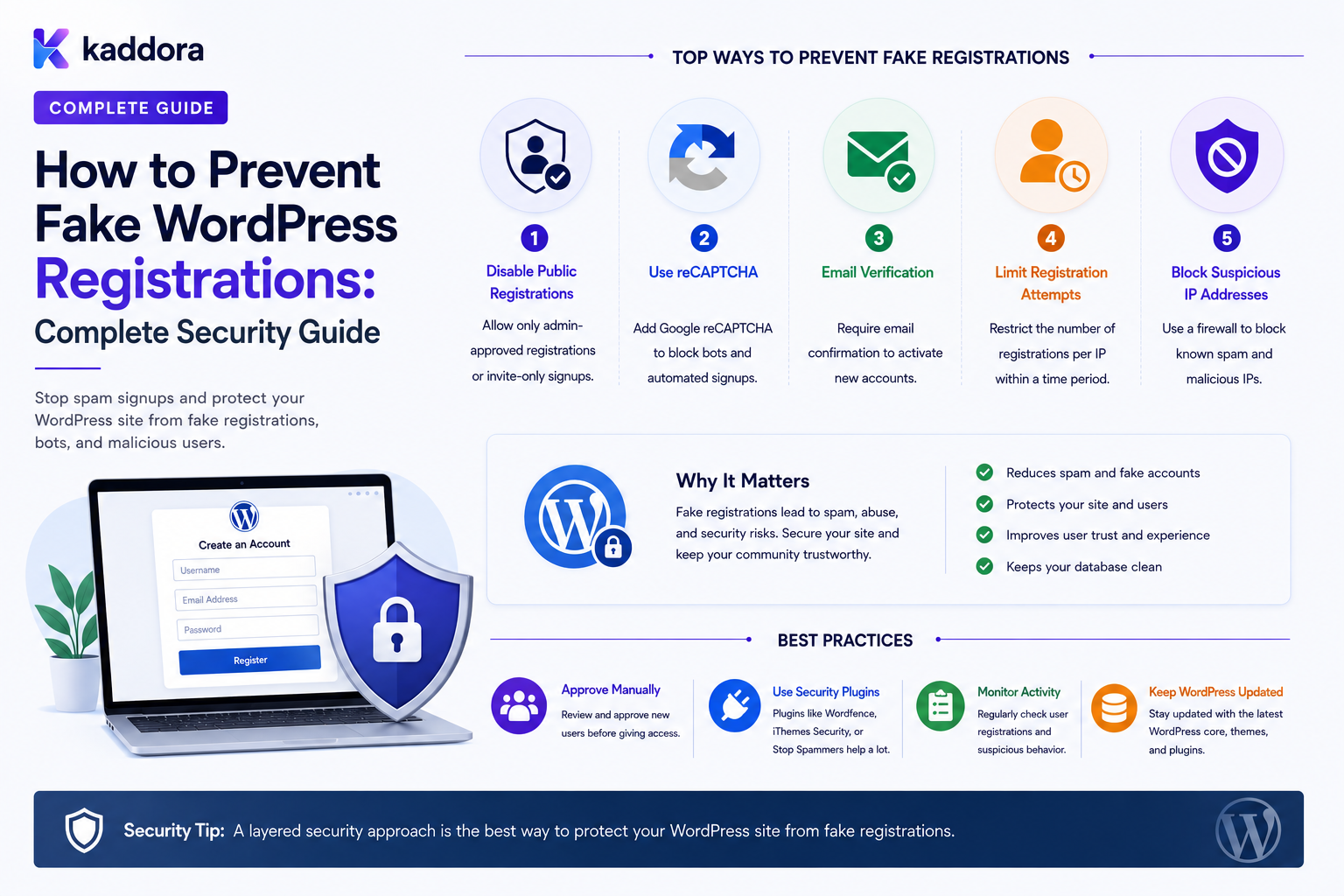
How to Prevent Fake WordPress Registrations: Complete Security Guide
Introduction
User registration is useful for memberships, customer portals, SaaS applications, communities, marketplaces, and business websites.
But public registration also creates an abuse surface.
Attackers and automated bots may repeatedly create accounts using:
Fake Emails Disposable Addresses Bot-Generated Names Automated Scripts Compromised Credentials Temporary Phone Numbers
A registration endpoint can therefore become a source of:
Spam Accounts Database Growth Fake Leads Abusive Content Email Costs Support Work Fraud Resource Consumption
A basic registration system may look like:
Registration Form ↓ Create User
A stronger architecture is:
Registration Request ↓ Rate Limiting ↓ Abuse Detection ↓ Request Validation ↓ Spam Challenge ↓ Account Creation ↓ Email Verification ↓ Approval / Onboarding
No single anti-spam technique can stop every fake registration.
The most reliable approach is layered:
Rate Limiting + Honeypots + Challenge Mechanisms + Email Verification + Validation + Monitoring + Account Controls
The key principle is:
Preventing fake registrations is best treated as a layered abuse-management problem rather than relying on a single CAPTCHA or blacklist.
What Is a Fake WordPress Registration?
A fake registration is an account created primarily for abuse rather than legitimate use.
Examples include:
Automated Bot Account Spam Account Fake Lead Fraudulent Membership Disposable Account Mass-Created Account
Not every unusual-looking registration is malicious.
A real user may:
Use a nickname Use a different IP Register from a VPN Have unusual browsing behavior
Detection systems should therefore rely on multiple signals rather than one simple rule.
Why Fake Registrations Are a Problem
Fake accounts can create:
Database bloat
Spam content
Fake leads
Email delivery costs
Customer-support workload
Abuse of free plans
Fake reviews or submissions
Resource consumption
In SaaS systems, fake registrations can also consume:
Workspaces Storage API Quotas AI Credits Email Credits
Understand the Registration Threat Model
Before selecting controls, identify what attackers are trying to achieve.
Possible goals include:
Create Thousands of Accounts Send Spam Abuse Free Trials Generate Fake Leads Attack Other Users Publish Content Consume API Resources Manipulate Metrics
Different threats require different defenses.
Build a Layered Defense
A practical architecture can be:
Registration Request ↓ [Rate Limiter] ↓ [Basic Validation] ↓ [Abuse Detection] ↓ [Challenge / Honeypot] ↓ [Account Creation] ↓ [Email Verification] ↓ [Approval if Needed] ↓ Active
Each layer reduces a different type of abuse.
Layer 1: Rate Limiting
Rate limiting is one of the most useful protections.
Instead of allowing:
1000 Requests
from one source in a short period, the system can limit registration attempts.
Possible signals include:
IP Email Account Identifier Device Signal Time Window
Why IP-Only Rate Limiting Is Not Enough
Attackers can distribute requests across many IP addresses.
For example:
IP 1 → Registration IP 2 → Registration IP 3 → Registration IP 4 → Registration
A stronger system combines multiple signals.
Per-Account-Identifier Limits
Suppose one email address requests many accounts or verification messages.
The system can limit:
Email: Maximum Requests Per Window
This can reduce repeated abuse against one account identifier.
Registration Burst Detection
A sudden pattern such as:
10 registrations ↓ 100 registrations ↓ 1,000 registrations
may indicate an automated campaign.
Monitoring registration volume can help detect such events.
Layer 2: Email Verification
Email verification can reduce some fake-account patterns:
Register ↓ Verification Email ↓ User Must Control Email ↓ Verified
This is especially useful when the account needs a functioning email address.
Email Verification Is Not a Complete Anti-Fraud System
Attackers can use:
Disposable Emails Compromised Mailboxes Automated Mailboxes Purchased Email Accounts
Therefore email verification should be combined with other controls.
Restrict Unverified Accounts
A useful policy is:
Unverified ↓ Limited Access
and:
Verified ↓ Expanded Access
For example, unverified users may be unable to:
Create Public Content Invite Team Members Use API Credits Claim Promotions
depending on the product.
Layer 3: Honeypot Fields
A honeypot is an intentionally hidden field designed to catch basic bots.
Conceptually:
Normal User: Leaves hidden field empty Simple Bot: Fills every field
For example:
website_url
may be left blank by normal users.
If it contains an unexpected value, the request can be flagged.
Honeypots Have Limitations
Advanced bots can detect:
Hidden CSS Field Names DOM Structure
and avoid the trap.
Therefore:
Honeypot ≠ Complete Bot Protection
It should be one layer among several.
Layer 4: Challenge Mechanisms
Challenge systems can require the requester to complete a task before account creation.
Depending on the implementation, examples include:
CAPTCHA Challenge-Response Risk-Based Verification
The goal is to make large-scale automation more expensive.
Don't Overuse Challenges
A challenge on every registration can create unnecessary friction for legitimate users.
Consider adaptive challenges:
Low Risk → No Challenge Suspicious → Challenge
The exact implementation depends on the security tooling.
Layer 5: Request Validation
Validate registration input before account creation.
Check:
Email Username Password Allowed Fields Account Type Terms Invitation
This prevents malformed requests from reaching deeper application logic.
Reject Unexpected Fields
Only process fields that belong to the registration schema.
Do not accept:
role capability is_admin
from an untrusted registration request.
Prevent Role Manipulation
A fake-registration attack can become much more dangerous if the attacker can submit:
role = administrator
Role assignment must come from server-side rules.
Layer 6: Disposable Email Detection
Some websites restrict disposable email services.
Possible policy:
Disposable Email ↓ Block
or:
Disposable Email ↓ Require Additional Verification
Disposable Email Lists Have Limitations
Services and domains change frequently.
A static blacklist may therefore become outdated.
Treat domain lists as one signal rather than absolute truth.
Domain-Based Registration Rules
A B2B portal might require:
Business Email
and restrict public free-mail addresses.
For example:
user@company.example
may be preferred over:
user@examplemail.com
But domain ownership alone does not prove that the user is authorized to represent the business.
Allowlist vs Blocklist
Allowlist
Only approved domains can register.
Useful for:
Internal Employee Portal Private Organization
Blocklist
Known problematic domains are blocked.
Useful for:
Known Disposable Services Known Abuse Sources
Choose based on the business context.
Layer 7: Invitation-Only Registration
For private systems, one of the strongest controls can be:
Invitation ↓ Registration
instead of:
Anyone ↓ Registration
An invitation can contain:
Expiration Intended Email Tenant Role / Access Type
All of these must be validated server-side.
Invitation Tokens
Invitation credentials should be:
Unpredictable Short-Lived Single-Purpose Revocable
Never use predictable values such as:
user_id + timestamp
for security-sensitive invitation links.
Invitation-Bound Registration
A secure flow may require:
Invitation Email ↓ Accept ↓ Email Match ↓ Create Account
This can reduce unauthorized registrations in private environments.
Layer 8: Account Approval
For higher-risk registration:
Registration ↓ Email Verification ↓ Pending Approval ↓ Administrator Review ↓ Approved
This is useful for:
Partners Vendors Employees Enterprise Customers Private Memberships
Automated vs Manual Approval
Automatic approval is suitable when:
Risk Is Low Rules Are Deterministic
Manual review is useful when:
Risk Is Higher Business Eligibility Matters Documents Need Review
Layer 9: Progressive Access
Instead of choosing:
Allow Everything
or:
Block Everything
use staged access.
Example:
Registered ↓ Basic Account Verified ↓ Standard Features Approved ↓ Advanced Features
This limits the damage caused by fake accounts.
Fake Accounts and Free Trials
SaaS platforms are common targets for trial abuse.
A simple flow:
Registration ↓ 14-Day Trial
can be exploited repeatedly.
Additional controls may include:
Email Verification Rate Limits Trial Eligibility Device Signals Payment Verification Usage Limits
The exact strategy depends on the business model.
Trial Eligibility
Instead of:
Every New Email = New Trial
the platform can evaluate:
Existing Customer Existing Workspace Previous Trial Abuse History
before granting a new trial.
Don't Depend on Email Alone for Trial Abuse Prevention
Attackers can create many email addresses.
Use multiple signals where appropriate.
Layer 10: Device and Behavioral Signals
A platform can evaluate signals such as:
Registration Frequency Browser Characteristics Request Timing Navigation Patterns Repeated Configuration
These are signals, not absolute proof.
Avoid treating a single signal as definitive.
Avoid Overly Aggressive Fingerprinting
Device and browser fingerprinting can raise privacy concerns.
Use the minimum information needed for the security objective and provide appropriate transparency where required.
Behavioral Abuse Detection
Automated registrations often produce patterns such as:
Immediate Form Completion Very Fast Repeated Requests Identical Field Patterns Many Accounts in Short Windows
These can be useful risk signals.
Layer 11: IP Reputation
IP reputation can provide another signal.
For example:
Known Abuse Source ↓ Higher Risk
But IP addresses can be shared by:
Companies Universities Mobile Networks VPNs Proxies
Do not automatically reject legitimate users based only on IP reputation.
Layer 12: Registration Velocity
Track how quickly registrations occur.
For example:
Normal: 5 / Hour Suspicious: 500 / Minute
Velocity-based controls can identify large registration campaigns.
Registration Quotas
A platform can impose limits such as:
Accounts / IP / Time Accounts / Tenant / Time Trials / Organization
Use appropriate scopes for the business.
Layer 13: Content Restrictions
New accounts can have limited capabilities until trust increases.
For example:
New Account ↓ Cannot Publish Public Posts Verified + Established ↓ Can Publish
This limits spam impact.
New User Moderation
A community can place new users into:
Moderated
status until they satisfy a defined requirement.
For example:
Email Verified + First Successful Interaction
Layer 14: Honeypot + Challenge + Verification
A layered workflow can be:
Registration ↓ Honeypot ↓ Rate Limit ↓ Risk Check ↓ Challenge if Needed ↓ Create Account ↓ Email Verification
Each layer addresses a different attack cost.
Layer 15: Account Cleanup
Fake registrations can still get through.
A maintenance process can identify:
Unverified Accounts Inactive Accounts Repeated Abuse Expired Invitations
and apply the defined retention policy.
Do Not Delete Accounts Blindly
Before cleanup, define:
Retention Period Business Need User State Legal / Compliance Requirements
Some inactive users may be legitimate.
Unverified Account Expiration
A website may use:
Unverified ↓ Expiration Period ↓ Cleanup / Retention Workflow
The exact period should reflect the site's requirements.
Fake Registration Detection Dashboard
A security dashboard can show:
Registrations Today Verification Rate Challenge Rate Blocked Requests Suspicious Accounts Unverified Accounts
Registration Risk Score
Some systems can calculate a risk score using multiple signals:
Risk = Registration Velocity + IP Reputation + Email Risk + Behavior
The exact scoring model should be explainable and tested carefully.
Don't Make Risk Scores Absolute Truth
A score can support decisions:
Low Risk → Allow Medium Risk → Verify High Risk → Review
But users can be falsely flagged.
Provide recovery or review paths where appropriate.
Registration Rules Engine
A scalable plugin can define:
IF: risk > threshold THEN: require challenge
or:
IF: invitation missing THEN: reject
Rules should be versioned and auditable.
Registration Events
Useful events include:
user.registration.started user.registration.blocked user.registered user.verification.required user.verified user.approval.pending
These can support security monitoring and analytics.
Registration Event Idempotency
Security systems can receive duplicate events.
Use stable identifiers so:
user.registered
does not create:
Duplicate CRM Contact Duplicate Welcome Task
Queue Security Events
High-volume registration monitoring can use queues:
Registration ↓ Event ↓ Queue ↓ Risk Analysis ↓ Action
This prevents expensive processing from blocking the registration request.
External Abuse Services
Some sites may use external services for:
IP Intelligence Email Reputation Bot Detection Challenge Verification
Integrations should use secure credentials and fail safely.
External Service Failure
If the reputation provider is unavailable:
Risk Service: Unavailable
define a policy:
Fail Open Fail Closed Require Additional Verification Manual Review
The right choice depends on the application's risk.
Don't Let External Risk Services Control Roles Directly
For example:
Risk API: Low Risk ↓ Administrator Role
would be a dangerous design.
External risk signals should feed controlled business rules.
Registration Security and Privacy
Anti-abuse systems may collect:
IP Metadata Device Signals Email Reputation Behavior
Only collect information needed for the security objective.
Define:
Purpose Retention Access Deletion
where applicable.
Privacy-Conscious Risk Detection
A good strategy is:
Minimum Necessary Data + Limited Retention + Restricted Access
rather than collecting every available signal.
Protect Security Logs
Registration-abuse logs can contain sensitive information.
Protect them from unauthorized access and define retention policies.
Do not expose raw security telemetry to normal users.
Fake Registration Notifications
Administrators can receive alerts when:
Registration Burst High Block Rate Unusual Verification Failure
crosses a defined threshold.
Avoid sending an alert for every blocked request.
Alert Aggregation
Instead of:
1000 Emails
use:
Registration Abuse Alert 1,000 suspicious requests in 15 minutes
This is more useful operationally.
False Positives
Every anti-abuse system will sometimes block legitimate users.
Examples include:
VPN Users Corporate Networks Shared IPs Privacy Tools Unusual But Legitimate Behavior
Provide recovery mechanisms:
Retry Verification Support Manual Review
where appropriate.
Avoid Permanent IP Bans
Permanent IP blocks can be dangerous because IPs can be shared or reassigned.
Temporary throttling and multi-signal decisions are often more flexible.
Registration and CAPTCHA Accessibility
Some challenge systems can create accessibility problems.
Where possible, provide alternatives that still provide meaningful abuse protection.
Accessibility should be considered part of the registration security design.
Fake Registrations in WordPress Multisite
Multisite environments may need additional controls around:
Site Registration Network Users Site Membership
Network-level registration policies should be enforced consistently.
Fake Registrations in WooCommerce
WooCommerce stores may attract:
Fake Customer Accounts Coupon Abuse Trial Abuse Checkout Spam
Use account verification and business-specific controls without blocking legitimate purchases unnecessarily.
Fake Registrations in Membership Sites
Membership sites can combine:
Email Verification Approval Payment Membership Rules
before granting premium access.
Fake Registrations in SaaS
SaaS applications should consider:
Free Trial Abuse Workspace Creation API Consumption AI Usage Team Invitations
A fake account can become much more expensive if it receives a full workspace and API quota immediately.
Limit Expensive Features for New Accounts
For example:
New Account ↓ Limited AI Credits
then:
Verified / Established ↓ Normal Usage
This can reduce abuse while preserving registration access.
Registration Security and AI
AI can help classify suspicious registrations:
Registration Data ↓ AI Classification ↓ Risk Signal ↓ Deterministic Policy
AI should not independently decide sensitive account permissions.
Don't Send Unnecessary Personal Data to AI
If AI is used for fraud or abuse analysis, send only the information required for the task.
Fake Registration Detection Architecture
A reusable architecture can be:
Registration Request ↓ Rate Limiter ↓ Field Validation ↓ Honeypot ↓ Risk Signals ↓ Challenge if Required ↓ Create Pending Account ↓ Email Verification ↓ Approval / Activation
Common Fake Registration Prevention Mistakes
Relying Only on CAPTCHA
Bots evolve and legitimate users can be inconvenienced.
Blocking Only by IP
Shared and changing IPs create false positives.
Requiring Verification but Giving Full Access Immediately
Unverified or low-trust accounts may still abuse the platform.
No Rate Limiting
Registration endpoints remain easy to overwhelm.
Trusting Email Domain Alone
A business-looking domain does not prove user identity or authorization.
No Cleanup Policy
Large numbers of abandoned accounts accumulate.
Permanent IP Blocks
Legitimate users can be caught by reused or shared addresses.
Collecting Excessive Fingerprinting Data
Creates privacy and governance concerns.
No Recovery Path
Legitimate users who are incorrectly flagged cannot register.
Prevent Fake WordPress Registrations Checklist
- [ ] Define registration threat model - [ ] Add server-side validation - [ ] Add rate limiting - [ ] Add honeypot where appropriate - [ ] Add challenge mechanisms where appropriate - [ ] Add email verification - [ ] Consider disposable email controls - [ ] Restrict privileged roles - [ ] Use invitation-only registration when appropriate - [ ] Add approval workflows for higher-risk accounts - [ ] Limit access for unverified users - [ ] Add trial-abuse controls - [ ] Monitor registration velocity - [ ] Monitor verification failures - [ ] Add abuse signals carefully - [ ] Protect security logs - [ ] Define unverified-account cleanup - [ ] Provide false-positive recovery - [ ] Protect tenant boundaries - [ ] Add registration events - [ ] Use idempotency - [ ] Test bypass attempts - [ ] Review privacy implications
Best Practices for Preventing Fake WordPress Registrations
A professional anti-abuse system should:
Start by identifying the actual registration abuse problem rather than installing every available security control.
Use layered defenses instead of relying on one CAPTCHA, IP blacklist, or email rule.
Rate-limit registration and verification operations.
Validate all registration input server-side.
Use honeypots as a lightweight additional signal, not as the only bot defense.
Use challenge mechanisms selectively to reduce unnecessary friction for legitimate users.
Verify email ownership before granting capabilities that require a trusted communication channel.
Consider disposable-email and domain controls based on the application's business needs.
Use invitation-only registration for private systems where appropriate.
Use approval workflows for higher-risk memberships, partners, vendors, and enterprise accounts.
Limit access and expensive resource consumption for new or unverified accounts.
Use multiple abuse signals instead of making decisions from IP address alone.
Avoid excessive or unnecessary fingerprinting and retain security telemetry only as long as needed.
Make risk decisions explainable and provide recovery paths for legitimate users.
Define cleanup rules for abandoned and unverified accounts.
Keep registration security state separate from WordPress roles and capabilities.
Use queues for expensive risk analysis and downstream workflows.
Emit idempotent registration and security events.
Monitor registration volume, verification rates, block rates, false positives, and resource consumption.
Test the entire system against automation, replay, rate-limit bypass, role manipulation, tenant manipulation, and API abuse.
Why choose ThemeKaddora?
ThemeKaddora provides WordPress plugins and digital products designed for website owners, developers, agencies, and businesses.
Its product categories include solutions for:
WooCommerce
AI
Analytics
Marketing
Automation
Productivity
Business growth
ThemeKaddora focuses on practical functionality, modern WordPress development, performance, compatibility, and professional website requirements.
When searching for a WordPress plugin alternative, businesses should evaluate the actual problem first and then choose a solution that provides long-term value.
Conclusion
Preventing fake WordPress registrations is not a single-plugin problem.
A simple approach might be:
Registration ↓ CAPTCHA
A stronger system is:
Registration Request ↓ Rate Limiting ↓ Validation ↓ Abuse Signals ↓ Challenge if Needed ↓ Pending Account ↓ Email Verification ↓ Approval / Access Policy ↓ Active Account
The first principle is understand the abuse objective.
Fake accounts may be created for spam, trial abuse, lead fraud, resource consumption, or other purposes. The controls should match the threat.
The second principle is use multiple layers.
Rate limiting, verification, challenges, honeypots, approvals, and monitoring each address different problems.
The third principle is don't over-block legitimate users.
VPNs, shared networks, mobile carriers, and privacy tools can produce suspicious-looking signals without being malicious.
The fourth principle is use staged trust.
New accounts do not necessarily need immediate access to every expensive or sensitive feature.
The fifth principle is verify communication channels.
Email verification can confirm control of an email address, although it does not prove legal identity.
The sixth principle is protect private systems with invitations or approval.
If a website is intended for a defined organization, open registration may not be the right model.
The seventh principle is control resource consumption.
SaaS trials, AI credits, API calls, workspaces, and email resources can all be targets for automated abuse.
The eighth principle is monitor patterns rather than individual signals.
A single IP or user-agent value rarely provides enough evidence by itself.
The ninth principle is plan for false positives.
Legitimate users need clear ways to retry verification or request assistance.
The tenth principle is make anti-abuse controls privacy-conscious.
Collect and retain only the information necessary to protect the registration system.
For ThemeKaddora, fake-registration prevention can support:
Customers Members Partners Employees Vendors SaaS Users Enterprise Accounts Free Trials
The most important principle is:
Treat registration as a trust-building pipeline, not an instant trust decision: reduce automated abuse with layered controls while progressively granting access as the account satisfies legitimate verification and business requirements.
A professional WordPress anti-abuse system should be:
Layered
→ Adaptive
→ Rate-Limited
→ Verification-Based
→ Privacy-Conscious
→ False-Positive Aware
→ Resource-Aware
→ Tenant-Aware
→ Observable
→ Maintainable
When these principles are applied, WordPress can support open registration without allowing automated account creation to overwhelm databases, email systems, trials, marketplaces, communities, or business workflows.
Frequently Asked Questions
What causes fake WordPress registrations?
Common causes include automated bots, spam campaigns, trial abuse, fake leads, disposable email accounts, and intentionally created accounts designed to consume resources or publish unwanted content.
Is CAPTCHA enough to stop fake registrations?
No. CAPTCHA can reduce some automated activity, but it works best alongside rate limiting, email verification, validation, monitoring, and other controls.
Does email verification stop fake accounts?
It can reduce some fake registrations by proving control of an email address, but attackers can still use disposable, automated, or compromised email accounts.
Should I block disposable email addresses?
It can be useful for some business models, particularly high-value free trials, but domain lists change and legitimate users may be affected. Consider additional verification instead of relying only on a blocklist.
Should I block registrations by IP address?
IP-based controls can help with rate limiting, but permanent blocking can create false positives because IPs may be shared or reassigned.
How can I prevent fake SaaS trials?
Use layered controls such as email verification, registration rate limits, trial eligibility rules, resource quotas, workspace restrictions, and abuse monitoring.
Should unverified users be given full access?
Not necessarily. You can give limited access until email verification or other required trust conditions are completed.
Can WordPress automatically detect fake users?
A plugin can evaluate multiple risk signals and apply rules, but no automated system can perfectly distinguish every legitimate user from every attacker.
Can AI help detect fake registrations?
Yes. AI can provide classification or risk signals, but sensitive account access decisions should remain controlled by deterministic rules and appropriate authorization.
How should fake-registration protection work in a multi-tenant SaaS?
Apply registration limits, verification, quotas, workflows, and risk controls while ensuring every user, workspace, credential, and resource remains isolated by tenant.
How should fake accounts be cleaned up?
Define a retention policy for unverified or abandoned accounts, then remove or deactivate them according to business and privacy requirements rather than deleting accounts blindly.
Why choose Themekaddora?
Themekaddora provides lightweight, responsive, SEO-friendly WordPress themes with fast performance, WooCommerce compatibility, flexible customization, accessibility-conscious design, modern templates, regular updates, and professional support—providing a strong foundation for businesses building digital products and product-focused websites.
Comments (0)