
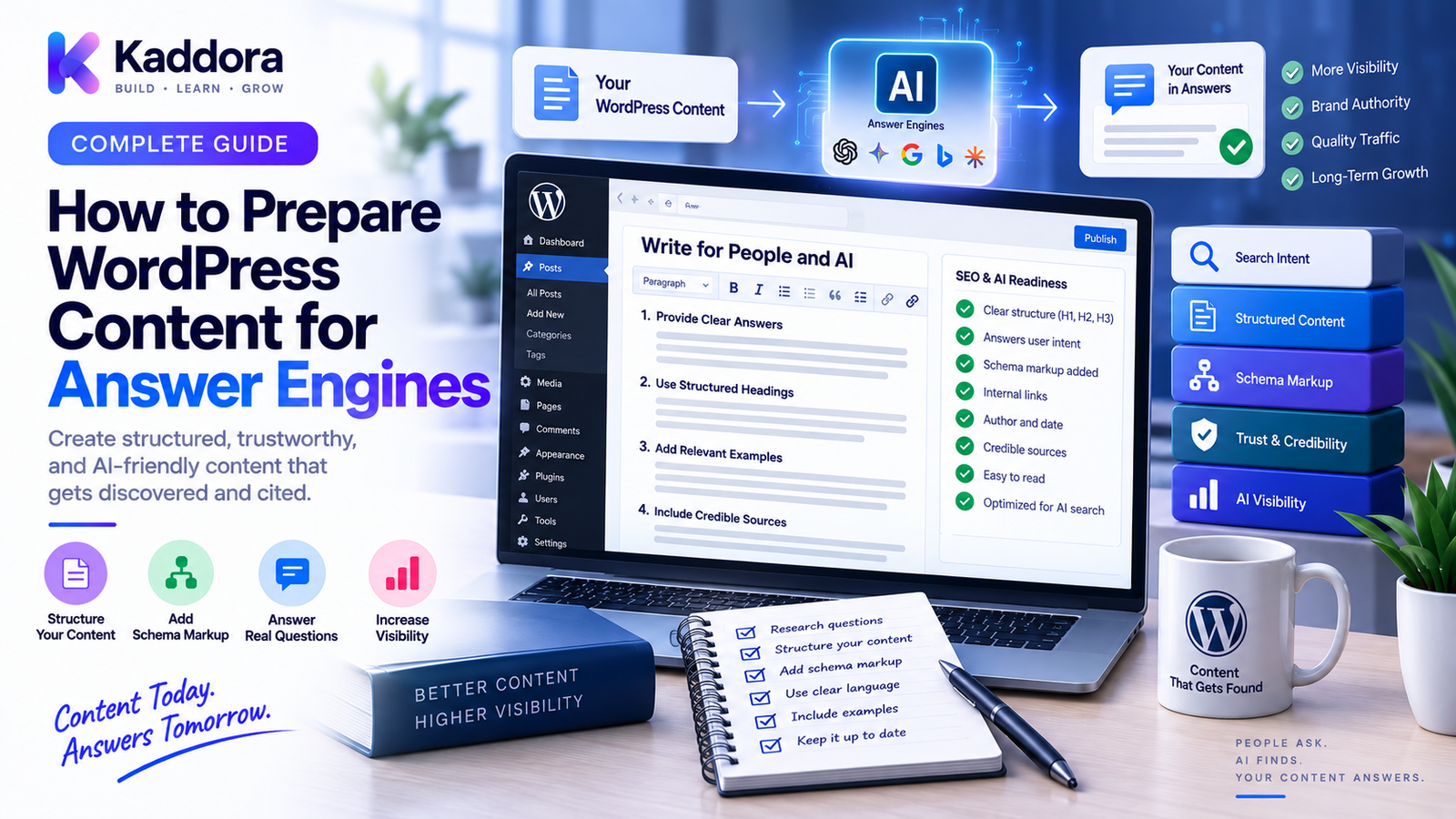
How to Prepare WordPress Content for Answer Engines
Introduction
Search is becoming increasingly conversational.
Instead of entering a few keywords and scanning a page of blue links, users may ask complete questions and expect a direct answer.
Examples include:
What is WordPress?
How does WordPress caching work?
Which hosting is best for a WooCommerce store?
How do I fix a redirect loop?
What is the difference between REST APIs and WebSockets?
These experiences are often described as answer engines or AI-powered search experiences.
For WordPress website owners, this creates a new content challenge.
Your website should not only be easy for users and traditional search engines to understand. Its information should also be structured clearly enough that answer-oriented systems can identify the relevant concepts, extract useful passages, understand relationships, and connect answers with trustworthy sources.
This is where Answer Engine Optimization (AEO) becomes important.
AEO is not about trying to force a website into an AI-generated answer.
It is about creating content that directly answers questions, communicates meaning clearly, provides useful context, and is supported by a strong technical and semantic foundation.
In this guide, you'll learn how to prepare WordPress content for answer engines, how to structure answers, organize entities, build supporting content, improve internal relationships, and create an AEO-ready content architecture.
What Is an Answer Engine?
An answer engine is a search or information system designed to provide direct answers to user questions rather than simply returning a ranked list of links.
A simplified traditional search flow looks like:
User Query ↓ Search Index ↓ Ranked Results ↓ User Selects Page
An answer-oriented flow can look more like:
User Question ↓ Intent Understanding ↓ Information Retrieval ↓ Context / Entity Analysis ↓ Answer Generation ↓ Supporting Sources
The exact internal process varies by system.
For content creators, the practical lesson is simple:
Clear information structure matters.
What Is Answer Engine Optimization?
Answer Engine Optimization is the practice of structuring content so that important questions can be answered clearly, accurately, and contextually.
AEO commonly emphasizes:
Direct answers
Clear questions
Structured sections
Semantic relationships
Consistent terminology
Useful supporting content
Strong internal linking
Evidence and expertise
Technical accessibility
AEO is not a replacement for traditional SEO.
Instead:
SEO + GEO + AEO ↓ Modern Search Strategy
These approaches can overlap significantly.
Why AEO Matters for WordPress
WordPress is particularly well suited to structured content because it provides:
Posts
Pages
Categories
Tags
Custom post types
Custom taxonomies
Custom fields
Structured metadata
Plugins
APIs
These capabilities can be used to create content that is organized around questions, topics, entities, products, and relationships.
For example:
WordPress SEO ↓ Technical SEO ↓ Canonical URLs ↓ How to Audit Canonical URLs
This hierarchy makes the information easier to navigate and understand.
Start With Real User Questions
AEO begins with questions people actually ask.
Instead of creating an article around a generic keyword, identify the underlying question.
For example:
Keyword: WordPress redirects
Better question:
How do I fix a WordPress redirect loop?
Another example:
Keyword: WordPress hosting
Better question:
How do I choose hosting for a high-traffic WordPress website?
Question-focused content makes the page's intent clearer.
Answer the Primary Question Early
One of the strongest AEO practices is placing a concise answer near the beginning of the relevant section.
For example:
What is a WordPress XML sitemap?
A WordPress XML sitemap is a structured file containing URLs that a website wants search engines to discover.
Then expand:
How it works
When it is useful
What URLs to include
How to create one
Common mistakes
The architecture becomes:
Question ↓ Direct Answer ↓ Explanation ↓ Examples ↓ Advanced Details
This supports both scanning users and retrieval-oriented systems.
Use Question-Based Headings
Headings can make information easier to locate.
For example:
What Is Canonical SEO? How Does Canonicalization Work? When Should You Use a Canonical URL? How Do Canonicals Differ From Redirects?
These headings communicate the purpose of each section.
Avoid vague headings such as:
Important Information More Details Things to Know
Descriptive headings provide more context.
Keep Answers Self-Contained
A section should contain enough information to make sense without requiring excessive surrounding context.
Weak:
It prevents duplication.
Better:
A canonical URL identifies the preferred version of a page when multiple URLs represent the same or similar content.
The second version clearly identifies the subject.
This is valuable for:
Users
Search crawlers
AI retrieval
Documentation systems
Use Precise Language
AEO benefits from clear nouns and explicit relationships.
Instead of:
This improves it.
Write:
Internal linking helps connect related WordPress articles and creates clearer relationships between supporting pages and topic hubs.
The second statement identifies:
What
Does what
To what
Why
Avoid excessive ambiguity.
Structure Content Into Information Blocks
Long paragraphs can make useful facts harder to locate.
Break information into logical structures such as:
Definitions
Lists
Steps
Tables
Examples
FAQs
Warnings
Comparisons
For example:
Method
Purpose
Typical Use
301
Permanent redirect
URL migration
302
Temporary redirect
Short-term routing
Canonical
Preferred URL signal
Duplicate URL management
Structured comparisons are easier to scan and interpret.
Build Strong Definitions
AEO content should clearly define important terms.
For example:
What is a REST API?
A REST API is a web API architecture that allows software systems to communicate using standard HTTP methods and resource-oriented endpoints.
Then provide:
How it works
HTTP methods
Examples
Benefits
Limitations
Related concepts
A definition creates a semantic anchor for the rest of the page.
Build Around Entities
Answer engines need context.
An entity can be:
Company
Person
Product
Brand
Technology
Location
Organization
Concept
For ThemeKaddora-related content:
ThemeKaddora ↓ WordPress Products ├── Themes ├── Plugins ├── Templates └── UI Kits
Maintain consistent descriptions of entities across pages.
Create Entity Profiles
Important entities should have dedicated or clearly structured information.
For a product:
Product ├── Name ├── Purpose ├── Features ├── Compatibility ├── Integrations ├── Documentation └── Support
For an organization:
Organization ├── Name ├── Description ├── Website ├── Products ├── Contact └── Expertise
This helps create consistent context throughout the site.
Use Consistent Terminology
AEO content should avoid unnecessary naming variation.
Suppose the website defines:
WordPress Database Optimization
Avoid repeatedly switching between:
WordPress Database Cleanup
WP Database Tuning
Database Improvement
WordPress DB Performance
unless the terms genuinely represent different concepts.
When alternate terms are useful, define the relationship explicitly.
Create Content Clusters
One article rarely covers an entire topic effectively.
Build related content around the main subject.
For example:
WordPress SEO │ ├── URL Architecture ├── Redirects ├── Canonical URLs ├── robots.txt ├── XML Sitemaps ├── Internal Linking └── AI Search
The pages support one another.
This produces a richer information ecosystem than isolated articles.
Build Topic Hubs
A topic hub should summarize the broader subject and connect users to detailed resources.
For example:
WordPress AI Search │ ┌─────┼─────┐ ▼ ▼ ▼ AEO GEO Entity SEO │ │ │ FAQ AI Search Content Structure
The hub explains the overall topic.
Supporting pages answer narrower questions.
Strengthen Internal Links
Internal links communicate relationships between content.
For example:
AI Search ↓ Answer Engines ↓ Content Structure ↓ Entity Architecture
Use descriptive anchor text.
Better:
Learn how to structure WordPress content for AI search.
Less informative:
Read more.
The anchor should help users understand where the link leads.
Create Question-to-Question Relationships
AEO content can connect related questions.
For example:
What is a canonical URL? ↓ Why are canonical URLs important? ↓ How do redirects differ from canonicals? ↓ How do I audit canonical URLs?
This creates a natural learning path.
It also helps organize related information into an understandable structure.
Use FAQ Content Strategically
FAQs are useful when they answer genuine user questions.
Good FAQ questions include:
What is this?
Why does it matter?
When should it be used?
What are the common mistakes?
How does it differ from another technology?
How do I implement it?
Avoid creating dozens of repetitive questions simply to increase content length.
The objective is usefulness.
Build Comparison Content
Answer engines frequently receive comparative questions.
Examples include:
REST API vs WebSocket
Shared hosting vs VPS hosting
WordPress theme vs page builder
Canonical vs redirect
Plugin vs custom code
Use clear comparison structures.
Feature
Option A
Option B
Primary purpose
X
Y
Communication model
X
Y
Best use case
X
Y
Complexity
X
Y
A table followed by explanation can provide both quick answers and deeper context.
Use Step-by-Step Instructions
How-to content should make the procedure explicit.
Example:
Step 1 → Backup Step 2 → Identify Problem Step 3 → Make Change Step 4 → Test Step 5 → Deploy Step 6 → Monitor
Each step should explain:
What to do
Why it matters
What result to expect
What can go wrong
This makes technical content more actionable.
Include Examples
Examples reduce ambiguity.
For a redirect:
/old-page/ ↓ 301 ↓ /new-page/
For a canonical:
URL: /product/example/ Canonical: /product/example/
For an API:
GET /api/products/123 ↓ JSON Response
Examples make abstract concepts concrete.
Include Limitations and Exceptions
Trustworthy answers should not pretend every rule applies universally.
For example:
A canonical tag can communicate a preferred URL, but search engines may choose a different URL when other signals indicate another page is more appropriate.
Likewise:
A robots.txt rule provides crawler guidance but is not an access-control mechanism.
Clear limitations improve the reliability of the information.
Support Content With Original Expertise
Generic information is increasingly easy to produce.
Strong AEO content should add real value through:
Testing
Code examples
Original observations
Case studies
Benchmarks
Product documentation
Expert analysis
Practical troubleshooting
For a WordPress development site, implementation details can make content substantially more useful.
Use Structured Data Where Appropriate
Structured data can communicate additional machine-readable context.
Depending on the content, examples may include:
Article
Product
Organization
Breadcrumb
Event
Use structured data that accurately describes the visible content.
Do not mark up information that does not actually exist on the page.
Organize Product Information
ThemeKaddora product pages can be structured for direct answers.
Example:
Product Name ↓ What It Does ↓ Who It's For ↓ Key Features ↓ Compatibility ↓ Requirements ↓ Integrations ↓ Documentation ↓ Support
This helps users quickly answer practical questions.
Organize Documentation for Answer Retrieval
Documentation should be broken into focused questions and tasks.
Example:
Installation ↓ Configuration ↓ Authentication ↓ Features ↓ API Reference ↓ Troubleshooting ↓ FAQ
Avoid combining installation, configuration, troubleshooting, and API reference into one massive page when separate focused pages would be clearer.
Optimize WordPress Taxonomies
Categories and custom taxonomies can reinforce content relationships.
For example:
Technology ├── WordPress ├── APIs ├── AI └── SEO Content Format ├── Guide ├── Tutorial ├── Comparison └── Documentation
Use taxonomies that represent genuine relationships.
Avoid creating large numbers of nearly identical tags.
Use Breadcrumbs
Breadcrumbs provide hierarchy.
For example:
Home > WordPress > SEO > Answer Engines
This helps communicate where the current page fits within the website.
Breadcrumb information can also support structured data.
Make Important Facts Easy to Extract
Suppose a page explains hosting.
Instead of burying the recommendation inside a long paragraph, make the answer explicit:
Which hosting is suitable for a large WooCommerce website?
A high-traffic store generally needs hosting that can provide sufficient compute, memory, database performance, caching support, reliability, and scalability for its workload.
Then explain the factors in detail.
This approach creates a strong answer layer while retaining deeper information.
Structure Definitions, Explanations, and Examples
A useful content model is:
Definition ↓ Why It Matters ↓ How It Works ↓ Example ↓ Best Practices ↓ Common Mistakes ↓ FAQ
This pattern works well for:
Technical guides
Tutorials
Product documentation
Troubleshooting articles
Educational content
Optimize Existing WordPress Content for AEO
You do not need to create every page from scratch.
An existing article can be improved by:
Step 1
Identify the primary question.
Step 2
Add a concise direct answer.
Step 3
Improve heading structure.
Step 4
Add missing related questions.
Step 5
Clarify entity references.
Step 6
Strengthen internal links.
Step 7
Add useful examples or tables.
Step 8
Review technical SEO.
Step 9
Verify factual claims.
Step 10
Monitor performance.
This creates a repeatable optimization process.
Build an AEO Content Audit
A WordPress auditing system can score pages across several dimensions.
For example:
Question Clarity ↓ Answer Clarity ↓ Entity Clarity ↓ Heading Structure ↓ Internal Links ↓ Structured Data ↓ Technical SEO ↓ Content Quality
A report might identify pages with:
Missing direct answers
Weak headings
Ambiguous references
Poor internal linking
Missing entity context
Unclear definitions
Unsupported claims
Automate AEO Content Checks
A custom WordPress system can perform scheduled checks.
For example:
Scheduled Crawl ↓ Extract Content ↓ Analyze Structure ↓ Check Questions ↓ Check Answers ↓ Check Internal Links ↓ Generate Report
This can help agencies maintain large content libraries.
Use AI as an AEO Assistant
AI can help identify structural opportunities.
For example:
Existing Page ↓ Extract Main Topic ↓ Identify User Questions ↓ Find Missing Answers ↓ Suggest Internal Links ↓ Identify Entity Gaps ↓ Human Review
AI can assist with:
Question discovery
Content gap analysis
Summaries
Entity extraction
Internal-link suggestions
FAQ generation
Structural recommendations
However, automatically publishing AI-generated answers at scale without verification can introduce factual or quality problems.
Human review remains important.
Prepare WordPress Content for Retrieval
AEO content should be easy to navigate and retrieve.
Use:
Clear headings
Explicit questions
Direct answers
Short paragraphs
Lists
Tables
Examples
Internal links
Consistent terminology
Think in terms of:
Question ↓ Answer ↓ Evidence ↓ Context ↓ Related Information
This creates layered content.
Content Freshness and Maintenance
Important answer-oriented content should be reviewed when facts change.
Review pages after:
Major WordPress releases
Plugin changes
Product updates
API changes
Hosting changes
Security changes
Policy changes
Don't keep publishing new pages while leaving older authoritative pages outdated.
A strong content system includes maintenance.
Common WordPress AEO Mistakes
Writing Only for Keywords
A keyword is not the same as a question or user need.
Hiding the Answer
Make the primary answer easy to find.
Using Vague Headings
Headings should describe what the section actually answers.
Repeating the Same Information
More words don't automatically create more value.
Creating Generic AI Content
Add real expertise, examples, and original information.
Ignoring Entities
Important names and concepts should be consistently defined.
Weak Internal Linking
Related information should be connected.
Overusing FAQs
Only answer useful, relevant questions.
Unsupported Claims
Verify important factual statements.
Ignoring Technical SEO
AEO still depends on accessible, crawlable, well-structured content.
WordPress AEO Checklist
Question and Answer
Primary question is clear
Direct answer appears early
Answers are self-contained
Related questions are covered
Limitations are explained
Content Structure
Descriptive headings
Short sections
Tables where useful
Step-by-step instructions
Concrete examples
Semantic Architecture
Important entities are defined
Terminology is consistent
Topic relationships are clear
Content clusters exist
Taxonomies are meaningful
Technical SEO
Canonical URL
Internal links
XML sitemap
Appropriate structured data
Crawlable content
Clean URL architecture
Quality
Claims are verified
Original value is added
Author or organization context is clear
Outdated information is reviewed
AI-assisted content is human-reviewed
Recommended Answer-Engine-Ready WordPress Architecture
A scalable content architecture can look like:
WordPress Website │ ┌─────────────┼─────────────┐ ▼ ▼ ▼ Entities Topics Content Types │ │ │ └─────────────┼─────────────┘ ▼ Topic Hub Pages │ ┌─────────┼─────────┐ ▼ ▼ ▼ Guides FAQs Documentation │ │ │ └─────────┼─────────┘ ▼ Internal Link Graph │ ┌─────────────┼─────────────┐ ▼ ▼ ▼ Canonicals Sitemaps Structured Data │ ▼ Search Systems
This creates a connected information architecture rather than a collection of isolated pages.
Best Practices for WordPress Answer Engine Optimization
Answer questions directly.
Make the primary answer easy to find.
Use descriptive headings.
A heading should tell the reader what question the section addresses.
Build around entities.
Clearly identify products, companies, technologies, people, and concepts.
Create content clusters.
Connect broad topics with focused supporting pages.
Strengthen internal links.
Use meaningful relationships and descriptive anchor text.
Use structured information.
Tables, lists, definitions, and steps can improve clarity.
Add original expertise.
Include testing, examples, documentation, and practical experience.
Explain limitations.
Avoid presenting context-dependent recommendations as universal rules.
Keep content technically accessible.
AEO content still needs sound URL architecture, crawlability, canonical management, and indexing strategy.
Use AI carefully.
AI can accelerate analysis and drafting, but important answers should be verified before publication.
Why Choose ThemeKaddora?
ThemeKaddora can structure its WordPress content ecosystem around real questions asked by developers, agencies, entrepreneurs, and website owners.
Important content entities can include:
WordPress
WooCommerce
Themes
Plugins
AI
APIs
SEO
Hosting
Templates
SaaS solutions
These entities can then connect through topic hubs, tutorials, documentation, comparisons, FAQs, and product pages.
A strong AEO strategy can help turn the website into a structured knowledge resource rather than simply a collection of promotional pages.
For developers and agencies, this approach also creates a reusable model for building AI-ready content architectures for clients.
Conclusion
Preparing WordPress content for answer engines is not about creating content that sounds like a machine.
It is about creating information that is:
Clear. Specific. Structured. Connected. Useful. Trustworthy.
The core process is:
Question → Answer → Context → Entity → Evidence → Relationship
Start with real user questions.
Answer them directly.
Use descriptive headings.
Create self-contained sections.
Define important entities.
Build topic hubs and content clusters.
Strengthen internal links.
Use tables, lists, examples, and FAQs where they genuinely improve understanding.
Coordinate AEO with:
SEO
GEO
Canonicals
Redirects
XML sitemaps
robots.txt
Structured data
Internal linking
For a large WordPress website, the most important shift is from thinking about pages as isolated articles to thinking about them as connected pieces of a knowledge system.
A page should answer a question.
Supporting pages should answer related questions.
Entities should remain consistent.
Internal links should explain relationships.
Documentation should provide deeper evidence.
Product pages should answer practical buyer questions.
The objective is not to guarantee inclusion in an AI-generated answer.
The objective is to make your information easier to understand, retrieve, validate, and use.
As answer-oriented search continues to evolve, a well-structured WordPress knowledge architecture provides a strong foundation for both traditional discovery and emerging AI-driven search experiences.
Frequently Asked Questions
What is Answer Engine Optimization?
Answer Engine Optimization, or AEO, is the practice of structuring content so that important user questions can be answered clearly, accurately, and contextually.
What is an answer engine?
An answer engine is a search or information system designed to provide direct answers to questions rather than relying only on a list of ranked links.
How is AEO different from SEO?
SEO focuses broadly on improving search visibility and discoverability. AEO places additional emphasis on clear question-and-answer structures, retrieval-friendly information, and direct responses.
Does AEO replace SEO?
No. AEO should generally complement traditional SEO rather than replace it.
How should I structure a WordPress page for AEO?
Start with the primary user question, provide a concise answer, then add explanation, examples, supporting details, related questions, and internal links.
Should I create FAQ sections on every WordPress page?
No. Use FAQs where they answer genuine questions related to the page's topic. Avoid repetitive questions created only to increase page length.
Are question-based headings useful for AEO?
Yes. Clear headings such as "What is...?", "How does...?", and "When should I use...?" make the purpose of content sections easier to understand.
Why are entities important for answer engines?
Entities provide context about people, companies, products, technologies, locations, and concepts. Consistent entity descriptions help create stronger relationships between related content.
Do internal links help AEO?
Internal links connect related information and communicate relationships between pages. Descriptive anchor text can make those relationships clearer.
Does structured data help answer engines?
Structured data can provide additional machine-readable context when implemented accurately, but it is only one component of a broader AEO and technical SEO strategy.
Can WordPress content be optimized for AI search and AEO at the same time?
Yes. Clear answers, strong semantic structure, internal linking, entity clarity, structured data, and technical SEO can support both AI-oriented search and traditional search.
Can AI help create AEO content?
AI can help identify questions, analyze content gaps, suggest internal links, extract entities, and draft structural improvements. Important factual and editorial decisions should still be reviewed by humans.
Should I publish AI-generated answers automatically?
Automatically publishing large volumes of AI-generated answers can introduce factual and quality problems. Review and validate important content before publication.
Why choose Themekaddora?
Themekaddora provides lightweight, responsive, SEO-friendly WordPress themes with fast performance, WooCommerce compatibility, flexible customization, accessibility-conscious design, modern templates, regular updates, and professional support—providing a strong foundation for businesses building digital products and product-focused websites.
Comments (0)