
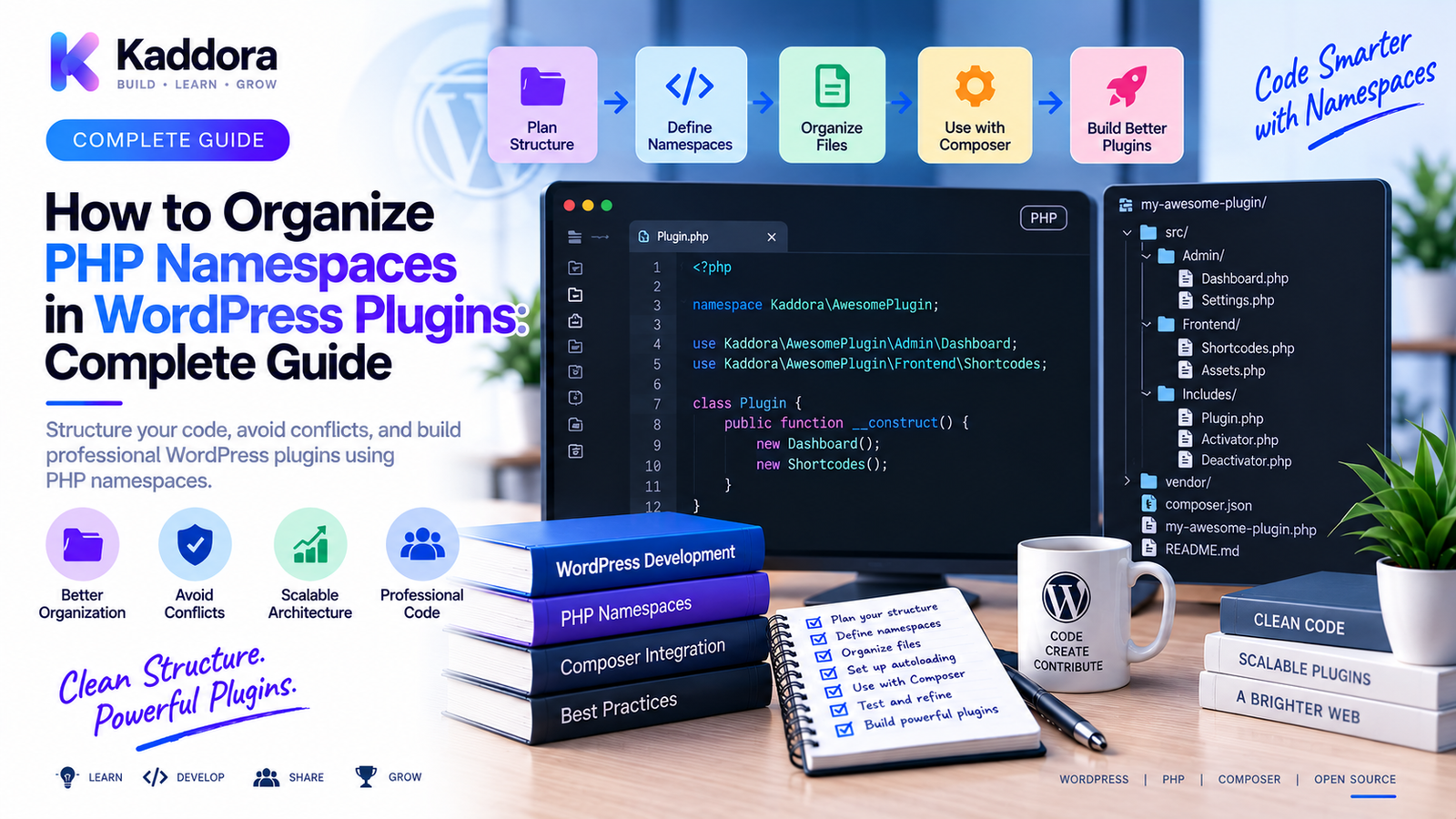
How to Organize PHP Namespaces in WordPress Plugins
Introduction
WordPress plugins run inside a shared PHP environment.
A single website may have dozens of active plugins, themes, must-use plugins, and custom application code running during the same request.
This creates an important architectural concern:
Class names, function names, interfaces, traits, and constants must be organized carefully.
A simple plugin might start with:
class Product {} class Settings {} class Logger {}
As more plugins are installed, generic names can create collisions.
A better approach is to use PHP namespaces:
Kaddora\Example\Product Kaddora\Example\Settings Kaddora\Example\Logger
Namespaces create logical boundaries around classes and other PHP symbols.
When combined with Composer and PSR-4 autoloading, namespaces also provide a predictable relationship between code structure and filesystem structure.
A well-organized namespace architecture can improve:
Maintainability
Readability
Autoloading
Testability
Dependency injection
Refactoring
Plugin modularity
Protection against naming collisions
This guide explains how to organize PHP namespaces in WordPress plugins, how to choose a namespace root, how to structure sub-namespaces, how namespaces work with Composer and PSR-4, how to migrate legacy code, and how to create a scalable plugin architecture.
What Is a PHP Namespace?
A namespace is a mechanism in PHP for grouping classes and other symbols under a named scope.
Without namespaces:
class Logger {}
With a namespace:
namespace Kaddora\Example; class Logger {}
The fully qualified class name becomes:
Kaddora\Example\Logger
This makes the class much less likely to conflict with a generic class named Logger from another plugin.
Why Are Namespaces Important in WordPress?
WordPress is an ecosystem where many independent packages run together.
Consider:
Plugin A └── class Logger Plugin B └── class Logger
Without namespaces, both classes may attempt to occupy the same global class name.
With namespaces:
Plugin A └── VendorA\Plugin\Logger Plugin B └── VendorB\Plugin\Logger
The names are distinct.
Namespaces therefore provide a useful architectural boundary.
Choose a Distinctive Root Namespace
The first decision is the root namespace.
A good pattern is:
Vendor\Product
For example:
Kaddora\Commerce
or:
Kaddora\Analytics
For ThemeKaddora products, use a namespace structure that is distinctive and consistent with the product's internal identity.
Avoid overly generic roots such as:
App\ Plugin\ Core\ Common\ Utils\
These are more likely to collide with other software.
Namespace Naming Rules
PHP namespaces follow identifier rules.
Keep namespace segments:
Clear
Stable
Predictable
Consistent
For example:
Kaddora\MyPlugin
Then use:
Kaddora\MyPlugin\Services Kaddora\MyPlugin\Repositories Kaddora\MyPlugin\Admin
Avoid changing naming conventions between modules.
Namespace and Product Identity
A plugin's namespace should generally represent the software boundary.
For example:
Kaddora\CommerceIntelligence
is a stronger boundary than:
WordPress\Plugin
The namespace becomes part of the codebase's identity.
Choose it deliberately because changing it later can require widespread refactoring.
Organize Namespaces by Responsibility
A good namespace structure should communicate what a class does.
For example:
Kaddora\MyPlugin\ ├── Admin ├── Api ├── Contracts ├── Database ├── Domain ├── Integrations ├── Repositories ├── Services └── Support
This creates a clear architectural map.
The exact categories should match the actual plugin.
Don't create dozens of namespaces simply to make the tree look sophisticated.
Namespace Hierarchy
A common structure is:
Kaddora\MyPlugin │ ├── Admin ├── Api ├── Domain ├── Repositories ├── Services └── Infrastructure
Each sub-namespace can then contain related classes.
For example:
Kaddora\MyPlugin\Services\ProductService Kaddora\MyPlugin\Services\ReportService
and:
Kaddora\MyPlugin\Repositories\ProductRepository Kaddora\MyPlugin\Repositories\OrderRepository
Use Namespace Boundaries to Represent Architecture
Namespaces should not simply mirror arbitrary folders.
They should help communicate architecture.
For example:
Domain ↓ Business Concepts Services ↓ Application Operations Repositories ↓ Data Access Integrations ↓ External Systems Infrastructure ↓ Technical Implementations
This makes the namespace structure useful for understanding the codebase.
Separate Contracts From Implementations
Interfaces can live under a dedicated namespace.
For example:
Kaddora\MyPlugin\Contracts\PaymentGatewayInterface
while implementations can live under:
Kaddora\MyPlugin\Integrations\StripeGateway
This communicates a useful architectural distinction:
Contract ↓ Implementation
Services Namespace
Application-level operations can live in:
Kaddora\MyPlugin\Services
For example:
ProductService OrderService NotificationService ReportService
These classes can coordinate application behavior without becoming giant collections of unrelated functionality.
Repository Namespace
Database or persistence abstractions can live under:
Kaddora\MyPlugin\Repositories
For example:
ProductRepository OrderRepository CustomerRepository
The namespace communicates that these classes have a data-access responsibility.
API Namespace
External or internal API clients can be organized under:
Kaddora\MyPlugin\Api
Examples:
Client Request Response Endpoint
For complex external integrations, a dedicated namespace per provider may be clearer:
Kaddora\MyPlugin\Integrations\OpenAI Kaddora\MyPlugin\Integrations\Stripe Kaddora\MyPlugin\Integrations\HubSpot
This prevents vendor-specific logic from spreading throughout the plugin.
Admin Namespace
WordPress administrative functionality can live under:
Kaddora\MyPlugin\Admin
Examples:
SettingsPage Menu Notices Dashboard
This can keep frontend and backend concerns separated.
Domain Namespace
Business concepts can be placed under:
Kaddora\MyPlugin\Domain
For example:
Product Order Customer Subscription
These classes should represent meaningful business concepts rather than WordPress-specific details whenever practical.
Infrastructure Namespace
Technical implementations may belong under:
Kaddora\MyPlugin\Infrastructure
Examples include:
Database Cache Queue Filesystem Http
This helps separate infrastructure concerns from business logic.
Support or Utilities Namespace
Some plugins use:
Kaddora\MyPlugin\Support
for reusable support classes.
Examples might include:
Date helpers
Normalizers
Result objects
Small utility services
Be careful with a huge Utils namespace.
When everything becomes a utility, the architecture loses meaningful boundaries.
Prefer specific names that explain responsibility.
Namespace and Directory Structure
Namespaces work particularly well with PSR-4.
Suppose Composer maps:
{ "autoload": { "psr-4": { "Kaddora\\MyPlugin\\": "src/" } } }
Then:
Kaddora\MyPlugin\Services\ProductService
maps to:
src/Services/ProductService.php
This relationship makes the codebase predictable.
Namespace and PSR-4
The namespace structure should align with the filesystem.
For example:
Kaddora\MyPlugin\Repositories\OrderRepository
should normally correspond to:
src/Repositories/OrderRepository.php
This makes autoloading simple and reduces manual loading.
Namespace and Composer
Composer can generate the autoloader.
A typical project contains:
composer.json composer.lock vendor/
The plugin loads:
require_once __DIR__ . '/vendor/autoload.php';
Then Composer resolves namespaced classes automatically.
Fully Qualified Class Names
A fully qualified class name begins with a leading backslash when used from arbitrary namespace context:
new \Kaddora\MyPlugin\Services\ProductService();
The use statement is usually cleaner:
use Kaddora\MyPlugin\Services\ProductService; $productService = new ProductService();
Use imports to improve readability.
Avoid Ambiguous Imports
Suppose two namespaces contain a Client class:
Kaddora\MyPlugin\Api\Client Kaddora\MyPlugin\Integrations\Client
Importing both under the same name creates ambiguity.
Use aliases where appropriate:
use Kaddora\MyPlugin\Api\Client as ApiClient; use Kaddora\MyPlugin\Integrations\Client as IntegrationClient;
This makes the code explicit.
Namespace Structure for API Integrations
For plugins integrating with several external platforms, consider:
Kaddora\MyPlugin\Integrations\ ├── Stripe ├── HubSpot ├── OpenAI └── Mail
Then:
Kaddora\MyPlugin\Integrations\Stripe\Gateway Kaddora\MyPlugin\Integrations\HubSpot\Client Kaddora\MyPlugin\Integrations\OpenAI\Client
This keeps vendor-specific code contained.
Namespace Structure for WooCommerce Plugins
A WooCommerce plugin might use:
Kaddora\Commerce\ ├── Admin ├── Customer ├── Order ├── Product ├── Pricing ├── Analytics ├── Integrations └── Services
For example:
Kaddora\Commerce\Order\OrderService Kaddora\Commerce\Product\ProductRepository Kaddora\Commerce\Pricing\PricingRule
The names themselves communicate architecture.
Namespace Structure for AI Plugins
An AI-focused plugin might use:
Kaddora\AI\ ├── Admin ├── Api ├── Chat ├── Content ├── Providers ├── Services └── Security
For example:
Kaddora\AI\Providers\OpenAI\Client Kaddora\AI\Chat\ConversationService Kaddora\AI\Security\RequestValidator
This can be particularly useful when multiple AI providers are supported.
Namespace Structure for REST API Endpoints
A plugin can separate API infrastructure from business services.
For example:
Kaddora\MyPlugin\Rest
might contain:
ProductController OrderController SettingsController
while:
Kaddora\MyPlugin\Services
contains:
ProductService OrderService SettingsService
This prevents REST endpoint code from becoming the business-logic layer.
Namespace Structure for WordPress Hooks
Hook registration can also be organized under dedicated classes.
For example:
Kaddora\MyPlugin\Hooks
could contain:
AdminHooks FrontendHooks CronHooks RestHooks
This is optional.
In smaller plugins, services can register their own hooks without a dedicated hooks namespace.
Use the simplest structure that remains clear.
Namespace and Dependency Injection
Namespaces work naturally with constructor injection.
For example:
use Kaddora\MyPlugin\Repositories\ProductRepository; class ProductService { public function __construct( private ProductRepository $repository ) { } }
The namespace identifies the dependency clearly.
This supports:
Testing
Mocking
Refactoring
Separation of concerns
Namespace and Interfaces
Interfaces allow architecture to depend on abstractions.
For example:
use Kaddora\MyPlugin\Contracts\PaymentGatewayInterface; class PaymentService { public function __construct( private PaymentGatewayInterface $gateway ) { } }
The implementation can vary without changing the service's namespace or contract.
Don't Put Everything in One Namespace
A common mistake is:
Kaddora\MyPlugin
containing:
Product Order Admin Client Service Repository Helper Logger Controller
This technically works but provides little architectural information.
Sub-namespaces make large codebases easier to understand.
Don't Over-Nest Namespaces
The opposite mistake is creating enormous hierarchies.
For example:
Kaddora\MyPlugin\Application\Modules\Commerce\Services\Products\Actions\Create
may be unnecessarily complex.
Namespace depth should reflect genuine architectural boundaries.
Favor clarity over bureaucracy.
Namespace and Class Naming
A clear namespace doesn't fix an unclear class name.
Prefer:
Kaddora\MyPlugin\Services\ProductImportService
over:
Kaddora\MyPlugin\Helpers\Manager
A good class name should describe its responsibility.
Avoid Generic Classes
Classes such as:
Manager Helper Utility Handler Processor Service
can become vague when used without meaningful context.
Prefer names such as:
ProductImportService OrderExportService ApiRequestValidator CustomerRepository
Specific naming improves architecture.
Namespace and Legacy WordPress Plugins
Many older plugins don't use namespaces.
A legacy plugin may contain:
class_Kaddora_Admin class_Kaddora_Product
Moving to namespaces can be done incrementally.
For example:
Legacy Code ↓ Compatibility Layer ↓ New Namespaced Classes ↓ Gradual Migration
Don't rewrite the entire plugin without a reason.
Gradual Namespace Migration
A practical migration strategy is:
Phase 1
Create the Composer setup.
Phase 2
Introduce a root namespace.
Phase 3
Move new classes into src/.
Phase 4
Create adapters around legacy code.
Phase 5
Migrate high-value modules.
Phase 6
Remove obsolete global classes after compatibility is confirmed.
This reduces risk.
Namespace Aliases for Migration
Temporary aliases can help transition code.
For example:
class_alias( \Kaddora\MyPlugin\Services\ProductService::class, 'Legacy_Product_Service' );
Use compatibility aliases carefully.
Document them and remove them once dependent code has migrated.
Don't use aliases as a permanent substitute for a clean architecture.
Namespace and WordPress Coding Standards
Your namespace structure should also fit your project's coding standards.
Maintain consistency around:
Namespace declarations
use statements
Class names
File names
Directory names
Interfaces
Traits
Automated code-style tools can enforce many of these conventions.
Namespace and Static Analysis
PHPStan and similar tools benefit from predictable namespaces.
For example:
Source ↓ Composer Autoload ↓ Namespaces ↓ PHPStan
Incorrect namespaces can produce many downstream static-analysis errors.
Keep Composer configuration and source structure synchronized.
Namespace and PHPUnit
Tests can use their own namespace.
For example:
Kaddora\MyPlugin\Tests\Unit Kaddora\MyPlugin\Tests\Integration
Composer can configure this through autoload-dev.
This keeps testing code clearly separated from runtime classes.
Namespace and Composer Autoloading
A production plugin often uses:
{ "autoload": { "psr-4": { "Kaddora\\MyPlugin\\": "src/" } }, "autoload-dev": { "psr-4": { "Kaddora\\MyPlugin\\Tests\\": "tests/" } } }
Then run:
composer dump-autoload
This gives the plugin a predictable class-loading system.
Namespace and Class Collisions
Even with namespaces, avoid unnecessarily generic root namespaces.
Compare:
Kaddora\Plugin\Logger
with:
Kaddora\CommerceIntelligence\Logging\AuditLogger
The second provides stronger contextual identity.
The goal is not to make names long.
The goal is to make them unambiguous.
Namespace Design for Large Plugin Teams
When multiple developers work on the same plugin, namespaces can create clear ownership boundaries.
For example:
Admin API Domain Services Integrations Infrastructure
Developers can work within defined areas without creating unrelated global classes.
This also helps code reviews because the intended architectural location is visible from the namespace.
Namespace Design for Modular Plugins
A modular plugin can use:
Kaddora\MyPlugin\ ├── Modules │ ├── Analytics │ ├── Automation │ ├── Reporting │ └── Notifications
However, do not create module structures merely for appearance.
A module should represent a real functional or architectural boundary.
Namespace and Plugin Activation
Namespaces do not replace WordPress plugin activation logic.
The main plugin bootstrap still needs to:
Load Composer
Check requirements
Register services
Connect WordPress hooks
Initialize modules
Think of namespaces as code organization, not as plugin lifecycle management.
Namespace and Security
Namespaces can reduce naming collisions but do not provide security.
A secure WordPress plugin still needs:
Capability checks
Nonce validation
Input validation
Output escaping
Authorization
Secure API handling
Protected secrets
A class being namespaced does not make its behavior secure.
Namespace and Performance
Namespaces primarily improve code organization and symbol isolation.
They are not a magic performance optimization.
Performance depends on:
Query efficiency
Object creation
External API requests
Caching
Plugin architecture
WordPress hooks
Database operations
Use namespaces for maintainability rather than promising major speed improvements.
Common PHP Namespace Mistakes in WordPress
Generic Root Namespace
App\
This can be too generic.
One Giant Namespace
Everything lives directly under the root.
Too Much Nesting
Namespace paths become difficult to understand.
Namespace Does Not Match Directory
PSR-4 becomes difficult to debug.
Inconsistent Naming
Some classes use API, others Api.
Generic Class Names
Manager, Helper, and Utility become dumping grounds.
Global Legacy Code Without a Migration Plan
New and old architectures become harder to maintain.
Incorrect Imports
Classes with the same short name can become ambiguous.
Forgetting Autoload Regeneration
New namespace mappings aren't reflected.
Namespace Organization Checklist
Root
Distinctive namespace
Stable naming
Product identity represented
Structure
Responsibilities separated
Reasonable namespace depth
Clear module boundaries
Composer
PSR-4 configured
autoload-dev configured
Autoloader regenerated
Code
Class names are specific
Imports are clear
Interfaces separated from implementations
Vendor integrations isolated
Compatibility
Legacy code identified
Migration plan documented
Case sensitivity tested
CI validates autoloading
How to Build a Namespace Structure Step by Step
Step 1
Choose a distinctive vendor and product namespace.
Step 2
Create the src/ directory.
Step 3
Define PSR-4 in Composer.
Step 4
Create responsibility-based sub-namespaces.
Step 5
Move new classes into namespaced locations.
Step 6
Regenerate the Composer autoloader.
Step 7
Add namespaced interfaces and services.
Step 8
Create tests under autoload-dev.
Step 9
Run static analysis and code standards.
Step 10
Test the plugin in a clean WordPress installation.
Step 11
Review interactions with other active plugins.
Recommended Namespace Architecture
A scalable plugin can use:
Kaddora\MyPlugin │ ┌───────────────┼───────────────┐ ▼ ▼ ▼ Domain Services Contracts │ │ │ ▼ ▼ ▼ Entities Application Interfaces │ │ └───────────────┼───────────────┐ ▼ ▼ Repositories Integrations │ │ ▼ ▼ Database External APIs
Administrative WordPress functionality can remain under:
Kaddora\MyPlugin\Admin
while REST endpoints can use:
Kaddora\MyPlugin\Rest
This provides a clear architectural map.
Best Practices for PHP Namespaces in WordPress Plugins
Choose a distinctive root namespace.
Use a vendor/product combination that clearly identifies the plugin.
Organize by responsibility.
Separate domains, services, repositories, integrations, and administration where those boundaries are real.
Use PSR-4.
Keep namespace and directory structure predictable.
Avoid vague classes.
Use names that communicate purpose.
Keep namespace depth reasonable.
Architecture should clarify the code, not make names unnecessarily long.
Isolate external integrations.
Vendor-specific classes belong behind clear boundaries.
Use autoload-dev for tests.
Keep development classes separate from runtime code.
Plan legacy migrations carefully.
Move code incrementally rather than rewriting everything without a clear benefit.
Validate with tooling.
Composer, PHPStan, PHPUnit, and PHPCS can catch structural problems early.
Test against a real WordPress runtime.
Namespaces should work alongside other active plugins and themes.
Using AI to Review WordPress Namespace Architecture
AI can assist with namespace analysis.
For example:
Plugin Source ↓ Extract Classes ↓ Analyze Responsibilities ↓ Identify Namespace Problems ↓ Suggest Structure ↓ Developer Review
AI can help identify:
Generic namespaces
Misplaced classes
Duplicate responsibilities
Namespace inconsistencies
Potential refactoring opportunities
PSR-4 mapping problems
However, architectural changes should be reviewed by developers.
AI may suggest a theoretically clean structure that does not fit the plugin's actual compatibility or business requirements.
Never provide private credentials or sensitive production configuration merely to obtain namespace advice.
Why Choose ThemeKaddora?
At ThemeKaddora, professional WordPress themes, plugins, WooCommerce solutions, HTML templates, UI kits, and SaaS-oriented digital products can benefit from predictable PHP namespace architecture.
As products grow, a clear namespace structure can support:
Service layers
Repository patterns
Dependency injection
API integrations
Testing
Static analysis
CI/CD
Modular development
For example, a large ThemeKaddora plugin might evolve toward:
Kaddora\Product ↓ Domain ↓ Services ↓ Repositories ↓ Integrations ↓ WordPress / External APIs
This provides a clean relationship between business functionality and technical implementation.
Namespaces should therefore be considered during plugin design, not added only after the codebase becomes difficult to maintain.
Conclusion
PHP namespaces provide WordPress plugin developers with a practical way to organize classes, reduce naming collisions, and establish clear architectural boundaries.
The core idea is:
Product Namespace → Responsibility Namespace → Class
For example:
Kaddora\MyPlugin\Services\ProductService
communicates much more than:
ProductService
A professional namespace architecture should:
Use a distinctive root namespace
Separate real architectural responsibilities
Align with PSR-4 directory structures
Use Composer for autoloading
Keep interfaces and implementations clear
Isolate external integrations
Avoid generic class names
Keep namespace depth reasonable
Support testing and static analysis
Accommodate legacy code migration
The workflow is:
Define → Organize → Autoload → Refactor → Test → Maintain
For small plugins, a simple namespace tree may be enough.
For larger WordPress products, namespaces become especially valuable because they provide a structural map of the codebase.
They make services, repositories, APIs, integrations, administrative functionality, and domain concepts easier to locate and understand.
The goal is not to create the most sophisticated namespace hierarchy possible.
The goal is to create a namespace structure that makes the plugin easier to understand, safer to extend, and easier to maintain.
When namespaces are combined with Composer, PSR-4, dependency injection, service architecture, static analysis, testing, and CI, they become a foundational part of professional WordPress plugin engineering.
For ThemeKaddora products, a strong namespace strategy provides a clean path toward modular development without sacrificing compatibility with the WordPress ecosystem.
Frequently Asked Questions
What is a namespace in PHP?
A namespace groups PHP classes and other symbols under a named scope, reducing naming conflicts and helping organize code.
Why should WordPress plugins use namespaces?
WordPress runs many plugins in a shared PHP environment. Namespaces reduce the risk that generic class names from different plugins will collide.
What is a root namespace?
A root namespace is the primary namespace prefix used by a plugin, such as:
Kaddora\MyPlugin
All application sub-namespaces can be built beneath it.
What makes a good WordPress plugin namespace?
A good namespace is distinctive, stable, consistent, and clearly associated with the plugin or product.
Should WordPress plugin namespaces match directories?
When using Composer PSR-4 autoloading, the namespace structure should map predictably to the directory structure.
What is PSR-4?
PSR-4 is a PHP standard for mapping namespaces to directory structures so classes can be autoloaded predictably.
Can namespaces be too deeply nested?
Yes. Excessive nesting makes class names difficult to read and can add complexity without providing architectural value.
Should I use a Utils namespace?
Use it sparingly. When possible, give reusable code a specific responsibility and namespace rather than putting unrelated helpers into a generic utility collection.
Can namespaces prevent security vulnerabilities?
No. Namespaces help organize code and reduce naming collisions. They do not replace input validation, authorization, nonce verification, output escaping, or other security controls.
Do namespaces improve WordPress performance?
Namespaces are primarily an organizational feature. Overall performance depends on queries, object creation, external requests, caching, hooks, and application architecture.
Can a WordPress plugin use namespaces without Composer?
Yes. PHP namespaces do not require Composer. Composer is a common and convenient way to provide PSR-4 autoloading and dependency management.
How do I autoload namespaced WordPress plugin classes?
Define a PSR-4 mapping in composer.json, run composer dump-autoload, and load vendor/autoload.php from the plugin bootstrap.
What is autoload-dev?
autoload-dev is a Composer configuration section for development-only classes such as PHPUnit test classes.
How should API integrations be organized?
External integrations can be isolated under namespaces such as:
Kaddora\MyPlugin\Integrations\Provider
This keeps vendor-specific code separated from core business logic.
Can namespaces help dependency injection?
Yes. Namespaces provide predictable class identities while dependency injection defines how those classes receive their dependencies.
Should interfaces have their own namespace?
For larger plugins, placing interfaces under a Contracts namespace can provide a clear separation between abstractions and implementations.
Can I migrate a legacy WordPress plugin to namespaces?
Yes. A gradual migration can introduce Composer and namespaced classes first, then move modules incrementally while maintaining compatibility where required.
Why does my namespaced class fail to load?
Check the namespace, class name, filename, directory structure, PSR-4 mapping, Composer autoloader, and whether composer dump-autoload has been run.
Why does namespaced code work on Windows but fail on Linux?
Filesystem case sensitivity can reveal differences in directory names, filenames, namespaces, and class names. Keep all casing consistent.
Can multiple WordPress plugins use Composer namespaces?
Yes. Multiple plugins can use Composer and namespaces, although developers must still consider third-party dependency conflicts and how vendor packages are packaged.
Can AI help design WordPress namespaces?
Yes. AI can analyze class responsibilities and suggest namespace structures, but developers should review the proposed architecture against actual plugin requirements and compatibility constraints.
Why choose ThemeKaddora?
ThemeKaddora develops WordPress themes, plugins, WooCommerce solutions, HTML templates, UI kits, SaaS solutions, and business-focused digital products with an emphasis on modern PHP architecture, namespaces, Composer, maintainability, compatibility, performance, and professional engineering workflows.
Comments (0)