
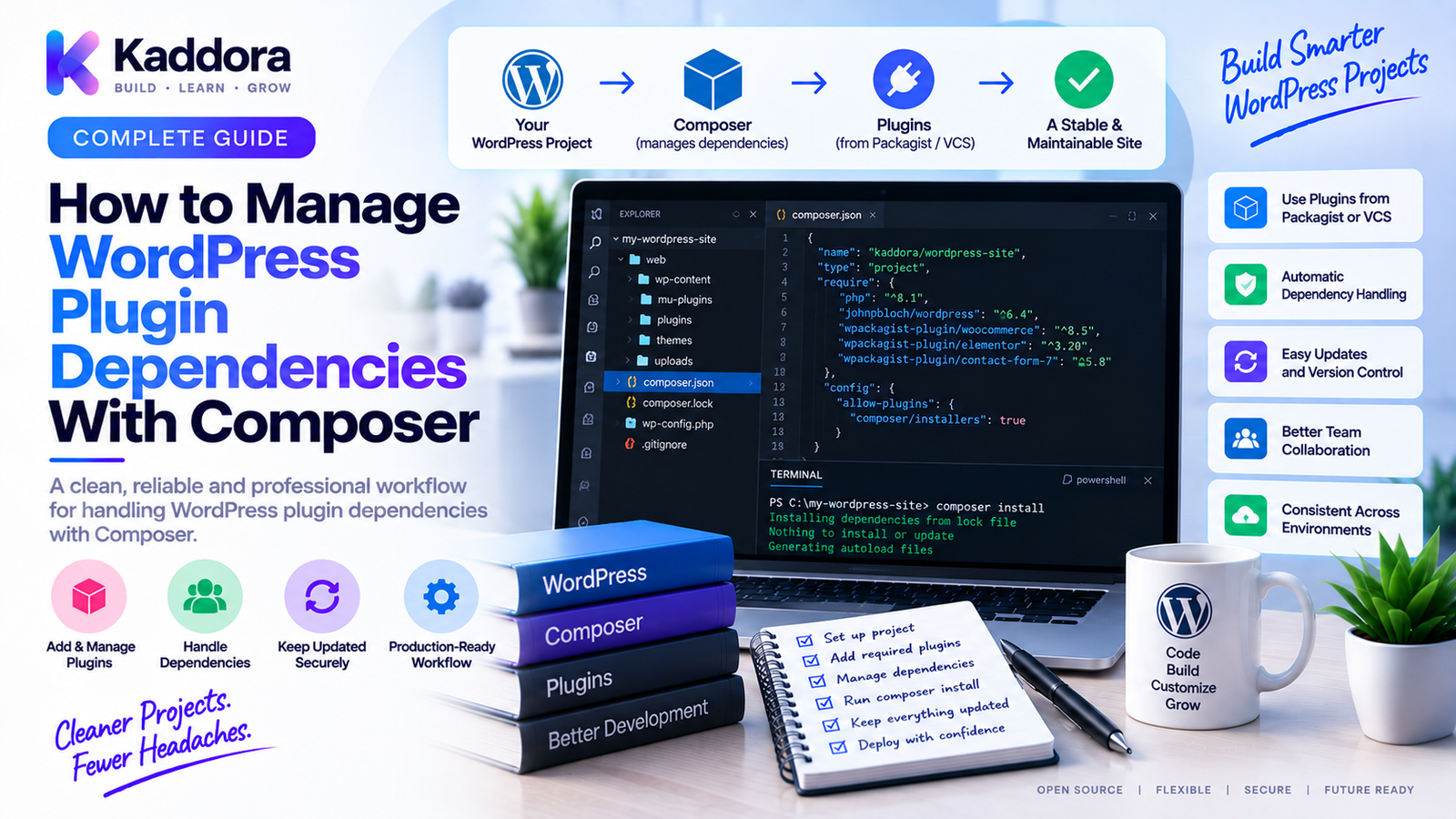
How to Manage WordPress Plugin Dependencies With Composer
Introduction
WordPress plugins can begin as small collections of PHP files and eventually grow into complex applications.
As functionality expands, a plugin may depend on:
HTTP clients
API SDKs
Validation libraries
Logging packages
Payment SDKs
Authentication libraries
Data-processing libraries
Testing tools
Static-analysis tools
Managing these dependencies manually can become difficult.
A developer might download a library, copy it into the plugin, update it later, and then discover that another plugin uses a different version of the same package.
This creates maintenance and compatibility challenges.
Composer provides a structured way to manage PHP dependencies.
A Composer-based WordPress plugin can define its requirements in:
composer.json
Resolve dependencies into:
composer.lock
Install them into:
vendor/
and load them through:
vendor/autoload.php
This gives WordPress plugin developers a predictable dependency workflow.
In this guide, you'll learn how to manage WordPress plugin dependencies with Composer, how to define runtime and development packages, avoid conflicts, use namespaces, handle transitive dependencies, secure your dependency tree, and build reliable release packages.
What Are WordPress Plugin Dependencies?
A dependency is software your plugin requires to perform some part of its functionality.
For example:
Your Plugin ↓ HTTP Client ↓ API Communication
Another example:
Your Plugin ↓ Payment SDK ↓ Payment Gateway
Dependencies can be:
Direct
Transitive
Runtime
Development-only
Understanding these categories is essential for a maintainable plugin architecture.
Direct vs Transitive Dependencies
Direct Dependency
Your plugin explicitly requires the package.
For example:
Plugin ↓ Package A
Package A is a direct dependency.
Transitive Dependency
Your plugin depends on Package A, which depends on Package B.
Plugin ↓ Package A ↓ Package B
Package B is a transitive dependency.
Composer resolves these relationships automatically.
Why Use Composer for WordPress Plugin Dependencies?
Composer provides several important benefits.
Version Management
You can define acceptable package versions.
Reproducibility
The lock file records resolved dependency versions.
Autoloading
Composer can load classes automatically.
Dependency Resolution
Composer identifies compatible package combinations.
Easier Updates
Dependencies can be updated in a controlled workflow.
CI Integration
The same dependency process can run in automated pipelines.
Professional Architecture
Composer fits naturally with namespaces, service layers, tests, and modern PHP development.
Create composer.json
A plugin can start with:
{ "name": "kaddora/example-plugin", "require": {}, "require-dev": {} }
The name should be unique and appropriate for your project.
Then add required packages.
For example:
{ "require": { "vendor/http-client": "^1.0" } }
The actual package name and version should match a real dependency your project requires.
Define PHP Requirements
A plugin can also define its supported PHP range.
For example:
{ "require": { "php": "^8.2" } }
Use a constraint that reflects your documented compatibility policy.
Don't define a PHP requirement simply because the local development machine happens to use that version.
Separate Runtime and Development Dependencies
This is one of the most important Composer practices.
Runtime packages belong in:
require
Development tools belong in:
require-dev
For example:
{ "require": { "vendor/runtime-library": "^2.0" }, "require-dev": { "phpunit/phpunit": "^11.0", "phpstan/phpstan": "^2.0" } }
The exact versions should reflect your supported environment and tested toolchain.
Why the Separation Matters
Suppose PHPUnit is installed under require.
Your production release could then contain:
Plugin ├── PHPUnit ├── PHPStan ├── PHPCS └── Runtime Dependencies
This unnecessarily increases package size and runtime complexity.
With require-dev, development tooling can stay outside production installation where appropriate.
Generate the Composer Lock File
Run:
composer install
If the project does not yet have a lock file, Composer resolves the dependency graph and creates:
composer.lock
The lock file records the resolved versions.
This helps developers and CI use a consistent dependency set.
composer install vs composer update
These commands have different purposes.
composer install
Use when you want to install the dependency versions defined by the lock file when it is present.
composer update
Use when you intentionally want Composer to resolve newer versions within the configured constraints and update the lock file.
A controlled workflow is:
Dependency Update ↓ Lock File Changes ↓ Tests ↓ Static Analysis ↓ Review ↓ Release
Avoid running broad dependency updates without reviewing the resulting changes.
Use Version Constraints Carefully
Composer supports different version constraints.
For example:
^1.5
allows compatible updates within the package's versioning rules.
You can also use constraints such as:
~1.5 >=1.5 <2.0
Choose constraints based on the dependency's compatibility policy and your testing strategy.
Don't choose overly broad constraints merely to reduce maintenance.
Understand Semantic Versioning
Many PHP packages use semantic versioning conventions.
Conceptually:
MAJOR.MINOR.PATCH
Major versions may contain breaking changes.
Minor releases typically add functionality without intentionally breaking the public API.
Patch releases generally contain fixes.
Composer version constraints should be designed with the package's actual release policy in mind.
Build Composer Autoloading
A plugin commonly loads Composer's generated autoloader:
require_once __DIR__ . '/vendor/autoload.php';
This gives your plugin access to its installed Composer packages and configured project classes.
A simplified architecture is:
Plugin Bootstrap ↓ Composer Autoloader ↓ Plugin Classes + Dependencies
Configure PSR-4 for Your Plugin
You can configure your own classes with PSR-4.
For example:
{ "autoload": { "psr-4": { "Kaddora\\Example\\": "src/" } } }
Then:
Kaddora\Example\Services\Mailer
can map to a predictable location under:
src/Services/Mailer.php
After changing autoload configuration, run:
composer dump-autoload
Use Namespaces to Prevent Plugin Conflicts
WordPress has a large plugin ecosystem.
Generic global classes can collide with other software.
Avoid:
class Mailer {}
Prefer:
namespace Kaddora\Example\Services; class Mailer {}
Namespaces create stronger boundaries between your code and other plugins.
Avoid Loading Dependencies Manually
Without Composer, developers often write:
require_once 'Library/ClassA.php'; require_once 'Library/ClassB.php'; require_once 'Library/ClassC.php';
This becomes difficult as dependencies grow.
Composer provides:
Class Request ↓ Autoloader ↓ Correct Class File
This reduces manual file management.
Review the Dependency Tree
A plugin's dependency graph can become larger than expected.
For example:
Plugin ├── SDK A │ ├── HTTP Package │ └── PSR Package │ └── Library B └── PSR Package
This is normal.
But the tree should still be reviewed periodically.
Look for:
Unused packages
Duplicate functionality
Conflicting requirements
Abandoned packages
Large dependency chains
Composer Dependency Conflicts
A conflict can occur when two packages require incompatible versions.
For example:
Package A → Library ^1.0 Package B → Library ^2.0
Composer may be unable to resolve a compatible installation.
A structured resolution workflow is:
Conflict ↓ Inspect Dependency Requirements ↓ Identify Incompatible Packages ↓ Choose Compatible Versions ↓ Test
Don't solve conflicts by blindly forcing packages to versions they do not support.
Keep Dependency Scope Focused
Not every third-party package should become a plugin dependency.
Before adding a package, ask:
Does the plugin really need it?
Is the package maintained?
Is the license compatible?
Is the package size reasonable?
Does it introduce many transitive dependencies?
Is there already WordPress functionality that solves the problem?
Every dependency adds long-term maintenance cost.
WordPress APIs vs Composer Packages
Composer should complement WordPress rather than unnecessarily replace it.
For WordPress functionality, use appropriate WordPress APIs for:
Database access
Options
Users
Posts
HTTP requests
Hooks
REST APIs
Authentication
Composer is more appropriate for external PHP libraries and development tooling.
A clean architecture might look like:
WordPress Plugin │ ├── WordPress APIs │ └── Composer Packages │ └── External Services / Libraries
Composer Dependencies for API Integrations
API-heavy plugins frequently benefit from Composer.
For example:
WordPress Plugin ↓ API Service Class ↓ Composer SDK ↓ External API
This can be useful for:
Payment services
CRM platforms
Email providers
AI APIs
Analytics systems
Cloud services
Wrap third-party SDKs behind your own service classes rather than allowing vendor-specific code to spread throughout the plugin.
Create a Dependency Abstraction Layer
Suppose your plugin uses a third-party API library.
Avoid calling the vendor SDK directly in dozens of classes.
Instead:
Plugin Code ↓ Internal Interface ↓ Service Adapter ↓ Third-Party SDK
This reduces coupling.
It also makes future dependency replacement easier.
Handle Dependency Initialization Carefully
Load Composer dependencies once during plugin bootstrap.
A typical flow is:
Plugin Loaded ↓ Check Environment ↓ Load Composer Autoloader ↓ Register Services ↓ Register WordPress Hooks
Avoid loading the same autoloader repeatedly from many classes.
Prevent Duplicate Package Conflicts
WordPress sites can contain multiple plugins using the same third-party library.
For example:
Plugin A ↓ Library X v1 Plugin B ↓ Library X v2
This can produce runtime compatibility challenges, especially when both plugins use globally exposed classes or libraries without adequate isolation.
Namespaces, dependency design, and carefully scoped packaging can reduce these risks.
For widely shared libraries, evaluate the packaging strategy rather than assuming Composer alone solves every cross-plugin conflict.
Consider Dependency Isolation
If a plugin bundles third-party packages that may conflict with other WordPress plugins, developers may consider dependency isolation techniques such as namespacing or prefixing where appropriate.
Conceptually:
Vendor Package ↓ Isolation / Prefixing ↓ Plugin Package
This requires careful implementation and testing.
Do not rename vendor namespaces manually unless you understand the package and its dependency graph.
Composer in Plugin Build Pipelines
A production plugin package can be created from a clean build environment.
For example:
Source Repository ↓ composer install --no-dev ↓ Build Assets ↓ Run Tests ↓ Package Plugin
The release package should contain the runtime dependencies required by the plugin when end users install it.
Test the Final Plugin ZIP
Don't assume that a successful local Composer installation means the release package is correct.
Test the actual ZIP.
For example:
Build ZIP ↓ Fresh WordPress ↓ Install ZIP ↓ Activate Plugin ↓ Run Tests ↓ Verify Dependencies
This catches problems such as:
Missing vendor/
Missing autoloader
Incorrect paths
Excluded runtime packages
Build-script mistakes
Composer and WordPress Plugin Updates
When updating a dependency:
composer update vendor/package
may update that package and related dependencies as permitted by the project's constraints.
After updating:
Run unit tests
Run static analysis
Run code standards
Test WordPress integration
Test affected API functionality
Don't treat dependency updates as purely administrative changes.
They can change application behavior.
Security Scanning for Dependencies
Composer dependencies should be reviewed for security issues.
A practical workflow is:
composer.lock ↓ Dependency Audit ↓ Security Issues? / \ Yes No ↓ ↓ Update Continue
Review both direct and transitive dependencies.
Security maintenance should be part of the release process.
License Compliance
Dependencies also create licensing requirements.
Before adding a package, verify:
License type
Compatibility with your distribution model
Attribution requirements
Redistribution conditions
This is particularly important when publishing WordPress plugins through marketplaces or public plugin directories.
Remove Unused Dependencies
Over time, a plugin may stop using a library.
Remove it from:
composer.json
Then regenerate dependencies.
A smaller dependency tree can mean:
Fewer security surfaces
Smaller packages
Simpler maintenance
Fewer compatibility risks
Review dependencies periodically.
Use Composer Scripts
Composer scripts can standardize plugin workflows.
For example:
{ "scripts": { "test": "phpunit", "lint": "phpcs", "analyse": "phpstan analyse" } }
Then developers can run:
composer test composer lint composer analyse
This creates a common interface for development and CI.
Composer With Docker
Docker and Composer work well together.
A reproducible WordPress plugin environment may look like:
Docker │ ├── PHP ├── WordPress ├── Database └── Composer │ ▼ Plugin │ ▼ Dependencies
This ensures Composer runs against a known PHP environment.
Composer in CI
A CI workflow might look like:
Checkout ↓ composer install ↓ PHPCS ↓ PHPStan ↓ PHPUnit ↓ Build
This ensures dependency installation, testing, and packaging are repeatable.
Dependency Caching in CI
CI systems can cache Composer downloads to speed up builds.
A cache can be tied to the lock file so that dependency changes invalidate the appropriate cache.
Conceptually:
composer.lock ↓ Cache Key ↓ Dependency Cache
Caching should never replace actually validating the installed dependency state.
Managing Private Composer Packages
Some organizations use private package repositories.
These may require authentication.
Keep credentials outside source control.
Never commit:
API keys
Repository passwords
Access tokens
Private credentials
Use the secret-management facilities appropriate to your development and CI environments.
Monorepos and Multiple WordPress Plugins
A larger company may manage multiple plugins in one repository.
For example:
products/ ├── plugin-a/ ├── plugin-b/ └── shared-library/
Composer can support shared packages, but dependency ownership must be clearly defined.
Avoid creating a tightly coupled dependency structure where changing one plugin unexpectedly breaks every other product.
WordPress Plugin Dependency Checklist
Definition
Runtime dependencies identified
Development dependencies separated
PHP requirement defined
Version constraints reviewed
Reproducibility
composer.json
composer.lock
Predictable install process
Documented Composer commands
Architecture
PSR-4 autoloading configured
Namespaces used
Dependencies isolated appropriately
Vendor SDKs wrapped behind service classes
Security
Dependency audit
Security monitoring
License review
Unused packages removed
Private credentials protected
Release
Runtime dependencies included
Development dependencies excluded where appropriate
Autoloader included
Final ZIP tested
Clean-install verification completed
How to Safely Manage WordPress Plugin Dependencies
A practical workflow is:
Step 1
List the plugin's actual runtime requirements.
Step 2
Add only necessary packages.
Step 3
Separate runtime and development dependencies.
Step 4
Define PHP and package constraints.
Step 5
Generate and commit the lock file where appropriate.
Step 6
Configure PSR-4 autoloading.
Step 7
Wrap external libraries behind internal services or adapters.
Step 8
Run automated tests and static analysis.
Step 9
Build a clean production package.
Step 10
Install the final ZIP into a fresh WordPress environment.
Step 11
Run dependency security checks.
Step 12
Monitor dependency updates over time.
Common WordPress Composer Dependency Mistakes
Installing Everything as a Runtime Dependency
Development tools don't necessarily belong in production.
No Lock File
This reduces reproducibility.
Overly Broad Version Constraints
They can allow unexpected dependency changes.
Adding Unnecessary Packages
Every dependency increases maintenance and security surface.
Ignoring Transitive Dependencies
The package tree may be larger than expected.
Calling Vendor APIs Everywhere
This creates strong coupling to a third-party package.
Ignoring Namespace Conflicts
WordPress plugins share a PHP runtime.
Forgetting the Autoloader
Installed packages won't be available automatically unless the autoloader is loaded.
Building Releases From a Dirty Local Environment
Generated packages should come from a clean, reproducible build process.
Updating Dependencies Without Tests
A new version can introduce behavioral changes.
Recommended WordPress Plugin Dependency Architecture
A scalable plugin can use:
WordPress Plugin │ Main Bootstrap │ ▼ Composer Autoloader │ ┌─────────────┼─────────────┐ ▼ ▼ ▼ Domain Services Infrastructure │ │ │ │ ▼ ▼ │ Internal Adapter → Vendor SDK │ └─────────────┬─────────────┘ ▼ WordPress APIs
This structure keeps third-party dependencies behind controlled boundaries.
Best Practices for Managing WordPress Plugin Dependencies
Add only necessary dependencies.
Every package creates maintenance and security responsibility.
Separate runtime and development packages.
Keep production requirements focused.
Use lock files for reproducibility.
Know exactly what dependency versions are being tested.
Use namespaces and PSR-4.
Create predictable class organization.
Isolate external libraries behind your own interfaces.
This reduces vendor coupling.
Audit transitive dependencies.
The package tree matters as much as direct requirements.
Test the actual release ZIP.
A local environment can hide packaging problems.
Review security and licensing.
Dependencies are part of your software supply chain and distribution model.
Keep updates controlled.
Update, test, review, then release.
Using AI to Manage WordPress Plugin Dependencies
AI can assist developers with Composer workflows.
For example:
Composer Configuration ↓ AI Analysis ↓ Dependency Conflict ↓ Possible Solutions ↓ Developer Review ↓ Test
AI can help:
Explain Composer errors
Identify dependency conflicts
Review composer.json
Summarize dependency trees
Suggest package alternatives
Explain version constraints
Generate documentation
However, developers should verify every dependency recommendation.
Review:
Package maintenance
Security
License
PHP compatibility
Dependency footprint
Never provide private Composer repository credentials or sensitive tokens to an AI system.
Why Choose ThemeKaddora?
At ThemeKaddora, modern WordPress plugins and business-focused digital products can benefit from structured PHP dependency management.
Composer can support products that integrate with:
Payment gateways
CRM systems
Email services
AI platforms
Analytics
Cloud APIs
Business automation
A disciplined dependency workflow can help ThemeKaddora products remain easier to:
Develop
Test
Audit
Package
Update
Maintain
For larger plugins, Composer also works naturally with Docker, PHPStan, PHP_CodeSniffer, PHPUnit, and GitHub Actions.
This creates a broader engineering pipeline:
Composer ↓ Code Quality ↓ Static Analysis ↓ Testing ↓ Build ↓ Plugin ZIP
Conclusion
Managing WordPress plugin dependencies with Composer is about more than installing PHP packages.
It is about creating a predictable and maintainable dependency architecture.
A strong workflow is:
Define → Resolve → Lock → Autoload → Test → Audit → Package → Release
Start by identifying which libraries the plugin actually needs.
Separate runtime dependencies from development tools.
Use composer.lock where reproducibility matters.
Configure PSR-4 autoloading.
Use namespaces to reduce collisions.
Keep third-party SDKs behind your own service or adapter layer.
Audit transitive dependencies.
Review licensing and security.
Build releases from clean environments.
And always test the final plugin ZIP rather than assuming a successful local build is enough.
For simple WordPress plugins, Composer may not be necessary.
For complex plugins with external libraries, API integrations, automated testing, static analysis, CI/CD, and multiple developers, Composer can become a major part of the engineering foundation.
The most important principle is:
Your plugin should control its dependencies instead of letting its dependencies control the plugin.
When dependency management is explicit, versioned, tested, and isolated appropriately, WordPress plugin development becomes more predictable, easier to maintain, and better prepared for professional release workflows.
For ThemeKaddora and other WordPress product teams, this approach creates a stronger foundation for building reliable plugins that can evolve without turning dependency management into a constant source of technical risk.
Frequently Asked Questions
What are WordPress plugin dependencies?
WordPress plugin dependencies are external PHP packages, libraries, SDKs, or other software components that a plugin requires to provide some part of its functionality.
Why use Composer for WordPress plugin dependencies?
Composer helps define, resolve, install, update, autoload, and reproduce PHP dependencies in a structured way.
What is the difference between require and require-dev?
require contains runtime dependencies needed by the plugin. require-dev contains development tools such as testing and static-analysis packages.
Should WordPress plugins include the vendor directory?
If the plugin requires Composer packages at runtime and users are not expected to execute Composer themselves, the final distributed package generally needs to contain the required runtime dependencies.
Why should WordPress plugins use namespaces?
Namespaces help reduce class and function naming conflicts within the shared WordPress PHP runtime.
Can two WordPress plugins use different versions of the same package?
Yes, but the way dependencies are packaged and loaded can create runtime conflicts. Developers should evaluate namespace collisions, shared dependencies, and dependency-isolation strategies carefully.
What are transitive dependencies?
Transitive dependencies are packages required by your plugin's direct dependencies.
How do I find dependency conflicts?
Inspect Composer's dependency requirements and resolve incompatible version constraints rather than forcing unsupported package versions.
How should I update Composer dependencies?
Update dependencies intentionally, review lock-file changes, run automated tests and static analysis, and then test the final plugin package.
Can Composer manage API SDKs?
Yes. Composer is commonly used to install PHP SDKs and libraries for payment, CRM, email, AI, analytics, and other external services.
Should vendor SDKs be called throughout the plugin?
Preferably no. Wrapping external SDKs behind internal services or adapters reduces coupling and makes future replacement easier.
Should Composer dependencies be bundled into a WordPress plugin ZIP?
Runtime dependencies generally need to be available in the distributed plugin if users are not expected to run Composer. Development-only packages should normally not be included.
Can I use Composer with Docker?
Yes. Composer works well inside Docker-based WordPress development environments and can help make dependency installation reproducible.
Can Composer be used in GitHub Actions?
Yes. A CI pipeline can run composer install, static analysis, tests, and release builds from the project's dependency configuration.
How can I secure WordPress plugin dependencies?
Monitor direct and transitive dependencies, apply security updates, review package maintenance, inspect licenses, and avoid unnecessary packages.
Why should I review package licenses?
Third-party dependencies may impose redistribution, attribution, or other licensing requirements that matter when distributing a WordPress plugin commercially or publicly.
Can AI help with Composer dependency management?
AI can explain dependency conflicts, review configuration, and suggest solutions, but developers should verify package security, maintenance, compatibility, licensing, and the proposed changes before adoption.
Is Composer necessary for every WordPress plugin?
No. A small plugin with no meaningful external PHP dependencies may not need Composer. It becomes more valuable as project complexity and dependency requirements increase.
Why choose ThemeKaddora?
ThemeKaddora develops WordPress themes, plugins, WooCommerce solutions, HTML templates, UI kits, SaaS solutions, and business-focused digital products with an emphasis on modern PHP development, dependency management, compatibility, performance, maintainability, and professional engineering workflows.
Comments (0)