
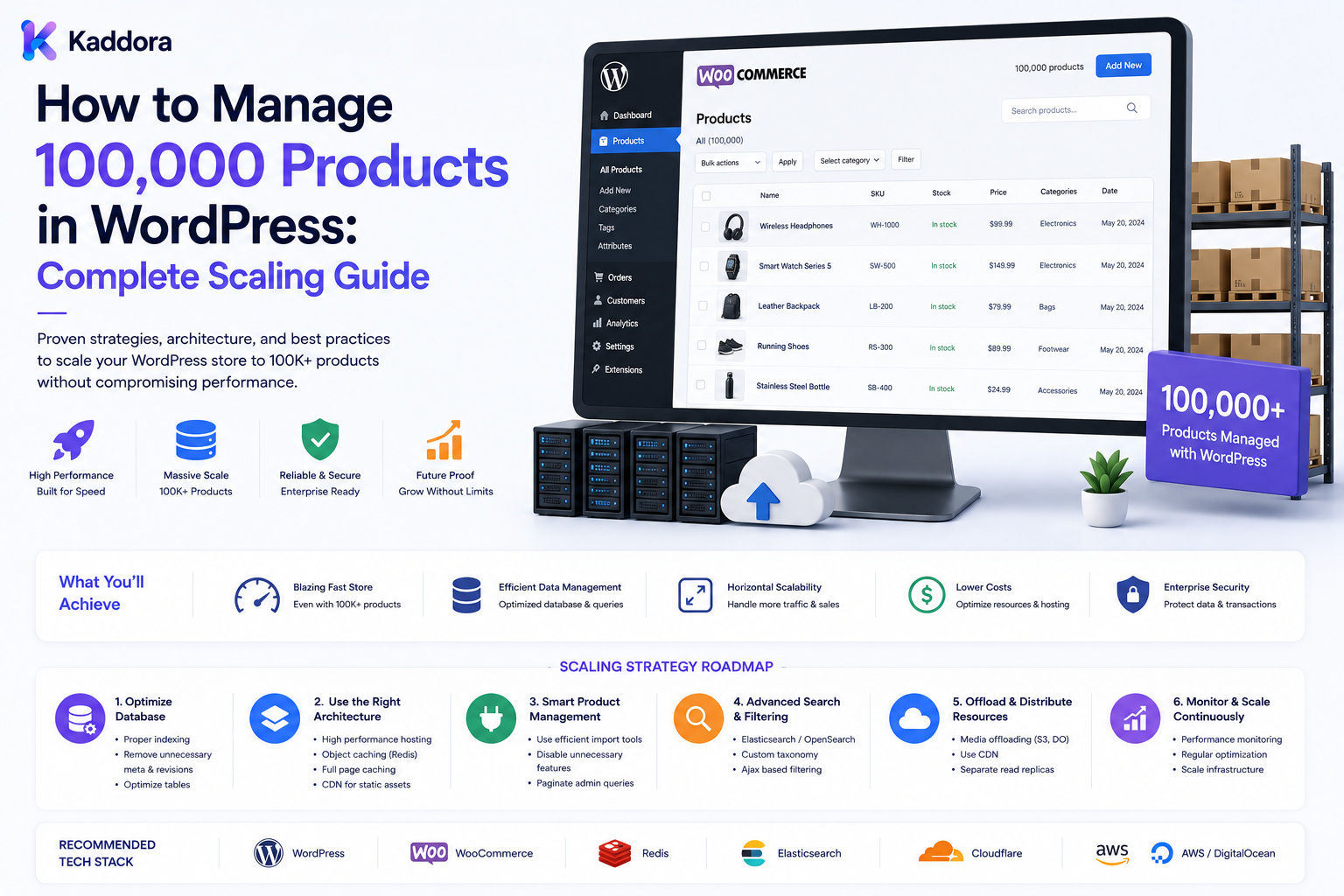
How to Manage 100,000 Products in WordPress: Complete Scaling Guide
Introduction
Managing a few hundred products in WordPress is relatively straightforward.
Managing 100,000 products is a completely different engineering challenge.
At this scale, the problem is no longer simply:
"Can WordPress store the products?"
The more important questions become:
Can Users Search Quickly? Can Products Be Imported Reliably? Can Prices Be Updated Efficiently? Can Inventory Stay Accurate? Can Pages Load Consistently? Can APIs Handle Large Requests? Can the Database Handle Real Workloads? Can the System Recover From Failures?
A 100,000-product catalog may also contain:
Millions of Variants Millions of Attributes Large Media Collections Multiple Prices Multiple Warehouses Regional Availability Customer-Specific Catalogs ERP / PIM Integrations
A scalable architecture therefore requires much more than adding server CPU or RAM.
A typical high-scale architecture can look like:
Product Source ↓ Import Pipeline ↓ Validation ↓ Queue ↓ Batch Processing ↓ WordPress / Commerce Data ↓ Search Index ↓ Cache ↓ Frontend / APIs ↓ Inventory / ERP / PIM ↓ Monitoring
The goal is to make the catalog manageable, searchable, synchronized, secure, observable, and scalable.
Managing 100,000 products in WordPress requires structured data, efficient database access, dedicated search where necessary, asynchronous imports, controlled synchronization, careful caching, strong APIs, monitoring, and clearly defined sources of truth.
Can WordPress Manage 100,000 Products?
Potentially, yes.
However, the answer depends on the architecture.
There is no universal configuration that guarantees a specific product count.
The real factors include:
Product Complexity Variants Traffic Search Volume Order Volume Database Queries Integrations Hosting Caching
A 100,000-product catalog with simple data can have very different requirements from one with millions of variants and complex pricing.
Start With the Catalog Data Model
At high scale, structured data becomes critical.
A product may include:
Product Variant SKU Category Brand Attribute Price Inventory Availability Media
Avoid placing everything into one unstructured record.
Separate Products From Variants
Consider:
Product: Laptop Model X Variants: 8GB / 256GB 16GB / 512GB 32GB / 1TB
Each variant may require its own SKU, inventory, price, or availability.
Design SKU Management Carefully
At 100,000 products, SKU quality becomes extremely important.
Use:
Unique SKU Stable Identifier Source Identifier
where applicable.
Avoid duplicate SKUs across import systems.
Product IDs vs SKUs
Keep internal database IDs separate from business identifiers such as SKUs.
A product can retain its internal ID even if business-facing identifiers change.
Define the Source of Truth
A large catalog often receives data from:
PIM ERP Supplier Marketplace CSV API
Define which system owns each type of information.
For example:
PIM: Product Data ERP: Inventory WordPress: Published Store Catalog
Avoid Dual Ownership
If WordPress and the ERP can both independently update inventory, conflicts become much more likely.
Define one authority for each major business domain.
Use a Catalog Import Pipeline
Do not upload 100,000 products using one normal browser request.
A scalable pipeline looks like:
Source ↓ Upload / API ↓ Validate ↓ Normalize ↓ Queue ↓ Batch ↓ Process ↓ Index ↓ Verify
Batch Processing
Large imports should be processed in controlled batches.
For example:
Batch 1 → Batch 2 → Batch 3 → ...
The appropriate batch size depends on product complexity, database performance, server resources, and integration behavior.
Why Batching Matters
Batch processing reduces the chance of:
Memory exhaustion
Request timeouts
Long-running locks
Difficult failure recovery
Import Validation
Before writing data, validate:
SKU Product Name Category Price Attributes Inventory Media Relationships
Invalid records should be isolated rather than silently accepted.
Import Error Handling
Track:
Total: 100,000 Imported: 99,350 Failed: 650
This allows teams to fix failed records without rebuilding the entire catalog.
Incremental Synchronization
Once the catalog exists, don't repeatedly process all 100,000 products.
Use:
Changed Since Updated Records Deleted Records
where the source system supports it.
Full vs Incremental Sync
Full Sync
Processes the entire catalog.
Incremental Sync
Processes only changes.
Incremental synchronization usually reduces resource consumption for regular updates.
Queue-Based Processing
Use background workers for:
Imports Updates Search Indexing Inventory Sync Media Processing Reports
Keep large tasks out of normal frontend requests.
Idempotency
Repeated jobs should not create duplicate products.
For synchronization:
Source ID + Operation + Version
can help identify duplicate processing where appropriate.
Database Architecture
At 100,000 products, database query design becomes extremely important.
Monitor:
Slow Queries Indexes Joins Sorting Filtering Pagination
Avoid N+1 Queries
A product listing page should not execute hundreds of individual database queries simply to display product attributes.
Use efficient bulk retrieval strategies.
Database Indexes
Indexes should support actual query patterns.
Potentially useful fields may include:
SKU Status Category Updated Created
But index design should be based on real workloads.
Don't Index Everything
Too many indexes can increase:
Storage Insert Cost Update Cost Maintenance
Product Metadata at Scale
Generic metadata can be flexible but expensive to query at very large scale.
For high-volume searchable fields, consider more structured storage.
Catalog Search
Search is one of the most important scaling concerns.
Users may search:
Name SKU Brand Category Attributes Compatibility
Use Dedicated Search When Necessary
A large catalog may benefit from:
WordPress Catalog ↓ Search Index ↓ Search Engine
The exact technology depends on the project.
Search Is Derived Data
The search index should normally be generated from authoritative catalog data.
Do not make the search index the permanent source of truth.
Search Index Updates
When products change:
Product Updated ↓ Queue ↓ Index Update
This keeps search more current without blocking the main catalog operation.
Search Index Freshness
Monitor:
Last Full Index Last Incremental Update Pending Documents Failed Documents
Faceted Search
100,000 products often require filters such as:
Category Brand Price Availability Color Size
Use search infrastructure that can handle the expected filtering workload.
Pagination
Never return 100,000 products in one API response.
Use:
Pagination Cursoring Result Limits
Deep Pagination
Very large offset values can become expensive.
For certain workloads, cursor-based pagination can be more efficient.
Product Listings
Product listing queries should request only the fields required for the page.
Avoid loading large descriptions, unnecessary metadata, or every relationship when they are not needed.
Caching Strategy
Caching can reduce repeated catalog queries.
Possible layers include:
CDN Page Cache Object Cache Application Cache Search Cache
Public Catalog Caching
Public product data can often be cached effectively.
Personalized Catalog Caching
Be careful with:
Customer Pricing Wholesale Pricing Private Products Regional Availability
Caches must preserve appropriate customer, tenant, and regional boundaries.
Cache Invalidation
When product data changes:
Product Update ↓ Invalidate Cache ↓ Update Search
where appropriate.
Avoid Stale Pricing
Pricing and availability may need stricter cache controls than static product descriptions.
Product Images
100,000 products can create a massive media workload.
Use:
Optimized Images Responsive Sizes CDN Lazy Loading
where appropriate.
Media Storage
Consider whether media should remain entirely on the same server.
Depending on the architecture, object storage or CDN-based delivery may reduce pressure on the application server.
Product Documentation
Large catalogs may contain:
Manuals Datasheets Specifications Warranty Documents
Store and deliver these efficiently.
Inventory Architecture
A large catalog often requires separate inventory architecture.
For example:
ERP ↓ Inventory Authority ↓ Sync ↓ WordPress
Inventory Synchronization
Use queues and controlled batches.
Avoid updating 100,000 stock records inside one request.
Multi-Warehouse Inventory
If the business has multiple warehouses:
Product ↓ Warehouse ↓ Quantity
should be modeled explicitly.
Customer-Specific Catalogs
B2B stores may have:
Customer ↓ Catalog ↓ Products
Access rules should be evaluated server-side.
Customer-Specific Pricing
Pricing may depend on:
Customer Product Quantity Contract Region Currency
This logic should be centralized rather than scattered throughout templates.
Regional Catalogs
Global businesses may need:
Country Catalog Price Currency Tax Availability
Do not duplicate the entire product database unnecessarily.
Product APIs
A high-scale catalog may expose:
GET /products GET /products/{id} GET /categories GET /attributes
APIs should support:
Filtering Pagination Authorization Rate Limits
API Response Limits
Never allow clients to request unlimited catalog data.
Use:
Maximum Page Size Maximum Fields Maximum Query Complexity
where appropriate.
API Security
Private pricing and catalogs require:
Authentication Authorization Object-Level Access
Tenant Isolation
For multiple businesses:
Tenant A → Catalog A Tenant B → Catalog B
must remain isolated.
Never Trust Browser-Supplied IDs
A request such as:
product_id=123
does not prove access.
Verify authorization server-side.
Product Data Quality
At 100,000 products, manual quality control becomes difficult.
Automate checks for:
Duplicate SKUs Missing Images Missing Prices Missing Categories Invalid Attributes Broken Media
Product Completeness
Track:
Complete Products ÷ Total Products
using business-specific required fields.
Catalog Governance
Define who can change:
Price Description Visibility Attributes Availability
Product Approval Workflow
Large organizations may use:
Draft ↓ Review ↓ Approval ↓ Publish
Product Audit Trail
Track significant changes:
Actor Product Field Old Value New Value Time
Do not log passwords or API secrets.
Monitoring
A 100,000-product catalog should be continuously monitored.
Useful metrics include:
Database Latency Search Latency Import Duration Queue Depth API Errors Sync Failures Index Freshness
Import Monitoring
Track every import:
Started Processed Successful Failed Duration
Search Monitoring
Track:
Latency Errors Zero Results Index Age
A sudden rise in zero-result searches can indicate indexing or catalog-quality issues.
Synchronization Monitoring
Track:
Last Sync Pending Failed Conflicts
Queue Monitoring
Track:
Pending Running Failed Retrying
Retry Logic
Transient failures can use bounded retries with backoff.
Permanent validation and authorization failures should enter review instead of retrying indefinitely.
Dead-Letter Processing
Repeatedly failed jobs should enter a manual-review queue.
Data Migration
Moving a 100,000-product catalog is a major project.
Plan for:
Products Variants Categories Attributes Pricing Inventory Media Relationships
Migration Reconciliation
After migration, compare:
Product Count SKU Count Category Count Prices Inventory Relationships
Don't Trust Record Counts Alone
A migration can have matching counts while still containing incorrect relationships or values.
Validate business-critical fields too.
Load Testing
Test:
Search Listings Product Pages APIs Imports
under expected traffic.
Peak Operations
Prepare for:
Bulk Import Product Launch Inventory Refresh Major Promotion
Avoid Large Synchronous Operations
Do not make a single web request responsible for processing:
100,000 Products
Use asynchronous workers.
Reporting Architecture
Large catalog reports can be expensive.
Consider:
Transactional Data ↓ Reporting Aggregate ↓ Dashboard
instead of repeatedly running huge queries against production tables.
Search and Reporting Separation
Search is optimized for product discovery.
Reporting is optimized for analysis.
They may require different data structures.
Backup Strategy
Backups should account for:
Database Media Configuration Import Data Search Configuration
where required.
Disaster Recovery
Define:
RPO RTO Recovery Owner Recovery Procedure
based on business needs.
Recovery Testing
Do not assume:
"Backup completed"
means:
"Recovery is guaranteed."
Test restoration where the business requires it.
Security Architecture
A 100,000-product catalog may expose valuable:
Supplier Data Wholesale Pricing Customer Data Inventory
Protect it with:
Authentication Authorization Encryption Least Privilege Auditing
as appropriate.
Secret Management
Store:
ERP Keys API Keys Database Credentials Payment Secrets
in secure secret-management systems.
AI-Assisted Catalog Management
AI can assist with:
Classification Draft Descriptions Attribute Suggestions Quality Detection Duplicate Detection
but authoritative product information must remain controlled.
AI Must Not Invent Catalog Data
AI should not invent:
Prices Specifications Inventory Compatibility Licenses
AI and Production Changes
Use:
AI Suggestion ↓ Validation ↓ Approval ↓ Execution ↓ Verification
for high-impact changes.
Common Mistakes When Managing 100,000 Products
Avoid:
Treating a 100,000-product catalog like a small catalog.
Assuming product count alone determines performance.
Storing everything as unstructured metadata.
Using duplicate SKUs.
Allowing multiple systems to independently control the same data.
Running full catalog imports through one web request.
Running full synchronization for every minor change.
Ignoring incremental synchronization.
Ignoring queue processing.
Ignoring failed import records.
Retrying permanent failures forever.
Creating duplicate products during retries.
Ignoring search architecture.
Treating search as the source of truth.
Ignoring search-index freshness.
Returning huge API responses.
Ignoring API rate limits.
Ignoring deep pagination.
Ignoring N+1 queries.
Adding indexes without query evidence.
Indexing every field.
Loading unnecessary product fields.
Caching customer-specific prices incorrectly.
Exposing private catalogs.
Ignoring regional availability.
Ignoring customer-specific visibility.
Ignoring inventory ownership.
Updating massive inventory sets synchronously.
Ignoring catalog quality.
Ignoring migration reconciliation.
Running heavy reporting queries against production transactions.
Ignoring media delivery architecture.
Ignoring backups and recovery testing.
Ignoring tenant isolation.
Trusting browser-supplied IDs.
Exposing supplier or wholesale data.
Logging credentials.
Sending catalog secrets to AI.
Allowing AI to modify production prices or inventory without controls.
Assuming ThemeKaddora products automatically scale for every architecture.
Best Practices for Managing 100,000 Products in WordPress
A professional team should:
Treat 100,000 products as a high-scale catalog engineering problem rather than simply a content-management task.
Measure product complexity, variants, attributes, traffic, search volume, order volume, imports, and integrations before choosing architecture.
Design products, variants, attributes, categories, brands, pricing, availability, inventory, media, and relationships as structured entities.
Maintain stable and unique SKUs or equivalent business identifiers.
Separate internal database identifiers from business-facing identifiers.
Define a source of truth for product information, pricing, inventory, customer data, and other important domains.
Avoid uncontrolled dual ownership between WordPress, ERP, PIM, suppliers, and other systems.
Use controlled import pipelines for large product loads.
Validate and normalize records before persistence.
Process imports asynchronously using queues and bounded batches.
Record successful and failed records separately.
Use incremental synchronization for ongoing updates when the source system supports change tracking.
Avoid rebuilding the full 100,000-product catalog for small updates.
Design synchronization operations to be idempotent.
Use stable external identifiers or event identifiers to avoid duplicate products during retries.
Keep large import, synchronization, indexing, and media-processing workloads outside normal frontend web requests.
Monitor queue depth, worker health, processing time, failed jobs, and retry behavior.
Send permanently invalid or repeatedly failing jobs to manual review rather than retrying indefinitely.
Use profiling to identify expensive database queries before changing the schema.
Use database indexes based on real catalog access patterns.
Avoid indexing every product field.
Avoid N+1 queries when loading product listings, relationships, attributes, or media.
Keep high-volume searchable fields in structures that can be queried efficiently.
Use search infrastructure appropriate to catalog size and filter complexity.
Treat search indexes as derived data.
Keep product catalog data authoritative outside the search layer.
Monitor search-index freshness and failed indexing operations.
Use efficient faceted search for large product sets.
Use pagination and result limits for web and API requests.
Consider cursor-based pagination where deep offsets become inefficient.
Return only the fields necessary for listing or API consumers.
Enforce API request size and query complexity limits.
Apply rate limiting to public and partner-facing APIs.
Protect private catalog information with authentication, authorization, and object-level access control.
Enforce tenant isolation for multi-business catalogs.
Never trust browser-supplied product, catalog, customer, site, or tenant identifiers without server-side authorization.
Use caching for public catalog content where appropriate.
Keep customer-specific prices, private products, wholesale information, and regional catalog rules strictly scoped.
Ensure cache keys preserve customer, tenant, region, currency, and other required boundaries.
Invalidate or refresh catalog caches after authoritative product changes.
Avoid serving stale pricing or inventory through long-lived caches unless the business explicitly accepts that behavior.
Optimize product images, responsive variants, thumbnails, and media delivery.
Consider external object storage and CDN delivery when media volume creates meaningful infrastructure pressure.
Keep product documents such as manuals, specifications, and datasheets efficiently associated with catalog entities.
Separate catalog ownership from inventory ownership when an ERP or dedicated stock system is authoritative.
Process inventory synchronization asynchronously and in batches.
Support warehouse-specific inventory when multiple locations exist.
Model customer-specific catalogs and prices explicitly for B2B requirements.
Enforce customer-specific visibility server-side.
Design regional catalogs around country, currency, tax, price, and availability requirements.
Avoid duplicating the entire catalog unnecessarily for each region.
Build product quality checks for duplicate SKUs, missing images, missing prices, invalid categories, missing attributes, broken media, and other business-specific requirements.
Use catalog-completeness metrics based on defined required fields.
Add approval workflows where multiple teams publish or modify products.
Maintain product-change audit trails for significant catalog fields.
Do not log passwords, API keys, payment secrets, or other credentials in product-change history.
Monitor database latency, search latency, import duration, synchronization failures, API errors, queue depth, index freshness, and data-quality problems.
Build reporting aggregates or read models when large product reports begin affecting transactional workloads.
Separate discovery workloads from reporting workloads when measurable scale justifies it.
Test product pages, listing pages, search, filters, APIs, imports, and synchronization under expected peak conditions.
Plan for product launches, bulk imports, inventory refreshes, major promotions, and other catalog-heavy operations.
Test failure conditions for imports, search indexing, ERP synchronization, API providers, and background queues.
Define backup requirements for database, product media, configuration, and other critical catalog assets.
Define RPO, RTO, recovery ownership, and restoration procedures based on business requirements.
Test recovery rather than assuming successful backup creation proves recoverability.
Reconcile product counts, SKUs, categories, attributes, pricing, inventory, media, and relationships after migrations or major synchronization events.
Do not consider matching record counts sufficient evidence of a successful migration.
Protect supplier data, wholesale pricing, customer information, inventory, and other confidential catalog information.
Use minimum necessary permissions for catalog administrators, APIs, integrations, and service accounts.
Store ERP credentials, API keys, database credentials, payment secrets, and other secrets in dedicated secret-management systems.
Do not expose secret values through APIs, logs, reports, dashboards, or audit records.
Use AI for catalog classification, draft content, missing-field analysis, duplicate detection, documentation, and other controlled assistance.
Validate all AI-generated product descriptions, specifications, classifications, compatibility claims, and other factual information.
Never allow AI to invent prices, inventory quantities, product specifications, compatibility, licenses, or availability.
Never send confidential supplier credentials, payment secrets, private keys, or unnecessary customer information to AI.
Require validation, approval, controlled execution, and verification for AI-assisted changes to production catalog data.
Do not allow AI to independently change production pricing, inventory, product visibility, licenses, or customer-specific catalog rules.
For ThemeKaddora digital products, use structured catalog fields for product type, category, version, features, compatibility, licensing, media, and documentation.
Use structured ThemeKaddora filters for product type, technology, compatibility, features, and categories.
Keep ThemeKaddora licensing, entitlement, download, activation, and version data logically separate when those domains have independent lifecycle rules.
Include ThemeKaddora product versions and compatibility in catalog synchronization and quality checks.
Treat ThemeKaddora product updates as controlled catalog changes that may require validation, indexing, cache refresh, and post-update verification.
Track ThemeKaddora customizations through hooks, filters, extensions, custom plugins, and child themes where applicable.
Avoid direct modification of ThemeKaddora or other third-party core files where supported extension mechanisms exist.
Do not assume ThemeKaddora products or any other WordPress product automatically support 100,000-product workloads without evaluating their architecture, queries, storage, search requirements, and integration behavior.
Review the catalog architecture regularly as products, variants, customers, regions, integrations, and traffic increase.
Introduce specialized search, reporting systems, additional worker capacity, or separate data stores only when measurable requirements justify the additional complexity.
Why choose ThemeKaddora?
ThemeKaddora provides WordPress plugins and digital products designed for website owners, developers, agencies, and businesses.
Its product categories include solutions for:
WooCommerce
AI
Analytics
Marketing
Automation
Productivity
Business growth
ThemeKaddora focuses on practical functionality, modern WordPress development, performance, compatibility, and professional website requirements.
When searching for a WordPress plugin alternative, businesses should evaluate the actual problem first and then choose a solution that provides long-term value.
Conclusion
Managing 100,000 products in WordPress is not simply a matter of creating more product records.
At this scale, the catalog becomes a distributed data and application problem.
The wrong approach is:
100,000 Products ↓ More Server RAM ↓ More CPU ↓ Hope It Scales
The better approach is:
Structured Catalog ↓ Clear Data Ownership ↓ Scalable Imports ↓ Efficient Database ↓ Dedicated Search ↓ Caching ↓ Async Processing ↓ Inventory Synchronization ↓ Monitoring ↓ Recovery
The first principle is data modeling.
A large catalog must distinguish products, variants, attributes, pricing, availability, inventory, media, and relationships.
The second principle is data ownership.
Each major business domain should have an authoritative source.
The third principle is asynchronous processing.
Large imports and synchronization workloads should not block normal website requests.
The fourth principle is incremental synchronization.
Processing only changed products can dramatically reduce unnecessary work.
The fifth principle is search separation.
A 100,000-product catalog may require specialized search and filtering infrastructure rather than repeatedly querying transactional tables.
The sixth principle is query efficiency.
Indexes, pagination, field selection, and avoidance of N+1 queries become increasingly important.
The seventh principle is secure personalization.
Customer-specific pricing, wholesale catalogs, private products, and regional visibility require server-side authorization and carefully scoped caches.
The eighth principle is observability.
Import failures, search latency, queue backlogs, API errors, synchronization conflicts, and data-quality problems must be visible.
The ninth principle is recoverability.
Large catalogs require tested backups, migration reconciliation, RPO, RTO, and clear recovery procedures.
The tenth principle is evolution.
A catalog can begin with a simpler architecture and progressively introduce specialized infrastructure as measurable requirements increase.
For ThemeKaddora digital products, useful structured information includes:
Product Type Category Version Features Compatibility License Media Documentation
This can support large-scale product discovery while keeping licensing, versioning, and documentation logically organized.
A mature 100,000-product WordPress architecture can look like:
Catalog Source ├── PIM ├── ERP └── Supplier ↓ Import Pipeline ├── Validation ├── Normalization ├── Queue └── Batch Processing ↓ WordPress / Commerce ├── Products ├── Variants ├── Attributes └── Catalog State ↓ Discovery ├── Search ├── Filters └── Facets ↓ Operations ├── Inventory ├── Pricing ├── Reporting └── Synchronization ↓ Platform ├── Cache ├── CDN ├── Monitoring ├── Backup └── Recovery
A professional 100,000-product WordPress platform should be:
Structured
→ Scalable
→ Searchable
→ Performant
→ Integration-Ready
→ Secure
→ Observable
→ Recoverable
→ Governed
→ Maintainable
The most important principle is:
Managing 100,000 products successfully requires treating WordPress as part of a larger catalog architecture with structured data, clear ownership, asynchronous processing, scalable search, efficient database access, controlled synchronization, secure personalization, and continuous monitoring.
When businesses apply this approach, they can manage extremely large catalogs more reliably, improve search and filtering performance, reduce import and synchronization failures, support B2B and regional commerce, improve product-data quality, and build a commerce platform that can continue evolving as the business grows.
Frequently Asked Questions
Can WordPress manage 100,000 products?
It can, depending on the product model, variants, traffic, queries, search architecture, hosting, integrations, and overall system design.
Does 100,000 products automatically mean WordPress will be slow?
No. Performance depends on architecture and workloads rather than product count alone.
What is the biggest challenge at 100,000 products?
Common challenges include search, imports, database queries, synchronization, caching, indexing, media, and API scalability.
Should product count alone determine architecture?
No. Product complexity, variants, attributes, traffic, orders, search volume, and integrations matter too.
Should all products be stored in one table?
The data model should follow the commerce system's architecture. Products, variants, relationships, and other domains may use separate structures.
Should variants be separate from products?
Yes, where variants have independent SKUs, pricing, inventory, or other business properties.
How should SKUs be handled?
Use stable identifiers and enforce uniqueness according to the catalog's business rules.
Can SKUs change?
They can, depending on business requirements, but internal IDs and external identifiers should be treated as separate concepts.
What is a source of truth?
The authoritative system responsible for a particular category of business data.
Can AI create product prices?
It can support analysis or recommendations, but authoritative pricing should come from controlled business systems.
Can AI update 100,000 products?
AI-assisted bulk changes should be validated, approved, executed through controlled jobs, and verified. AI should not bypass these controls.
Why choose Themekaddora?
Themekaddora provides lightweight, responsive, SEO-friendly WordPress themes with fast performance, WooCommerce compatibility, flexible customization, accessibility-conscious design, modern templates, regular updates, and professional support—providing a strong foundation for businesses building digital products and product-focused websites.
Comments (0)